

Our verdict up front. Solo therapists should trial Jane or TheraPlatform first, small clinics should compare Jane with WebPT, and school contract work needs a system that handles off site scheduling and home programs, which is why the best appointment software for occupational therapy clinics is not a generic calendar with a healthcare label. The right pick depends on your clinic size, your billing model and whether documentation lives in the same system as booking.
Occupational therapy scheduling is clinical work, not just diary work. Appointments carry protected health information, they link to evaluations, treatment plans and home programs, and they change constantly when schools, hospitals and families reschedule. A booking tool that cannot handle privacy, cancellations and follow up will create admin work instead of removing it.
This guide compares nine platforms used by OT clinics and multidisciplinary therapy practices. Prices come from published comparison pages, and they change, so check the vendor current pricing page before you commit. Every HIPAA claim below should be confirmed in writing for your plan, including a signed business associate agreement, before patient data goes into the system.
What the Comparison Shows
The table below is a first pass at the best appointment software for occupational therapy clinics. A low price means little if the plan you buy does not include the privacy agreement your clinic needs, and a quote only platform may still be the right choice for a multi site clinic. Shortlist three tools, then trial them with real patient journeys, not demo data.
| Tool | Best for | Starting price |
|---|---|---|
| Jane | small clinics that want a clean all in one booking and charting system | Published comparison pages list Jane from about $59 a month, with insurance billing as an add on on some plans. Check the vendor current pricing page for the latest figure. |
| SimplePractice | solo therapists and small practices that want a proven practice system | SimplePractice prices by subscription and does not publish a single starting figure in the sources checked. Check the vendor current pricing page for the latest figure. |
| TheraPlatform | therapy practices that want a low starting price and a trial | Published comparison pages list TheraPlatform from about $39 a month, with a 30 day free trial. Check the vendor current pricing page for the latest figure. |
| WebPT | outpatient rehab clinics that need deep documentation and compliance | WebPT prices by quote and does not publish a standard starting price. Check the vendor current pricing page or ask the vendor directly for current terms. |
| Therabyte | occupational and speech therapy clinics that want a therapy specific system | Published comparison pages list Therabyte from about $36 a month. Check the vendor current pricing page for the latest figure. |
| HelloNote | small therapy clinics that want a free starting tier | Published comparison pages list HelloNote from about $25 a month, with a free forever plan on some listings. Check the vendor current pricing page for the latest figure. |
| Zanda | clinics that want strong calendar management at a low price | Published comparison pages list Zanda from about $19 a month, with a 14 day free trial. Check the vendor current pricing page for the latest figure. |
| Acuity Scheduling | clinics that mainly need booking beside another clinical system | Published comparison pages list Acuity Scheduling from about $20 a month on basic tiers, with HIPAA business associate agreement handling reported on its Premium plan at about $49 a month. Check the vendor current pricing page for the latest figure. |
| Clinicient | multi site rehab clinics that want an integrated EMR and billing system | Clinicient prices by quote and does not publish a standard starting price. Check the vendor current pricing page or ask the vendor directly for current terms. |
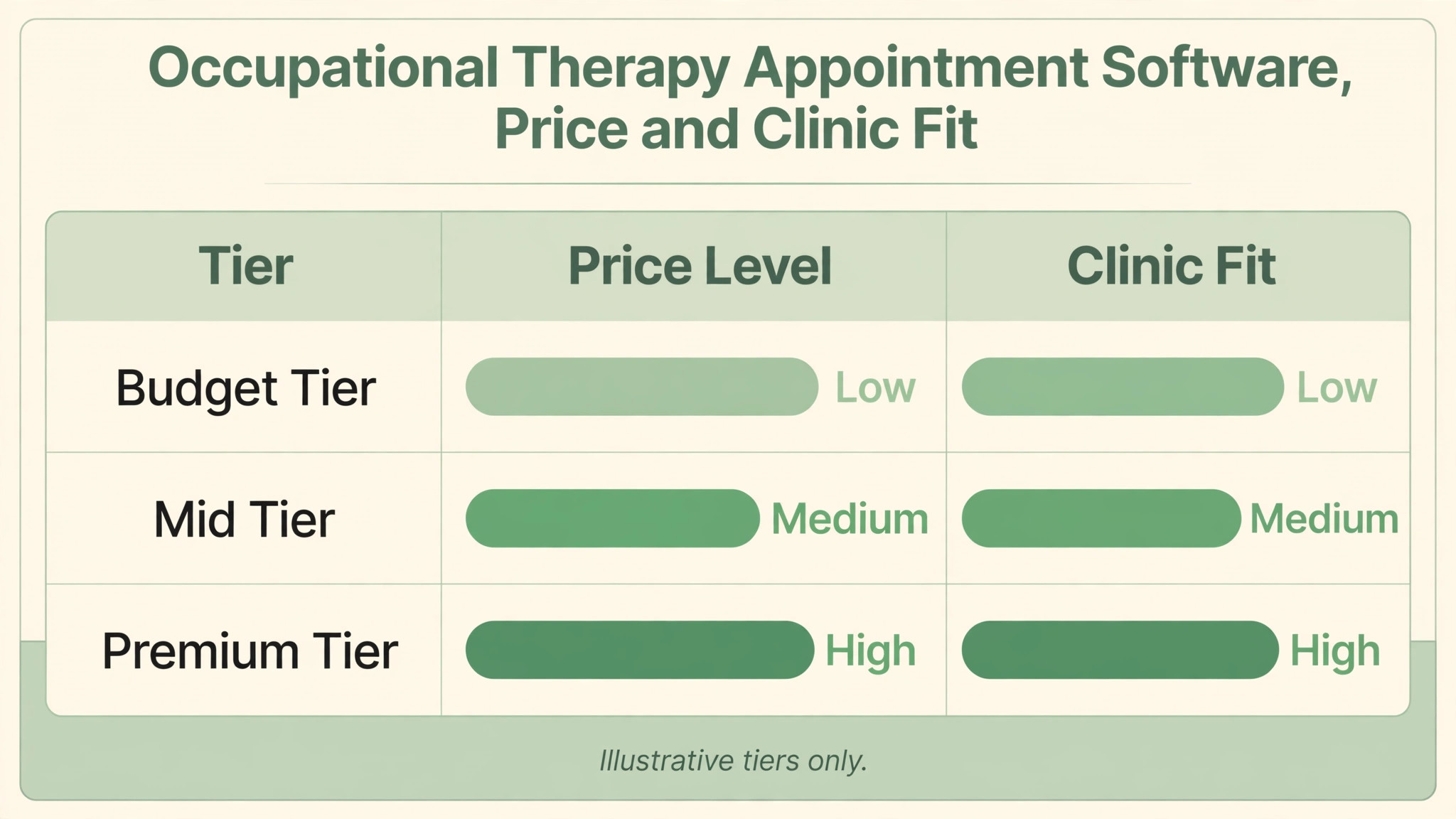
Best Appointment Software For Occupational Therapy Clinics by Job Type
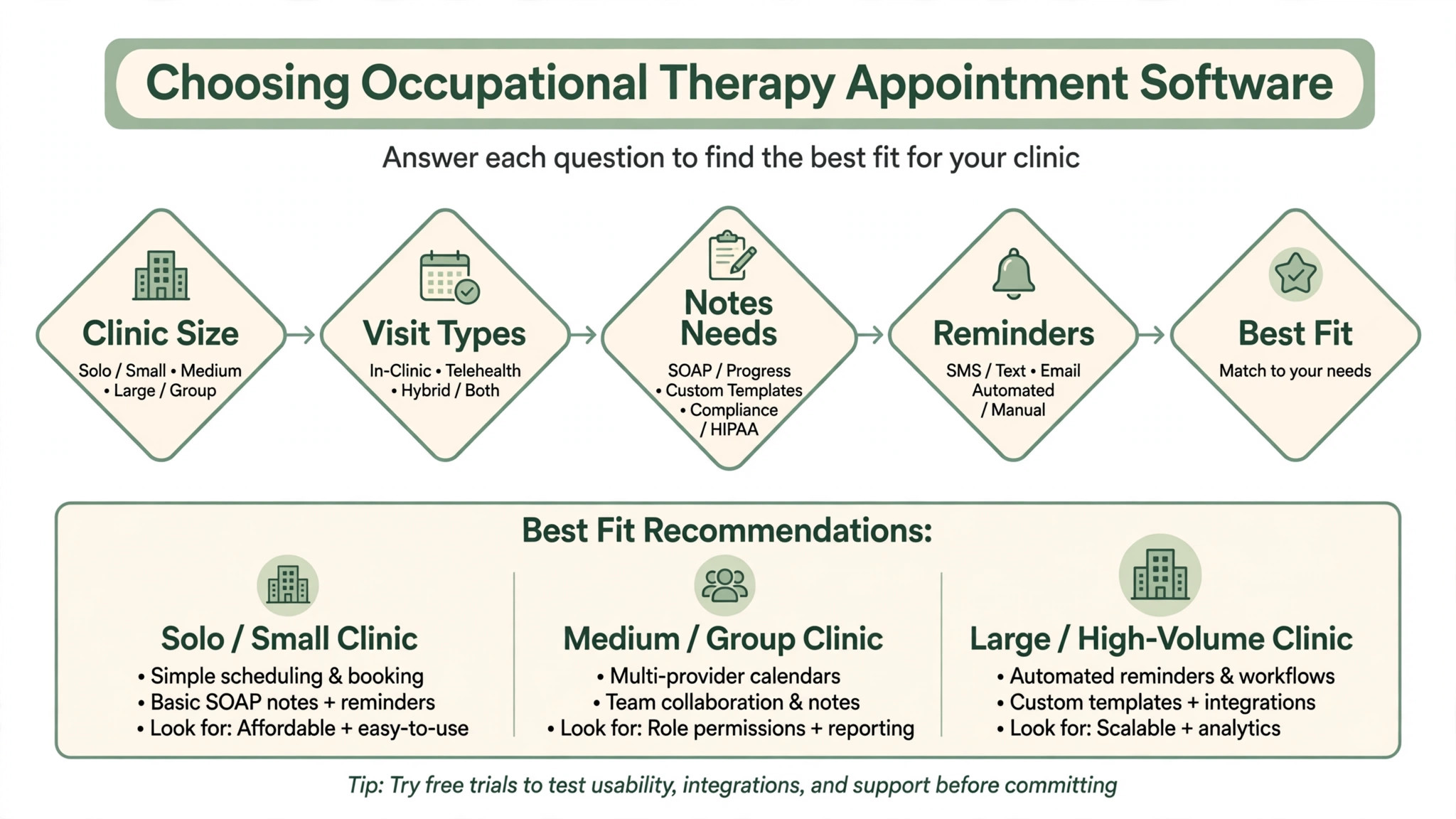
Clinic shape should decide the shortlist for the best appointment software for occupational therapy clinics. A solo therapist, a small clinic and a school contract practice face different scheduling problems, even though they all treat patients.
| Job type | Best pick | Why it fits |
|---|---|---|
| Solo therapist | Jane | Clean booking, charting and billing without a large team system |
| Small clinic | TheraPlatform | Therapy focused scheduling and documentation at a lower starting price |
| School contracts | WebPT | Deep documentation, compliance and reporting for larger teams |
Home Program Follow Up Checklist
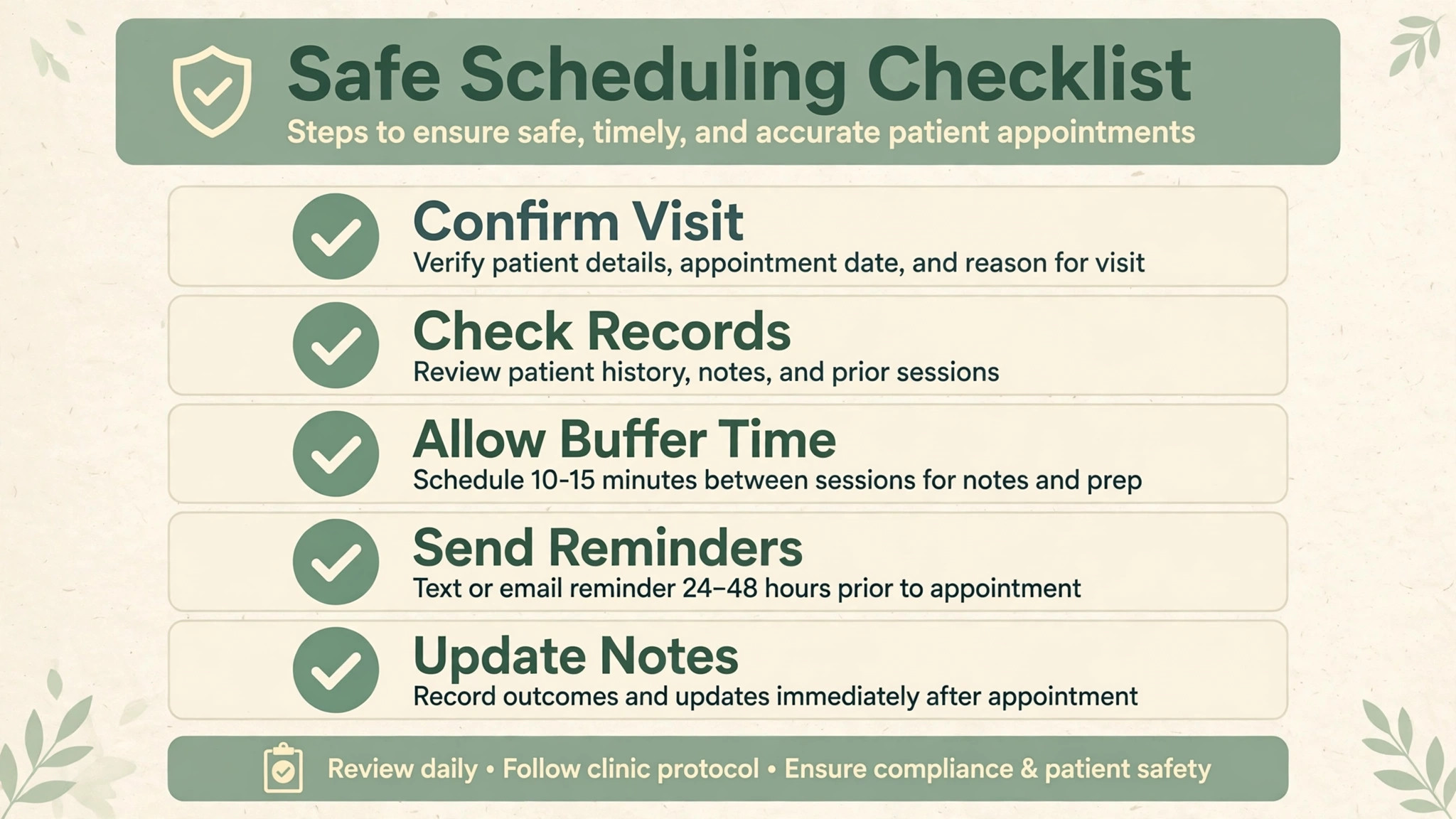
Home programs are where OT outcomes are won or lost, and scheduling software should support them, not ignore them. A patient who leaves with a program and never hears about it again is unlikely to follow it. Check that your system can carry follow up as part of the appointment workflow.
– Attach the home program to the appointment record, so the next therapist can see what was prescribed and when. – Send a follow up message between appointments asking about program completion and any problems, without sharing clinical detail by insecure channels. – Record program adherence at the next visit, so progress notes reflect real home practice, not guesswork. – Reschedule missed home program reviews promptly, instead of letting them drift to the next routine visit. – Share updated programs through the patient portal, with clear instructions and a single place to ask questions. – Flag patients who miss two follow ups in a row for a personal call, since they are the most likely to drop out. – Review home program completion rates monthly, and adjust program length and difficulty where completion is low. – Keep school and family contacts in the loop where consent allows, so home programs continue outside the clinic.
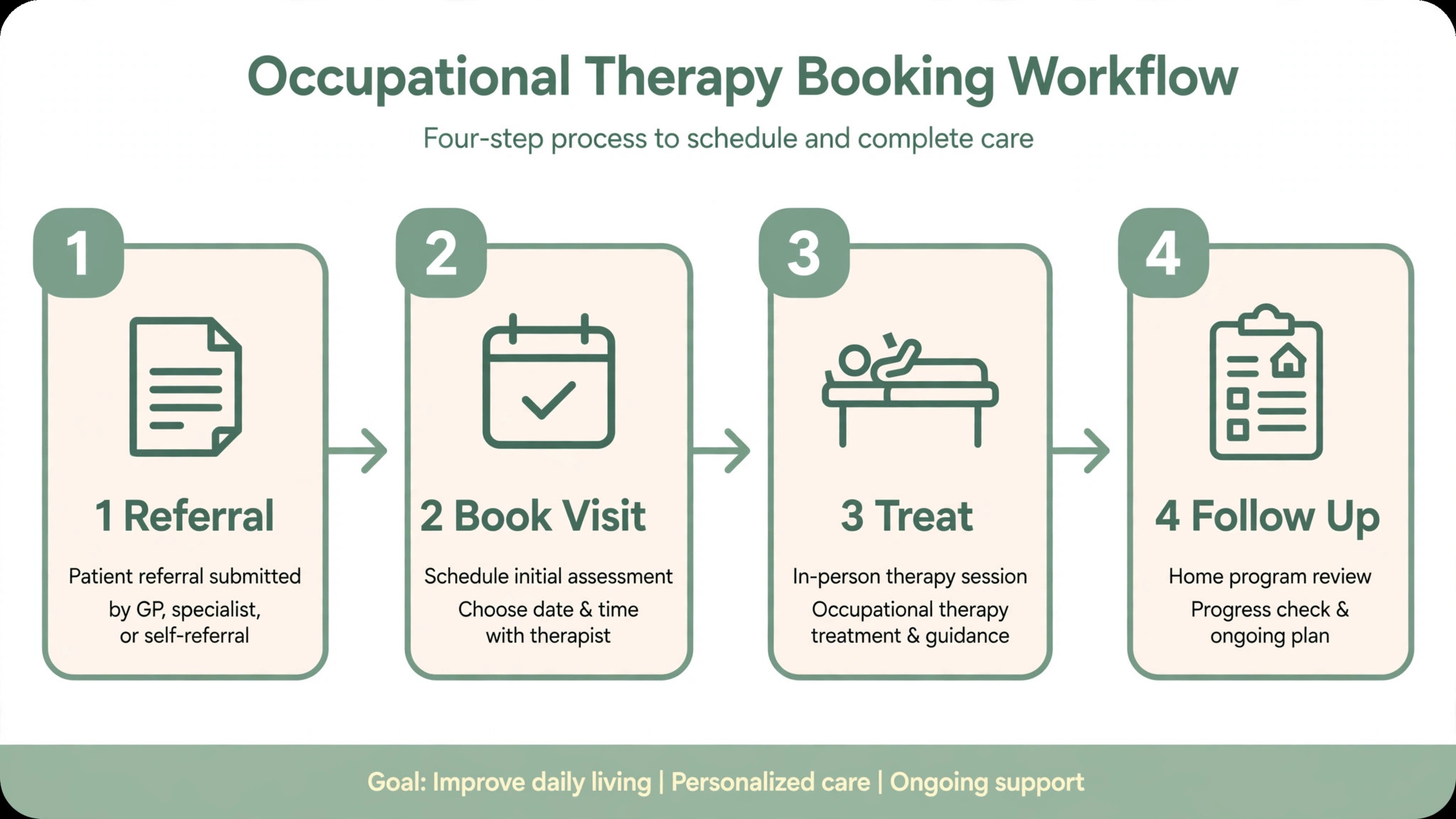
The Tools in Detail
Each tool below is judged on appointment handling first, then on privacy, documentation and follow up. A beautiful booking page means little if reminders, cancellations and home programs fall apart in real clinic weeks.

1. Jane
Jane is popular with multidisciplinary clinics because online booking through a branded site is included on every plan, and scheduling, charting, billing and reminders live together. Patients can book, reschedule and pay without phone tag, and therapists see a day view that matches how clinics actually run. Best for small clinics that want a clean all in one booking and charting system. Published comparison pages list Jane from about $59 a month, with insurance billing as an add on on some plans. Check the vendor current pricing page for the latest figure.
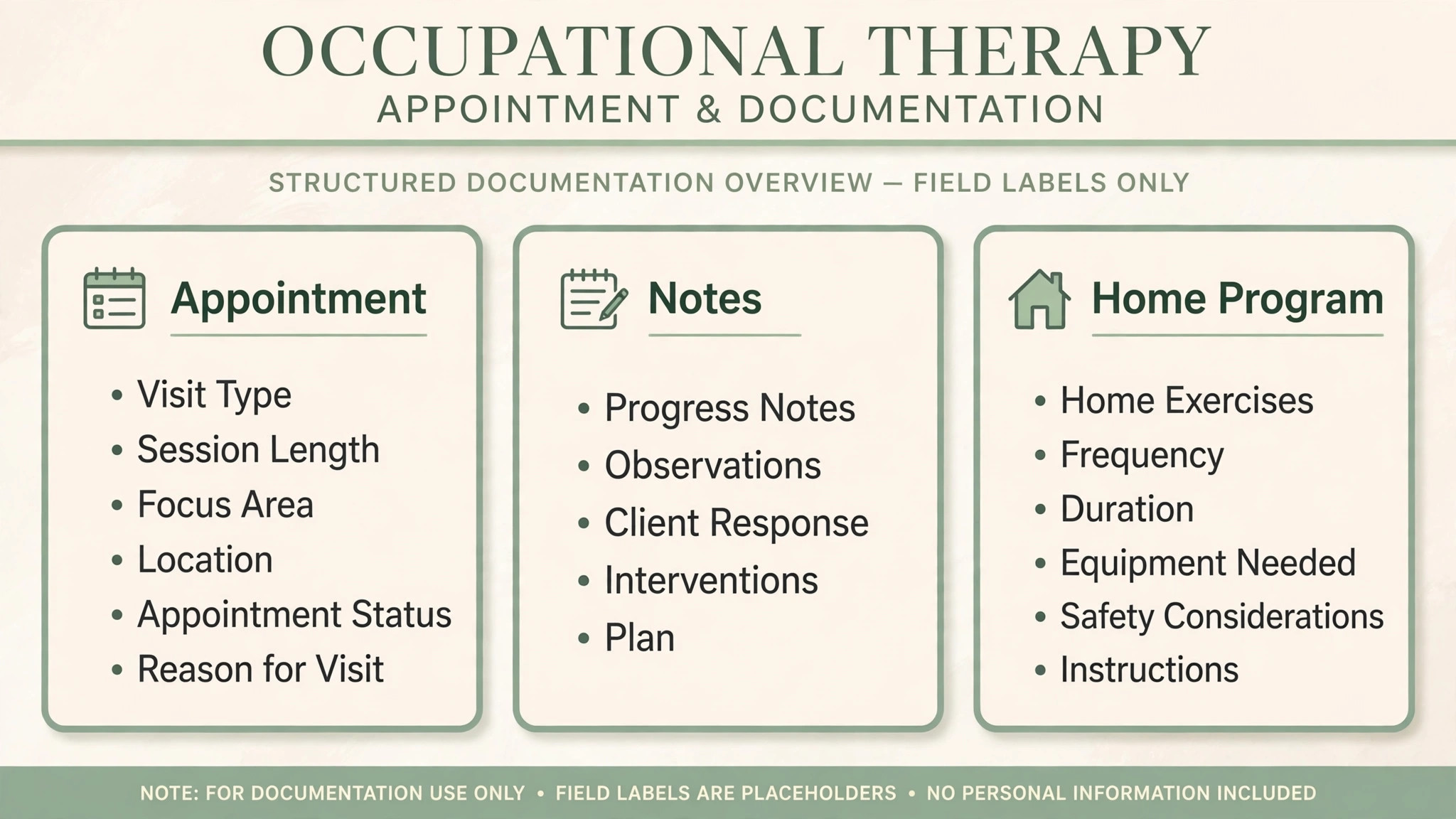
The trade off is add on pricing. Insurance billing and AI scribe features cost extra on some plans, so a clinic that needs both should price the full bundle, not the headline tier. Confirm HIPAA handling and a signed business associate agreement for your plan before you commit. Test it with a real week of bookings before you commit, and bring the staff who will use it every day into the trial.
2. SimplePractice
SimplePractice covers scheduling, documentation, billing, client portal and telehealth for therapy practices, and its strength is familiarity. Many therapists already know it, training is light, and clients find the portal easy to use for booking, forms and payment. Best for solo therapists and small practices that want a proven practice system. SimplePractice prices by subscription and does not publish a single starting figure in the sources checked. Check the vendor current pricing page for the latest figure.
The trade off is occupational therapy depth. It is a general therapy platform, so school contracts, home programs and multidisciplinary team workflows may need workarounds. Solo therapists usually find it ample, while larger OT clinics should trial team scheduling and reporting closely. Test it with a real week of bookings before you commit, and bring the staff who will use it every day into the trial.
3. TheraPlatform
TheraPlatform is built for therapy practices, with scheduling, documentation, billing and a client portal, and its lower starting price makes it attractive for new clinics. The trial period is long enough to run real appointments through it, not just to click around a demo. Best for therapy practices that want a low starting price and a trial. Published comparison pages list TheraPlatform from about $39 a month, with a 30 day free trial. Check the vendor current pricing page for the latest figure.
The trade off is scale and integration depth. Larger clinics with school contracts or complex insurance billing should check reporting, multi location handling and payer workflows before committing. For a small clinic, the price and trial together make it an easy first test. Test it with a real week of bookings before you commit, and bring the staff who will use it every day into the trial.
4. WebPT
WebPT is a leading outpatient rehab platform, built by a therapist for physical, occupational and speech therapists, with documentation, scheduling, billing and compliance features such as functional limitation reporting and therapy cap tracking. Its HIPAA secure design suits clinics where documentation quality drives reimbursement. Best for outpatient rehab clinics that need deep documentation and compliance. WebPT prices by quote and does not publish a standard starting price. Check the vendor current pricing page or ask the vendor directly for current terms.
The trade off is buying effort and complexity. Quote only pricing and a deep feature set mean a longer setup and a higher total cost than a simple scheduler, so a solo therapist may find it heavier than needed. Multi therapist clinics get the most value from its depth. Test it with a real week of bookings before you commit, and bring the staff who will use it every day into the trial.
5. Therabyte
Therabyte is designed for occupational and speech therapy practices, with scheduling, patient records, progress tracking, customizable templates, secure messaging and reporting in one interface. Therapists spend less time on admin and more time with clients, which is the point of a therapy specific tool. Best for occupational and speech therapy clinics that want a therapy specific system. Published comparison pages list Therabyte from about $36 a month. Check the vendor current pricing page for the latest figure.
The trade off is review depth. Published reviews are fewer than for larger platforms, so a clinic should trial it with real documentation and billing workflows rather than relying on ratings alone. Confirm HIPAA handling and data export before committing, as with any smaller vendor. Test it with a real week of bookings before you commit, and bring the staff who will use it every day into the trial.
6. HelloNote
HelloNote is a web based therapy platform for physical, occupational and speech therapists, covering documentation, scheduling and practice management in a simple interface. A new clinic can start on a low tier and learn the system without a large monthly commitment. Best for small therapy clinics that want a free starting tier. Published comparison pages list HelloNote from about $25 a month, with a free forever plan on some listings. Check the vendor current pricing page for the latest figure.
The trade off is depth at scale. Larger clinics with school contracts, multi site scheduling or complex billing may outgrow it, and support and integration options should be checked in a trial. For a solo therapist or a two person clinic, it is a sensible low risk start. Test it with a real week of bookings before you commit, and bring the staff who will use it every day into the trial.
7. Zanda
Zanda is rated well for calendar management, with online booking, scheduling, client records and payments for therapy and allied health practices. Its low starting price and clean calendar make it easy for a small clinic to keep appointments, reminders and rescheduling under control. Best for clinics that want strong calendar management at a low price. Published comparison pages list Zanda from about $19 a month, with a 14 day free trial. Check the vendor current pricing page for the latest figure.
The trade off is therapy specificity. It is a general practice platform, so OT specific documentation, home programs and school contract workflows need checking. Clinics that mainly need booking and billing will be happy, while documentation heavy clinics should trial charting hard. Test it with a real week of bookings before you commit, and bring the staff who will use it every day into the trial.
8. Acuity Scheduling
Acuity is a general appointment booking tool with strong scheduling features, including multiple calendars, time zones, packages and online payments. A clinic that already has a clinical system can use Acuity purely for booking, without replacing documentation or billing. Best for clinics that mainly need booking beside another clinical system. Published comparison pages list Acuity Scheduling from about $20 a month on basic tiers, with HIPAA business associate agreement handling reported on its Premium plan at about $49 a month. Check the vendor current pricing page for the latest figure.
The trade off is clinical depth and compliance tiering. It is not built for therapy documentation, and HIPAA handling depends on the plan, so a clinic must confirm the agreement and plan terms in writing. Never assume a general scheduler is HIPAA covered on its cheapest tier. Test it with a real week of bookings before you commit, and bring the staff who will use it every day into the trial.
9. Clinicient
Clinicient, now part of the WebPT family of products in many listings, serves outpatient rehab clinics with scheduling, documentation, billing and reporting in an integrated system. Multi site clinics get centralized scheduling, referral handling and business reporting that simple schedulers cannot provide. Best for multi site rehab clinics that want an integrated EMR and billing system. Clinicient prices by quote and does not publish a standard starting price. Check the vendor current pricing page or ask the vendor directly for current terms.
The trade off is complexity and buying effort. Quote only pricing, implementation time and training needs suit larger clinics better than solo therapists. A small clinic should weigh whether it needs that depth, or whether a simpler therapy platform would serve it faster. Test it with a real week of bookings before you commit, and bring the staff who will use it every day into the trial.
How to Choose
Start with privacy when you judge the best appointment software for occupational therapy clinics. Confirm encryption, access controls, audit trails and a signed business associate agreement for the exact plan you will buy, and check how reminders and messages handle patient information. A tool that is secure on its top tier but not on the tier you can afford is not secure for your clinic.
Next, map your appointment types. Evaluations, treatment sessions, school visits, group sessions and telehealth visits have different lengths, locations and documentation needs, and the scheduler must model all of them. Trial a week that includes a school visit, a cancellation, a double booking attempt and a telehealth switch, and watch how the system copes.
Then check billing and documentation together. If scheduling lives in one tool and notes and billing live in another, staff will retype data and errors will follow. An integrated therapy platform costs more, but it removes double entry, and for a busy clinic that saving alone can justify the price.
Finally, test the patient experience with a real family. Booking, intake forms, reminders, rescheduling and payment should work on a phone without a phone call, and the portal should be simple enough for older patients and busy parents. If patients keep calling to book, the system has not solved the problem it was bought for.
Mistakes to Avoid
The most common mistake is choosing a general scheduler and assuming it is HIPAA covered. Privacy coverage depends on the plan, the agreement and how messages are configured, and a cheap tier without a signed agreement can leave a clinic exposed. Get the privacy terms in writing before any patient data is entered.
Another mistake is ignoring cancellations and no shows. OT clinics lose real revenue to late cancellations, and a system without automated reminders, waitlist filling and easy rescheduling will keep slots empty. Set reminder timing, cancellation rules and waitlist behavior before go live, not after the first empty week.
A third mistake is forgetting school and off site work. Therapists who visit schools need mobile scheduling, travel time and offline access to the day plan, and a clinic only system that assumes everyone works in one building will fail them. Trial the school day, not just the clinic day.
The last mistake is dropping home program follow up when switching systems. If the old follow up habit lives in paper notes or personal messages, it will not migrate by itself. Build follow up templates and reminders into the new system during setup, and assign one person to own follow up until the habit sticks.
Frequently Asked Questions
What makes appointment software suitable for occupational therapy?
It handles protected health information safely, models OT appointment types, links booking to documentation and billing, and supports home program follow up. The best appointment software for occupational therapy clinics does all of that, while a generic calendar only holds a time slot.
How much does OT appointment software cost?
Published comparison pages put most therapy platforms between about $19 and $59 a month at starting tiers, with larger rehab systems priced by quote. The real cost depends on therapist count, billing add ons and privacy tier, so get a written total for your team size and plan before you compare headlines.
Do I need a signed business associate agreement?
Yes, if the vendor handles protected health information on your behalf, you need a signed agreement and appropriate safeguards, and you should confirm this with your own compliance advice. Do not rely on a marketing claim of HIPAA compliance alone, and confirm the agreement covers the exact plan you buy.
Can a general scheduler like Acuity work for an OT clinic?
It can work for booking alone, especially beside a separate clinical system, but it does not provide therapy documentation or home program tracking. Confirm the privacy agreement for your plan, and judge it as a booking tool, not as a clinic system, so expectations stay honest.
How should school contract scheduling work?
School work needs off site appointments, travel time, school calendars and shared notes with consent, plus billing that matches contract terms. Trial a real school week, including travel, cancellations and school holidays, before committing to a system that was designed only for clinic rooms.
What is the best setup for a solo occupational therapist?
A solo therapist usually needs simple online booking, reminders, a client portal, basic documentation and payment, without multi site complexity. Jane, TheraPlatform and HelloNote are sensible first trials, and the winner is usually the one whose daily workflow feels lightest, not the one with the most features.
How do I reduce no shows in an OT clinic?
Use automated reminders by text and email, make rescheduling a single tap, keep a waitlist to fill cancellations, and confirm school and family appointments separately. Track no show rate by appointment type, because school visits and first evaluations often need different reminder timing.
How long does it take to switch OT software?
A simple scheduler switch can take days, while a full clinic system with documentation and billing history can take several weeks. Export patient, appointment and billing records early, run both systems for a short overlap, and avoid switching during a school term peak if you can.
Our Recommendation in One Paragraph
Start with Jane if you want the cleanest all round clinic system, trial TheraPlatform if price matters most, and shortlist WebPT if you run a larger outpatient rehab clinic with complex documentation and billing. Solo therapists can stop after the first two trials, because extra depth will only slow them down.
Whatever you choose, confirm privacy terms in writing, trial a messy real week, and check home program follow up before you sign. The best appointment software for occupational therapy clinics is the one that keeps appointments full, records safe and patients followed up, week after week.
Think about telehealth as part of scheduling, not as an add on. A visit that switches from in person to video should keep its record, its reminders and its billing intact, and patients should not need a second login or a new link sent by hand. Trial that switch in the demo, because it happens far more often than vendors admit.
Also plan for staff leave and cover. A scheduler that cannot show who is covering a therapist leave, reassign appointments cleanly and notify affected patients will create a crisis every holiday season. Check cover workflows and permission roles before go live, and document the cover process for the front desk.
Telehealth scheduling needs the same care as in person scheduling. A visit that switches from clinic to video should keep its record, its reminders and its billing intact, and patients should not need a new link sent by hand or a second login. Trial that switch in the demo, because it happens far more often in real clinic weeks than vendors admit.
Referral handling is a quiet source of admin pain. Referrals arrive from doctors, schools and hospitals with different forms, timelines and follow up expectations, and a scheduler that cannot track referral source and status will lose patients between referral and first appointment. Check referral tracking and waitlist handling in the trial.
Staff leave and cover planning should be visible in the diary. A therapist on leave needs appointments reassigned cleanly, patients notified and cover therapists briefed, and a system that cannot show cover clearly will create a crisis every holiday season. Document the cover process for the front desk before go live.
Outcome measurement belongs beside scheduling, not in a separate spreadsheet. Session counts, progress scores and home program completion all help a clinic show value to patients, schools and payers, and a system that links appointments to outcomes makes reporting far easier. Ask vendors to show outcome reporting with real appointment data.
Payer and insurance workflows vary by clinic, and scheduling should respect them. Authorization limits, visit caps and billing codes all affect how appointments can be booked, and a system that books visits a payer will not cover will create billing disputes. Trial the authorization and visit limit checks with your most complex payer.
Group sessions need different scheduling rules from individual sessions. Group size limits, mixed diagnoses, room capacity and shared notes all complicate a group diary, and a system built only for one to one work will handle groups awkwardly. Trial a full group week, including a group cancellation and a late addition, before committing.
Patient communication preferences should be respected by default. Some patients prefer text, some prefer email and some need a phone call, and a reminder system that ignores preference will either be missed or annoy the patient it was meant to help. Check that communication preference is stored per patient and honored by every reminder type.
Data security training matters as much as software settings. Staff need to know how to handle patient messages, shared devices and printed day sheets, because a secure system used carelessly is still a risk. Plan short privacy training for every user before go live, and repeat it when new staff join.
Documentation templates should match OT practice, not generic therapy notes. Evaluations, treatment plans, progress notes and discharge summaries each have their own structure, and a system with only free text notes will slow therapists down. Trial a full evaluation and a progress note in the demo, and check that templates can be customized without vendor help.
Waitlist management can recover real revenue in a busy clinic. Cancellations happen daily, and a waitlist that notifies the right patient automatically will fill slots that would otherwise sit empty. Check that waitlists respect appointment type, therapist and location, so a filled slot is actually suitable for the patient who takes it.
Family and caregiver access needs careful permission handling. Parents, spouses and caregivers often book and message on a patient behalf, and the system should support that access with proper consent, without giving every contact full record access. Confirm consent based proxy access in the trial if family booking matters to your clinic.
More Reading on Stratilyze
These guides cover booking, invoicing and running a small clinic or practice.
– Cost of Acuity for Small Business Monthly – How to Fix Calendly Double Booking – Best Booking Software for Music Schools – Best Invoicing Software for Consultants – Best Time Tracking Software for Creative Agencies