
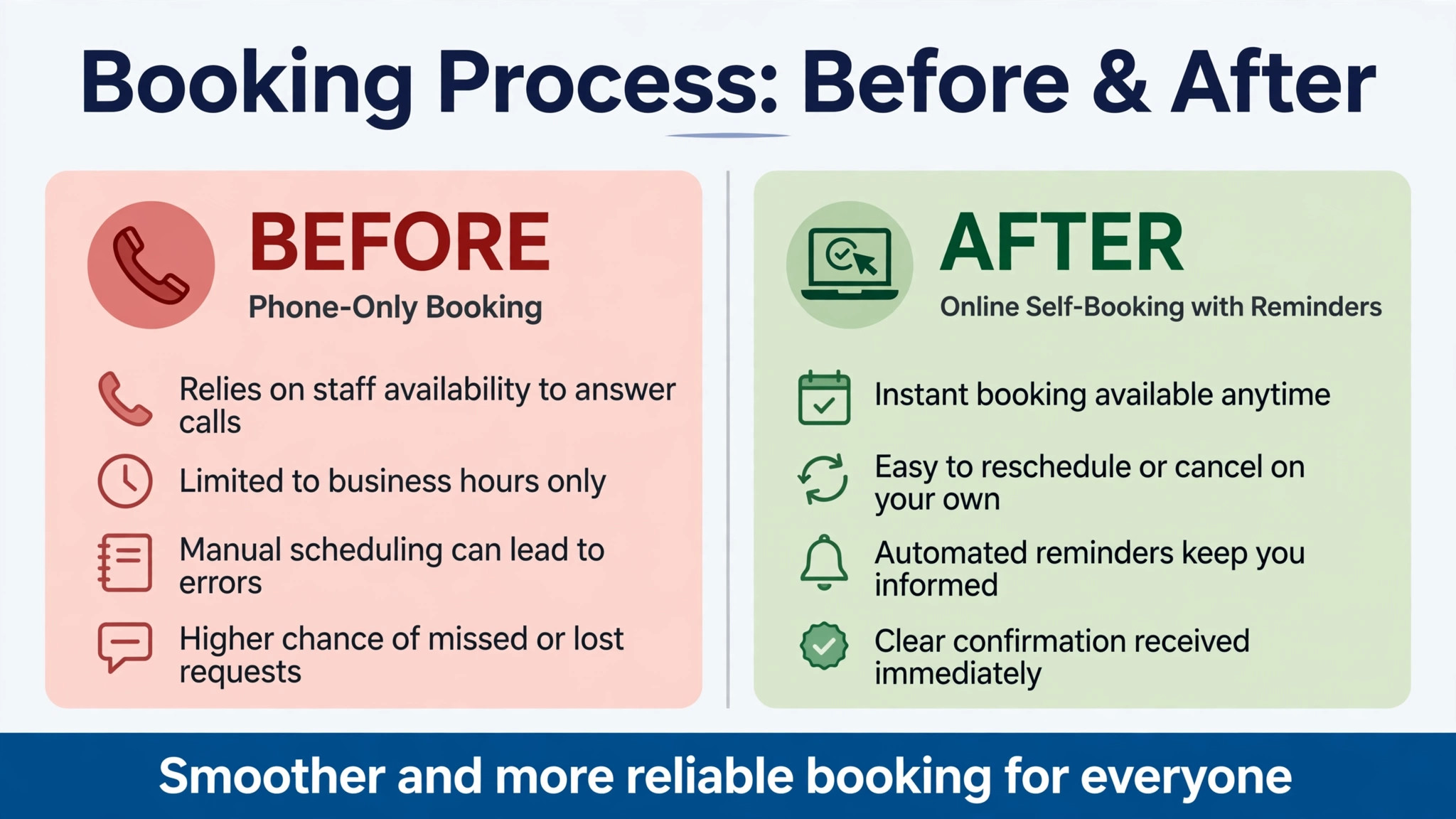
A student who can book a lesson online at midnight and a student who must call during office hours are not getting the same service, even if the driving lesson itself is identical. The first student books in two minutes, gets a confirmation, and gets a reminder before the lesson. The second student waits for a callback, risks a double booking, and may choose a competitor school that answers faster. That difference is why the best booking software for driving schools is a front desk decision as much as a scheduling decision.
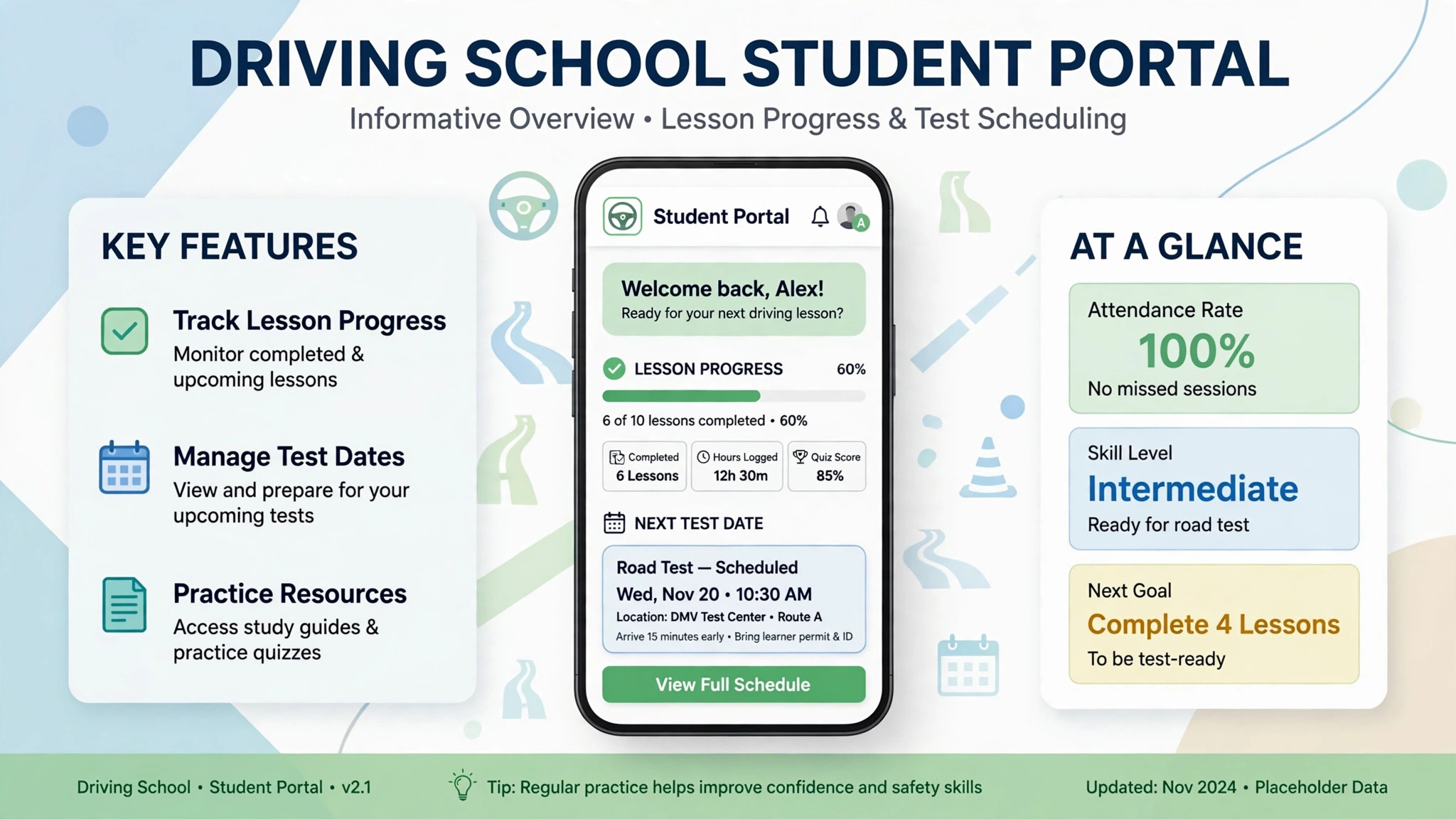
A driving school booking tool has to handle more than a calendar. It must match a student to an instructor, match the lesson to a vehicle, track progress toward a test, handle packages and payments, and send reminders that reduce no-shows. A generic appointment tool can book a time slot. It cannot easily track that a student has completed six of ten required lessons, needs a manual car for the next session, and is booked for a road test on a specific date.
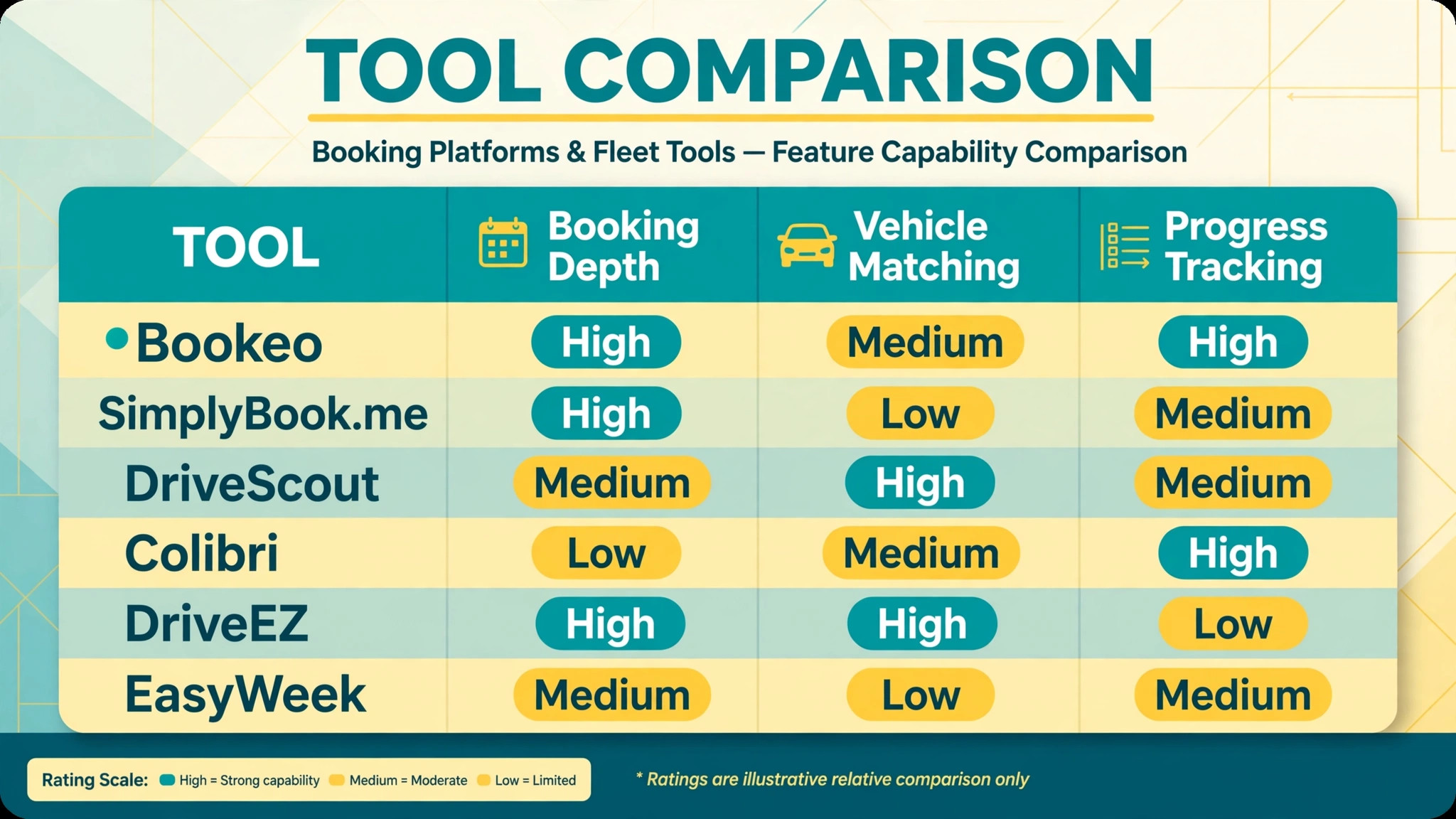
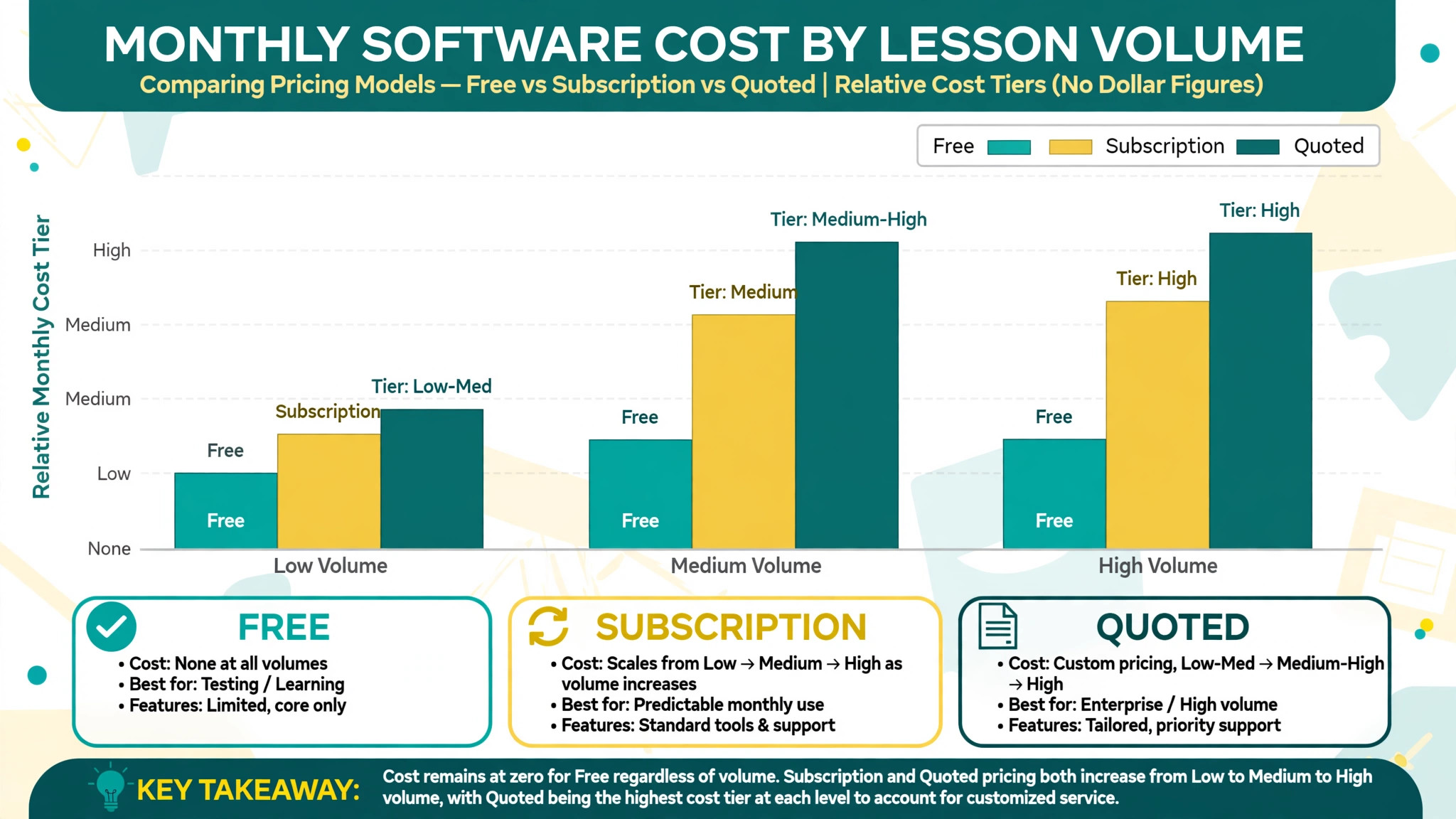
This guide compares six tools, from general booking platforms that driving schools adapt to specialist systems built for driving instruction. Prices are starting prices where published, and several specialist tools do not publish a simple rate. Check the vendor’s current pricing page before you budget, since per user, per booking, and per school pricing models behave very differently as lesson volume grows.
Why Driving Lesson Booking Breaks a Normal Calendar
A driving lesson is a three way match. The student, the instructor, and the vehicle must all be available at the same time, in the same place, for the right lesson type. A normal calendar can show that an instructor is free. It cannot easily show that the instructor is free but the automatic car is already booked, or that the student needs a manual car for test preparation. That three way constraint is where double bookings and wasted instructor time begin.
Progress tracking adds a second constraint. Driving schools sell courses and packages, not only single lessons. A student may buy ten lessons, use four, pause for a month, and then return. The booking system must show remaining lessons, completed topics, and test readiness without the office digging through paper records. A generic tool that only records appointments will lose that progress history.
Payments and reminders add a third constraint. Lessons are paid in advance, in packages, or in instalments, and a missed lesson costs instructor time that cannot be resold. Automated confirmations and reminders reduce no-shows, while deposits and package tracking reduce payment chasing. A booking tool that handles all three constraints well will save more office time than a tool that only looks good as a calendar.
The 6 Tools at a Glance
| Tool | Starting price | Best for | Driving school depth |
|---|---|---|---|
| Bookeo | Check the vendor pricing page | Small schools wanting class booking | Good |
| SimplyBook.me | Check the vendor pricing page | Online booking with packages and payments | Good |
| DriveScout | Check the vendor pricing page | Specialist driving school management | Strong |
| Colibri | Check the vendor pricing page | Student progress and portals | Strong |
| DriveEZ | 0 dollars per user per month | Budget conscious schools | Good |
| EasyWeek | Free plan available | Simple lesson scheduling with CRM | Good |
Pricing transparency is weaker in this market than in general booking software. Several tools quote by school size, instructor count, or feature tier, so a headline price from a directory may not match your quote. That is why a comparison of the best booking software for driving schools should start with a written quote for your real instructor count and lesson volume, not with a directory starting price alone. Get a written quote for your instructor count, vehicle count, and student volume before comparing totals, and confirm whether SMS reminders, payments, and portals are included or charged separately.
Best Pick by Job
| Job type | First pick | Why it fits | Watch out for |
|---|---|---|---|
| Single instructor | EasyWeek | Simple scheduling, CRM, and reminders with a free plan | Less depth on test tracking |
| Small school | Bookeo | Class booking with instructor and vehicle scheduling | General booking, not driving specific |
| Fleet training | DriveScout | Specialist scheduling for instructors and vehicles | Confirm pricing and onboarding scope |
| Progress led school | Colibri | Student portals and progress tracking | Setup effort for full portal use |
| Budget start | DriveEZ | Free core management for driving schools | Check support and payment terms |
The job type that matches most of your lessons should decide the shortlist for the best booking software for driving schools. A single instructor who buys a full school management system will pay for features that a simple booking tool already covers. A fleet training provider who buys a simple booking tool will struggle with vehicle allocation, instructor availability, and progress reporting across many learners.
Test Day Checklist
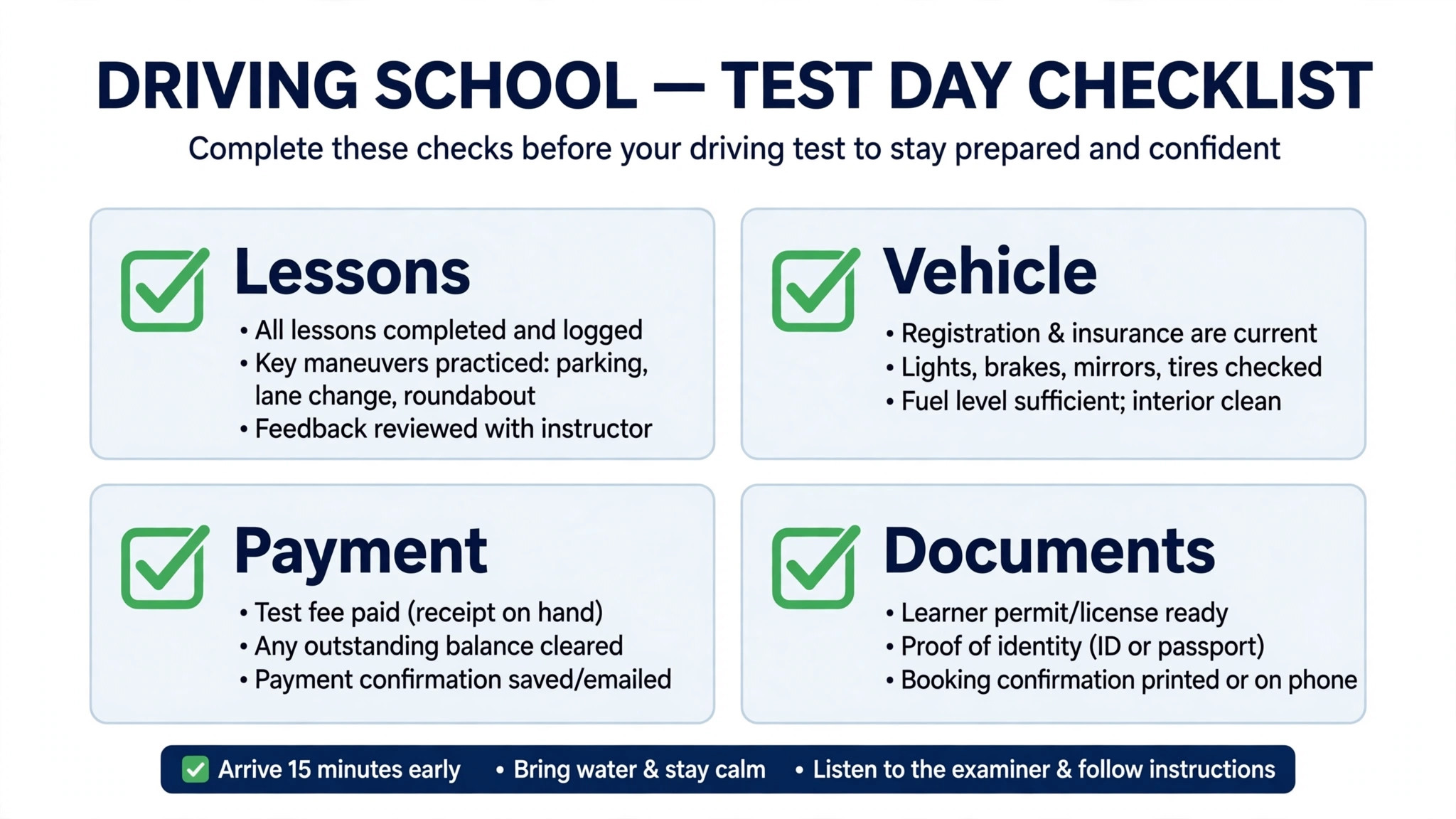
Use this checklist in the week before a student’s test. It turns booking data into test readiness, rather than leaving readiness to guesswork.
– Confirm the student has completed the required lessons and topics, and that the booking record matches the progress record. – Check that the test date, time, and location are booked, and that the student and instructor both received confirmations. – Confirm which vehicle is assigned for the test, including transmission type, and that the vehicle is available and roadworthy. – Verify that the instructor assigned to the test is the instructor who taught the relevant topics, or note the change clearly. – Check that all package payments are settled, or that any outstanding balance is agreed before test day. – Send the student a test day reminder with arrival time, documents to bring, and the meeting point. – Record the test outcome in the student record on the same day, including any retake booking needed. – Update the instructor and vehicle schedules immediately after the test, so freed slots can be offered to waiting students.
Software helps this checklist only if lesson history, test booking, vehicle assignment, and payment status live in one student record. If those details live in four separate places, the checklist becomes a manual reconciliation exercise on the busiest day of the week.
The 6 Tools in Detail
1. Bookeo
Bookeo is a class based online booking system that driving schools use to accept bookings online, manage lesson availability, and reduce manual coordination. It supports instructor availability management, so lessons are scheduled against instructor availability to prevent overlaps, and vehicle assignment support, so sessions can be linked to specific cars where needed. Automated confirmations and reminders by email and SMS keep students informed and reduce missed lessons.
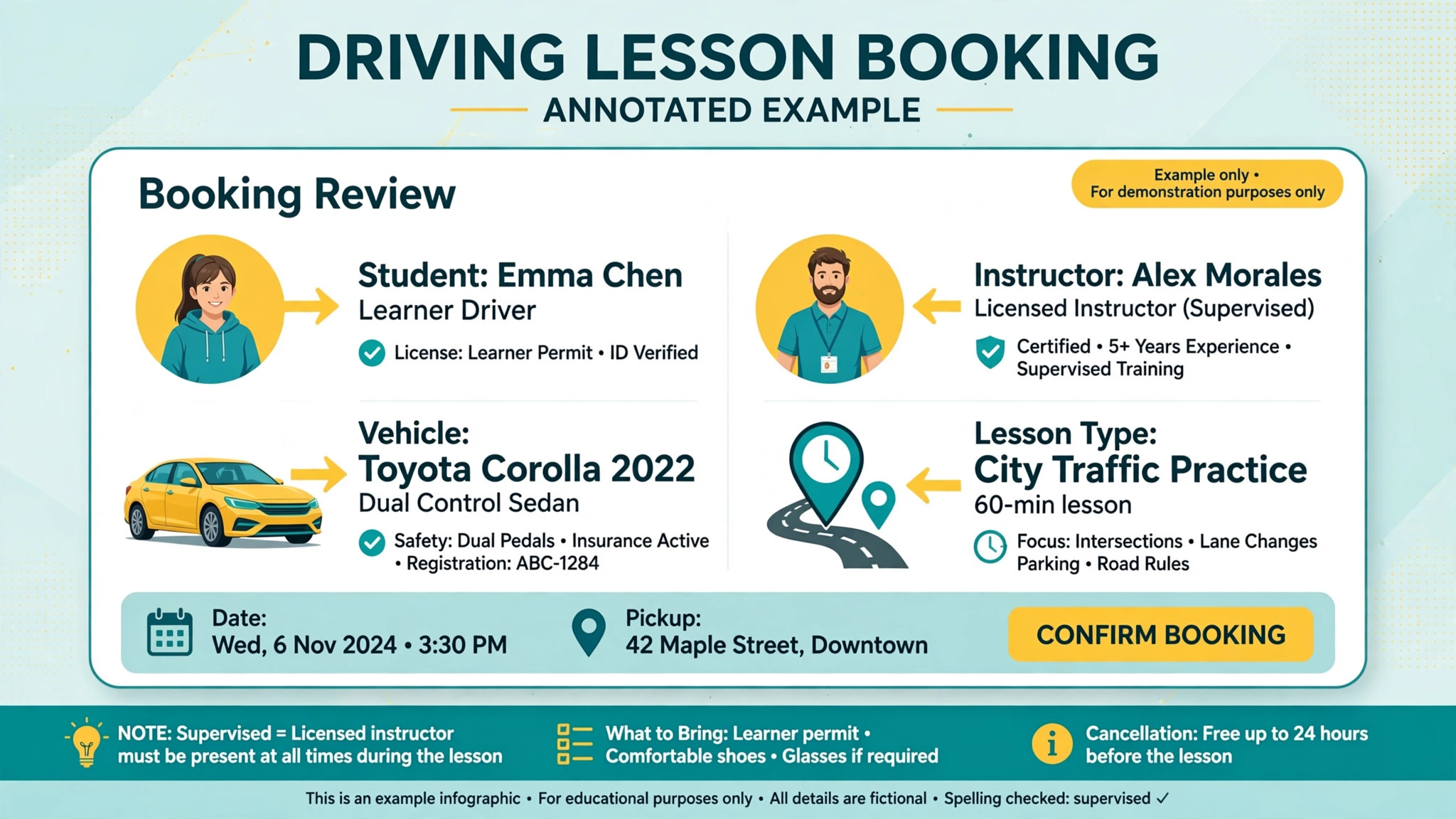
The strength is clarity for a small school. Students can view lesson availability and book driving classes at any time, while the school can offer single lessons, multi-session courses, or packages from one system. Centralised calendars give staff clear visibility into daily schedules, which matters when several instructors share vehicles. The limit is driving specificity. Bookeo is a general class booking tool, so test tracking, detailed progress reporting, and driving specific workflows need to be handled through its general features rather than through a purpose built driving school record.
Best for a new or small driving school that wants a clear booking process from the start, with multiple instructors or vehicles and limited office staff. Check the vendor’s current pricing page for the tier that includes SMS reminders and package sales, since those features affect the monthly total.
2. SimplyBook.me
SimplyBook.me is a general online booking system for service businesses, including schools, that driving schools can adapt to lesson booking. It provides a booking website, or a widget for an existing website, and students can book, change, or cancel bookings themselves from any device. Bookings can also be accepted through social channels and a Google profile, which helps a school that gets enquiries from several places.
The strength is the booking and payment breadth. The platform supports intake forms, online and onsite payments with deposits, coupons and gift cards, memberships, classes, packages, and product sales at booking, plus a wide list of custom features that a school can switch on as it grows. That breadth suits a school that also sells theory courses, gift packages, or add-on services. The limit is the same as Bookeo. It is not built only for driving schools, so instructor and vehicle matching, lesson progress, and test readiness need careful setup, and a school should test those workflows explicitly rather than assuming they work out of the box.
Best for a driving school that wants strong online booking, package sales, and payment handling, and that is willing to configure driving specific workflows on a general platform. Check the vendor’s current pricing page for the features included on the chosen tier, since many custom features are tier dependent.
3. DriveScout
DriveScout, also written as Drive Scout, is an integrated business management platform specifically designed for driving school owners and managers. It focuses on scheduling instructors within a centralised appointment calendar, processing credit card payments, tracking customer information, and giving mobile access at any time. That specialist focus is the main reason it appears on driving school shortlists rather than general booking lists.
The strength is that the core objects match the job. Instructors, students, lessons, vehicles, and payments are handled as driving school objects, not as generic appointments, which reduces the setup work a general tool requires. The limit is pricing transparency and onboarding scope. Pricing is not published as a simple starting rate in the sources reviewed, so a school should request a quote for its instructor count and student volume, and confirm what training, data migration, and support are included.
Best for a small school or fleet training provider that wants a specialist system rather than adapting a general booking tool, and that will test instructor scheduling and payment workflows on real lessons before signing.
4. Colibri
Colibri is a learning management system for driving schools, with automated reporting, email and SMS reminders, student progress tracking, electronic document management, and secure online transactions. Managers can integrate the system with video meeting tools including Zoom and Google Meet, and the platform offers instructor and student portals, online self-registration, and a fully customisable cloud based system accessible from mobile, desktop, and tablets.
The strength is progress and portal depth. A student can see their own progress, a parent can follow a younger learner’s progress where relevant, and the school can run automated reports instead of building them by hand. That matters for a school that sells courses rather than single lessons, and for a fleet training provider that must report progress to an employer. The limit is setup effort. Portals, document workflows, and reporting templates need to be configured properly, and a school that only wants simple booking may find Colibri more system than it needs.
Best for a progress led school, a larger driving school, or a fleet training provider that needs student portals, progress tracking, and automated reporting. Check the vendor’s current pricing page and confirm which portal and reporting features sit on which tier.
5. DriveEZ
DriveEZ is a comprehensive driving school management software that combines scheduling, student management, financial tracking, and communication in one package. Directory listings put the starting price at 0 dollars per user per month, and vendor adjacent descriptions describe DriveEZ as free for driving schools. That pricing claim should still be confirmed on the vendor’s current pricing page, including payment processing terms and any paid add-ons, before a school depends on it.
The strength is the price and the breadth. A school can manage scheduling, student records, instructors, payments, and communication without a monthly subscription, which is a strong starting point for a new school or a single instructor. The limit is the support and sustainability question that always comes with a free tool. A school should test support response, data export, and payment handling carefully, and confirm that student records can be exported if the school later moves to a paid platform.
Best for a budget conscious new school or single instructor who wants a full driving school system without a subscription, provided the free terms and support are confirmed in writing.
6. EasyWeek
EasyWeek is driving school software with lesson scheduling, instructor calendar management, student CRM, online booking, automated reminders, payment tracking, and Google Calendar sync, with a REST API available and a free plan included. That combination suits a single instructor or small school that wants scheduling plus a simple student record, without a full school management implementation.
The strength is simplicity and the free starting point. An instructor can set up lesson types, manage a calendar, track students, and send reminders from one system, and can test the workflow before paying for a higher tier. The limit is depth on driving specific progress and test tracking compared with Colibri or DriveScout. A school that needs detailed course progress, fleet reporting, or employer reporting should test those requirements explicitly, rather than assuming a scheduling plus CRM tool covers them.
Best for a single instructor or small school that wants simple, effective lesson booking with student CRM and reminders, and that will upgrade only when lesson volume or reporting needs demand it.
How Online Booking Changes Enquiry Handling
Online booking changes enquiry handling before it changes the calendar. When a prospective student can see real availability, the first conversation shifts from whether a lesson is possible to which lesson, instructor, and package fit best. That shift matters for a driving school, because many enquiries arrive outside office hours, from students comparing several schools at once. A school that answers with a bookable calendar often wins the enquiry before a phone based competitor has returned the call.
The second change is the quality of the enquiry itself. An online booking form can collect the licence status, transmission preference, preferred area, and package interest before the office spends time on the phone. That information lets the office assign the right instructor and vehicle on the first booking, rather than discovering a manual car requirement after a lesson has been scheduled. A form that collects too much, however, will deter bookings, so the balance between useful detail and booking friction deserves testing with real students.
The third change is follow-up. A student who books online but does not complete payment, or who views availability without booking, leaves a trace the office can follow up. A phone only enquiry that ends without a booking often leaves no trace at all. That follow-up list is valuable, but only if the office actually works it. A booking tool that creates a follow-up queue nobody checks will not increase conversions, no matter how good the booking page looks.
There is also a trust effect for parents and fleet managers. A parent booking lessons for a younger learner wants to see progress, instructor details, and a clear payment record. A fleet manager booking training for employees wants progress reporting and a single invoice trail. Both audiences judge the school partly on how professional the booking experience feels. Judged on enquiry speed, booking accuracy, and follow-up, the best booking software for driving schools is the tool that turns more enquiries into completed first lessons, not the tool with the most booking page options.
For a small school, that test sets a realistic scope. You do not need every custom booking feature on day one. You need real availability, instructor and vehicle matching, package payment, reminders, and a follow-up list the office will actually use. Add portal and reporting depth only when lesson volume or fleet work proves you need it, and test each addition on real bookings rather than on a demo calendar.
Seasonal peaks are another reason to test enquiry handling properly. Test booking demand rises and falls through the year, and a school that cannot capture enquiries during a peak will lose students to a competitor that can. An online booking system that stays accurate during a peak, with real instructor and vehicle availability, protects revenue in exactly the weeks when demand is highest. A system that allows overbooking during a peak creates the opposite problem, with disappointed students and instructors working from a schedule that no longer matches reality.
How to Choose the Best Booking Software for Driving Schools
Start with the three way match test. Take a real week of lessons, including a student who needs a manual car, an instructor who is only available on certain days, and a vehicle that is shared between instructors. Enter that week in the trial and see whether the system prevents double bookings, shows the conflict clearly, and suggests a workable alternative. If that test fails, the tool will fail on a busy week.
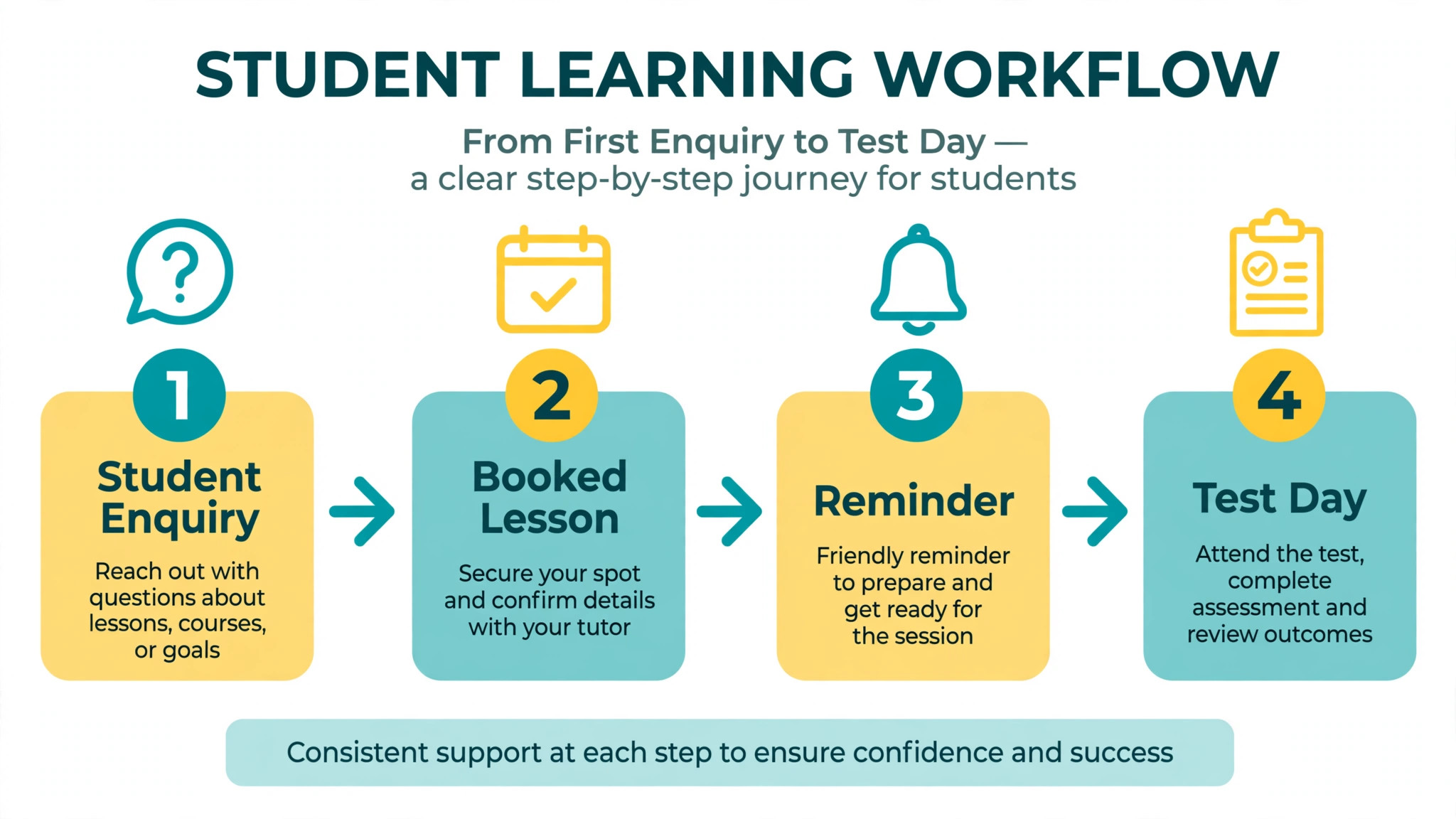
Next, test the student journey from first enquiry to first lesson. Can a student find available times, book online, pay a deposit, receive a confirmation, and receive a reminder without office intervention. Count the office touches required. A booking tool that still needs a phone call for every booking has not solved the front desk problem, even if the calendar looks good.
Then test progress and payment together. Take a student on a ten lesson package, record four completed lessons, check the remaining balance, and book a test. The system should show lessons used, lessons remaining, payment status, and test readiness in one student record. If those details live in separate screens with no clear link, the office will still reconcile by hand.
Finally, price the full booking stack. Add SMS reminder costs, payment processing fees, portal access, and any per booking or per instructor charges to the subscription. A free plan with expensive SMS or payment terms can cost more than a mid priced subscription once lesson volume grows. Get the monthly total for your real lesson volume in writing before comparing tools.
Common Mistakes When Buying Driving School Booking Software
The first mistake is buying a calendar and calling it a booking system. A calendar shows availability. A driving school booking system matches students, instructors, and vehicles, tracks packages and progress, and handles payments and reminders. Test the match, not only the calendar view.
The second mistake is ignoring the vehicle. Many booking problems are vehicle problems, not instructor problems. A school that books an instructor without booking the right car will discover the error on lesson day, when it is too late to fix without disappointing a student. Vehicle assignment should be a required step in the booking flow, not an afterthought.
The third mistake is forgetting no-shows. A booking system without automated reminders, deposits, or a clear cancellation policy will not reduce missed lessons, even if it makes booking easier. Test the reminder timing, the message content, and the cancellation workflow, and confirm whether SMS reminders are included in the price.
The fourth mistake is buying for the school you hope to become, not the school you run. A full management platform with portals and employer reporting is valuable for a large school, but it adds setup and training burden for a single instructor. Start with the tool that fits current lesson volume, and check that it can grow when instructor count and student volume rise.
The fifth mistake is neglecting data export. Student records, lesson histories, and payment records are the school’s business history. Before signing, confirm that those records can be exported in a usable format, and that the school is not locked into a platform by its own data.
Frequently Asked Questions
How much does driving school booking software cost?
Costs range from free plans and a free core tool such as DriveEZ to tiered subscriptions on general booking platforms and quoted pricing on specialist systems. The final cost depends on instructor count, lesson volume, SMS reminders, payment processing, and portal features. A school with high lesson volume should model SMS and payment costs at that volume, since those charges grow with every lesson. Get a written quote for your real lesson volume, including reminder and payment terms, before comparing headline prices.
What is the best booking software for a single driving instructor?
For many single instructors, EasyWeek is a strong starting point among the best booking software for driving schools, because it combines lesson scheduling, instructor calendar management, student CRM, online booking, and reminders with a free plan. DriveEZ is the budget alternative for an instructor who wants a full management system without a subscription, provided the free terms and support are confirmed. The right choice depends on whether simple booking or full school management matters more.
Can students book driving lessons online by themselves?
Yes, on most tools in this guide. Students can view available times, book, change, or cancel lessons from a booking website or widget, and receive confirmations and reminders. The test is whether online booking also handles instructor availability, vehicle assignment, and package balance correctly, rather than merely reserving a time slot that the office must then fix by hand.
Does driving school software track student progress toward a test?
Specialist tools such as Colibri and DriveScout are built to track student progress, lesson history, and test readiness more directly than general booking tools. General tools can record appointments and notes, but progress tracking often needs careful setup. Test the progress view on a real student record, including lessons completed, topics covered, and test booking status, before choosing.
How do reminders reduce no-shows for driving lessons?
Automated email and SMS reminders confirm the lesson time, instructor, vehicle, and meeting point before the lesson, and give the student a clear way to reschedule if needed. That reduces forgotten lessons and last minute cancellations, and protects instructor time that cannot be resold. Confirm whether SMS reminders are included in the subscription or charged separately, since that cost grows with lesson volume.
What is the difference between general booking software and driving school software?
General booking software books a time slot and can handle payments and packages, but it treats a lesson as a generic appointment. Driving school software treats the lesson as a match between student, instructor, and vehicle, tracks course progress and test readiness, and manages driving specific records. A general tool can work with careful setup, while a specialist tool reduces that setup work.
How long does it take to switch driving school booking software?
A single instructor can switch in one to two weeks if lesson types, packages, and student records are prepared in advance. A small school should allow three to four weeks, including instructor training and parallel running on live bookings. A larger school or fleet provider should allow six to eight weeks, including data migration, portal setup, and progress record checks.
Should a driving school offer online booking and phone booking together?
Yes, for most schools. Online booking captures students who search and book outside office hours, while phone booking serves students who need advice on course choice, test timing, or special requirements. The booking system should keep both channels in one calendar, so a phone booking cannot double book an online booking, and the office can see the full schedule in one place.
A One Week Trial Plan
Do not choose from a feature list. Run a one week trial plan on your two finalists. On day one, enter a real week of lessons, including a manual car constraint and a shared vehicle. On day two, let students book online and check how many bookings need office fixes. On day three, test reminders, deposits, and a cancellation. On day four, check a package balance and a test booking for a real student. On day five, ask instructors whether the calendar, vehicle assignment, and student record actually helped them teach, or only helped the office.
The tool that passes that week with the fewest fixes, the fewest double bookings, and the least instructor confusion is the best booking software for driving schools for your operation, and the tool to keep. Price matters, but a cheap tool that creates daily booking fixes will cost more in instructor time and lost students than a mid priced tool that runs cleanly. Choose the system that makes the front desk quieter, the instructors better informed, and the students more likely to book their next lesson.
More Reading on Stratilyze
– Best Booking Software for Music Schools – Best Booking Software for Escape Rooms – Best Booking Software for Boat Rentals – Best Booking Software for Outdoor Rental Businesses – Best Membership Software for Dance Studios – Fix Calendly Double Booking Small Business