
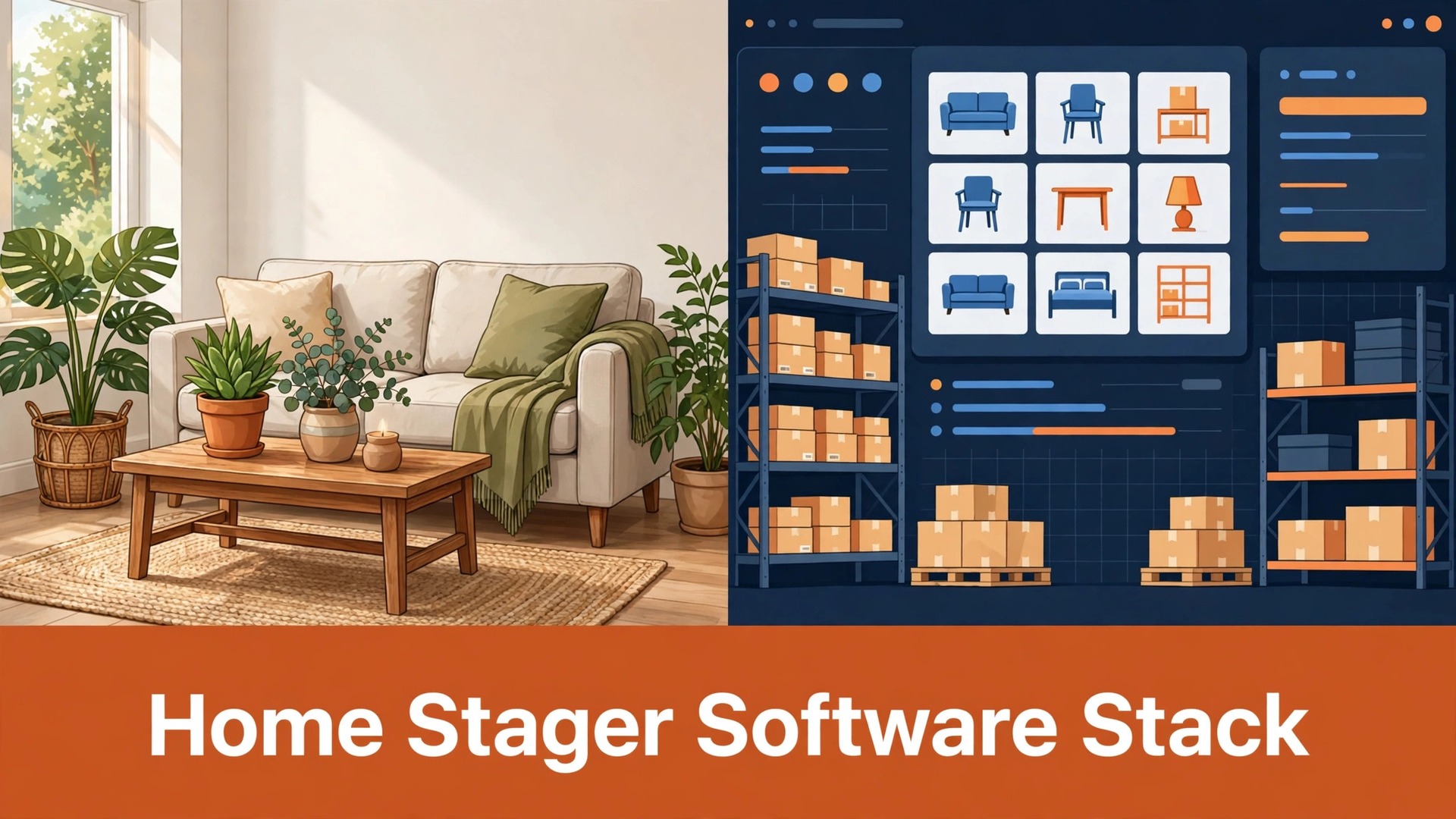
The problem arrives on install day. The crew opens the truck, the sofa for the living room is already in another house, and nobody can say when it will be free, because the booking lived in one spreadsheet, the inventory lived in another, and the invoice lived in email. The client sees a half finished room, the crew waits, and the stager spends the morning apologising for a system failure that looked like a scheduling failure. A software stack for home stagers small business owners run well exists to prevent exactly that morning, by making one job, one inventory record and one invoice tell the same story.
Home staging is not one job. It is booking and consultation, design and room planning, warehouse picking and transport, install and destage, invoicing and monthly rent, and portfolio proof for the next agent. A stack that only handles inventory will leave booking messy. A stack that only handles invoicing will leave the warehouse guessing. This guide builds the full stack in four layers, booking, inventory, invoicing and portfolio, with twelve products in total, and a setup order that a solo stager or a small team can actually follow without buying everything on day one.
The Stack at a Glance
Use this table to see the whole software stack for home stagers small business owners can check before reading the tool sections. No stager needs all twelve on day one, and the setup checklist later in this guide gives a sensible buying order. Check the vendor current pricing page for every product before buying, because staging software pricing often depends on inventory size, users, or add on features, and a headline price can mislead a growing warehouse.
| Layer | Product | Main job in the stack |
|---|---|---|
| Booking | Calendly | Consultation and install scheduling |
| Booking | HoneyBook | Client flow, proposals and payments |
| Booking | Houzz Pro | Leads, CRM and proposals for stagers |
| Inventory | StageCore | Date aware inventory, projects and invoicing links |
| Inventory | Stage Runners | Inventory, projects and crew scanning |
| Inventory | Vignettes Live | Inventory, quotes and rent per piece |
| Inventory | Sortly | Simple item tracking with photos and labels |
| Invoicing | QuickBooks Online | Accounting, invoicing and books |
| Invoicing | Stripe | Card payments linked to invoices |
| Portfolio | Matterport | 3D capture and room walkthroughs |
| Portfolio | Canva | Before and after graphics and agent one pagers |
| Portfolio | Mydoma Studio | Client presentations, proposals and payments |
Count the products, not the layers. There are twelve distinct products in that table, and each one is also named in its own heading below, so you can check the stack product by product without relying on the table alone.

Booking and Client Flow
Booking is where a staging job is won or lost, because agents and homeowners judge responsiveness before they judge design. A consultation that takes three days to schedule feels slow, even if the staging itself is excellent. The three booking products below solve different parts of that problem, so choose by the size of your client flow, not by the longest feature list.
Calendly
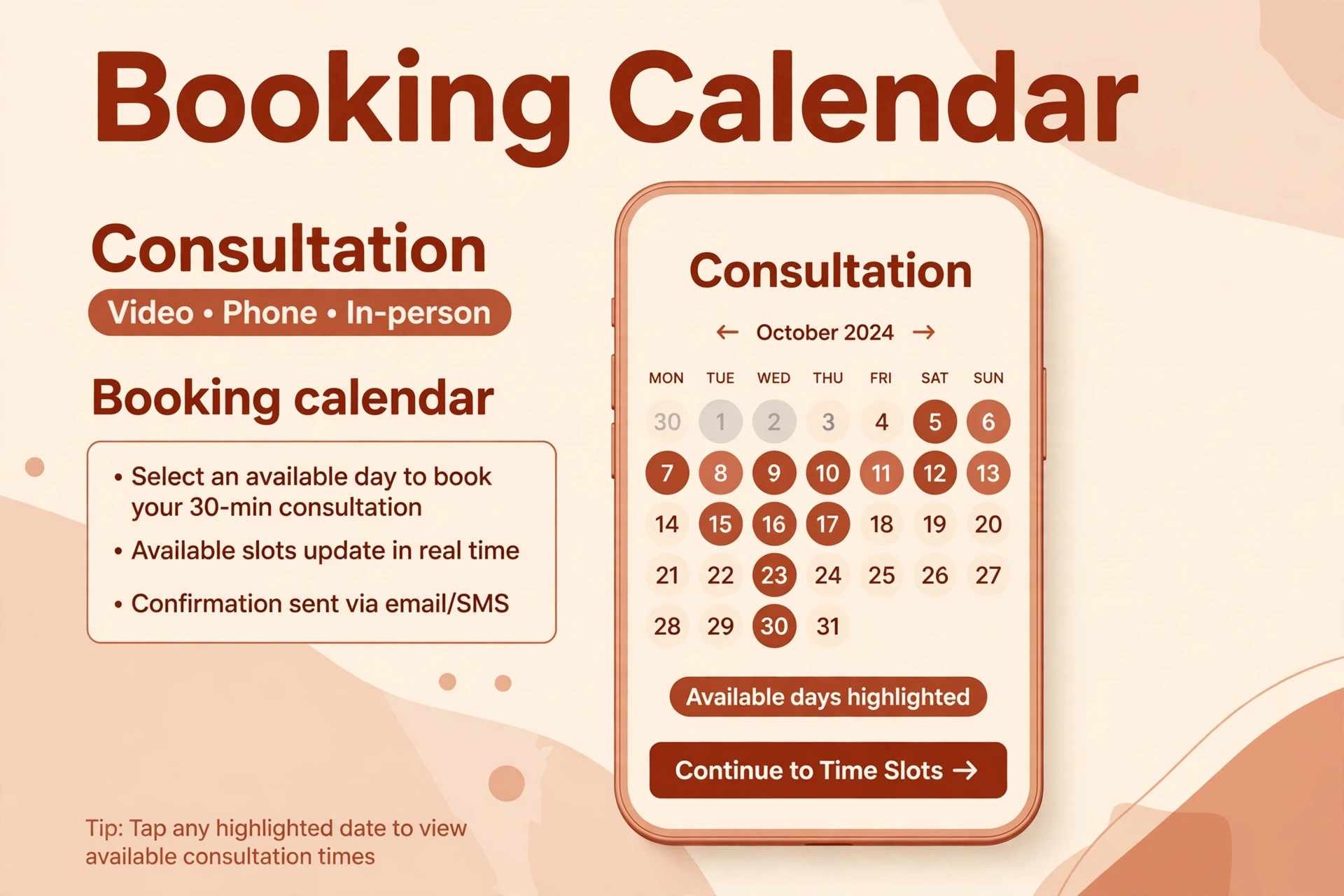
Calendly is the simplest booking fix for a small staging firm. It lets agents and homeowners book a consultation, a walkthrough or a destage check in a few clicks, without email back and forth, and it syncs with the calendar the stager already uses. That simplicity matters on busy install weeks, when the stager cannot answer the phone and still needs bookings to keep arriving in an orderly queue.
Set up separate booking types for consultations, property walkthroughs and destage visits, with different lengths and different questions, so a fifteen minute call is not booked as an hour long site visit. Add a buffer between bookings, and a cancellation and reschedule link, because staging schedules move when sales timelines move. Check the vendor current pricing page, because team scheduling and workflow features sit on different plans, and a solo plan may not cover a crew calendar.
Choose Calendly if booking friction is the main problem and the rest of the business already runs well. Skip it as a standalone solution if proposals, contracts and payments are also messy, because Calendly books time, it does not run the whole client flow.
HoneyBook
HoneyBook is the client flow product for stagers who need booking, proposals, contracts, invoices and payments in one place, without stitching five tools together. A client can move from enquiry to proposal to signed contract to payment in a single flow, which reduces the dropped handoffs that cause install day surprises. That flow also gives agents a professional impression, because documents, messages and payments live in one branded place.
The risk with an all in one client flow tool is that it can hide inventory truth. HoneyBook does not track warehouse stock the way a staging specific inventory tool does, so a proposal can promise a sofa that is already out on another job unless inventory is checked separately. Pair HoneyBook with an inventory product from the next section, and make the inventory check a required step before any proposal is sent. Check the vendor current pricing page, because HoneyBook pricing and payment processing terms change, and model the cost at your real job volume.
Choose HoneyBook if client documents and payments are the messy part. Skip it if inventory accuracy is the main risk, and buy inventory first instead.
Houzz Pro
Houzz Pro is the lead and CRM product for stagers who want to attract agents and homeowners through a large design marketplace, while also running proposals, a product library and payments. Its staging specific pitch centres on cataloguing furniture and decor, building proposals from a product library, and managing leads in a mobile friendly CRM, which suits stagers who win work through Houzz visibility as well as through agent referrals.
Published comparisons have listed Houzz Pro plans for pros starting at a monthly figure for all business sizes, but check the vendor current pricing page and request a current quote before budgeting, because Houzz Pro pricing is not always listed publicly in full. Trial the lead quality, not just the feature list, because leads from a marketplace vary by area and by season, and a tool that brings many low fit enquiries can cost more time than it saves.
Choose Houzz Pro if lead generation and a design marketplace presence matter most. Skip it if most work already comes from a small set of trusted agents, where a simpler booking and inventory stack will serve better.
Inventory and Warehouse Control in a Software Stack for Home Stagers Small Business Teams Trust
Inventory is the heart of a staging stack, because every other layer depends on knowing what is available, where it sits, and when it returns. A software stack for home stagers small business teams trust must answer three questions instantly, for any piece, on any date. Is it free. Where is it. What condition is it in. If a tool cannot answer those three questions for a sofa on overlapping dates, it is a catalogue, not an inventory system.
StageCore
StageCore is the whole job staging product, connecting room based estimates, contracts, design plans, warehouse load lists, scheduling and invoicing links in one system. Its date aware inventory is the key feature, because a designer chooses from pieces the business can actually deploy on the project dates, not from a general list that may already be booked. That date awareness prevents the double booking problem that opens this guide.
StageCore also connects to QuickBooks Online or Xero for invoicing and to walkthrough photos for room planning, which keeps design, warehouse and office work in one job record. The trade off is setup time. Room based estimates, pricing guides and inventory records need to be built properly before the system pays back, so plan a migration week, not a migration afternoon. Check the vendor current pricing page, because staging specific platforms price by users, features or implementation support, and a quote is safer than a headline figure.
Choose StageCore if you run a team with a warehouse and need design, inventory and billing connected. Skip it if you are a solo stager with a small inventory, where a simpler tracker will be faster to adopt.
Stage Runners
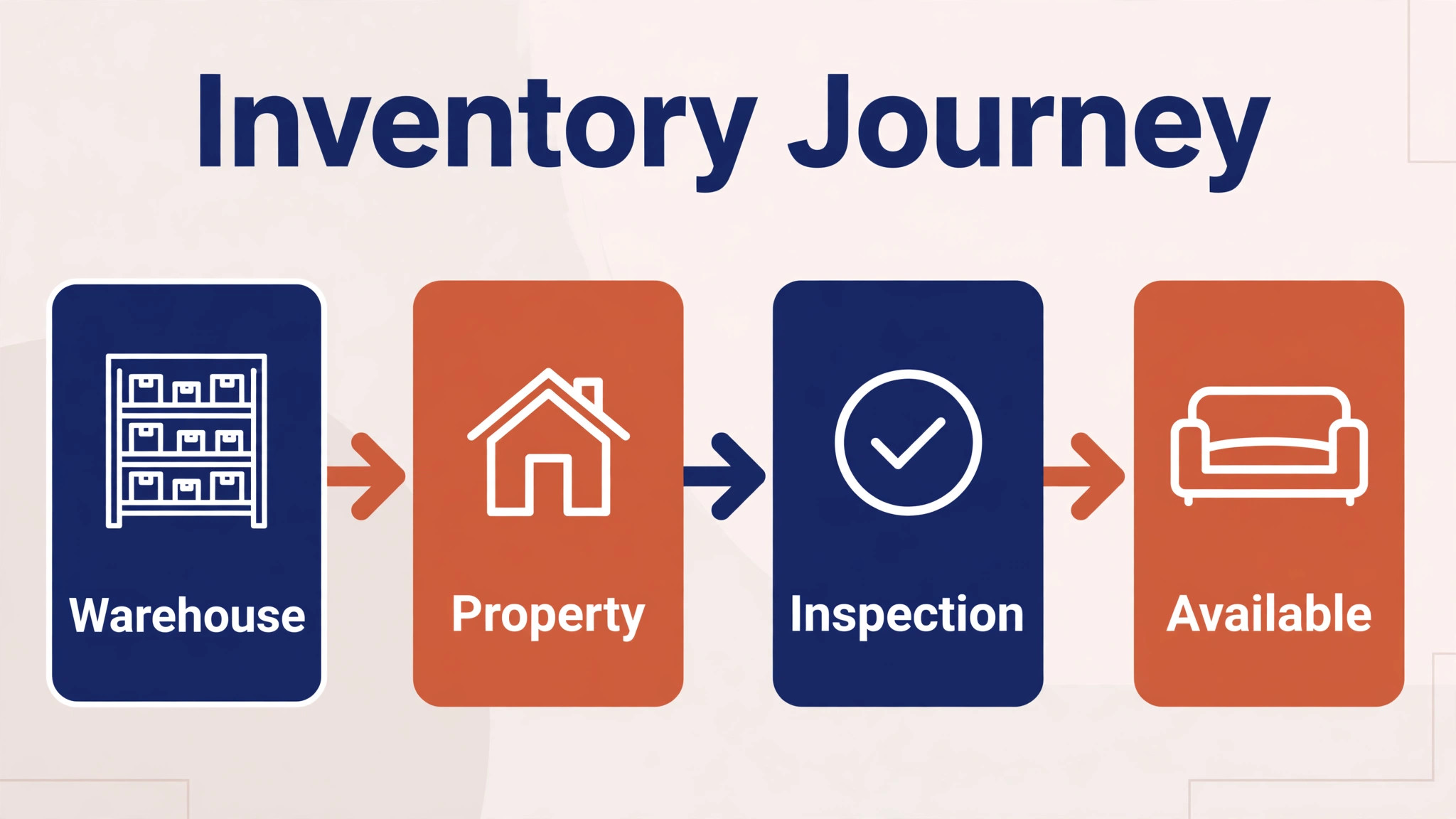
Stage Runners is the operations product built specifically for home stagers, bringing inventory, projects and team coordination into one workspace. Its core promise is that a designer room selection becomes the warehouse pick list automatically, without retyping, and that crew members scan pieces in and out, with wrong job and missing item checks built in. A piece only returns to available after it has been physically returned and inspected, with location, condition and reservation tracked as separate facts.
That discipline matters, because most inventory errors are not software errors. They are handoff errors, where a piece is marked available because it left a property, even though it has not been inspected or returned to the warehouse. Stage Runners makes that handoff explicit, which is why it suits teams where designer, warehouse and crew are different people. It also connects to QuickBooks Online, Stripe, e signature and Google Calendar on its published integrations list, but check the vendor current pricing page and the current integration list before relying on any single connection.
Choose Stage Runners if crew coordination and scan verified pick lists are your main pain. Skip it if you work alone and never need crew scanning, where the extra structure may slow you down.
Vignettes Live
Vignettes Live is the business management product for stagers that runs quotes, contacts, crews, invoices and, most importantly, return on every piece owned. It charges a flat monthly figure in its published material, with unlimited inventory, which is a different model from staging software that charges more as inventory grows. For a stager with a large warehouse, that flat model can make budgeting simpler, because owning more furniture does not automatically raise the software bill.
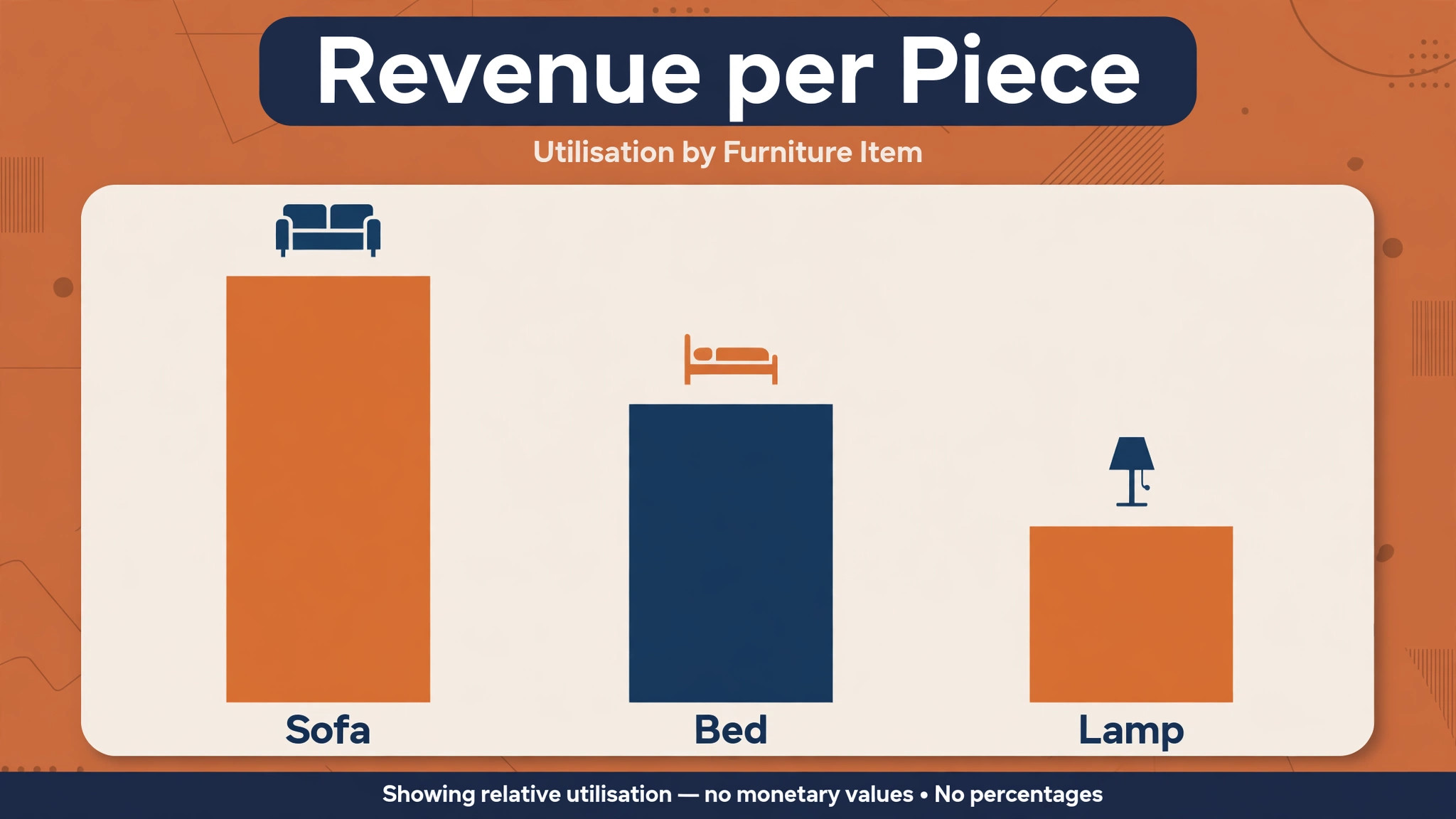
Its return reporting shows revenue per piece, per property and per category, plus utilisation and days deployed, and a standing list of pieces that have been owned a while without earning rent. That report turns inventory decisions from gut feel into evidence, because a stager can see which sofas earn their storage space and which ones are furniture that was paid for but rarely leaves the warehouse. Check the vendor current pricing page and trial terms before committing, because early access and pricing terms for a newer product can change as it matures.
Choose Vignettes Live if piece level profitability matters to you. Skip it if you need a mature, long established platform with a large user community, because newer products carry more change risk.
Sortly
Sortly is the simple inventory tracker for stagers who need photos, labels and availability without a full staging operations system. It suits a solo stager or a small team moving from spreadsheets, because items can be catalogued with photos, barcodes or QR codes, locations can be tracked, and data can be exported for offline review when warehouse connectivity is unreliable. That simplicity is a feature, not a limitation, for a business that needs truth about stock more than it needs complex workflows.
Sortly will not run proposals, crew scanning workflows, or staging specific rent calculations the way StageCore, Stage Runners or Vignettes Live do, so treat it as an inventory layer, not as a whole stack. Pair it with a booking tool and an invoicing tool, and keep the rule that no piece is promised until Sortly shows it free for the project dates. Check the vendor current pricing page, because item limits and user limits differ by plan, and a growing warehouse can outgrow a starter plan quickly.
Choose Sortly if you are migrating from spreadsheets and need a fast, visual inventory win. Skip it if you need date aware staging workflows and crew scanning, where a staging specific product will save more time.
Money, Invoicing and Rent
Staging money is different from ordinary service invoicing, because a job has an initial fee, a monthly rent while pieces are out, and a prorated closeout when pieces return. A software stack for home stagers small business owners run must handle that rent logic clearly, or the office will spend hours reconciling what is owed. The two products below handle money, and they work best together, not as alternatives.
QuickBooks Online
QuickBooks Online is the accounting authority for most small staging firms, and several staging products in this guide are designed to feed invoices and payments into it rather than replace it. Use QuickBooks Online for invoicing, expense tracking, tax records and financial reporting, and let the staging product own the job and inventory record. That separation keeps the books clean, because the accounting system remains the single source of truth for money, even if the staging tool changes later.
Set up staging specific invoice items for initial staging fees, monthly rent, delivery, destage and additional services, so invoices are readable for agents and homeowners and reconcilable for the bookkeeper. Agree who posts what, and when, between the staging tool and QuickBooks Online, because double posting is a common error when two systems can both create invoices. Check the vendor current pricing page, because QuickBooks Online plans and payroll add ons change, and a plan that fits a solo stager may not fit a team with a warehouse payroll.
Choose QuickBooks Online as the accounting layer in almost every stack. Skip it only if an accountant already runs a different system well, in which case the staging tool should feed that system instead.
Stripe
Stripe is the payment layer that lets clients pay invoices by card without leaving the staging workflow, and it is the payment connection behind several staging and client flow products. For staging, card payment matters because agents and homeowners often need to pay a staging fee quickly to hold a date, and a slow payment process can lose that date to another stager. Stripe also supports payment links and recurring billing patterns that can fit monthly rent, provided the rent logic is set up correctly in the invoicing tool first.
Do not let Stripe become the invoice record. The invoice should live in QuickBooks Online or in the staging product, with Stripe handling the payment itself. That separation makes refunds, disputes and rent closeouts easier to trace, because the payment, the invoice and the job record each have a clear home. Check the vendor current pricing page and processing terms, because card fees and payout timing affect cash flow, especially on large staging fees.
Choose Stripe for card payments linked to invoices. Skip it as a standalone invoicing system, because it does not replace accounting or inventory truth.
Portfolio and Presentation
Portfolio work wins the next job, and it needs tools that show rooms clearly, quickly, and in a form agents can share. A software stack for home stagers small business owners use for portfolio should produce three things for every job, a walkthrough an agent can send, a before and after visual a homeowner can understand, and a one page summary an agent can forward. The three products below cover those three outputs.
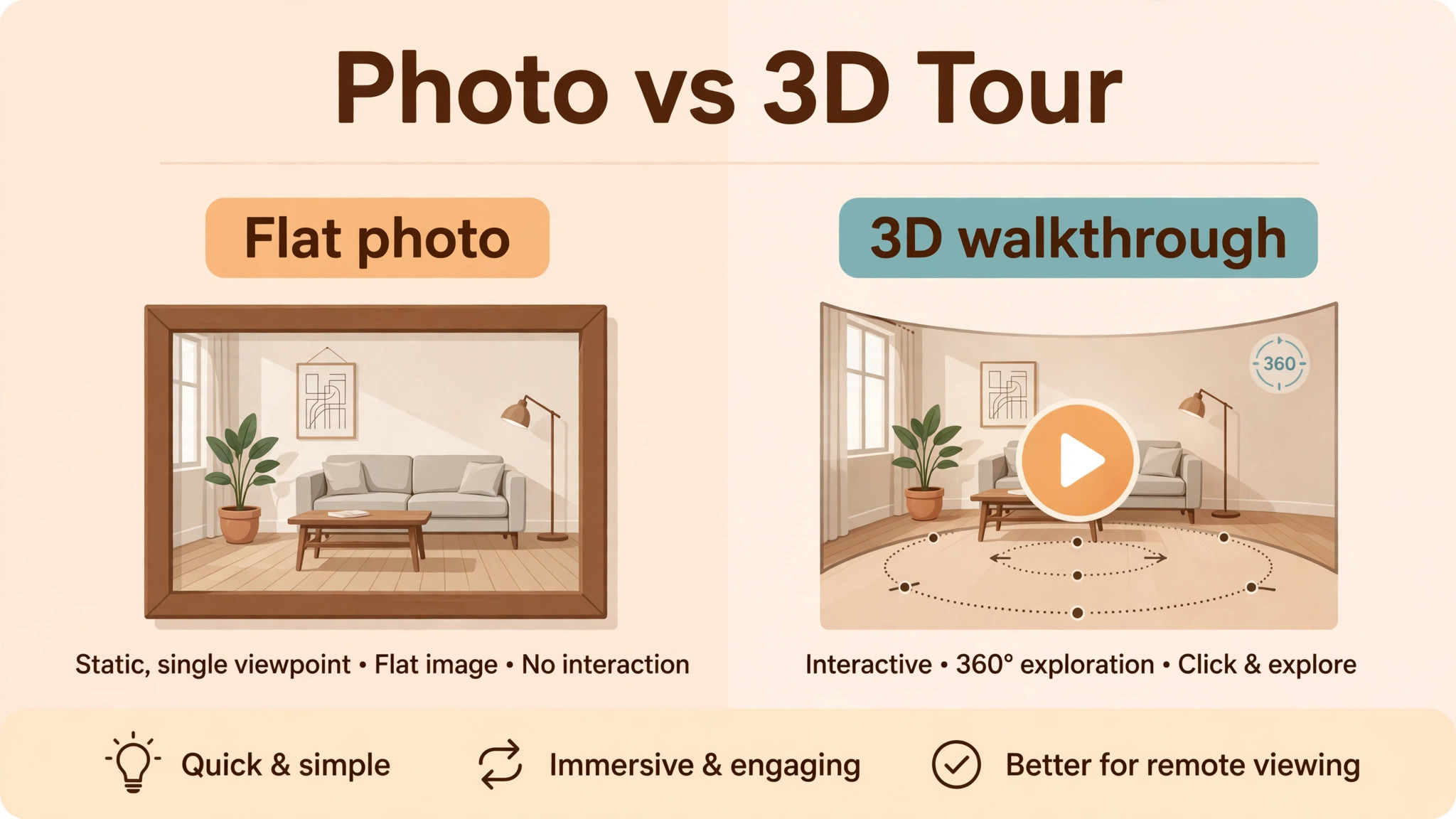
Matterport
Matterport is the 3D capture product for stagers who want a walkthrough built from real capture, with linked navigation that stays consistent for reviewers. An agent can send a Matterport tour to a buyer, a homeowner can walk a staged home remotely, and a stager can show the quality of a finished install without relying on a few flat photos. That walkthrough also becomes portfolio proof, because it shows the whole room, not just the best angle.
Capture takes time and equipment planning, so Matterport suits finished installs and portfolio jobs, not every quick consultation. Plan capture into the install schedule, agree who captures and who edits, and store tours with the job record so they can be reused for agent marketing. Check the vendor current pricing page, because capture, hosting and processing terms differ, and a tour that cannot be shared easily loses much of its value.
Choose Matterport for high value portfolio and remote viewing. Skip it for routine jobs where good photos and a one pager will sell the next job faster and cheaper.
Canva
Canva is the graphics product for before and after visuals, agent one pagers, social posts and simple price or service sheets. It does not replace professional photography, but it turns good job photos into shareable proof quickly, without a designer for every post. A stager who photographs every job, with permission, can build a library of before and after graphics that agents actually forward, because they are clear, branded and easy to read on a phone.
Keep Canva templates consistent, with the same colours, fonts and layout for every job, so the portfolio looks like one business, not a collection of one off designs. Avoid over editing photos in a way that misrepresents a room, because agents and buyers will notice on a visit, and trust lost that way is hard to regain. Check the vendor current pricing page for team features if more than one person will design, because brand controls and shared templates sit on different plans.
Choose Canva for fast, consistent agent marketing. Skip it as a design or floor planning tool, because it is a graphics tool, not a staging design system.
Mydoma Studio
Mydoma Studio is the client presentation product for solo designers and small studios, combining design boards, proposals, contracts, payments and a client portal. For a stager, its value is the client facing experience, because agents and homeowners can view design boards, approve proposals, sign contracts and pay in one branded place, without chasing documents across email. That experience matters when an agent is comparing two stagers, because the smoother process often wins before design is even discussed.
Published comparisons have listed Mydoma Studio pricing per user per month, but check the vendor current pricing page before budgeting, because per user pricing grows with team size and the connected catalogue and rendering features may sit on different plans. Mydoma Studio also integrates with QuickBooks, which helps keep the presentation layer and the accounting layer in sync, provided the invoice posting rule is agreed in advance.
Choose Mydoma Studio if client presentation and approval flow are the weak point. Skip it if inventory and warehouse control are the weak point, and invest there first, because a beautiful presentation that promises unavailable furniture will damage trust faster than a plain proposal that is accurate.
Setup Checklist in the Right Order
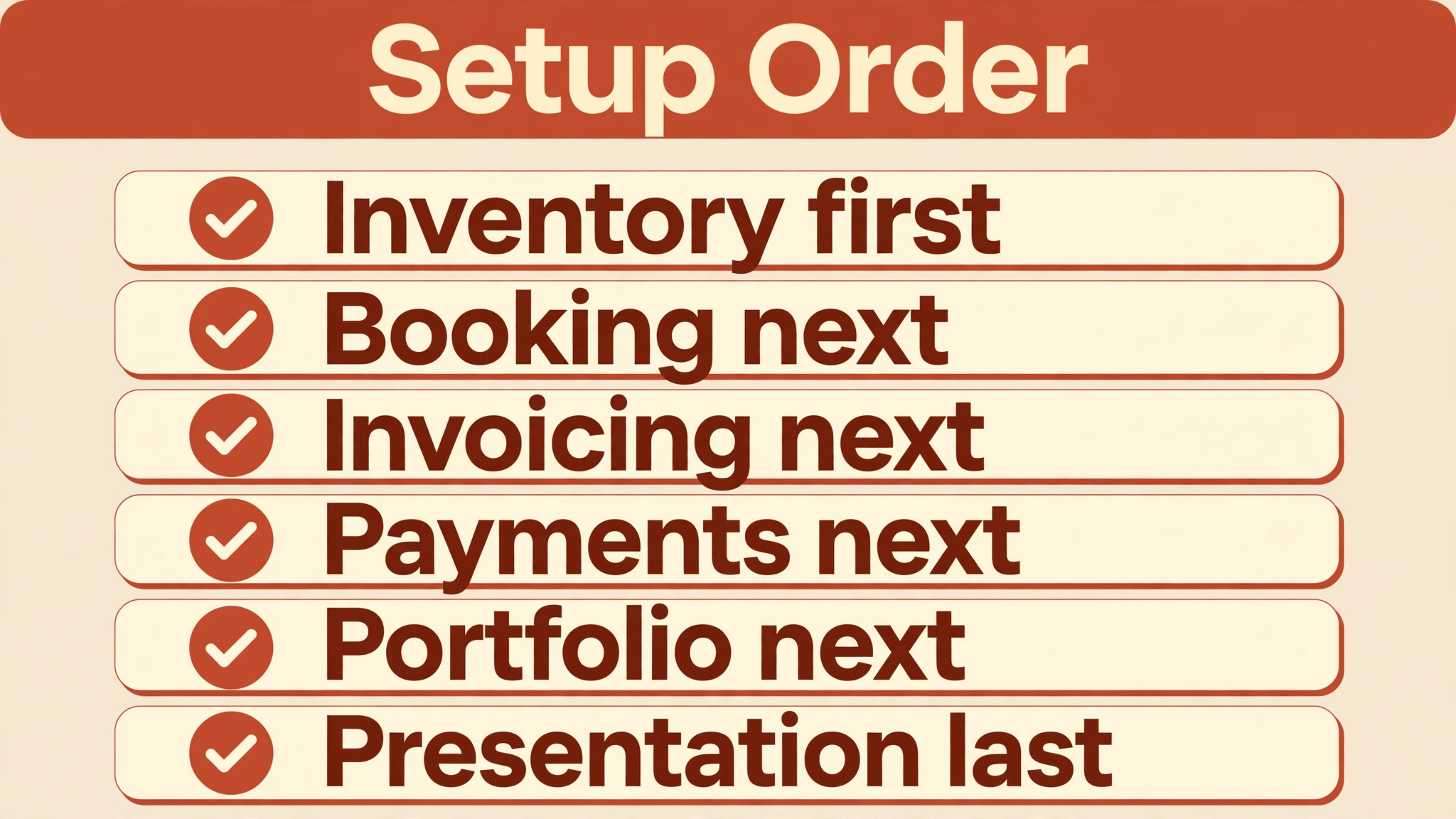
Buy in this order, and do not buy the next layer until the previous one is working for real jobs. That order prevents the most common stack failure, which is paying for twelve tools while still running the business from memory and spreadsheets.
– Choose the inventory product first if you own furniture, because inventory truth protects every other layer. Import the catalogue, photograph each piece, and set location and condition for every item. – Add booking next, with separate booking types for consultations, walkthroughs and destage visits, and a buffer between bookings. – Add invoicing next, with staging specific invoice items for initial fees, monthly rent, delivery and destage, and a clear posting rule between the staging tool and QuickBooks Online. – Add payments next, with Stripe linked to invoices, and a test payment run before the first live client payment. – Add portfolio next, starting with Canva templates from real job photos, then Matterport for high value portfolio jobs. – Add client presentation last, with Mydoma Studio or HoneyBook, once booking, inventory and money are already accurate. – Run one full job end to end on the new stack, from booking to destage to final invoice, before migrating older jobs. – Export inventory, client and financial data monthly, so the business can leave any tool without losing its history.
A solo stager can run a credible software stack for home stagers small business owners can afford with four products, such as Sortly for inventory, Calendly for booking, QuickBooks Online for invoicing, and Canva for portfolio. A team with a warehouse will need a staging specific inventory product and a client flow product as well. The software stack for home stagers small business teams use should grow with the warehouse, not ahead of it.
Mistakes That Break a Staging Stack
The first mistake is promising inventory from memory. A stager who says a sofa is free without checking the system will eventually be wrong, and one wrong promise on install day costs more trust than a week of careful checking saves. Make the inventory check a required step before any proposal, quote or agent promise, with no exceptions for urgent jobs, because urgent jobs are where errors hurt most.
The second mistake is running two truths for money. If invoices can be created in both the staging tool and QuickBooks Online, they will be duplicated, and the bookkeeper will spend hours untangling them. Choose one invoice home, agree the posting rule in writing, and audit the first month of invoices against bank deposits before trusting the flow.
The third mistake is photographing nothing, or photographing everything without permission. Portfolio proof needs a habit, not a campaign. Photograph every job with permission, store before, during and after photos with the job record, and remove personal details before sharing. A stager who builds that habit for a quarter will have a portfolio that sells the next quarter, without a photo shoot.
Frequently Asked Questions
How many tools does a small staging firm really need?
A solo stager can start with four, inventory, booking, invoicing and portfolio graphics, and add more as the warehouse and team grow. A team with a warehouse usually needs six to eight, including a staging specific inventory product and a client flow product. Twelve is the full stack in this guide, not a day one shopping list, and buying all twelve at once is a mistake for most small firms.
Should inventory or booking come first?
Inventory comes first if you own furniture, because a booking system that promises unavailable pieces creates install day failures. Booking comes first only if you mainly do consultations or virtual staging without owning a large inventory, where the main risk is scheduling, not stock. For most physical stagers, inventory truth is the foundation.
Can QuickBooks Online replace a staging inventory tool?
No. QuickBooks Online is excellent for accounting and invoicing, but it does not track date aware furniture availability, warehouse locations, crew pick lists, or rent per piece in the way a staging product does. Use QuickBooks Online as the accounting authority, and let a staging product own inventory and job records, with a clear posting rule between them.
How do I avoid double booking a sofa on overlapping dates?
Use a date aware inventory tool, check availability for the exact project dates before promising any piece, and require a return and inspection step before a piece returns to available. A calendar alone cannot catch this, because a piece can be out, returned, or awaiting inspection, and only a timeline based inventory record distinguishes those states correctly.
What is the cheapest credible starting stack?
A credible start is a simple inventory tracker, a booking link tool, an accounting tool, and a graphics tool for portfolio work, with prices checked on each vendor current pricing page. The cheapest stack that still checks inventory before promising furniture will outperform an expensive stack that is never fully set up, because accuracy, not feature count, is what agents remember.
How should monthly staging rent be invoiced?
Invoice rent as a separate, clearly labelled item, with the start date, the monthly amount, and the closeout rule for partial months stated on the original proposal. When pieces return, issue a prorated closeout invoice or credit, and reconcile it against the inventory return record, so the client can see exactly what was out, for how long, and what is now owed.
Do agents really use 3D tours and portfolio one pagers?
Agents use what they can forward easily to a homeowner or buyer, so a clear one pager and a shareable tour outperform a long photo gallery that is hard to send. A tour or one pager that shows the whole room, the before and after change, and the stager contact details in one place is more useful than ten unlabelled photos, however beautiful they are.
When should a staging firm switch inventory tools?
Switch when the current tool can no longer answer the three inventory questions instantly, is it free, where is it, and what condition is it in, for the warehouse size you now run. Switch also when crew scanning, date aware availability, or piece level rent reporting becomes essential and the current tool cannot provide it. Export a full inventory and job history before switching, and run one job end to end on the new tool before migrating the rest.
The First Month Setup Order
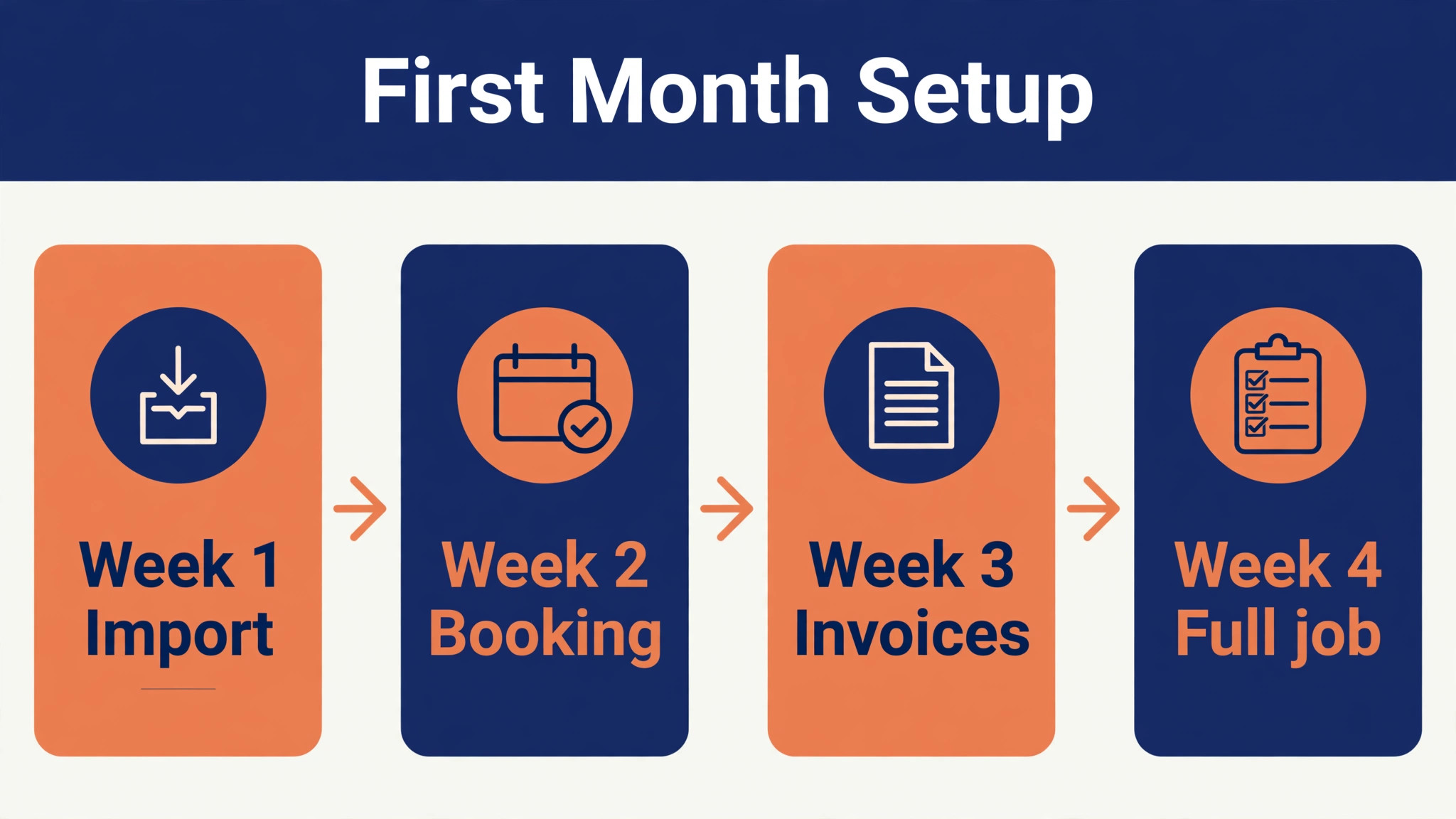
Month one should end with one truth for inventory, one booking flow, and one invoice flow, even if portfolio work is still basic. Week one is inventory import and photography. Week two is booking types and buffers. Week three is invoice items and a test payment. Week four is one full job end to end, plus a portfolio one pager from that job. That month is the whole stack in miniature, and it proves the system before it is trusted with a busy season.
If month one works, month two can add a client presentation tool and a 3D tour for a high value job. If month one fails, the cause is usually specific, such as an incomplete inventory import, a missing posting rule, or a booking type that does not match real jobs. Fix that cause before adding tools, because a stack grows by fixing the weakest layer, not by adding a new layer on top of a broken one. A software stack for home stagers small business owners keep is judged on install day, when the truck opens and the right sofa is there, on time, in the right room.
For booking and client flow help, see Best Online Booking Software for a Service Business and Cost of HoneyBook for Small Business Monthly, which pair with the stack above.
More Reading on Stratilyze
– Best AI Tools for Interior Designers in 2026 (12 tools) – Use AI for Interior Designer Client Presentation Workflow – Best Online Booking Software for a Service Business – Cost of HoneyBook for Small Business Monthly