

One sectional sofa can exist in more than 200 configurations once fabric, colour, arm style, and chaise orientation are counted, and that single fact explains why the best inventory software for furniture retailers cannot be ordinary retail software. A quantity count that says you hold three sofas tells staff nothing when each sofa differs in fabric, finish, and delivery status, and a double sale of a unique configuration damages trust in a way a double sale of a commodity never does.
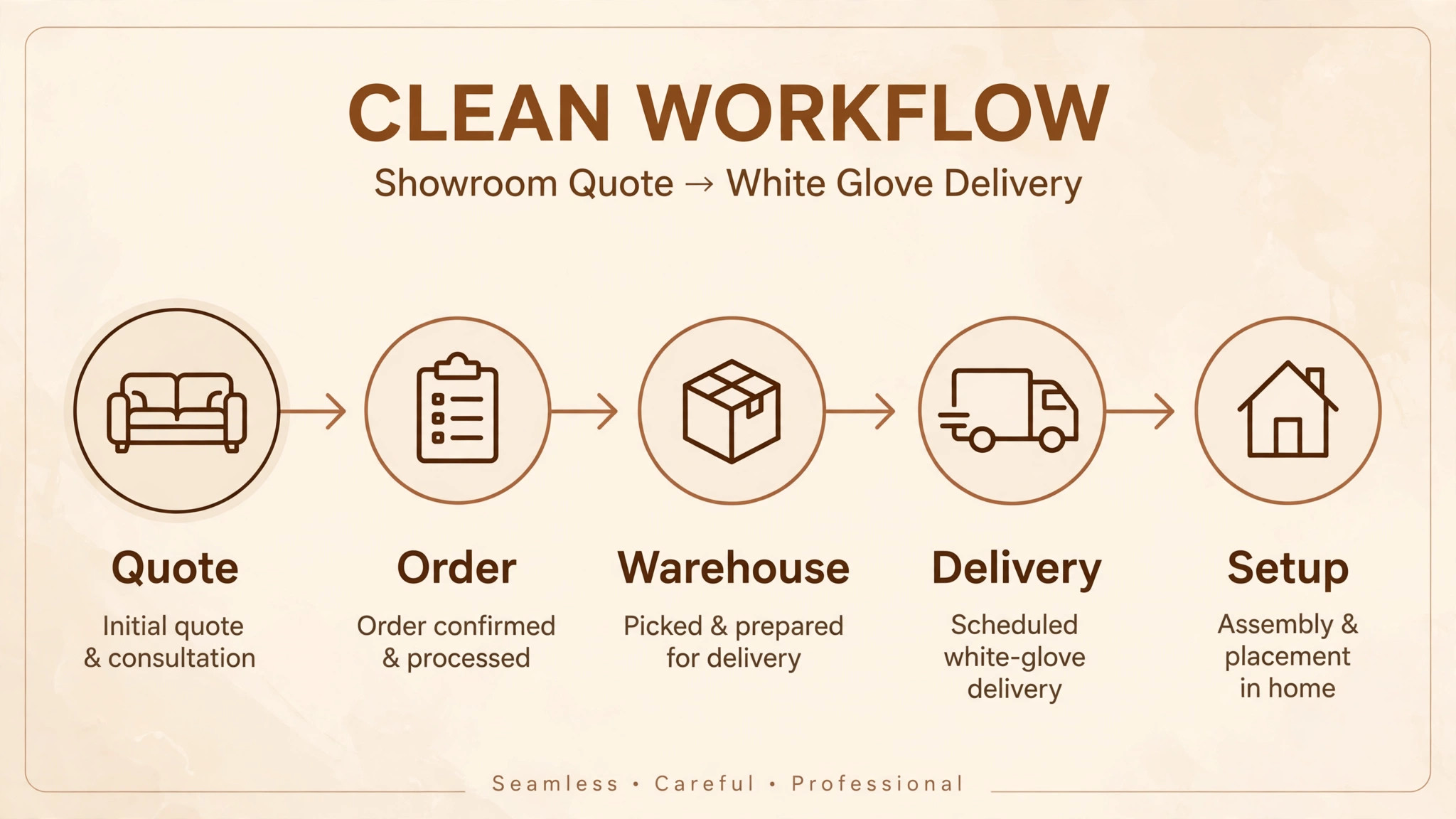
Furniture retail turns every sale into a job. The order may start as a showroom quote, change fabric midway, wait weeks for a vendor, split across two deliveries, and end with a white glove crew in a customer home. Floor samples add another layer, since the piece on display may be sold, may be the only one, or may need replacing. A system that cannot follow that job from quote to delivery will push staff back to spreadsheets, and spreadsheets are where fabric changes get lost.
This guide compares thirteen tools on that full job, from furniture native suites such as STORIS and Furniture Wizard to general platforms such as Lightspeed, Shopify, and Odoo. You will see which tools handle special orders and floor samples natively, which ones need configuration, and what each one costs in practice, so you can shortlist with real orders in a demo rather than a feature list.
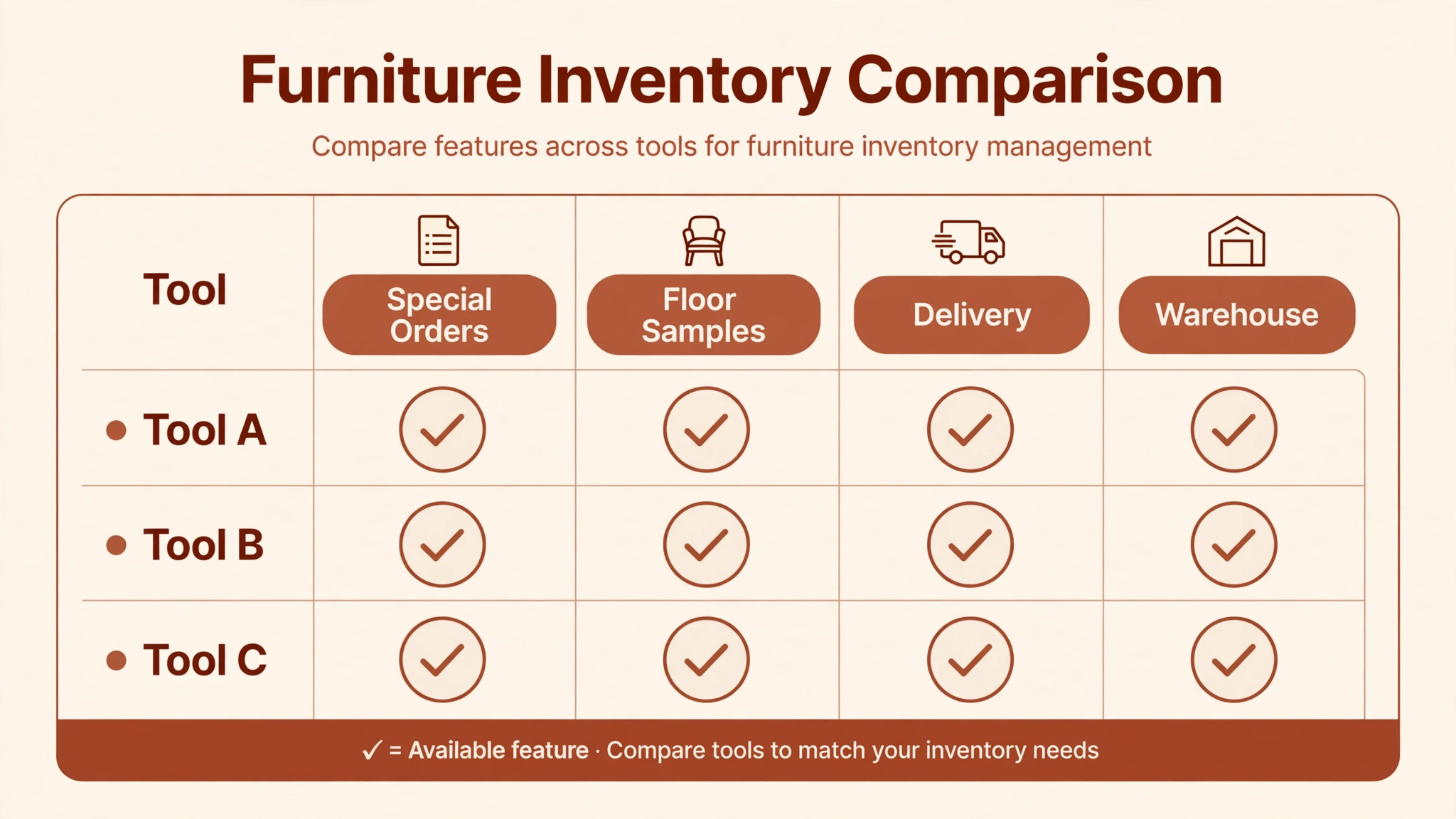
How the Best inventory software for furniture retailers Compares at a Glance
Use this table to narrow the field before reading the full reviews of the best inventory software for furniture retailers. Pricing notes are a starting point only, since vendors change plans often, so check the vendor’s current pricing page before you budget.
| Tool | Best for | Pricing note | Standout strength |
|---|---|---|---|
| STORIS | Mid to large furniture chains | Quote based | Special orders plus delivery routing |
| Furniture Wizard | Independent furniture stores | Quote based | Floor model and delivery workflows |
| Celerant | Multi store furniture retailers | Check vendor page | Quote to fulfilment order link |
| Heartland Retail | Disciplined special orders | Check vendor page | Quote selections carried to delivery |
| Lightspeed Retail | Multi store chains | From 89 dollars per month billed annually | Catalog and ecommerce sync |
| Shopify POS | Online first retailers | From 29 dollars per month reported | One catalog for web and store |
| Square for Retail | Small simple shops | Free plan plus card fees | Fast setup and low fixed cost |
| Zoho Inventory | Zoho users, multi warehouse | Check vendor page | Multi warehouse plus Zoho links |
| Fishbowl | QuickBooks or Xero users | From 199 dollars per month reported | Deep accounting integration |
| Cin7 | Multi channel retailers | Quote based | One inventory truth across channels |
| Odoo | Configurable low cost suite | Check vendor page | Shared sales and inventory data |
| Rain POS | Small to mid size stores | Check vendor page | POS plus website and marketing |
| SHOPLINE POS | Online first showrooms | Check vendor page | Unified online and store stock |
The Tools in Detail
STORIS
Best for mid size to large furniture retailers that need purpose built delivery and special order handling.
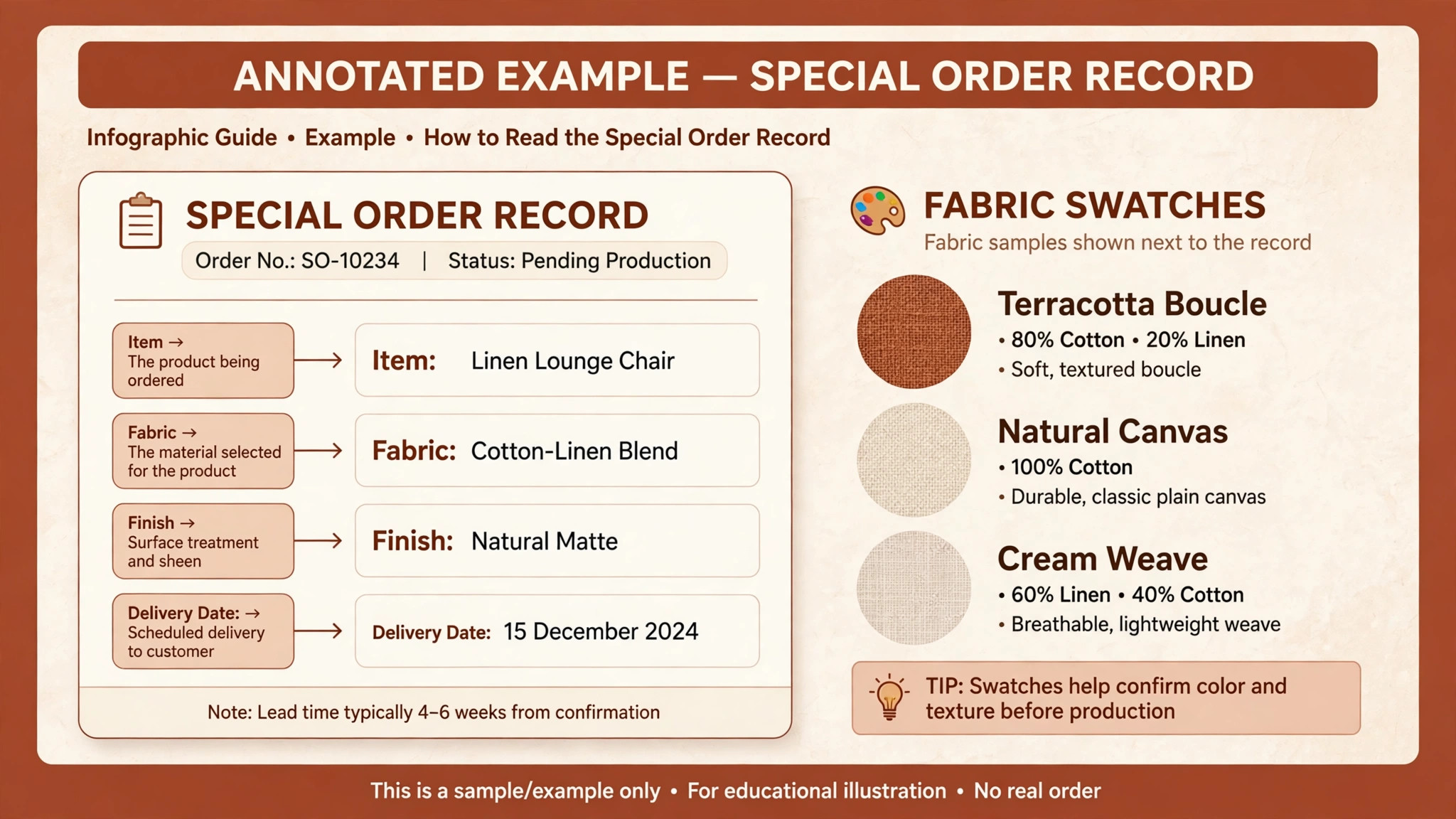
STORIS is a cloud platform built for home furnishings retail, covering inventory, sales, warehouse operations, and delivery routing in one system. Its special order workflow handles configurable choices such as fabric, finish, and components, then tracks the order from purchase to delivery without losing the original selections. Real time stock sync across stores and warehouses prevents the classic furniture error of promising a sofa that is already sold or still in transit.
Delivery scheduling is where STORIS earns its place, since furniture delivery needs routes, crews, time windows, and white glove handling rather than a simple courier label. The trade off is enterprise weight. Pricing is quote based, implementation takes planning, and a small single store may pay for depth it does not yet need. Check the vendor’s current pricing page and ask for a delivery demo with your own routes before shortlisting.
Furniture Wizard
Best for independent furniture stores that want furniture specific workflows without enterprise complexity.
Furniture Wizard is built exclusively for furniture retailers, with invoicing, price and tag label creation, barcode hardware, delivery routing, and integrated payment processing. Its floor model tracking connects showroom availability to sales and fulfilment, so a floor sample sold on Saturday does not get promised again on Sunday. Real time visibility across showroom, warehouse, and on order status keeps staff honest about what can actually be delivered and when.
Integration with major vendors, including Ashley Furniture in third party listings, is a practical advantage for independents that carry those lines. Pricing is quote based, so ask what sits in the base system and what costs extra for delivery, accounting links, or additional locations. Furniture Wizard fits when the store wants furniture logic out of the box rather than configuring a general retail system to behave like one.
Celerant
Best for multi store furniture retailers that need one system for quotes, orders, and fulfilment.
Celerant links configurable order lines to downstream fulfilment, so a quote taken on the showroom floor keeps its fabric, finish, and component choices all the way through receiving and delivery. That persistence matters for furniture, where an order lives for weeks and passes through several hands before it reaches the customer home. Sales documents, back office processing, and customer and inventory records sit in the same workflow rather than in separate tools.
The strength is control, and the cost is setup discipline. Multi store configuration, role permissions, and fulfilment rules need careful design at the start, or staff will invent workarounds that break the order trail. Ask for a demo that follows one configurable order from quote to delivery, including a change of fabric midway, since that change reveals whether the system truly keeps selections linked or merely copies them once.
Heartland Retail
Best for furniture stores that need disciplined special order execution from quote to delivery scheduling.
Heartland Retail is a retail platform with showroom quote capture that carries selections into special order fulfilment, so delivery scheduling keeps the original context instead of relying on notes. Activity tracking and role based access support an auditable workflow across sales, inventory, and procurement, which helps when several staff touch one high value order. Third party reviews name it as a strong fit for disciplined special order execution.
Heartland is a general retail platform with strong furniture fit, not a furniture only suite, so confirm how delivery routing, floor sample handling, and vendor specific workflows are covered in your plan. Pricing is typically quote based for this tier, so get a written figure that covers stores, users, and integrations. It fits stores that want structure and auditability without moving to a full enterprise furniture suite.
Lightspeed Retail
Best for multi store chains that want a customisable general retail platform with strong ecommerce links.
Lightspeed Retail offers catalog management, multi location inventory, ecommerce integration, and advanced reporting in a polished cloud system. For a furniture chain with a strong online store, that sync matters, since a high value item must not be sold twice across channels. Third party listings put the Basic plan at 89 dollars per month billed annually with Lightspeed Payments, so check the vendor’s current pricing page for the current figure and plan details.
Lightspeed is not furniture native, so special order templates, floor sample rules, and delivery routing need configuration or add ons. A chain with a dedicated operations team can build those workflows well. A single store without that team may find the configuration burden heavy. Test a full special order, including a fabric change and a split delivery, before assuming the general platform covers the furniture job.
Shopify POS
Best for online first furniture retailers that sell smaller pieces through a Shopify storefront.
Shopify POS keeps online and in store stock in one catalog, which protects against overselling high value, low velocity items that cannot be replaced quickly. For furniture retailers that sell smaller items online, such as chairs, lighting, or decor, that sync plus a familiar checkout is a strong combination. Third party listings put Shopify plans from 29 dollars per month, so check the vendor’s current pricing page for current plans.
The limit is furniture depth. Large configurable orders, floor samples, white glove delivery scheduling, and split payments for special orders need workarounds or apps. Shopify POS fits when the website drives the business and the showroom supports it. When the showroom and special orders drive the business, a furniture focused system will handle the daily job with less manual tracking.
Square for Retail
Best for small furniture shops that want a fast start and low fixed cost.
Square for Retail is easy to set up, runs on simple hardware, and offers a free plan with card processing fees on sales. Inventory tracking, customer profiles, gift cards, and digital receipts cover the basics, and staff can learn the system quickly. For a small shop selling ready made pieces, accessories, or a limited range, that simplicity is a real advantage over a heavy enterprise rollout.
Furniture complexity is where Square shows its limits. Configurable special orders, floor sample tracking, delivery routing, and deposit tracking for long lead orders are thin, so growing stores often add spreadsheets. Use Square as a starting point when the catalog is simple and delivery is straightforward, and plan to move to a furniture system when special orders become a regular share of sales.
Zoho Inventory
Best for retailers that already use Zoho apps and want multi warehouse inventory at a modest price.
Zoho Inventory offers real time inventory updates, multi warehouse management, purchase orders, and shipping integrations in a cloud system that connects with the wider Zoho suite. For a furniture retailer that already runs Zoho Books or Zoho CRM, that connection avoids double entry between sales, stock, and accounting. The interface is approachable, and the price point suits smaller operations better than enterprise furniture suites.
Zoho is general inventory software, so furniture specific workflows such as floor samples, special order configuration, and white glove delivery scheduling need custom fields and processes. It fits best when inventory accuracy across warehouses is the main pain and special orders are simple. If special orders are complex, test one full order carefully before committing, since custom field workarounds can become fragile at scale.
Fishbowl
Best for furniture retailers that need deep QuickBooks or Xero integration with warehouse control.
Fishbowl is inventory management software with deep integration to QuickBooks and Xero, plus warehouse, purchasing, and manufacturing features that suit retailers with their own stock and assembly work. Third party listings put Fishbowl from 199 dollars per month, so check the vendor’s current pricing page. For a retailer whose accounting already runs on QuickBooks, that integration removes a common source of month end errors.
Fishbowl is general inventory software with a learning curve, and furniture specific showroom workflows such as floor samples and special order configuration need setup. It fits retailers that value warehouse discipline and accounting accuracy above showroom polish. If your team is small and showroom driven, weigh the setup effort against a furniture native tool that covers those workflows out of the box.
Cin7
Best for retailers that sell across many channels and need one inventory truth for all of them.
Cin7, formerly Cin7 Core, is inventory and order management software that connects sales channels, warehouses, and purchasing in one system. For a furniture retailer selling through a website, marketplaces, and showrooms, that single inventory truth prevents overselling and keeps purchasing aligned with real stock. Automation for reordering and stock alerts also helps with low velocity, high value items that must not run out unnoticed.
Cin7 is a general platform, so furniture configuration, floor samples, and delivery scheduling need configuration. Pricing is typically quote based for the full platform, so ask for a figure tied to your channel count and order volume. Choose Cin7 when channel complexity is the main problem. Choose a furniture suite when special order and delivery complexity is the main problem.
Odoo
Best for retailers that want one configurable system for sales, inventory, and purchasing at a low entry cost.
Odoo is an open source based business suite with sales, inventory, purchasing, and accounting modules that share the same data objects. That shared model suits a furniture retailer that wants configurable workflows rather than a fixed furniture suite, and the entry cost is lower than enterprise alternatives. Activity tracking and role based access support an auditable workflow as the team grows.
The trade off is implementation effort. Odoo needs configuration, and sometimes a partner, to model furniture specifics such as floor samples, special orders, and delivery scheduling well. A retailer with internal technical skill or a good implementation partner can build a strong system. A retailer that wants furniture workflows ready on day one should shortlist a furniture native tool first and use Odoo only with a clear implementation plan.
Rain POS
Best for small to mid size retailers that want an affordable all in one point of sale and inventory tool.
Rain POS combines point of sale, inventory, website, and marketing tools in one platform aimed at independent retailers. For a furniture store that also needs a simple website and customer marketing, that bundle can replace several separate subscriptions. The system covers catalog, stock, and sales reporting in a straightforward interface that small teams can learn without a long rollout.
Furniture depth is the limit. Special order configuration, floor sample rules, and white glove delivery scheduling are less developed than in furniture native suites, so test those workflows with real orders before committing. Rain POS fits a smaller store with a simpler catalog and delivery model. Larger or special order heavy stores will likely outgrow it and should plan that migration in advance.
SHOPLINE POS
Best for retailers that want unified online and in store inventory with a modern storefront.
SHOPLINE POS is a point of sale system that connects online and physical stores through unified inventory, with variant level stock control, special order support in third party listings, and delivery considerations for larger items. For a furniture retailer building a modern online storefront alongside a showroom, that unified view reduces overselling risk on high value items. Pricing varies by plan, so check the vendor’s current pricing page before budgeting.
SHOPLINE is newer to furniture specific workflows than STORIS or Furniture Wizard, so delivery routing depth and floor sample handling need careful testing. It fits online first retailers that value a modern storefront and unified stock. Showroom heavy retailers with complex special orders should compare it directly against a furniture native suite on a full order journey, not on storefront polish alone.
Best Pick by Job
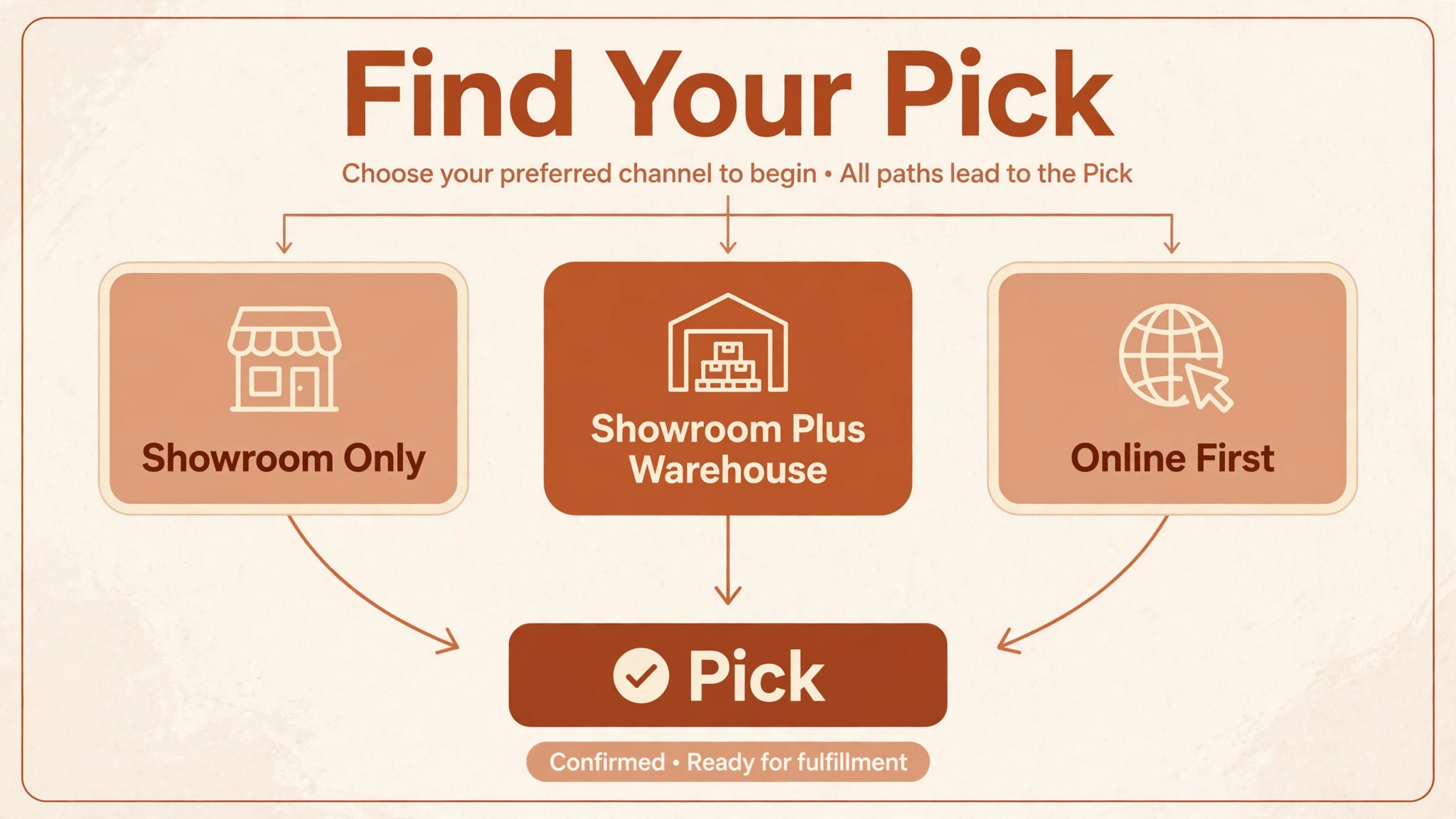
When you compare the best inventory software for furniture retailers, match the pick to where stock lives and how orders flow. A showroom only store needs floor sample control. A showroom plus warehouse store needs sync and delivery routing. An online first store needs one catalog across channels.
| Your situation | Best pick | Why it fits |
|---|---|---|
| Showroom only | Furniture Wizard | Floor sample tracking and showroom sales sit in one workflow |
| Showroom plus warehouse | STORIS | Stock sync plus delivery routing across stores and warehouses |
| Online first | Shopify POS | One catalog keeps web and counter stock in sync |
How to Choose
Start with the order journey, not the price. Take one real special order, one floor sample sale, and one split delivery, and follow each through the system from quote to delivery. Score each tool on whether selections survive every step, whether floor status is visible at the counter, and whether delivery can be scheduled from the order itself. Drop any tool that fails a job you do weekly, no matter how attractive the fee looks.
Next, check variant discipline. Create a product with several fabrics, finishes, and configurations, then try to find stock by combination and by location. If staff cannot answer a customer question about a specific combination without checking a spreadsheet, the system will slow every sale. Finally, model total cost on real order volume, including subscription, hardware, integrations, training, and any per location fees, and ask for that total in writing. That test is the core of choosing the best inventory software for furniture retailers.
Mistakes to Avoid
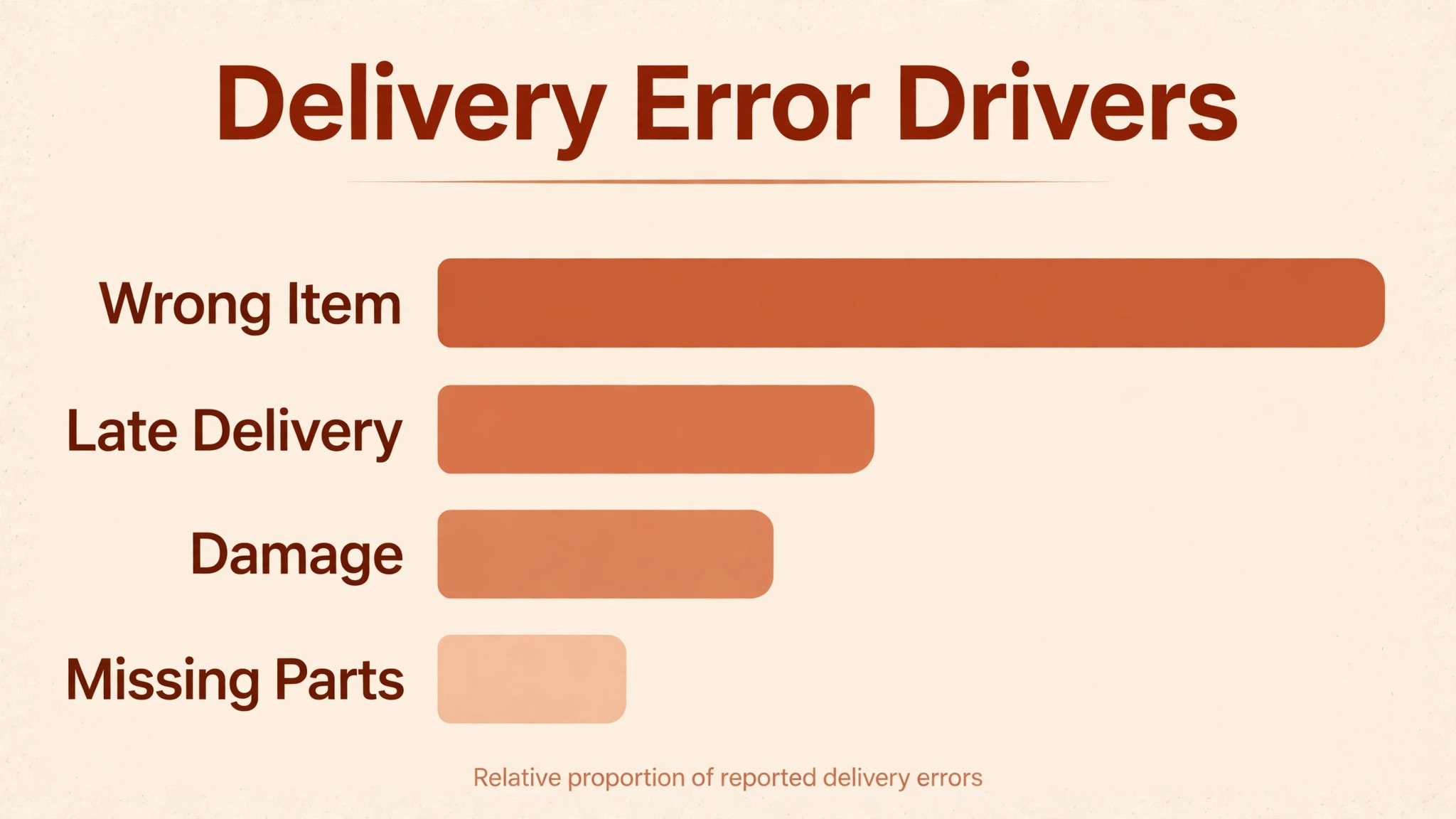
Choosing on monthly fee alone is the most common error, because delivery errors and double sales cost more than any subscription saving. Skipping a fabric change test in the demo is another costly mistake, since a system that copies selections once but loses them on change will fail on real orders. A third mistake is importing a messy catalog without cleaning fabric and finish names, which breaks variant tracking from day one. Finally, do not buy for the store you hope to become while ignoring the store you run today, since an oversized system that staff avoid helps no one.

Delivery Day Discipline
Delivery day is where furniture promises are kept or broken, and the system should support the crew, not just the office. The delivery schedule should show the order, the exact configuration, access notes, and any assembly or packaging removal service, so the crew does not arrive guessing. If a configuration changed after the order, that change must be visible on the delivery record, not only in an office email thread.
Confirm the balance payment, delivery window, and customer contact details the day before delivery, and update the customer promptly if a date moves. A missed window or a wrong configuration at the door costs a second trip and a review that no discount fully repairs. When you judge the best inventory software for furniture retailers, judge the delivery record as carefully as the sales record, since customers remember delivery day longer than checkout.
Catalog Cleanup Before You Switch
Catalog cleanup is the least exciting part of a furniture system switch, and it decides whether the new system works. Fabric names, finish names, and configuration labels must be consistent, or variant tracking breaks and staff cannot find stock by combination. Start by listing every fabric and finish actually in use, merge duplicates, and retire names that no longer correspond to a vendor option. That list becomes the controlled vocabulary for the new catalog.
Next, audit floor samples separately from warehouse stock. Every display piece needs a status, a location, and a rule for sale or replacement, or the first floor sample sale will create confusion. Photograph samples, record their condition, and link them to the product record so staff can answer customer questions without walking the floor. This audit also reveals dead stock that should be cleared before migration, rather than carried into a new system.
Finally, freeze the catalog during migration week. New products added mid migration create duplicates and mismatches that take weeks to untangle. Accept a short freeze, complete the import, run a full stock count by combination and location, and only then reopen catalog edits. A clean catalog on day one is worth a week of patience, because a messy catalog on day one becomes a permanent workaround.
Checklist Before You Buy
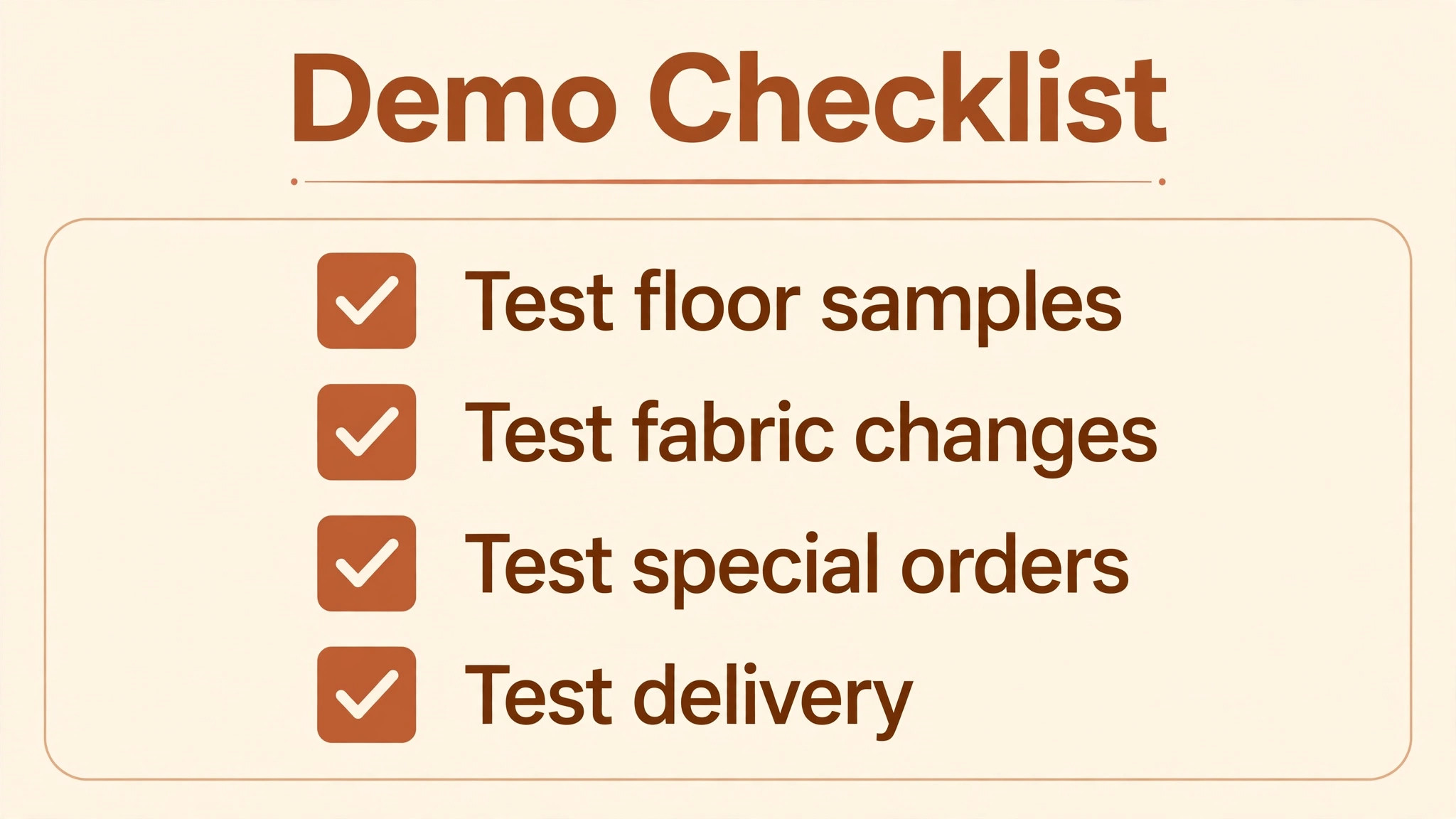
Before you sign, run one real job of each type through the system. Create a configurable product with fabric and finish choices, and confirm stock by combination and location. Sell a floor sample and confirm it cannot be sold twice. Take a special order with a deposit, change the fabric midway, and confirm the change reaches the vendor order. Schedule a split delivery with a time window and crew notes. Process the balance payment and close the order. If any step needs a spreadsheet, that gap is part of the price.
– Create a configurable product and check stock by fabric, finish, and location – Sell a floor sample and confirm it cannot be sold twice – Take a special order with a deposit and change the fabric midway – Schedule a split delivery with time window and crew notes – Process a balance payment and confirm delivery stays blocked until paid – Test a double sale of the same configuration across web and counter – Check on order, in transit, and warehouse status in one view – Get the total first year cost in writing, including locations and integrations
Frequently Asked Questions
What makes furniture inventory different from ordinary retail inventory?
Furniture items vary by fabric, finish, size, and configuration, so one sofa can exist in hundreds of combinations. Add floor samples that cannot be sold twice, special orders that take weeks, and split deliveries, and a simple quantity count fails quickly. The system must track variants, showroom status, on order status, and delivery status separately for each combination.
How should I handle floor samples?
Mark floor samples as a separate stock status that staff can see at the counter, with rules for when a sample can be sold and what happens to the display. A sample sold without a plan leaves an empty spot on the floor and a disappointed shopper. The system should block a second sale of the same sample and prompt a replacement order or a display change.
What is a special order, and what should the system track?
A special order is a customer specific combination, such as a sofa in a chosen fabric and finish, that is not held in stock. The system should record every selection, the deposit, the vendor order, the expected date, and every status change through delivery. If selections are stored only in notes, a fabric change midway through the order will almost certainly be lost.
How do deposits and split payments work for furniture?
Most furniture orders take a deposit at order and a balance at delivery, sometimes with a third payment at a milestone. The system should link all payments to the same order, show the remaining balance clearly, and prevent delivery scheduling before the balance is settled unless you explicitly allow it. Clear payment status also protects staff from awkward delivery day disputes.
Yes, whenever possible, especially for high value items with low stock. Two catalogs invite double sales, and a double sale of a unique configuration is worse than a double sale of a commodity item. If you must run two systems, check sync frequency and what happens when both sides sell the same configuration within minutes.
How do I plan delivery for large items?
Delivery needs routes, crews, time windows, vehicle capacity, and handling notes for stairs, lifts, and room access. A furniture system should schedule delivery as part of the order, not as a separate phone call, and should update the customer if a date moves. White glove delivery, including assembly and packaging removal, needs its own service options on the order.
What does implementation usually involve?
Implementation usually involves catalog cleanup, variant setup, floor sample marking, special order template design, delivery rule setup, and staff training on real orders. Catalog cleanup takes longest, since inconsistent fabric and finish names break variant tracking. Run the new system alongside the old one for at least one busy week before cutover, with real orders in both.
When should a small store move to a furniture specific system?
Move when special orders, floor samples, or delivery scheduling start living in spreadsheets, or when double sales and delivery errors appear more than rarely. A general POS that worked for ready made sales often fails at that point, and the cost of errors quickly exceeds the price gap to a furniture system. Use the checklist in this guide to test the tipping point honestly.
Verdict
STORIS leads for mid size to large furniture retailers that need special orders and delivery routing in one purpose built system. Furniture Wizard leads for independents that want furniture logic without enterprise weight. Celerant and Heartland Retail suit multi store and disciplined special order operations, while Lightspeed, Shopify, Square, Zoho, Fishbowl, Cin7, Odoo, Rain POS, and SHOPLINE POS each fit a specific mix of online sales, accounting, channel complexity, or low entry cost. That range is the honest answer for the best inventory software for furniture retailers.
Run a trial week before you decide, with real orders in two finalists and no vendor staff in the room. Score each order on variant accuracy, floor sample handling, fabric change survival, and delivery scheduling, then compare total first year cost on your real order volume. The system that keeps variants, floor samples, special orders, and deliveries in one trustworthy record is the system that lets a furniture store grow without double sales or lost fabric changes.
More Reading on Stratilyze
These related guides cover nearby buying decisions and may help you compare costs and workflows before you commit.
– Best POS System for Gift Shops – Best CRM for Ecommerce Brands – Best Invoicing Software for Consultants – Best Online Ordering Software for Restaurants – Best Time Tracking Software for Creative Agencies