
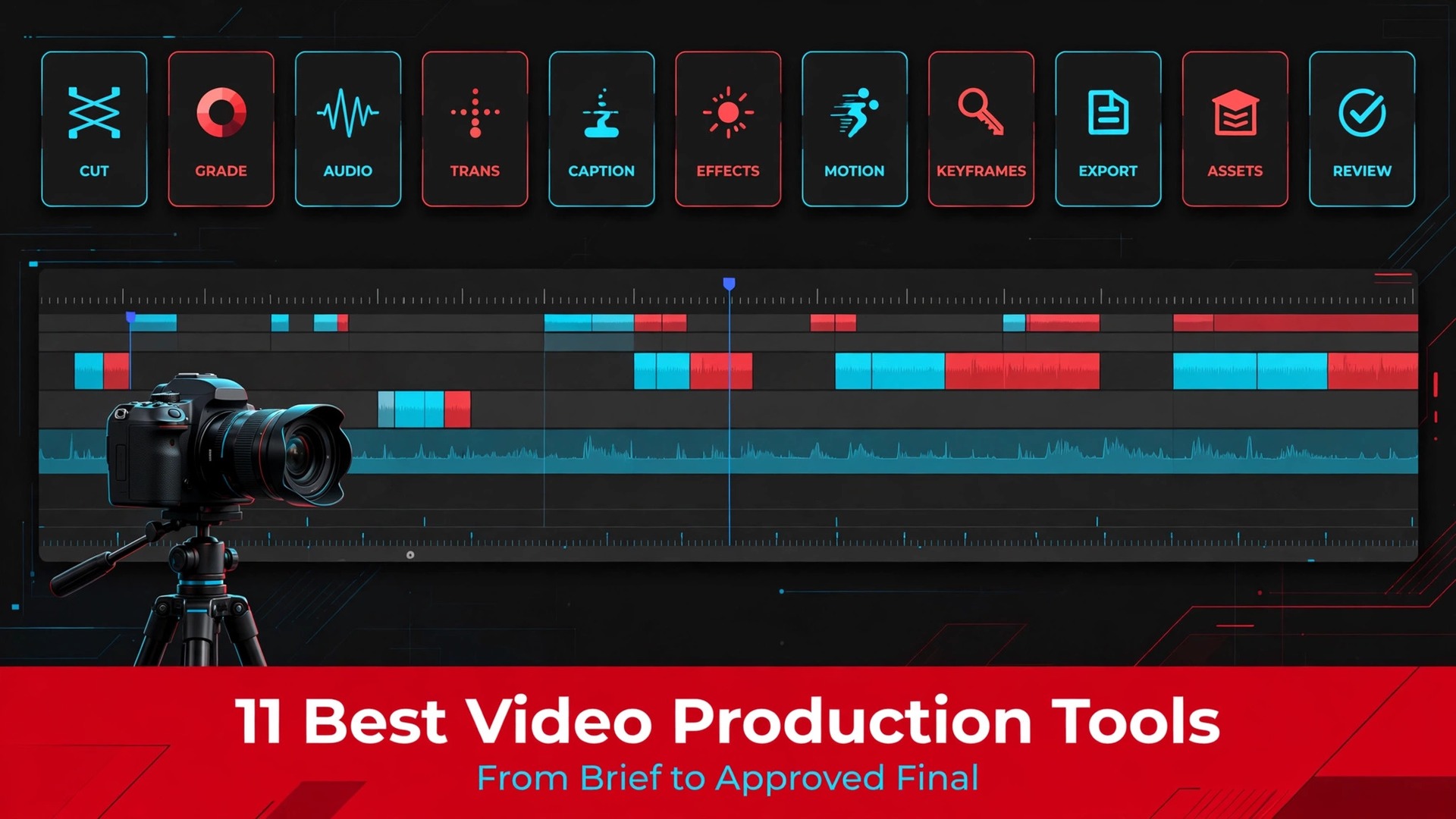
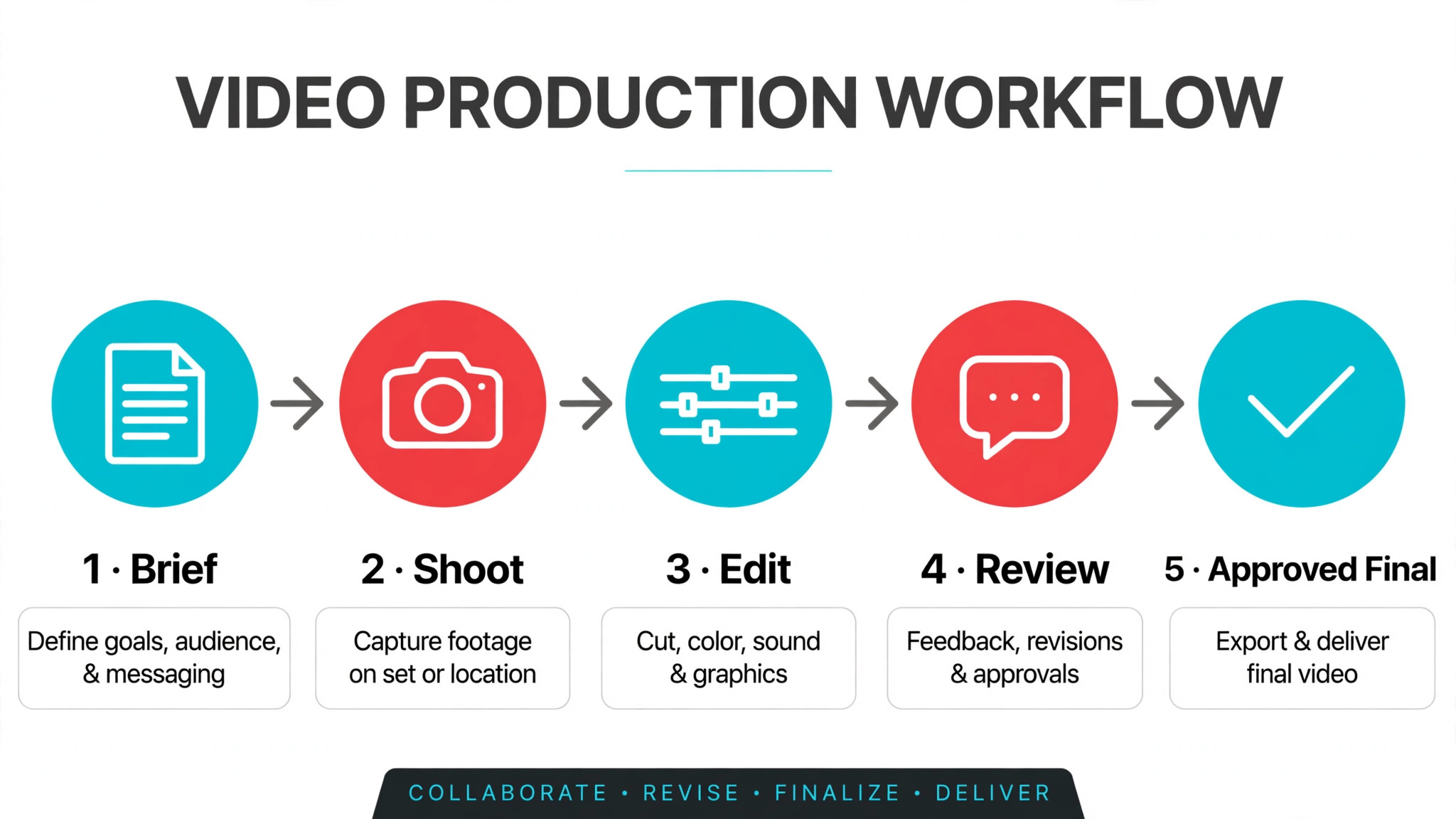
A shoot day slips, an edit version gets lost in email, and a client approves the wrong cut, and suddenly the whole production is late, which is why the best project management software for video production teams has to handle more than tasks on a board. Video work moves through scripting, shooting, editing, review and delivery, and a tool that only tracks tasks will lose the versions, the feedback and the approvals that actually decide whether a project ships on time.
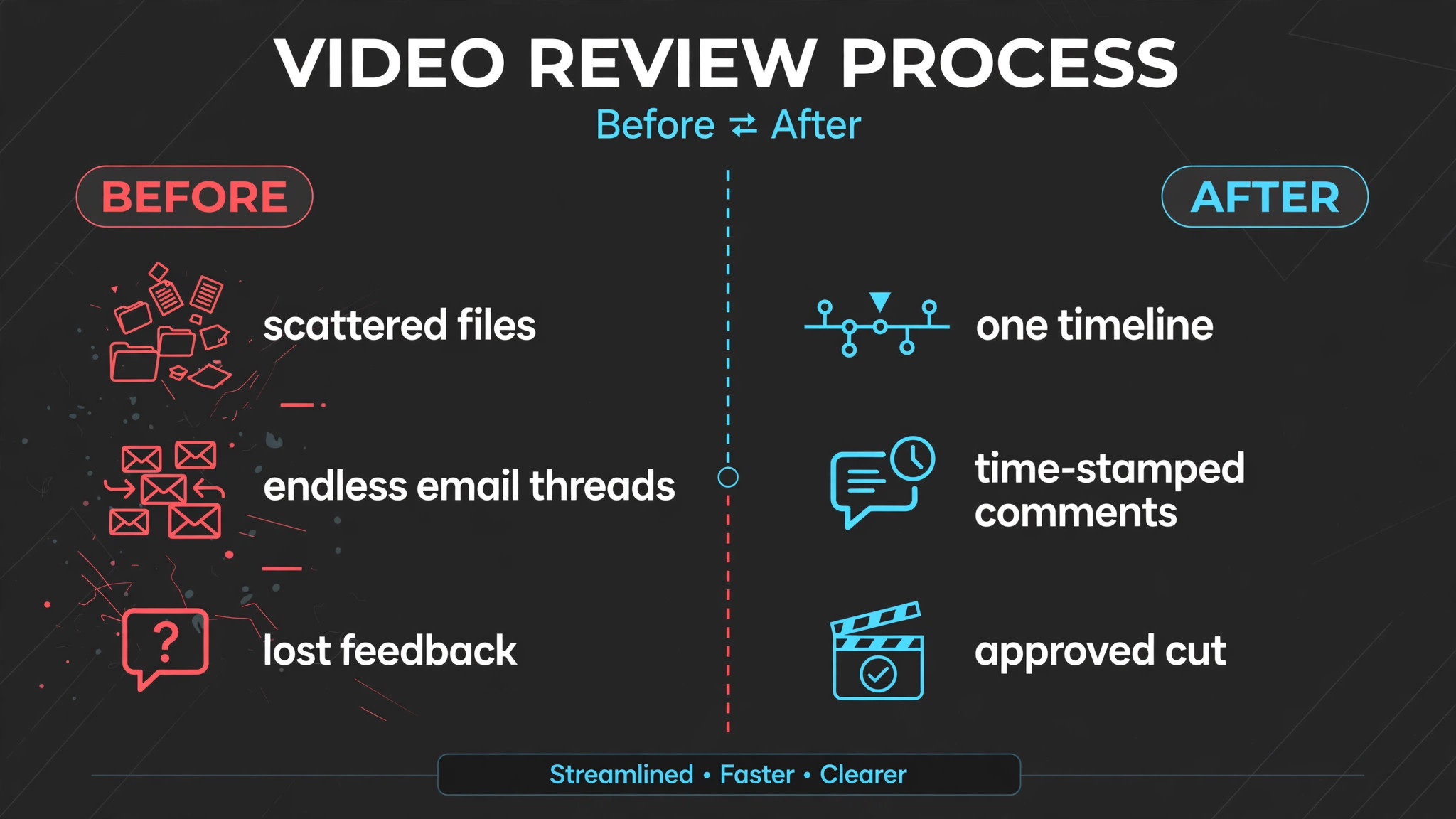
Most video projects do not fail in the edit. They fail in review, where feedback scatters across email, chat and phone calls, versions multiply, and nobody knows which cut is current. A good video system keeps versions linked, pins comments to exact frames, and gives every stage its own approval status, so the team and the client always look at the same cut.
This guide compares eleven tools, from production specific platforms to general planners plus dedicated review tools. Prices come from published comparison pages, and they change, so check the vendor current pricing page before you commit. Judge each tool on your bottleneck, whether that is pre production, editing, review or delivery, not on a generic feature count.
What the Comparison Shows
The table below is a first pass at the best project management software for video production teams, sorted by natural home. A planner and a review tool are different jobs, and many teams need one of each, so read the best for column as a pairing hint, not as a claim that one tool does everything.
| Tool | Best for | Starting price |
|---|---|---|
| Frame.io | teams of any size that live in client review and approval | Published comparison pages list Frame.io Pro from $15 a member a month, with a free plan for up to two members. Check the vendor current pricing page for the latest figure. |
| StudioBinder | film and media productions that plan from script to call sheet | Published comparison pages list StudioBinder from about $49 a month, with a free tier for basic use. Check the vendor current pricing page for the latest figure. |
| ftrack | VFX, animation and game studios tracking shots and assets | Published comparison pages list ftrack from about $15 a user a month. Check the vendor current pricing page for the latest figure. |
| Wrike | larger teams coordinating video with wider marketing work | Published comparison pages list Wrike Team from $10 a user a month, with a free tier for basic task work. Check the vendor current pricing page for the latest figure. |
| monday.com | teams that want flexible boards for every production stage | Published comparison pages list monday.com from about $9 a seat a month on Basic and $12 a seat on Standard, with a free plan for up to two seats. Check the vendor current pricing page for the latest figure. |
| Asana | larger teams coordinating video with other marketing work | Asana prices by subscription and does not publish a single starting figure in the sources checked. Check the vendor current pricing page for the latest figure. |
| ClickUp | small teams that want an all in one task tracker | Published comparison pages list ClickUp from about $7 a user a month, with a free plan available. Check the vendor current pricing page for the latest figure. |
| Trello | small teams that want simple visual boards | Published comparison pages list Trello from about $5 a user a month, with a free tier available. Check the vendor current pricing page for the latest figure. |
| Krock.io | video teams that want tasks and review in one place | Published comparison pages list Krock.io with a free plan and Pro from $10 a user a month, with unlimited free reviewers on every plan. Check the vendor current pricing page for the latest figure. |
| Wipster | teams that want review and approval without complexity | Wipster offers a free tier, with paid plans by quote on its published pages. Check the vendor current pricing page for the latest figure. |
| Milanote | creative teams planning visually with mood boards and references | Milanote offers a free plan, with paid plans by quote on its published pages. Check the vendor current pricing page for the latest figure. |
Best Project Management Software For Video Production Teams by Job Type
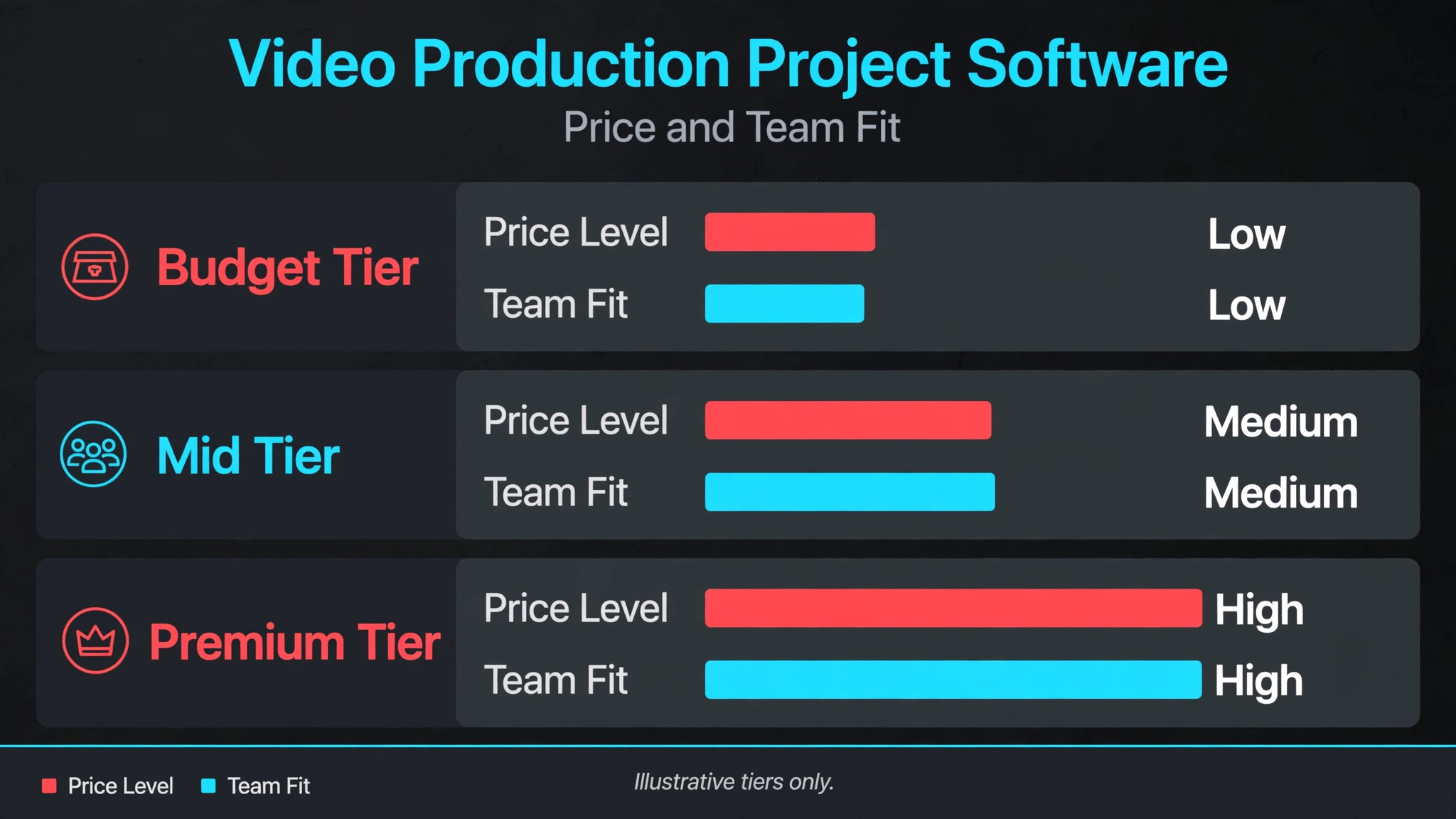
Team shape should decide the shortlist for the best project management software for video production teams. A solo editor, a small crew and an agency team face different bottlenecks, even though they all deliver video.
| Job type | Best pick | Why it fits |
|---|---|---|
| Solo editor | Krock.io | Tasks and frame accurate review in one place, with free client reviewers |
| Small crew | monday.com plus Frame.io | Flexible planning boards paired with proper client review |
| Agency team | Wrike plus Frame.io | Structured planning and proofing across many clients and projects |
Client Review Round Checklist
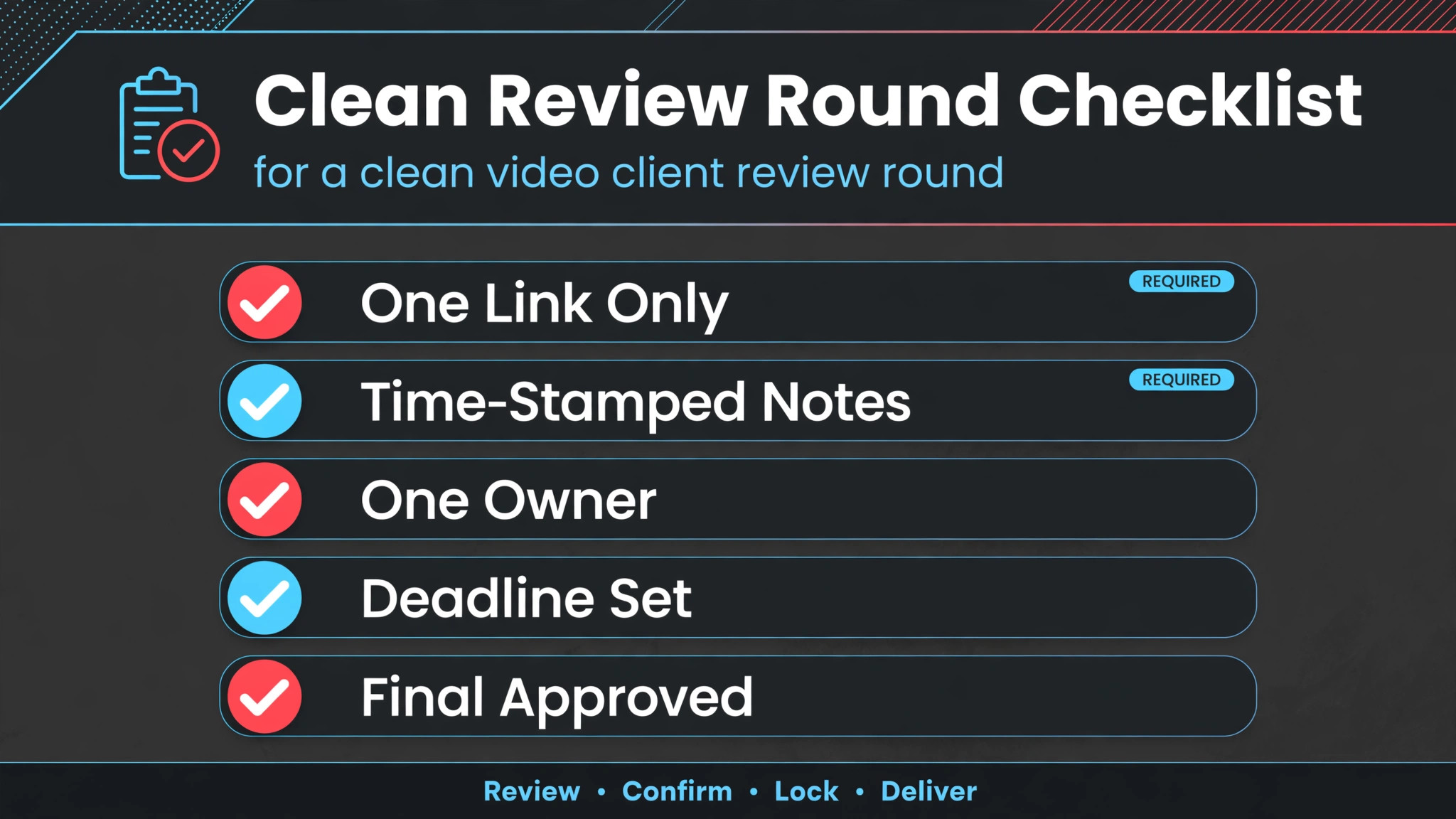
Review rounds are where video projects gain or lose days, and a checklist keeps each round tight. A round without a clear version, a deadline and an approval owner will drift, and drift becomes rework. Run this checklist for every round, not just for difficult clients.
– Name the version clearly and lock the previous version, so nobody comments on an old cut by mistake. – Send one review link per round, with a deadline and a named approver, instead of scattering cuts across email. – Ask reviewers to comment on exact frames or timecodes, so editors can act without guessing what a note refers to. – Collect all feedback before starting the next edit, and confirm which notes are approved and which are rejected. – Log every change made in response to feedback, so the next round can be checked against the last one. – Get explicit approval in the system before delivery, not a vague thumbs up in a chat message. – Archive the approved final with its review history, so later disputes about what was approved can be settled fast. – Review round count and turnaround time monthly, and tighten briefs where rounds keep multiplying.
The Tools in Detail
Each tool below is judged on video fit first. General planning strength matters, but a planner without a review story, or a review tool sold as a planner, will disappoint a video team in its first real project.
1. Frame.io
Frame.io is the review tool most video teams end up needing regardless of their planner, because it gives frame accurate comments, version comparison and approval status in one place. Clients review from a link without needing a full account, and feedback stays attached to the exact frame it refers to, instead of living in an email thread. Best for teams of any size that live in client review and approval. Published comparison pages list Frame.io Pro from $15 a member a month, with a free plan for up to two members. Check the vendor current pricing page for the latest figure.
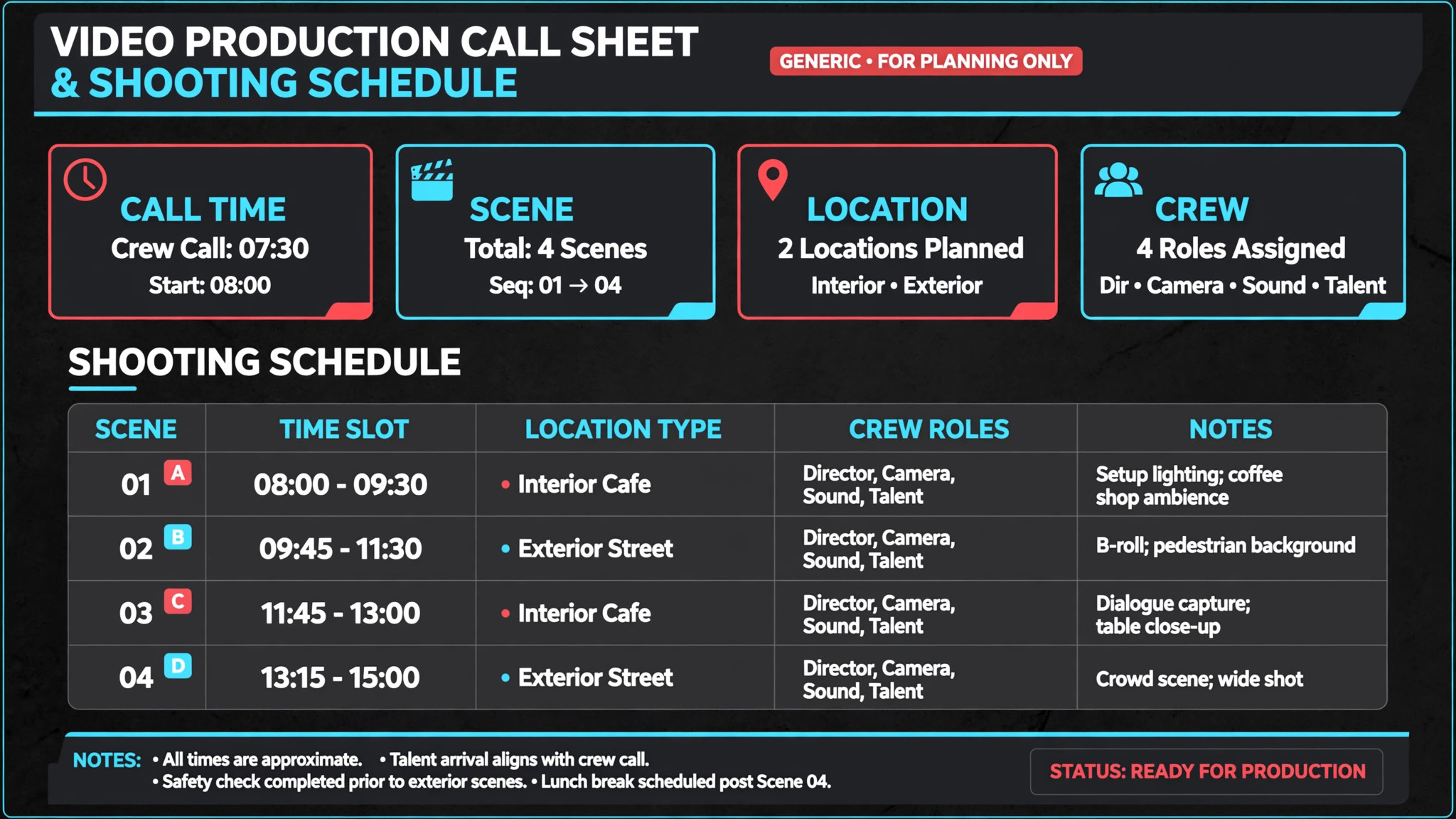
The trade off is that it is not a full project planner. Pre production, shoot scheduling and task management still need another tool, so budget for Frame.io plus a planner, not Frame.io instead of one. Teams that try to plan a whole production inside a review tool will hit its limits fast. Test it with a real week of bookings before you commit, and bring the staff who will use it every day into the trial.
2. StudioBinder
StudioBinder covers pre production properly, with script breakdowns, shooting schedules, automated call sheets, cast and crew databases and location management. A production that lives on call sheets and shooting days gets a system built for those artifacts, not a generic task board forced to imitate them. Best for film and media productions that plan from script to call sheet. Published comparison pages list StudioBinder from about $49 a month, with a free tier for basic use. Check the vendor current pricing page for the latest figure.
The trade off is weight for small commercial teams. A solo editor or a two person crew making short brand videos may find it heavier than needed, and its quote based higher tiers make enterprise pricing opaque. It earns its place where pre production complexity is the main risk. Test it with a real week of bookings before you commit, and bring the staff who will use it every day into the trial.
3. ftrack
ftrack tracks shots and assets, not just tasks, which is the right model for VFX and animation. Artists, supervisors and producers see shot status, versions, reviews and approvals in a pipeline view, and frame accurate review keeps feedback tied to the work itself. Best for VFX, animation and game studios tracking shots and assets. Published comparison pages list ftrack from about $15 a user a month. Check the vendor current pricing page for the latest figure.
The trade off is fit for live action commercial teams. A brand video crew that does not track shots will pay for pipeline depth it never uses, and setup takes real production knowledge. Animation and VFX studios should trial it first, while other teams should look at general planners plus Frame.io. Test it with a real week of bookings before you commit, and bring the staff who will use it every day into the trial.
4. Wrike
Wrike gives video teams Gantt charts, workload views, custom request forms and proofing workflows in a system that also handles non video marketing work. A team that juggles video with campaigns, design and web work can keep everything in one place, with video review handled through proofing rather than a separate tool. Best for larger teams coordinating video with wider marketing work. Published comparison pages list Wrike Team from $10 a user a month, with a free tier for basic task work. Check the vendor current pricing page for the latest figure.
The trade off is that video review is good but not frame native in the way Frame.io is. Teams with heavy client review volume often still add Frame.io, so count both tools in the budget. Wrike fits best where video is one workstream among many. Test it with a real week of bookings before you commit, and bring the staff who will use it every day into the trial.
5. monday.com
monday.com lets a team build boards for pre production, shoot days, editing stages and approvals from one dataset, with Kanban, Gantt, timeline and workload views. That flexibility suits video teams whose process changes between clients, because a board can be reshaped without rebuilding the whole system. Best for teams that want flexible boards for every production stage. Published comparison pages list monday.com from about $9 a seat a month on Basic and $12 a seat on Standard, with a free plan for up to two seats. Check the vendor current pricing page for the latest figure.
The trade off is video specificity. There is no built in frame accurate review or shot tracking, so review heavy teams still need a review tool, and guest access for clients depends on plan. It is a strong planner, not a video platform on its own. Test it with a real week of bookings before you commit, and bring the staff who will use it every day into the trial.
6. Asana
Asana handles task coordination, timelines, portfolios and approvals for larger teams, and it works well when video sits inside a wider marketing operation. Producers can track shoots, edits and launches alongside campaigns, with clear owners and deadlines across many projects at once. Best for larger teams coordinating video with other marketing work. Asana prices by subscription and does not publish a single starting figure in the sources checked. Check the vendor current pricing page for the latest figure.
The trade off is the same as other general planners. Video versions, frame feedback and client review need a separate review tool, and guest handling for external clients needs care on each plan. It fits teams that value coordination breadth over video depth. Test it with a real week of bookings before you commit, and bring the staff who will use it every day into the trial.
7. ClickUp
ClickUp packs tasks, docs, goals, timelines and dashboards into one low priced system, which appeals to small video teams that want everything in one login. A solo editor or small crew can track briefs, edits, revisions and deliveries without paying for a production specific platform. Best for small teams that want an all in one task tracker. Published comparison pages list ClickUp from about $7 a user a month, with a free plan available. Check the vendor current pricing page for the latest figure.
The trade off is focus and clutter. The sheer number of features can overwhelm a small team, and video review still needs a dedicated tool for frame accurate client feedback. Teams that configure ClickUp tightly do well, while teams that turn everything on tend to drown in it. Test it with a real week of bookings before you commit, and bring the staff who will use it every day into the trial.
8. Trello
Trello is the simplest planner on this list, with drag and drop cards, lists and Butler automation that a small video team can learn in an afternoon. A solo editor tracking edits through stages, or a crew tracking shoot tasks, gets a clear visual board without setup overhead. Best for small teams that want simple visual boards. Published comparison pages list Trello from about $5 a user a month, with a free tier available. Check the vendor current pricing page for the latest figure.
The trade off is scale and video depth. Large productions with many dependencies, versions and client approvals will outgrow boards fast, and frame review still needs a separate tool. It is a starter planner for simple video work, not a system for an agency pipeline. Test it with a real week of bookings before you commit, and bring the staff who will use it every day into the trial.
9. Krock.io
Krock.io joins task tracking with frame accurate video review, so the project and the feedback live together. Versions stay linked, comments attach to the right cut, reviewers need no paid seat, and storyboard and approval stages can be tracked in the same workspace as the edit itself. Best for video teams that want tasks and review in one place. Published comparison pages list Krock.io with a free plan and Pro from $10 a user a month, with unlimited free reviewers on every plan. Check the vendor current pricing page for the latest figure.
The trade off is pre production depth. Script breakdowns, call sheets and shoot logistics are thinner than in StudioBinder, so film productions should not expect a full production system. For edit and review heavy teams, though, the combined model removes a whole tool from the stack. Test it with a real week of bookings before you commit, and bring the staff who will use it every day into the trial.
10. Wipster
Wipster focuses on video review and approval, with a simpler experience than larger review platforms. Teams that find Frame.io more than they need can get versioned review, comments and approvals without learning a full production platform, and clients review from a link. Best for teams that want review and approval without complexity. Wipster offers a free tier, with paid plans by quote on its published pages. Check the vendor current pricing page for the latest figure.
The trade off is planning scope. Like Frame.io, it is a review tool, not a project planner, so pre production and task management still need another system. It fits teams whose main pain is review chaos, not shoot logistics. Test it with a real week of bookings before you commit, and bring the staff who will use it every day into the trial.
11. Milanote
Milanote is a visual planning board for mood boards, references, storyboards and creative development, and video teams use it to shape a concept before production starts. Directors and editors can collect references, scripts and visual ideas in a board that clients actually enjoy opening. Best for creative teams planning visually with mood boards and references. Milanote offers a free plan, with paid plans by quote on its published pages. Check the vendor current pricing page for the latest figure.
The trade off is production management. It does not track tasks, versions, approvals or delivery, so it works as a creative front end beside a planner and a review tool, not as a replacement for either. Use it where visual development is the bottleneck, not where delivery tracking is. Test it with a real week of bookings before you commit, and bring the staff who will use it every day into the trial.
How to Choose
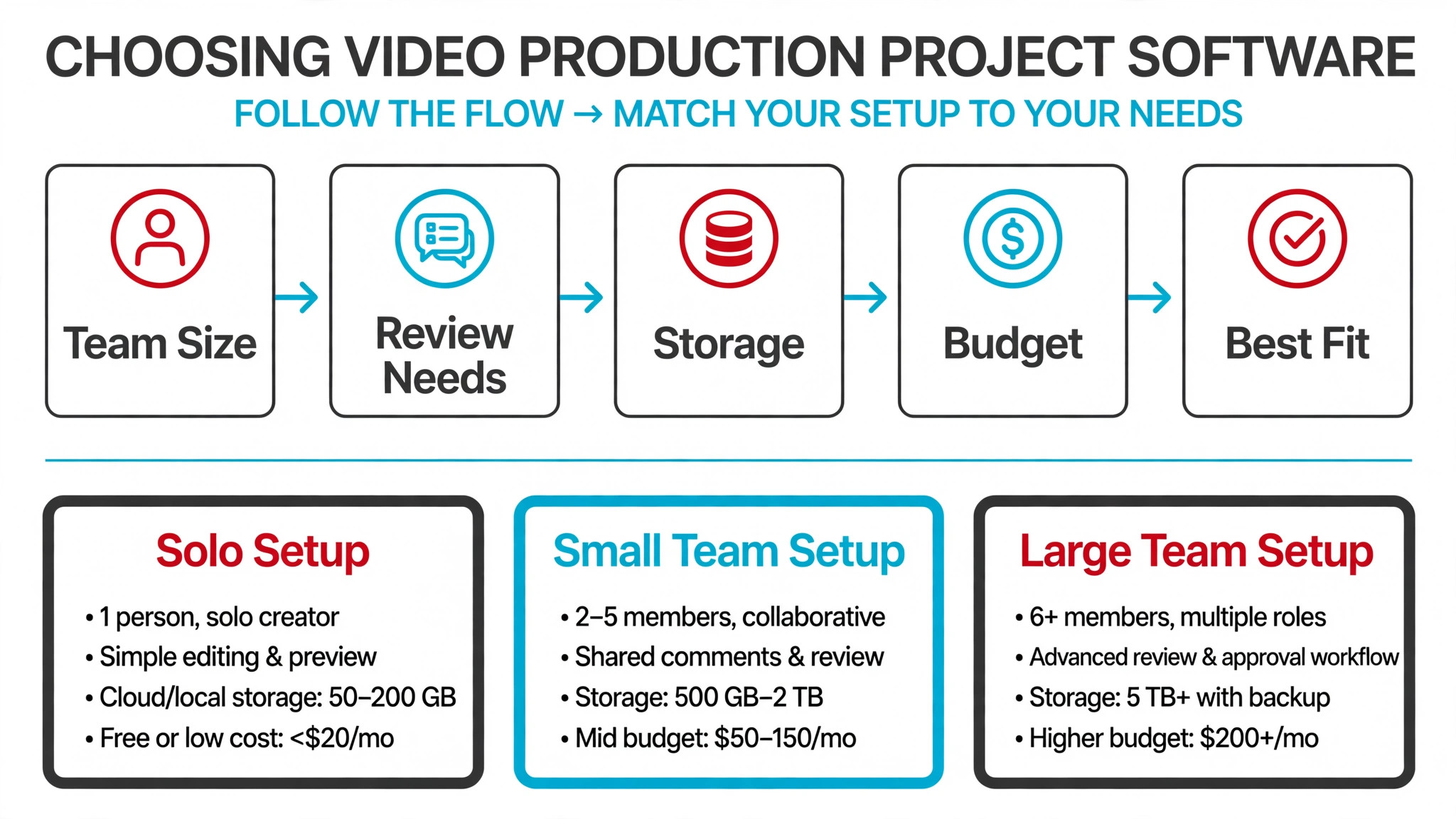
Start with your bottleneck when you judge the best project management software for video production teams. If pre production breaks, you need script and call sheet depth. If review breaks, you need frame accurate review. If delivery breaks, you need approvals and version control. Buying a general planner when review is the bottleneck only moves the chaos to a prettier board.
Next, test client review with a real client, not a colleague. Send a review link, collect frame comments, revise the cut and get approval, then ask the client whether the process felt easy. A system clients avoid will push feedback back to email, and email feedback is where versions go to die.
Then check version and asset handling. Versions must stay linked, assets must be findable after delivery, and permissions must keep unfinished cuts away from the wrong eyes. Ask vendors to show version history, asset search and client permissions in a live demo with your own file types.
Finally, count the cost of the pair, not just one tool. Many teams need a planner plus a review tool, and the combined monthly cost per user is the honest comparison. A cheap planner plus an expensive review tool can cost more than a combined platform, so price the stack you will actually run.
Mistakes to Avoid
The most common mistake is planning video in a generic task tool and reviewing it in email. Tasks look tidy while versions and feedback scatter, and the team spends more time hunting for the current cut than editing it. If review lives outside the system, the system is not a video system.
Another mistake is letting clients review without a deadline or an approver. Rounds drift, feedback arrives after the next edit has started, and editors redo work that was already approved. Every round needs one link, one deadline and one named approver, or it is not a round at all.
A third mistake is ignoring pre production for small commercial shoots. A short brand video still needs a brief, a script or shot list, locations and a shoot plan, and skipping them creates reshoots that cost more than the planning ever would. Even a light pre production board prevents expensive shoot day surprises.
The last mistake is archiving nothing. Approved finals, review histories and project files disappear into personal drives, and the next similar project starts from zero. Archive finals with their approvals and assets in a searchable place, so the team builds on past work instead of remaking it.
Frequently Asked Questions
Do video teams need separate planning and review tools?
Often yes, and the best project management software for video production teams is frequently a pair, not a single product. General planners handle tasks and timelines, while review tools handle frame feedback and approvals, and combined platforms like Krock.io suit teams that want both in one place.
How much does video project management software cost?
Published comparison pages put most planners between about $5 and $15 a user a month at starting tiers, with review tools like Frame.io Pro from $15 a member a month and some production platforms priced by quote. Price the planner plus review pair together, since that combined figure is what a review heavy team will actually pay.
What is frame accurate review, and why does it matter?
Frame accurate review lets a reviewer comment on an exact frame or timecode and draw on the image, so the editor knows precisely what to fix. Without it, feedback like fix that shot becomes a guessing game, and rounds multiply because notes are vague.
Can a general tool like monday.com or Asana run a video team?
Yes, for planning and coordination, especially when video sits inside wider marketing work. They lack built in frame review and shot tracking, so review heavy teams should pair them with Frame.io, Wipster or Krock.io rather than expecting the planner to handle review alone.
What should a solo video editor use?
A solo editor usually needs a simple board for edits, a review link for clients and version control that does not require a team plan. Trello plus a review tool, or Krock.io alone, covers most solo work, and the winner is usually the setup with the fewest logins, not the most features.
How do agencies handle many clients and approvals?
Agencies need client workspaces, guest reviewers, approval stages and reporting across projects, so Wrike, monday.com or Asana paired with a review tool usually fit better than a single project board. Keep client data separated by workspace, and give each project a named approver and a review deadline.
How many review rounds should a project allow?
Most commercial projects should plan for two to three rounds, with extra rounds priced or approved separately. Track round count per client, because a client who regularly needs five rounds usually has a brief problem, not an editing problem, and fixing the brief saves more time than adding rounds.
What happens to video files and approvals after delivery?
Archive the approved final, its review history and key project files in a searchable system with clear permissions. Teams that archive properly can answer later questions about what was approved, reuse assets for follow up work, and onboard new editors without hunting through personal drives.
Where to Start, by Team Size
Solo editors should start with Krock.io, or with Trello plus Frame.io if they prefer separate tools. Small crews should trial monday.com paired with Frame.io, because that pair covers planning and review without production platform weight. Agency teams should trial Wrike paired with Frame.io, and animation or VFX studios should trial ftrack first, since shot tracking changes the whole comparison.
Trial your shortlist on a real project with a real client review round, not on a demo project. If versions stay linked, feedback lands on exact frames and approvals are explicit, the system will hold up when deadlines tighten. The best project management software for video production teams is the one that keeps the current cut obvious to everyone, even on the busiest delivery week.
Think about storage and file handling beside the planner. Video files are large, and a planning tool that cannot link to your storage, show file status or handle proxies will leave editors hunting through drives. Confirm storage integrations, file size handling and permission rules before you commit, especially for remote editors.
Also plan for remote and freelance editors. Guest access, reviewer seats and freelancer permissions decide whether outside editors can work smoothly or become a support burden. Check how many paid seats freelancers need, how clients review without a seat, and how permissions change when a freelancer leaves a project.
Storage and file handling should be judged beside the planner. Video files are large, and a planning tool that cannot link to your storage, show file status or handle proxies will leave editors hunting through drives. Confirm storage integrations, file size handling and permission rules before you commit, especially for remote editors.
Freelance editors need a smooth guest story. Guest access, reviewer seats and freelancer permissions decide whether outside editors can work without becoming a support burden, so check how many paid seats freelancers need, how clients review without a seat, and how permissions change when a freelancer leaves a project.
Brief quality deserves a template of its own. A project that starts with a vague brief will burn review rounds later, so build a brief template with audience, message, format, deadline and approver, and require it before production starts. Teams that fix the brief cut review rounds more reliably than teams that only fix the edit.
More Reading on Stratilyze
These guides cover time tracking, invoicing and coordination for creative and service teams.
– Best Time Tracking Software for Creative Agencies – Best Invoicing Software for Consultants – Best Field Service Software for Appliance Repair Companies – How to Fix Calendly Double Booking – Best Membership Software for Dance Studios