
For most independent jewelers, Jewel360 is the safest starting point for the best POS system for jewelry stores, because it keeps serialized inventory, repairs, appraisals, memo goods, and consignment in one record instead of spreading them across spreadsheets. A general retail POS can ring up a sale, but it cannot follow a single ring from trade-in to bench to appraisal to final sale, and that gap shows up in lost time and disputed records.
Jewelry retail breaks the assumptions behind ordinary retail software. Most products in a general store are interchangeable, so a quantity count is enough. In a jewelry store, almost nothing is interchangeable. Each piece has its own metal, stones, cost, certificate, and story, and many pieces in the case do not even belong to the store, since they sit on memo or consignment. Add repairs, custom orders, layaway, and estate buying, and the POS becomes a record keeping system first and a checkout second.
This guide compares seven tools on the work jewelers actually do, not on checkout speed alone. You will see which tools handle serialized pieces, repairs, appraisals, and vendor stock natively, which ones cover only the sales side, and what each one costs in practice. The goal is a shortlist you can test with real jobs in a demo, rather than a feature list you must trust on faith.
How the Best POS system for jewelry stores Compares at a Glance
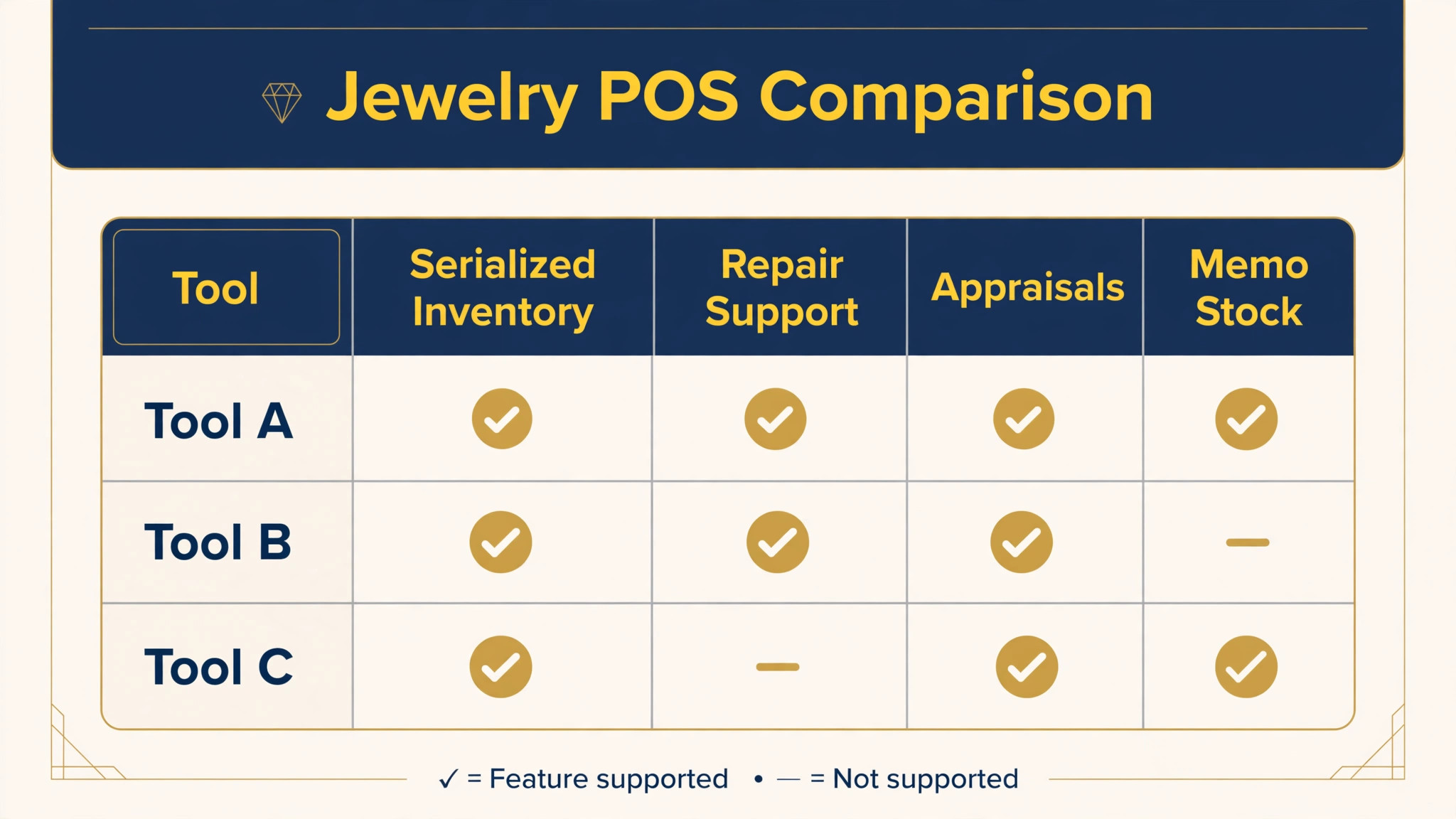
Use this table to narrow the field before reading the full reviews of the best POS system for jewelry stores. Pricing notes are a starting point only, since vendors change plans often, so check the vendor’s current pricing page before you budget.
| Tool | Best for | Pricing note | Standout strength |
|---|---|---|---|
| Jewel360 | Independent jewelers | Quote based | Serialized inventory plus repairs and appraisals |
| The Edge | Established service heavy stores | Check vendor page | Deep repair and appraisal history |
| Bravo Store Systems | Estate buying and resale stores | Check vendor page | Estate buying and metal margin tracking |
| WJewel | Retail plus wholesale or making | From 99 dollars per month billed annually | Browser based breadth across retail and making |
| Lightspeed Retail | General retailers with a jewelry line | From 89 dollars per month billed annually | Polished catalog and reporting |
| Square for Retail | New or small shops | Free plan plus card fees | Fast setup and low fixed cost |
| Shopify POS | Online first jewelers | Check vendor page | One catalog for web and counter |
The Tools in Detail
Jewel360
Best for independent jewelers that want repairs, appraisals, and sales in one cloud system.
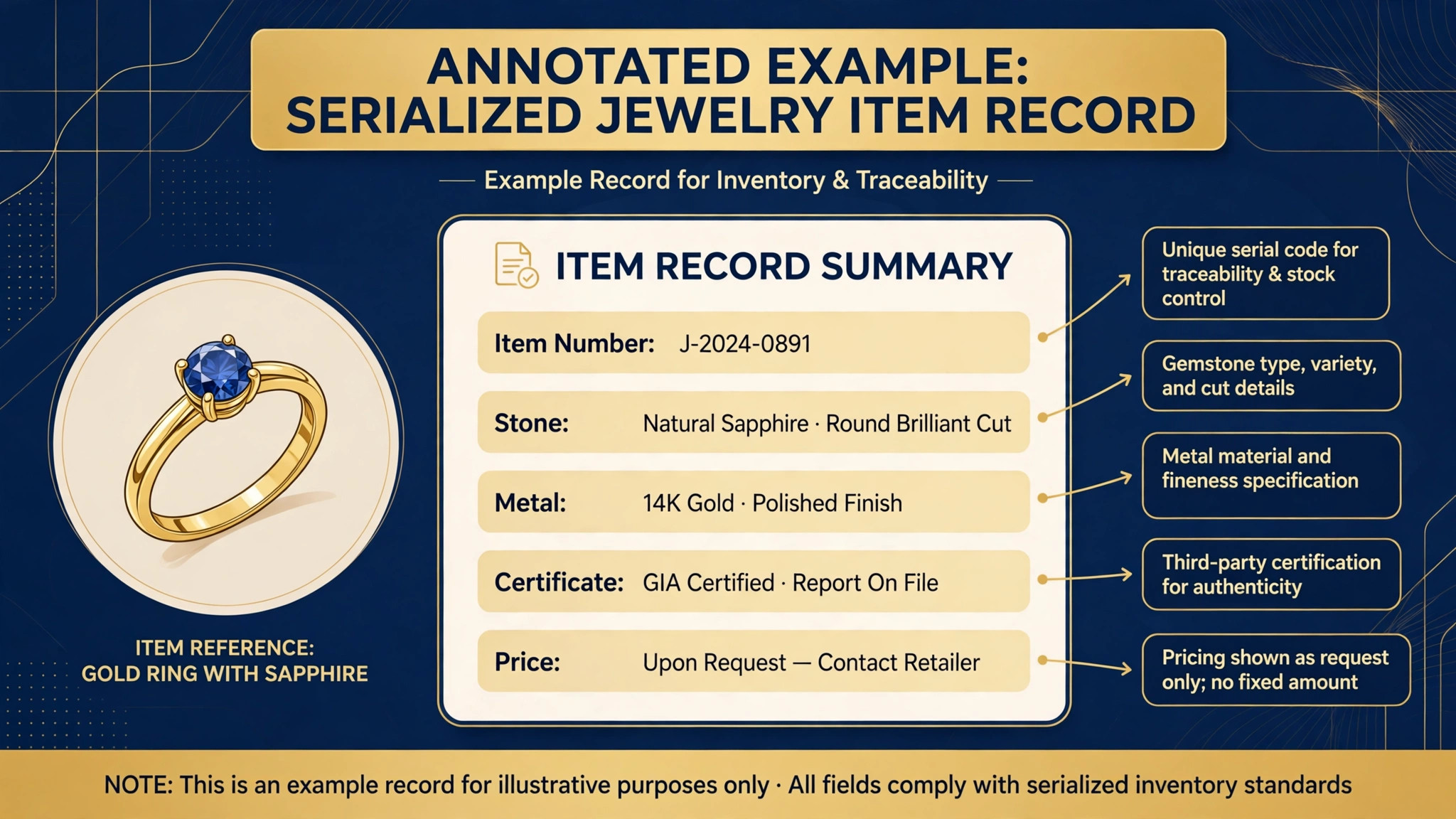
Jewel360 is built only for jewelry retail, and that focus shows in the item record. Each serialized piece can carry stone details, certificate information, bin location, vendor, and cost, so staff can find a piece by its attributes instead of opening every case. Repair and custom work live in the same system, with job tickets, stage tracking, photo documentation, and customer notifications from intake through pickup.
Trade-ins, appraisals, memo goods, and consignment are handled as normal workflows rather than workarounds, and ownership stays separate for vendor pieces. That separation matters at month end, when owned stock, memo stock, and consignment stock must never mix. Pricing is quote based, so ask for a written quote that covers users, locations, and any add on modules before you compare it with a flat monthly plan.
The Edge
Best for established jewelers that want deep legacy repair and appraisal tooling.
The Edge is one of the longest standing jewelry management systems, and its strength is depth in the daily work of a jewelry store. Point of sale, inventory, repairs, and reporting sit together, and the repair and appraisal workflows have been refined over many years of use in real stores. For a store that lives on service work and custom orders, that maturity can matter more than a modern looking screen.
The trade off is age. The interface feels older than newer cloud tools, and multi location work can take more manual steps. If your team values a familiar, proven workflow and you can accept a steeper learning curve for new hires, The Edge remains a serious shortlist candidate. Check the vendor’s current pricing page and ask about training, data migration, and support hours.
Bravo Store Systems
Best for stores that buy estate pieces, take trade-ins, and sell online as well as in store.
Bravo positions itself around the buying side of jewelry retail, not just the selling side. Estate buying, scrap tracking, and precious metal margin tracking are built in, which helps when gold prices move and a trade-in value agreed on Monday looks different by Friday. Pieces can also be listed online automatically, which turns case stock into web stock without double entry.
For a store that only sells new branded jewelry from a fixed catalog, much of that buying power may go unused, and a simpler retail POS could cost less. For a store that buys, trades, repairs, and resells, Bravo covers more of the job in one place. Ask for a demo that walks through an estate purchase, a melt settlement, and a repair ticket, since those three flows reveal most of the fit.
WJewel
Best for jewelers that want published pricing and a browser based system for retail, wholesale, and manufacturing.
WJewel covers point of sale, inventory, repairs, memo and consignment, layaway, appraisals, customer records, and accounting links in a browser based system that runs on a computer, tablet, or phone. That breadth suits a business that sells retail, supplies other stores, or makes pieces in house, since the same record can follow a piece across those roles. Published pricing starts at 99 dollars per month billed annually, which makes early budgeting easier than with quote only vendors.
Check the vendor’s current pricing page before relying on that figure, since plan details change, and confirm which modules sit in the base plan. The wider the system, the more important the demo becomes. Bring a real repair, a memo return, and a layaway sale to the demo and watch how each one is recorded, since those edge cases are where general retail tools usually fail.
Lightspeed Retail
Best for general retailers that carry jewelry alongside other product lines.
Lightspeed Retail is a polished cloud POS for independent retail, with solid catalog management, reporting dashboards, and a broad set of integrations. If jewelry is one department among many, Lightspeed can run the whole store on one platform, keep online and in store stock in sync, and give managers clear sales reporting. Third party listings put the Basic plan at 89 dollars per month billed annually with Lightspeed Payments, so check the vendor’s current pricing page for the current figure.
The gap is jewelry specific work. Lightspeed has no native estate or scrap buying, no precious metal margin tracking, and structured appraisals and repair envelopes are not first class features. A store that only sells new jewelry can often live with those gaps. A store that repairs, appraises, and buys estate pieces will feel them every week, so weigh the general retail polish against the missing jewelry workflows.
Square for Retail
Best for new or small jewelry shops that want a fast start and low fixed cost.
Square for Retail is easy to set up, runs on familiar hardware, and charges no monthly fee on its free plan, with in person card processing reported at 2.6 percent plus 15 cents per transaction. That model suits a new shop, a market stall, or a side line jewelry counter where fixed monthly fees would hurt before sales build. Inventory tracking, customer profiles, gift cards, and digital receipts cover the basics well, and staff can learn the system in a day.
The limit is depth. Serialized records, detailed stone and certificate data, repair envelopes, appraisals, and memo handling are thin or absent, so growing stores often add spreadsheets or a second system to fill the gap. If your work is mostly straightforward sales of finished pieces, Square is a fair start. If repairs and appraisals are core revenue, shortlist a jewelry specific tool instead.
Shopify POS
Best for jewelers that already sell online through Shopify and want one catalog everywhere.
Shopify POS keeps online and in store inventory in one catalog, so a piece sold at the counter leaves the website at once and a piece sold online cannot be promised twice in store. That sync matters for one of a kind stock, where a single double sale damages trust badly. The checkout is familiar, the hardware is simple, and online first jewelers can add a counter without rebuilding their catalog or retraining on a new product database.
Like other general retail tools, Shopify POS lacks native repair envelopes, structured appraisals, and memo and consignment workflows, so service heavy stores will need workarounds. It fits best when the website drives the business and the store supports it. If the bench drives the business, put a jewelry specific system first and use Shopify only for the storefront if you must.
Best Pick by Job
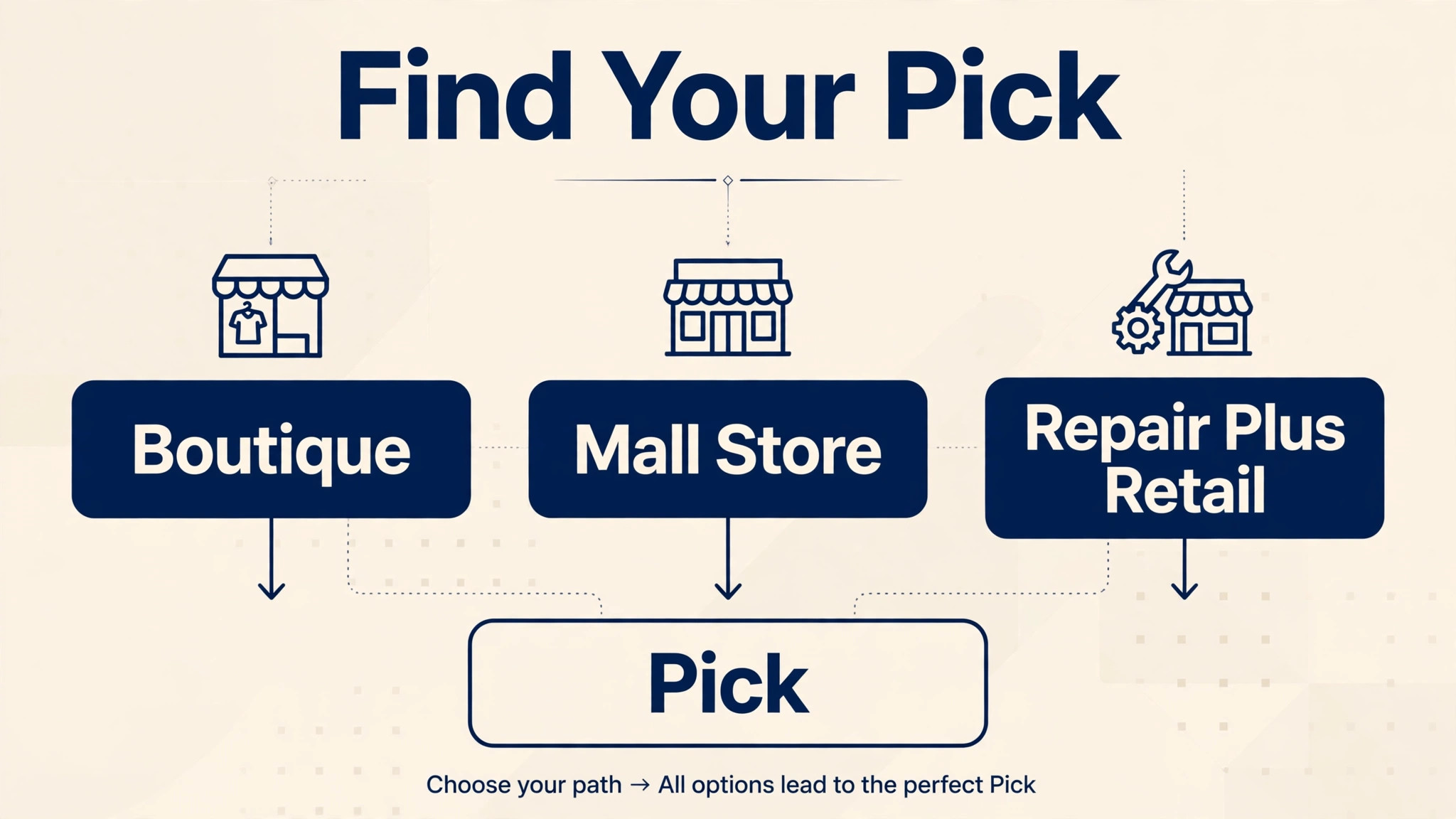
Your best pick depends less on store size than on the mix of work you do. A boutique that sells mostly finished pieces needs different depth from a store that buys estate lots and runs a busy bench. When you compare the best POS system for jewelry stores, use the table below as a starting point, then confirm the pick with the demo jobs listed in the checklist section.
| Your situation | Best pick | Why it fits |
|---|---|---|
| Single boutique | Jewel360 | One record follows each piece from intake to sale, including repairs and appraisals |
| Mall store with high foot traffic | Lightspeed Retail | Fast checkout, clear reporting, and a catalog that handles many lines at once |
| Repair plus retail | The Edge | Repair tickets and appraisal history sit at the center of daily work |
How to Choose
Start with the jobs, not the price. List every job your store does in a normal week, including repairs, appraisals, trade-ins, memo returns, layaway, custom orders, and online sales. Score each tool against that list, and drop any tool that fails a job you do weekly, no matter how attractive its monthly fee looks. A cheap tool that forces a spreadsheet for repairs is not cheap once staff time is counted. Next, test the item record. Create a piece with a certificate, a stone change, and a repair, then try to find it by metal, stone, and location. If staff cannot find a piece without opening cases, the system will slow every sale.
Finally, check the total cost on your real numbers, including processing, hardware, users, and locations, and ask for that total in writing. That discipline is what separates a careful choice of the best POS system for jewelry stores from a rushed one.

Mistakes to Avoid
Choosing on monthly fee alone is the most common error, because processing and staff time usually outweigh the subscription. Skipping a repair demo is another costly mistake, since repair workflows look fine in a slide deck and fail on real tickets with photos, partial payments, and pickup disputes. A third mistake is importing messy data without cleanup, which turns a new system into a faster version of the old mess. Clean the fields first, even if it delays launch by a week. Finally, do not buy for the store you hope to become in three years while ignoring the store you run today, since an oversized system that staff avoid helps no one.
Pricing and Total Cost
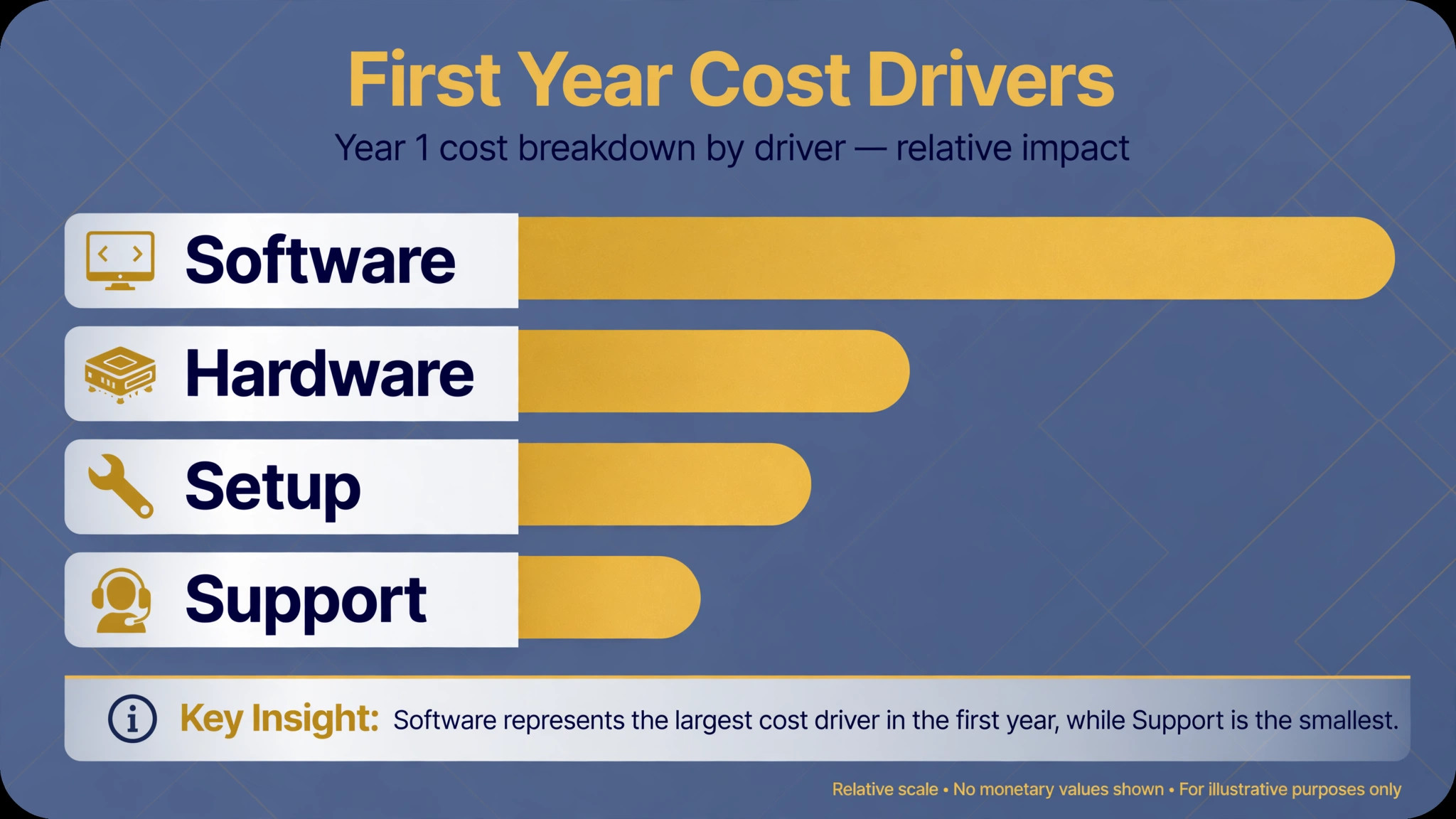
Monthly fees are the smallest part of the bill for most jewelry stores, and vendors know it. A plan that looks cheap at 89 or 99 dollars per month can cost far more once processing, hardware, extra users, and add on modules are added. Processing deserves the closest look, because jewelry tickets are high and card mix matters. A store that sells mostly on credit cards pays a different effective rate from a store with many debit sales or bank transfers, so run your last three months of real transactions through each vendor quote instead of trusting a headline rate.
Hardware is the second hidden cost. Counters, scanners, receipt printers, and label printers add up, and some vendors require approved hardware that cannot be reused if you switch later. Ask whether you own the hardware outright, whether it works with other systems, and what a replacement scanner or printer costs. Training and migration are the third cost, and they are usually quoted in hours rather than dollars. Ask how many training sessions are included, who delivers them, and what happens when a new hire joins six months later.
Finally, compare the best POS system for jewelry stores on a twelve month total, not a monthly figure. Build a simple table with subscription, processing on real volume, hardware, training, and any per location fees, then ask each vendor to confirm the total in writing. If a vendor will not put the total in writing, treat that as information. A clear quote is itself a sign of a vendor that expects a long relationship rather than a quick sale.
Staff Training and Daily Use
Training decides whether a jewelry POS succeeds, because the best record system still fails if staff skip fields under pressure. Train on real jobs, not on a slide deck. Have each team member take in a repair, record a serialized piece, create an appraisal, and process a memo sale during training, with a supervisor checking the record afterwards. Errors found in training are cheap. Errors found after launch, when a customer is waiting, are expensive and embarrassing.
Set simple daily habits that keep records clean. Require photos on every repair intake, require a location on every new piece, and require a customer record on every appraisal. Those three habits alone prevent most of the record gaps that make audits painful. Review a sample of records each week for the first month, and praise the cleanest records rather than only correcting the worst ones, since staff copy what gets noticed.
Plan for turnover as well. Jewelry knowledge walks out the door when an experienced salesperson leaves, and a new hire who cannot read the old records will guess instead. Keep a short written guide for the five most common jobs, with screenshots from your own system rather than generic vendor help pages. Update that guide whenever a workflow changes, and store it where counter staff can reach it in seconds. A system that a new hire can learn in a week protects the store far better than a powerful system that only one person understands.
Finally, watch how the system behaves on a busy Saturday, not on a quiet Tuesday demo. Checkout speed, scanner reliability, and receipt printing all matter more when a queue forms and a customer is deciding on a high value purchase. If the system slows under load, if the scanner misses barcodes in bright case lighting, or if receipts print slowly, those faults will cost sales. Test the hardware in your own lighting, with your own cases, before you commit to a full rollout.
When to Reconsider Your Choice
A POS choice is not permanent, but switching is costly, so know the warning signs early. If staff keep a parallel spreadsheet for repairs, appraisals, or memo stock, the system has already failed at its main job, even if checkout works well. If month end reports need manual fixes every time, the record model does not fit the store. Those two signals matter more than any new feature announcement from the vendor.
Growth can also outgrow a tool that once fit well. A single store that opens a second location, adds a strong online channel, or starts buying estate lots in volume may need deeper multi location handling, stronger buying workflows, or better sync than the original tool offers. Review the fit once a year, with the same job list you used to choose, and score the current tool honestly against it. A tool that scores well on last year jobs but fails on this year jobs is a candidate for replacement, not for another year of workarounds.
When you do reconsider, reuse the checklist in this guide rather than starting from vendor sales pages. The demo jobs that mattered the first time still matter, and your own history of workarounds is the best specification for the next tool. Bring that list to every demo, and do not let a polished interface distract from a missing repair, appraisal, or memo workflow.
Switching Without Losing History
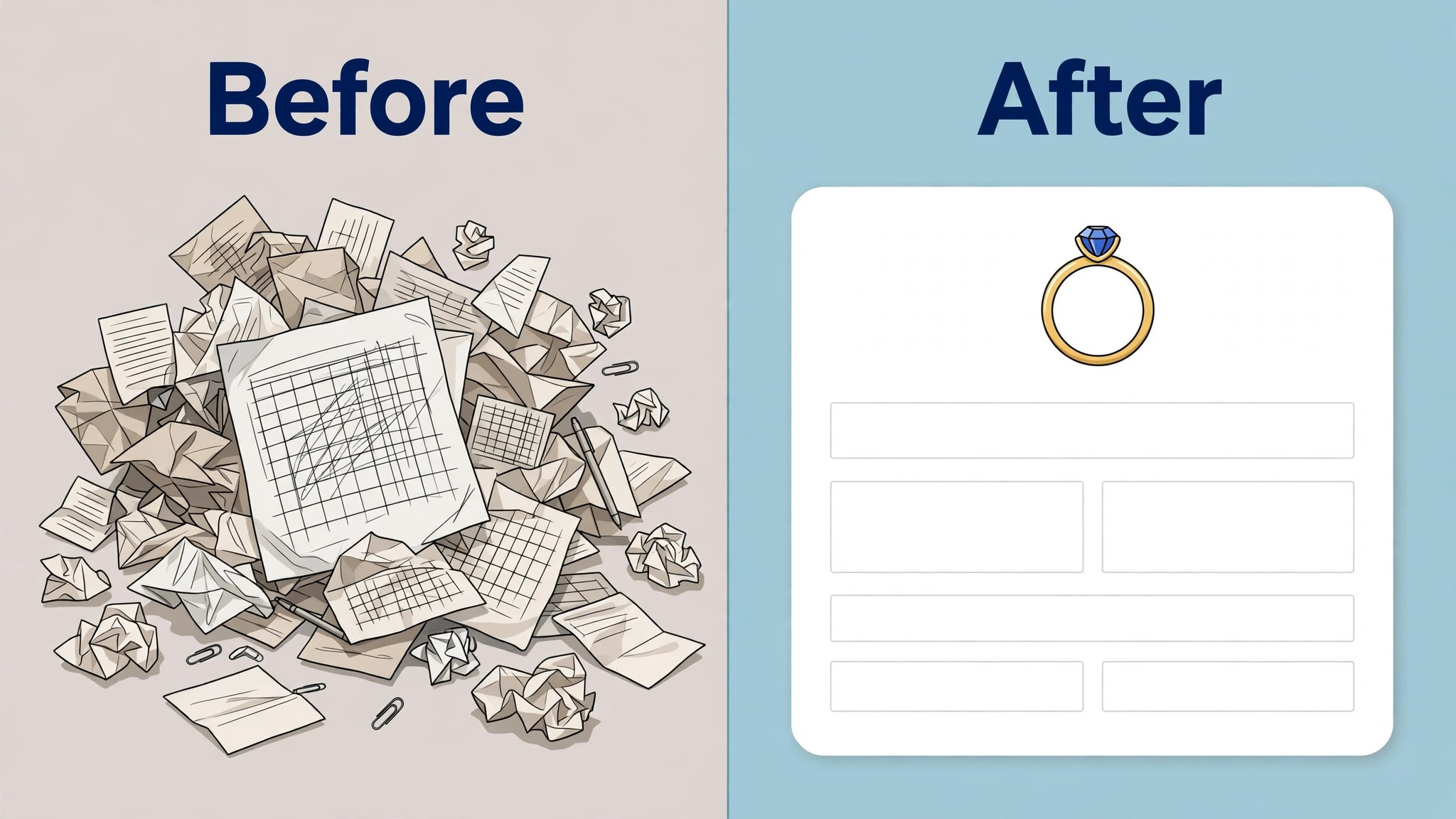
Switching systems is where jewelry stores lose the most value, because history is the business. A customer who bought an engagement ring five years ago, returned for a repair, and now wants a matching band expects your team to know that story at the counter. If repair history, appraisal documents, and purchase records do not migrate cleanly, that trust is damaged on day one of the new system. Before you sign, ask exactly which record types migrate, which fields map across, and what is left behind as a read only archive.
Clean the data before you import it, not after. Standardize how stones, metals, vendors, and locations are named, close out dead repair tickets, and resolve duplicate customer records. That cleanup is tedious, and it is also the step that decides whether the new system feels fast or feels broken. Run both systems in parallel for at least one busy week, with real sales, real repairs, and real appraisals going into the new tool while the old one stays as backup. Staff will find the gaps in that week that no demo ever reveals.
Plan the cutover for a quiet period, not for the week before a holiday rush, and keep the old system readable for at least a year. Old appraisal documents and repair photos may be needed long after the switch, and a vendor that charges heavily for read only access to your own history should be questioned before you sign, not after you need it.
Checklist Before You Buy
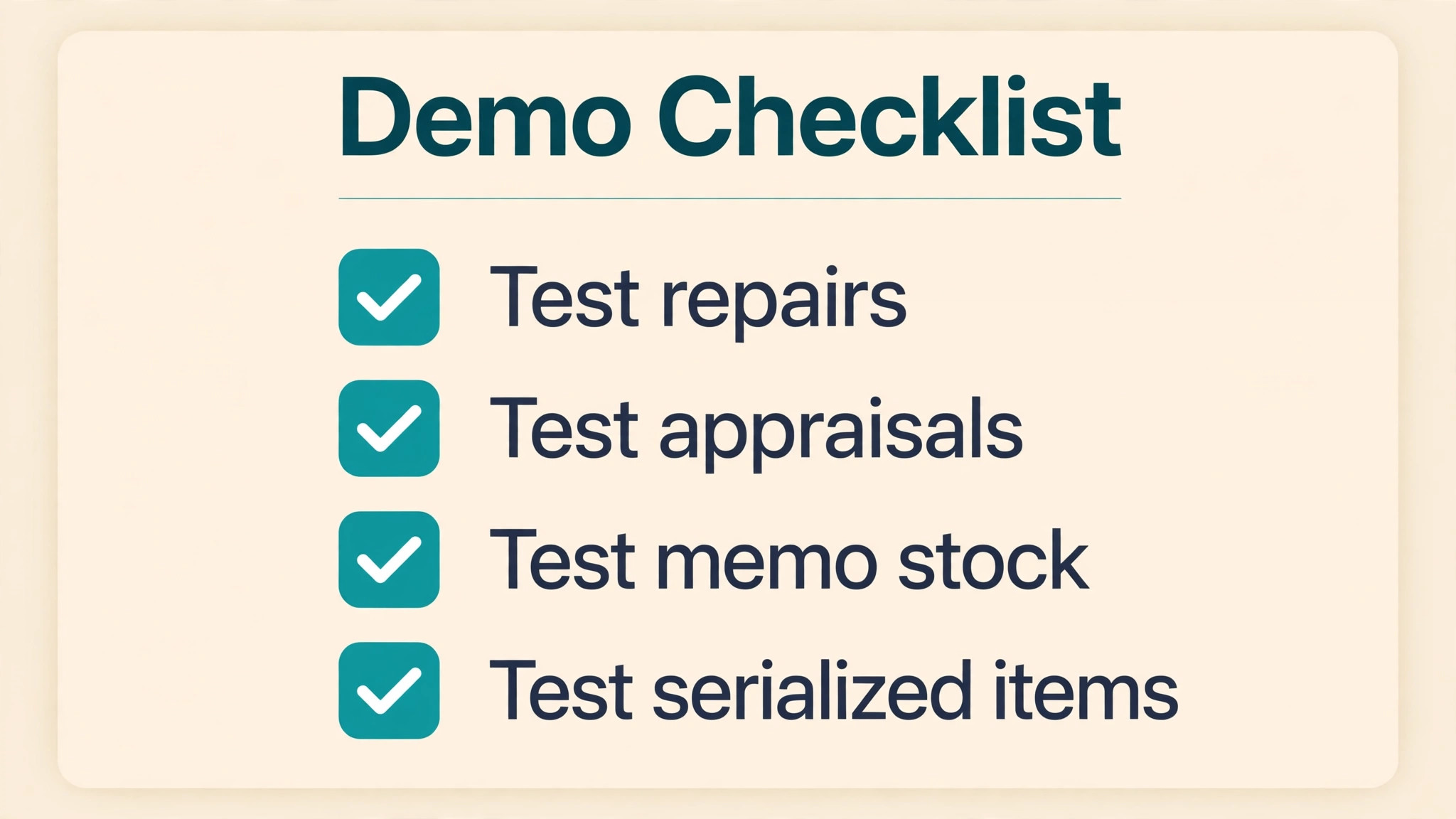
Before you sign, run one real job of each type through the system. Record a new piece with full stone and certificate details, and confirm you can find it later by attribute. Take in a repair with photos, move it through each stage, and send the customer a status update. Create an appraisal document and print it. Record a memo piece, sell it, and check that ownership and payment stay clear. Take a consignment return and confirm the stock count changes correctly. Process a layaway payment and a custom order deposit. If any of those jobs needs a spreadsheet, that gap is part of the price.
Use this checklist in every demo, with real jobs rather than sample data. A vendor that hesitates on any item is telling you where the workaround will live.
– Record a serialized piece with stone, certificate, and location details, then find it by attribute – Take in a repair with intake photos and move it through every stage to pickup – Create an appraisal document tied to the item and the customer record – Record memo stock separately from owned stock and process a memo sale and return – Take a consignment piece, sell it, and confirm ownership and payment stay clear – Process a layaway payment and a custom order deposit without a spreadsheet – Test a double sale scenario for a one of a kind piece across web and counter – Get the total first year cost in writing, including processing, hardware, and users
Frequently Asked Questions
Do I need a jewelry specific POS, or will a general retail POS work?
A general retail POS works when you sell finished pieces from a fixed catalog and do little service work. It struggles once repairs, appraisals, memo goods, consignment, trade-ins, or estate buying enter the picture, because those jobs need records a general tool does not model. Count how many of those jobs you do each week before deciding, since that count is the real test for the best POS system for jewelry stores.
What is serialized inventory, and why does it matter for jewelry?
Serialized inventory gives each piece its own record, with its own cost, metal, stone details, certificate, and location. A quantity based system only knows that you hold three rings, which is useless when each ring differs in price, stone, and margin. Serialized records also make audits, insurance claims, and appraisals far easier to defend.
How should I handle memo and consignment stock?
Keep memo and consignment stock on separate books from owned stock, with clear ownership and return terms on every record. The system should show at a glance which pieces belong to vendors, what is owed when they sell, and when they must be returned. Mixing ownership in one quantity count is a common source of month end errors and vendor disputes.
Can a POS help with appraisals?
Yes, when appraisal documents are tied to the item and the customer record. A good system stores the valuation, photos, and certificate details together, so a customer can take a clean document to an insurer and your team can reissue it without digging through paper files. Ask in a demo how an appraisal is created, printed, and retrieved a year later.
What should a repair ticket include?
A repair ticket should record the customer, the piece, photos at intake, the work requested, the agreed price or estimate, the due date, and every status change through pickup. Photo documentation at intake protects both sides if a stone or setting is later disputed. Automated notifications also cut the calls asking whether a repair is ready.
How do I price the total cost, not just the monthly fee?
Add the monthly fee, hardware, payment processing, training, data migration, and any per location or per user charges. Processing often costs more than the subscription for a high value store, so model it on your real average ticket and card mix. Ask every vendor for a total first year figure in writing before you compare plans for the best POS system for jewelry stores side by side.
Should I keep my website and POS on one catalog?
For one of a kind stock, yes, whenever possible. Two catalogs invite double sales, and a double sale of a unique ring is worse than a double sale of a commodity item. If you must run two systems, check how often they sync and what happens when both sides sell the same piece within minutes of each other.
How long does switching take?
A simple switch can take days, while a store with years of repair history, serialized records, and memo stock should plan several weeks. Data cleanup usually takes longer than software setup, since old records need consistent fields before they import cleanly. Run the new system alongside the old one for at least one busy week before you cut over.
Verdict
Jewel360 leads for most independent jewelers because it covers the full job, from serialized stock through repairs and appraisals, in one system. The Edge suits service heavy stores that value proven repair depth and can accept an older interface. Bravo leads for stores built around estate buying and resale. WJewel suits businesses that mix retail with wholesale or making. Lightspeed, Square, and Shopify remain fair choices when jewelry is a department or an online line rather than a service business, provided you accept their limits on repairs and appraisals. That summary is the short version of this whole guide to the best POS system for jewelry stores.
Shortlist two tools, not seven. Run the checklist jobs in both demos, compare total first year cost on your real numbers, and pick the tool your staff actually enjoy using during the trial week. The best system is the one that keeps every piece, repair, and appraisal in one trustworthy record, because that record is what protects margin, settles disputes, and lets a jewelry store grow without adding spreadsheets.
More Reading on Stratilyze
These related guides cover nearby buying decisions and may help you compare costs and workflows before you commit.
– Best POS System for Gift Shops – Best CRM for Ecommerce Brands – Best Invoicing Software for Consultants – Best Time Tracking Software for Creative Agencies – Best HR Software for Restaurants