
Many small firms pick Odoo because one system promises to replace a pile of separate tools, then get a shock when the first invoice arrives. The problem is not the headline price on its own. It is the way that price multiplies by users, by billing choice and by the setup work that a real business needs before anyone can use the system well. This guide works through the cost of Odoo for small business monthly in plain terms, so you can budget for the subscription, the setup and the running costs together rather than discovering them one at a time.
Odoo is an open source based business system with paid hosted plans. The free Community edition exists for firms that want to host and maintain the software themselves, but most small businesses compare the paid plans instead, because those plans include hosting, updates and support in one subscription. That distinction matters for the budget. A self hosted install can look free until staff time, server costs and upgrade work are counted, while a paid plan looks expensive until the same work is priced honestly.
The pricing model is simple at first glance and easy to misread. Paid Odoo plans charge per internal user per month, and every paid plan includes all of the apps rather than charging per app. That is good news for a firm that wants sales, invoicing, stock and projects in one place. It also means that headcount is the main lever on the bill, and a firm that gives backend access to everyone will pay for seats it barely uses.
Before the numbers, set a rule for this whole guide. Treat the first year price and the ongoing price as two different budgets. Odoo discounts the users on a first order for twelve months, then the standard rate applies. A budget built only on the first year figure will understate year two by a fifth or more, and that gap is where most complaints about Odoo pricing come from.
How to budget cost of Odoo for small business monthly
Start with the two paid plans and the free entry point, then work out your own total from your user count. The table below uses United States list prices captured from Odoo pricing summaries in October 2026, and every figure is per user per month. Currency and regional prices differ, so a reader outside the United States should read the same pricing page in local currency before approving a budget. The cost of Odoo for small business monthly depends on billing choice as much as on plan choice, so both are shown.
| Tier | Monthly price | What it includes | Best for |
|---|---|---|---|
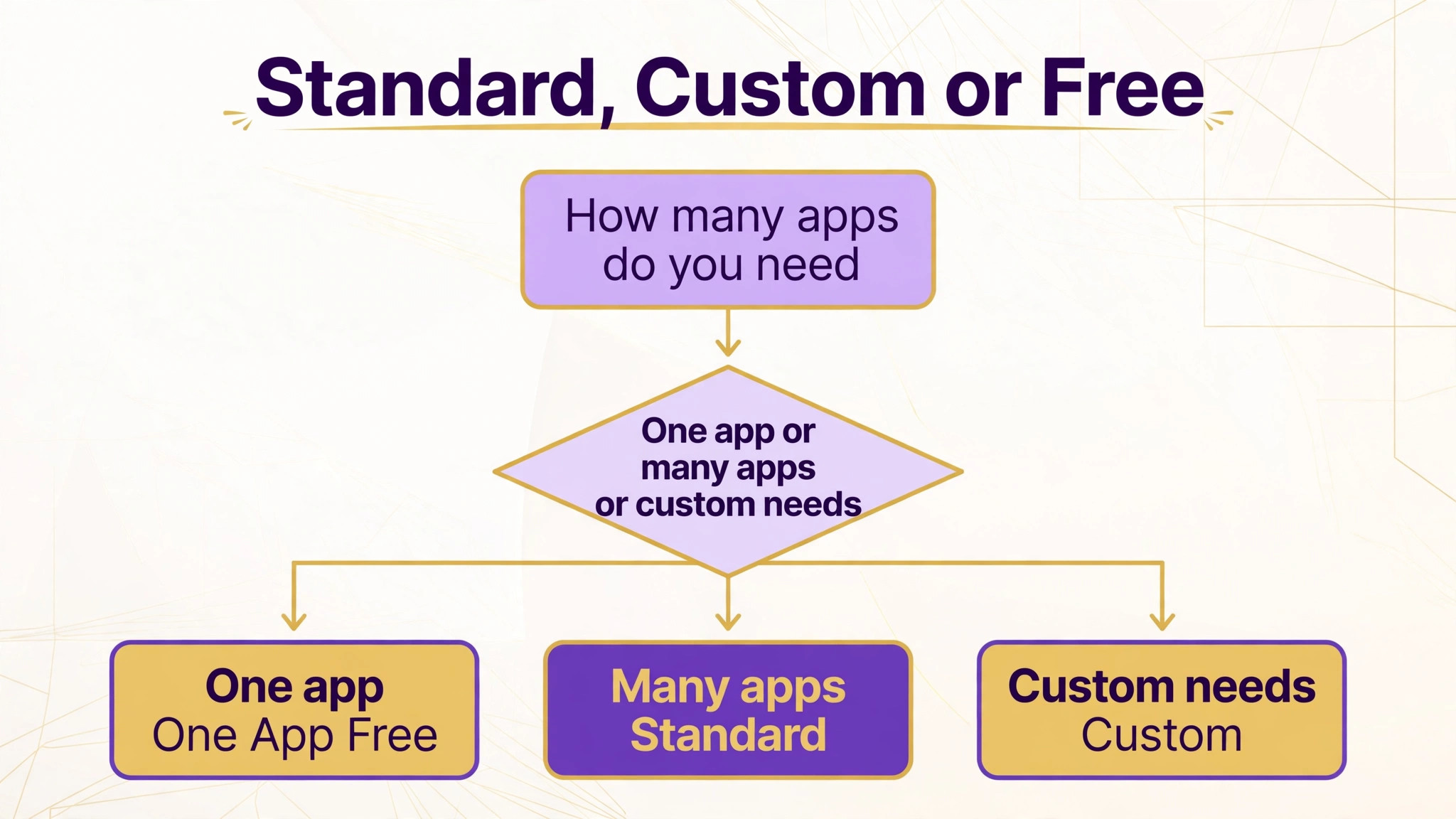
| One App Free | $0 per user per month | One app plus its dependencies, unlimited users, hosted by Odoo | Trying a single job such as invoicing before committing |
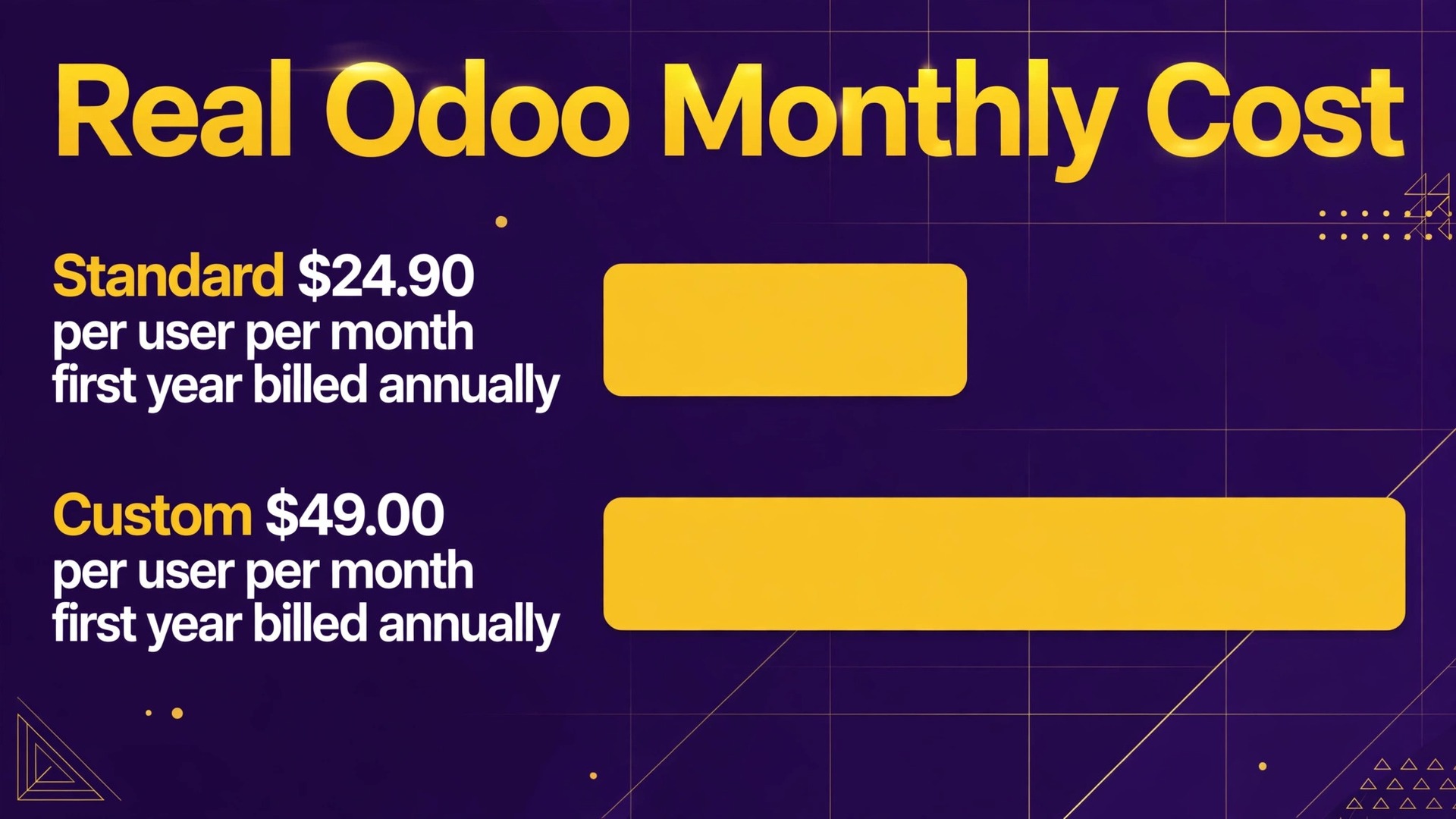
| Standard | $24.90 per user per month in the first year on annual billing, then $31.10. On monthly billing $31.10 in the first year, then $38.90 | All apps, hosted on Odoo Online | A small firm that wants the full system on standard hosting |
| Custom | $49.00 per user per month in the first year on annual billing, then $61.00. On monthly billing $61.10 in the first year, then $76.20 | All apps, plus Studio, multi-company handling, external API access, and Odoo.sh or on-premise hosting | A firm that needs custom apps, multiple companies or its own hosting |
Read the Standard row as the default for most small businesses. It covers the full app set on Odoo Online hosting, which removes server work from the buyer. The Custom row is not a bigger bundle of apps, because Standard already includes them. Custom buys control instead, in the form of the Studio builder, multi-company support, API access and the right to run on Odoo.sh or on your own servers.
The free tier deserves a clear warning. One App Free is genuinely free and allows unlimited users, but it is limited to one app and the apps that app depends on. A firm that starts on free invoicing and then adds stock, projects and a website will leave the free tier behind. That is not a trap, but it is a step change in cost, so plan the move in advance rather than treating free as the long term price.
A note on per-app pricing is needed because older guides still describe it. The shortlist for this post mentioned per-app pricing, but the current paid model does not charge per app. All apps are included in both paid plans. If a partner or an old article quotes a per-app figure, ask them to show it on the current pricing page, because that figure belongs to an earlier pricing model.
The subscription is the visible part of the bill. The hidden part is the work and the extras around it, and those extras decide whether the cost of Odoo for small business monthly feels fair or painful. Work through this checklist before signing, and price each item for your own firm rather than assuming it is included.
– Per-user billing. Every backend user counts, including managers who only check reports now and then. Audit who truly needs backend access and move occasional viewers to lighter access where the plan allows it. – Implementation. Data migration, chart of accounts setup, stock opening balances and workflow configuration take real hours. A partner quote for this work can exceed the first year subscription for a small firm, so get it in writing. – Hosting beyond Odoo Online. Odoo.sh hosting for custom development and any on-premise server costs sit outside the Standard subscription and need the Custom plan as well. – Third party apps and integrations. Apps from the Odoo app store and outside connectors can carry their own subscriptions, and those fees continue for as long as the app is used. – Training and process change. Staff who keep old spreadsheets alongside Odoo double the work and halve the benefit. Budget time for training and for one person to own the system. – Renewal step up. The first year discount ends after twelve months for the users on the first order, so year two runs at the standard rate shown in the table. – Custom code maintenance. Customisations built for one version need checking and sometimes rework at each upgrade, and that cost returns every year.
Implementation is the item most often underestimated. A firm with clean data and simple processes can go live quickly, while a firm with years of messy stock records, duplicate customers and manual pricing rules will pay for cleanup whether it hires a partner or does the work in house. The honest way to compare quotes is to ask what data cleaning, testing and go-live support are included, not just how many hours of configuration are promised.
Hosting deserves its own line in the budget. Standard hosting on Odoo Online is included and suits most small firms. Firms that need custom code, staging environments or their own servers move to Custom and to Odoo.sh or on-premise hosting, and those hosting costs are separate from the per-user subscription. A quote that shows only the subscription for a custom build is incomplete.
What the Odoo price buys
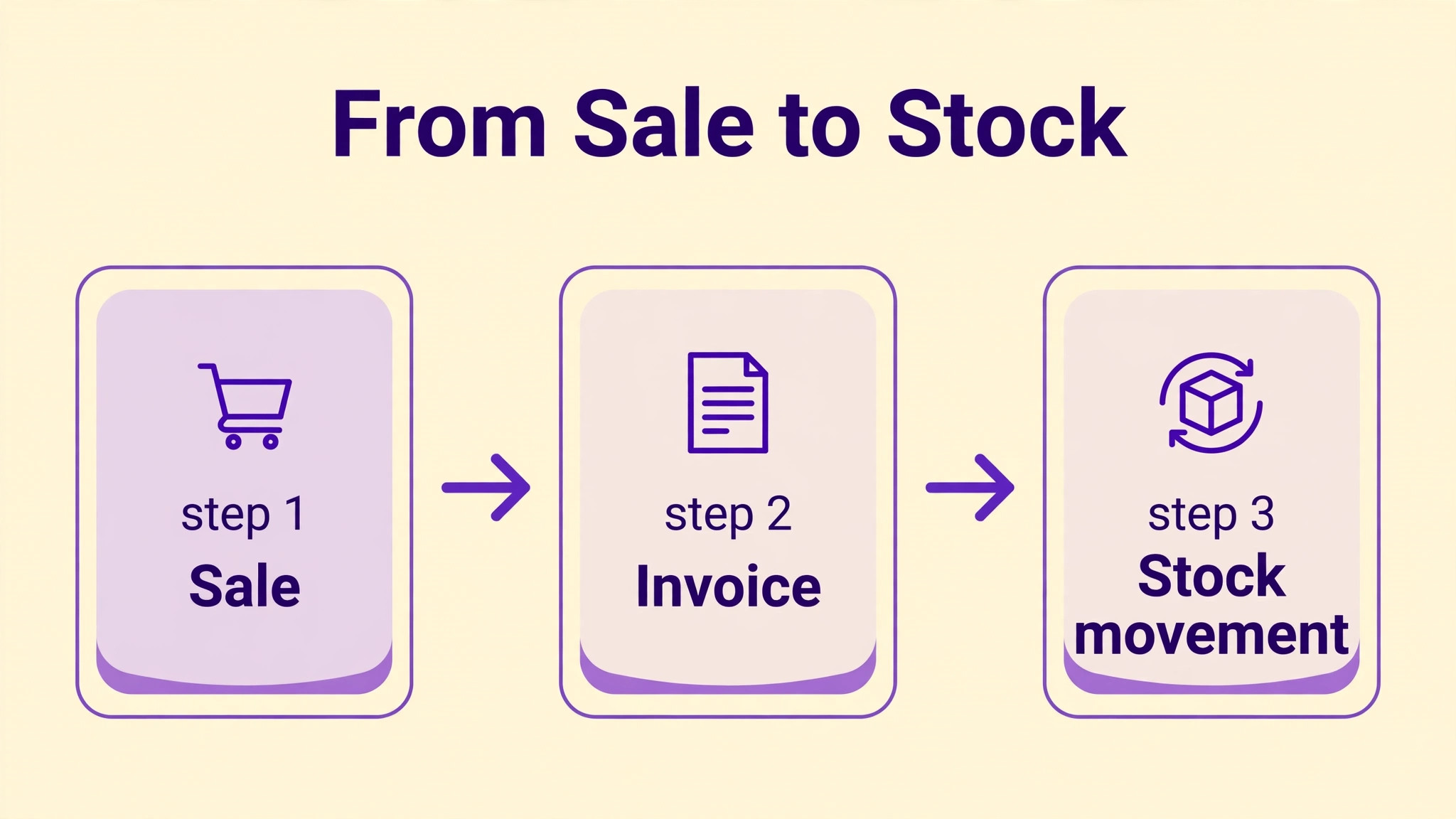
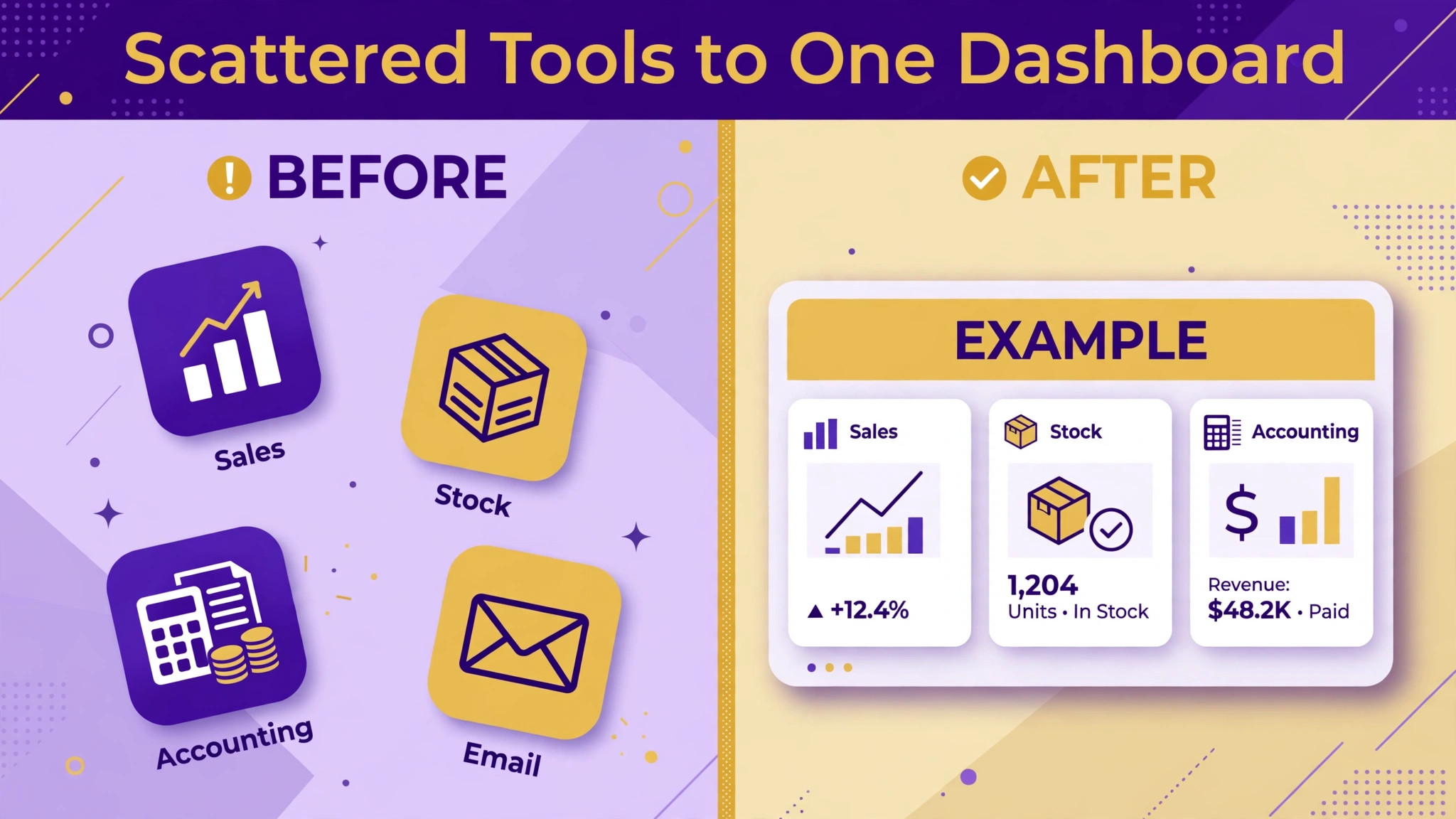
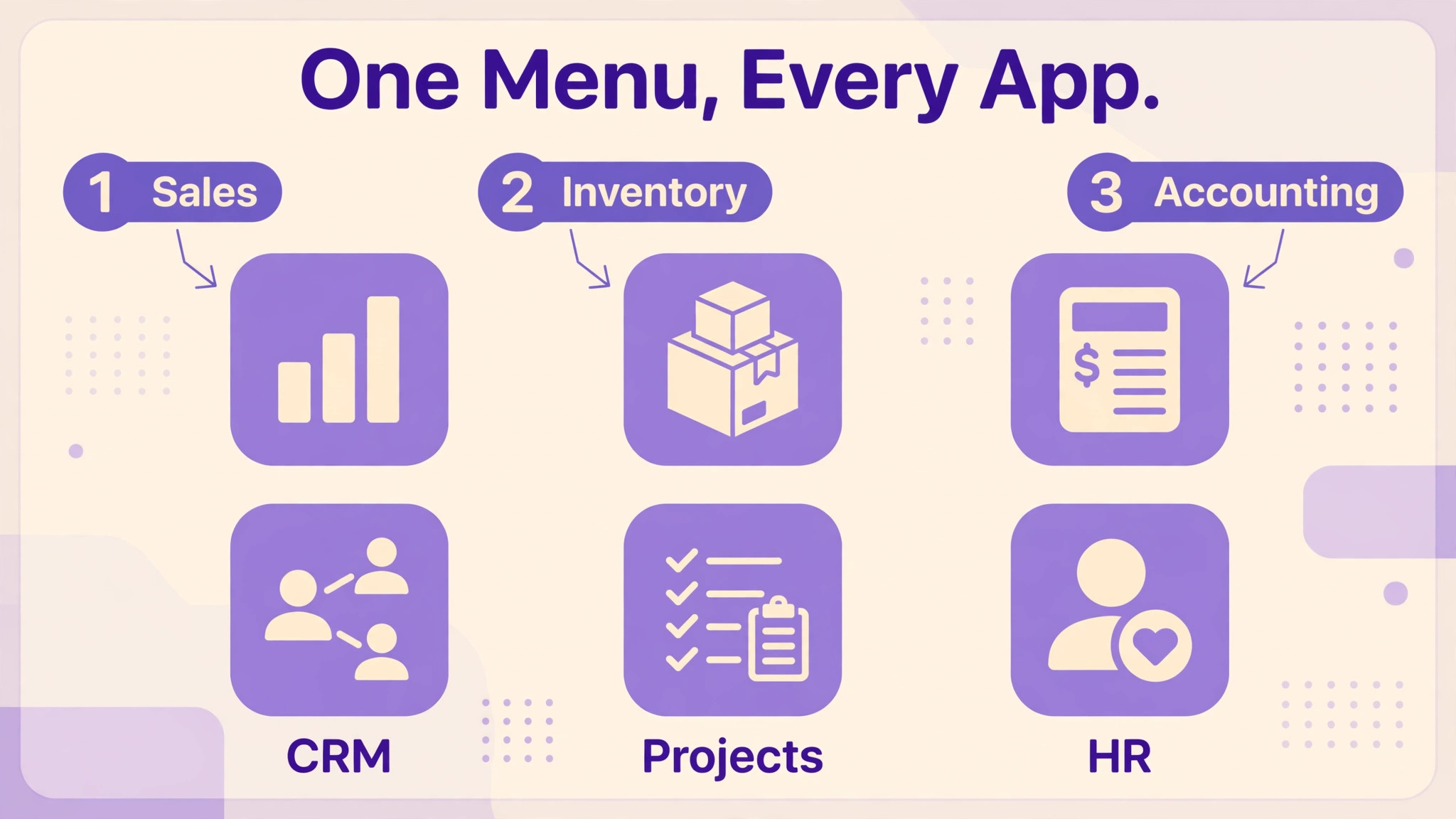
What the subscription buys is breadth. Sales, customer records, invoicing, purchasing, stock, projects, human resources, website and helpdesk functions all live in one database, so a sale can flow into an invoice and a stock movement without retyping. For a firm that currently pays for four or five separate tools, that consolidation is the real saving, even when the Odoo subscription looks larger than any single tool it replaces.
It also buys a single source of truth for the numbers that run the business. When stock, sales and accounting share one record, the month end close gets shorter and the arguments about which spreadsheet is right tend to fade. That benefit only appears when the team actually works in Odoo.
Training and a clear owner matter more than any single feature, because a system that staff trust gets used and a system that staff avoid decays no matter how good its feature list looks on paper. The Custom plan buys flexibility on top of that breadth. Studio lets a firm build simple custom apps and fields without code, multi-company support keeps separate legal entities in one system, and API access lets other tools talk to Odoo in a supported way. A firm that does not need those three things gains nothing from Custom, and should stay on Standard until a concrete need appears.
Support and upgrades are part of the paid subscription, and they are easy to undervalue. Odoo Online hosting includes updates and platform maintenance that a self hosted Community install leaves to the buyer. A small firm without an IT person should weigh that difference carefully, because a failed upgrade on a self hosted system can cost more in lost days than a year of Standard subscriptions.
Reporting is another part of the value that is easy to overlook during a trial. Because sales, stock and accounting share one database, a manager can check margin on a job, stock on hand and overdue invoices without waiting for three separate reports. That speed matters when a supplier asks for a quick decision or a customer asks why a delivery is late. It also reduces the quiet cost of decisions made on stale numbers.
Mobile access matters for firms whose staff work away from a desk. Warehouse checks, site visits and client meetings all generate records that should enter the system at the moment they happen, not at the end of the week from memory. A system that staff can update on a phone or tablet keeps the record current, and a current record is the difference between a dashboard that helps and a dashboard that misleads.
A worked monthly total for a small team
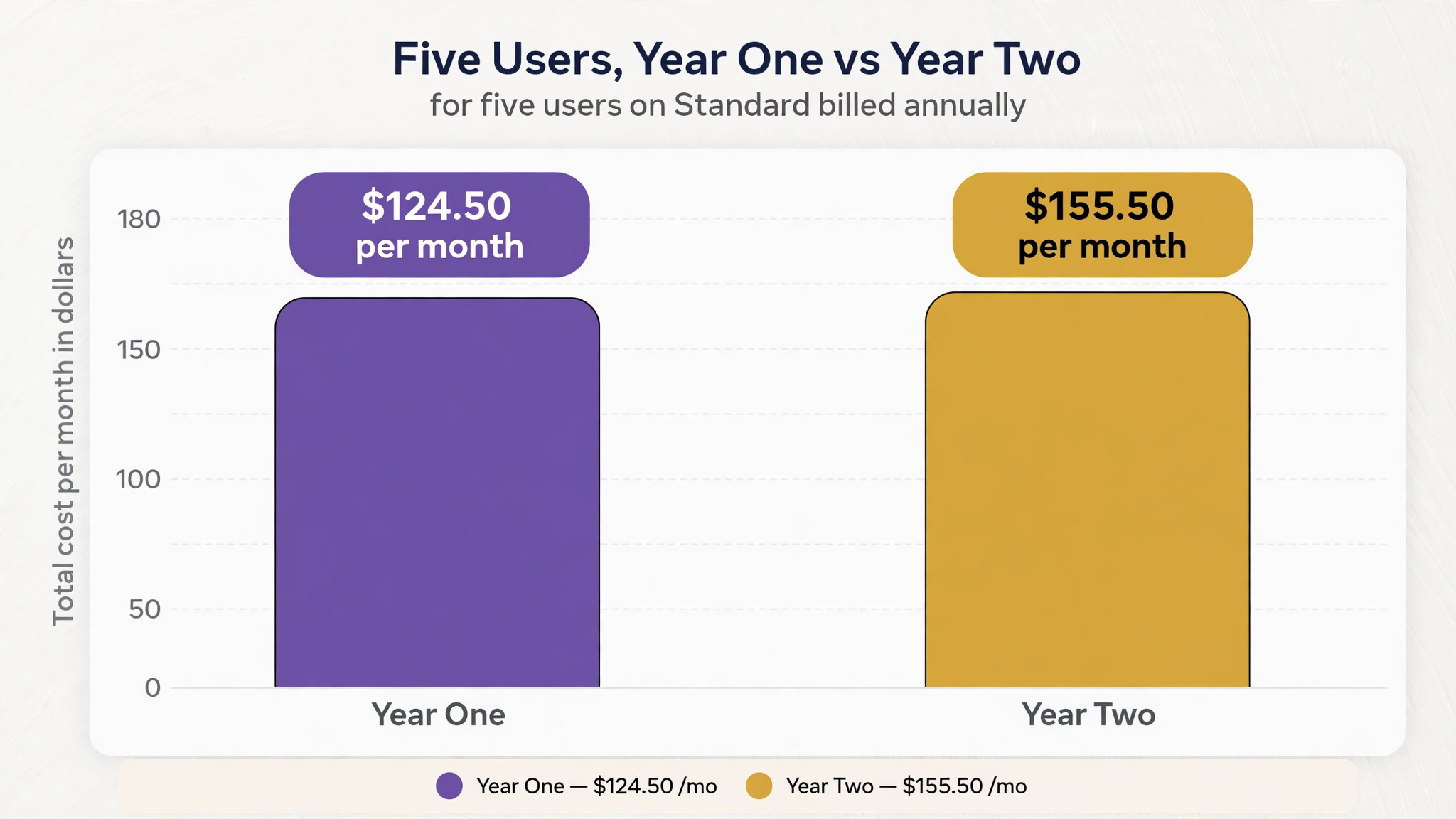
Take a firm with five backend users on Standard with annual billing. In the first year the subscription is five times $24.90, which is $124.50 per month, or $1,494 for the year. From year two the same five users cost five times $31.10, which is $155.50 per month, or $1,866 for the year. Those are simple multiplications from the published per-user figures, and they exclude tax, implementation and any third party apps.
The same five users on Custom with annual billing cost five times $49.00, which is $245 per month in the first year, then five times $61.00, which is $305 per month from year two. The gap between Standard and Custom for five users is therefore $120.50 per month in the first year and $149.50 per month after that. That gap should only be paid when Studio, multi-company handling, API access or nonstandard hosting is actually required.
Monthly billing changes the picture. Five users on Standard billed monthly cost five times $31.10, which is $155.50 per month in the first year, rising to five times $38.90, which is $194.50 per month after that. Annual billing saves real money, but it also locks cash up front, so a firm with tight cash flow may still prefer monthly billing for the first few months while it proves the system fits.
When Odoo is worth it and when it is not
Odoo is worth it when a firm has outgrown separate tools and the pain shows up daily, in double entry, stock counts that never match sales, or invoices that lag days behind delivery. In that position the cost of Odoo for small business monthly replaces several subscriptions and several manual jobs at once, and the business case is easy to test by listing the tools that Odoo would retire. If that list is short, the case is weak.
It is also worth it when the firm expects to grow into more functions over two or three years. A business that starts with invoicing and plans to add stock, projects and a web shop benefits from one database from the start, rather than migrating between systems at each growth step. The cost of a later migration often exceeds the early cost of a fuller system.
Growth also changes the value of a shared customer record. When sales, support and invoicing all see the same history, a returning customer gets a faster answer and a cleaner handover between staff. That consistency is hard to price in advance, but it shows up in fewer repeated questions and fewer lost details when someone is away. Odoo is not worth it when the firm needs one job done well and nothing else. A business that only needs invoicing, or only needs a simple shop, will pay for breadth it never uses and will spend more time configuring than working. In that case a focused tool, or the free single app tier, is the better buy until the needs widen.
It is also a poor fit when nobody in the firm will own the system. Odoo rewards a named owner who tidies data, trains new staff and says no to endless custom fields. Without that person, the system drifts, the data degrades and the subscription starts to feel like a tax on a tool nobody trusts. Fix the ownership question before the pricing question.
How to cut the Odoo bill
Cutting the bill starts with users, because users are the unit of price. Review backend access every quarter, remove leavers promptly, and keep read only or occasional staff on the lightest access the plan allows. A firm that trims two unused seats on Standard after year one saves $62.20 per month, or $746.40 a year, from one review. The cost of Odoo for small business monthly falls fastest when the seat list reflects real work rather than old permissions.
Choose annual billing once the system has proved itself, and treat the first year discount as a trial of the ongoing price rather than the price itself. Run the system for two or three months on monthly billing if cash is tight or the fit is unproven, then switch to annual billing when the team is committed. The saving is worth it, but only after commitment is real.
Compare implementation quotes side by side before choosing a partner. Ask each partner to itemise data cleaning, configuration, testing and training separately, so the comparison is about scope rather than about a single lump sum. A cheaper quote that leaves data cleaning out is not cheaper once that work is paid for separately, and an itemised quote makes the gap visible before signing. Keep customisation small.
Every custom field, report and workflow adds maintenance at upgrade time, and that maintenance is where long term Odoo costs hide. Use standard processes where they work, and reserve custom work for the few steps that genuinely set the firm apart. A simpler build is cheaper to run and easier for new staff to learn.
Retire the tools Odoo replaces, and cancel them promptly. The saving only exists when the old subscriptions stop. Make a list of every tool that Odoo replaces, set cancellation dates beside each one, and check the bank statement two months later to confirm the charges have gone. Many firms keep paying for an old invoicing tool for a year out of habit.
Finally, phase the rollout. Start with sales and invoicing, prove the numbers, then add stock and projects. A phased rollout spreads implementation cost, keeps training manageable and avoids paying for a big bang setup that the team is not ready to use. It also makes it easier to spot a poor fit early, while the exit is still cheap.
What to check on the pricing page before you pay
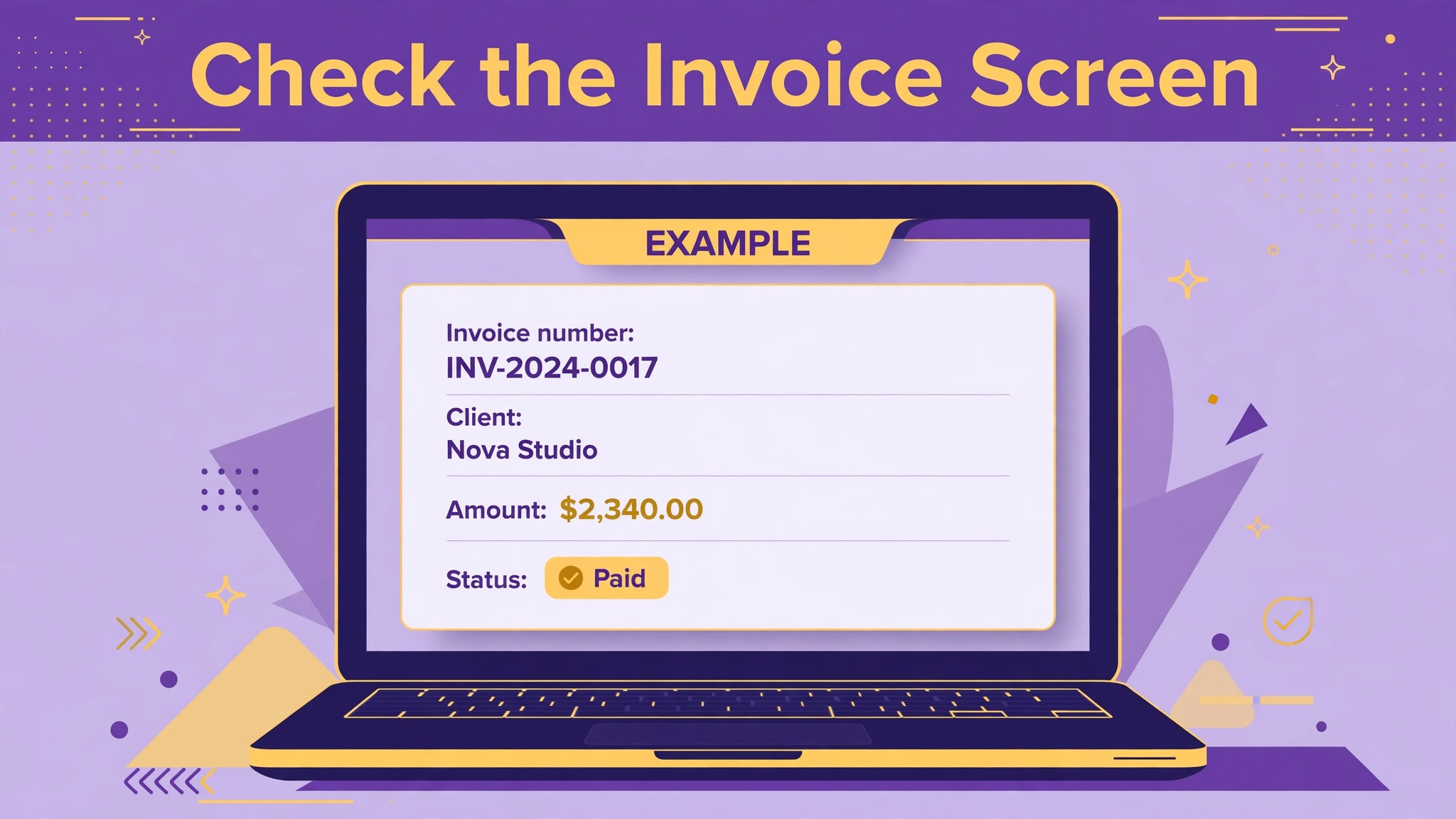
Prices on a vendor page change, and regional prices differ, so the last check before buying should be a fresh read of the current pricing page in your own currency. Confirm the per-user rate, the billing period, whether the first year discount applies to your order, and what happens at renewal. Screenshot the page or save the quote, because the figure you budget from should be the figure you were actually offered, not a figure remembered from a guide. That habit protects the cost of Odoo for small business monthly from drifting between research and purchase.
Check the user definition on the same visit. Odoo charges for internal users with backend access, and the definition decides who counts. A firm that counts every employee will overbudget, while a firm that counts only managers will underbudget when shop floor or warehouse staff also need backend access. List the roles that will log in, mark which ones need backend access, and price that list rather than the headcount on the payroll.
Check the trial terms and the exit route while you can still walk away. A trial that covers the real jobs, invoicing a real order, receiving real stock, closing a real week, tells you more than a demo of perfect data. Ask how data can be exported if the firm leaves, what happens to historical invoices, and whether any prepaid annual amount is refunded in part. Those answers rarely appear on a pricing page, but they belong in the same budget conversation.
Compare the total, not the headline, against the tools Odoo replaces. Add the subscription at the year two rate, a realistic implementation figure, and any third party app fees, then subtract the subscriptions that will be cancelled. If the total is higher than the current stack, the firm needs a clear productivity or accuracy gain to justify it. If the total is lower, the decision is easier, but the implementation work still has to be staffed.
Talk to a current user in a similar trade before committing. A retailer, a wholesaler and a service firm use Odoo differently, and the pitfalls differ by trade. Ask what took longest, what they would configure differently, and which app they use least. Those answers often reveal a hidden cost, such as a barcode workflow or a delivery process, that a generic pricing guide cannot see.
Finally, put a review date in the calendar for the month before renewal. That review should revisit the seat list, the apps in use, the third party subscriptions and the plan level. Firms that review at renewal catch wasted seats and downgrade in time, while firms that let renewal roll on pay the standard rate for last year working patterns. A single calendar reminder can save more than any discount negotiation.
One more cost deserves attention, and it is the cost of delay. A firm that waits a year to replace broken processes pays for another year of double entry, stock errors and late invoices. That cost never appears on a vendor invoice, which is why it is easy to ignore. Weigh it honestly against the implementation cost, because sometimes the cheapest decision is to start sooner with a smaller scope rather than to wait for a perfect plan.
The same logic applies to scope creep during setup. Every extra report or custom field requested in week one adds testing and training time, and some of those requests turn out to be habits rather than needs. A good implementation partner will challenge requests and suggest the standard way first. A firm that insists on replicating every old spreadsheet in Odoo will pay for a new system that behaves exactly like the old one, and that is a poor return on the cost of Odoo for small business monthly however the subscription is priced.
Frequently Asked Questions

How much does Odoo cost for one user?
One user on Standard costs $24.90 per month in the first year on annual billing, then $31.10 per month, before tax. On monthly billing the same user costs $31.10 in the first year and $38.90 after that. One user on Custom costs $49.00 in the first year on annual billing, then $61.00, or $61.10 then $76.20 on monthly billing. Those figures are United States list prices, and regional prices differ.
Is there a free version of Odoo for a small business?
Yes, in two senses. The Community edition is free software that a firm can host itself, and the hosted One App Free tier costs nothing for one app with unlimited users. Both are real options, but both carry limits. Community needs someone to host and maintain it, and One App Free covers a single app only, so a firm that needs several functions will move to a paid plan.
Does Odoo charge per app?
No, not on the current paid plans. Both Standard and Custom include all apps in the per-user subscription. Older guides that quote per-app pricing describe an earlier model. Third party apps from the app store can still carry their own fees, so check any app you add for its own subscription before installing it.
What is the difference between Standard and Custom?
Standard includes all apps on Odoo Online hosting. Custom adds Studio for building custom apps, multi-company handling, external API access, and the choice of Odoo.sh or on-premise hosting. Custom does not add more standard apps, because Standard already includes them. Choose Custom only when one of those control features is a real requirement.
How much does implementation cost?
Implementation is quoted separately and varies widely with data quality and process complexity. A simple setup with clean data costs far less than a migration from messy spreadsheets and several old systems. Ask any partner for a written scope covering data cleaning, configuration, testing, training and go-live support, and treat a quote without that scope as incomplete.
Can a small business start on monthly billing and switch later?
Yes, and for many firms that is the sensible path. Monthly billing costs more per user per month, but it avoids a large upfront commitment while the fit is unproven. Once the team uses the system daily and the processes are settled, switching to annual billing cuts the per-user rate and is the main lever for a lower ongoing bill.
How many users should a small firm pay for?
Pay for backend users who create, edit or approve records in Odoo. Audit the list before buying and again each quarter, because leavers and occasional viewers are the most common source of wasted seats. If a person only needs to see a report now and then, check whether lighter access covers that need before giving them a full backend seat.
When should a firm choose Custom over Standard?
Choose Custom when the firm needs Studio custom apps, runs multiple companies in one system, needs supported API access for other tools, or must host on Odoo.sh or its own servers. If none of those apply, Standard gives the same apps for less money, and the firm can upgrade later when a concrete need appears.
Verdict
For most small businesses the honest answer is Standard on annual billing, with a careful seat list and a phased rollout. The cost of Odoo for small business monthly in that shape is $24.90 per user per month in the first year and $31.10 after that, and it buys the full system on hosted infrastructure that a small firm does not have to maintain. Custom is justified only by Studio, multi-company handling, API access or nonstandard hosting, and the free tier is a trial, not a long term home for a growing firm.
Budget for year two from day one, price implementation separately, and retire the tools Odoo replaces. Do those three things and the Odoo bill becomes predictable. Skip them and the same subscription will feel expensive, not because the per-user price is unfair, but because the firm paid for seats, setup and old tools it did not need.
More Reading on Stratilyze
– Best CRM Software for Small Business – Cost of Zoho Books for Small Business, Monthly – Best Accounting Software for Small Business – Best Accounting Software for Small Business – How to Choose a Payment Processor for Small Business