
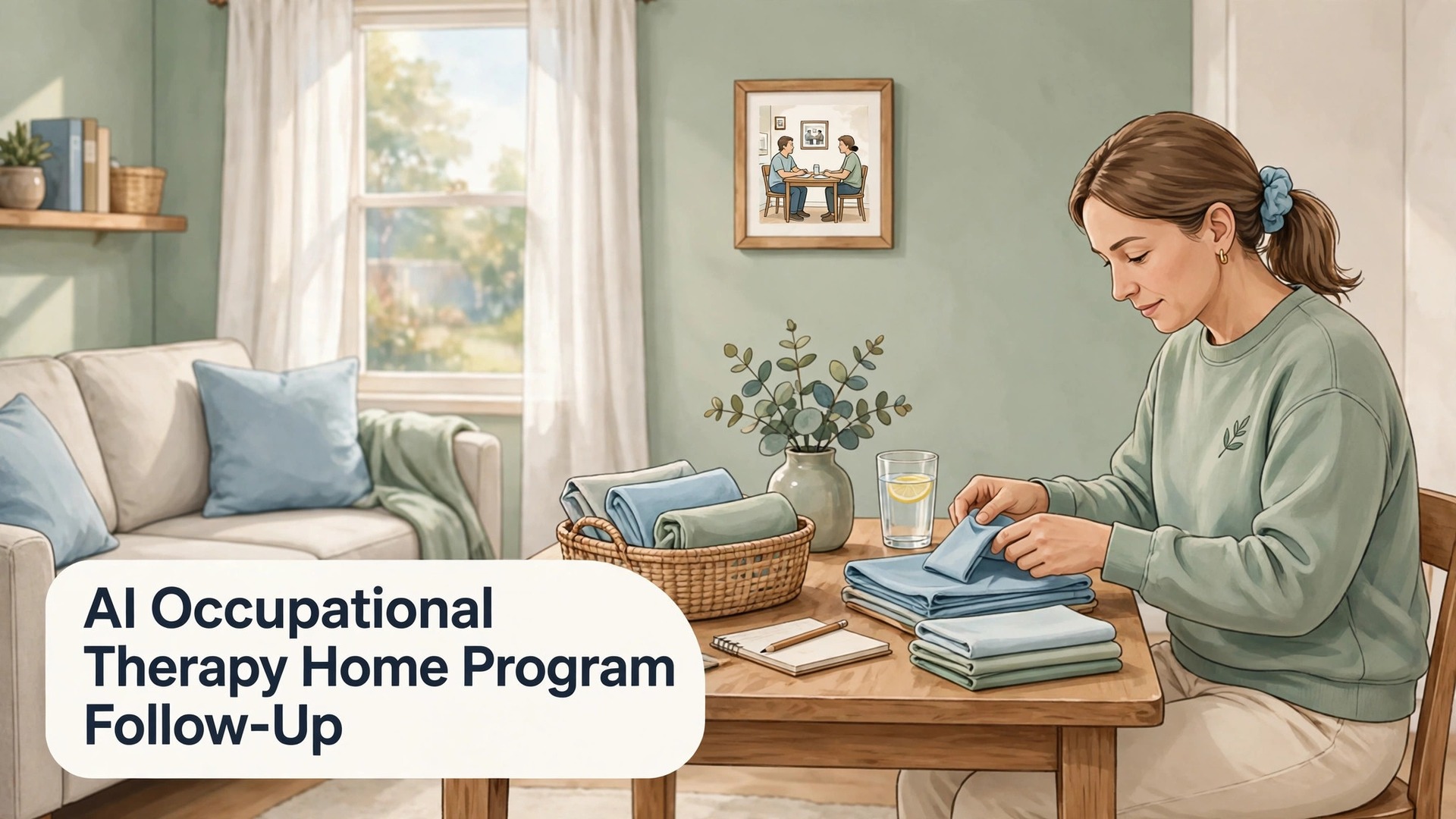
The numbers explain why follow up matters more than the handout. One rehabilitation guide reports non adherence for musculoskeletal home programs as high as 65 percent, while another source reports only about 30 percent of patients sticking with a home program. A large share of home programs fade within weeks, not because patients do not care, but because instructions were unclear, life got in the way, or nobody checked in until the next clinic visit. That gap is where clinics that use AI for occupational therapy home program follow up well gain ground, by checking in early, simply, and often enough to catch a problem while it is still fixable.
This guide is about operations and communication, not clinical treatment. It covers how a clinic delivers a home program, checks adherence, supports patients between visits, and writes progress notes, with clinician review at every step that touches care. It makes no clinical claims, it does not recommend any specific exercise or activity for any condition, and it does not replace the occupational therapist’s judgement about what a patient should do at home. Any change to a patient’s program, goals, or precautions belongs to the treating clinician, and every workflow here routes questions about pain, new symptoms, or difficulty with a task straight to that clinician, not to an automated reply.
Occupational therapy home programs are different from generic exercise sheets, because they are built around daily life. A program may focus on dressing, cooking, work tasks, or using the affected arm in daily activities, rather than on repetitions alone. A patient may complete a set of movements yet still avoid using the affected hand to hold a cup, or may use it well at home yet struggle at work, and a clinic that only asks whether exercises were done will miss both patterns. Good follow up therefore asks about function in daily tasks, about confidence, and about barriers, not just about completion counts, and it records the answers in a form the clinician can use at the next visit.
Research on remote support gives a useful, qualified sense of what follow up can add. A study of remote therapeutic monitoring for chronic stroke survivors, reported in a research summary, found that remote monitoring increased home exercise completion by 3.3 hours during a three week program, and that each additional in person or telehealth consultation was associated with an estimated 34 more minutes of training. That was a specific population, a specific program, and a specific monitoring method, so it does not promise the same result for every clinic. It does suggest that regular, structured contact, with feedback and problem solving, helps patients keep going, and that is the principle this guide turns into a workable weekly system.
What a Home Program Needs Before Anyone Follows Up
Follow up fails when the program itself was never set up to be followed. A home program that a patient can actually follow has a small number of tasks, clear instructions in plain language, a way to record what was done, and a known next contact. Clinics often hand over too many tasks at once, in the hope that the patient will do at least some of them, but research summaries on home program adherence repeatedly point to complexity as a barrier. Fewer, higher impact tasks, explained well, with a demonstration and a teach back check in clinic, usually travel home better than a long list that looks impressive on paper and overwhelming in a kitchen.
Written instructions deserve the same care as the clinic session. Each task needs a plain description, a photo or short video where the clinic provides one, a note on frequency and duration as set by the clinician, and a clear statement of what to do if a task causes pain, new symptoms, or worry. AI can help format those instructions consistently, draft plain language versions from the clinician’s notes, and check that each task has the same fields, but it must not invent frequency, duration, precautions, or progressions. Those details come from the clinician, and any AI draft that adds them should be rejected, not edited around the edges.
A recording method that patients will actually use is the third setup job. Some patients prefer a paper log on the fridge. Some prefer a phone app or a simple message reply. Some prefer a weekly check in call, with the clinician recording the answers. The best method is the one the patient chooses at the clinic visit, recorded on the program sheet, not the one the clinic’s software prefers. AI can format logs for each method, and can summarise paper logs that staff transcribe, but it should not force a patient who struggles with technology into an app, or a patient who loses paper into a paper log.
Goals complete the setup, and they should be functional, personal, and written in the patient’s own terms where possible. A goal such as using the affected hand to hold a cup during breakfast is easier to follow up than a goal such as improving strength, because the patient, the clinician, and any AI summary can all recognise whether it happened. Record the goal, the baseline as the clinician assessed it, and the review date, so follow up messages can refer to the goal, not just to task counts. That link, from goal to task to check in, is what makes follow up feel like care rather than surveillance, and patients respond to the difference.

How to Use AI for Occupational Therapy Home Program Follow Up Safely
AI fits home program follow up in a support role, not a clinical role. It can draft check in messages, sort patient replies, summarise logs, prepare progress note drafts from clinician notes, and list patients who have not responded, so clinicians can focus on them. It cannot assess progress, change a program, interpret symptoms, or decide whether a patient is safe to continue a task. Every template in this guide keeps to operational language. Anything about pain, new symptoms, swelling, numbness, falls, or worry goes straight to the clinician, with no automated advice beyond a brief acknowledgement that the clinician will contact the patient.
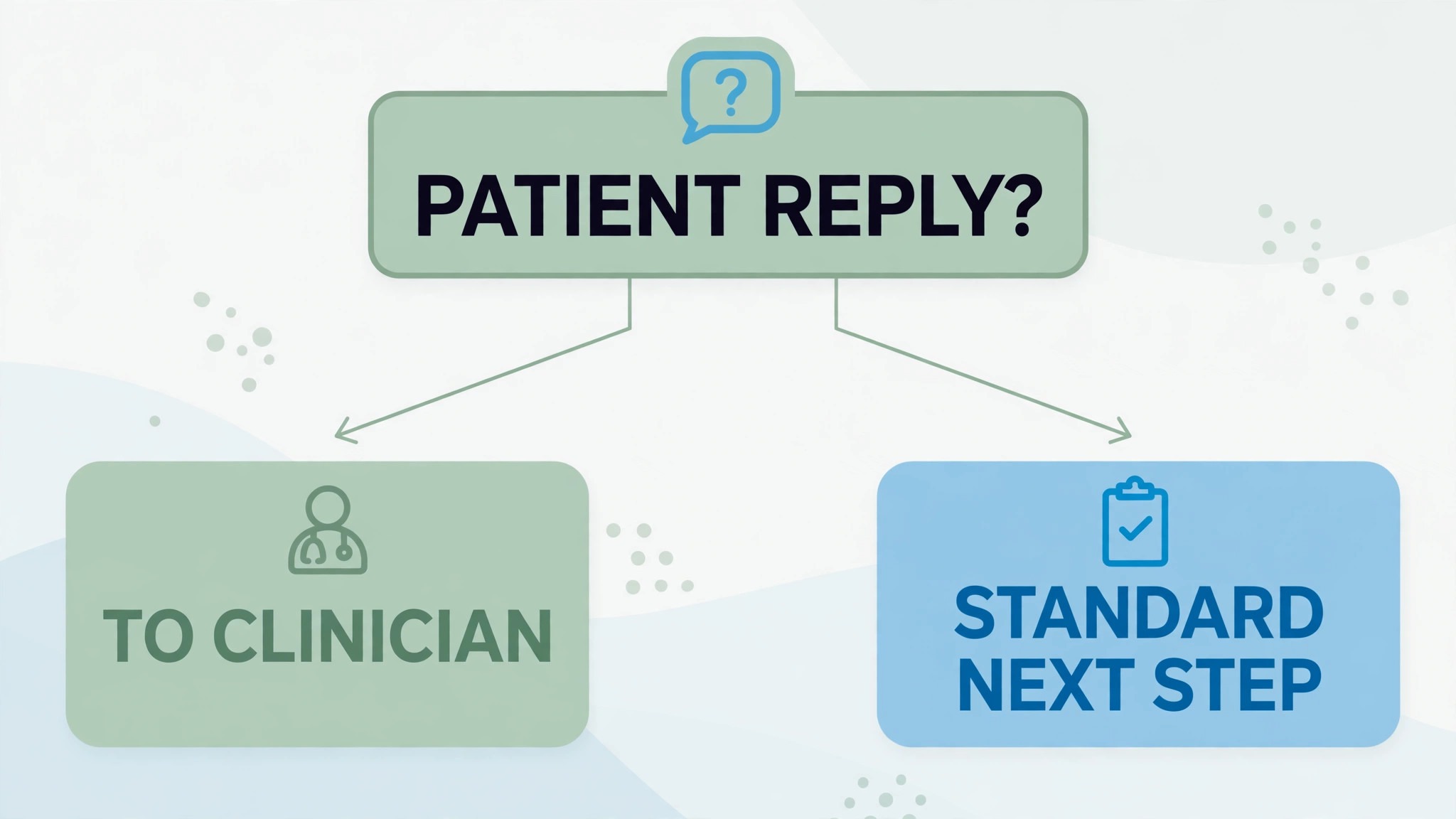
That triage rule needs to be explicit, tested, and visible to everyone who handles replies. Replies fall into simple buckets that can be handled with a standard next step, such as completed, partly completed, missed, or would like a call. Replies that mention pain, symptoms, difficulty, or a request to change the program leave the standard path immediately and go to the clinician, who decides the response. AI can sort the simple buckets and flag the rest, but staff should review flagged replies the same day, not at the next clinic session, because a patient who reports a problem and hears nothing for a week will stop reporting, and may stop the program entirely.
Privacy and consent sit alongside safety. Home program messages may reveal that a patient is receiving therapy, and that information deserves the same care as any health information. Record consent for messaging, record channel preference, and keep message content general, such as asking about the home program, rather than naming a diagnosis or a specific task in an unsecured message, unless your clinic’s privacy policy and local rules allow it. Keep the safest wording as default, honour opt outs immediately, and store logs and summaries in the clinic’s record system, not in a separate tool that nobody audits. A follow up system that protects privacy is a system patients will keep answering.
Clinician review of AI drafts is not optional, and it should be built into the workflow as a step, not left as good intentions. Progress note drafts, check in summaries, and program sheets prepared with AI help should be reviewed, corrected, and signed by the clinician before they enter the record or reach the patient. That review takes minutes when the draft is good, and it catches the errors that matter, such as a wrong frequency copied from a previous program, a task name that does not match the patient’s program, or a summary that overstates progress.
A Step Workflow From Program Delivery to Progress Note
The workflow below assumes a small occupational therapy clinic, a record system, a messaging tool, and AI used for drafting, sorting and summarising, with clinician review at every care step. Keep the order, and keep the review steps, because the review steps are what keep a support tool from becoming an unsupervised clinician.
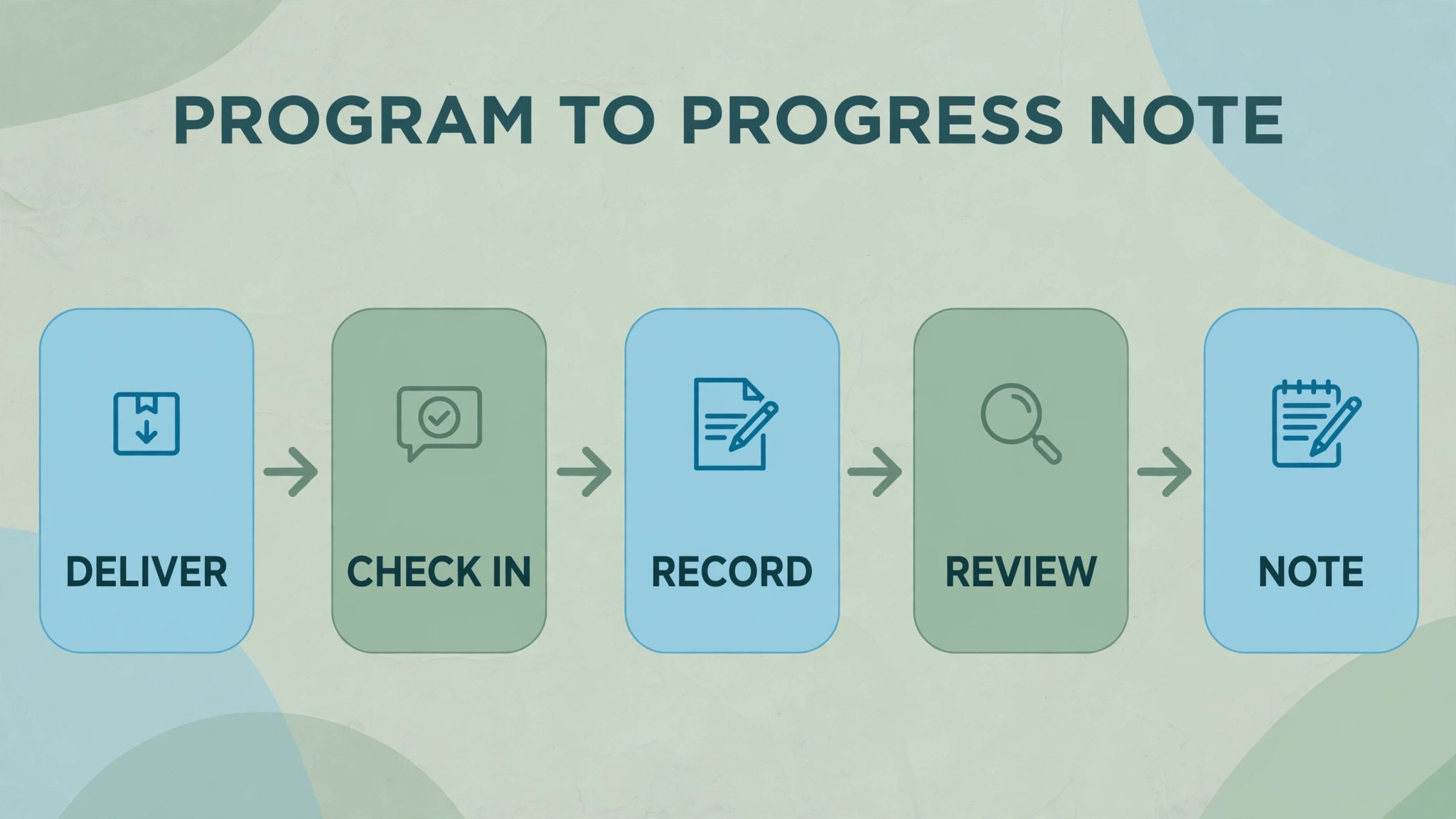
Step 1, deliver the program in clinic, with a teach back check
The clinician explains each task, demonstrates it, watches the patient try it, and checks understanding by asking the patient to explain it back in their own words. Record the tasks, the frequency and duration as set by the clinician, precautions, the recording method the patient chose, the functional goal, and the next check in date. AI can format that record into a clean program sheet, but the clinician should read the sheet before handing it over, because a formatting error in frequency or precautions becomes a home error if nobody catches it.
Step 2, send a short next day check in
The day after the clinic visit, send a short message asking whether the program sheet is clear, whether anything is confusing, and whether the patient would like a call. This early check catches the most fixable problems, such as a missing page, an unclear photo, or a task the patient cannot set up at home. Keep the message to scheduling and clarity language, and route any mention of pain, symptoms, or worry straight to the clinician. A next day check that finds one confusion can save a week of wrong practice, and it tells the patient that follow up is real, not just a slogan.
Step 3, run weekly adherence check ins
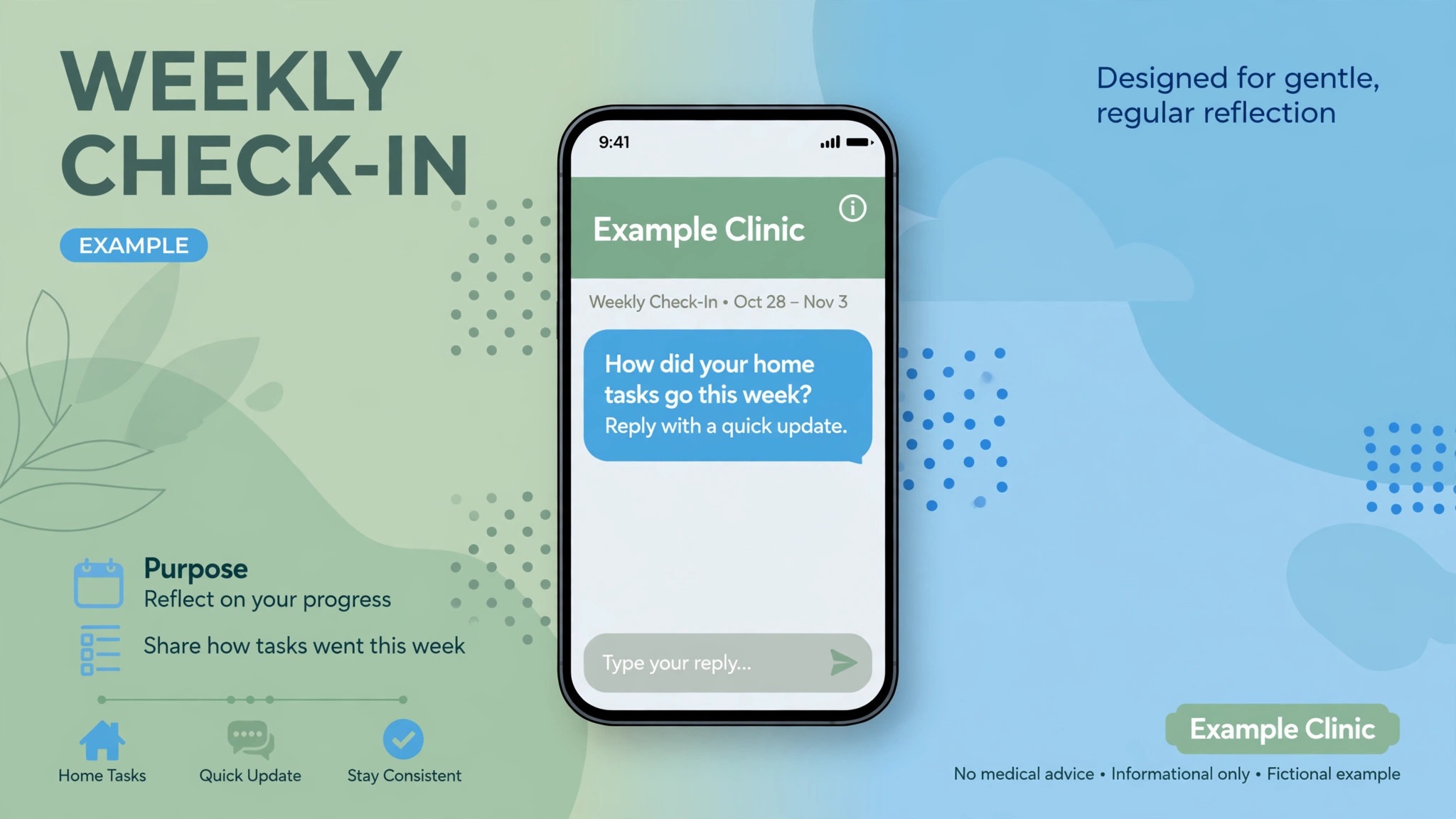
Each week, send a short check in asking about task completion, daily task use, confidence, and barriers, in plain language. Offer a simple reply format, such as a short log, a few taps, or a call, depending on the method the patient chose. AI can draft the check in, sort replies into completed, partly completed, missed, or would like a call, and summarise the week for the clinician. The clinician reviews the summary before the next visit, notes any barrier that needs a program change, and decides whether the next contact should be a message, a call, or an earlier visit.
Step 4, support barriers with problem solving, not pressure
When a patient reports a barrier, such as time, fatigue, lack of equipment, low confidence, or a task that does not fit daily life, the response should be problem solving, led by the clinician. Options may include simplifying the program, changing the time of day, adapting the task to the home, or revisiting the goal, but those decisions belong to the clinician, not to a tool. AI can draft a supportive message that offers a call, and can list common barriers from past patients for the clinician to consider, but it should not propose a program change on its own.
Step 5, review progress at the clinic visit, with the log in hand
At the next visit, the clinician reviews the log, the weekly summaries, and the functional goal, and discusses what worked, what did not, and what should change. AI can prepare a visit summary draft from those records, highlighting completion patterns, reported barriers, and goal related notes, but the clinician should correct and sign it before it enters the record. That visit is also the moment to update the program sheet, the recording method, and the check in frequency, so the next cycle starts from what was learned, not from a fresh copy of the old sheet.
Step 6, close the loop with a progress note and a next plan
After the visit, complete the progress note, update the program, and send the patient a short summary of what changed, what stays the same, and when the next check in will arrive. That closing message prevents the common gap where a patient leaves a visit unsure what changed, and then follows the old program for another month. AI can draft the summary from the clinician’s signed note, but the clinician should approve it before sending, because a summary that misstates a change will confuse the patient and undermine the visit. Close every cycle with a note and a plan, so no patient drifts between visits without a next step.
Adherence Check Ins That Patients Actually Answer
When you use AI for occupational therapy home program follow up, a check in that patients answer has three qualities. It is short, it asks about life rather than only about tasks, and it offers a human next step. A message that asks ten questions will be ignored, while a message that asks how the week went, whether anything got in the way, and whether a call would help will usually get a reply, because it respects the patient’s time and intelligence. Keep check ins to three questions at most, rotate the wording so they do not feel robotic, and let patients reply in their own words.
Timing and frequency should be set with the patient, not imposed by the system. A patient early in a program may welcome a weekly check in, while a patient in a stable maintenance phase may prefer a check in every two weeks, or only before the next visit. A patient who works shifts, cares for family, or has limited phone access may prefer a different time of day, or a different channel. Record those preferences on the program sheet, and let AI schedule around them, rather than sending every check in at the same hour. A check in sent at a time the patient cannot reply is a check in that teaches the patient to ignore the system.
Responses deserve a reply, even when they are brief. A patient who reports a completed week should receive a short acknowledgement, not silence, because silence teaches patients that nobody reads their log. A patient who reports a missed week should receive a supportive message offering a call, not a reminder that repeats the original instruction. AI can draft both kinds of reply, but the clinician or trained staff should review replies for patients who report barriers, low confidence, or a wish to change the program, because those replies need a human conversation, not a template. The goal of a check in is not data collection. It is a relationship that keeps the program alive between visits.
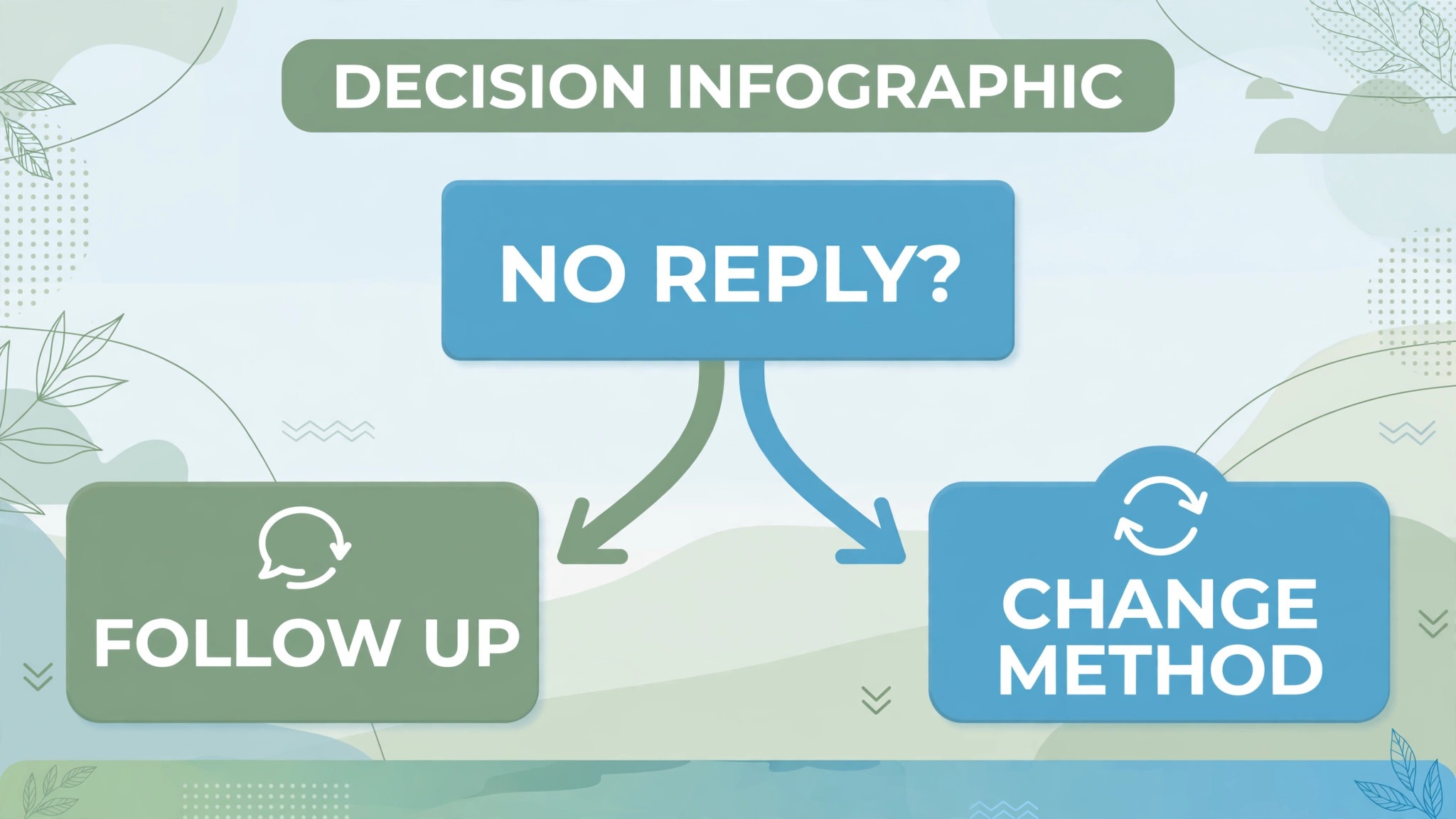
Non response needs a graded response, not an escalation of messages. If a patient does not reply to a weekly check in, send one different contact, such as a call, or a message through the patient’s preferred channel, and then record the non response for clinician review. Do not send the same message three times, because repetition usually causes opt outs, not replies. The clinician may decide to change the check in method, simplify the program, bring the next visit forward, or accept a pause, but that decision belongs to the clinician, who can weigh the patient’s situation, rather than to a messaging schedule that only knows silence.
Progress Notes That Help the Next Clinician
A progress note written when you use AI for occupational therapy home program follow up should read like a clinician wrote it, because a clinician reviewed and signed it. The note needs the program as delivered, the patient’s reported completion and daily task use, barriers reported, the clinician’s observations at the visit, any program changes made, and the next plan with a check in date. AI can draft that structure from the log, the weekly summaries, and the clinician’s visit notes, and it can highlight patterns, such as tasks completed consistently, tasks often missed, or barriers that recur.
Consistency across notes matters more than length. A short note that uses the same fields every time is easier to follow than a long narrative that changes format each visit. Use a template with fixed headings, keep the language plain, and record goals in functional terms, so progress can be tracked across visits without rereading every old note. AI can enforce the template, flag a missing field, and summarise a series of notes into a trend summary for a review, but it should not fill a missing field with a guess. A blank field that prompts a clinician to ask a question is better than a filled field that invents an answer.
Sharing notes with patients, where the clinic does so, needs care. A patient summary should be plain, accurate, and focused on what changed and what happens next, without clinical shorthand that confuses or worries the patient. AI can draft the patient summary from the signed note, but the clinician should approve it, because a summary that misstates a goal, a task, or a precaution will follow the patient home and shape what they do. Keep patient summaries short, keep the next check in date prominent, and invite the patient to ask questions, because a summary that invites a question is more useful than a summary that pretends to be complete.
The Home Program Template
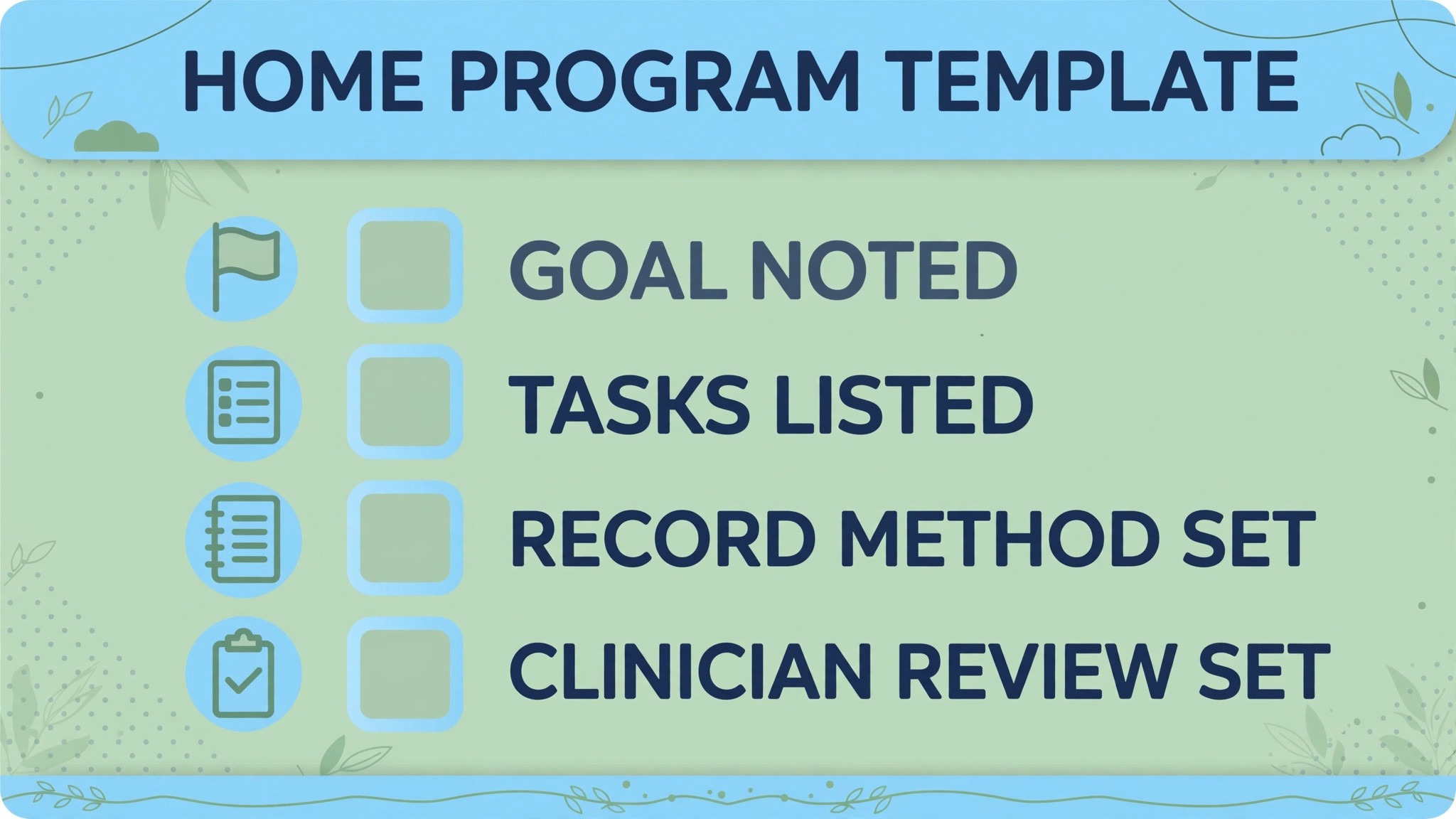
Copy this template, adapt it to your clinic’s record system, and have the treating clinician complete and approve it before it reaches the patient. Keep it to one or two pages, keep the language plain, and keep every clinical detail clinician written, not tool invented. Do not let AI add tasks, frequencies, or precautions to a completed template without clinician approval.
Template – patient goal – Functional goal in plain language, such as a daily task the patient wants to do more easily, as set with the clinician
Template – tasks – Each task with a plain description, a photo or video reference where provided, and frequency and duration as set by the clinician
Template – precautions – What to stop and report, such as pain, new symptoms, or worry, with the clinic contact route stated
Template – recording method – Paper log, phone reply, app, or call, chosen by the patient at the clinic visit, with the log format attached
Template – check in plan – Check in frequency, channel, and time of day preferred by the patient, with the next check in date stated
Template – next visit plan – Date of the next clinic visit, what the clinician will review, and what the patient should bring, such as the log
Review the template each quarter, and after any incident, such as a program sheet error, a missed clinical reply, or a patient complaint about messaging. Check for outdated contact routes, changed check in frequencies, and wording that no longer matches clinic policy. A template that was accurate last year can quietly become wrong, and AI will happily send the wrong version every week if nobody checks it.
Mistakes That Break Home Program Follow Up
The first mistake is handing over a program that was never set up to be followed, with too many tasks, unclear instructions, and no recording method the patient chose. Follow up cannot fix a setup failure, because the patient has nothing clear to follow, and check ins will only document confusion. The second mistake is letting AI drafts reach patients or records without clinician review. A draft with a wrong frequency, a task from another patient’s program, or a summary that overstates progress will mislead the patient, the next clinician, or both, and the time saved by skipping review will be spent many times over fixing the error.
The third mistake is treating non response as non compliance. A patient who does not reply may have changed phone numbers, lost the log, faced a family crisis, or simply found the check in method unusable, and a system that labels them non compliant will miss the real cause. Ask, through a different channel, what got in the way, and let the clinician decide the next step. The fourth mistake is measuring only completion counts, and ignoring function, confidence, and barriers. A program with high completion counts but no functional gain, or with low counts but a clear barrier that could be solved, needs a clinician conversation, not a better counter.
For related reading, see payment processor choice, nutritionist meal plan follow-up, holiday schedule planning, setting up a client feedback loop and setting up a waitlist. Those posts cover adjacent follow-up, note writing and feedback problems, and the same lesson applies when you use AI for occupational therapy home program follow up. Automate the routine, keep a clinician on every care decision, and measure function and barriers, not just counts.
Measuring Whether Follow Up Is Working
When you use AI for occupational therapy home program follow up, measure four numbers monthly, using the same definitions each time. Response rate, meaning the share of check ins that received a reply. Completion pattern, meaning the share of patients reporting full, partial, or missed weeks. Non response follow up rate, meaning the share of non responders who received a different contact, such as a call, within a stated time. And clinician review rate, meaning the share of AI drafted summaries and notes actually reviewed and signed before use, which should be every one. Those four numbers tell you whether patients are engaged, whether follow up reaches the quiet patients, and whether safety review is real or theoretical.
Break response rates down by check in method, channel, and time of day, because a low overall rate may hide a method that works well and a method that fails. If phone replies work well but app logs do not, the problem may be the method, not the patients, and the fix is to offer the working method more widely, not to send more app reminders. Also track functional goal notes, in broad categories, such as goal progressing, goal unchanged, or goal needs review, as recorded by the clinician at visits. That measure keeps the clinic honest about whether follow up supports daily life, rather than just producing logs that look busy.
Review the numbers with the clinical team monthly, with one action for the next month, not a dashboard full of metrics nobody acts on. If non response follow up is slow, the action may be a named staff member for non responder calls. If a check in method fails, the action may be a change of method for new patients. If clinician review slips, the action must be to pause AI drafting until review catches up, because a follow up system that skips clinician review is not a faster system. It is an unsafe one, and pausing it protects patients and the clinic alike.
Frequently Asked Questions
How do you use AI for occupational therapy home program follow up safely?
Keep AI to drafting, sorting and summarising, and keep every care decision with the clinician. Use approved templates, route any reply mentioning pain, symptoms, difficulty or a wish to change the program straight to the clinician, record consent and channel preference, and require clinician review and signing of any note or program sheet before it enters the record or reaches the patient. Test triage with sample messages, and pause drafting if review falls behind.
How often should a clinic check in on a home program?
That depends on the patient, the program phase, and the clinic’s practice, so there is no single correct frequency. A patient early in a program may welcome a weekly check in, while a patient in a stable phase may prefer a check in every two weeks, or only before the next visit. Set frequency with the patient at the clinic visit, record it on the program sheet, and review it at each visit.
What should happen when a patient reports pain or a new symptom?
Route that reply straight to the treating clinician the same day, with no automated clinical reply beyond a brief acknowledgement that the clinician will contact the patient. Do not let AI suggest a change to the program, a new task, or any action for symptoms, and do not treat such a reply as a simple adherence report. Log the triage decision, so the clinic can show the reply was handled by a clinician. This guide gives operational advice only, and any clinical question belongs to the treating clinician.
Should home program check ins ask only whether tasks were done?
No, and a check in that only asks about completion will miss the most useful information. Ask about daily task use, confidence, and barriers, in plain language, and offer a human next step, such as a call, for patients who report difficulty. A patient may complete tasks yet still avoid a daily activity, or may miss tasks for a fixable reason, such as time, equipment, or a task that does not fit home life. Those patterns only appear when check ins ask about life, not just about counts.
How can a clinic handle patients who stop replying?
Send one different contact, such as a call or a message through the patient’s preferred channel, record the non response, and bring it to clinician review. Do not repeat the same message, because repetition usually causes opt outs, not replies. The clinician may change the check in method, simplify the program, bring the next visit forward, or accept a pause, depending on the patient’s situation. Treating non response as a prompt for a clinician decision, rather than as a label, keeps the door open for the patient to return.
What should a home program progress note contain?
A useful note contains the program as delivered, reported completion and daily task use, barriers reported, the clinician’s observations at the visit, any program changes made, and the next plan with a check in date. AI can draft that structure from logs and visit notes, but the clinician must correct and sign it before it enters the record. Use a consistent template, keep goals in functional terms, and never let a tool fill a missing field with a guess. A blank field that prompts a question is better than a filled field that invents an answer.
A Careful Verdict for Therapy Clinics
Home program follow up rewards clinics that set up a small, clear program, check in early and simply, ask about daily life and barriers, and review every AI draft before it reaches a patient or a record. It punishes clinics that hand over long lists, automate messages without clinician review, and measure only completion counts while patients quietly stop. AI fits the careful clinic well, because it drafts, sorts and summarises, while clinicians keep every care decision. Clinics that work that way, and that use AI for occupational therapy home program follow up as a support tool rather than a clinician, will usually see steadier engagement, earlier catches of barriers, and notes the next clinician can actually use.