
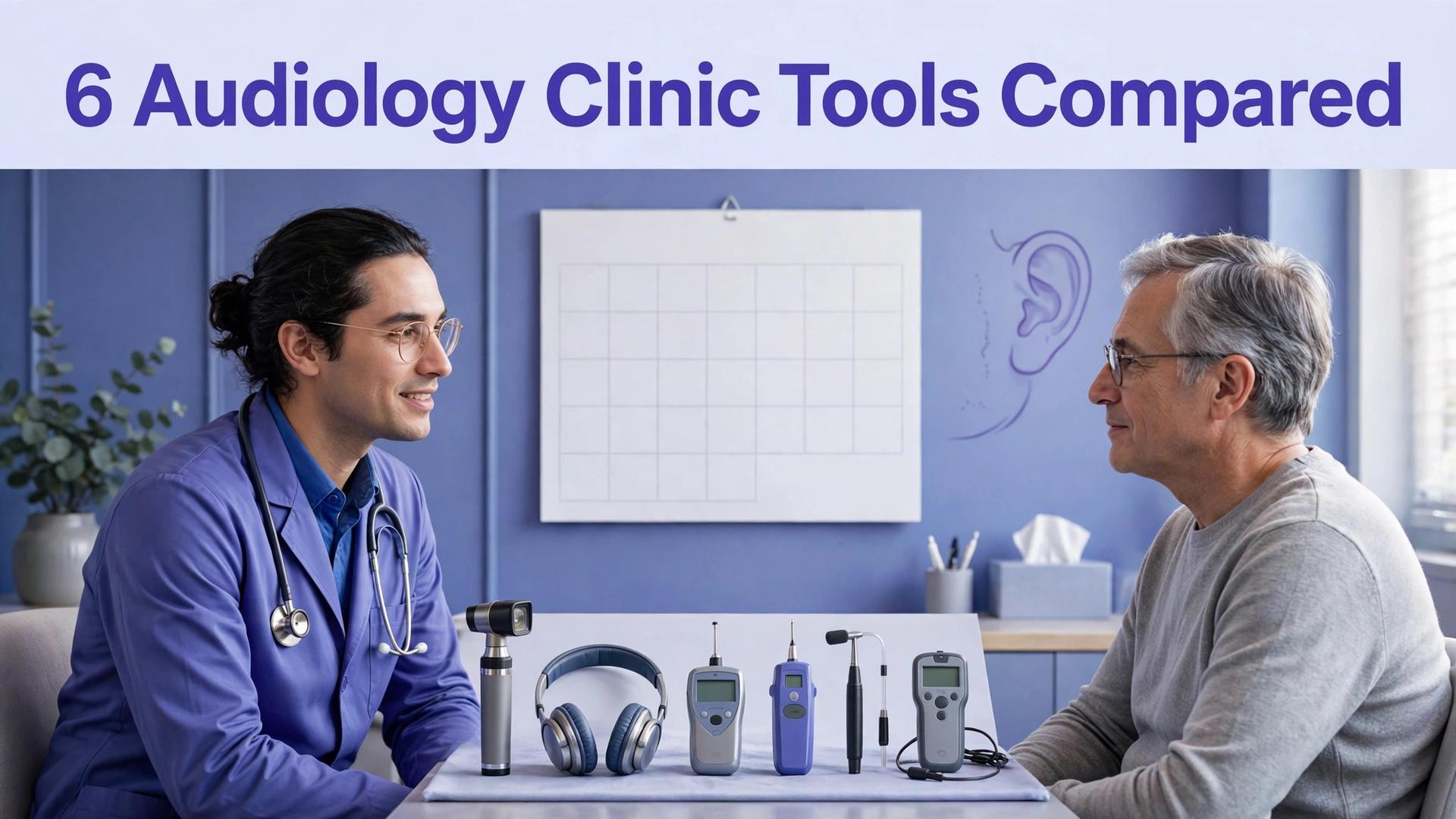
A patient who needs a hearing test will not wait on hold for twenty minutes, and a clinic that misses that call will often lose the patient to a competitor who answers online. That lost call is the simplest argument for investing in the best appointment software for audiology clinics, because the cost of one missed booking often exceeds a month of software subscription. The phone still matters in audiology, because many patients are older and prefer to speak to a person, but the clinic that offers both phone booking and simple online booking will capture the patients that a phone-only clinic misses. That missed-booking problem is where appointment software earns its cost.
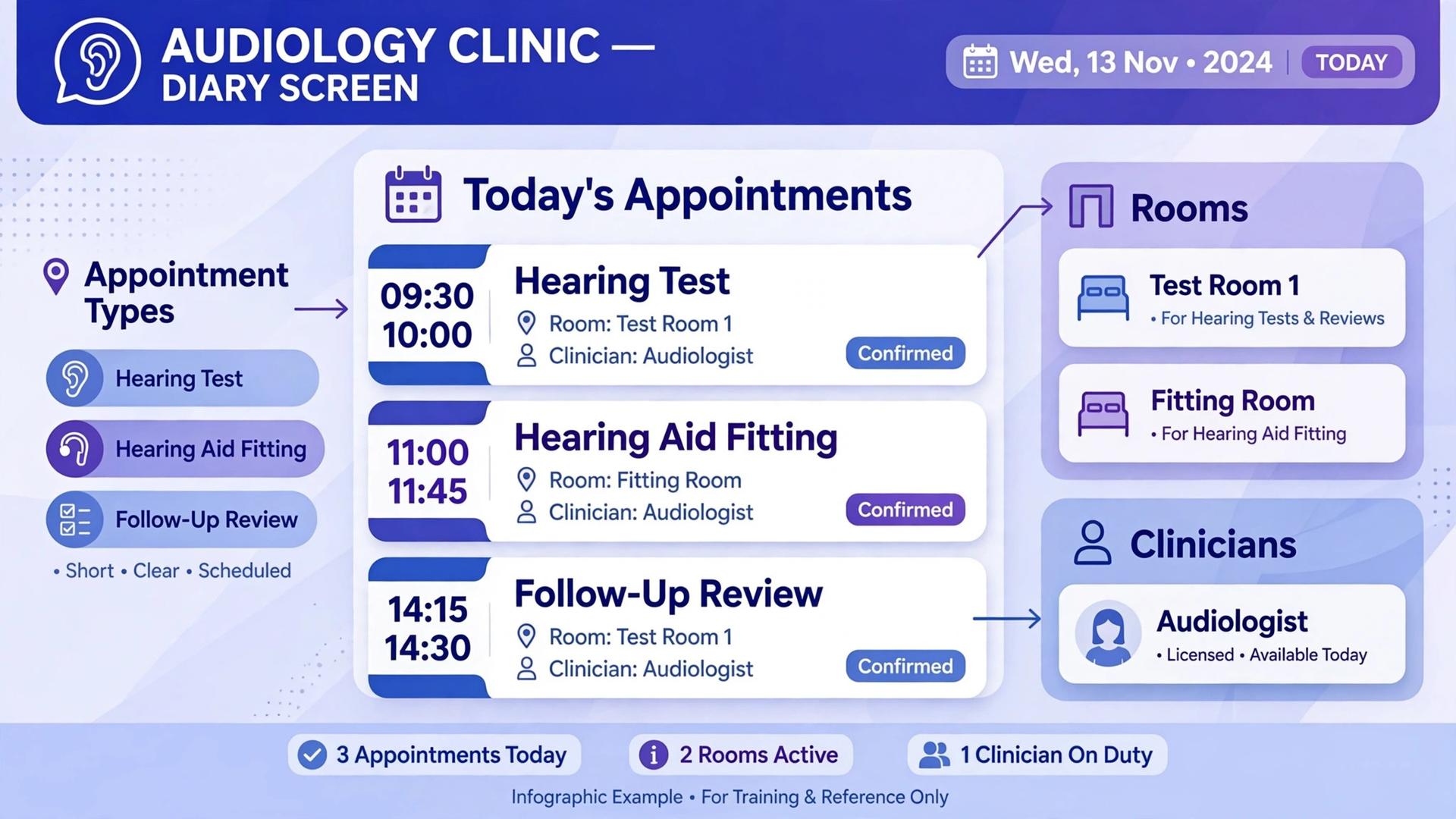
Audiology appointments are not simple time slots. A hearing test, a fitting, a follow-up, and a repair each need a different room, a different length, and sometimes different equipment. A patient may need a longer first appointment, a shorter check, and a recall months later, all tracked against the same record. A generic calendar can book a time, but it cannot easily manage those appointment types, recalls, and multi-site availability together.
This guide compares six tools used by audiology clinics, from audiology-specific practice systems to general appointment platforms that clinics adapt. Prices vary by user count and feature tier, so every price entry here says to check the vendor pricing page. Request a written quote for your real clinician and site count, and confirm whether online booking, reminders, and recall management are included or charged separately.
Why Audiology Booking Breaks a Normal Calendar
A normal calendar shows that a clinician is free at 10 in the morning. It does not show whether the sound booth is free, whether the appointment type fits the room, or whether the patient needs a longer first visit rather than a short follow-up. When those details are managed by memory, double bookings and wrong-length appointments become common, and the clinic day starts to slip before lunch.
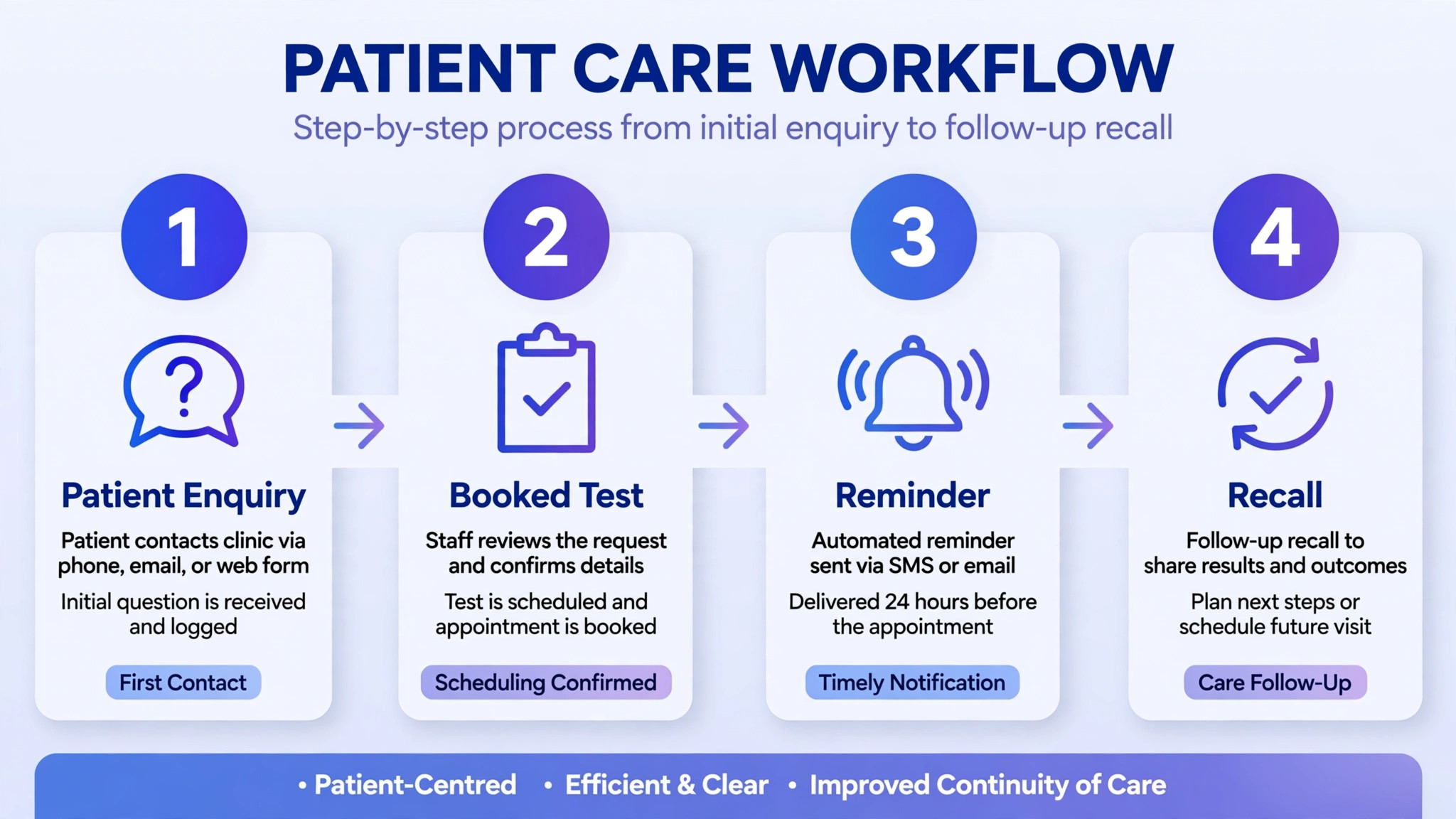
Recall management is the second problem. Hearing care is ongoing, with reviews, checks, and device servicing falling due months after the first visit. A clinic that relies on memory or a spreadsheet to track recalls will lose patients quietly, because a patient who is not reminded will simply not return. A system that tracks recalls and sends reminders automatically will keep the diary full without the front desk chasing dates by hand.
Multi-site working is the third problem. A clinician who works across two or three sites needs one diary that shows availability everywhere, so a patient can be booked at the nearest site without a chain of calls between reception teams. A calendar per site will create gaps and double bookings, while a single multi-site diary will let the clinic fill each site efficiently and give patients a real choice of location.
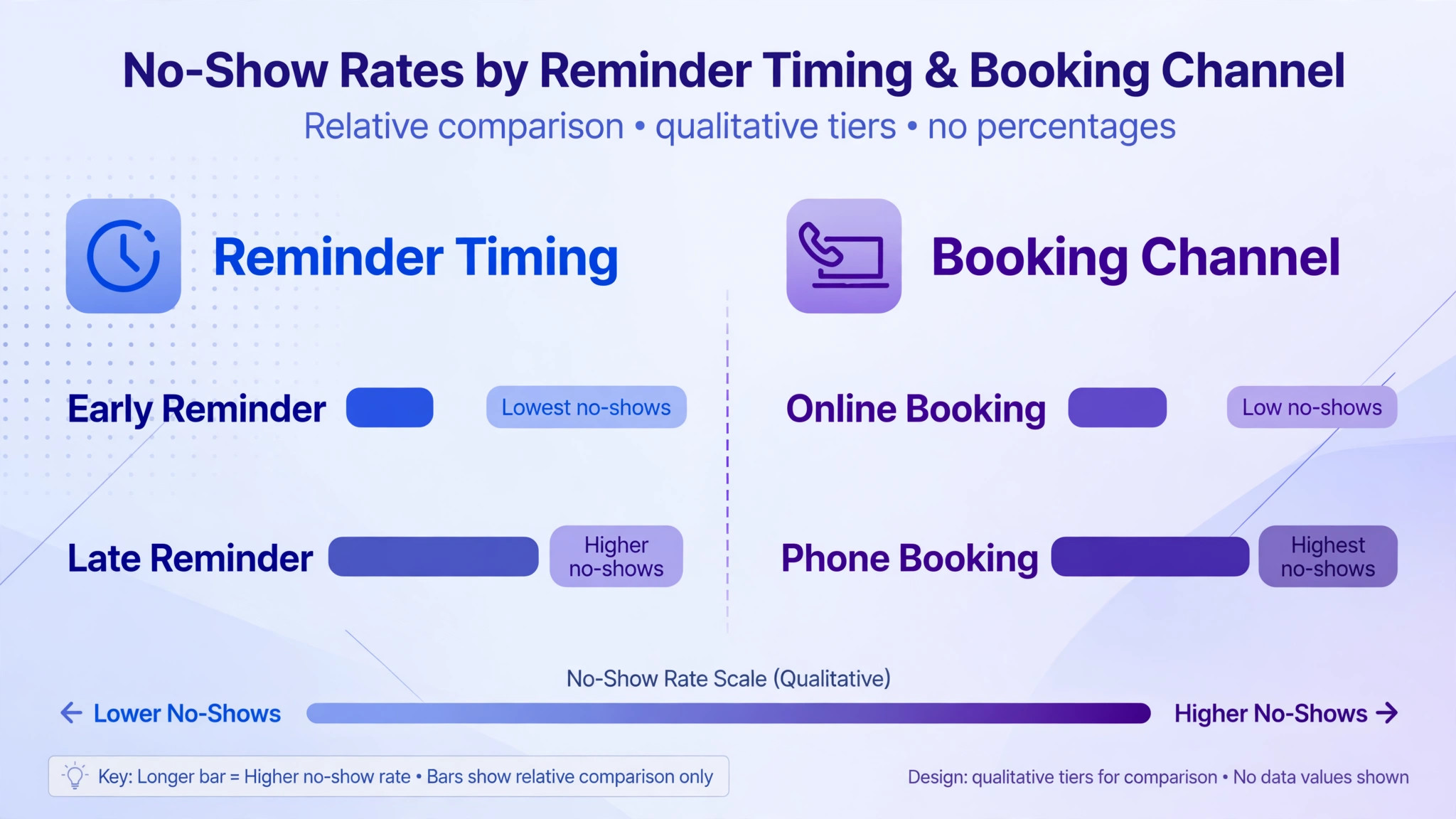
A fourth problem is the no-show. An empty slot in a sound booth cannot be resold at short notice, and a day with several no-shows will hurt revenue far more than a day with a few late bookings. Reminders with a simple reschedule option will recover many of those slots, because a patient who cannot attend will move the appointment instead of vanishing. A clinic that tracks no-show patterns by appointment type and reminder timing can then improve the diary steadily, rather than accepting empty slots as unavoidable.
The 6 Tools at a Glance
| Tool | Starting price | Best for | Audiology depth |
|---|---|---|---|
| Sycle | Check the vendor pricing page | Hearing care practice management | Strong |
| Auditdata | Check the vendor pricing page | Audiology clinics and hearing care | Strong |
| Blueprint OMS | Check the vendor pricing page | Audiology practice management | Strong |
| CounselEar | Check the vendor pricing page | Audiology clinic management | Strong |
| Audigy | Check the vendor pricing page | Audiology practice support | Good |
| Timely | Check the vendor pricing page | Simple appointment booking | Good |
Pricing in this market is often quoted by clinic size, user count, or feature tier, so a comparison of the best appointment software for audiology clinics should start with a written quote for your real clinician and site count. A general booking tool can look cheaper at first, but once recall management, multi-site diaries, and patient messaging are added, the totals can converge quickly.
Best Pick by Job
| Job type | First pick | Why it fits | Watch out for |
|---|---|---|---|
| Solo audiologist | Timely | Simple online booking with reminders | Less audiology-specific depth |
| Small clinic | Sycle | Hearing care scheduling plus patient management | Confirm pricing for your patient volume |
| Multi-site clinic | Auditdata | Multi-site practice management for hearing care | Setup effort across sites |
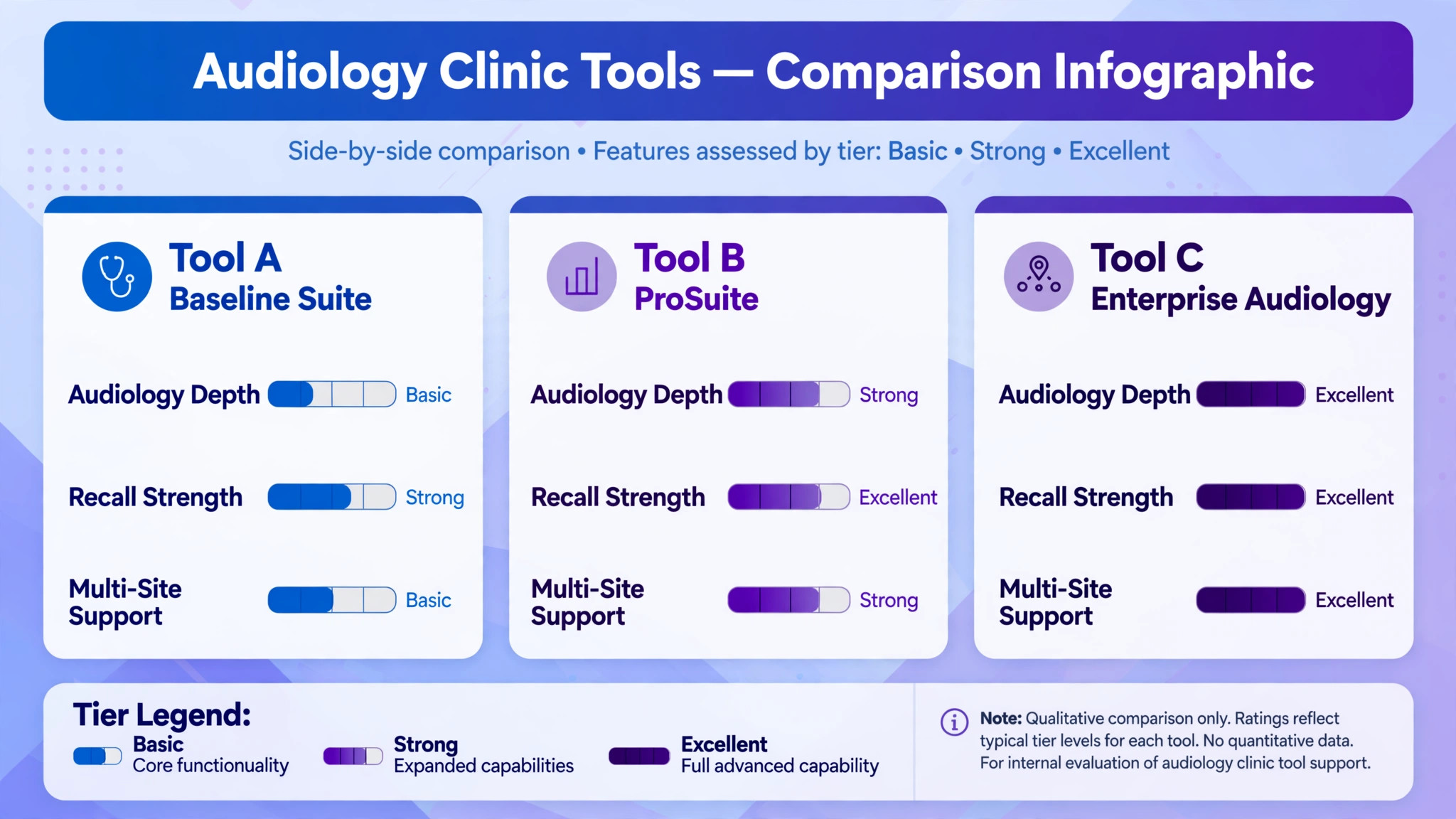
The job type that fills most of your diary should decide the shortlist for the best appointment software for audiology clinics, and the diary test should come before the price test, because a cheap diary that mishandles recalls will cost the clinic far more than it saves. A solo audiologist who buys a large multi-site platform will pay for site management he never uses, while a multi-site clinic that buys a simple booking app will struggle to keep diaries, recalls, and patient records consistent across locations.
Recall Reminder Checklist
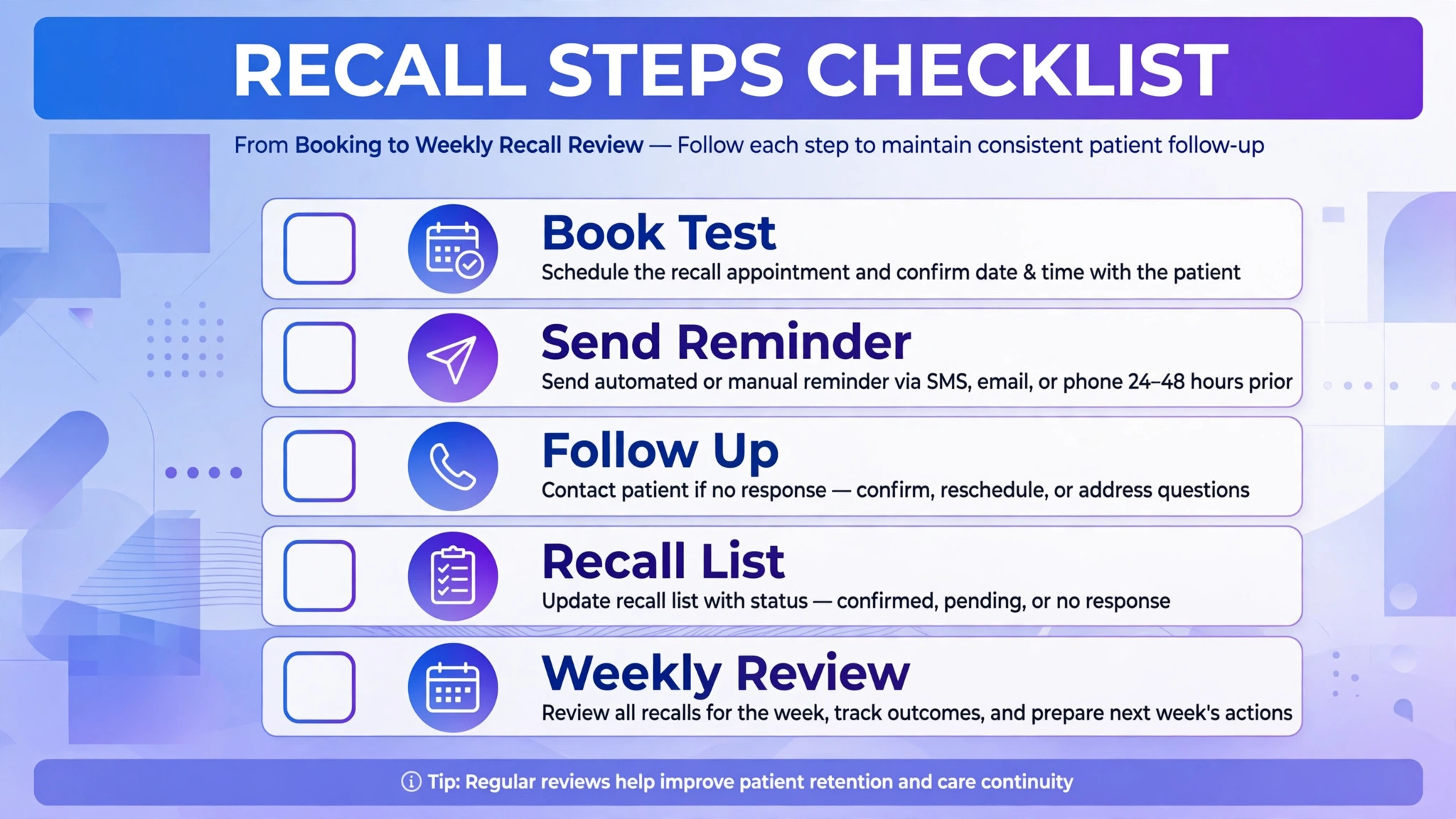
Use this checklist for every patient journey, so recalls, reviews, and follow-ups are handled the same way for every patient.
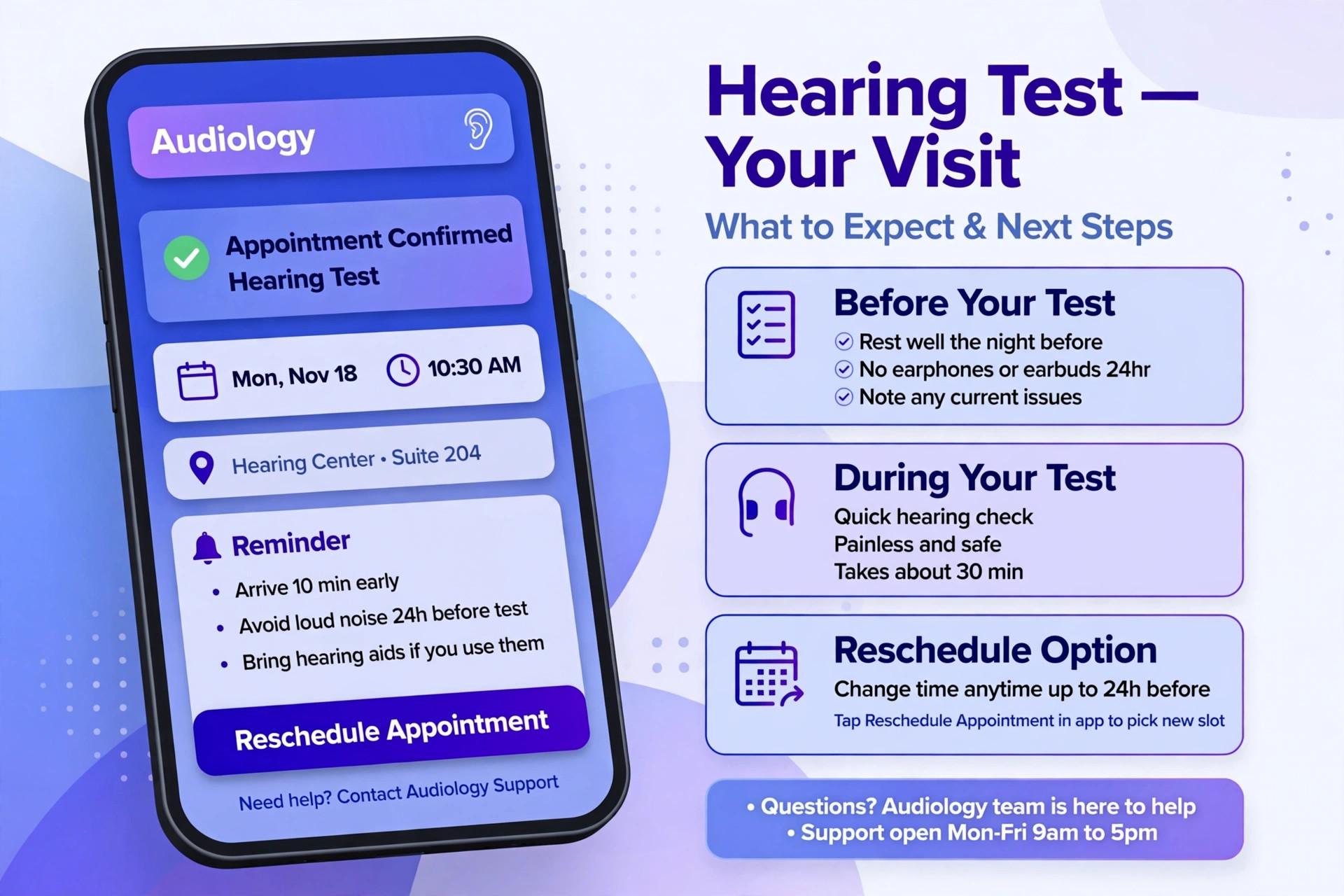
– Confirm the appointment type, length, room, and clinician before booking, so the patient is not booked into a slot that cannot serve their need. – Record the next recall or review date at the end of each appointment, while the clinician and the patient are still together. – Send a confirmation immediately after booking, with the date, time, site, and anything the patient should bring or prepare. – Send a reminder a few days before the appointment, and a second reminder the day before for patients who prefer extra notice. – Offer a simple reschedule option in the reminder, so a patient who cannot attend can move the appointment instead of simply not turning up. – Record the outcome of each appointment the same day, including any follow-up or recall date that was agreed. – Review the recall list weekly, and contact patients whose recall date has passed without a booking, starting with the longest overdue. – Track no-shows and late cancellations, and use that pattern to decide whether reminder timing or booking rules need to change.
Software helps this checklist only if booking, reminders, recalls, and patient records all update from the same diary. If those four live in separate places, the checklist becomes extra admin work on top of an already busy clinic day.
The 6 Tools in Detail
1. Sycle
Sycle is a practice management platform for hearing care professionals, covering scheduling, patient management, invoicing, and reporting. It is built around the way hearing clinics work, with patient records, appointment types, and practice workflows that match audiology rather than general healthcare booking.
The strength is hearing care fit. Scheduling, patient history, and practice reporting sit together, so the front desk can book, recall, and invoice from one record. That fit matters for a small clinic that wants a single system rather than stitching a booking app to a separate patient record. The limit is price transparency. Check the vendor pricing page and request a quote for your clinician count, since the total depends on users and included features.
2. Auditdata
Auditdata is a practice management platform for audiology and hearing care, covering scheduling, patient management, clinical workflows, and reporting across single and multi-site clinics. It suits a clinic that needs consistent diaries, records, and reporting across several locations, with the same patient record available wherever the patient is seen.
The strength is multi-site consistency. A patient booked at one site can be seen at another without a separate record, and recalls, appointments, and history stay in one place. That consistency helps a growing clinic fill diaries efficiently and give patients a real choice of site. The limit is implementation scope. A multi-site rollout needs time for training, template building, and data migration, so allow a realistic go-live window.
3. Blueprint OMS
Blueprint OMS is an office management system for audiology practices, covering scheduling, patient management, billing, and reporting. It is built for audiology clinics that want the full practice cycle in one system, from first booking through to invoicing and recall.
The strength is breadth for an audiology practice. Booking, patient records, billing, and reporting are linked, which reduces retyping and keeps the front desk workflow in one place. The limit is that breadth needs setup. A clinic should test appointment types, recall rules, and billing workflows on real patient journeys in the trial, rather than judging the platform on a demo diary alone.
4. CounselEar
CounselEar is a practice management platform for audiology clinics, covering scheduling, patient records, invoicing, and reporting. It suits a small to mid-sized clinic that wants audiology-specific workflows without running a large enterprise system, and that values a clear patient record across visits.
The strength is clarity for a clinic team. Appointments, patient history, and billing can be managed from one record, which helps the front desk and clinicians stay aligned on the same information. The limit is scale for a very large multi-site group. A larger clinic should test multi-site diaries, reporting, and user management explicitly before choosing it for a group-wide rollout.
5. Audigy
Audigy is a practice support organisation and platform for audiology practices, offering business support, practice management tools, and reporting for member clinics. It suits a clinic that wants not only software, but also business guidance, benchmarking, and operational support alongside its practice systems.
The strength is the combination of tools and support. A clinic can compare its performance, improve its booking and recall processes, and get guidance on practice growth from the same relationship. The limit is fit for a clinic that only wants standalone booking software. A solo audiologist who needs simple scheduling may find the wider membership model heavier than needed, so confirm what is included and what it costs for your clinic size.
6. Timely
Timely is a general appointment booking platform for clinics and service businesses, covering online booking, calendars, reminders, customer records, and payments. It suits a solo audiologist or small clinic that wants simple, professional online booking without a full practice management implementation.
The strength is simplicity and speed. A clinic can offer online booking, send reminders, and manage a diary quickly, and patients can book without calling during office hours. The limit is audiology specificity. Recall management, hearing care records, and multi-site diaries need careful setup on a general platform, so test those workflows on real patient journeys before choosing it for a growing clinic.
What Patients Experience Before They Arrive
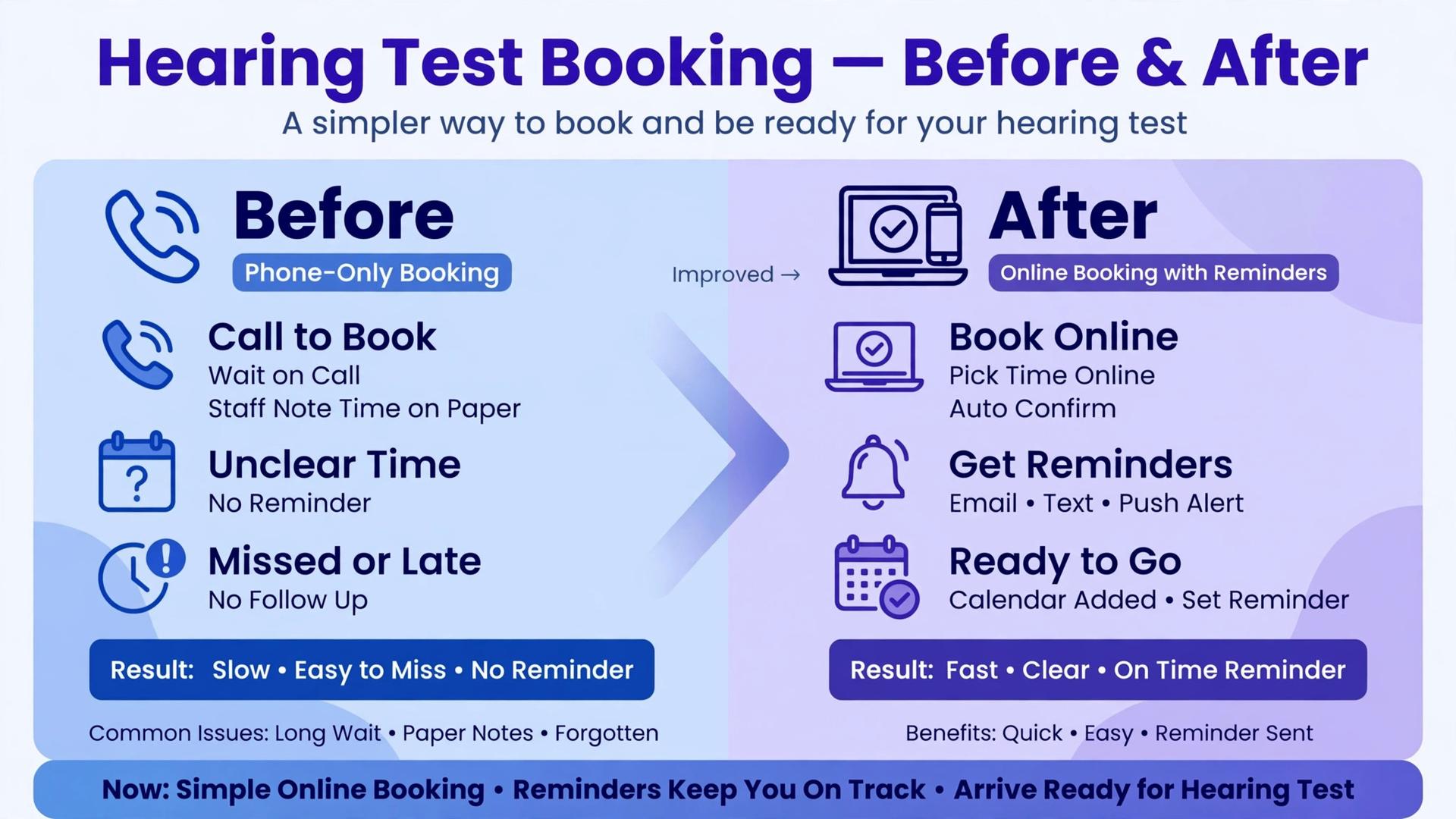
Patients judge a clinic before they arrive, and booking is usually the first judgement. A patient who can book online in two minutes, get a clear confirmation, and receive a helpful reminder will arrive relaxed and on time. A patient who must call repeatedly, wait for a callback, and then receive no confirmation will arrive anxious, or not at all. That first experience shapes trust in a way that clinical skill alone cannot undo.
Accessibility matters more in audiology than in many other clinics, because many patients have hearing loss and may struggle with phone calls. Online booking, clear written confirmations, and text reminders are not conveniences here. They are access tools that let patients manage their own care without relying on a phone conversation they find difficult. A clinic that offers those options will serve its patients better, and will also reduce the front desk load from repeated calls.
A third part of the patient experience is the recall. A patient who receives a timely, friendly recall message will feel looked after, while a patient who hears nothing for a year will feel forgotten. That feeling decides whether the patient returns to the same clinic or tries a competitor. Judged on that full journey, the best appointment software for audiology clinics is the tool that makes booking easy, reminders clear, and recalls reliable, not only the tool with the tidiest calendar.
A fourth part is what happens after the appointment. A patient who leaves with a clear next step, a written summary of what was agreed, and a recall date already booked will feel cared for and will be far more likely to return. A patient who leaves with only a verbal suggestion to come back sometime will need to be chased later, and that chase will feel like marketing rather than care. The difference is small in effort and large in outcome, and it is one more reason to judge booking software on the full patient journey rather than the diary alone.
What Changes When Booking Moves Online
The first change is the evening diary. Patients who search after work can book without waiting for the clinic to open, and the front desk arrives in the morning to a diary that already holds new bookings, rather than a voicemail queue that must be worked through before the first patient arrives. That shift alone can change the mood of the morning, because the team starts the day with patients already booked instead of calls already missed.
The second change is the quality of the booking itself. An online form can collect the appointment reason, the preferred site, and any access needs before the front desk spends time on the phone. That information lets the clinic assign the right appointment length and room on the first booking, rather than discovering a longer first visit requirement after a short slot has been booked. A form that collects too much, however, will deter bookings, so the balance between useful detail and booking friction deserves testing with real patients.
The third change is follow-up. A patient who books online but does not complete the booking, or who views availability without booking, leaves a trace the clinic can follow up. A phone enquiry that ends without a booking often leaves no trace at all. That follow-up list is valuable, but only if the front desk actually works it. A booking tool that creates a follow-up queue nobody checks will not increase conversions, no matter how good the booking page looks.
The fourth change is staff time. When booking, confirmation, and reminders happen automatically, the front desk can spend its hours on patients who need help, on recall calls that need a human voice, and on the clinic day itself, rather than on repeating the same booking conversation all day. That reallocation is often the largest saving from appointment software, larger than the saving from fewer no-shows alone, because it frees skilled reception staff for work that actually needs a person. Over a month, those recovered hours will show up as a calmer front desk, a fuller diary, and patients who feel better looked after from the first contact to the final recall.
How Recall Work Fills the Diary Months Ahead
A clinic diary that only holds next week bookings is always one quiet month away from trouble, while a clinic diary that holds recalls months ahead can plan staffing, room use, and marketing around real demand. Recall work is therefore diary work, not admin work, and it deserves the same attention as new bookings. When recalls are booked at the end of each appointment, the future diary builds itself visit by visit, without a separate campaign to win patients back.
That future diary also helps with patient care continuity. A patient who returns to the same clinic, with the same record and the same clinician where possible, will receive more consistent care than a patient who drifts between clinics. A recall system that keeps that continuity will therefore serve both the business and the patient, because a returning patient is easier to help than a new patient whose history must be rebuilt from scratch.
The weekly recall review is the habit that makes this work. Each week, someone senior should open the overdue list, decide who needs a call, who needs a message, and who needs a different approach, and then work that list to completion. Judged on that habit, the best appointment software for audiology clinics is the tool that makes the recall list visible, actionable, and hard to ignore, because a recall list that nobody reviews is no better than no recall list at all.
How to Choose the Best Appointment Software for Audiology Clinics
Start with a real week of appointments, not a demo diary. Take a week that includes a first hearing test, a fitting, a follow-up, a repair, and a recall review, across two rooms if you have them. Enter that week in the trial and check whether appointment lengths, rooms, and clinicians stay correct, and whether the diary stays clear when a patient reschedules.
Next, test the patient journey from first contact to attended appointment. Can a patient book online, receive a confirmation, receive a reminder, reschedule easily, and arrive with the clinic already knowing their appointment type and history. Count the front desk touches required. A system that still needs a phone call for every booking has not solved the access problem, even if the diary looks good.
Then price the full stack for the best appointment software for audiology clinics in your clinic. Add reminder costs, payment fees, extra users, and any recall or portal features to the subscription, and model the total at your current clinician count and at the next count up. A tool that is cheap for one clinician and expensive for four will punish growth.
Common Mistakes When Buying Audiology Appointment Software
One mistake is buying a calendar and calling it a clinic system. A calendar shows times. A clinic system manages appointment types, rooms, recalls, patient records, and reminders together, and it keeps those details consistent when a patient reschedules. Test the reschedule, not only the first booking.
Another mistake is ignoring the phone. Many audiology patients still prefer to call, and a booking system that cannot handle phone bookings in the same diary will create double bookings. Both channels must feed one diary, so a phone booking and an online booking can never collide.
A third mistake is forgetting recalls. A clinic that books well but recalls badly will have a full diary this month and a quiet diary in six months. Make recall management a scored part of the trial, and check the weekly recall list as a manager would, not only as a clinician would.
A fourth mistake is skipping reminder testing. Reminders that arrive too early are forgotten, reminders that arrive too late cannot prevent a no-show, and reminders without a reschedule option will not save a patient who cannot attend. Test timing, message content, and rescheduling on real patients before launch.
A fifth mistake is buying for one site and ignoring the next. A clinic planning a second site should choose a system that already handles multi-site diaries, even if only one site is live today. Migrating diaries and patient records later is far more painful than choosing a scalable system now.
A sixth mistake is launching without training the whole team. A booking system that only the front desk understands will fail when the front desk is away, because clinicians will improvise with paper diaries and the central record will drift. Train every clinician and receptionist on booking, rescheduling, and recall handling before go-live, and keep a short written guide at each desk for the first month, so the new system becomes the daily habit for the whole clinic rather than the exception used only by a few people on quiet days.
Frequently Asked Questions
What should an audiology clinic look for in appointment software?
Look for appointment types with correct lengths and rooms, online and phone booking in one diary, automated reminders with rescheduling, recall management, patient records, and multi-site support where relevant. The reschedule and recall tests matter most, so run both on real patient journeys in the trial before judging any other feature.
Can patients book hearing tests online by themselves?
Yes, on most platforms in this guide. Patients can view available times, choose an appointment type, book online, and receive confirmations and reminders. The test is whether online booking also handles appointment length, room, and clinician correctly, rather than merely reserving a time slot that the front desk must then fix by hand.
How do recall reminders work for audiology patients?
Recalls are set at the end of an appointment, with a future review or check date recorded against the patient. The system then sends reminders as that date approaches, and the front desk reviews overdue recalls weekly. That routine keeps patients returning for reviews and servicing, and it keeps the diary full without manual date chasing.
Is a general booking app enough for a solo audiologist?
A general booking app can work well for a solo audiologist with simple appointment types and a modest recall list, especially if setup is fast and the price fits. The risk grows with appointment complexity and recall volume. Test recall management and appointment types explicitly, and check whether patient records stay clear across repeat visits.
How long does it take to switch appointment software?
A solo audiologist can switch in one to two weeks if appointment types, patient records, and recall dates are prepared in advance. A small clinic should allow three to four weeks, including staff training and parallel running on live bookings. A multi-site clinic should allow six to eight weeks, including data migration, diary checks across sites, and recall list verification.
Should a clinic offer both phone and online booking?
Yes, for most audiology clinics. Online booking captures patients who search and book outside office hours, and it helps patients who find phone calls difficult. Phone booking serves patients who need advice before booking, or who prefer to speak to a person. Both channels must feed the same diary, so neither can double book the other.
Does appointment software reduce no-shows?
Yes, when reminders are timed well and include a simple reschedule option. A patient who receives a clear reminder with the date, time, site, and a way to move the appointment is far more likely to attend or reschedule than a patient who receives nothing. Track no-show rates before and after launch, and adjust reminder timing based on that pattern rather than habit.
A Trial That Tests Booking, Reminders, and Recalls Together
Do not choose from a demo diary. Run a two week trial on your two finalists, using real appointment types and real patients. In week one, test booking, confirmations, and reminders on live appointments. In week two, test rescheduling, a no-show follow-up, and a recall review for a patient whose review date has arrived.
The tool that keeps the diary clear, the patients informed, and the recall list honest through both weeks is the right choice for your clinic. Price matters, but a cheap tool that loses recalls will cost more in lost patients than a hearing care platform that keeps the diary full. Choose the system that makes booking easier for patients, easier for the front desk, and easier to sustain as the clinic grows year after year, without adding front desk burden.
A final check before you sign is support on a busy clinic day. Ask how quickly support answers, what happens if the diary goes offline, and how patient data can be exported if you ever move. Those answers matter more on a bad day than any extra reporting chart, and they separate a tool that supports the clinic from a tool that only looks organised in a quiet week. When the trial ends, the answer should be obvious from the recall list alone, because the right tool will show fewer loose ends and more booked follow-up work than the tool it replaces.
More Reading on Stratilyze
– Best Booking Software for Music Schools – Best Booking Software for Escape Rooms – Best Booking Software for Boat Rentals – Best Membership Software for Dance Studios – Best Membership Software for Gyms