
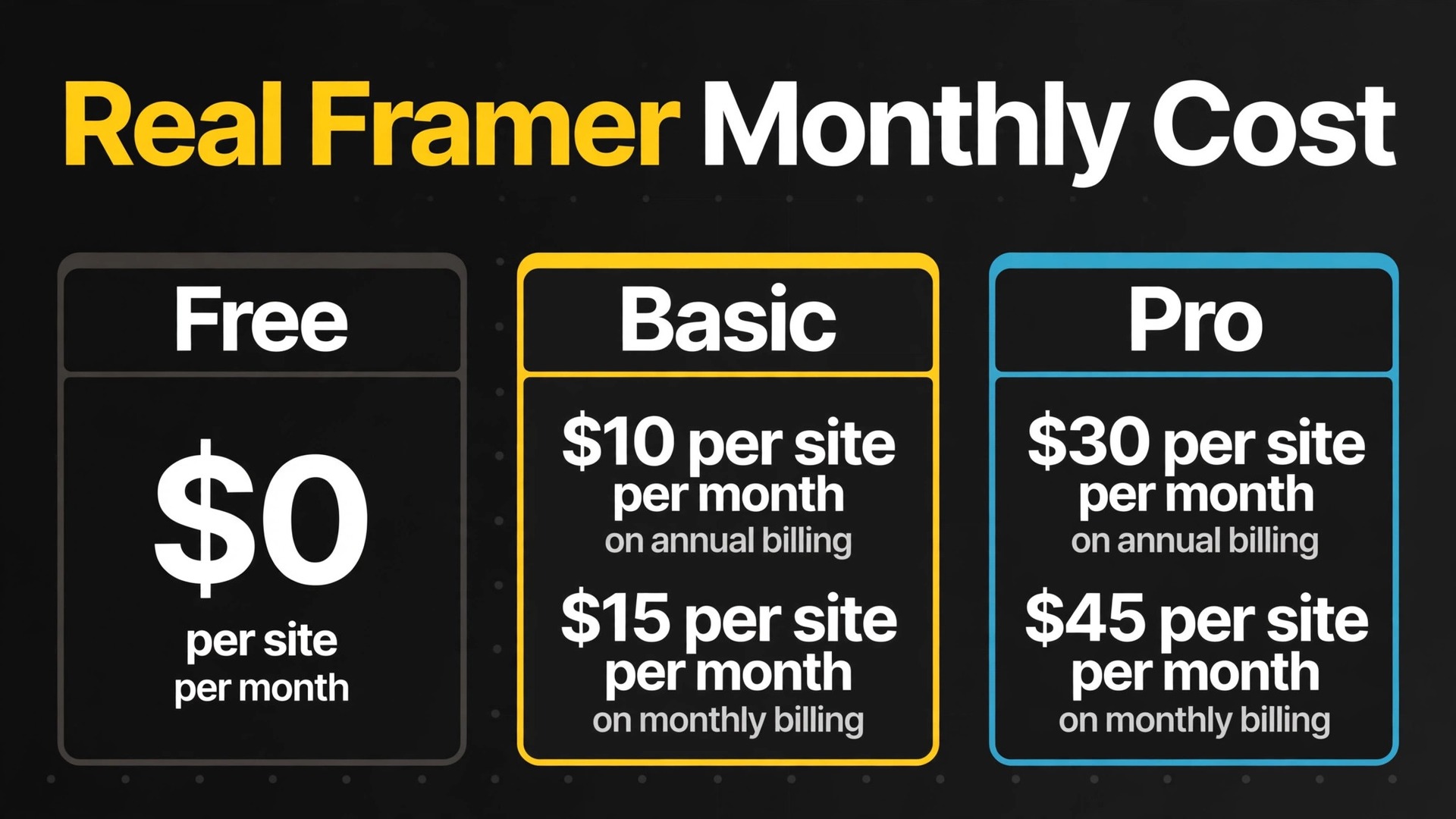
Compare Framer with a per seat tool and the first surprise is that the team size barely moves the headline price. A website builder that charges per site, not per account, breaks the usual budgeting habit, and the cost of Framer for small business monthly is decided less by headcount than by how many sites the business runs, how many people edit them, and how much traffic and content those sites carry. A business with one site and two editors can pay less than a solo owner with five sites, which is the opposite of how most software bills.
Framer is a visual website builder that lets designers, founders and marketing teams ship fast, animated, production-ready websites without writing code. It suits a small business that wants a modern marketing site, a landing page system or a content-led site with strong design control, and that does not want to manage hosting, security updates or a plugin stack. Teams that need native online selling should weigh that fit before pricing anything, since Framer does not offer native ecommerce and selling online requires a workaround.
This guide works through the published plans, the per-site model that drives the bill, the real monthly totals for teams of 2, 5, 10 and 25, the editor and add-on costs that sit outside the plan price, and the situations where each plan earns its fee. Prices below come from Framer pricing summaries checked in October 2026 that repeat the vendor figures, in United States dollars. Framer simplified its plans during 2026, dropping older Mini and Scale tiers, so treat every figure here as a starting point and check the vendor pricing page before you sign.
One Site, One Plan, and Why That Changes Everything
Framer prices are per site, which means every website published on its own custom domain needs its own plan and billing cycle. One Pro site costs $30 a month on annual billing. Five Pro sites cost $150 a month. There is no account-level fee beyond the individual site plans and any additional editor seats, so the business with a main site, a campaign microsite and a careers site pays three times, even if the same two people edit all three. Count sites first, seats second, because sites are the larger meter for most small businesses.
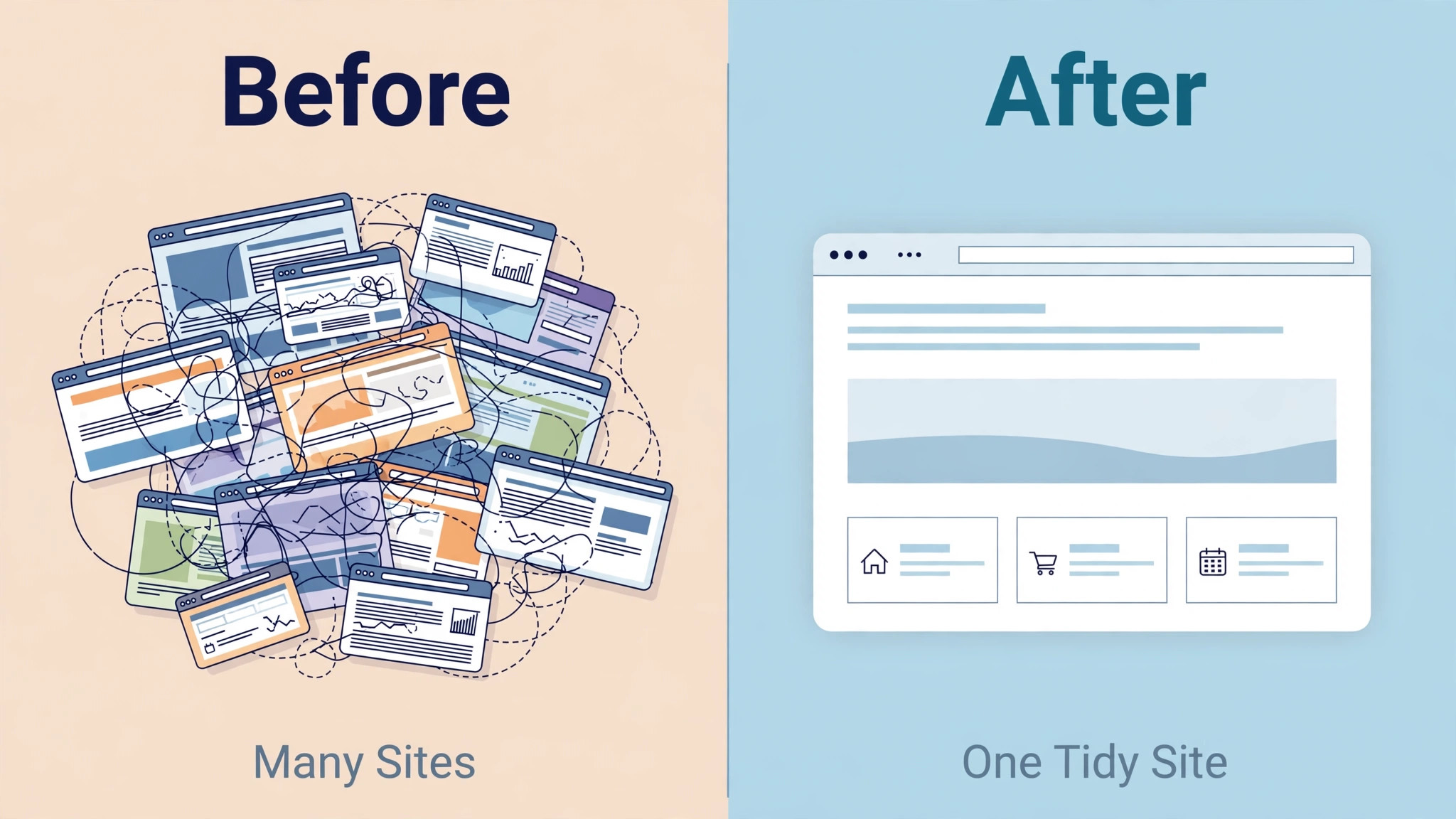
That per-site logic also changes how a redesign should be planned. A business that spins up a separate site for every campaign will watch the bill multiply with each launch, while a business that builds campaign pages inside one site pays once. Before launching a second site, ask whether the content could live as pages or collections inside the existing site, since that choice alone can save $30 a month on Pro, every month, for years.
Bandwidth and content limits work the same way, per site. Basic allows 30 pages, 2 CMS collections and 50 GB of bandwidth per month, while Pro allows 150 pages, 10 CMS collections and 100 GB of bandwidth, with paid add-ons stretching Pro to 700 pages, 40 collections and 2 TB of bandwidth.
That per-site metering is why the cost of Framer for small business monthly cannot be copied from a per-seat budget. A site that outgrows Basic on pages or bandwidth does not pay a small top up fee. It moves to Pro, which triples the plan price, or buys capacity add-ons. Model pages, collections and traffic for the site the business will have in twelve months, not only for the site it launches with.
AI credits are the exception to the per-site rule, since they are shared across the whole workspace. Basic includes 1,000 AI credits per month and Pro includes 3,000. A team that generates heavily with AI should track credit use across all sites together, since one hungry site can drain the shared pool.
All Framer Plans, Priced and Explained
Framer sells four plans in 2026, and the steps between them are wide enough that each plan has a clear buyer. Free suits exploration and non-commercial projects. Basic suits portfolios and simple business sites. Pro suits businesses, startups and content-led sites. Enterprise is quote-only for organisations that need single sign-on, custom hosting, an uptime guarantee and unlimited editors.
| Plan | Annual billing | Monthly billing | Pages | CMS collections | Bandwidth | What unlocks |
|---|---|---|---|---|---|---|
| Free | $0 | $0 | 1,000 in published summaries | 10 | 1 GB | Framer subdomain, Made in Framer banner, non-commercial use |
| Basic | $10 per site per month | $15 per site per month | 30 | 2 | 50 GB | Custom domain, 1,000 AI credits per month |
| Pro | $30 per site per month | $45 per site per month | 150 | 10 | 100 GB | Staging, redirects, 3,000 AI credits, access to the A and B testing add-on |
| Enterprise | Custom pricing | Custom pricing | Custom | Custom | Custom | Single sign-on, custom hosting, uptime guarantee, unlimited editors |
Free is best understood as a design playground, not as a business website. It publishes on a Framer subdomain with a Made in Framer banner, and Framer describes it as for non-commercial use, so a business that wants its own domain must move to a paid plan. The free plan is still useful for testing the editor and proving the design direction before paying.
Basic is the cheapest way to launch a live business site on a custom domain, at $10 a month on annual billing. It suits a portfolio or a simple brochure site, since 30 pages and 2 collections cover a small site comfortably. A business that plans a blog, a case study library and a help centre will outgrow Basic on collections alone. Price Basic against the content model, not only against the page count.
Pro is where Framer starts to behave like a business website platform, with 150 pages, 10 collections, staging, redirects and access to A and B testing. For a content-led marketing site, that combination is the difference between a brochure and a working channel, since staging lets the team test changes before they go live and redirects protect rankings when pages move. Enterprise then adds controls for compliance or hosting requirements beyond a small team, and its custom price should be quoted against those requirements.
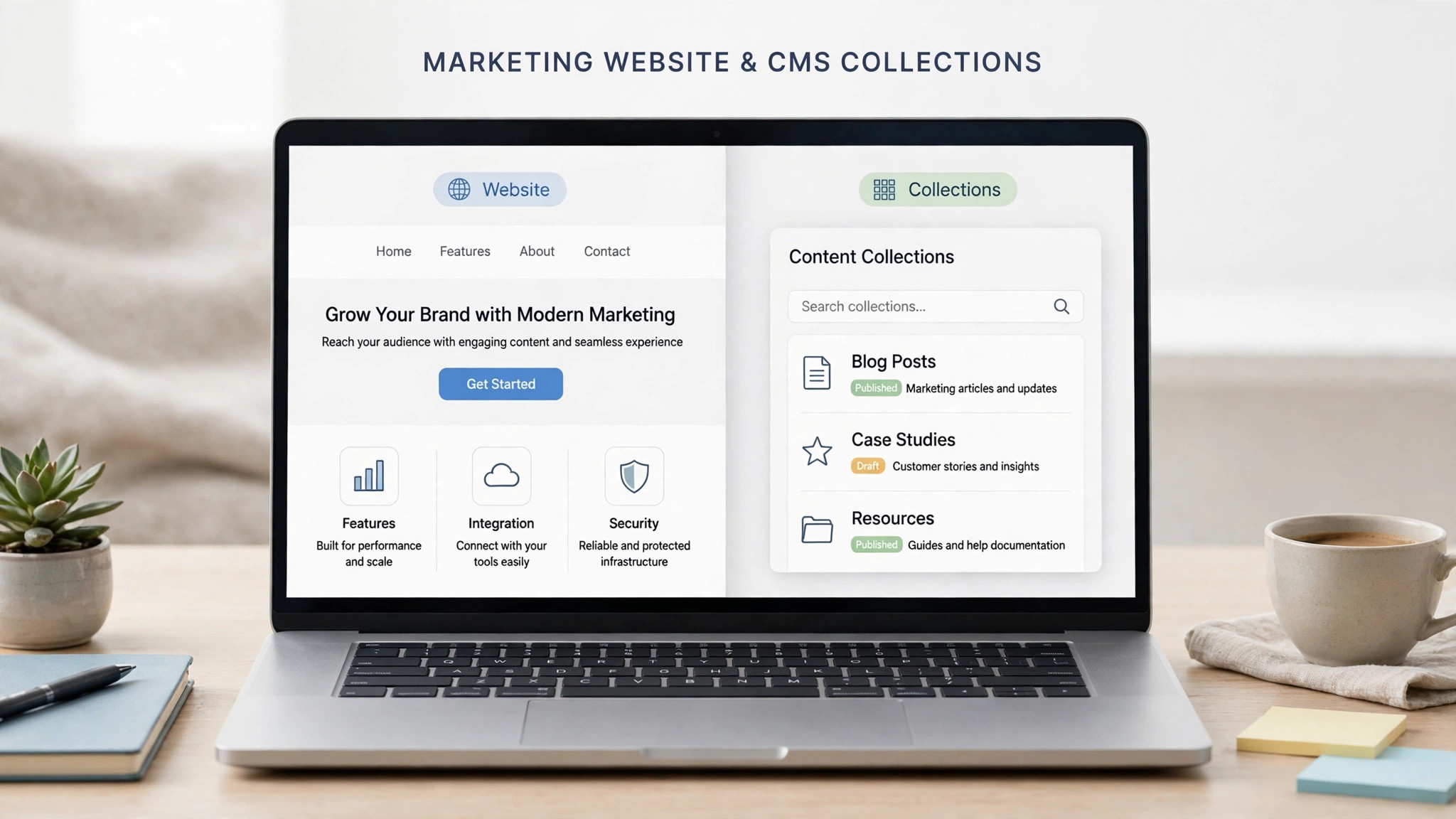
The Cost of Framer for Small Business Monthly by Team Size
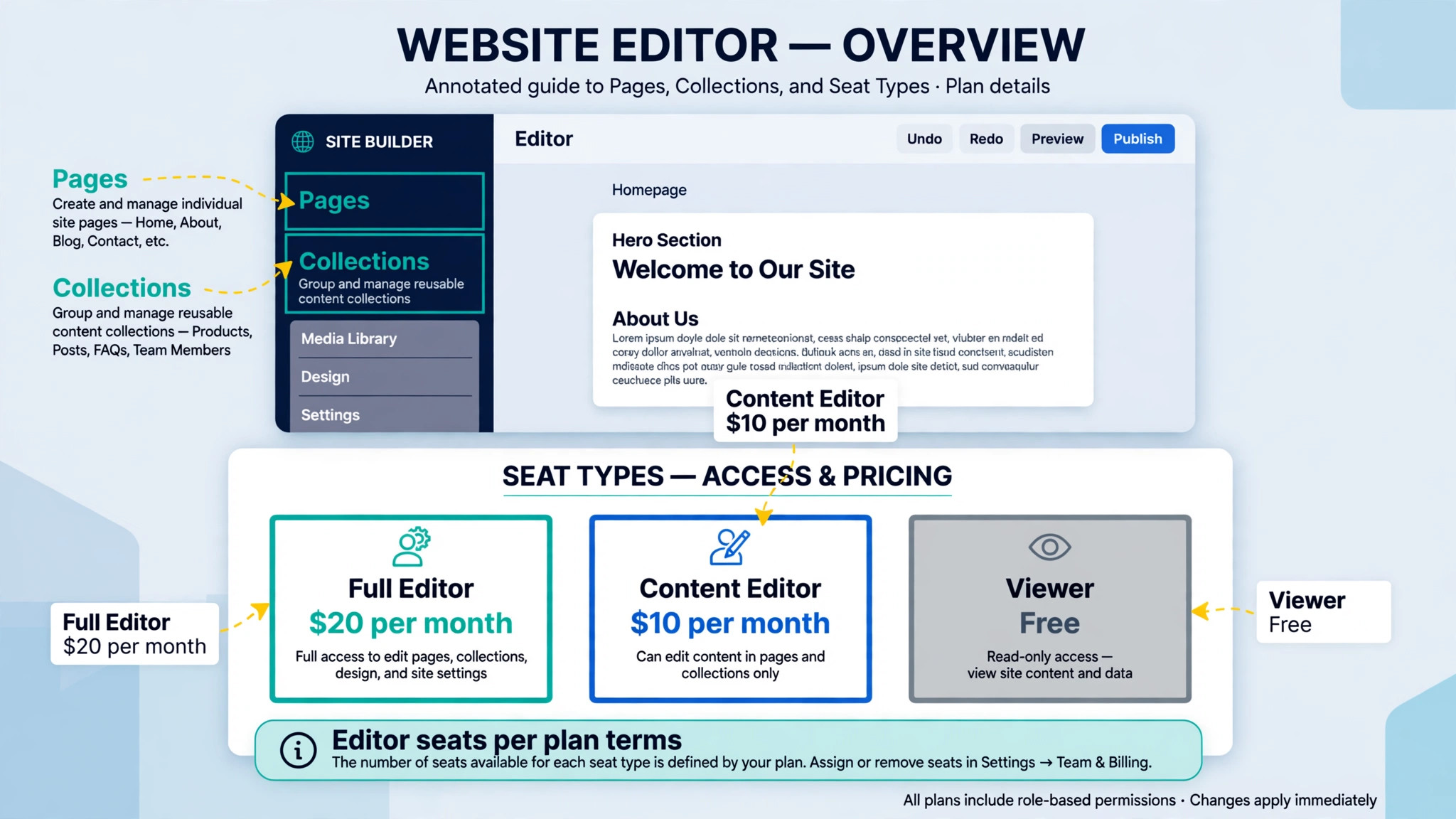
The table below models one Pro or Basic site with paid editor seats, since the site owner seat sits inside the plan price and additional editors cost $20 a month each in published summaries. Content-only editors cost $10 a month each, and viewers are free, so a business should not buy a full editor seat for everyone who only reviews a site. Annual billing means paying for a full year in advance, so the monthly figure looks lower but the cash leaves the business sooner. Monthly billing costs more per site but keeps the commitment short.
| Team size | Basic annual | Basic monthly | Pro annual | Pro monthly | Pro annual plus A and B testing in that month |
|---|---|---|---|---|---|
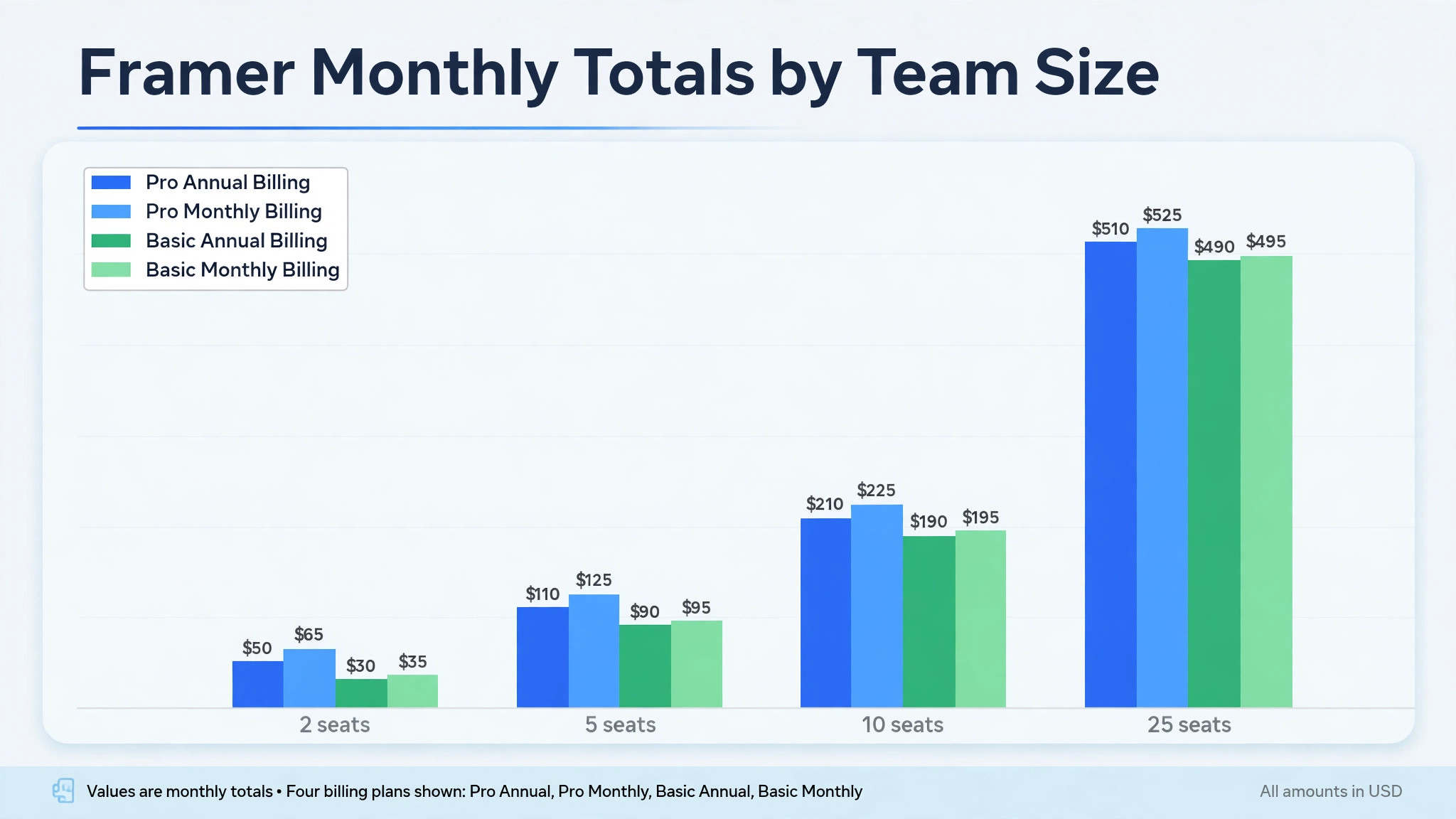
| 2 seats | $30 | $35 | $50 | $65 | $100 |
| 5 seats | $90 | $95 | $110 | $125 | $160 |
| 10 seats | $190 | $195 | $210 | $225 | $260 |
| 25 seats | $490 | $495 | $510 | $525 | $560 |
A two person team on Pro pays $50 a month billed annually, made up of the $30 site plan plus one $20 editor seat. The same team on monthly billing pays $65, a gap of $15 a month, so a new team loses little by starting monthly and proving the fit first. At 10 seats the Pro annual total hits $210 a month, and at 25 seats it hits $510 a month, with editor seats now larger than the site plan itself. That crossover is the key insight for larger teams, since beyond a handful of editors, the seat bill matters more than the plan price.
The Basic column shows why editor discipline matters as much as plan choice. A team of ten on Basic billed annually pays $190 a month, against $210 on Pro, a gap of only $20 a month, because $180 of each total is editor seats that do not change with the plan. A team that buys Basic to save money, then gives ten people full editor seats, has saved almost nothing. Make reviewers viewers for free, give writers the $10 content seat where it fits, and reserve full $20 editor seats for designers. That seat mix matters more than the plan choice for any team above five people.
The A and B testing column shows the largest single add-on in the table. Testing costs $50 per 500,000 events on Pro only, so a Pro site with two seats that runs a testing month pays $100 a month billed annually, double the $50 without testing. A business that tests continuously should budget it as a recurring line. A business that tests one campaign a quarter should budget it only for those months, and turn testing off between campaigns.
A One Site Example, Worked Out in Full
Take a five person business with one marketing site, a blog and a case study library, where two people design and publish, two people write content, and one stakeholder reviews. On Basic billed annually with the wrong seat mix, the team pays $10 for the site plus $80 for four editor seats, a total of $90 a month, and hits the 2 collection limit at once, since a blog and a case library already need two collections before any other content type.
On Pro billed annually with a smart seat mix, the team pays $30 for the site, $20 for one extra full editor, and $20 for two content-only editors at $10 each, a total of $70 a month, with 10 collections to grow into.
The honest comparison is therefore not $10 against $30, but $90 for a cramped Basic setup against $70 for a roomy Pro setup, and the value question reverses once seats and collections are counted. That reversal is the reason to price Framer as a team and content model, not as a plan price, and to get the seat mix right before comparing plans. A business that prices plans alone will choose Basic, hit the collection limit, upgrade to Pro, and pay for the editor seats twice over in wasted months.
Monthly billing changes the same example in a way that matters for cash flow. The smart Pro setup rises from $70 a month billed annually to $85 a month on monthly billing, since only the $30 site plan rises to $45 while editor seats stay flat in this model. Over a year, monthly billing on the site plan alone costs $180 more than annual billing. That difference buys flexibility during the early months, when the site direction is still unproven, but it should be a deliberate choice rather than an accident of signing up on the monthly option and forgetting to switch. Prove the site first, then take the annual saving.
The example also shows why a second site deserves a hard question. Adding a campaign microsite on Pro billed annually adds another $30 a month, plus any editor seats that site needs, lifting the smart Pro setup from $70 to $100 a month before any new editor is counted. A business that launches four microsites a year can add $120 a month in site plans alone, which is more than the original site cost. Build campaign pages inside the main site wherever possible, and reserve a second site plan for content that genuinely needs its own domain, brand or structure.
The site plan is only the first line of the bill, and the cost of Framer for small business monthly is often decided by the lines underneath it. Small businesses get caught out less by the headline plan than by the extras that arrive as the site grows. Work through the checklist below before you sign, and put a figure beside each line for your own site count and team size.
– Additional editors at $20 a month each, which grow with headcount and overtake the site plan itself on larger teams. Audit editor seats every quarter and convert reviewers to free viewers. – Content-only editors at $10 a month each, which suit writers who update text and images without touching design. Use them wherever the role fits, since they halve the seat cost. – Extra pages, CMS items, collections and bandwidth beyond plan limits, where Pro can stretch to 700 pages, 40 collections, 40,000 items and 2 TB in published summaries, at additional cost. Model content growth for twelve months before choosing a plan. – A and B testing at $50 per 500,000 events on Pro only, which should be budgeted for testing months and switched off between campaigns. – Extra translation locales at $20 each in published summaries, which matter for businesses that publish in several languages. Count locales before budgeting, since they can exceed the Basic plan price on their own. – A custom domain, where annual billing includes a complimentary domain in published summaries, but renewal and privacy terms should still be confirmed. – Design and development help, where a business may pay a designer or agency for templates, custom code or migration, even though the plan itself needs no developer. – Migration work, including rebuilding pages, moving content into collections, setting redirects and checking search rankings. This work is usually staff or agency time rather than a vendor fee, but it is still a cost. – Annual prepayment, which lowers the monthly figure but takes the full year payment at once, and can strain a small business in a quiet month.
Migration deserves a paragraph of its own, because it is where small businesses lose the most time. A site grown for years on another builder usually contains pages, images and forms that do not map cleanly onto Framer collections, and redirects must be set for every old URL that earned search traffic. Moving without a redirect map can lose rankings that took years to build. Audit pages and collections before moving, agree on the content model, set redirects in staging, and launch only after the new site has been checked page by page.
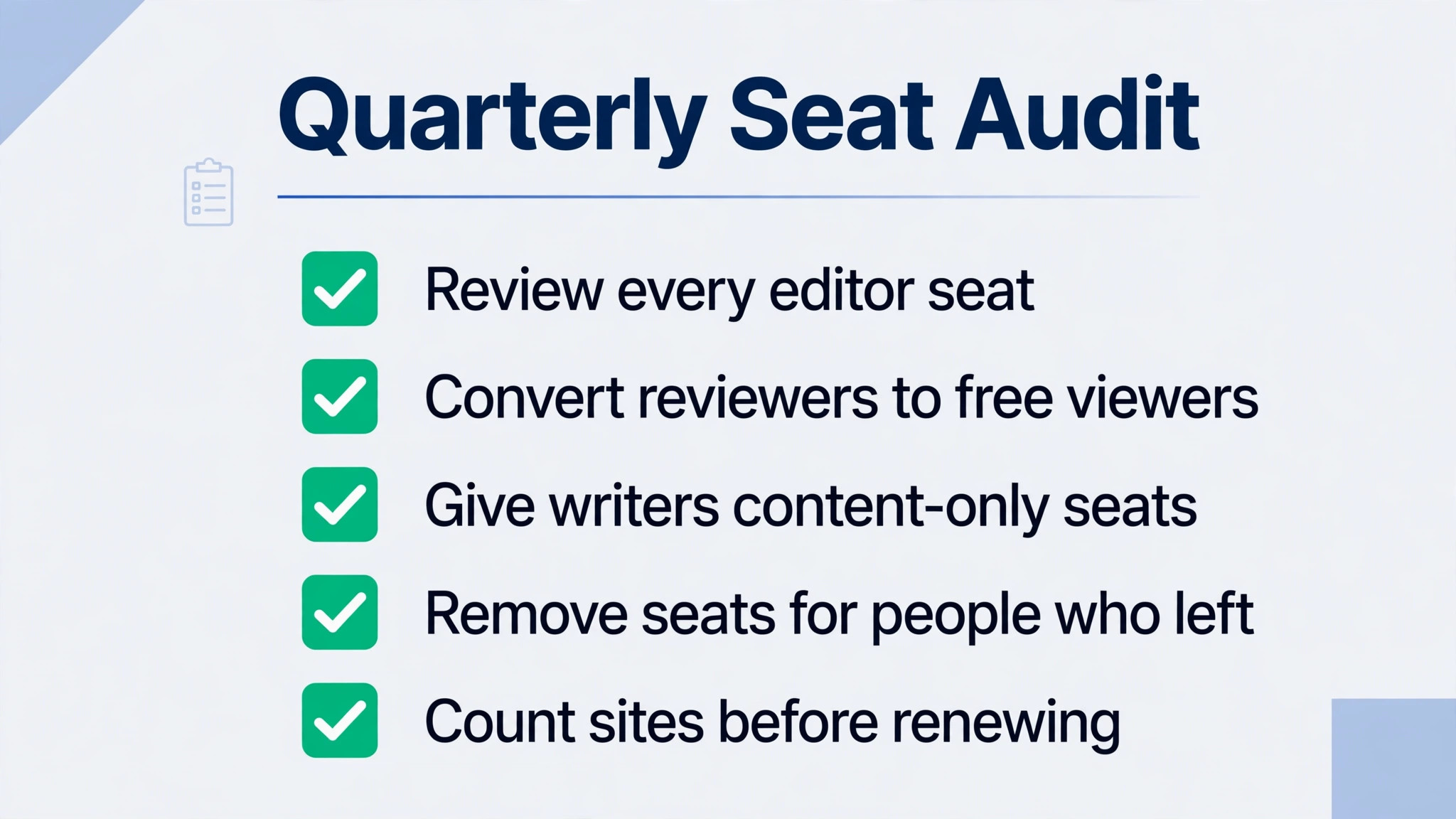
The editor seat trap works quietly too. A business that gives every manager, writer and stakeholder a full editor seat will watch the seat bill overtake the site plan, while most of those people only ever review or fix a typo. The fix is not a cheaper plan but a seat audit, converting reviewers to free viewers and writers to content-only seats, which can halve the seat bill without changing the site at all. Check the seat list every quarter, and remove seats for people who left, changed roles or stopped editing, since a forgotten editor seat is a monthly charge with no work behind it.
What the Monthly Fee Actually Buys
The fee buys a website that looks designed rather than templated, with hosting, performance and publishing handled inside one tool, and that design quality is the core of the product. A small business can ship animated, responsive pages, a CMS-driven blog and landing pages without managing servers or plugins. For a business whose website is its shop window, that polish saves time many times a month, and those savings add up to more than any single headline feature. Teams that need native selling or complex web applications will get less from the same fee, which is why the fit question should be settled first.
Design control turns a marketing idea into a live page fast, with visual editing, components and animations. The CMS turns content into pages at scale, so a blog post or case study can publish from a structured entry rather than from a hand built page. Staging and redirects on Pro turn publishing into a safe process, since changes can be tested before they go live. Framer strength is that it offers this with a design standard that cheaper builders rarely match.
The fee also buys limits and guardrails that are easy to overlook. Page counts, collection counts, bandwidth and AI credits all rise with the plan, and each one can become the reason a business upgrades later. A business that plans a large blog, many landing pages or high traffic needs to check those specific limits against the plan table, not against a general feeling that a higher plan must include everything. The cheapest way to buy Framer is to match the plan to the content model and traffic the site will actually carry, and to ignore the rest of the feature list until those numbers are clear.
Support and administration are part of the purchase too. Higher plans bring more support depth, and all plans bring the usual admin work of managing editors, collections, redirects and domains. A small business should name one person as the site owner, even if that person also sells, because a website with no owner drifts. Pages go stale, redirects break, and collections fill with drafts nobody publishes. The owner does not need to be technical, but the role needs to exist.
When It Is Worth It and When It Is Not
Framer is worth the fee when a small business wants a modern marketing site, will publish content regularly, and values design quality enough to pay per site for it. In that situation, the cost of Framer for small business monthly buys back design and development time that would otherwise go to agencies or developers. The test is simple. If the website wins customers, carries the brand and publishes new content every week, Framer fits the working week instead of fighting it. Pro is usually the plan that passes that test, because it is the first plan with the collections, staging and redirects a content-led site needs.
Framer is a weaker buy when the business needs native online selling, when the site is a simple brochure that rarely changes, or when many separate sites are needed. A brochure site that changes twice a year may do fine with a cheaper builder or a single Basic plan, and a business that needs a store should compare ecommerce builders before buying a design-led tool. Framer is also a weak buy when nobody will own the site, because content, collections and redirects need tending, and an untended site becomes a beautiful brochure that slowly goes out of date.
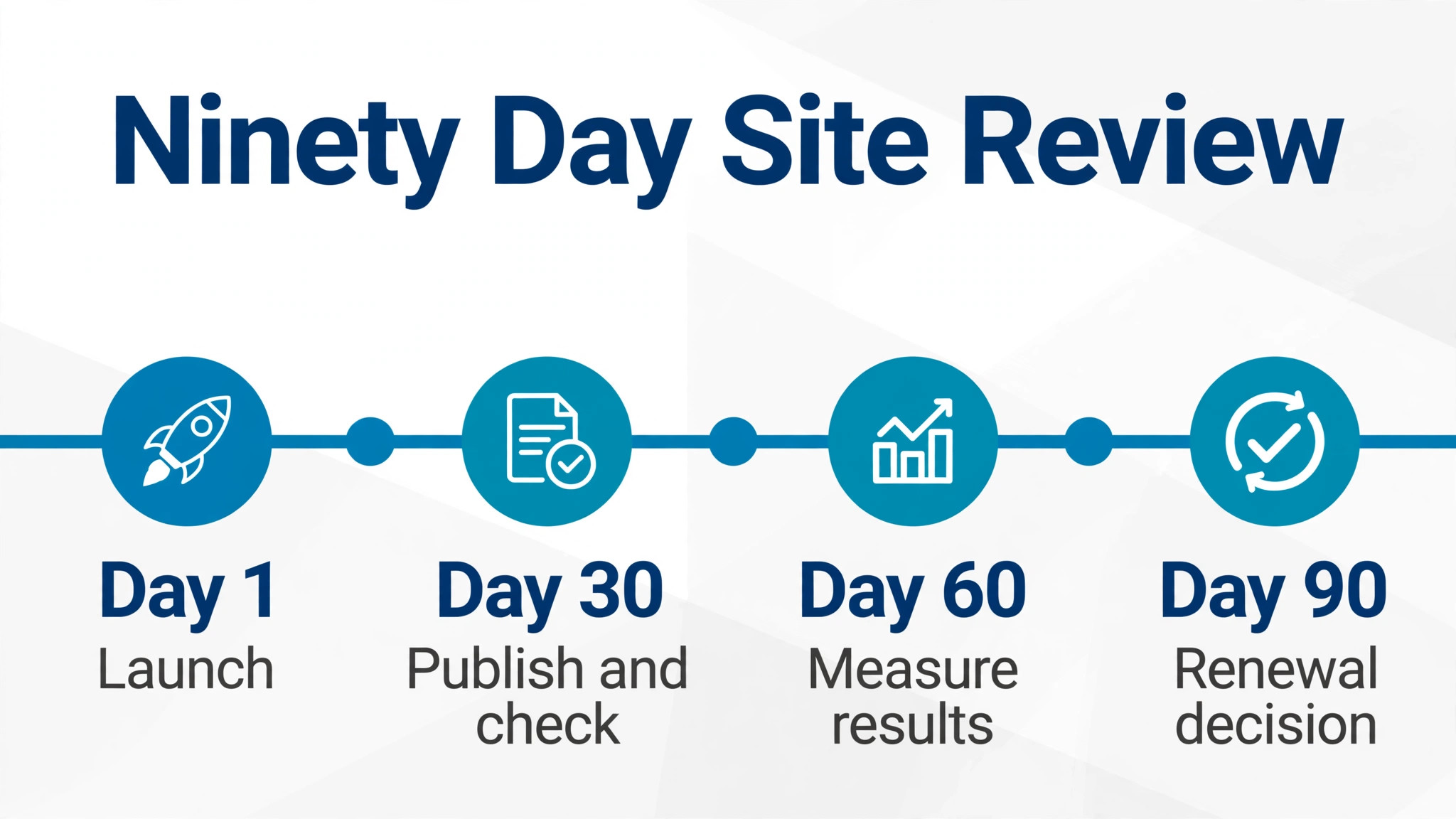
Team size changes the answer as well. A two person team can often justify Pro, because the bill is small and the site quality alone may win work. A team of 25 on Pro billed annually pays $510 a month in the model above, which needs to earn its keep in leads and sales. At that size, set a clear target before signing, such as leads per month or conversion rate, and check progress after ninety days. If the target is not moving, the plan or the channel is wrong, and changing early is cheaper than paying for another year.
How to Keep the Bill Down
Start on the lowest plan that contains the content model you will actually publish in the first month, not the plan you hope to grow into. Many businesses buy Pro for collections they plan to build later, then pay for months while the collections stay empty. A better path is to run Basic until the content model proves the need, then upgrade when a specific limit appears and can be named. Upgrades take effect quickly, while downgrades after an annual payment do not refund the unused months, so the safe direction is to start low and climb.
The cost of Framer for small business monthly also falls when seat discipline and site discipline are taken seriously together. Audit editor seats every quarter, convert reviewers to free viewers, and give writers content-only seats where they fit. Build campaign pages inside the main site instead of launching a new site plan for every campaign, and check page, collection and bandwidth use every quarter against the plan limits. Annual billing is the other large saving, worth about a third of the monthly billing total on the site plan, but only take it after a monthly period has proved the site direction, because the saving disappears if the business abandons the site.
Other savings come from preparation rather than negotiation. Model collections before building, so the site starts on the right plan. Set redirects in staging before launch, so search traffic survives the move. Use the free plan with real pages and real content, and judge the trial by whether the team can publish without help. Finally, check each year whether the plan still matches usage.
– Audit editor seats every quarter and convert reviewers to free viewers. – Give writers content-only seats at $10 a month where the role fits. – Build campaign pages inside the main site instead of launching new site plans. – Start on Basic only when the content model fits 2 collections with headroom. – Take annual billing only after a monthly period has proved the site direction. – Name one site owner, so pages, collections and redirects stay current. – Re-check the plan each year against real usage, not against the plan made at signup.
Frequently Asked Questions
What does Framer cost each month for a team of five?
A team of five on Pro, modelled as one site plus four editor seats, pays $110 a month billed annually or $125 a month billed monthly, and that team total is the number to put in a budget. With a smart seat mix, using content-only seats for writers, the same team can pay $70 a month billed annually on Pro. On Basic, the same five seats cost $90 a month billed annually with full editor seats, but with only 2 collections. Add any A and B testing or locale costs to reach the true monthly total, and check the vendor pricing page before signing, since prices can change.
Is annual billing worth it for a small business?
Annual billing is worth it once the site direction has proved itself, because it cuts the site plan price by about a third, from $15 to $10 a month on Basic and from $45 to $30 a month on Pro. It is not worth it during the first trial period, because the saving is lost if the business abandons the site and the unused months are not refunded. A sensible path is to pay monthly for one to three months, confirm that the team can publish and the site wins work, and then switch to annual billing for the saving. Mark the renewal date at signup, so the decision to continue is deliberate.
Why does Framer charge per site instead of per seat?
Framer charges per site because each site carries its own hosting, domain, pages, collections and bandwidth, so the cost follows the published property rather than the payroll. That property-first logic is the core of the cost of Framer for small business monthly. That model favours a business with one strong site and many viewers, and it penalises a business with many small sites, since each site needs its own plan. The practical defence is to build campaign pages inside the main site wherever possible, and to reserve a second site plan for content that genuinely needs its own domain or brand.
What happens when a site passes its page or bandwidth limit?
Passing a limit does not usually add a small fee for extra pages, but instead forces a move to Pro or to paid capacity add-ons, which can multiply the site cost. Pro can stretch to 700 pages, 40 collections, 40,000 items and 2 TB of bandwidth in published summaries, at additional cost. The practical defence is to model pages, collections and traffic for twelve months before choosing a plan, and to leave headroom of at least a third. A site that is close to a limit at launch should budget for the next step from the start.
Does Framer offer a free plan?
Yes, Framer offers a free plan that publishes on a Framer subdomain with a Made in Framer banner, described as for non-commercial use. It is a genuine way to test the editor and prove the design direction with real pages, and it suits a business that is still deciding whether Framer earns its place. A business that wants its own domain and a professional face must move to a paid plan, since custom domains sit on Basic and above.
Can a business downgrade after paying annually?
Downgrades are possible in principle, but annual payments are generally not refunded for unused months, so a business that downgrades mid year may not see the saving until the next billing cycle. That is why starting low matters more than starting high. Monthly billing keeps downgrades simple, at the cost of a higher site plan price, while annual billing rewards certainty with a lower price. Check the current terms at signup and get the renewal and downgrade rules in writing if the contract value is large.
What should a business check before signing up?
Check five things in order. First, count sites honestly, including campaign microsites. Second, count editors, content editors and viewers separately, and price each seat type. Third, model pages, collections and traffic for twelve months, and test those limits in the trial. Fourth, get the total bill in writing, including add-ons and the billing period. Fifth, name a site owner and set a ninety day review against a clear target, such as leads per month or pages published. A business that checks those five points will rarely be surprised by the bill.
Verdict
For a small business that wants a modern marketing site and will publish content regularly, Pro is the sensible default, and the cost of Framer for small business monthly at that plan is fair for what it returns in design quality and publishing speed. Start on monthly billing, prove the site direction with real pages, then move to annual billing for the saving, and keep editor seats and site count tight. Basic suits a simple brochure site, while Enterprise serves organisations with hosting and compliance needs beyond a small team.
Framer is not the cheapest website builder on the market, and it does not try to be. Its value comes from design quality and publishing speed on a per-site model, so businesses that need many sites or native selling should look elsewhere. Price the whole team, price every site, and re-check the plan every year. Done that way, Framer is a predictable cost for a small business, and done carelessly, it is an easy way to pay for editor seats nobody needed.
More Reading on Stratilyze
– Best Website Builder for Wedding Photographers – Cost of Grammarly for Small Business Monthly – Cost of Zapier for Small Business Monthly – Cost of Copper for Small Business Monthly – Cost of Keap for Small Business Monthly