
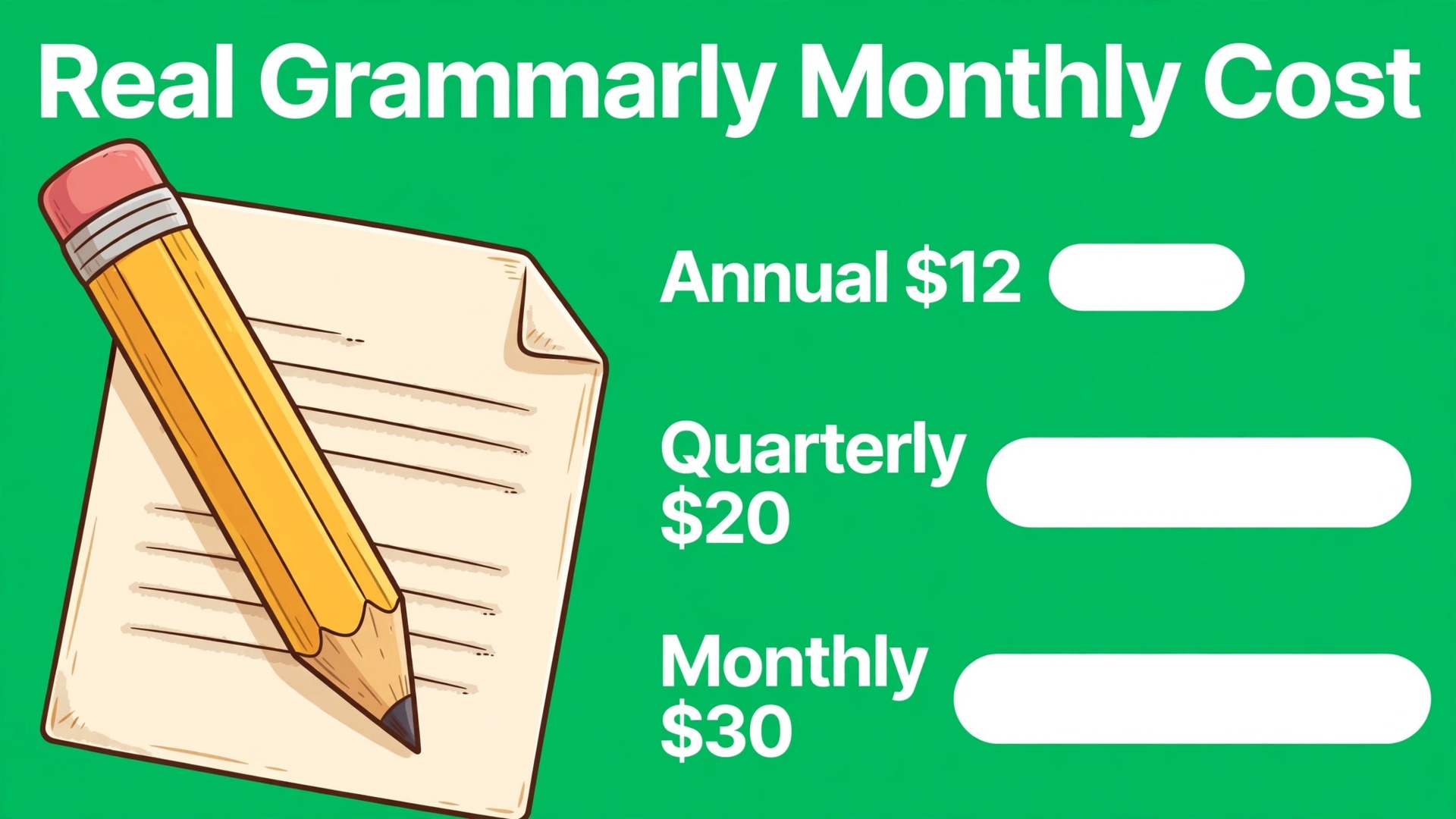
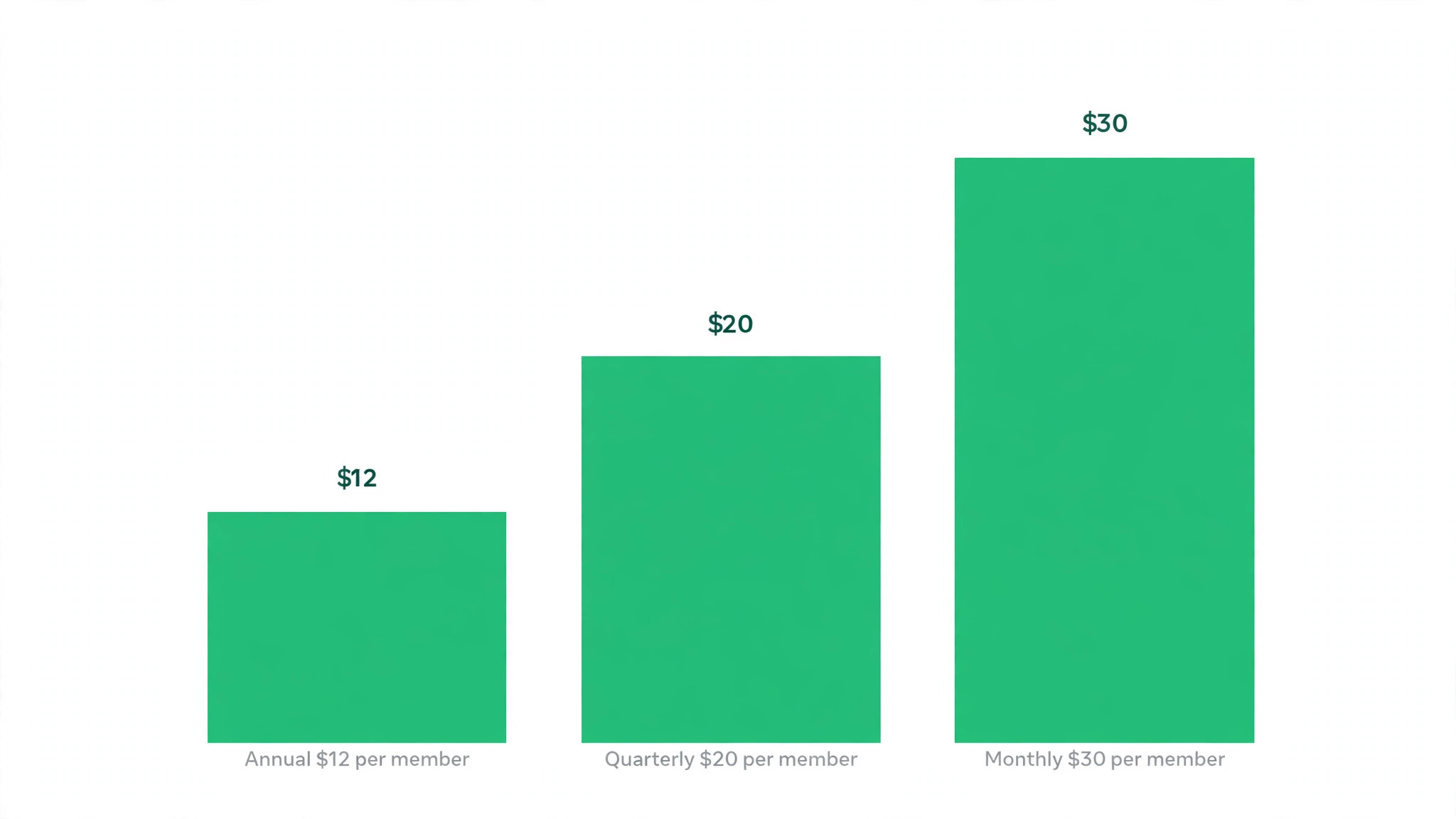
Two teams can buy the same writing help and pay very different amounts, because one team pays $12 a member a month on annual billing while the other pays $30 a member a month on monthly billing for the identical Pro plan. The product does not change between those prices, only the billing period does, and that gap is larger than any feature difference in the range. This guide compares the cost of Grammarly for small business monthly across billing periods and tiers, so a small business can buy the writing help it needs without paying the monthly billing premium by accident.
Grammarly is a writing assistant that checks grammar, clarity, tone and plagiarism, and suggests rewrites across email, documents and the browser. For a small business, its value sits in client facing writing, such as proposals, emails, web pages and social posts, where errors cost credibility. The price model is per member per month, which makes team size the main lever on the bill.
The tier names changed, and that change matters for anyone reading older guides. Grammarly previously sold Premium for individuals and Business for teams, with Business at $15 a member a month on annual billing and a three seat minimum. The current plans page, checked in October 2026, sells Free, Pro and Enterprise, with Pro covering both individuals and teams, and no separate Business card. This guide uses the current tiers and flags the old Business figures so readers are not misled.
Grammarly parent company renamed itself Superhuman in October 2025, and Enterprise is now sold through Superhuman Go. That corporate change does not change the Pro price, but it does affect where Enterprise buyers go for a quote and support. A firm that needs Enterprise controls should expect a sales conversation through that route, rather than a self serve checkout.
How to budget cost of Grammarly for small business monthly
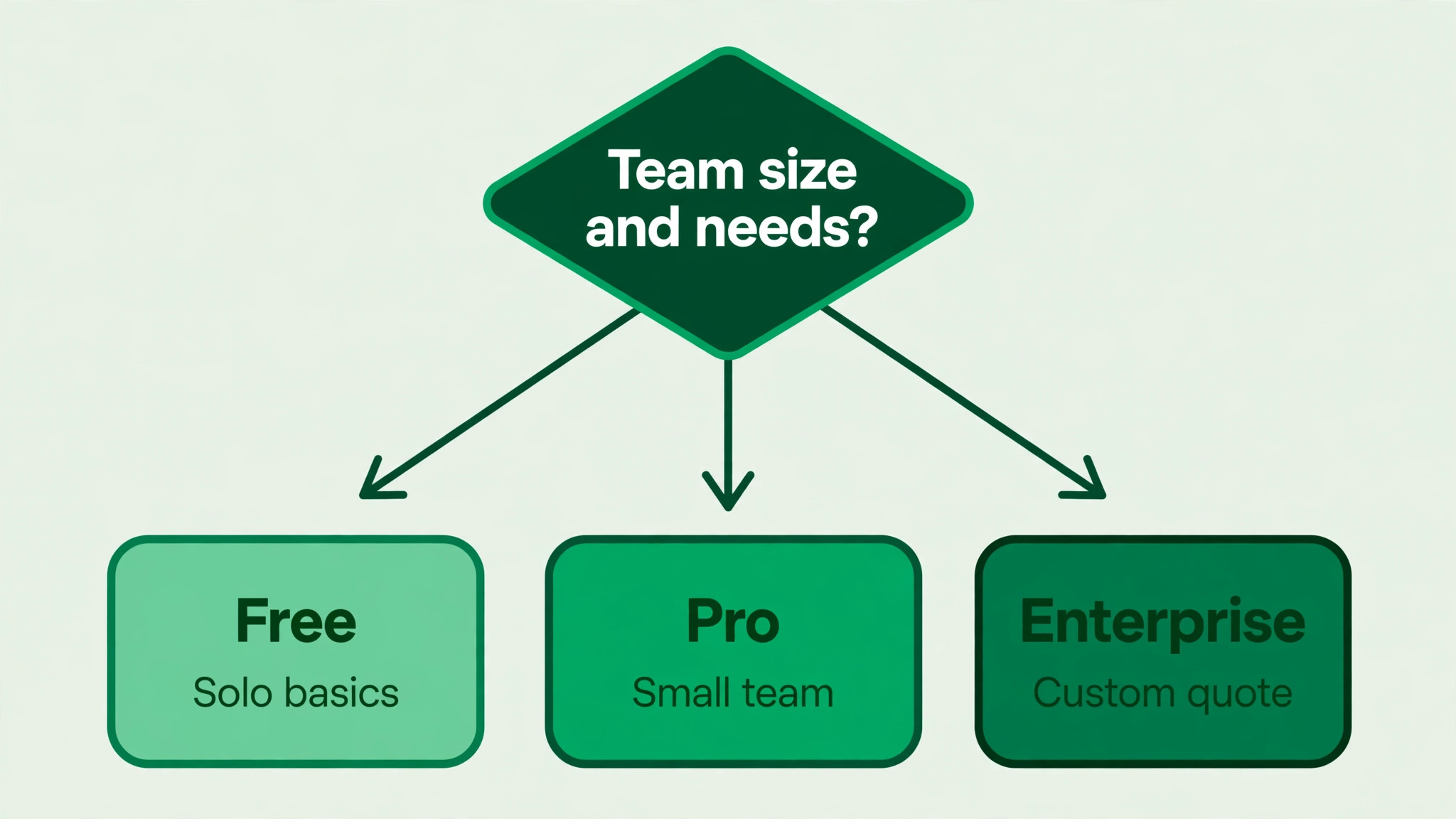
The table below shows the current tiers, with Pro prices for each billing period and Enterprise as a quote only plan. All Pro figures are per member per month in United States dollars, before tax, from Grammarly pricing pages checked in October 2026. The cost of Grammarly for small business monthly for a team is the per member figure multiplied by members, so the billing period choice matters as much as the tier choice.
| Tier | Monthly price | What it includes | Best for |
|---|---|---|---|
| Pro | $12 per member per month when paid $144 per member for a year upfront, $20 per member per month when paid $60 per member every three months, $30 per member per month when billed monthly | Full sentence rewrites, tone adjustment, fluency suggestions, plagiarism and AI text detection, 2,000 generative AI prompts per member per month, 1 style guide, 1 brand tone, 2 user groups, snippets, team analytics, priority support. Up to 149 seats | Individuals and small teams that write client facing content daily |
| Enterprise | Check the vendor current pricing page or contact sales for a quote. No published per member price could be verified at draft time | Unlimited generative AI prompts per member, unlimited style guides and brand tones, single sign-on, SCIM provisioning, data loss prevention, customer managed encryption keys, custom roles, dedicated support. Unlimited members | Larger firms that need advanced security and admin controls |
Pro is the whole story for most small businesses, because it already includes the team features that used to sit on Business, such as style guides, brand tones, user groups and team analytics. A firm with five members does not need Enterprise for a shared style guide, because Pro includes one style guide and one brand tone. Enterprise becomes relevant when a firm needs many style guides, unlimited prompts, or security controls that Pro does not offer.
The billing period gap on Pro is the largest saving available, and it deserves a plain statement. One member costs $144 a year on annual billing, $240 a year on quarterly billing at $60 every three months, and $360 a year on monthly billing at $30 a month. The gap between annual and monthly billing is $216 a year per member, which is 60 percent of the monthly billing total, and for a five member team that gap is $1,080 a year.
Seat limits also matter. Pro allows up to 149 seats, which covers almost every small business, while Enterprise allows unlimited members. A firm that grows past 149 members on Pro will need Enterprise, but that is a large firm problem, not a small business problem. For a team of three to thirty, Pro seat limits will not bind.
Free remains a useful tier for individuals who need basic spelling and grammar checks, with 100 generative AI prompts a month. It is not a team tier, because it lacks the Pro rewrites, tone tools, plagiarism checks and style guide features that a business buys Grammarly for. A firm that tries to run client writing on Free will save money and lose the features that justify the tool.
The subscription price is simple, but the hidden costs sit in prompt limits, admin needs and the billing period trap. Work through this checklist, because the cost of Grammarly for small business monthly can double when a team pays monthly by default, or when a feature the firm assumed was included turns out to sit on Enterprise.
– Seat minimums. The old Business plan required at least three seats, but current Pro has no such minimum published for small teams, and seats can be bought per member. Confirm the seat terms at checkout, because older articles still quote the three seat rule. – Plagiarism checks. Plagiarism and AI text detection are included in Pro, so a firm does not need a separate plagiarism tool for routine checks. Heavy or specialised plagiarism workflows may still need a dedicated tool, so check limits before retiring an existing checker. – Admin controls. Pro includes team analytics, user groups and a style guide, but single sign-on, SCIM, data loss prevention and customer managed encryption sit on Enterprise. A firm with strict security policies may need Enterprise for those controls alone. – Prompt limits. Pro allows 2,000 generative AI prompts per member per month, while Enterprise allows unlimited prompts. A team that uses AI rewriting heavily should track prompt use before assuming Pro is enough. – Monthly billing premium. Monthly billing at $30 a member costs two and a half times the annual rate of $12 a member. A team that stays on monthly billing out of habit pays the largest hidden cost in the range. – Unused seats. Seats for leavers, seasonal staff or staff who rarely write continue to bill until removed. Audit seats quarterly, because a handful of unused seats can exceed the cost of a tier upgrade. – Student and education pricing. A student offer of $72 for the first year of Pro has been reported, but it is a first year individual offer, not a team discount. Do not budget a team on student pricing.
Prompt limits deserve a practical explanation. Two thousand prompts a member a month sounds large, and for most writers it is, because a prompt is a single AI request such as a rewrite or a tone adjustment, not a single word checked. A team that rewrites every email with AI, generates long drafts daily, and shares prompts across a busy content calendar can still approach the limit, so track use in the first month rather than assuming it will never bind.
Admin controls are the other hidden cost, because they decide whether a firm can enforce its own writing standards. Pro style guide and brand tone features let a team set terminology and tone in one place, which is enough for most small firms. A firm that needs to prove compliance, control data loss, or integrate with corporate identity systems will find those controls only on Enterprise, and the Enterprise quote then becomes a compliance cost rather than a writing cost.
What the Grammarly price buys
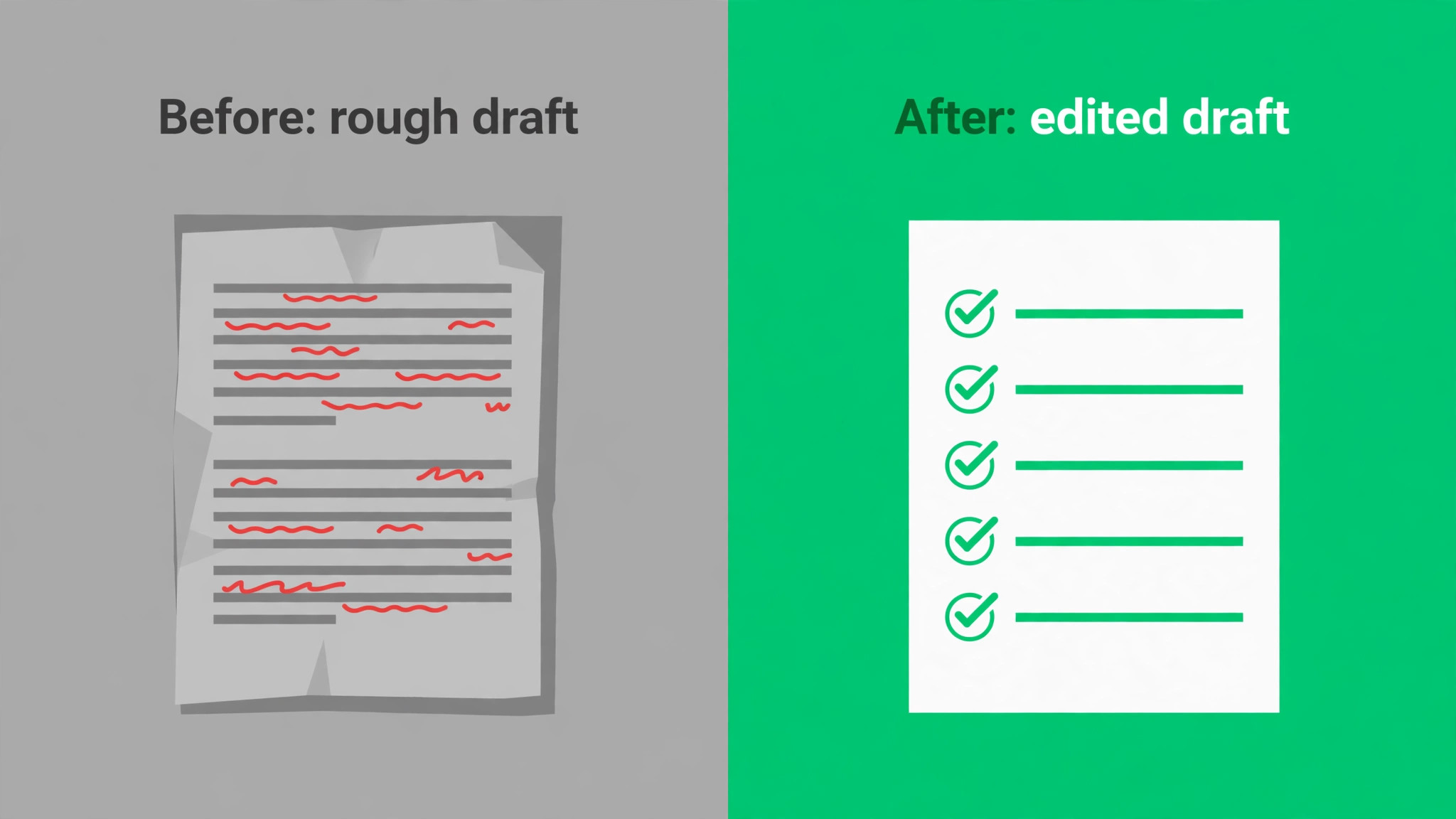
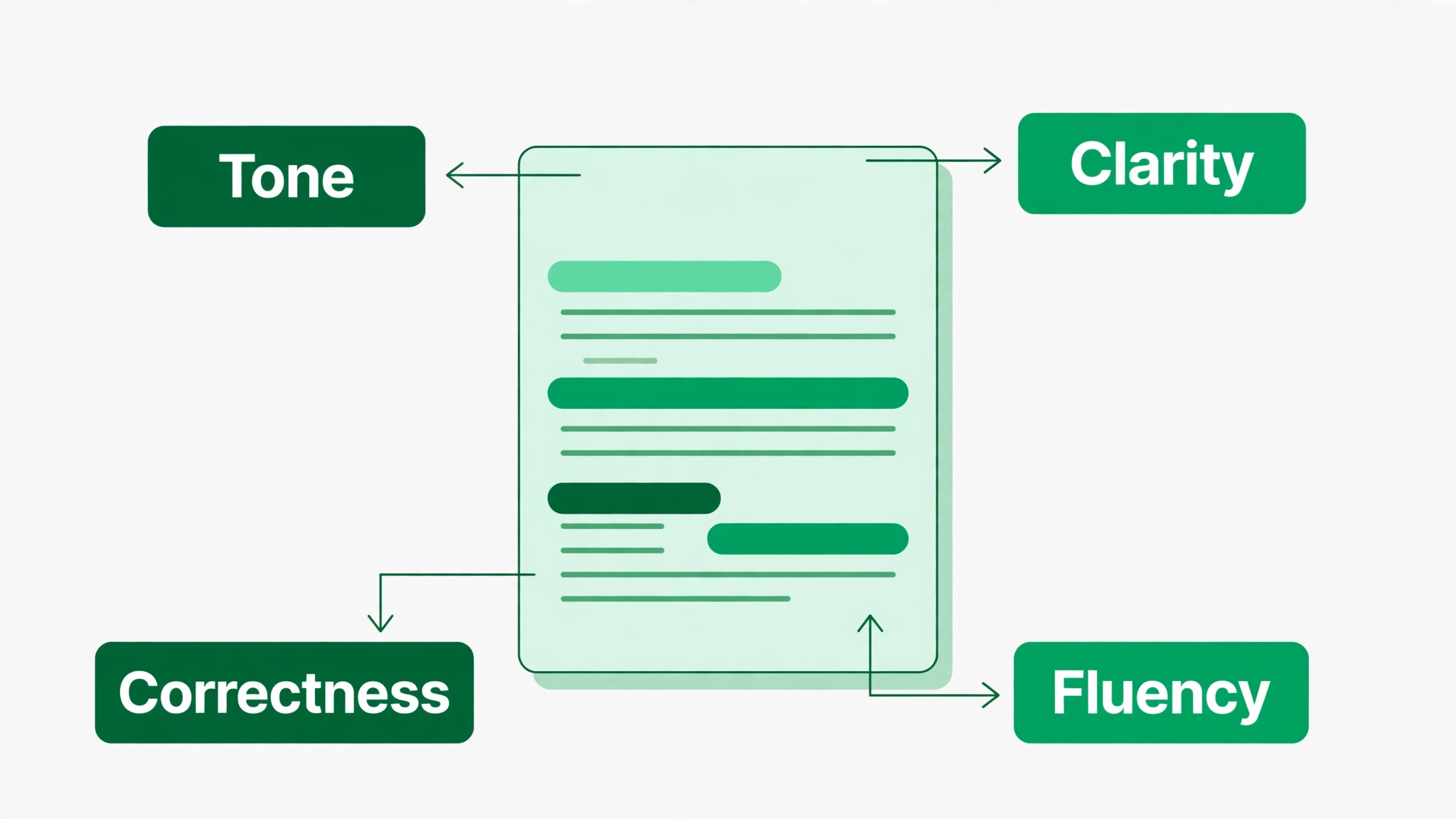
What the price buys is cleaner, more consistent writing across the whole team. Grammar, punctuation and clarity suggestions catch errors that a busy writer misses, while tone adjustment helps a support reply sound helpful rather than curt, and a proposal sound confident rather than vague. For client facing teams, that consistency protects the brand in every email, not just in marketing copy.
It also buys speed in drafting and editing. Full sentence rewrites and fluency suggestions turn a rough draft into a readable version faster than manual editing, and that speed matters for teams that write many similar emails, proposals or product descriptions. The time saved is spread across the team in minutes per document, which adds up to hours per week for a busy writing team. Style guides and brand tones are the team features that justify Pro over Free for a business.
A style guide can enforce preferred terms, ban outdated phrases, and keep product names consistent, while a brand tone setting helps new staff write in the company voice without a long induction. Those features turn Grammarly from a personal checker into a team standard, and they are included in Pro at no extra charge.
Plagiarism and AI text detection add a safety layer for content teams. A firm that publishes articles, course materials or client reports can check originality before publication, rather than discovering a problem after a client or a search engine finds it. That check does not replace editorial judgement, but it catches the accidental copy that happens when research notes blend into a draft.
Team analytics show how the tool is used, which helps a manager decide whether the subscription earns its keep. If analytics show regular use across the team, with many issues caught and rewrites applied, the subscription is working. If analytics show one active user and several dormant seats, the firm has a seat problem to fix rather than a tool problem to solve.
A worked monthly total for a small writing team
Take a team of five members on Pro with annual billing. The cost is five times $12, which is $60 per month, or $720 for the year. The same five members on monthly billing cost five times $30, which is $150 per month, or $1,800 for the year. The billing choice alone changes the yearly bill by $1,080, which is more than the cost of a sixth member on annual billing for a whole year.
Take a team of ten members on Pro with quarterly billing. The cost is ten times $20, which is $200 per month, or $2,400 for the year, against $1,440 on annual billing at $12 a member. Quarterly billing sits between annual and monthly, and it suits a firm that wants some flexibility without paying the full monthly premium, but it still costs $960 a year more than annual billing for ten members.
Take a single writer on Pro. Annual billing costs $144 for the year, quarterly billing costs $240, and monthly billing costs $360. A solo writer who writes daily should choose annual billing after a short trial, because the $216 saving against monthly billing buys more than any feature difference in the range. A writer who is still testing Grammarly should use the trial and monthly billing briefly, then switch.
When Grammarly is worth it and when it is not
Grammarly is worth it when the team writes client facing content daily and errors cost credibility. Proposals, sales emails, support replies and published articles all benefit from consistent grammar, tone and clarity, and the cost of Grammarly for small business monthly on annual billing is low against the value of a single won proposal or a retained client. In that pattern, Pro pays for itself in fewer revisions and faster approvals.
It is also worth it when new staff join regularly and need to learn the company voice quickly. A style guide and a brand tone setting give a new hire a concrete standard to write against, rather than a vague instruction to sound professional. That onboarding benefit is hard to price, but it shows up in fewer rewrites by managers and faster independence for new writers. Grammarly is not worth it when the team rarely writes, or when writing is already reviewed by an editor who catches the same issues.
A firm with one occasional writer and a strong editor will pay for a tool that duplicates existing review, and the subscription becomes a convenience rather than a necessity. In that case Free, or a cheaper checker, may be enough.
It is also a poor fit when the firm needs advanced security controls or unlimited AI prompts and tries to force Pro to cover them. A firm that needs single sign-on, data loss prevention or unlimited prompts should price Enterprise honestly, rather than buying Pro and then working around its limits. The workaround cost, in time and risk, often exceeds the Enterprise premium.
How to cut the Grammarly bill
Cutting the bill starts with billing period, because it is the largest lever. Switch from monthly to annual billing once the team has used Pro for a month and is committed, and the saving is $18 a member a month, or $216 a member a year. The cost of Grammarly for small business monthly falls by 60 percent for the same product, which is a larger saving than any seat or tier change available on Pro.
Audit seats quarterly and remove leavers, dormant accounts and staff who rarely write. A team that removes two unused seats on annual billing saves $24 a month, or $288 a year, without any loss of writing capacity. Seat audits should be a calendar task, because seats accumulate silently when staff change roles or leave. Use prompts wisely rather than treating them as unlimited. Rewrite with purpose, edit in batches, and avoid generating long AI drafts for content that a human will rewrite anyway. Prompt discipline keeps a team inside the 2,000 prompt limit and avoids the conversation about Enterprise that heavy, wasteful prompt use can trigger.
Consolidate writing tools before adding Grammarly. A firm that pays for a separate plagiarism checker, a separate tone tool and Grammarly may duplicate features that Pro already includes. List every writing tool, note what each one does that Pro does not, and cancel the duplicates. The saving is often larger than the Grammarly subscription itself.
Finally, review use with team analytics before renewal. If analytics show strong use, annual renewal is easy to justify. If analytics show weak use, the answer may be training, a smaller seat count, or a downgrade to Free for occasional writers, rather than a blanket renewal for the whole team. Data, not habit, should drive the renewal decision.
What to check on the pricing page before you pay
Confirm that Pro is the current team tier, because older guides still describe a separate Business plan at $15 a member a month with a three seat minimum. That plan no longer appears on the current plans page, and Pro now carries the team features. A budget built on the old Business figure will overstate the Pro cost by $3 a member a month on annual billing, and will impose a seat minimum that no longer applies. That check prevents the cost of Grammarly for small business monthly from being built on a retired tier.
Confirm all three Pro billing periods before choosing, because the pricing page may default to annual billing and hide the monthly figure. Annual billing is $12 a member a month, quarterly billing is $20, and monthly billing is $30, on the figures checked in October 2026. Record the figure that matches the commitment you intend to make, and do not compare an annual Grammarly figure against a monthly rival figure.
Confirm the prompt limit and the seat limit for Pro, which are 2,000 prompts a member a month and up to 149 seats on the figures checked in October 2026. A team that expects heavy AI use should track prompts in the first month, and a firm approaching 149 seats should start an Enterprise conversation early, rather than discovering the cap during a hiring wave.
Confirm the Enterprise route, because Enterprise is sold through Superhuman Go and priced by quote. A firm that needs single sign-on, SCIM, data loss prevention or unlimited prompts should contact sales early and get a written quote, because Enterprise pricing cannot be budgeted from a published per member figure. Treat any Enterprise estimate without a quote as a placeholder, not a budget.
Check tax at checkout, because published per member figures exclude tax. The checkout total for the team, including tax, is the budget figure, and the difference over a year for a ten member team is material. Record the checkout total per member and the team total together, so finance can approve the real figure rather than the headline rate.
Building a team writing standard that sticks
A style guide only works if the team uses it, and use depends on the guide being short, practical and easy to find. A guide with fifty rules will be ignored, while a guide with ten rules that cover product names, tone, banned phrases and formatting will be followed. Start with the ten rules that fix the most common errors, and add rules only when a repeated mistake shows a gap.
Tone settings need examples, not adjectives. Telling staff to sound professional means little, while showing three example emails, one too stiff, one too casual and one right, teaches the tone in minutes. Collect good examples from real sent mail, anonymise them, and add them to the onboarding pack so new staff can see the standard rather than guess at it.
Review writing as a team habit, not as a manager correction. A short monthly review of anonymised examples, showing what Grammarly caught and what a human still needed to fix, teaches the whole team faster than individual corrections. Staff learn from each other examples without feeling singled out, and the standard improves across the team rather than for one person at a time.
Templates for repeated documents save more time than any single Grammarly feature. A proposal template, a quote email template and a support reply template, each with Grammarly checked language, give staff a strong starting point and reduce variation. Templates should be reviewed quarterly, because outdated templates spread outdated pricing and offers faster than any other document.
Measure writing quality by outcomes, not by suggestion counts. A team that accepts every suggestion is not necessarily writing well, because suggestions include style choices that a human should sometimes overrule. Better measures are fewer revision rounds, faster approvals, and fewer client queries about unclear wording. Those outcomes show whether the tool is helping the business, not just changing text.
Finally, keep the human editor in the loop for important documents. Grammarly catches grammar, clarity and tone issues, but it does not check facts, pricing or legal wording, and it cannot judge whether a proposal answers the client real concern. A short human review of proposals and contracts, after a Grammarly pass, combines machine consistency with human judgement, and that combination is what clients actually trust.
Training should be short and repeated, not a single long session. A thirty minute introduction, followed by a short refresher after a month of real use, teaches more than a half day course that staff forget. Use real team documents in training, because generic examples do not show how the tool handles the firm own product names and phrases.
Writing quality also depends on reading, not just on checking. A team that reads its own sent mail and published pages critically, asking whether a stranger would understand the message in one reading, will improve faster than a team that relies on suggestions alone. Grammarly can polish a sentence, but only a human reader can judge whether the sentence belongs in the document at all, and that judgement is the skill worth developing alongside the tool.
Keep a one page hosting record for the business, listing the host, the tier, the term end date, the renewal price and the domain dates. A single page, updated at each renewal, prevents the most common hosting surprise, which is a renewal that nobody remembered and nobody budgeted for.
Frequently Asked Questions

How much is Grammarly Pro per month?
Pro costs $12 per member per month when paid $144 per member for a year upfront, $20 per member per month when paid $60 every three months, and $30 per member per month when billed monthly. All figures are United States prices before tax, checked in October 2026, and the product is the same on every billing period.
Is there still a Grammarly Business plan?
No separate Business plan appears on the current plans page. Pro now covers individuals and teams, including style guides, brand tones, user groups and team analytics. Older guides that quote Business at $15 a member a month with a three seat minimum describe a retired tier.
How much does Grammarly cost for a team of five?
Five members on Pro with annual billing cost $60 per month, or $720 for the year. The same five members on monthly billing cost $150 per month, or $1,800 for the year. The billing period alone changes the yearly bill by $1,080 for a five member team.
What is included in Grammarly Pro?
Pro includes full sentence rewrites, tone adjustment, fluency suggestions, plagiarism and AI text detection, 2,000 generative AI prompts per member per month, one style guide, one brand tone, two user groups, snippets, team analytics and priority support, for up to 149 seats.
How much is Grammarly Enterprise?
Enterprise is priced by quote only, and no published per member price could be verified at draft time. It adds unlimited prompts, unlimited style guides and brand tones, single sign-on, SCIM, data loss prevention, customer managed encryption and dedicated support, and is sold through Superhuman Go.
Does Grammarly check plagiarism?
Yes, plagiarism and AI text detection are included in Pro. That covers routine originality checks for published content and client reports. A firm with heavy or specialised plagiarism workflows should still check limits and consider whether a dedicated checker is needed alongside Pro.
How many AI prompts do I get?
Pro allows 2,000 generative AI prompts per member per month, while Free allows 100 prompts a month and Enterprise allows unlimited prompts. A prompt is a single AI request such as a rewrite, not a single word checked, so most writers will stay well inside the Pro limit.
Can I cancel Grammarly monthly?
Monthly billing can be stopped sooner than an annual commitment, but it costs $30 a member a month against $12 on annual billing. Monthly billing suits a short trial, while annual billing suits a team that has committed to Pro. Check the commitment terms at checkout before choosing the cheapest monthly figure.
Verdict
For almost every small business, Pro on annual billing is the right answer, at $12 a member a month, with seats only for staff who write regularly. The cost of Grammarly for small business monthly in that shape buys rewrites, tone tools, plagiarism checks and a shared style guide for less than the cost of a single hour of editing time per member per month. Enterprise should only be priced when security controls or unlimited prompts are a genuine requirement, and its quote only price means it cannot be budgeted from a headline figure.
Switch to annual billing after a short trial, audit seats quarterly, and review analytics before renewal. Do that, and Grammarly becomes a predictable, low cost standard for team writing. Stay on monthly billing by default, and the same tool will cost two and a half times more for identical features, which is a billing choice rather than a product choice.
More Reading on Stratilyze
– Cost of MailerLite for Small Business, Monthly – How to Write a Cancellation Policy for Small Business – How to Set Up a Client Feedback Loop for Small Business – How to Write a Cancellation Policy for a Small Business – Cost of Dubsado for Small Business, Monthly