

About 62 percent of parents who enquire about a play center party book within 48 hours when they get a clear reply, a firm price and a simple next step. When the reply arrives late, the family books somewhere else. That is why you should use AI for indoor play center party bookings, not as a gimmick, but as a faster way to answer, quote, confirm and prepare. This guide gives you a complete workflow you can copy, from the first message to the last balloon cleared from the floor.
A party enquiry is not the same as a walk-in visit. It carries a date, a guest count, an age range, a budget, food questions, a deposit and a room that cannot be double booked. When those details live in separate inboxes, notebooks and text threads, mistakes follow. A room gets promised twice. A headcount changes and nobody tells the kitchen. A waiver link goes out too late. AI helps when it pulls those details into one place, drafts the reply in your voice and keeps the booking moving while your team runs the floor.
Why party bookings leak revenue
Most play centers do not lose parties because the play space is weak. They lose them in the gap between enquiry and confirmation. A parent messages on a Saturday night. Nobody replies until Monday. By then, another center has sent a package link and a payment page. Speed matters more than polish in that first hour, and a short, accurate reply beats a beautiful brochure sent two days late.
Lost details cause a second kind of leak. A party for 18 children becomes a party for 24, but the food order stays at 18. A parent asks for a nut free table and the note stays in an email thread nobody re-reads. A sibling count is missed and the room feels crowded. Each of these problems is small on its own. Together, they turn a happy birthday into a refund request or a review that warns other parents away.
A third leak is pricing confusion. Parents compare centers by total cost, not by the headline room fee. When add-ons, food, extra guests, socks, party hosts and cleanup charges appear late, trust drops. A clear package page, a simple quote and a deposit link prevent most of that friction. AI can build that quote from your real price list, as long as you give it the right inputs and check the output before it goes out.
The numbers worth tracking before you change anything
Before you add any new tool, measure your current booking path for two weeks. Count enquiries, replies sent within one hour, quotes sent, deposits paid and parties completed. Note where each booking stalled. You cannot judge an AI workflow without that baseline, and you will not know whether faster replies or clearer packages made the difference.
How to use AI for indoor play center party bookings, step by step
This is the core workflow. Treat it as one chain, not as five separate tools. Each step feeds the next, and the booking record stays in one place from enquiry to party day.
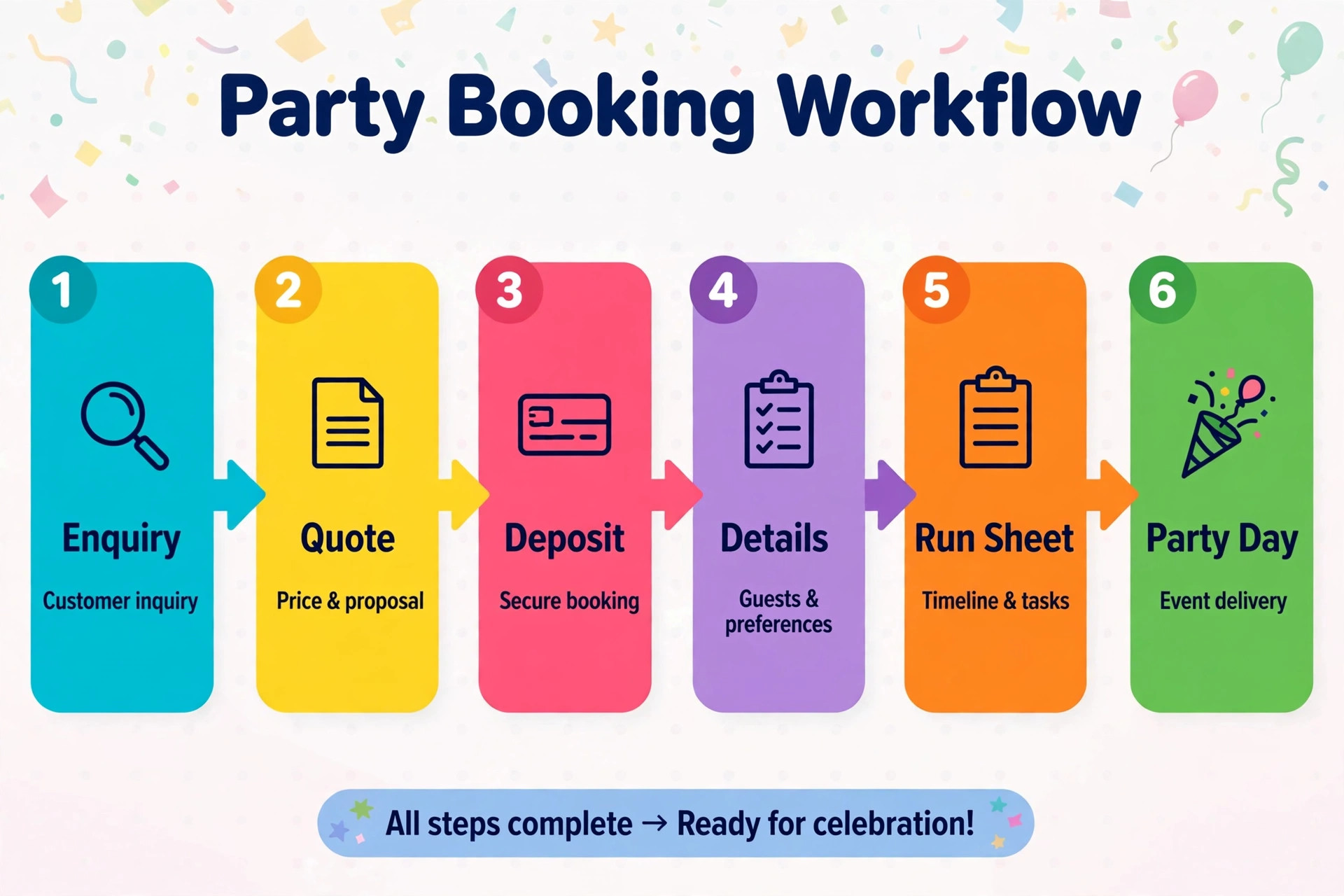
Step 1. Capture every enquiry in one booking record
Start by routing website forms, social messages, phone notes and email into a single booking tool. Peek Pro, Party Center Software and Square Appointments all give play centers a workable base for this, and the right choice depends on whether you already sell tickets, memberships or food through the same system. For a closer look at booking platforms built for this kind of venue, see booking software for indoor play centers.
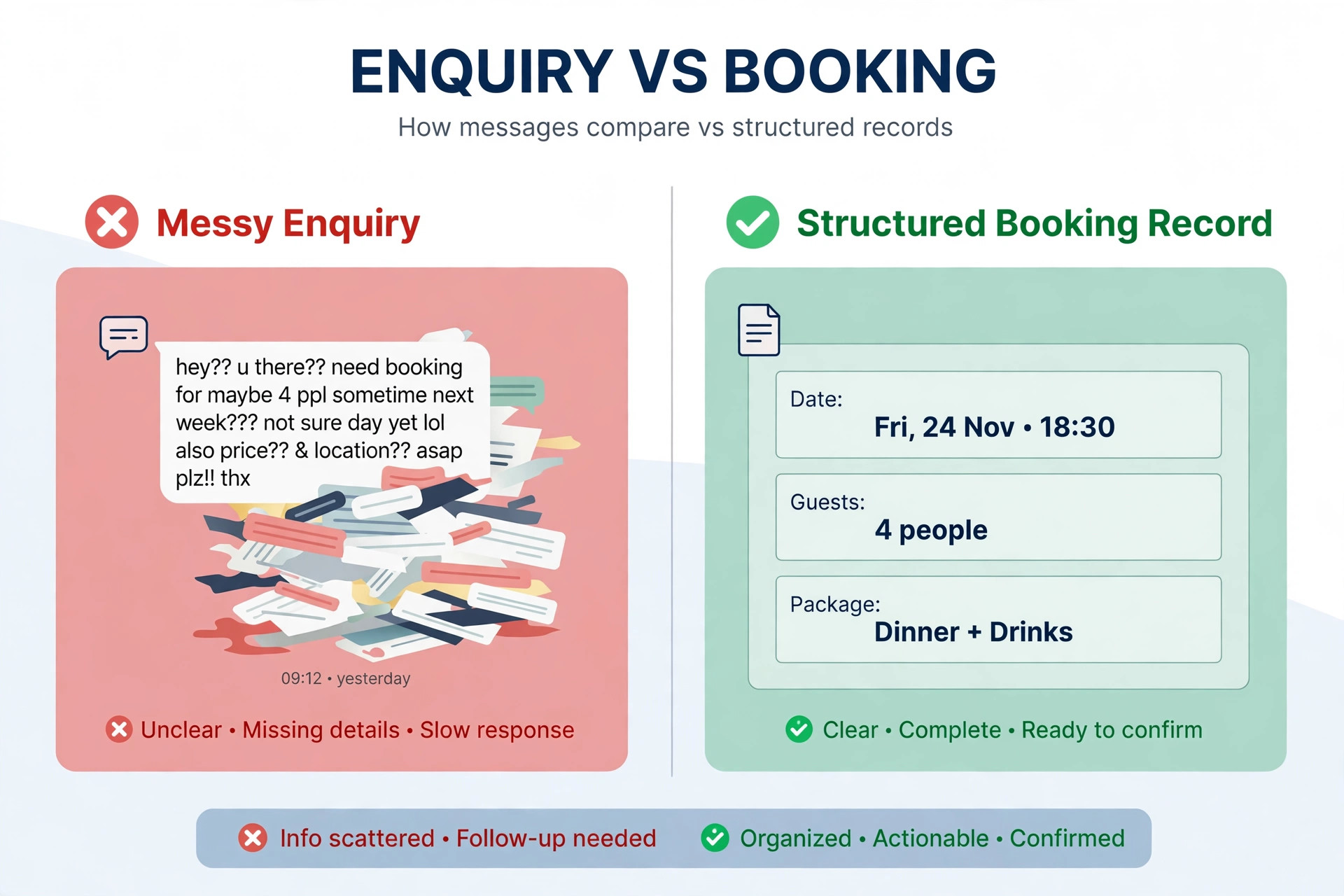
Create one record per party with the same fields every time. Parent name, phone, email, preferred date, start time, party room, child age, expected guest count, package interest and food notes. When a field is missing, the system should ask for it, not guess it. AI can read a messy message such as “Saturday afternoon for my daughter turning 6, maybe 15 kids” and turn it into a structured draft record. A staff member then confirms the date and count before any quote goes out.
Step 2. Reply fast with a draft you actually check
Speed wins, but accuracy keeps the booking. Use AI to draft the first reply from the booking record and your package page. The draft should confirm the date and room if available, name the package that fits the guest count, state the total deposit and link to the payment page. It should also ask one clear question when a detail is missing, such as the child’s age or whether food is needed.
Never send a draft blind. A two minute human check catches the errors that damage trust, such as a wrong date, a room that is already booked or a price from an old package. Build a short check into the routine. Date correct, room free, package matches guest count, deposit amount correct, allergy or access note carried forward. Once those five checks pass, send the reply and log it against the record.
Tone matters here. Parents can tell when a reply was copied from a generic template. Train the draft on three or four of your best past replies, not on internet examples. Keep sentences short. Name the child only when the parent has already shared the name. End with one next step, not three options and a paragraph of terms. A reply that is easy to act on gets a deposit. A reply that needs a second read gets postponed.
Step 3. Quote the full package, not just the room
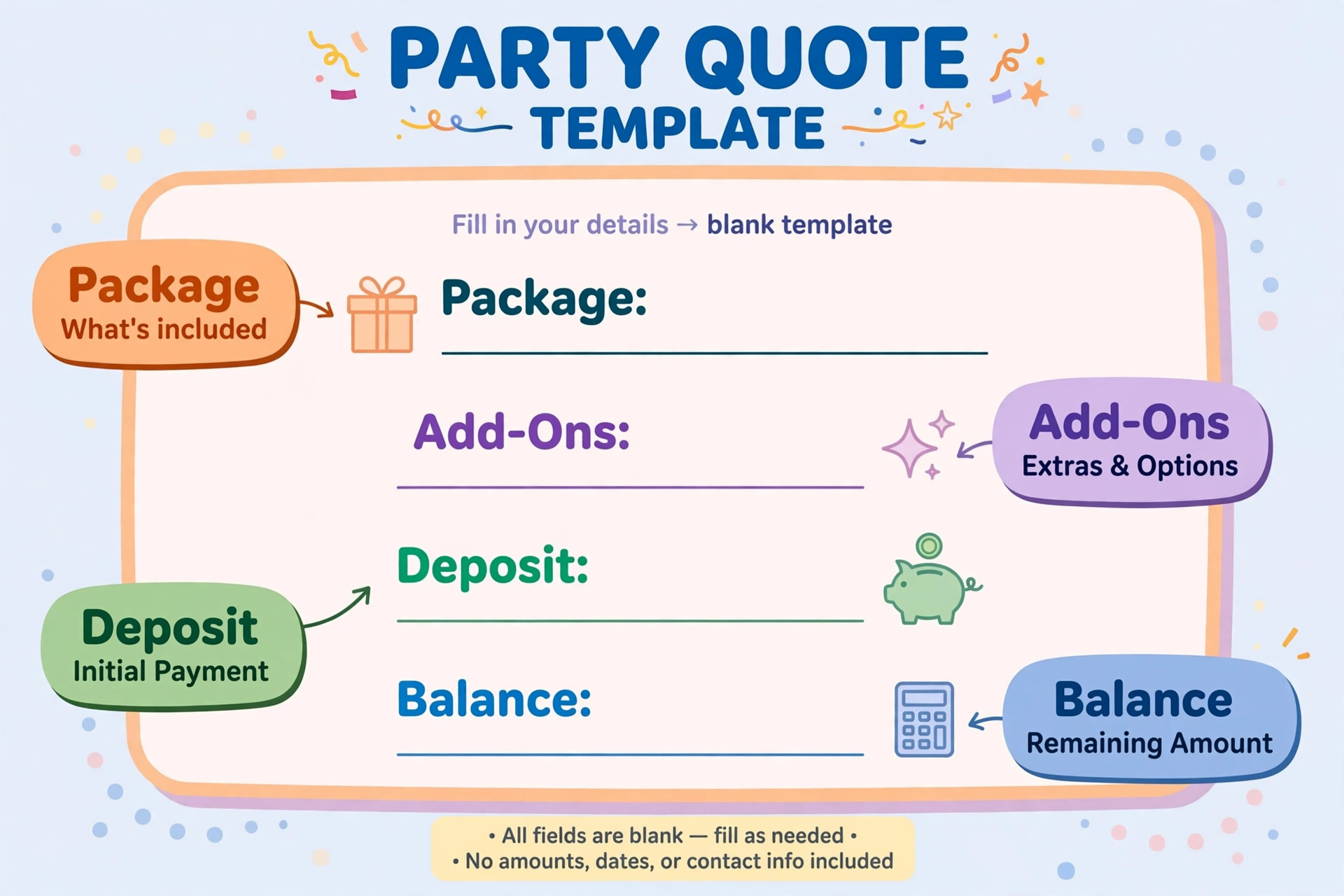
A party quote should show the room, the play time, the host, food and drink, decorations included, extra guest pricing and the deposit. When parents see the full total early, they decide faster and argue less later. AI can assemble that quote from your price list once you give it the guest count and package choice. It can also flag when a guest count crosses into the next package tier, so the parent hears about the change from you first, not on the invoice.
Set clear rules for extras before you automate quotes. Decide the price for each additional child, each extra half hour, a second host, a themed decoration pack and outside food, if you allow it. Put those rules in one price sheet that AI and staff both use. If the price sheet is out of date, every quote that follows will be wrong, however good the drafting sounds.
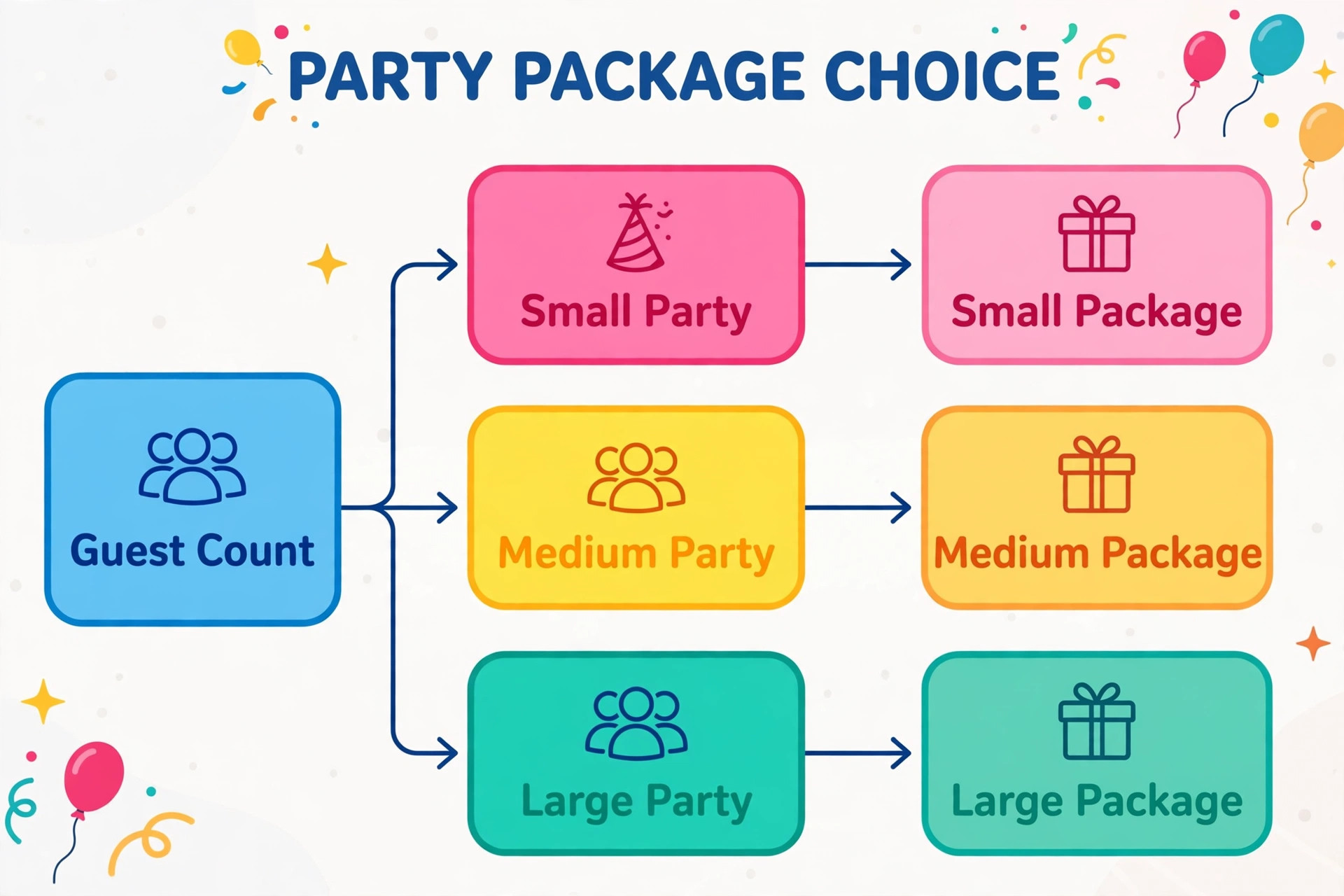
Offer two or three packages at most. A basic play and party room option, a mid tier with food and a host, and a premium option with decorations and extras covers most families without forcing them to compare eight similar bundles. Too many choices slow the decision. A short comparison of what changes between tiers helps parents pick quickly and helps AI quote the right tier the first time.
Step 4. Take the deposit and lock the room
A booking without a deposit is a pencilled note, not a booking. Send the payment link in the same message as the quote, and make the deposit amount and deadline plain. A common split is a fixed deposit at booking and the balance due a set number of days before the party, with extra guest charges settled on the day. Whatever split you choose, state it in the quote, the confirmation and the reminder messages so nobody is surprised.
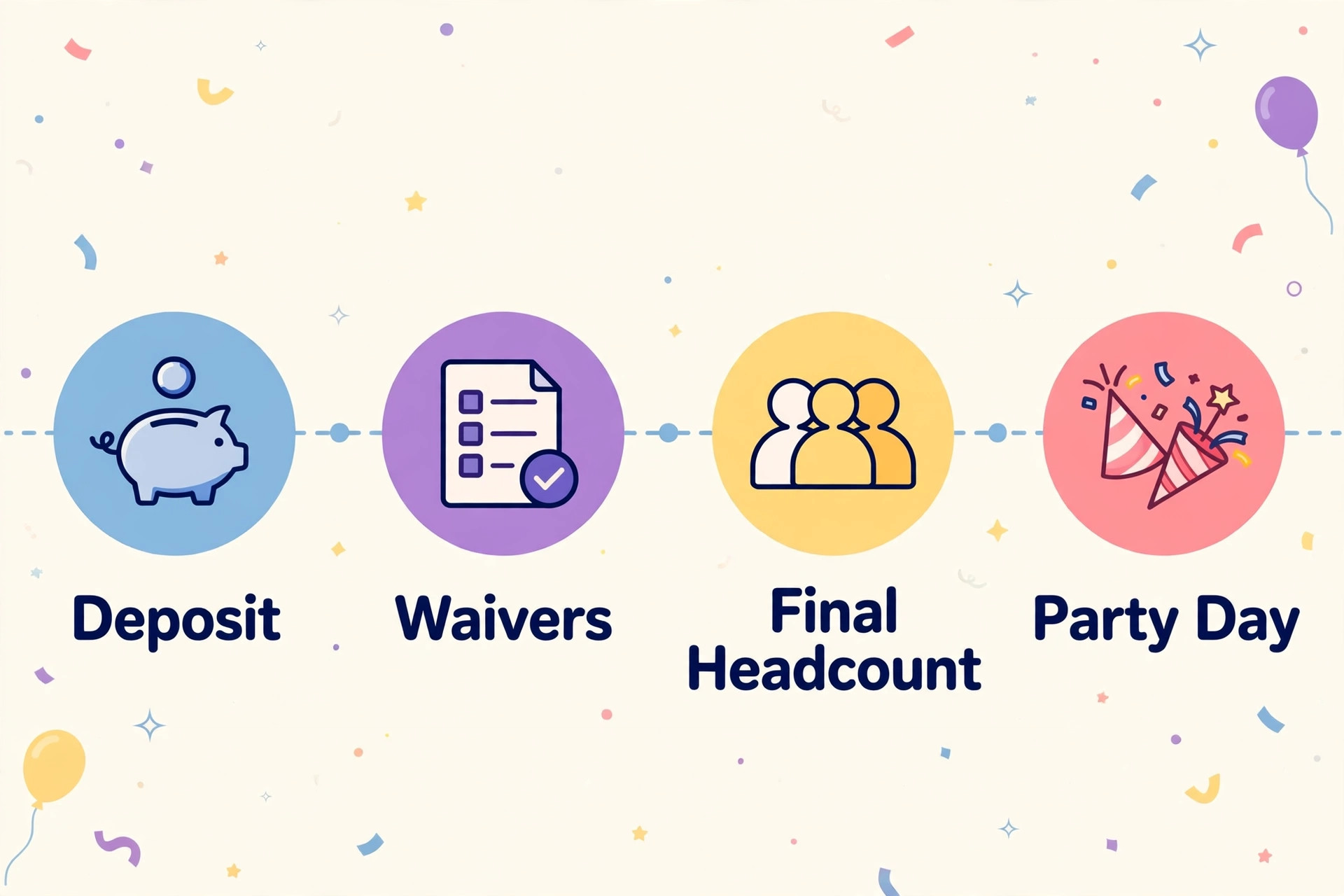
When the deposit lands, the workflow should do four things at once. Lock the room on the calendar, send a confirmation with date, time, room, package and balance, create the waiver link for the guest list, and set reminders for the balance, the final headcount and the party-day run sheet. Doing those steps by hand for every party eats hours. Automating the routine steps leaves staff time for the parts that need judgment, such as a room change or a special request.
If a deposit is not paid by the deadline, send one friendly reminder, then one firmer reminder that names the date the room will be released. AI can draft both, but a person should decide whether to hold a room for a regular customer or a large group. A rigid rule that releases every unpaid room on the same day can cost you a loyal family. A clear rule with room for judgment keeps both revenue and goodwill.
Step 5. Collect waivers and the final headcount early
Waivers cause party-day delays when they are left until arrival. Send the waiver link with the confirmation and again with the balance reminder. Ask the booking parent to forward it to guest parents, and track who has signed. AI can summarise the outstanding list into a short message for the booking parent, naming only the number still missing rather than sharing other families’ details.
Set a final headcount deadline two to three days before the party. That deadline drives food, staffing, seating and party bags. When the count changes after the deadline, apply your extra guest price and update the kitchen and host notes the same day. A late change is manageable when it is recorded. It becomes a problem only when it is mentioned at the door while the host is setting up.
Use the same deadline for food choices, cake details, allergy notes and decoration requests. Parents appreciate a single message that lists what you still need, with a reply link for each item. Separate messages for waivers, food, headcount and balance feel like admin work. One organised checklist feels like good service, and it is far easier for a busy parent to complete.
Step 6. Hand the host a run sheet, not a pile of messages
On party day, the host should work from one run sheet. It should list arrival time, room setup, guest count, food timing, cake time, allergy notes, add-ons, payment balance and cleanup tasks. AI can build that sheet from the booking record the night before, so the host does not have to search emails while families arrive. Print one copy for the room and keep a digital copy at the front desk.
After the party, close the loop the same day. Send a thank you message, ask for a review while the day is fresh, and note anything that went wrong in the booking record. A note such as “room needed extra seating for grandparents” helps the next host more than a general comment about a busy day. Those notes also improve future AI drafts, because the system learns the details your center actually handles.
Packages and add-ons that sell without confusing parents
Packages work when each tier changes something parents can picture. More play time, food included, a dedicated host, decorations set up before arrival. Packages fail when tiers differ only by vague words such as standard, premium and deluxe with no clear difference in what the child experiences. Write each tier as a short list of what is included, and let the price follow the list.
A workable structure for many centers starts with a room and play session for a set guest count. The middle tier adds food, drinks and a host who runs games and cake time. The top tier adds themed decorations, a party bag for each guest, extra play time and a photo moment. Keep the guest count for each tier visible, and state the extra guest price beside it. Parents can then see whether a larger group pushes them into the next tier or simply adds a per child charge.
Add-ons should solve a real party-day problem. A second host for large groups, a quiet room for cake when the play floor is loud, a decoration pack parents do not have to transport, grip socks in bulk, a snack box for siblings, or a late checkout for families who want extra play time. Price each add-on once, show it on the quote, and confirm it on the run sheet. An add-on that is promised in a message but missing from the run sheet will be noticed at exactly the wrong moment.
AI prompts and templates you can copy
Good prompts give AI your facts first, then ask for one output. A prompt without your package prices, room names and deposit rules will invent details that sound right and cost you money. Keep a small prompt library beside your price sheet, and update both together whenever a price or package changes.
Start with an enquiry reply prompt. Tell the tool the booking details, the package that fits, the deposit and the one question you still need answered. Ask for a short reply in your center’s tone, with the date, room, package total and payment link in that order. Then check the five details listed earlier before sending. The prompt does the drafting. You keep the decision.
Use a second prompt for quote summaries. Feed it the guest count, package, add-ons and extra guest price, and ask for a plain total with deposit and balance due dates. Ask it to flag any count that crosses a package tier. That flag is more useful than a polished paragraph, because it stops a surprise charge later. Keep the summary short enough to read on a phone, since most parents decide on a phone.
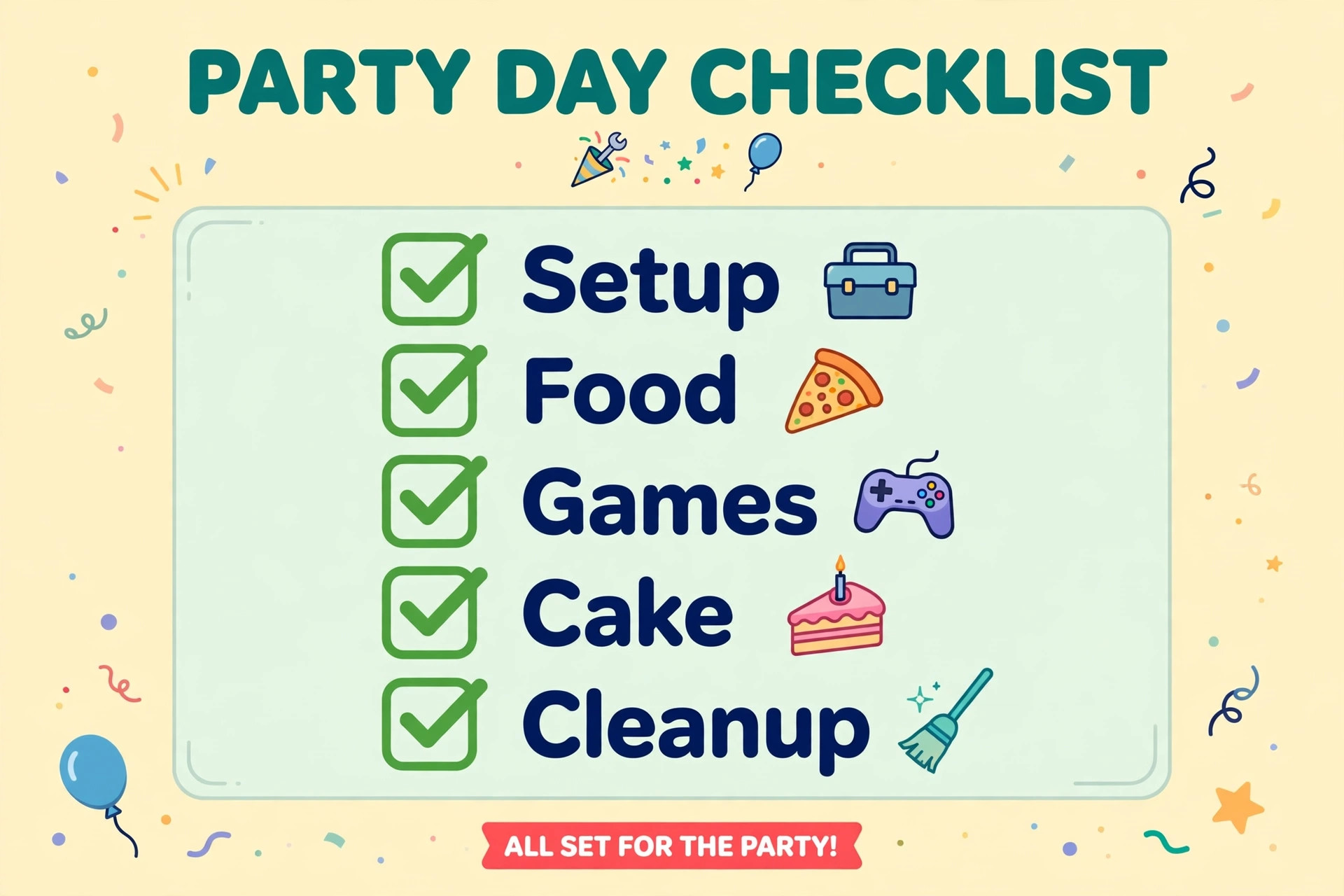
A third prompt helps with follow-ups. Give it the days since enquiry, the missing item and the room release date, and ask for a friendly reminder with one next step. A fourth prompt builds the party-day run sheet from the booking record, with sections for setup, food, cake, games and cleanup. A fifth prompt turns post-party notes into a thank you message and a review request. Five prompts cover most of the workflow, and adding more usually adds confusion rather than value.
Template messages need the same care. Keep a confirmation template, a balance reminder, a headcount request, a waiver reminder and a thank you template. Each template should have placeholders for names, dates, room, package and amounts, and nothing else that changes. When staff edit a template for one party, they should edit the booking record, not the template text, so the next party starts clean.
Deposits, capacity and waivers without the usual arguments
Deposit policy is where goodwill is won or lost. State the deposit amount, the balance due date, the cancellation window and what happens to the deposit if the party moves dates. Parents accept firm rules when they hear them early. They resent the same rules when they first appear in a cancellation message. Put the policy on the package page, in the quote and in the confirmation, in the same words each time.
Capacity rules need the same clarity. State the maximum guests per room, the adult to child guidance for younger groups, and whether siblings and adults count toward the total. AI quotes go wrong most often on this point, because a parent’s guest count may or may not include siblings. Ask the question directly in the enquiry form. “How many children will play, including siblings” removes more confusion than any later correction.
Waiver handling should protect children without turning arrival into a queue. Send the link early, track signatures, and prepare a paper backup for families who arrive without a signed form. On the run sheet, list only the number of outstanding waivers and the guest names the booking parent has already shared with you. Never print a full guest list with other families’ contact details for the room. Privacy matters, and a tidy process signals that the center takes safety seriously.
For centers that also run classes or memberships, the same booking discipline pays off elsewhere. A class business that tracks attendance, capacity and payments in one record avoids the same double booking and headcount problems. See class management software for art studios for how class based venues structure that record.
Payment handling deserves one more rule. Reconcile deposits daily, even when volume is low. A deposit that sits unmatched to a booking creates a false free room or a false double booking. Square and similar point of sale tools help here because payments, refunds and party balances sit near the booking record rather than in a separate system. For a wider view of point of sale choices for small venues, see point of sale systems for farmers market vendors.
The party-day run sheet and checklist
A run sheet turns a booking record into action. Build it the night before, check it in the morning huddle, and update it once during the party if the headcount or food timing changes. The host should not need to open email, social messages or a booking dashboard to answer a parent’s question. The answers should be on the sheet.
Before doors open
Check the room booking, table layout, decoration pack, party bags and any themed items against the record. Confirm food quantities against the final headcount, not the original enquiry count. Check allergy notes and seating for any child who needs a separate table or food handling. Confirm the host, the food runner and the front desk cover for arrival, cake time and departure.
During the party
Greet the booking parent by name, confirm the final guest count, and collect any balance before play starts if that is your policy. Run games and cake time to the schedule on the sheet, and note any change, such as extra guests or a delayed cake, as it happens. Keep the room tidy between activities so the final cleanup does not eat into the next booking. Small resets during the party save large resets after it.
After the last guest leaves
Count party bags left behind, check lost property, clear food waste, reset tables and record the final guest count and any extra charges. Send the thank you message the same day. Log issues, compliments and ideas in the booking record. A center that closes each party properly starts the next one with a clean room and a clean record.
Party-day checklist
Use this checklist for every party, and tick items off on the run sheet rather than from memory.
– [ ] Room, date, start time and package confirmed against the booking record – [ ] Final guest count, sibling count and allergy notes checked with the booking parent – [ ] Waiver status checked, with paper forms ready for any unsigned guests – [ ] Tables, seating, decorations and party bags set before families arrive – [ ] Food and drink quantities matched to the final headcount – [ ] Cake time, game time and photo moment marked on the run sheet – [ ] Host, food runner and front desk roles assigned for arrival, cake and departure – [ ] Deposit and balance status checked, with extra guest charges ready to settle – [ ] Cleanup tasks, next booking buffer and lost property check completed – [ ] Thank you message, review request and post-party notes logged the same day
Measuring whether the workflow actually helps
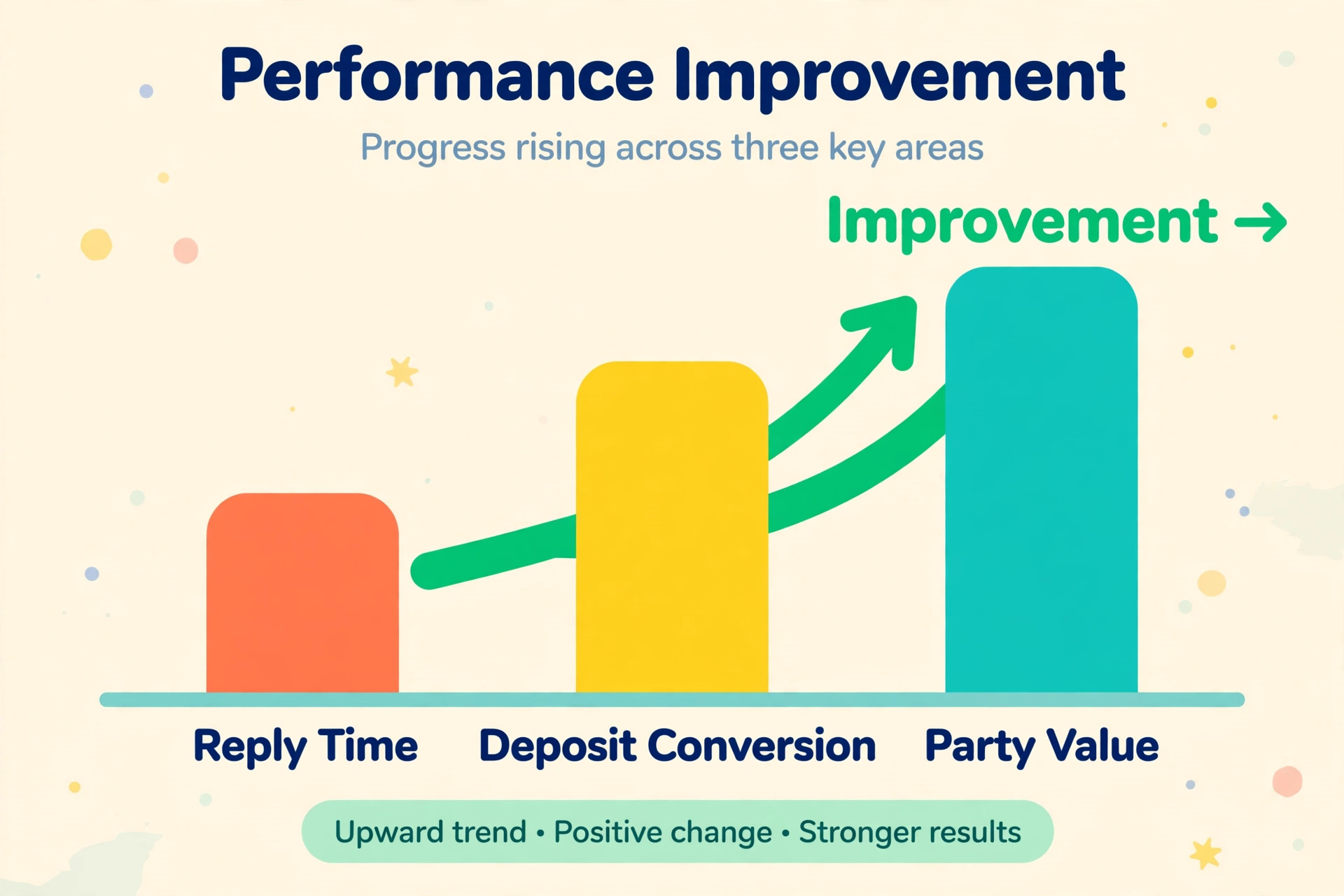
When you use AI for indoor play center party bookings, judge it on bookings, not on how clever the drafts sound. Track reply time, quote to deposit conversion, deposit to completed party rate, average party value and review rate. Compare each number with your two week baseline. A workflow that replies faster but quotes wrong prices will show up quickly as more enquiries and fewer deposits.
Reply time is the easiest early win. Measure the time from enquiry to first useful reply, not just to an automatic acknowledgement. A useful reply names a date, a package and a next step. If drafts created when you use AI for indoor play center party bookings cut that time from a day to under an hour on weekends, you should see more quotes requested and more deposits paid. If reply time falls but deposits do not rise, check the quote itself. The price, the package fit or the payment link may be the blocker.
Average party value tells you whether clearer packages and add-ons help. When parents see food, host and decoration options at quote stage, they often choose the middle tier instead of the basic room. Track add-on take-up separately from package tier, so you know whether a higher average comes from better packages or from one popular extra. A single add-on that sells well, such as a second host for large groups, may deserve a place in the middle tier itself.
Review rate and repeat bookings matter for a local venue. Parents who had a smooth booking, a calm arrival and a host who knew the allergy notes are more likely to leave a review and return for a sibling birthday. Ask for the review the same day, while the memory is fresh. Log repeat families in the booking record, so the next enquiry can be greeted as a returning family rather than a brand new lead. For venues that also run memberships, that repeat record is just as valuable. See membership software for pickleball clubs for how membership venues keep returning customers organised.
Mistakes that undo a good AI setup
The most common mistake is letting AI quote from an old price sheet. A package price changes, a room capacity changes, or a food supplier raises costs, and the prompt library still holds the old numbers. Update the price sheet and the prompts on the same day, and run one test quote after every change. A single wrong quote sent to ten families costs more trust than the time saved by drafting fast.
A second mistake is collecting enquiries in too many places. If social messages, website forms and phone notes feed different lists, AI can only draft from part of the picture. A room can look free in one list and booked in another. Route every enquiry into the same record, even if the first message arrives on social media. Copy the details across the same day, and confirm the record before quoting.
A third mistake is over automating the human moments. A parent who asks about access needs, a child with additional needs, or a bereavement related celebration deserves a personal reply, not a template. Build a simple rule for staff. When a message carries emotion, complexity or a special request, a person replies first and AI helps only with the summary afterwards. Speed should never replace care on those bookings.
Finally, do not copy another center’s packages or prompts without checking them against your rooms, staffing and food costs. A workflow that works for a large center with three rooms may overload a single room venue. Start with your real constraints, then shape AI around them. When you use AI for indoor play center party bookings in this grounded way, the tool fits the business instead of forcing the business to fit the tool.
For centers that manage many client relationships beyond parties, the same record discipline applies to enquiries, follow-ups and repeat visits. See client management software for travel advisors for how service businesses keep client records, reminders and follow-ups in one place.
Frequently Asked Questions
How fast should a play center reply to a party enquiry
Aim for a useful reply within one hour during opening hours, and a drafted reply ready for morning review for weekend evening enquiries. A useful reply names the date, room, package and deposit. An automatic message that only says someone will reply soon does not count as a useful reply, because the parent still has no price or next step.
What details should the enquiry form collect
Collect parent name and contact, preferred date and time, child age, number of children who will play including siblings, package interest, food needs and allergy notes. Those fields let AI draft an accurate quote without a long back and forth. Add one open field for special requests, so access needs and decoration ideas are captured in the same record.
Which booking tools work well for indoor play centers
Peek Pro suits centers that sell tickets and party bookings through one system. Party Center Software suits venues that run many parties and need party specific records, waivers and run sheets. Square suits centers that already take payments and food orders through Square and want deposits near the payment record. Choose the tool that matches your current payments and staffing when you use AI for indoor play center party bookings, not the tool with the longest feature list.
How much deposit should a play center ask for
A fixed deposit that covers room setup and food ordering risk works for most centers, with the balance due two to three days before the party. State the deposit, balance date and cancellation window in the quote and confirmation in the same words. A deposit policy parents hear early feels fair. The same policy discovered at cancellation feels like a penalty.
When should the final headcount be due
Set the headcount deadline two to three days before the party, alongside food choices and allergy notes. That timing gives the kitchen and host a firm number while still letting parents confirm late guests. Apply your extra guest price to changes after the deadline, and update the run sheet the same day the change arrives.
Can AI handle waivers and allergy notes safely
AI can draft reminders and summarise how many waivers remain, but staff must check allergy notes and waiver status on the run sheet before the party. Never let a draft change an allergy note, a guest count or a medical detail without a human check. Keep the original parent message linked to the booking record, so any doubt can be settled from the source rather than from a summary.
A calmer way to fill the party calendar
A good party workflow does not feel like technology to the parent. It feels like a center that replies quickly, quotes clearly, remembers the details and runs a calm party day. That impression comes from a single booking record, a checked draft, a full quote, a paid deposit and a run sheet the host can trust. Each step is simple on its own. Together, they remove the gaps where bookings are lost.
Start small if you are changing systems. Pick one package, one enquiry route and one prompt, and run them for two weeks. Measure reply time and deposit conversion, fix the price sheet errors you find, and only then add the next prompt or reminder. A workflow built in that order stays accurate as it grows. When you use AI for indoor play center party bookings this way, with human checks at the points that matter, you get faster bookings without losing the personal care parents remember. When you use AI for indoor play center party bookings as a support for your team rather than a replacement for it, the calendar fills with parties your staff can actually deliver well.