
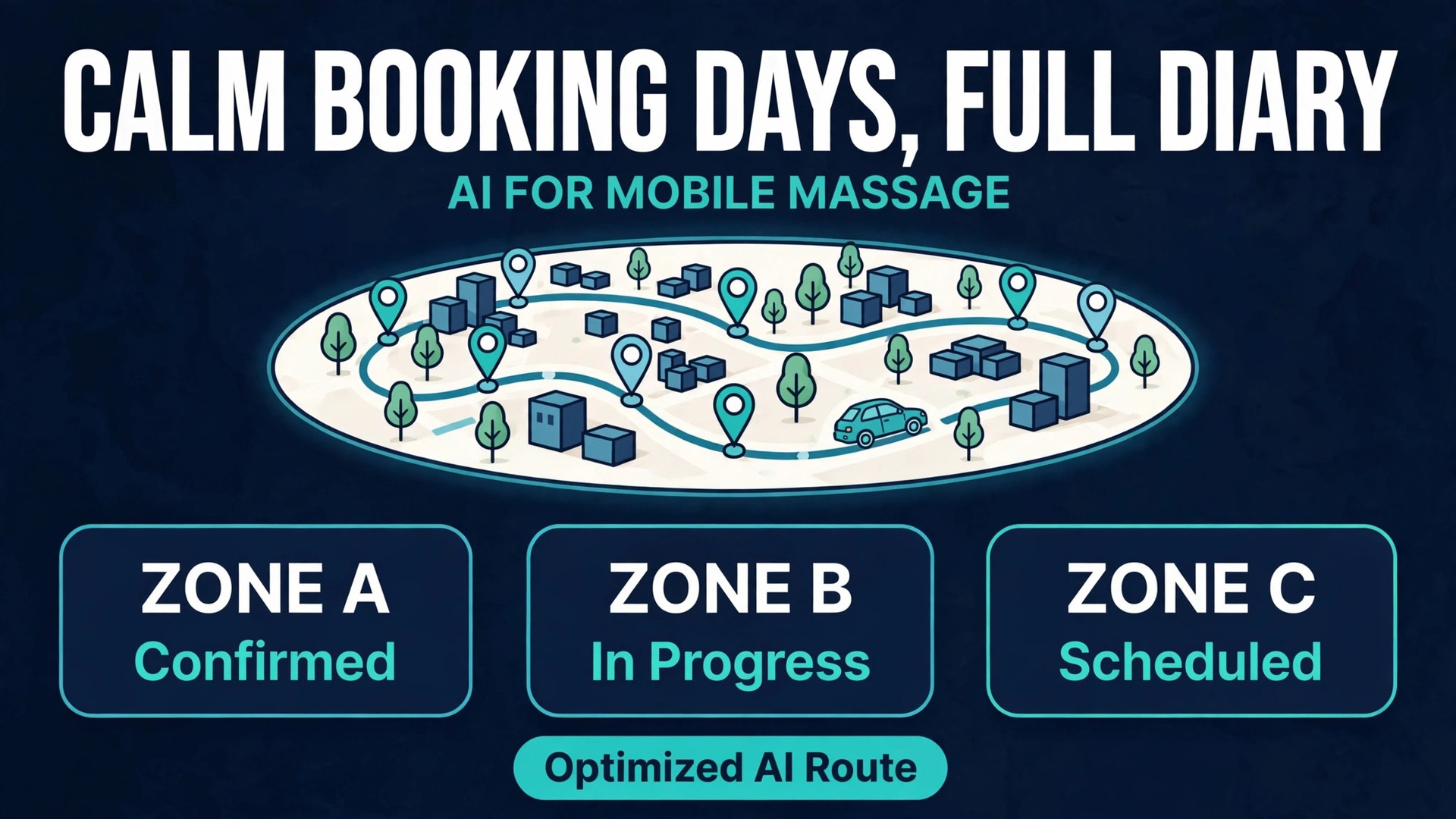
A client texts at 9 p.m. asking for a deep tissue session tomorrow, another leaves a voicemail while you are mid-treatment, and a third books online for a slot that leaves you driving forty minutes across town for a single thirty minute appointment. By Friday your diary looks full and your income does not match it, because travel, setup, and gaps ate the hours between treatments. If you want to use AI for mobile massage booking management, the aim is not to sound high tech. The aim is a diary that respects driving time, groups clients by area, and confirms every booking before you leave home.
Mobile massage has a booking problem that clinic massage does not. A clinic therapist walks from one room to the next. A mobile therapist packs a table, oils, linens, and a speaker, drives to a home or office, sets up, treats, packs down, and drives again. Every one of those steps takes minutes that a standard online booking page ignores. When the booking tool treats a sixty minute massage as sixty minutes of work, the day quietly falls apart, and the therapist ends up rushing treatments or eating unpaid travel time.
The answer is to rebuild booking around the real job. That means honest treatment lengths, travel buffers between appointments, zones that keep you in one part of town per day, and intake questions answered before arrival. Artificial intelligence tools can help with each of those pieces, drafting messages, sorting enquiries, and turning scattered notes into a workable day plan. Used well, they give a solo therapist the front desk support of a small clinic without hiring anyone.
Why a Mobile Massage Diary Looks Full but Pays Thin
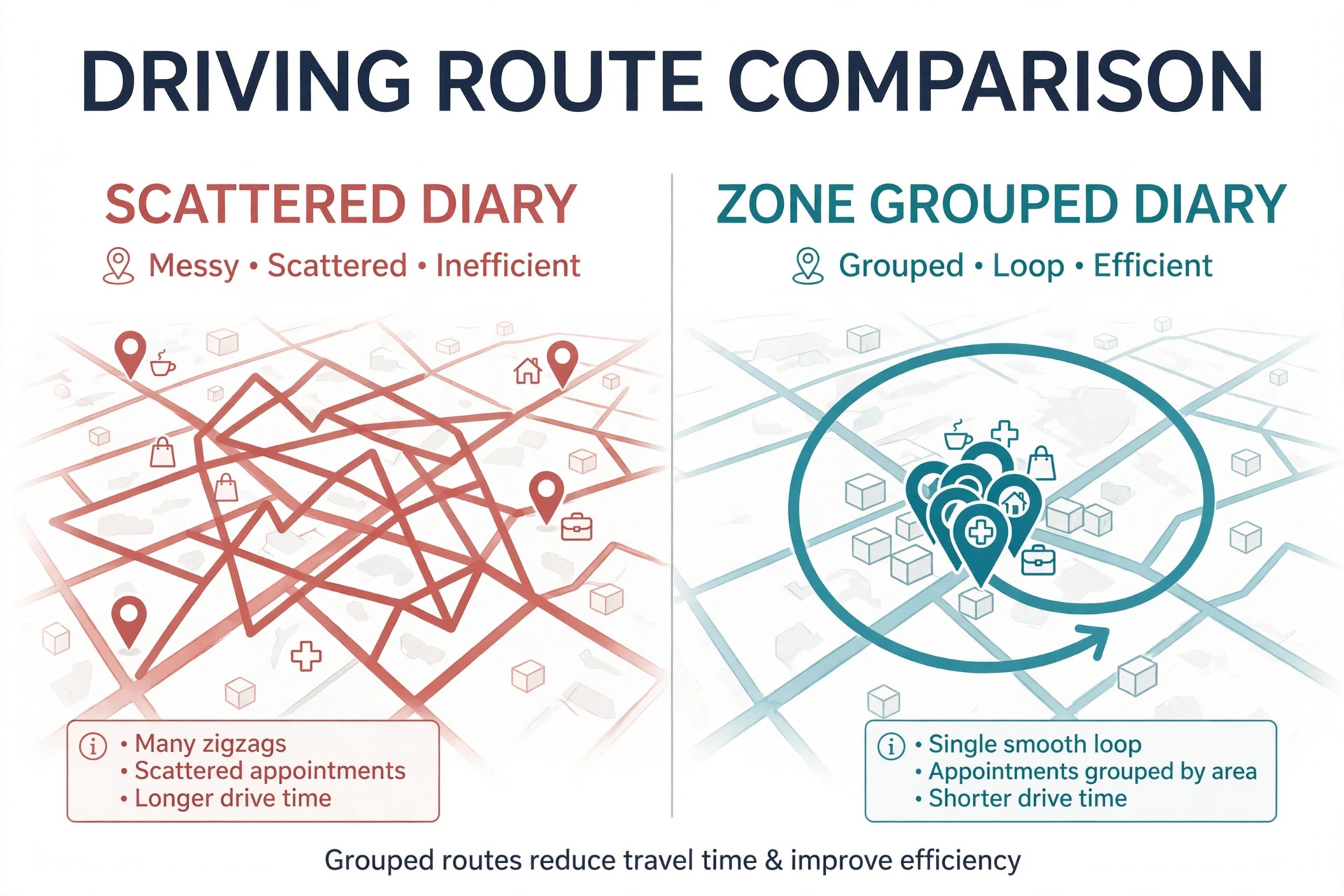
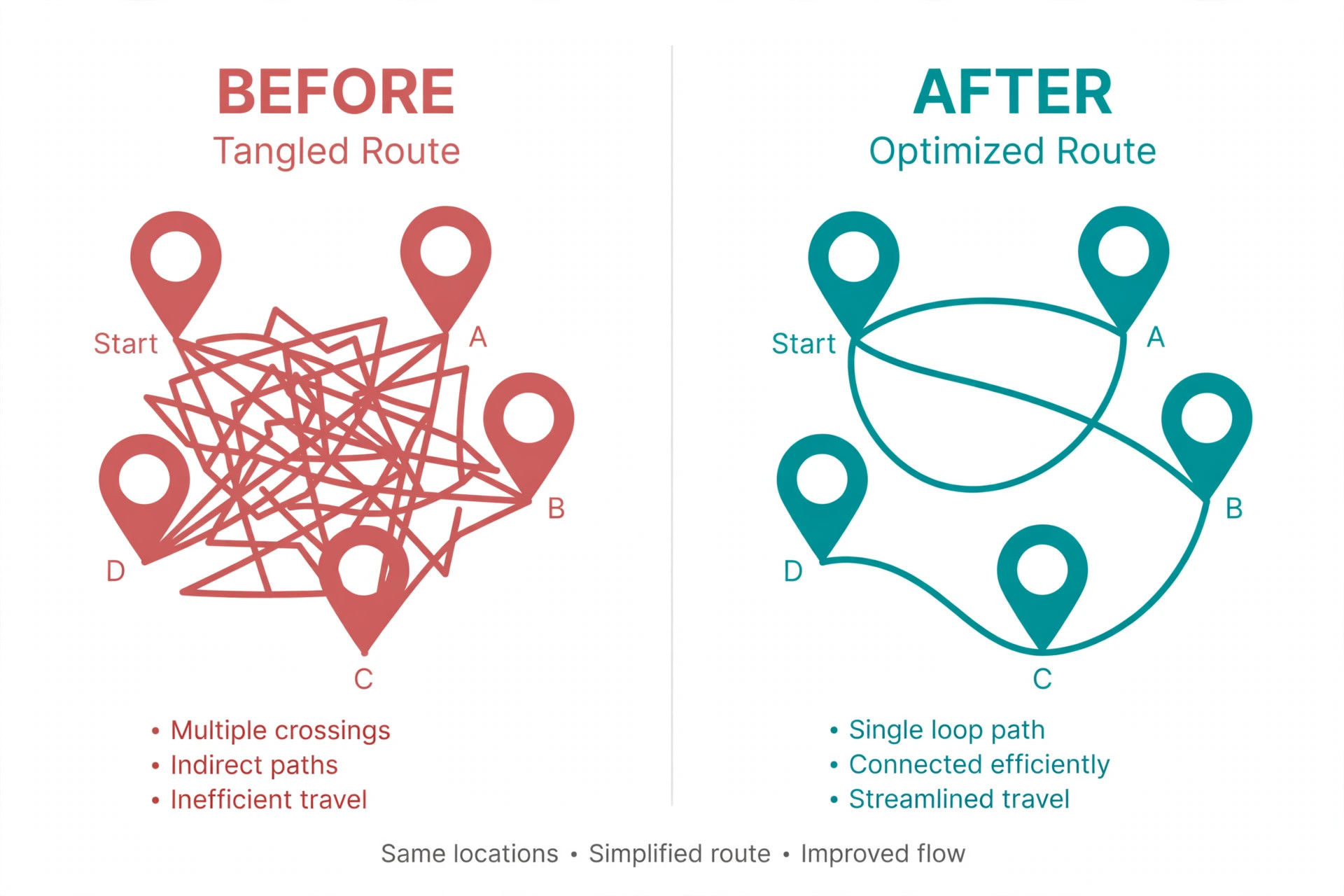
The first leak is travel time that nobody bills for. Two clients in opposite suburbs can turn a four treatment day into six hours of driving and waiting. The diary shows four bookings, but the therapist spent the whole day working for the income of four treatments minus fuel, parking, and wear on the car. Grouping bookings by zone is the single biggest fix available to a mobile therapist, and it costs nothing to start.
The second leak is setup and pack down time. A home visit needs room assessment, table setup, linen changes, and a short consultation, even for a returning client. An office chair massage day needs a different setup again, with a chair carried in and space negotiated with a receptionist. When booking software offers back to back slots with no buffer, the therapist either starts late or cuts the treatment short, and both options damage repeat bookings.
The third leak is the wrong treatment length. A new client with a full history, a client with chronic shoulder pain, and a regular maintenance client do not need the same slot, even if they all booked sixty minutes. Intake information changes the real length of the visit. A therapist who collects intake before the day starts can spot the booking that needs ninety minutes and move it before it wrecks the rest of the day.
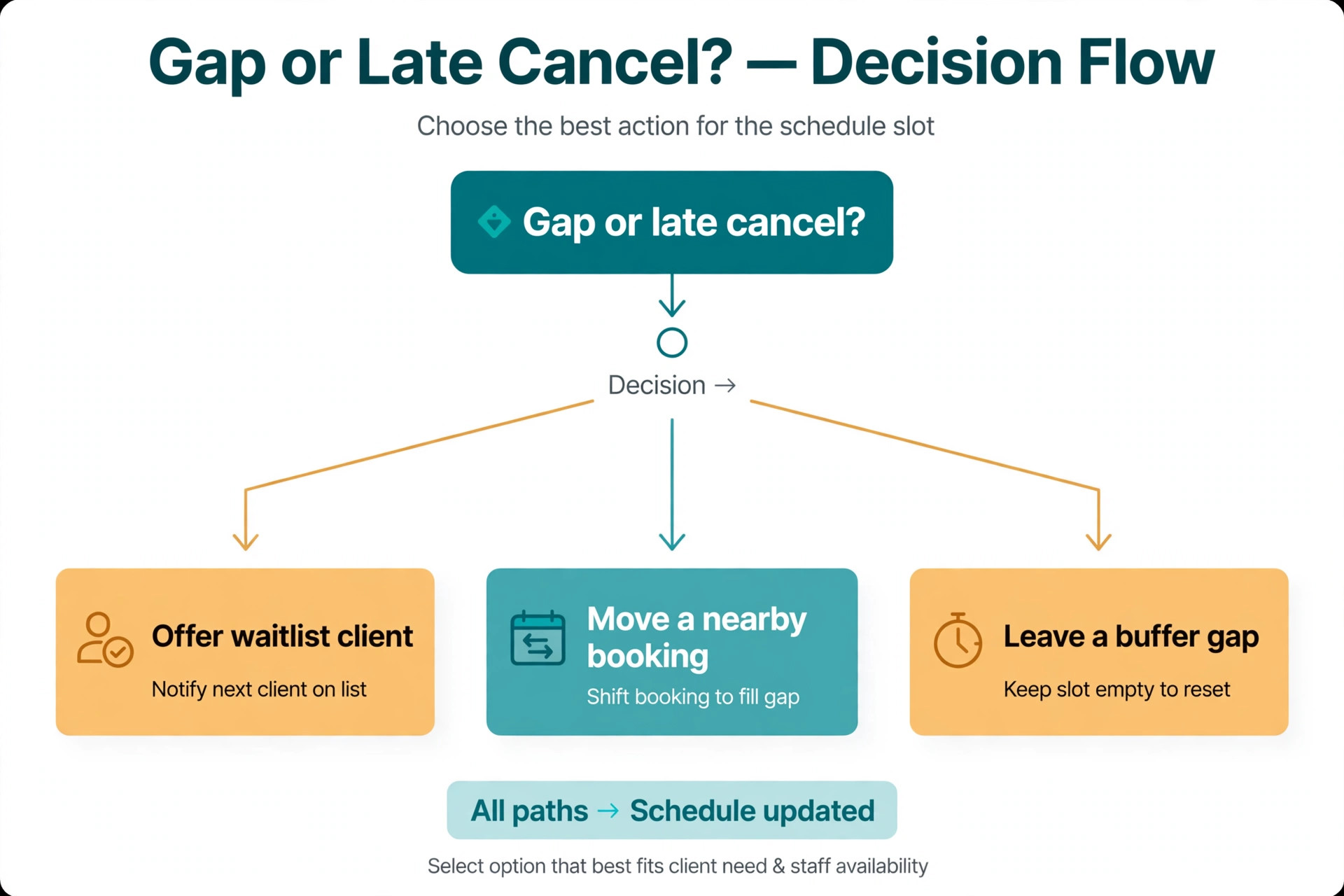
The fourth leak is the empty gap. A cancellation at noon leaves a hole too short for a full treatment and too long to waste, unless a waitlist client nearby can fill it. Without a waitlist and a quick message template, that gap stays empty. With both, a therapist can often fill it within an hour, provided the waitlist client lives in the same zone as the gap.
How to use AI for mobile massage booking management Without Losing the Personal Touch
Clients choose a mobile therapist for personal care, not for automation. The trick is to automate the admin and keep the human parts human. Let software handle reminders, forms, and diary sorting, and keep the consultation, the treatment, and the follow up message in your own voice. When a client senses a real person behind the messages, they forgive a templated reminder. When every message reads like a robot wrote it, they start shopping for another therapist.
Start with one change at a time. First, fix the booking page so it asks for location, treatment type, and any injury or pain notes before confirming. Then add travel buffers and zone days. Only then add an AI drafting step for messages, such as a polite reschedule note or a post treatment check in. Each change should make the diary calmer within a week. If a change makes clients confused, roll it back and simplify it before adding anything else.
A useful test for any new tool is whether it reduces messages or creates them. A booking page that answers the common questions about price, areas covered, and what to prepare will cut enquiry messages sharply. A page that hides prices or forces clients through five screens will create messages asking the very questions the page should have answered. Keep the booking flow short, show prices plainly, and let clients pick a zone day that matches their suburb.

Calendly for Simple Booking With Buffers
Calendly works well for therapists who want a clean booking link and control over gaps. Set event types for each treatment length, add buffer time before and after every appointment, and limit the days each event type is offered. A therapist can offer home visits on zone days and office chair sessions on a separate day, each with its own link and its own buffers.
The strength of Calendly is its simplicity, but that simplicity has a limit. It does not run a full client record or track treatment history, so a therapist still needs a separate place for intake notes and client preferences. Pair it with a simple client notes document or a practice tool, and review that note before each visit so returning clients feel remembered rather than processed.
Acuity Scheduling for Intake Forms and Packages
Acuity Scheduling suits therapists who sell packages or need detailed intake forms attached to the booking. A client can answer health questions, note injuries, and pick a package at the time of booking, which means the therapist arrives informed. Intake answers also help the therapist spot a booking that needs a longer slot or a different technique before the day starts.
Acuity also handles deposits and package balances, which matters for mobile work where a no show costs travel as well as treatment time. A deposit policy stated plainly at booking, with a clear cancellation window, protects the therapist without sounding harsh. Clients accept a deposit rule far more easily when they see it before they book than when they hear about it after a cancellation.
Fresha and Square Appointments for Client Records
Fresha and Square Appointments appeal to therapists who want bookings, client records, and payments in one place. A client record that holds past treatments, preferences, and notes means the therapist can prepare for a visit in two minutes rather than digging through old messages. Payment at booking or at the visit also removes the awkward end of session payment conversation from a client’s living room.
The right choice depends on how the therapist already works. A therapist with a steady base of regulars benefits most from strong client records. A therapist still building a client base benefits most from a booking link that is easy to share and easy to complete on a phone. Either way, the tool should serve the diary, not the other way around, and a tool that needs daily babysitting is the wrong tool.
The reason this sequence matters is that most therapists who try to use AI for mobile massage booking management start with a tool and skip the diary design. A tool cannot fix a diary that offers every suburb every day, because the tool simply books the chaos faster. Design the zones and buffers first, and the tool then becomes a genuine help rather than a faster way to create cross town days.
The Booking Management Workflow That Holds a Mobile Day Together
A workable mobile day starts the evening before, not the morning of. The therapist reviews tomorrow’s bookings, checks the map order, confirms travel times, and sends one short confirmation message per client. That evening review takes about fifteen minutes and prevents most next day chaos, because problems found at night can still be fixed with a message, while problems found at the client’s door cannot.
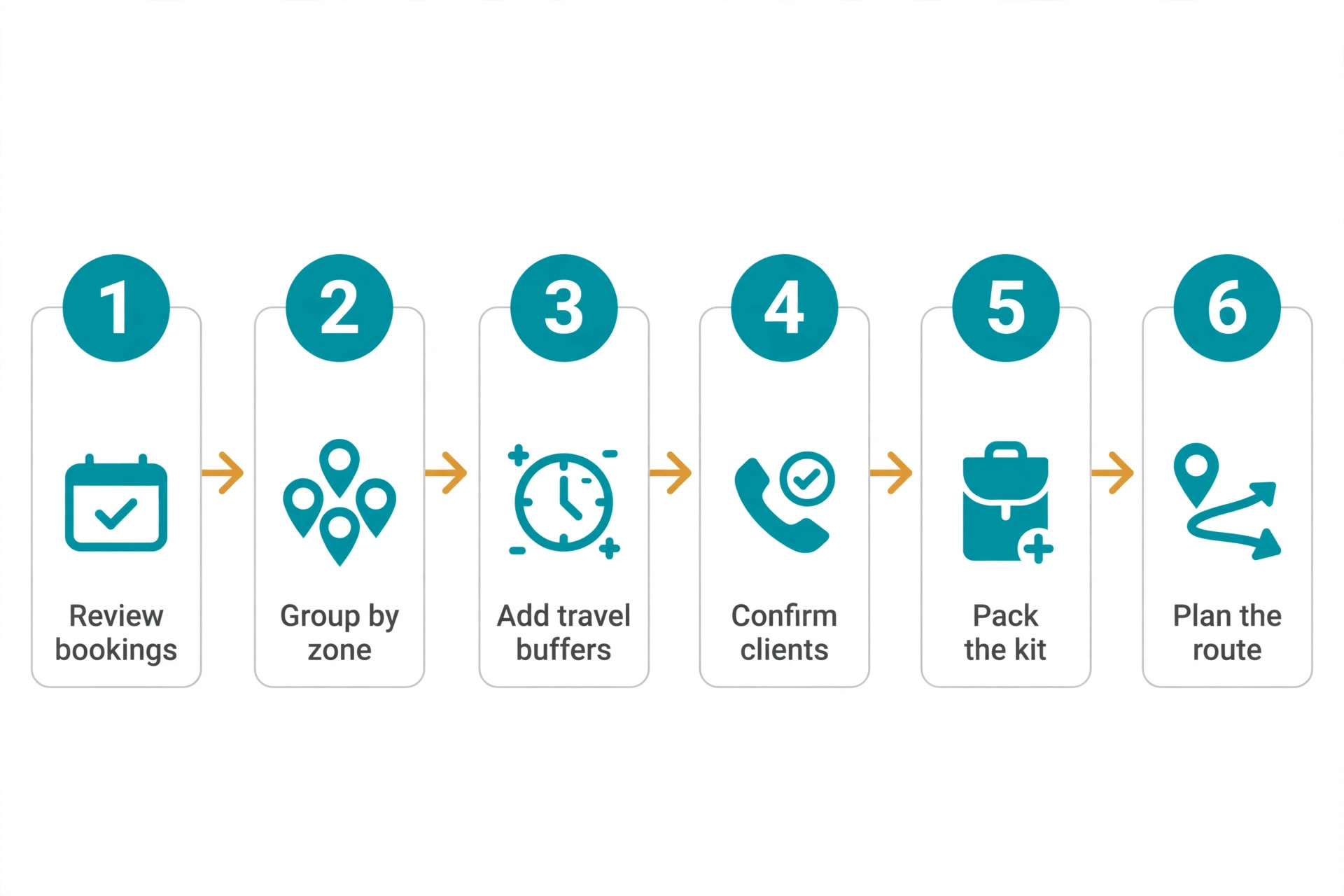
The workflow below runs in order. Each step feeds the next, so skipping one step creates work later. A therapist who confirms bookings but never checks zone order will still drive too much. A therapist who groups zones but never collects intake will still arrive unprepared. Run the full sequence for two weeks before judging it, and keep notes on which step saved the most time.
Step 1. Sort Tomorrow by Zone and Drive Order
Open tomorrow’s bookings on a map and order them so driving flows in one direction rather than back and forth. If two clients sit in the same suburb, place them together even if it means offering one client a slightly different time. Most clients accept a time shift of an hour when the therapist explains it keeps their appointment reliable and unrushed.
Step 2. Check Real Visit Lengths Against the Diary
Add setup, consultation, treatment, pack down, and drive time for each visit, and compare the total against the diary. If the total runs past the next booking, move or lengthen a slot now. This check catches the optimistic diary before it becomes a late arrival, and it is the step most mobile therapists skip because it feels like extra admin. In practice it takes five minutes and saves an apology.
Step 3. Confirm Every Booking With One Short Message
Send a confirmation that states the day, the arrival window, the treatment length, and what the client should prepare, such as clear floor space and a room warm enough to relax in. Ask the client to reply to confirm. A client who replies is far less likely to forget, and a client who does not reply gets a follow up call before the therapist drives anywhere.
Step 4. Collect Intake Before Arrival
Send the intake form with the confirmation message and require it before the visit for new clients. For returning clients, a short check in question about any change in pain, injury, or medication is enough. Intake collected early lets the therapist prepare technique, bring the right supports, and flag any concern that needs a doctor’s clearance before hands on work begins.
Step 5. Fill Gaps From a Zone Waitlist
Keep a simple waitlist sorted by suburb and treatment length. When a gap opens, message the waitlist clients in that zone first, starting with the shortest drive from the gap. A waitlist grouped by zone fills gaps far faster than a general list, because the client who lives ten minutes away can say yes while a client across town cannot.
Step 6. Close the Day With Notes and Follow Up
After the last visit, write two lines per client covering what was treated, what helped, and what to watch next time. Then send a short thank you message with a rebooking link for the same zone day. Notes written the same day are accurate, and a rebooking link sent while the treatment is fresh converts far better than a message sent a week later.
A therapist who decides to use AI for mobile massage booking management for messages should keep a simple rule. Drafts may suggest words, but the therapist owns facts, times, and promises. Read every draft once for accuracy before sending, and never send a draft that mentions a price, a policy, or a time you have not checked against the booking record.
Use AI Drafting for Messages Without Sounding Automated
Artificial intelligence drafting helps most with routine messages that therapists rewrite from scratch every week. A reschedule note, a late running apology, a waitlist offer, and a post treatment check in all follow a pattern, and a draft can supply that pattern in seconds. The therapist then edits the draft into their own voice, adds the client’s name and a personal detail, and sends it. The edit step is what keeps the message human.
A good prompt for a draft names the situation, the facts, and the tone, and nothing else. For example, ask for a warm, short message that moves a Tuesday booking to Thursday because of a diary clash, offers two times, and apologises once without over explaining. The result should be checked for accuracy before sending, especially times, dates, and prices, because a confident sounding draft can still carry a wrong detail.
Never let a draft invent policy. If the cancellation policy is forty eight hours, the draft must say forty eight hours, not a softer version the tool guessed. Keep a small document of approved facts covering prices, zones, cancellation terms, and treatment lengths, and paste the relevant facts into each drafting request. That habit prevents the most common AI drafting error, which is a polite message that promises something the business does not offer.
Privacy matters here too. Do not paste full health histories or sensitive client details into a general drafting tool. Share only the minimum needed to write the message, such as first name, day, and treatment type, and keep health notes in the private client record. Clients trust a mobile therapist with access to their home, and that trust extends to how their information is handled.
The booking page is also where a therapist who wants to use AI for mobile massage booking management can collect the structured details that later drafting depends on. When suburb, treatment, and access notes arrive in fixed fields, later messages can be drafted from real facts instead of guessed details, and the evening review becomes a quick scan rather than a detective exercise.
Booking Page Fields That Prevent Problems
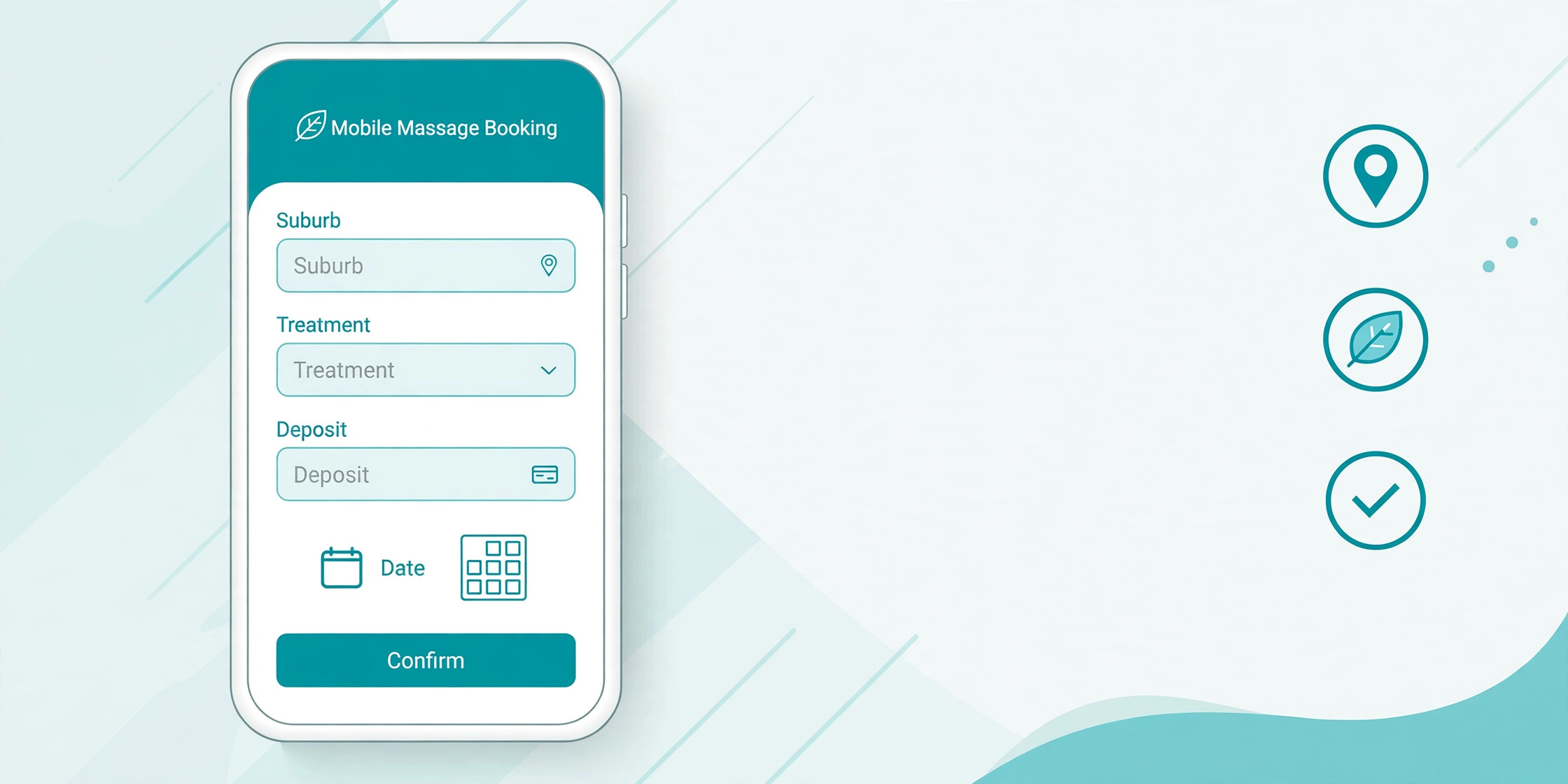
A booking page for mobile work needs different fields from a clinic page. Location is the most important, because it decides zone grouping and travel time. Treatment type and length come next, followed by access notes such as stairs, parking, and pets in the home. A therapist who learns about a third floor walk up at booking can plan extra setup time, while one who learns at the door cannot.
| Booking field | Why it matters for mobile work | What to ask |
|---|---|---|
| Suburb and address | Drives zone grouping and travel buffers | Full address at booking, not on the day |
| Treatment type | Sets technique, equipment, and room needs | Named treatment plus a short pain note |
| Session length | Prevents diary overruns | Real lengths, including new client consult time |
| Access and parking | Sets setup time and arrival planning | Stairs, parking, pets, and room space |
| Health notes | Flags clearance needs early | Injuries, conditions, and medication changes |
| Contact and reply | Confirms the booking actually holds | Mobile number plus a reply to confirm step |
Prices belong on the booking page, including any travel charge for out of zone visits. A client who discovers a travel fee after booking feels misled, while a client who sees it upfront either accepts it or picks a zone day that avoids it. Either outcome is better than a dispute at the door, and upfront pricing also cuts the enquiry messages that ask for a price before booking.
Deposit rules belong on the same page. A modest deposit for new clients, with a clear cancellation window, protects the therapist against the costliest no show, which is a long drive to an empty house. State the window in plain language, offer an easy reschedule path inside the window, and apply the rule consistently. Consistent rules feel fair, while rules applied only sometimes feel personal.
Travel and Intake Checklist for Every Mobile Visit
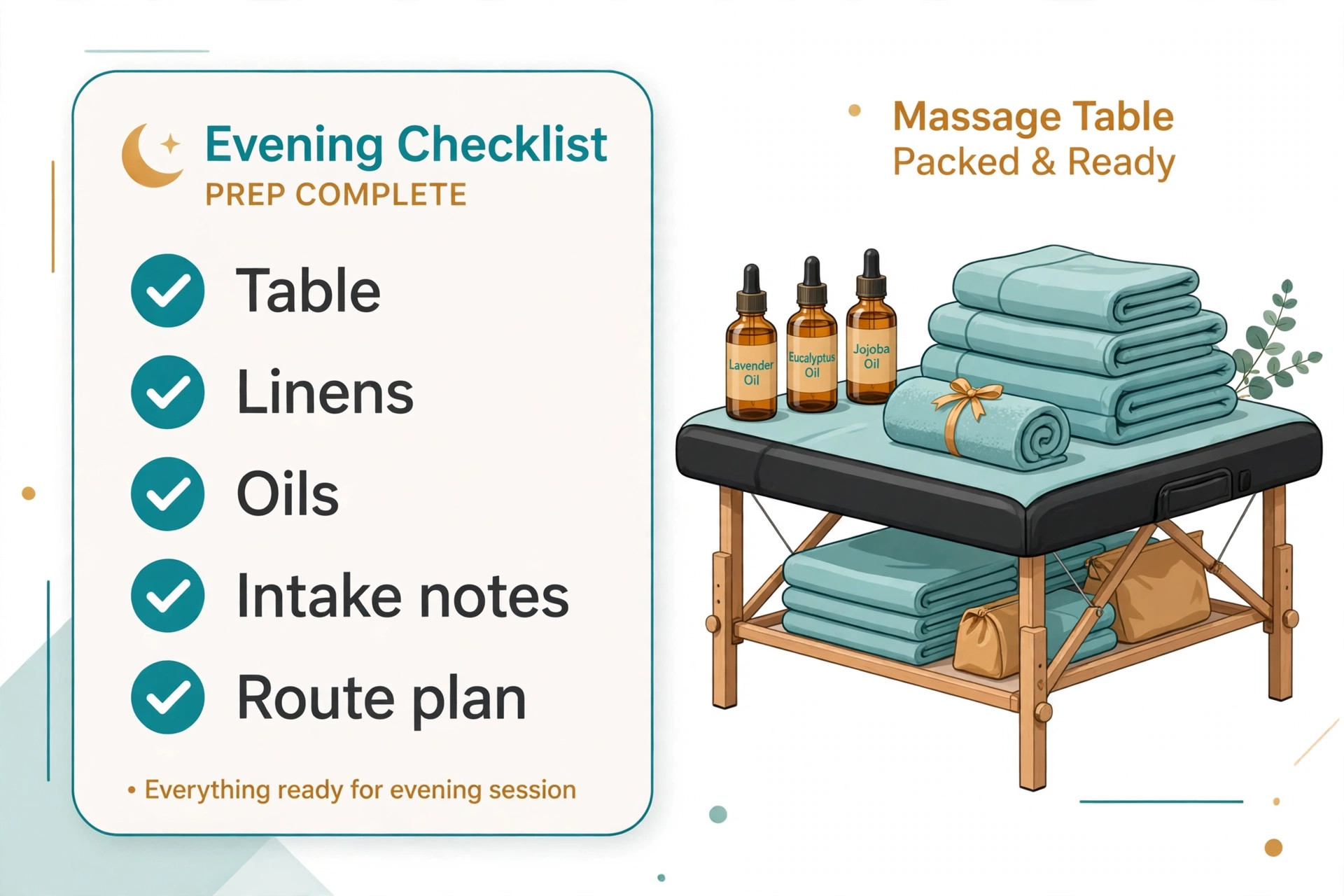
This checklist is the copyable core of the system. Print it or keep it on the phone, and run it the evening before and again before leaving for the first visit. It covers the two areas where mobile bookings fail most often, which are travel planning and intake readiness, and it takes about ten minutes for a full day.
Confirm each booking by message and record the reply.
Check the map order and total drive time for the day.
Confirm travel buffers sit between every visit.
Verify each client address, parking note, and access note.
Collect intake forms from new clients before departure.
Review returning client notes for pain or condition changes.
Pack treatment specific equipment for the day’s mix of bookings.
Check linen, oil, and table supplies against the number of visits.
Charge the phone and speaker and confirm the booking link works.
Send arrival window messages for the first two visits.
Prepare a waitlist message draft for any gap that may open.
Review deposit and payment status for each booking.
Confirm the rebooking link for the next zone day is ready to send.
A checklist only works if it is used the same way every day. Keep it short enough to finish, and resist adding items until the current list is habit. When a new problem appears twice, add one line for it and remove a line that never catches anything. A checklist that grows without pruning becomes a document nobody reads, while a short checklist that is actually used prevents real mistakes.
Pricing confidence grows when a therapist who plans to use AI for mobile massage booking management writes the price rules down before automating anything. A written price band and deposit rule can be pasted into booking pages, confirmation messages, and drafts without variation, which means clients hear the same fair terms at every step instead of a different version each time.
Pricing, Deposits, and No Show Protection for Mobile Work
Mobile pricing must cover travel, setup, and equipment wear, not just hands on time. A therapist who prices a home visit the same as a clinic hour slowly loses money on every out of zone booking, because fuel and unpaid driving come out of the treatment fee. A simple structure works best, with a base treatment price, a clear travel band for the usual zone, and a stated extra fee beyond it. Clients understand bands far better than a vague travel charge added later.
Deposits deserve the same plain treatment. A deposit taken at booking for new clients, with a forty eight hour reschedule window, changes behaviour without changing the relationship. Clients who have paid a deposit reply to confirmations, show up on time, and reschedule inside the window rather than simply not answering the door. The policy should be written on the booking page, repeated in the confirmation message, and applied the same way to every new client.
No shows still happen, and the response matters. A calm message that offers one rebooking inside the deposit window keeps the client, while an angry message loses them and risks a bad review. Record the no show in the client note, and require full prepayment for the next booking from a repeat no show client. That rule protects the diary without a confrontation, and most clients either accept it or quietly move on, which is also a fine outcome.
Therapists comparing booking tools can learn from neighbouring mobile services, since the diary problems are shared. A guide to scheduling software for mobile massage therapists shows how other therapists weigh buffers, deposits, and client records, and the comparison is useful even for a therapist who already has a tool. The same zone logic helps mobile pet grooming route scheduling, where drive order decides whether the day pays, and a pet sitting booking guide covers confirmation habits that transfer directly to massage visits.
One more mistake deserves attention from anyone planning to use AI for mobile massage booking management, which is adding three new tools in one week. Each new tool changes client messages, so three at once leaves clients confused about where to book, where to pay, and where to cancel. Add one tool, let clients learn it, and only then add the next.
Mistakes That Quietly Cost Mobile Therapists Bookings
The most expensive mistake is a booking page that hides the price. Clients who cannot see a price assume the worst or message to ask, and many simply book with a competitor whose price is visible. Show the price for each treatment length, show the travel band, and show the deposit rule. Transparency feels professional, and it filters out clients who were never going to accept the price anyway.
The second mistake is offering every suburb every day. Open availability looks generous, but it creates the cross town days that exhaust the therapist and produce late arrivals. Zone days feel restrictive at first, yet clients adapt quickly when the therapist explains that zone days keep appointments on time. A client who waits two extra days for a reliable slot is happier than a client who gets tomorrow and waits forty minutes past the appointment time.
The third mistake is collecting intake at the door. A paper form filled in while the therapist stands in a hallway wastes treatment time and produces rushed, incomplete answers. Intake sent with the confirmation and completed before arrival gives the therapist time to think, and it gives the client time to answer honestly about pain and medication. The treatment that follows is better because the consultation already happened.
The fourth mistake is letting the diary run on memory and text messages. A booking confirmed by text, moved by voicemail, and paid by bank transfer lives in three places, and one of them will be forgotten. A single booking page that holds the time, the address, the treatment, and the payment status removes that risk. Even a simple tool beats a clever memory, and a double booking fix guide shows how quickly diary clashes damage trust when two clients arrive at once. Booking discipline from other care services helps too, as shown in a guide to booking software for veterinary clinics, where intake and records decide the quality of the visit.
Before the questions below, remember that a therapist who wants to use AI for mobile massage booking management should judge every new habit by one test. Does tomorrow feel calmer than last week. If the answer is yes for two weeks running, keep the habit. If the answer is no, simplify before adding anything else, because a calm diary beats a clever one.
Frequently Asked Questions
How far ahead should a mobile massage therapist open bookings?
Open four to six weeks ahead for regular clients and two weeks ahead for new clients. A longer window lets regulars plan around zone days, while a shorter window for new clients keeps the diary flexible. Review the pattern monthly, and extend the window if regulars keep asking for dates beyond it.
Should mobile massage cost more than clinic massage?
Yes, in most cases, because travel, setup, and equipment wear are real costs. A modest travel band added to a fair treatment price is honest and easy to explain. Clients who value treatment at home generally accept the difference, especially when the booking page states it plainly before they book.
What intake questions matter most before a home visit?
Ask about pain location and history, injuries, medical conditions, medication changes, allergies to oils or lotions, and any need for doctor clearance. Add access questions about stairs, parking, pets, and room space. Those two groups together prevent most day of surprises.
How do zone days work when a client needs an urgent appointment?
Keep one flexible slot per week for urgent or returning clients in pain, and fill it first come first served. If the urgent client sits outside the day’s zone, charge the out of zone travel fee and explain it plainly. Urgent care should stay possible without wrecking the whole day’s map order.
Can a solo therapist run this system without hiring help?
Yes. The system is built for one person, with an evening review, a confirmation message, and a short checklist. The workload is about fifteen minutes the evening before and ten minutes after the last visit. That is far less than the time lost to a single cross town day or a single no show drive.
What should a therapist do when a client repeatedly cancels late?
Apply the deposit policy consistently and require prepayment for the next booking. Offer a polite rebooking path inside the window, and keep the tone warm. A client who values the treatment will accept prepayment, and a client who does not will free a slot for someone who does.
The final habit worth keeping is a weekly review for anyone who continues to use AI for mobile massage booking management across a full season. Spend twenty minutes each Sunday checking which zones filled, which gaps stayed empty, and which messages clients answered fastest, then adjust one thing for the next week. Small weekly adjustments compound into a diary that fits the therapist instead of fighting them.
A Calmer Diary Is the Real Goal
The measure of a good mobile booking system is not how modern it looks. It is whether the therapist arrives on time, treats without rushing, drives a sensible route, and ends the week with income that matches the hours worked. A system that delivers those four things is working, even if it uses only a booking link, a map, and a checklist. Fancy tools that add messages without removing work are not progress.
Start with zone days and buffers this week, add intake before arrival next week, and add message drafting only when the diary is already calm. Each step should reduce the number of messages the therapist handles, not increase it. Within a month, the diary should feel different, with fewer gaps, fewer late arrivals, and fewer evenings spent untangling tomorrow. That calm is what keeps a mobile practice sustainable, because a therapist who is not exhausted by the diary has energy left for the work clients actually pay for, which is care delivered well in their own home.