
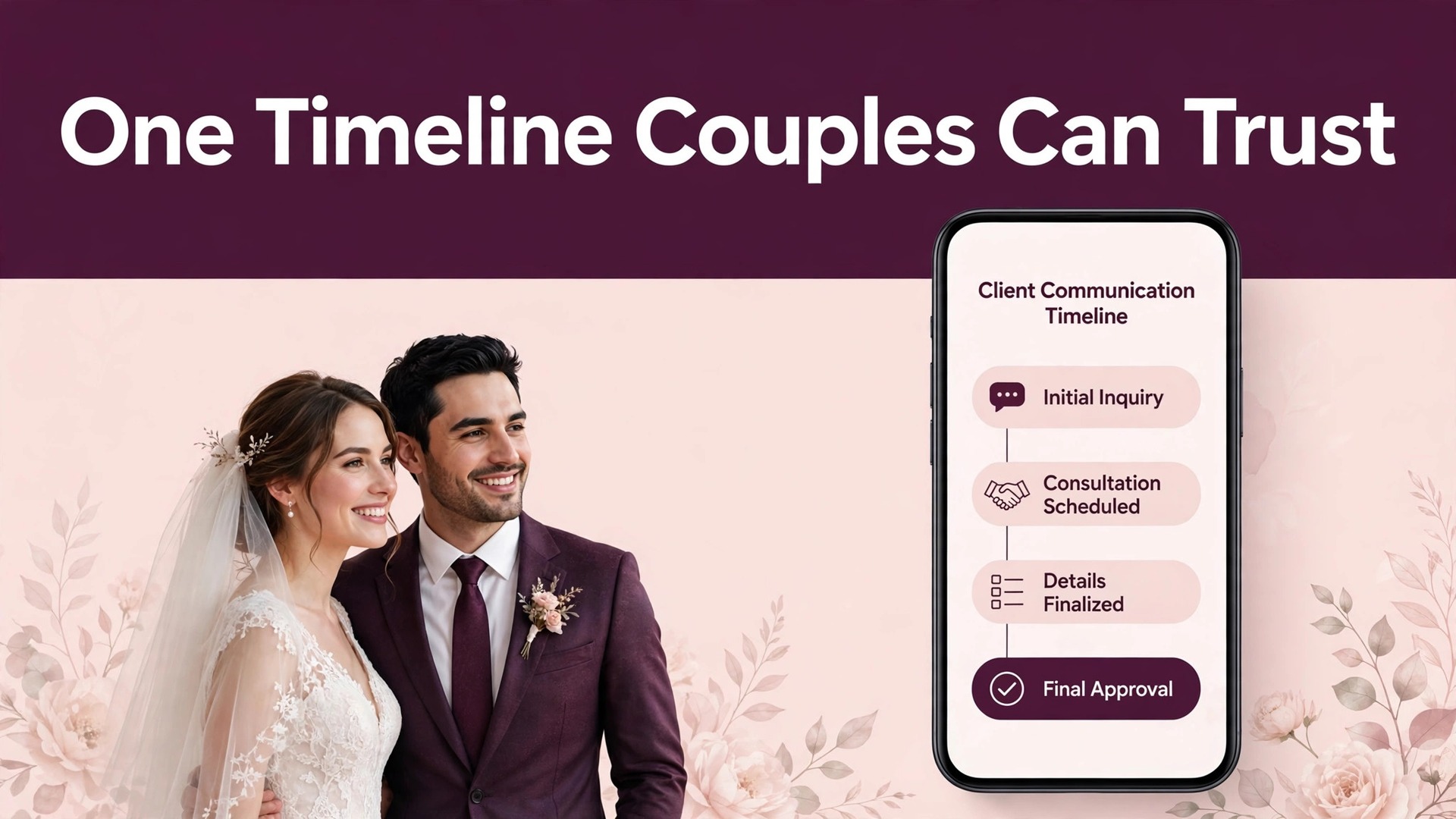
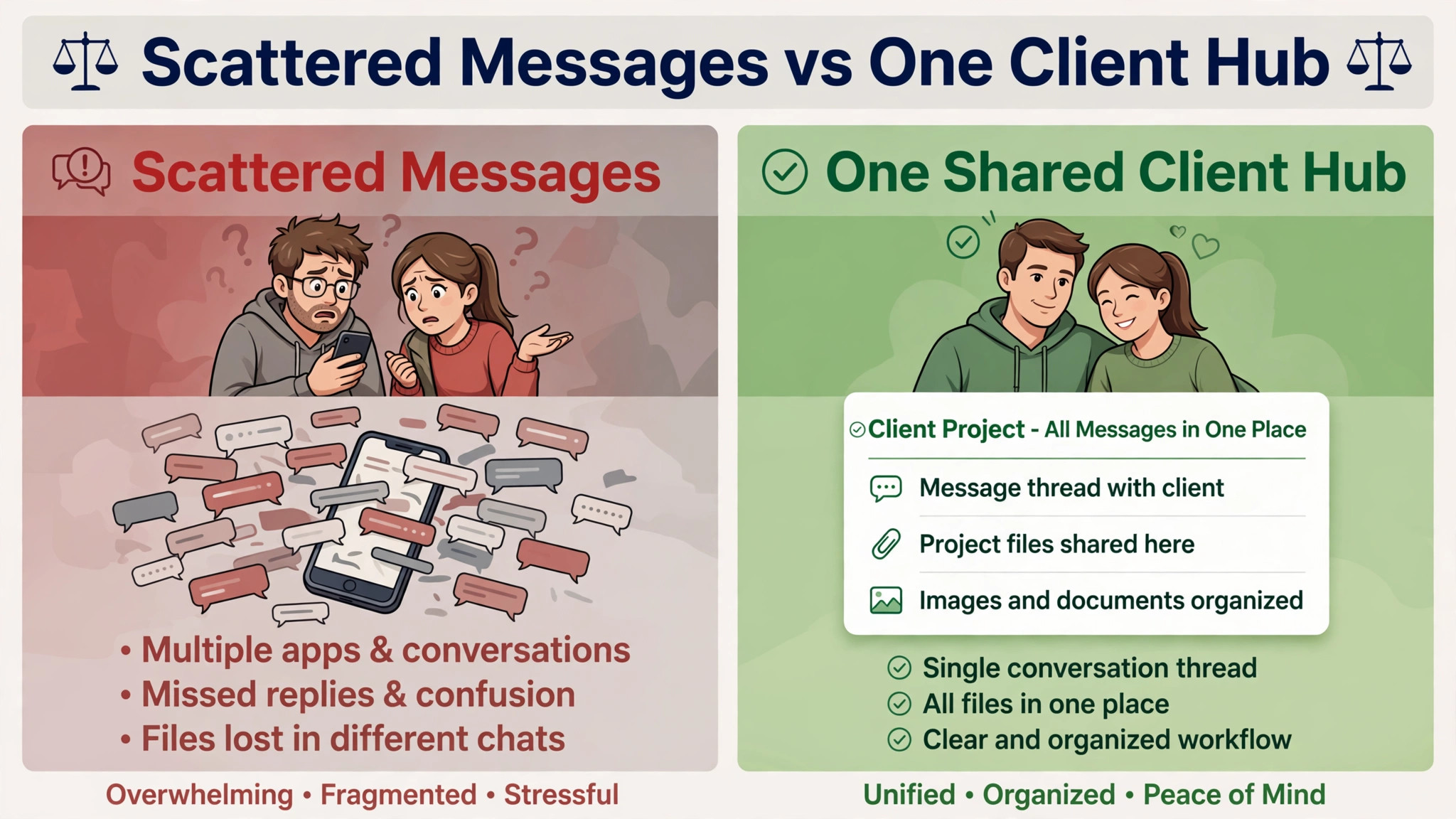
Start with the verdict, and it is different from the usual advice. Most wedding communication problems are not caused by too few messages. They are caused by messages scattered across email, text, social media, and phone calls, with no single timeline anyone can check. The fix is one shared timeline, one contact hub, and one voice from booking to gallery delivery. If you want to use AI for wedding photographer client communication well, use it to keep that timeline current, to draft the messages on schedule, and to surface missing answers early. The photographer still makes the creative calls and the personal calls. AI keeps the system honest so the personal part has room to breathe.
How to use AI for wedding photographer client communication without losing the personal touch
A wedding photographer cannot answer every message instantly, and couples do not expect instant replies at midnight. What couples expect is a clear next step, a known date for the next message, and no repeated questions. The system in this guide runs on seven stages from first enquiry to album delivery, with a fixed message at each stage and a questionnaire that collects every planning fact once. AI drafts the stage messages, tracks which answers are still missing, and reminds both sides before deadlines slip. The photographer reviews every draft, adds the personal line, and sends it. That review is what keeps automated messages feeling personal, because the couple reads a message their photographer actually checked.
The verdict as a rule
One hub, one timeline, one voice. One hub means every message, document, and payment lives in one client portal or thread the couple can revisit, not across five apps. One timeline means the couple always knows the next three dates, such as questionnaire due, timeline lock, and gallery delivery window. One voice means the photographer, not a rotating cast of assistants and automated senders, is the person the couple hears from at every important moment.
When these three rules hold, couples stop sending anxious check-in messages, because they can see the plan themselves. When any one rule breaks, anxiety returns, and anxious couples send more messages, which take more photographer time, which breaks the system further. For photographers who use AI for wedding photographer client communication well, these rules protect the photographer as much as the couple.
Where photographer communication breaks
Communication breaks at five predictable points, and each break has a different cause. The first break is the slow enquiry reply. A couple enquires with three photographers at once, and the slowest reply loses the booking before a conversation starts. The second break is the booking gap. The couple signs, pays a deposit, and then hears nothing for weeks, which feels like abandonment even when the photographer is simply busy shooting other weddings. The third break is the repeated question. The couple answers the same question about venues, family formals, or timelines three times to three different forms, and concludes the photographer is disorganised.
The fourth break is wedding week chaos, when timelines change daily and nobody knows which version is current. The fifth break is delivery silence, when editing takes weeks and the couple hears nothing, so they assume the worst.
When you use AI for wedding photographer client communication, the biggest help is tracking. A system can log every enquiry, unanswered question, and upcoming deadline, and flag the couple whose questionnaire has sat half finished for two weeks. It can also draft the check-in that asks for the missing answers without sounding like a nag. The photographer then checks the draft, adds one personal line about the couple’s wedding, and sends it. That check matters. A message that names the wrong venue, the wrong date, or the wrong family member damages trust faster than no message at all. The goal is a system that remembers everything, drafts promptly, and never sends a guess dressed up as a fact.
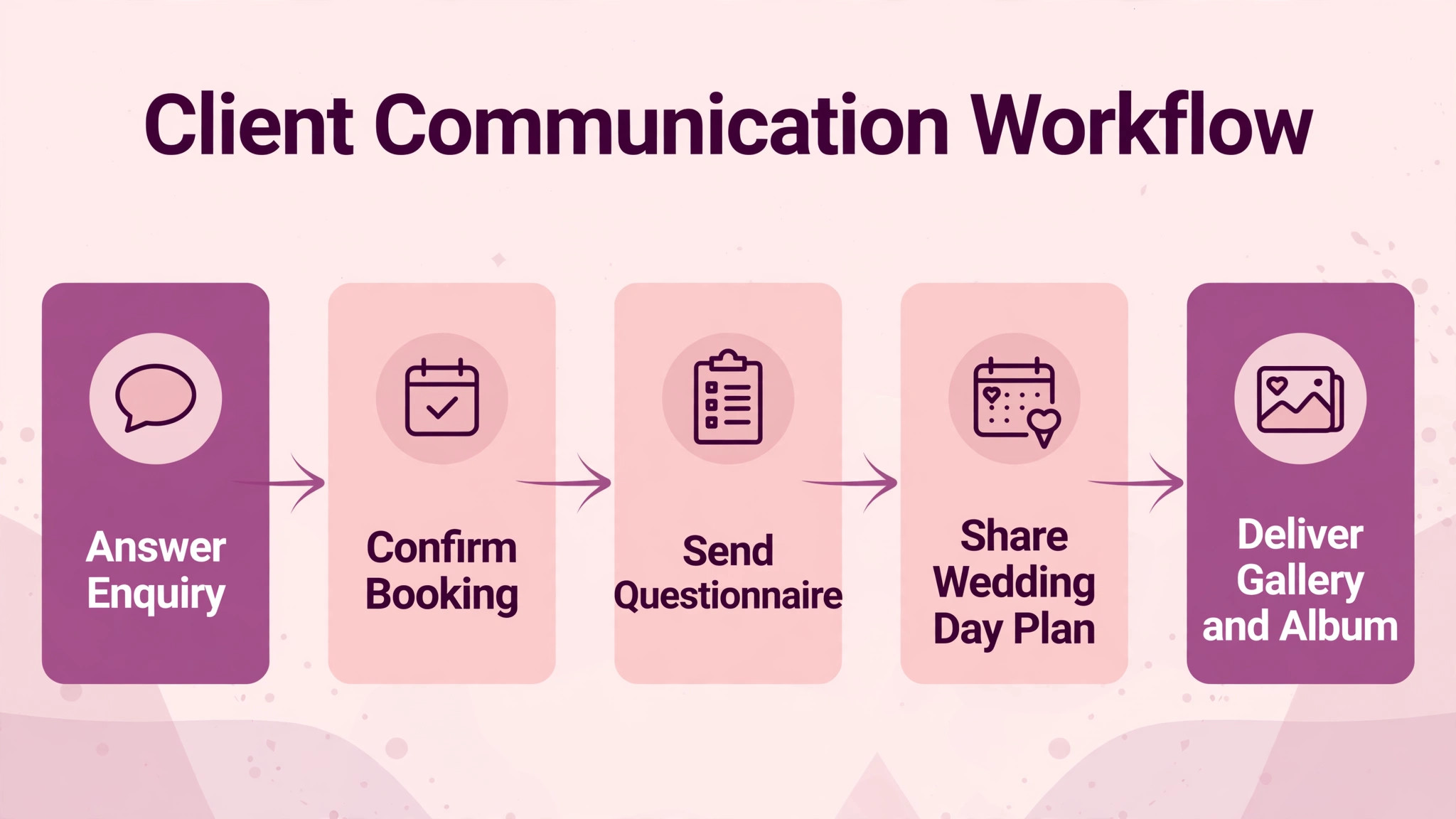
The client communication workflow, step by step
This workflow runs in seven stages, from first enquiry to album delivery. AI handles the drafting, the deadline tracking, and the missing answer flags. The photographer handles the creative conversation, the timeline decisions, and every sensitive message. Nothing in this section requires new software to start. A client portal or shared document, a questionnaire form, and an email tool you already use will run the first wedding cycle. The discipline matters more than the tool, because a disciplined photographer with a spreadsheet beats a careless photographer with expensive software every time.
Step 1. Reply to enquiries within one business day
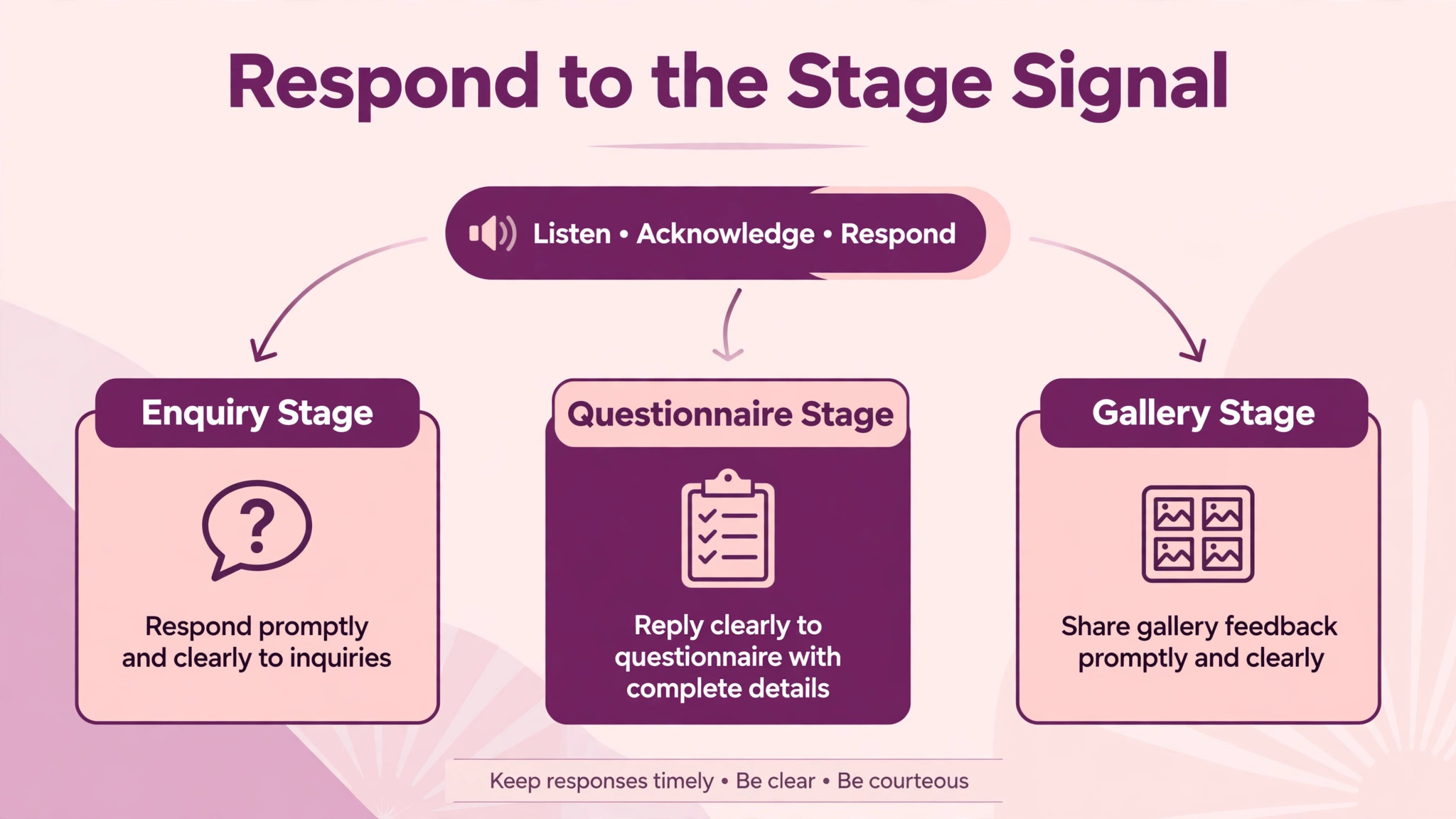
Reply to every enquiry within one business day, even when the date is already booked. The reply thanks the couple, confirms availability or says plainly the date is taken, and gives one next step, such as a short call or a pricing guide. AI can draft the reply from the enquiry details and flag enquiries past the deadline. Do not let enquiries sit for a week while you finish editing, because the couple will have booked someone faster. A fast, warm, honest reply wins more bookings than a perfect portfolio alone, because couples choose the photographer they can reach. Speed is the first proof of reliability, and reliability is what couples buy before they buy photography.
Step 2. Run one consult that ends with a decision
The consult call should end with a decision, not a promise to think about it. Cover style, coverage hours, deliverables, gallery timing, and price, then ask what the couple needs to decide. AI can draft the consult summary and proposal from your notes, so the couple receives a written record the same day. Send the proposal within 24 hours of the call, while the conversation is fresh. A proposal sent a week later arrives after the couple has spoken to two other photographers, and reads as an afterthought. The consult summary also prevents the most common booking misunderstanding, a couple expecting deliverables the photographer never offered. Write it down, send it promptly, and both sides share the same memory.
Step 3. Book with contract, deposit, and one welcome message
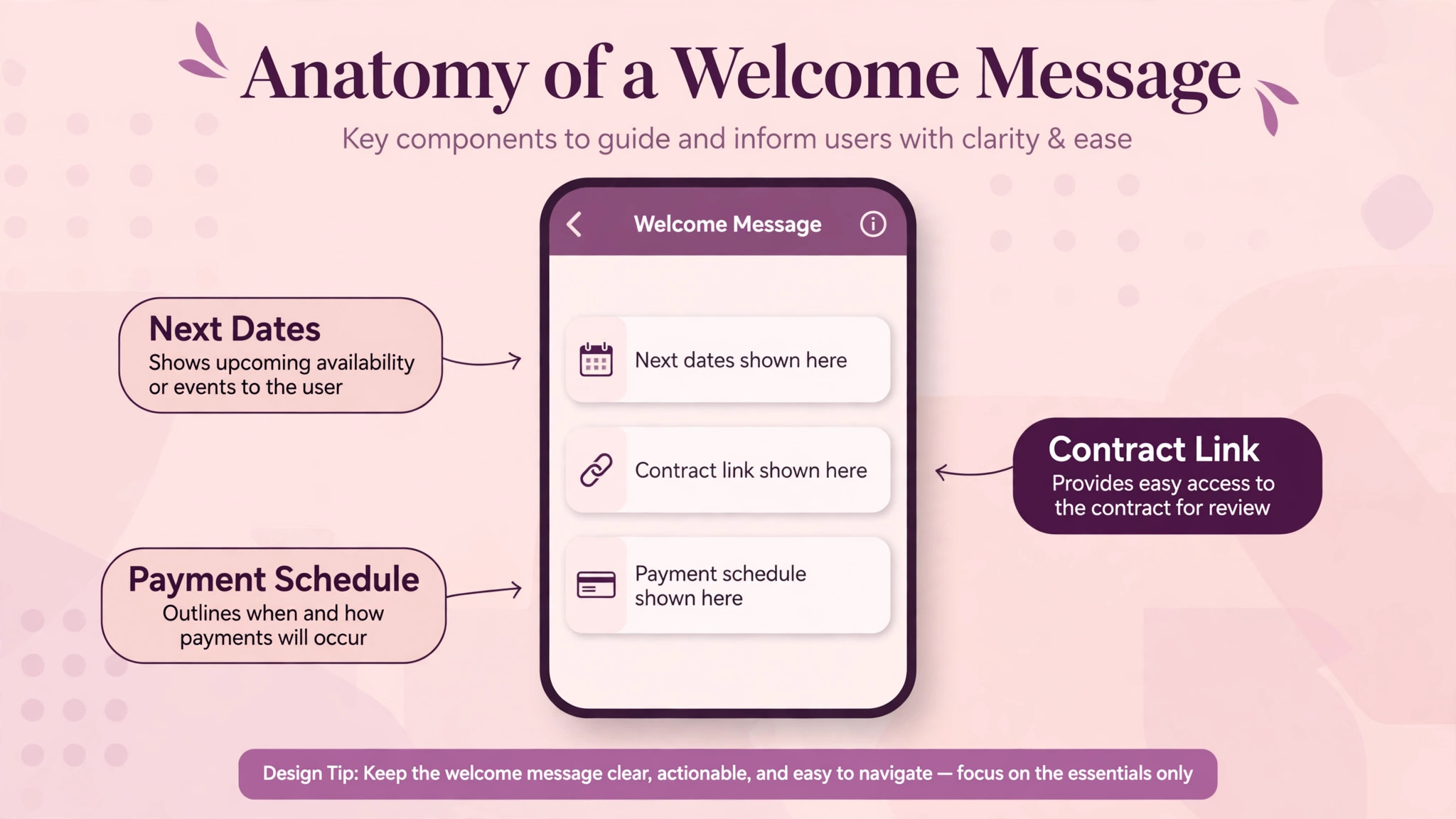
Booking means three things sent together. A contract stating coverage, deliverables, payment schedule, and cancellation terms. A deposit invoice with the balance schedule in plain words. And one welcome message stating the next three dates, such as questionnaire due, planning call, and timeline lock.
Deposit norms vary by market, and many wedding photographers ask for roughly a third to a half at booking, with milestone payments after, but exact schedules matter less than clarity. When you use AI for wedding photographer client communication at booking, let AI draft the welcome message and payment reminders, but have the photographer verify the contract details personally. A booking error in dates or hours, discovered months later, is far harder to fix than one caught on booking day.
Step 4. Send one questionnaire that asks everything once
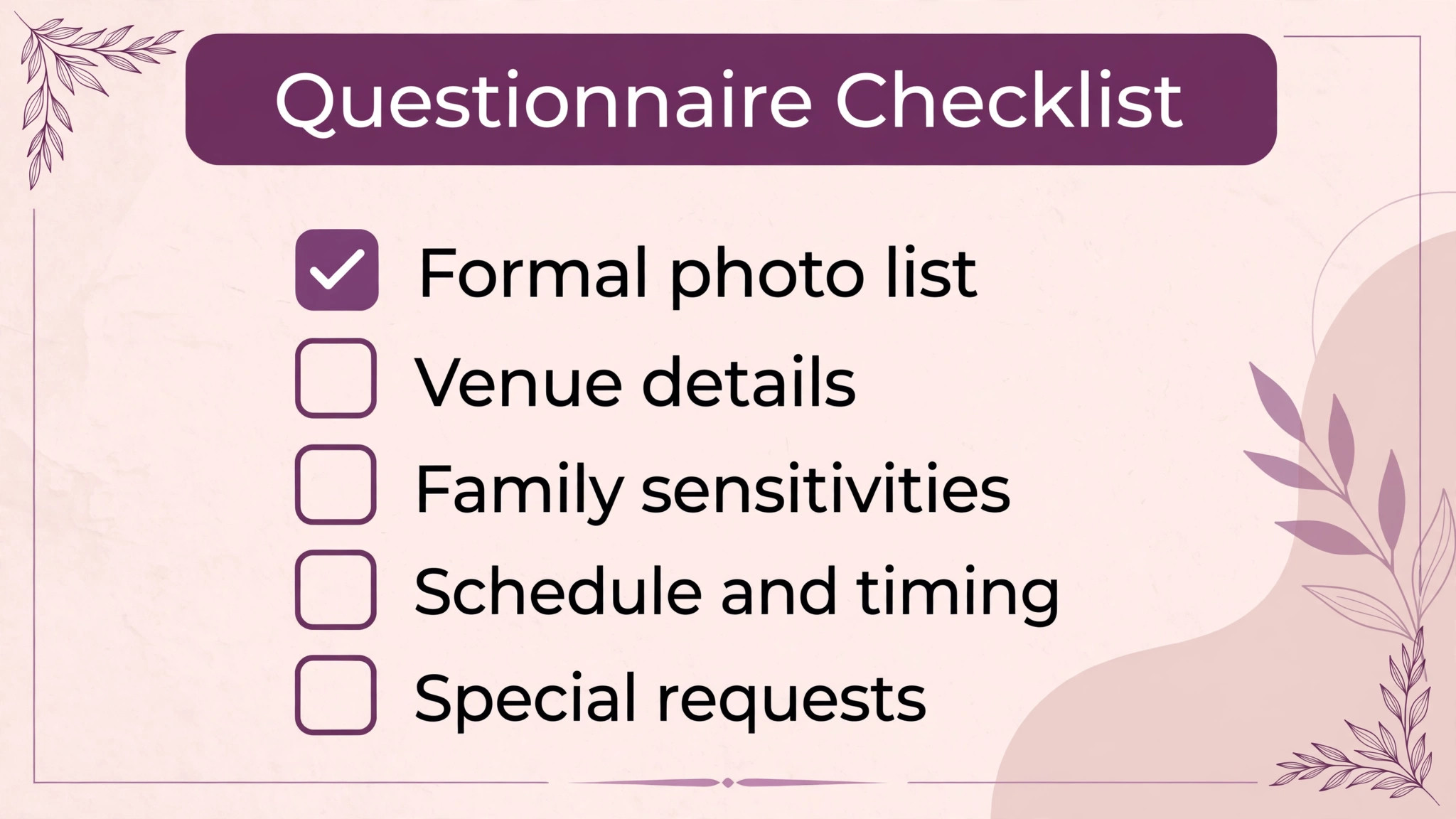
Send one questionnaire, not a series of small forms, and ask everything once. Cover contact details for the couple, planner, and day-of contact, event details and venues, the wedding day timeline, family and wedding party names for formals, must-have shots, venue restrictions, family sensitivities, and style preferences such as candid, posed, or a mix. AI can build the questionnaire, send reminders for missing answers, and summarise completed answers into a planning brief. The photographer reviews the brief and flags gaps, such as a missing family formals list or an unclear ceremony time, before the planning call. A couple asked the same question three times stops answering carefully. A couple asked once, with a clear reason, answers well.
Step 5. Lock the timeline four weeks out, then freeze changes
Four weeks before the wedding, lock the timeline in a planning call and send the locked version in writing to the couple, the planner, and any second shooter. The timeline covers getting ready, ceremony, family formals with named combinations, couple portraits including golden hour if planned, reception events, and departure time. After the lock, changes go through one channel, such as the planner or the photographer, not through scattered texts from several people. AI can draft the timeline document from the questionnaire and can flag conflicts, such as formals scheduled during a ceremony rehearsal or portraits clashing with sunset times. The photographer makes the final call on timing, because light, travel, and event flow are creative judgments, not spreadsheet outputs.
Step 6. Run wedding week with a prep reminder and a day-before confirmation
Two to three weeks out, send a prep reminder covering wardrobe, locations, final answers, and the planning call if still needed. The day before the wedding, send a short confirmation with arrival time, address, parking, weather plan, contact number, and one warm line. Keep the day-before message short enough to read on a phone while the couple is busy. AI can draft both messages from the locked timeline, but the photographer must verify every time, address, and contact before sending. When you use AI for wedding photographer client communication in wedding week, the verification is the work, because a wrong arrival time in an automated message ruins a morning that no apology can rebuild. Verify, then send, every time.
Step 7. Deliver sneak peeks fast, the gallery on schedule, and the album ask last
After the wedding, send a small set of sneak peeks quickly, within the window you promised at booking, then deliver the full gallery on the schedule stated in the contract. During editing, send one progress note at the halfway point, so the couple never wonders whether their photos were forgotten.
When the gallery is delivered, include clear instructions for downloading, sharing, and ordering prints, plus the album design timeline if an album was ordered. AI can draft the delivery message and the progress note, and can track which couples have viewed the gallery or started album selections. Ask for a review and referrals only after delivery, when the couple has seen the work, not before. A review ask sent before delivery reads as premature. One sent after a beautiful gallery arrives earns itself.
The client communication timeline template
Copy this template for every wedding and adjust the dates to the booking. It is the copyable core of this guide, and it is the reason couples stop sending anxious check-in messages. When the couple can see the next three dates at any time, they do not need to ask. Keep the template in the client hub, update it at every stage, and send the updated version after each change. A timeline that lives only in the photographer’s head will be forgotten in a busy season. A timeline in the hub gets checked, even when the photographer is shooting another wedding.
Enquiry reply within one business day with availability and next step.
Consult call ending with a decision and a proposal sent within 24 hours.
Booking with contract, deposit invoice, and welcome message stating next three dates.
Questionnaire sent at booking, due four weeks before the wedding at the latest.
Planning call six to four weeks out to review questionnaire and draft timeline.
Timeline locked four weeks out and sent to couple, planner, and second shooter.
Prep reminder two to three weeks out covering wardrobe, locations, and final answers.
Day-before confirmation with arrival time, address, parking, weather plan, and contact.
Sneak peeks within the promised window after the wedding.
Progress note at the editing halfway point so couples never wonder.
Full gallery delivered on the contract schedule with download and print instructions.
Album design timeline sent with the gallery when an album was ordered.
Review and referral ask sent after delivery, once the couple has seen the work.
The template works because it gives the couple a future they can see. Anxiety in wedding planning comes mostly from uncertainty, not from bad news. A couple who knows the gallery arrives in a stated window will wait calmly. A couple who was never told a window will worry from week two onward. The same logic applies at every stage. A questionnaire with a due date gets completed. A questionnaire without one drifts. A timeline locked four weeks out gets followed. A timeline that changes daily gets ignored. Dates, stated early and kept, are the kindest thing a photographer can give a couple, and this template states them all.

Tools that run this workflow
The best tool is the one that already holds your client records, because enquiries, questionnaires, contracts, payments, and galleries must connect to one client. A familiar system with clean data beats a new system with messy records. Photographers building their online presence should also compare options in a guide to website builders for wedding photographers, because the enquiry form on your website is where this workflow starts. When you use AI for wedding photographer client communication, the website enquiry, the CRM record, and the gallery link should feel like one journey to the couple, not three separate systems.
HoneyBook client hub and bookings
HoneyBook is a client management platform widely used by wedding photographers and other creative vendors, with enquiries, proposals, contracts, invoices, and client communication in one place. Its strength for this workflow is the single hub. When the enquiry, the contract, the payment schedule, and the messages live together, the couple has one place to check, and the photographer has one place to update. Use AI to draft the stage messages from the client record, but keep the photographer as the sender on every important message. The hub provides the structure. Only the photographer provides the voice the couple trusts.
Dubsado workflows and questionnaires
Dubsado is a business management platform with workflows, forms, and schedulers, and it suits photographers who want the seven stages to run as a dated workflow with automatic reminders. Its strength is the workflow rule. A booking can trigger the questionnaire, the planning call reminder, and the timeline lock reminder automatically, so no stage depends on the photographer remembering it during a busy season. Use AI to draft the questionnaire questions and the reminder messages, then edit them by hand in the photographer voice. Keep the human check on every message that states a date, a price, or a deliverable, because those three facts must never be wrong.
Pixieset galleries and delivery
Pixieset is a gallery and storefront platform for photographers, with online galleries, client delivery, and print sales in one place. Its strength for this workflow is the delivery moment. When the gallery arrives as a beautiful, easy to share link with clear download and print instructions, the delivery message writes itself, and the couple’s first experience of the finished work matches the care of the wedding day. Use AI to draft the delivery message and the album follow-up, and to track gallery views and print orders. Keep the sneak peek selection human, because the first images a couple sees should be chosen by the photographer who shot them, not by an algorithm.
ShootProof galleries and print sales
ShootProof is a gallery platform with client delivery, contracts, and print sales, and it suits photographers who want gallery delivery and print ordering together. Its strength is the storefront after delivery. When couples can order prints and albums from the same gallery they share with family, the album conversation starts naturally, without a separate sales message. Use AI to draft the print and album follow-up messages, and to remind couples about album selection deadlines. Keep pricing and album terms exactly as stated in the contract, because a gallery storefront that contradicts the contract creates a dispute at the happiest moment of the relationship. Consistency from contract to storefront is the whole point.
Questions that prevent wedding day surprises
The questionnaire matters more than any other document in this workflow, because it prevents the surprises that ruin wedding days. Ask for the family formals list as combinations, with every person named, not as a vague request for family photos. Ask about divorced parents, sensitive relationships, and anyone who should not be grouped together, because the photographer must know before the formals begin, not during them. Ask about venue restrictions, such as flash rules, ceremony photography limits, or time limits at the venue. Ask about must-have shots and shots to avoid. Ask about the couple’s priorities when time runs short, because something always runs short, and the photographer should know in advance what to protect.
Also ask practical questions that couples forget to volunteer. Who is the day-of contact if the couple is unreachable. Where does the photographer park and enter. Is there a getting ready location with good light and enough space. Are there cultural or religious moments the photographer should know about and respect. What time does the sun set, and does the couple want golden hour portraits even if it means stepping away from the reception. Each answer saves a decision on the day, and decisions saved on the day become photographs taken instead. A thorough questionnaire is not paperwork. It is the difference between a photographer who reacts to the day and one who is ready for it.
How to measure client happiness
Measure four numbers after every wedding and judge on all four together. Enquiry response time is hours from enquiry to first reply, which should stay within one business day. Questionnaire completion is questionnaires fully completed by the due date, which shows whether couples understand what you need. Delivery on schedule is galleries delivered within the promised window, which is the most important trust number in the business. Review and referral rate is delivered weddings that produce a review or a referral, which shows whether the whole experience, not only the photos, was worth recommending. A photographer with beautiful photos and late galleries will still lose referrals, because couples recommend the experience, not only the images.
Compare each wedding with your own running average, not with other photographers, because your market, price, and style are unique. Also track the anxious message count separately, meaning the number of check-in messages from couples asking where things stand. If anxious messages fall after you adopt the hub and timeline, the system is working, even before review rates move. Anxious messages are a leading number. Reviews are a lagging one, and leading numbers are what let you fix communication before it costs a booking. Use AI for wedding photographer client communication to group these measures by wedding type and season, and to show whether summer weddings or multi-day events need different timelines.
Mistakes that cost photographers bookings
The most common mistake is the slow enquiry reply. A photographer who replies in five days has lost the couple to a faster competitor, however good the portfolio is. Reply within one business day, every time, even when the answer is that the date is taken. A fast no earns a future enquiry. A slow silence earns nothing. The second mistake is booking silence. A couple who signs and hears nothing for six weeks assumes they were forgotten, and starts worrying about everything else. Send the welcome message at booking, the questionnaire promptly, and a short note between booking and planning, so the couple always knows the next step. Silence after booking is the most expensive silence in the business.
The third mistake is asking the same question twice. A couple asked for venue details in the enquiry, the questionnaire, and the planning call will conclude the photographer is disorganised, and that conclusion colours the whole wedding. Ask once, record the answer where everyone can see it, and check the record before asking again.
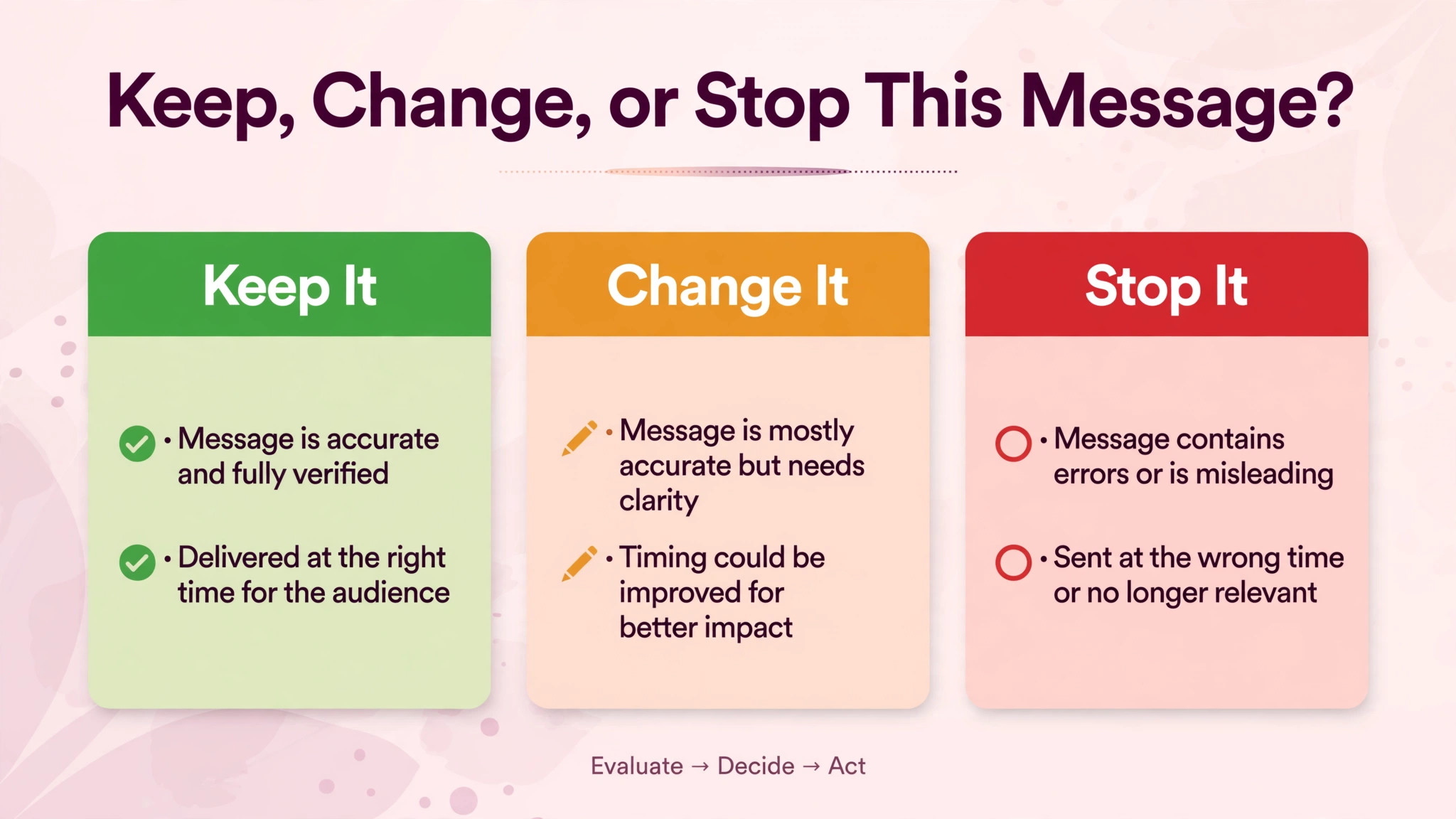
The fourth mistake is letting AI send without a photographer check. AI drafts can misstate a venue, a time, or a family name, and a wrong name in a wedding message is not a small error. Every message needs a photographer eye before it goes out, especially in wedding week. The fifth mistake is delivery silence. Editing takes weeks, and couples wait in silence unless you tell them otherwise. Send the halfway progress note, keep the promised window, and deliver on schedule. A gallery delivered late, however beautiful, arrives with an apology attached, and apologies do not earn referrals.
Frequently Asked Questions
How fast should a wedding photographer reply to enquiries?
Reply within one business day, even when the date is already booked. Couples usually enquire with several photographers at once, and the slowest reply loses the booking before a conversation starts. The reply should thank the couple, confirm availability or say plainly the date is taken, and give one clear next step, such as a short call or a pricing guide. AI can draft the reply from the enquiry details and can flag enquiries that have waited past the deadline, but the photographer should check the date and the tone before sending. A fast, warm, honest reply wins more bookings than a perfect portfolio alone, because couples choose the photographer they can reach first and trust most.
What should a wedding photography questionnaire include?
Include contact details for the couple, planner, and day-of contact, event details and venues, the wedding day timeline, family and wedding party names for formals, must-have shots, venue restrictions, family sensitivities for group photos, and style preferences such as candid, posed, or a mix. Ask for family formals as combinations with every person named, not as a vague request for family photos. Ask about divorced parents or sensitive relationships before the wedding, because the photographer must know before formals begin, not during them. Ask about priorities when time runs short, because something always runs short. One questionnaire, asked once, with a clear due date, gets better answers than several small forms sent across months.
How do photographers handle timeline changes in wedding week?
Lock the timeline four weeks out, send the locked version to the couple, planner, and second shooter, and route later changes through one channel only, such as the planner or the photographer. Scattered texts from several people create several versions of the timeline, and nobody knows which one is current. AI can draft the updated timeline document and can flag conflicts, such as formals clashing with sunset portraits or travel time. The photographer makes the final call on timing, because light, travel, and event flow are creative judgments. On the day itself, the planner or day-of contact owns change communication, so the photographer can keep shooting while the timeline adapts. One channel, one current version, one decision maker.
When should couples receive sneak peeks and the full gallery?
Send sneak peeks quickly, within the window promised at booking, and deliver the full gallery on the schedule stated in the contract. During editing, send one progress note at the halfway point, so the couple never wonders whether their photos were forgotten. State the delivery window at booking and again in the welcome message, so the couple hears it twice and remembers it. If editing will run longer than promised, tell the couple before the deadline passes, with a new date, not a vague delay. A gallery delivered on schedule builds trust that earns reviews and referrals. A gallery delivered late, however beautiful, arrives with an apology attached, and couples remember the wait as well as the work.
Can AI write wedding client messages without sounding cold?
AI can draft the structure and wording, but warmth comes from real details and photographer editing. Feed AI the couple’s names, venue, date, and one specific fact, such as a must-have shot or a family detail, and set a short word limit. Then edit by hand, fix any guessed detail, cut extra praise, and add one sentence only you could write about their wedding. Read the result aloud. If it sounds like a generic studio email, rewrite the first line. The combination of AI drafting and photographer editing keeps messages fast and personal at the same time, and it is the approach recommended throughout this guide. Never send an AI draft without a photographer check, especially in wedding week.
Which tools work best for wedding photographer communication?
The best tool is the one that already holds your client records, because enquiries, questionnaires, contracts, payments, and galleries must connect to one client. HoneyBook suits photographers who want one client hub. Dubsado suits photographers who want dated workflows with automatic reminders. Pixieset and ShootProof suit photographers who want beautiful gallery delivery with print sales. For broader context, compare client management options in a guide to CRM software for wedding vendors, and read how planners manage the same couples in a guide to wedding planner client management. Couples planning budgets should also read a guide to wedding photography pricing packages and a guide to wedding planning business client management for the full planning picture.
Final verdict
If you change one thing after reading this guide, change this. Give every couple one hub, one timeline, and one voice, and keep all three current from enquiry to gallery. That single change removes most anxious messages, most repeated questions, and most wedding week confusion, because couples who can see the plan do not need to chase it.
Use AI for wedding photographer client communication to keep the hub current, draft messages on schedule, and flag missing answers. You keep the creative calls, the personal lines, and the final check. Start with your next booking, run the template exactly as written, and count anxious messages before and after. If they fall, keep the system and extend it to every wedding. If they do not, check the hub first, because a timeline the couple cannot see was never a timeline at all.