
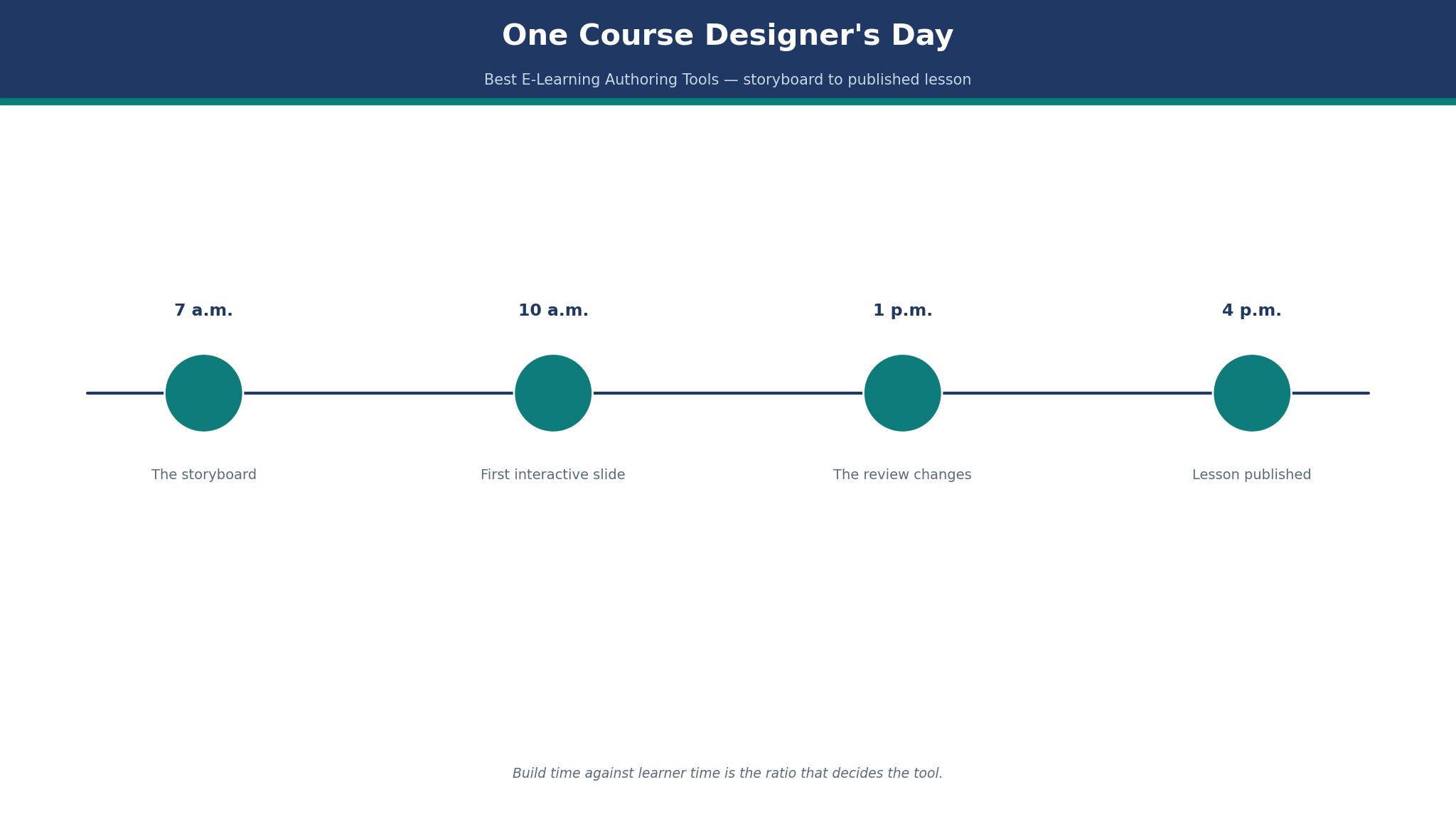
7 a.m. The storyboard for a new course was due at noon, and the best e-learning authoring tools shortlist had to be settled before the first slide was built. The course was a safety induction for warehouse staff, forty minutes of learning, and the tool that built it would decide whether the learners finished it or closed the tab halfway through.
10 a.m.: The First Interactive Slide
By 10 a.m. the storyboard was a wall of pinned cards, and the first interactive slide was on screen. The slide asked a simple question. A forklift is coming down the aisle, and a worker steps out from behind a shelf. What do you do? Three answers, one correct, and a short explanation after the click. That single slide took an hour to build, and it taught more than the twenty slides of text that came before it.
The morning’s lesson was about the tool, not the content. A good authoring tool makes that slide in an hour. A bad one makes it in a day, and the difference is not the feature list. It is whether the branching, the feedback and the scoring work without a manual. Every tool below is judged on that morning’s test first, and on price second, because a tool that slows the first slide slows the whole course. The choice in this best e-learning authoring tools guide is really a choice about how a working day feels.
1 p.m.: The Review That Changed Everything
At 1 p.m. the review arrived, and it changed the course. The warehouse manager watched the draft and said the forklift scene was wrong. The aisle in the video was too wide, the shelf was on the wrong side, and the workers would laugh at it. The scene had to be rebuilt, and the rebuild took twenty minutes in one tool and half a day in another, because one tool let the reviewer comment on the slide itself and the other needed a separate email chain.
That afternoon taught the second lesson of the day. Review is where courses live or die, and a tool without built-in review adds a week to every course. The tools that include comments, version history and a shared preview link save that week. The tools that do not include them cost it, and the cost is invisible until the deadline slips. A buyer who has never run a review will not see this in a feature list, and a buyer who has will not buy a tool without it.
The 12 Tools at a Glance
| Tool | Best for | Starting price | First course verdict |
|---|---|---|---|
| Articulate 360 | Professional teams, Storyline depth plus Rise speed | Personal $1,449 a seat a year; Teams $1,749 | Best overall |
| iSpring Suite | PowerPoint users turning decks into courses | $970 an author a year; Suite AI $1,290 | Best for PowerPoint teams |
| Adobe Captivate | Simulations and responsive courses | $39.99 a month, individual | Best for simulations |
| Lectora | Complex custom interactions | About $1,999 a year, reported | Best for deep custom work |
| Elucidat | Large teams that author together | Quote only | Best for collaborative authoring |
| dominKnow ONE | Teams that need one tool for many formats | From $997 a year, reported | Best all-rounder |
| Easygenerator | Subject experts who author themselves | From $99 a month, reported | Best for experts, not designers |
| Gomo Learning | Cloud authoring for distributed teams | Quote only | Best cloud authoring |
| isEazy Author | Small teams that want a quick start | Quote only; free trial | Best quick start |
| H5P | Free interactive content for the web | Free, open source | Best free tool |
| Camtasia | Screen recording plus light course building | $179.99 a year, reported | Best for software training video |
| Vyond | Animated video lessons | From $49 a month, reported | Best for animated explainers |
The table is the short version, and the detail sections below are the long one. I took the prices from vendor pages and current comparison sources in late 2026, and where two sources disagree the text says so instead of picking one. The first-course verdict column is the honest summary of one working day, not a feature count. The ranking in this best e-learning authoring tools roundup is built on build time, review speed and export quality, in that order.
The 12 Tools in Detail
Articulate leads on depth, iSpring leads on speed, and Captivate leads on simulation, with nine more behind them. The sections below cover all twelve, with a year-one cost at a stated size and the limit that decides each tool in this best e-learning authoring tools list. Read the opening three carefully, since they build the courses most designers are asked for, and use the rest as a reference for the format you need next.
1. Articulate 360
Articulate 360 is the industry standard for professional teams, and it earns that place with two tools in one subscription. Storyline 360 builds deep, freeform interactive courses with branching scenarios and custom interactions. Rise 360 builds clean, responsive courses fast, with no design skill needed. A team that needs both depth and speed gets both here, and no other tool in this list offers that pair.
The price is the honest problem. Personal costs $1,449 a seat a year, and Teams costs $1,749 a seat a year, both billed annually with no monthly option and no permanent free tier, only a trial. A team of three authors on Teams pays $5,247 a year, and that is before the AI credits, which cost $250 per 50,000 and expire at the end of the term. Education rates are lower, at $1,311 and $1,086, but a commercial team pays the full rate.
Articulate’s strength is the ecosystem. Templates, a huge community, Review 360 for comments on the course itself, and an LMS-ready export in SCORM and xAPI that works in nearly every learning platform. The review tool is the feature that saved the afternoon in the story above, because the manager could comment on the slide itself and the fix took twenty minutes.
The weakness is the price for occasional authors. A team that builds two courses a year pays $1,749 per author for a tool that sits idle for months, and there is no monthly plan to cover the busy season. The worked example is simple. A team of three on Teams pays $5,247 a year. A team of three on iSpring Suite pays $2,910 a year. The difference is $2,337, and Articulate must earn it in build speed and review time to be worth the gap.
Articulate is the best pick for a professional team that builds courses every week. It is the wrong pick for a team that builds two courses a year and could use a cheaper tool for the same job.
2. iSpring Suite
iSpring Suite is the fastest path from PowerPoint to a finished course, and for a team that already lives in PowerPoint that speed is decisive. It works as a PowerPoint add-in, so the author builds in a tool they already know, adds quizzes, branching dialogues and video, and exports a SCORM package that uploads to any LMS. The learning curve is a day, not a month.
The price is clear and fair. Suite costs $970 an author a year, Suite AI costs $1,290, and iSpring Cloud AI costs $720 an author a year for the browser-based version. A team of three on Suite pays $2,910 a year, which is $2,337 less than Articulate Teams for the same three seats. The trial lasts 14 days, and there is no permanent free tier.
iSpring’s strength is the quiz maker and the conversion speed. A 40-slide deck becomes a course in a morning, and the quiz engine handles branching and scoring without extra work. Its weakness is freeform design. A course that needs a custom layout, a complex simulation or a branching scenario with many paths will hit the limits of a slide-based tool, and the author will wish for Storyline.
The worked example for a PowerPoint team is short. A designer who converts one deck a week saves about 3 hours a week against building from scratch, which is 156 hours a year, or $7,020 at $45 an hour. The Suite licence costs $970, so the tool pays for itself seven times over in the first year for that team.
3. Adobe Captivate
Adobe Captivate is the simulation tool in this list, and it does one job better than any rival. It records software, builds practice simulations, and creates responsive courses that adapt to a phone, a tablet and a desktop. A team that trains staff on software, or that needs a course to work on every screen size, should start here.
The price is the lowest entry point for a serious desktop authoring tool. The individual plan lists at $39.99 a month, which is $479.88 a year, and some sources list $33.99 a month, so treat the $39.99 figure as the list price and the lower figure as reported. The plan includes the new Captivate app, Captivate Classic, 100 GB of storage and generative credits, which is a generous bundle for the price.
Captivate’s strength is depth. Its simulation and branching tools handle scenarios that Rise cannot, and its responsive design is genuinely responsive rather than a scaled-down desktop page. Its weakness is the learning curve, which is steeper than iSpring and longer than Rise, and a beginner should budget a week to learn it properly.
The worked example is simple. A team of three on Captivate pays $1,439.64 a year at the list price, which is less than one Articulate Teams seat. For a team that builds software training, that is the best value in this list, and the simulation quality is the reason.
4. Lectora
Lectora is the deep custom tool, and it suits a team that builds complex interactions no template can cover. It is a desktop authoring tool with a long history, and its scripting and custom interaction tools handle courses that other tools cannot build at all. A team that needs a bespoke simulation or a complex branching scenario will find Lectora the most capable option after Storyline.
Pricing is reported at about $1,999 a year, which sits between iSpring Suite and Articulate Teams. A team of three pays about $5,997 a year at that rate, which is dearer than Articulate Teams, so the buyer must need the custom depth to justify the price. Lectora’s weakness is the interface, which feels older than its rivals, and the community is smaller, so help is harder to find.
5. Elucidat
Elucidat is the collaborative authoring tool for large teams. It is cloud-based, so several authors work on the same course at once, and its templates keep every course looking like it came from one team. A large organisation with many authors and a brand to protect will find it the most consistent option here.
Pricing is quote only, which tells a buyer the size of customer Elucidat expects. The trade-off is control against cost. A team that needs brand control and collaborative authoring will accept the quote process. A small team that needs a published price should look at Easygenerator or iSpring Cloud AI instead.
6. dominKnow ONE
dominKnow ONE is the all-rounder, and it earns its place by covering many formats in one tool. It builds responsive courses, software simulations, and traditional slide-based training, and it exports SCORM and xAPI for any LMS. A team that builds different kinds of courses in one year will find it the most flexible option after Articulate.
- Starting price: from $997 a year, reported.
- Best use: teams that build responsive courses, simulations and slide courses in one tool.
- Weakness: it is less well known than Articulate, so templates and community help are thinner.
- Worked cost: a team of three pays about $2,991 a year at the reported rate, close to iSpring Suite.
- Verdict: a strong second choice for a team that wants one tool for many jobs.
dominKnow’s strength is the breadth. A team that buys it does not need a second tool for a different format, and that saves a subscription. Its weakness is depth in any one format, where Storyline or Captivate still lead.
7. Easygenerator
Easygenerator is the expert’s tool, and it is built for the person who knows the subject rather than the person who knows design. A subject expert opens a template, writes the content, adds a question, and publishes, without a designer in the loop. That is a real job, and most authoring tools ignore it.
Q: What does Easygenerator cost? A: From $99 a month, reported, which is $1,188 a year. That sits between iSpring Suite and Articulate Personal, and it is a fair price for a tool that removes the designer from the loop.
Q: Who should pick it? A: A team where the expert writes the course and nobody else touches it. A training manager with ten experts and no designers will get more courses from Easygenerator than from any tool here.
Q: What does it give up? A: It gives up the freeform depth of Storyline and the simulation depth of Captivate. A course that needs a custom interaction should be built elsewhere, and Easygenerator should handle the straightforward courses.
8. Gomo Learning
Gomo Learning is the cloud authoring tool for distributed teams. It runs in the browser, so authors in different offices work on the same course without installing anything, and the responsive output works on every device. A team spread across three cities will find it the easiest to run.
Pricing is quote only, which is the honest answer for a tool sold to larger teams. Gomo’s strength is the cloud workflow and the responsive design, which is genuinely built for mobile first. Its weakness is the quote process, which a small team will find slow, and the smaller community, which means less help when something goes wrong.
9. isEazy Author
isEazy Author is the quick start. It is cloud-based, template-led, and built for a small team that wants a course live this week rather than next month. A team that has never built a course before will find it the friendliest tool here after H5P.
Pricing is quote only with a free trial, which is a pity, because a published price would help a small team decide faster. isEazy’s strength is the template library and the speed from blank page to published course, which is measured in hours rather than days. Its weakness is depth, and a team that outgrows the templates will need a second tool within a year.
10. H5P
H5P is the free tool, and it is the best free tool in this list by a distance. It is open source, it runs in the browser, and it builds interactive videos, quizzes, branching scenarios and presentations that embed in a website or an LMS. A teacher or a small team with no budget can build a real interactive lesson today for $0.
The price is $0 for the software, and the cost is hosting and time. A team that hosts H5P itself pays for the server, and a team that uses it inside an LMS pays nothing extra. The worked example is simple. A course with ten interactive videos costs $0 in software and about 20 hours of build time, which is $900 at $45 an hour, and the same course in Articulate would cost $1,449 in software alone.
H5P’s weakness is polish and scale. It is not a full authoring suite, and a team building fifty courses a year will outgrow it. For a first course, or for a team with no budget, it is the right place to start.
11. Camtasia
Camtasia is the screen recording tool that also builds light courses, and for software training that combination is hard to beat. It records the screen, edits the video, adds quizzes and callouts, and exports a package that plays anywhere. A team that trains staff on software will find it the fastest route from a live demo to a finished lesson.
Pricing is reported at $179.99 a year, which is the cheapest paid tool here after H5P. A team of three pays $539.97 a year, which is less than one iSpring seat. Camtasia’s weakness is course depth. It is a video tool with course features, not a course tool with video, and a team that needs branching scenarios should buy a real authoring tool alongside it.
12. Vyond
Vyond is the animated explainer tool, and it suits a course that needs a character, a scene and a story rather than a slide deck. It builds animated videos with characters, backgrounds and voiceover, and a safety induction with a forklift scene is easier to watch as an animation than as a wall of text.
Pricing is reported from $49 a month, which is $588 a year, and that is a fair price for animation. Vyond’s weakness is the same as its strength. Animation suits some topics and not others, and a course that needs a real software simulation should not be animated. A team that buys Vyond should use it for the topics that suit animation, and use another tool for the rest.
Articulate 360 vs iSpring Suite
The duel that decides most purchases is Articulate 360 against iSpring Suite, and the answer depends on the team’s starting point. Articulate wins on depth and on the two-tool bundle. iSpring wins on price and on the PowerPoint workflow. That split is the whole decision, and buyers in the best e-learning authoring tools market should make it before they look at any other feature.
On price, iSpring wins without a contest. A team of three on iSpring Suite pays $2,910 a year. A team of three on Articulate Teams pays $5,247 a year. The difference is $2,337, and Articulate must earn it in build speed, review time and depth to be worth the gap. On depth, Articulate wins. Storyline builds interactions iSpring cannot, and Rise builds responsive courses faster than any slide tool.
On review, Articulate wins again, because Review 360 lets a reviewer comment on the course itself. iSpring has review tools too, but they are thinner, and a team that reviews every course will feel the difference in the first month. On learning curve, iSpring wins. A PowerPoint user is productive in a day, where Storyline takes a week. The honest advice is to buy iSpring if the team lives in PowerPoint, and buy Articulate if the team builds courses every week and needs the depth.
The Lesson That Took Three Weeks to Make and Three Minutes to Take
The safety induction took three weeks to build and three minutes for a learner to take, and that ratio is the fact that decides the tool. Three weeks is 120 working hours, and three minutes is the learner’s time, so the ratio is 2,400 to 1. A tool that cuts the build time by a fifth saves 24 hours, which is $1,080 at $45 an hour, and that saving is larger than the price of most tools in this list.
The ratio also explains why the review matters so much. A course that takes three weeks to build and is wrong in one scene wastes the whole three weeks, because the learner learns the wrong aisle, the wrong shelf and the wrong habit. A tool with built-in review catches that error in an afternoon, and a tool without it catches it after launch, when the fix costs another week.
The practical rule follows from the ratio. Buy the tool that makes the build fast and the review easy, and the learner’s three minutes will be worth the builder’s three weeks. Buy the tool that makes either of those slow, and the ratio works against you for every course you build. That is the lesson the best e-learning authoring tools in this list teach, and it is the lesson most buyers learn too late.

Best Pick by Job
| Job | Best pick | Year-one cost for 3 authors |
|---|---|---|
| Professional team, courses every week | Articulate 360 Teams | $5,247 |
| PowerPoint team, fast conversion | iSpring Suite | $2,910 |
| Software simulations | Adobe Captivate | $1,439.64 |
| Subject experts, no designers | Easygenerator | $1,188 per author, reported |
| Free interactive content | H5P | $0 software |
| Screen-recorded software training | Camtasia | $539.97 |
| Animated explainers | Vyond | $588 per author, reported |
The table is the short version of the whole guide. Choose by the row that fits your team, and read the matching section through before buying. The picks in this best e-learning authoring tools guide are the same ones the detail sections recommend, so the table and the text agree.
How to Choose E-Learning Authoring Tools for One Real Course?
Start with one real course, not with a feature list. Take the course you must build next, write down what it needs, and test each tool on that course alone. A safety induction needs branching and review. A software course needs simulation. An expert-led course needs templates. The course decides the shortlist, and buyers in the best e-learning authoring tools market who skip this step buy a tool for a course they will never build.
Then price the team, not the tool. Count the authors, multiply by the per-seat price, and add the time cost at $45 an hour. A team of three on Articulate Teams pays $5,247 a year, and a team of three on iSpring Suite pays $2,910. The difference is $2,337, and the question is whether Articulate saves $2,337 of time in a year. For a team building a course a week, it does. For a team building two courses a year, it does not.
Finally, run the review test. Build one lesson, send it to a reviewer, and time how long the fix takes. A tool that lets the reviewer comment on the lesson itself will win that test, and a tool that needs an email chain will lose it. That test measures the working day, not the feature page, and it is the test that matters.
What Does the Best E-Learning Authoring Tools List Get Wrong About Build Time?
Most lists get one thing wrong about build time, and it is the thing that costs teams the most. They quote the vendor’s build time, which assumes an expert author, a finished storyboard and no review. A real course has a beginner author, a storyboard that changes, and a review that sends the work back. The real build time is double the vendor’s figure, and a buyer who budgets the vendor’s figure misses the deadline by a month.
The second mistake is treating the tool as the whole cost. The tool is the smallest part of the cost. The author’s time is the largest part, and a tool that saves 24 hours of author time is worth more than a tool that saves $500 on the licence. A buyer who compares licences without comparing build time is comparing the wrong numbers.
The third mistake is forgetting the learner. A course that takes three weeks to build and three minutes to take must be worth those three minutes, and a tool that makes the course dull wastes both the builder’s time and the learner’s attention. The best tool is the one that makes the course worth taking, not the one that makes it fastest to build.
Frequently Asked Questions
How much does e-learning authoring software cost per author?
A single author pays $1,449 a year on Articulate Personal, $970 on iSpring Suite, $479.88 on Adobe Captivate at the list price, and $0 on H5P. A team of three pays $5,247 on Articulate Teams and $2,910 on iSpring Suite. The range is wide because the jobs are different, and the cheapest tool is the one that matches the course, not the one with the lowest price.
Can I build a course without a designer?
Yes, with Rise 360, Easygenerator, iSpring Cloud AI or H5P. Those tools use templates, so a subject expert can build a clean course without design skill. A course that needs custom interactions still needs a designer, and a buyer should be honest about which kind of course they build most often.
Is Articulate 360 worth the price?
For a professional team building courses every week, yes. The Storyline and Rise bundle, the review tool and the template ecosystem save more time than the price costs. For a team building two courses a year, no. iSpring Suite or Adobe Captivate will build those courses for less, and the saving is real money.
How long does it take to build a course?
A short course of ten lessons takes a week in Rise or iSpring, two weeks in Storyline, and a month in Captivate if it needs simulations. A safety induction of forty minutes took three weeks in the story above, including review. Budget double the vendor’s figure, because the review always takes longer than the plan allows.
Do I need an LMS to use these tools?
No, but most teams use one. These tools export SCORM and xAPI packages that upload to any LMS, and some, like Rise, can host the course directly. A team without an LMS can publish to the web with H5P or Rise, and add an LMS when tracking becomes essential.
Which tool is best for PowerPoint users?
iSpring Suite, because it works inside PowerPoint and turns a deck into a course in a morning. A team that lives in PowerPoint will be productive in a day, where Storyline takes a week to learn. The price is $970 an author a year, which is $479 less than Articulate Personal for the same seat, and that gap is the reason it leads the PowerPoint row in this best e-learning authoring tools guide.
4 p.m.: What Did the Day Teach Me?
4 p.m. The lesson was published, the review was done, and the course was live for the warehouse staff to take the next morning. The tool that made the day work was Articulate 360, and the reason was the review. The manager’s comment landed on the slide itself, the fix took twenty minutes, and the course went live on time.
If I were starting again, I would still begin with the storyboard at 7 a.m., I would still test the tool on one real lesson before buying, and I would still budget double the vendor’s build time. The day taught me that the best tool is not the cheapest or the deepest. It is the one that makes the working day shorter, and the course better for the person who takes it.