
Compare Riverside with a free tool and the difference is not just price. Compare Riverside alternatives with each other and the real difference is workflow. Riverside alternatives range from simple browser studios that record local audio for every guest, to full production platforms that record, edit, transcribe and publish. Some are built for interview podcasts. Some are built for live shows. Some are built for video first creators who need studio quality footage for YouTube as well as audio for podcast feeds. This guide compares 13 tools on recording quality, reliability, video, editing, guest experience, and pricing notes for October 2026. Check checkout before you pay, because recording hours, video resolution and transcription limits are the costs that change most often.
Why recording quality starts locally
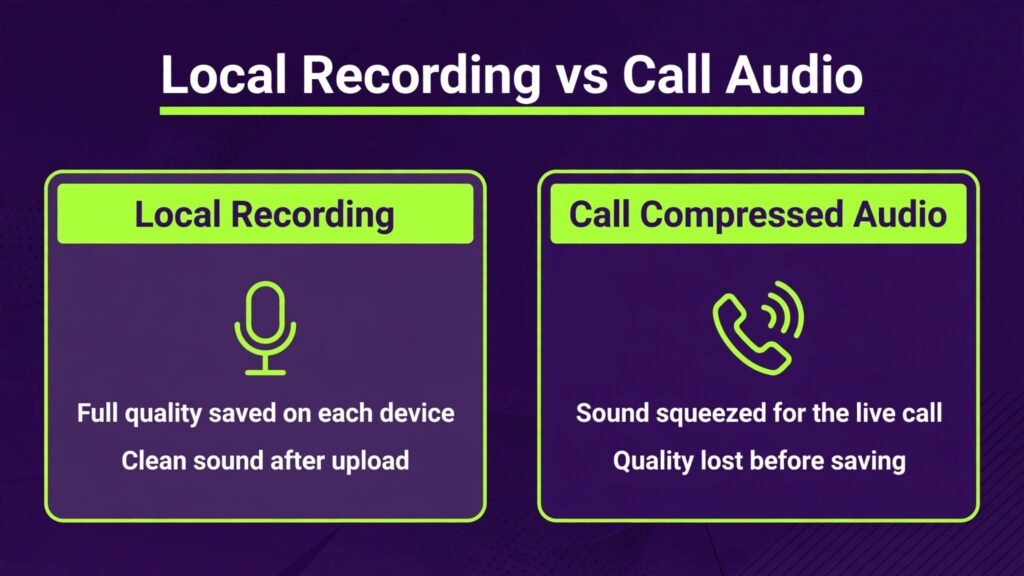
The key idea behind Riverside and its best competitors is local recording. In a normal video call, audio and video are compressed for the internet, so a guest with a weak connection sounds distant and glitchy. Local recording captures each guest audio and video on their own device at full quality, then uploads the files after the call. The result is clean audio even if the live conversation had a lag or a dropout. That is why podcasters care about local recording more than any other feature. A good microphone helps, but local recording protects you when the internet does not cooperate.
When you compare tools, check three technical details. First, does the tool record separate tracks for each guest, so you can edit one voice without affecting others? Second, does it record in high resolution video and uncompressed or high quality audio, or does it cap quality on lower plans? Third, how does it handle uploads if a guest closes the browser early? A tool that loses a recording when a guest leaves is a risk you should not accept for important interviews. Test these details with a short practice call before you record a guest you cannot easily rebook.
The 13 best Riverside alternatives at a glance
| Tool | Best for | Free option | Key strength |
|---|---|---|---|
| Zencastr | Podcast recording plus editing | Free tier | Simple studio with separate tracks |
| SquadCast | Professional interview audio | Trial | Studio quality audio and video |
| StreamYard | Live shows and interviews | Free tier | Easy live streaming studio |
| Restream | Multistream live shows | Free tier | Stream to many platforms at once |
| Podcastle | Recording plus AI editing | Free tier | All in one audio and video studio |
| Descript | Recording plus text editing | Free tier | Edit by editing the transcript |
| Alitu | Beginner podcast production | Trial | Guided production workflow |
| Cleanfeed | High quality remote audio | Free tier | Clean audio for radio and podcast |
| Iris | Simple remote recording | Free tier | Lightweight browser recording |
| Ecamm Live | Mac live and interview studio | Trial | Powerful Mac live production |
| OBS Studio | Free live and recording control | Free | Full control, no subscription |
| Melon | Easy live interviews | Free tier | Simple guest links and live studio |
| Spotify for Podcasters | Free hosting and recording | Free | Free recording plus distribution |
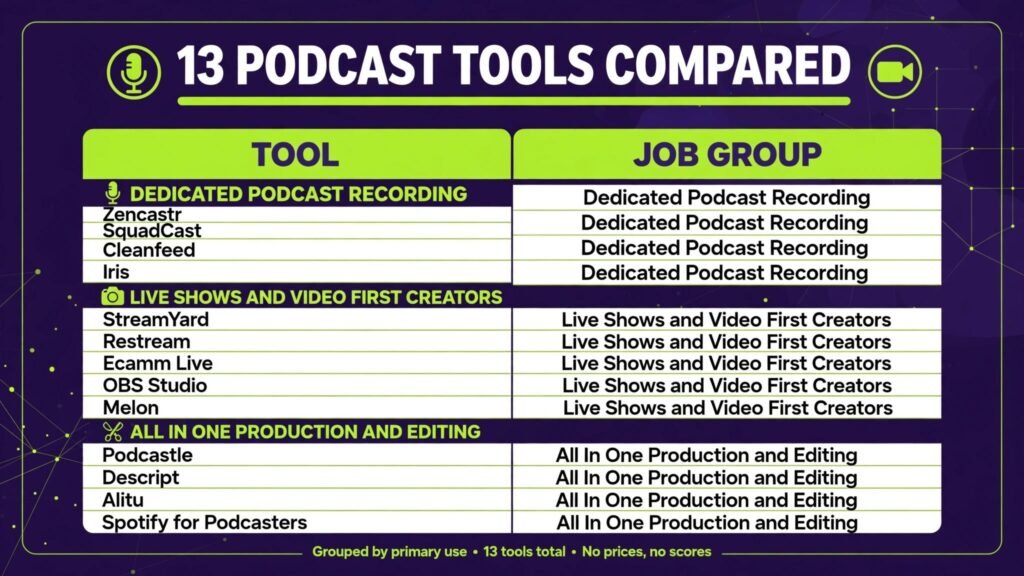
Best for dedicated podcast recording
1. Zencastr
Zencastr is one of the most direct Riverside alternatives, with a browser studio that records separate audio and video tracks for each guest. The guest experience is simple: click a link, allow microphone and camera, and record. That simplicity matters when guests are not technical. Zencastr also offers editing, transcription and distribution tools, so a small podcast team can record and polish an episode without moving files between many apps.
Pricing includes a free tier and paid plans based on recording hours, video quality and AI features. Check checkout for monthly recording limits and for whether high resolution video is included on your plan. Zencastr is less suited to complex live streaming, where a live focused studio may be stronger. For recorded interviews, it is a strong, practical choice.
Watch out for: test guest upload behaviour. Ask guests to stay on the page until uploads complete, and confirm separate tracks are present before you end the session.
2. SquadCast
SquadCast is known for professional audio quality and a focus on remote interview recording. It records local audio and video for each participant, with separate tracks and high quality output. Podcast networks and professional interview shows use SquadCast when audio quality cannot be compromised, especially for shows that will also be distributed as video. The interface is clean, and the guest experience is designed to reduce setup friction.
Pricing is subscription based, with a trial and paid plans for creators and networks. Check checkout for recording hours, video resolution and storage limits. SquadCast is now part of Descript, which means integration with Descript editing is a benefit if you already use that workflow. It is less suited to live streaming, because it is primarily a recording studio, not a live broadcast tool.
Watch out for: professional quality still needs a decent guest microphone. Send guests a short setup guide and ask them to record in a quiet room, even with a good platform.
3. Cleanfeed
Cleanfeed focuses on high quality remote audio, with a browser based studio used by radio producers and podcasters. It is less visual than Riverside, but for audio only shows it is a strong specialist. Cleanfeed supports separate tracks, high quality audio, and guest links that work without installs. If your podcast is audio first and you care about clean speech above video polish, Cleanfeed deserves a test.
Pricing includes a free tier and paid plans based on features and recording quality. Check checkout for multitrack recording limits and for high quality audio options on your plan. Cleanfeed is less suited to video first creators who need studio video for YouTube.
Watch out for: audio only workflow means you will need a separate tool for video clips and social promotion if you later add video.
4. Iris
Iris, formerly known as Iris.fm, offers lightweight browser recording for remote interviews. It is designed to be simple and reliable, with separate tracks and local recording. For creators who want a no fuss alternative without a large feature list, Iris is appealing. The guest link workflow is straightforward, and the studio does not require guests to install software.
Pricing includes a free tier and paid plans. Check checkout for recording hours, storage and export options. Iris is less suited to a full production workflow, because editing and distribution features are more limited than an all in one platform. Pair it with a dedicated editor if you need heavy post production.
Watch out for: confirm current feature availability at checkout, because smaller platforms can change plans and limits more often than large ones.
Best for live shows and video first creators
5. StreamYard
StreamYard is the best choice in this list if your show is live. It lets you host interviews, bring guests on screen, show comments, add banners and stream to YouTube, Facebook, LinkedIn and other platforms from a browser. The guest experience is famously simple, which helps when guests are busy or non technical. StreamYard also records locally for later editing, although its main strength is live production, not studio recording alone.
Pricing includes a free tier and paid plans based on streaming hours, branding and multistreaming. Check checkout for monthly hours and for whether local recording and high resolution video are included. StreamYard is less suited to a purely recorded podcast that never goes live, because you may pay for live features you do not use.
Watch out for: live shows need a run sheet. Test guest audio, screen sharing and banners before going live, because live mistakes are public.
6. Restream
Restream is built for multistreaming. If you want to go live on YouTube, Twitch, Facebook and LinkedIn at the same time, Restream makes that practical from one studio. It also offers guest interviews, chat aggregation and recording, which suits creators who build an audience across platforms. For a show that depends on live reach, multistreaming can increase discovery without adding a separate broadcast for each platform.
Pricing includes a free tier and paid plans based on channels, features and recording. Check checkout for the number of destinations included, because that is the key cost driver. Restream is less suited to a private recorded interview, where a dedicated podcast studio will give better separate tracks and editing.
Watch out for: multistream chat can be hard to follow. Assign a moderator for live shows, or limit destinations to the platforms where your audience actually watches.
7. Ecamm Live
Ecamm Live is a powerful live production studio for Mac users. It supports multi camera interviews, screen sharing, overlays, and streaming to major platforms, with recording for later editing. For Mac based creators who run professional live shows, interviews and webinars, Ecamm Live offers more production control than a browser studio. That control comes with a learning curve, but for a regular live show it pays off in production quality.
Pricing is subscription based, with a trial and paid plans. Check checkout for the plan that includes interview mode and recording features. Ecamm Live is Mac only, so Windows users should choose a browser based alternative instead.
Watch out for: live production needs a capable Mac and a stable connection. Test with your full setup, including cameras and overlays, before a public show.
8. OBS Studio
OBS Studio is free, open source software for live streaming and recording, used by creators, gamers and podcasters worldwide. It gives you full control over scenes, sources, audio mixing and recording settings, without a subscription. That control is its strength and its challenge. OBS does not provide guest links or local recording for remote guests out of the box, so you need additional tools or plugins for remote interviews. For a solo creator or a local studio, OBS is hard to beat on value.
Pricing is free, although you may pay for plugins, hardware or a separate guest tool. Check system requirements and test recording settings before a live show, because OBS quality depends on your computer and settings. For remote interviews, pair OBS with a dedicated recording tool, or use a guest platform that feeds into OBS.
Watch out for: OBS has no customer support line. Use community guides and test recordings to learn settings, and keep a backup recording running for important shows.
9. Melon
Melon offers a simple live studio for interviews and shows, with guest links, branding and streaming to major platforms. It suits creators who want an easy live setup without the complexity of OBS or the cost of a premium studio. Melon is a good entry point for a new live show, a community interview series, or a creator testing live video before investing in a larger platform.
Pricing includes a free tier and paid plans. Check checkout for streaming hours, branding and recording limits. Melon is less suited to a high end studio production with multiple cameras and complex scenes, where Ecamm Live or OBS will give more control.
Watch out for: keep the show format simple at first. One guest, one topic and a clear structure will look better than a complex layout that is hard to manage live.
Best for all in one production and editing
10. Podcastle
Podcastle combines recording, AI editing, transcription and publishing tools in one platform. It records separate tracks, offers AI audio enhancement, and helps turn a recording into a polished episode with less manual work. For solo podcasters and small teams, that all in one workflow saves time, because you do not need to move files between a recorder, an editor and a host. Podcastle also supports video recording and editing, which helps creators who publish both audio and video versions.
Pricing includes a free tier and paid plans based on recording hours, AI features and storage. Check checkout for AI enhancement limits and video quality on your plan. Podcastle is less suited to a large network that needs advanced governance and custom workflows, where a specialist recorder plus a separate editor may be better.
Watch out for: AI audio enhancement can help a noisy recording, but it cannot fully fix a bad microphone or a noisy room. Record in a quiet space first, and use AI as polish, not rescue.
11. Descript
Descript is a recording and editing platform that lets you edit audio and video by editing text. Record an interview, get a transcript, delete filler words and mistakes in the text, and Descript edits the media to match. That workflow is transformative for podcasters who spend hours on manual editing. Descript also offers studio sound, AI voices, screen recording and publishing, making it a complete production environment for spoken content.
Pricing includes a free tier and paid plans based on transcription hours and AI features. Check checkout for transcription limits, because long interviews use hours quickly. Descript works well as a Riverside alternative when you want recording plus deep editing in one place, especially if you already record remote guests. Readers comparing editors may also find Descript alternatives useful for other workflows.
Watch out for: text editing can remove natural pauses if you are too aggressive. Listen to the edited audio, not just the transcript, before publishing.
12. Alitu
Alitu is designed for beginners who want a guided podcast production workflow. It helps with recording, editing, music, and publishing, with templates and automation that reduce the learning curve. For a new podcaster who feels overwhelmed by editing software, Alitu removes many decisions and produces a clean episode faster. It is especially useful for solo shows, educational podcasts and small business podcasts where consistency matters more than complex production.
Pricing includes a trial and paid plans. Check checkout for episode limits, storage and distribution features. Alitu is less suited to a video first show or a complex multi guest production, where a dedicated video studio will give more control.
Watch out for: guided workflows can hide editing choices. Listen to a full episode before publishing, and adjust music levels and intros for your show, not just the default.
13. Spotify for Podcasters
Spotify for Podcasters, formerly Anchor, offers free recording, editing and distribution for podcasters. It is the lowest cost entry point in this list, and for a new show it removes the barrier of paying for hosting before you know if podcasting suits you. You can record, edit, add music and distribute to Spotify and other platforms from one account. That simplicity makes it popular with first time podcasters, educators and community shows.
Pricing is free for core recording and distribution, with optional paid features and tools elsewhere in the Spotify ecosystem. Check the current terms at signup, because free tools can change limits and features. Spotify for Podcasters is less suited to a professional video podcast that needs studio video quality and separate high resolution tracks, where a dedicated studio will be stronger.
Watch out for: free distribution is convenient, but check where your RSS feed lives and how you can move it if you later switch hosts. Own your feed and your audience contact list from the start.
Guest experience: the feature that decides recording quality
Guest experience is often treated as a minor detail, but it decides recording quality more than any technical specification. A guest who is confused, rushed or uncomfortable will sound hesitant, even on a premium platform. A guest who feels prepared and relaxed will sound confident, even on a basic setup. That is why the best podcast tools invest in simple guest links, clear permission prompts, and a waiting room where the host can chat before recording starts. When you compare tools, test the guest side yourself. Join as a guest from a different browser, check how many clicks it takes to start, and see whether instructions are clear for a non technical person.
Send guests a short preparation note at least a day before recording. Include the link, the expected length, the main topics, and three practical tips: use headphones, record in a quiet room, and keep the browser tab open until uploads finish. Avoid sending a long technical manual. Guests will not read it, and it can increase anxiety. A short, friendly note with a phone backup option is more effective. If a guest uses a phone, test mobile recording in advance, because some browser studios work better on desktop than on mobile, and you do not want to discover that problem at recording time.
During the recording, your role as host matters as much as the tool. Start with a few minutes of casual conversation before the formal interview. That warm up helps guests relax, gives you a sound check, and provides natural material you can cut if needed. If a guest connection drops, stay calm and keep recording locally if possible. Note the time of the dropout so editing is easier later. After recording, thank the guest and confirm when uploads are complete before anyone closes a browser. That final check is the step most often skipped, and it is the step that prevents lost recordings.
Finally, think about accessibility for guests with different needs. Some guests use screen readers, captions, or assistive devices. Choose a tool that works with standard browsers and does not require a complex install. Ask guests in advance if they need any accommodation, such as a transcript of questions or a slower pace. A podcast that is easy for guests to join will attract better guests over time, because busy experts recommend shows that respect their time and make recording painless.
Best pick by job
| Your job | Best pick | Why it fits |
|---|---|---|
| Recorded interview podcast | Zencastr or SquadCast | Local recording and separate tracks |
| Audio only professional show | Cleanfeed | Clean remote audio without video overhead |
| Live interview show | StreamYard | Simple live studio and guest experience |
| Multistream live show | Restream | Stream to many platforms at once |
| Mac live production | Ecamm Live | Powerful Mac scenes and overlays |
| Free recording control | OBS Studio | Full control with no subscription |
| All in one recording and editing | Podcastle or Descript | Record, edit and publish in one place |
| Beginner podcast production | Alitu | Guided workflow and templates |
| Free start with distribution | Spotify for Podcasters | Free recording plus distribution |
How to choose among Riverside alternatives
Start with format. A recorded interview, a live show and a video podcast are different products, even if they share a topic. For recorded interviews, prioritise local recording, separate tracks and guest simplicity. For live shows, prioritise guest experience, chat, and multistreaming. For video podcasts, prioritise video resolution, framing and clip export for social promotion. Choosing by format will remove at least half the list.
Next, run a practice recording with a real guest, not a solo test. Ask the guest to use their normal setup, in their normal room, with their normal connection. Check audio clarity, video framing, separate tracks and upload completion. That practice call reveals problems that a solo test hides, such as a guest microphone that is too quiet, a room with echo, or a browser setting that blocks camera access.
Then check the full production cost. Count recording hours per month, number of guests, video resolution needs, transcription hours and storage. Compare those numbers with plan limits, and check checkout for overage pricing. A tool that is cheap for one episode a month can be expensive for a weekly show with long interviews. Also check whether the tool includes editing and distribution, or whether you will pay for those separately. An all in one tool can be cheaper overall, even if its headline price is higher than a recorder alone.
Mistakes to avoid when recording remotely
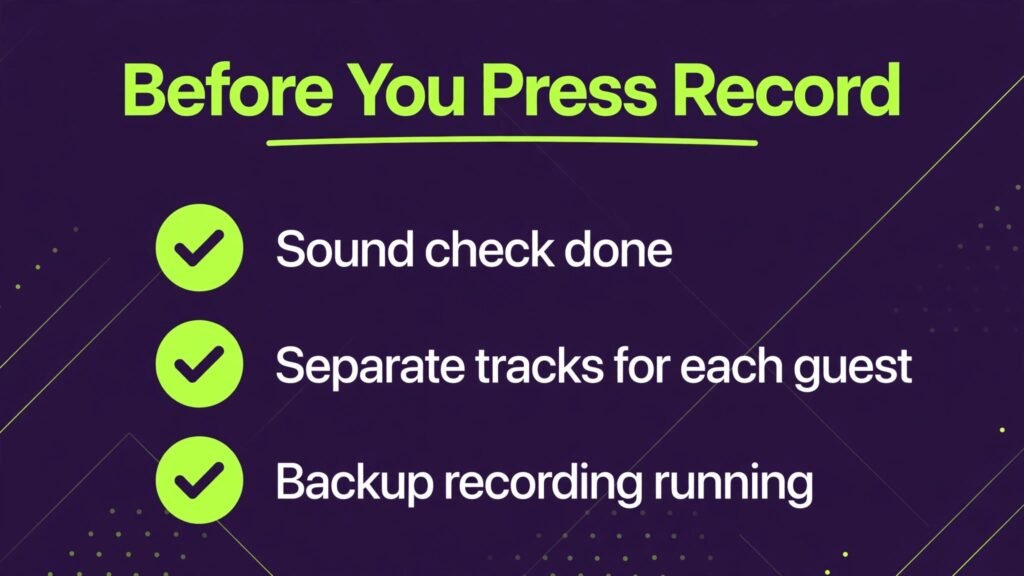
The most common mistake is trusting the live call audio. Always record locally and keep a backup. Ask each guest to record a local backup on their phone or computer if the platform supports it, or at least keep the platform recording until uploads complete. A backup has saved many episodes from a dropped connection or a browser crash.
Another mistake is skipping a sound check. Spend five minutes before recording to check microphone level, room noise, headphones and video framing. That five minutes prevents an hour of editing later, and it makes guests more comfortable. Send guests a one page setup guide in advance, with microphone position, lighting and quiet room advice. Guests who feel prepared sound better and relax faster.
A third mistake is recording too long without breaks. Long interviews benefit from short pauses, water breaks and a clear outline. Breaks give you natural edit points, help guests stay focused, and make transcription and editing easier. A 60 minute interview with two short breaks is easier to edit than a 60 minute continuous recording with no structure.
A fourth mistake is ignoring video even for an audio podcast. Short video clips are now a major discovery channel for podcasts. Record video even if you publish audio first, because you can later cut clips for social media. That does not mean you need a video studio for every episode. A simple, well lit video recording gives you clip options without adding much work. Creators planning clips may also benefit from reading about short form tools in related guides on this site.
Frequently asked questions
Which Riverside alternative has the best audio quality?
SquadCast and Cleanfeed are widely regarded as strong for audio quality, with Zencastr close behind for most interview podcasts. Audio quality also depends on guest microphones and rooms, so send a setup guide and run a practice call before judging a platform.
Can I record video and audio separately for each guest?
Yes, most dedicated tools in this list record separate tracks for each guest, including Zencastr, SquadCast, Podcastle and Descript. Separate tracks are essential for editing, because they let you fix one voice without affecting others. Confirm separate track support on your plan before you record an important interview.
Do guests need to install software?
Most browser tools in this list do not require guest installs. Guests click a link and allow microphone and camera access. OBS Studio and Ecamm Live are exceptions, because they are production software for the host, not guest link tools. For non technical guests, choose a browser studio.
Which tool is best for live podcasting?
StreamYard is the simplest live choice, Restream is best for multistreaming, and Ecamm Live is best for Mac based professional live production. Choose by platform, guest count and production complexity, not by feature count alone.
Is there a free Riverside alternative that is actually usable?
Yes. Zencastr, StreamYard, Restream, Podcastle, Descript, Cleanfeed, Iris, Melon, OBS Studio and Spotify for Podcasters all offer free tiers or free software, with limits. Free tiers are best for testing and for low volume shows. For weekly professional shows, expect to pay for recording hours, video quality or transcription.
How much recording time do I need per month?
Count episodes per month multiplied by average length, then add 25 percent for practice calls, retakes and bonus content. A weekly 60 minute show needs about five hours per month, plus practice time. Check checkout for the plan that covers that total, not just the headline episode count.
Can I edit a Riverside style recording in Descript?
Yes. You can import separate tracks into Descript and edit by transcript, which is a popular workflow. Many podcasters record in Zencastr or SquadCast and edit in Descript, combining the strengths of both tools. Test file import with a short recording before committing to that workflow for a full season.
Final verdict
The best Riverside alternative depends on whether you record, go live, or do both. For recorded interviews, Zencastr and SquadCast lead on quality and reliability. For live shows, StreamYard and Restream make broadcasting simple. For Mac production, Ecamm Live offers control that browser tools cannot match. For free control, OBS Studio remains unmatched on value, if you accept the learning curve. For all in one production, Podcastle and Descript save the most time. For beginners, Alitu and Spotify for Podcasters lower the barrier to a first episode. Whichever tool you choose, protect the recording. Record locally, keep separate tracks, run a sound check, and keep a backup. Those four habits matter more than any single feature, because a great interview lost to a bad recording cannot be recovered, while a good recording can always be edited into a great episode.