
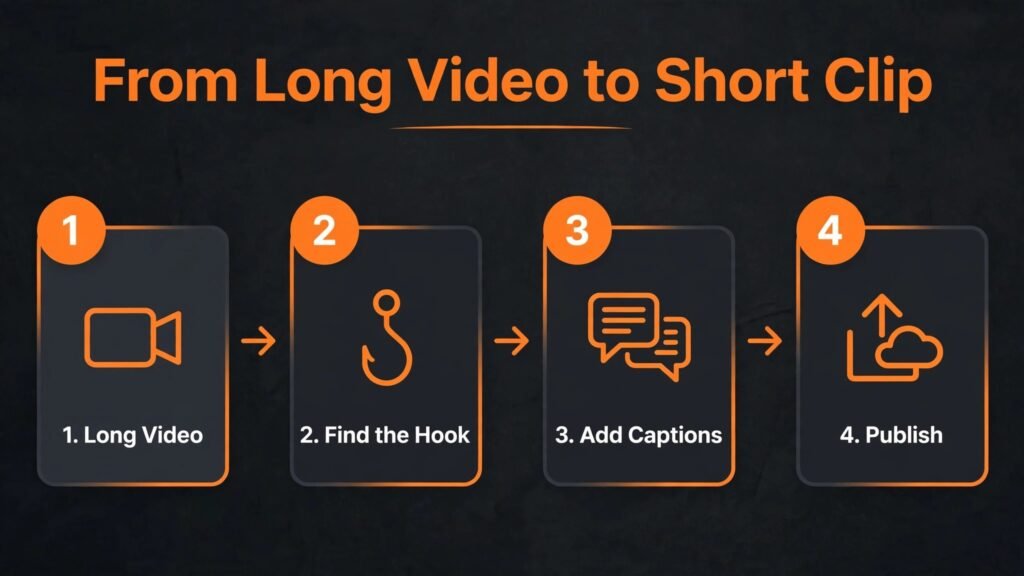
The problem is simple and familiar to every creator. You publish a long video, it gets a modest number of views, and then you face hours of work to turn that one video into short clips for TikTok, Reels and Shorts. Opus Clip alternatives exist because that editing bottleneck decides whether short form content gets made at all. Opus Clip made AI clipping popular by finding highlight moments, adding captions and reframing video for vertical screens. The tools below do the same core job with different strengths. Some are better at finding viral moments. Some give you more control over captions and branding. Some work better for podcasts, for talking head videos, or for teams that publish every day. This guide compares 9 tools on clip quality, caption style, editing control, platform fit, and pricing notes for October 2026. Check checkout before you pay, because clip minutes, processing time and export quality are the limits that most affect real cost.
How AI clipping actually works, and where it goes wrong
AI clipping tools analyse a long video for moments with high energy, clear speech, emotional peaks, topic changes and audience hooks. They then cut those moments into short vertical clips, add captions, and reframe the speaker so the clip looks native on a phone screen. When it works, the result is a usable draft in minutes. When it fails, the clip starts mid sentence, cuts off a key point, or picks a moment that made sense in context but confuses a new viewer. That is why human review still matters. The best workflow is AI for discovery and first draft, human for selection, hook and final polish.
Caption style is another place where tools differ sharply. Some tools produce clean, animated captions that match current social trends. Others produce accurate but plain captions that need manual styling. If your audience watches muted, which most short form audiences do, captions are not decoration. They are the content. Test caption accuracy with your own voice, accent and technical terms, and check how easy it is to fix a caption error. A tool that makes caption editing slow will cost you time on every clip.
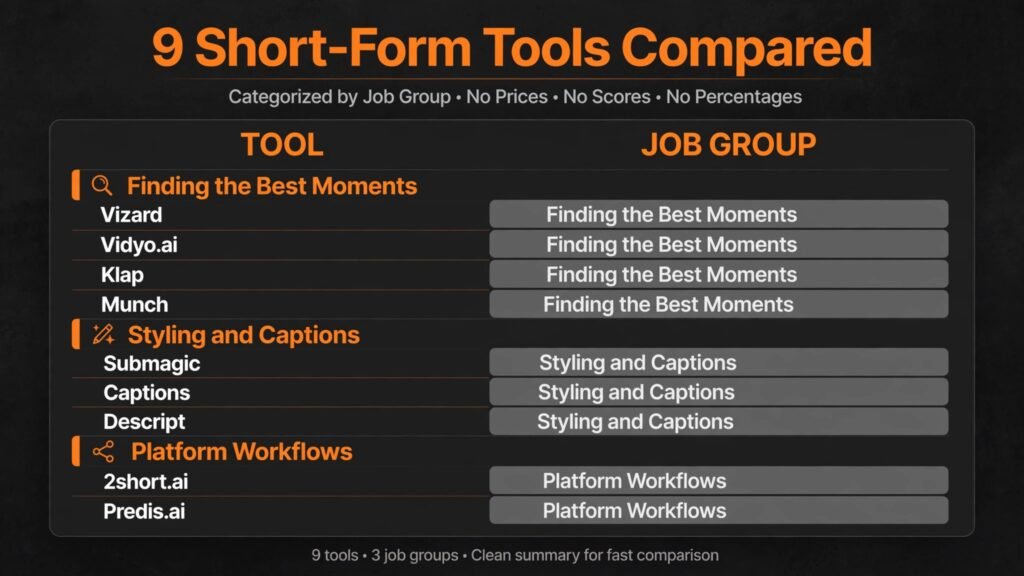
The 9 best Opus Clip alternatives at a glance
| Tool | Best for | Free option | Key strength |
|---|---|---|---|
| Vizard | Long video to many clips | Free tier | High volume clip generation |
| Vidyo.ai | Podcasts and webinars to clips | Trial | Topic based chapters and clips |
| Klap | Fast vertical reframing | Trial | Clean vertical conversion |
| 2short.ai | YouTube to Shorts | Free tier | YouTube focused workflow |
| Munch | Social trends and insights | Trial | Trend and keyword insights |
| Submagic | Caption styling for Reels and TikTok | Trial | Trendy animated captions |
| Captions | Creator editing on mobile | Free tier | AI editing and caption app |
| Descript | Podcast and talking head editing | Free tier | Text based editing |
| Predis.ai | Social content plus clips | Free tier | Social post and video generation |
Tools that find the best moments
1. Vizard
Vizard is a strong choice if you want many clips from one long video. It analyses the source, suggests multiple moments, and lets you publish or edit the best ones. That volume matters for creators and agencies that need a week of short form content from a single podcast, webinar or stream. The interface focuses on speed: upload, review clips, edit captions, export. For a team that publishes daily, that simplicity is valuable.
Vizard pricing includes a free tier and paid plans based on upload hours, processing and features. Check checkout for monthly upload limits and export quality, because those limits decide whether Vizard works for one video a week or for daily publishing. Clip quality is generally strong for talking head and podcast content, and weaker for highly visual content where the best moment is a visual demonstration rather than a spoken line.
Watch out for: volume can become noise. Ten average clips will not beat three strong clips with good hooks. Review every clip for a clear opening line and a complete idea before you publish.
2. Vidyo.ai
Vidyo.ai is built around turning long videos, especially podcasts and webinars, into short clips with chapters, captions and social ready formats. It helps you find topic based moments, which is useful when a two hour conversation contains several distinct ideas. Instead of one generic highlight reel, you get clips organised by topic, which makes scheduling and repurposing easier. Vidyo.ai also supports multiple aspect ratios and caption styles, so one clip can be adapted for TikTok, Reels and Shorts without rebuilding it.
Pricing includes a trial and paid plans based on upload minutes and features. Check checkout for monthly minutes, because a long podcast series can use an allowance quickly. Vidyo.ai is less suited to highly edited entertainment video, where manual editing still gives better pacing.
Watch out for: topic detection is helpful but not perfect. A clip that is tagged with the right topic can still start too late or end too early. Trim the first and last second manually for important clips.
3. Klap
Klap focuses on clean vertical conversion. It takes a horizontal video, finds moments, reframes the speaker for vertical screens, and adds captions. That reframing quality matters. A clip where the speaker is cut off, or where on screen text is cropped, looks unprofessional even if the moment is strong. Klap does this job well for talking head videos, interviews and podcasts, where the speaker is the focus.
Pricing includes a trial and paid plans based on minutes and features. Check checkout for export resolution and watermark rules. Klap is less suited to a full editing workflow, because it is primarily a clipping tool, not a complete editor. Pair it with a simple editor if you need complex transitions or brand animations.
Watch out for: check reframing on videos with two speakers or with slides. Automatic framing can struggle when the important visual is not the speaker face.
4. Munch
Munch adds trend and keyword insight to clipping, which helps if your goal is discovery, not just repurposing. It analyses a long video, suggests clips, and shows trend data, keywords and social context that may help a clip perform. For marketers and agencies that need to justify clip choices to a client, that insight layer is useful. It turns clipping from guesswork into a more testable process, even if no tool can guarantee virality.
Pricing includes a trial and paid plans based on minutes and features. Check checkout for the plan that includes trend insights, because some tiers focus only on clipping. Munch is less suited to a solo creator who just needs three quick clips and does not need trend reports.
Watch out for: trend data is a guide, not a promise. A trending keyword does not make a weak clip strong. Use insights to choose among good clips, not to rescue a bad one.
Tools that style, caption and polish clips
5. Submagic
Submagic is best known for trendy, animated captions that look native on TikTok and Reels. If your clips already have good moments but look plain, Submagic can raise their perceived quality quickly. It offers caption templates, emoji, highlights, B roll suggestions and sound effects, all designed for short form trends. For creators who publish daily, that styling speed matters, because manual caption animation in a traditional editor takes far longer.
Pricing includes a trial and paid plans based on minutes and features. Check checkout for monthly minutes, because caption styling is charged by video length on many plans. Submagic is not a full long to short discovery tool in the same way as Vizard or Vidyo.ai. It shines when you already have a clip or a moment in mind and want to polish it fast.
Watch out for: trendy captions can date quickly and can look noisy if overused. Keep one consistent caption style for your brand, and use effects sparingly so the message stays clear.
6. Captions
Captions, the app formerly known as Captions, is a mobile first AI editing tool for creators who film and publish from a phone. It offers AI captions, eye contact correction, dubbing, and editing tools in a single app. That mobile workflow suits creators who record talking head videos, react to trends, or publish while travelling. The app is fast for short videos and for fixing a clip before posting.
Pricing includes a free tier and paid plans for premium AI features. Check checkout for the features included on each plan, because some AI tools are limited on the free tier. Captions is less suited to long podcast clipping, where a desktop tool that handles hours of video is more efficient.
Watch out for: mobile editing is convenient but small screen editing can hide caption errors. Review the final clip on a larger screen for important brand posts.
7. Descript
Descript is a different kind of tool, and for many podcasters and educators it is the most powerful option here. It lets you edit video by editing text. Delete a word in the transcript, and Descript removes it from the video. That text based workflow makes it easy to remove filler words, tighten a long explanation, and create short clips from a longer recording. Descript also offers studio sound, overdub style voice features, and publishing tools, which makes it a complete production environment rather than just a clipper.
Pricing includes a free tier and paid plans based on transcription hours and features. Check checkout for transcription limits and AI feature limits, because those drive cost for long podcasts. Descript has a learning curve, but for a team that produces spoken content weekly, the time saved on editing is substantial. Readers comparing editing tools may also want to read Descript alternatives for a wider view.
Watch out for: text editing can make a clip feel too clean if you remove every pause. Keep some natural pacing, or the result can sound robotic.

Tools for platform specific workflows
8. 2short.ai
2short.ai is focused on one job: turning YouTube videos into Shorts. That focus gives it a clear workflow for YouTube creators. Upload or link a video, review suggested clips, add captions, and export for Shorts. It also helps with facial tracking and reframing, which matters for talking head YouTube videos that were filmed horizontally. For a YouTube creator who wants a repeatable Shorts pipeline, that specialisation is an advantage.
Pricing includes a free tier and paid plans based on minutes and features. Check checkout for monthly minutes and export quality. 2short.ai is less suited to podcasters who do not publish on YouTube, or to agencies that need clips for many platforms from one source.
Watch out for: a Short that works on YouTube may need a different hook for TikTok. Do not publish the identical clip everywhere without checking platform norms and length limits.
9. Predis.ai
Predis.ai covers a broader social workflow, with AI generation for posts, captions, hashtags and short videos. It suits small businesses and social media managers who need a steady stream of social content, not just clips from long videos. If you need a clip, a caption, a hashtag set and a posting idea in one session, Predis.ai reduces tool switching. It also helps with product based content, which is useful for ecommerce and service businesses.
Pricing includes a free tier and paid plans based on credits and features. Check checkout for credit use per video and per post, because social generation can use credits quickly. Predis.ai is less suited to precise long form clipping, where a dedicated clipper will find better moments.
Watch out for: AI generated social content can feel generic if you accept every suggestion. Add your own voice, examples and offers, especially for posts that represent your brand.

Best pick by job
| Your job | Best pick | Why it fits |
|---|---|---|
| Many clips from one long video | Vizard | High volume, fast review workflow |
| Podcast or webinar to clips | Vidyo.ai or Descript | Topic clips plus text editing |
| Clean vertical reframing | Klap | Strong speaker framing for vertical |
| Trend aware marketing clips | Munch | Trend and keyword insights |
| Trendy captions for TikTok and Reels | Submagic | Animated caption styles built for social |
| Mobile creator editing | Captions | Phone first AI editing and captions |
| YouTube creator to Shorts | 2short.ai | YouTube focused pipeline |
| Small business social content | Predis.ai | Clips plus posts, captions and ideas |
How to choose among Opus Clip alternatives
Start with your source material. A podcast, a webinar, a talking head YouTube video and a live stream each need a different clipping approach. Podcasters should weight transcript editing and topic detection. YouTube creators should weight Shorts workflow and reframing. Marketers should weight caption style and trend insight. Choosing by source will narrow the list to two or three tools quickly.
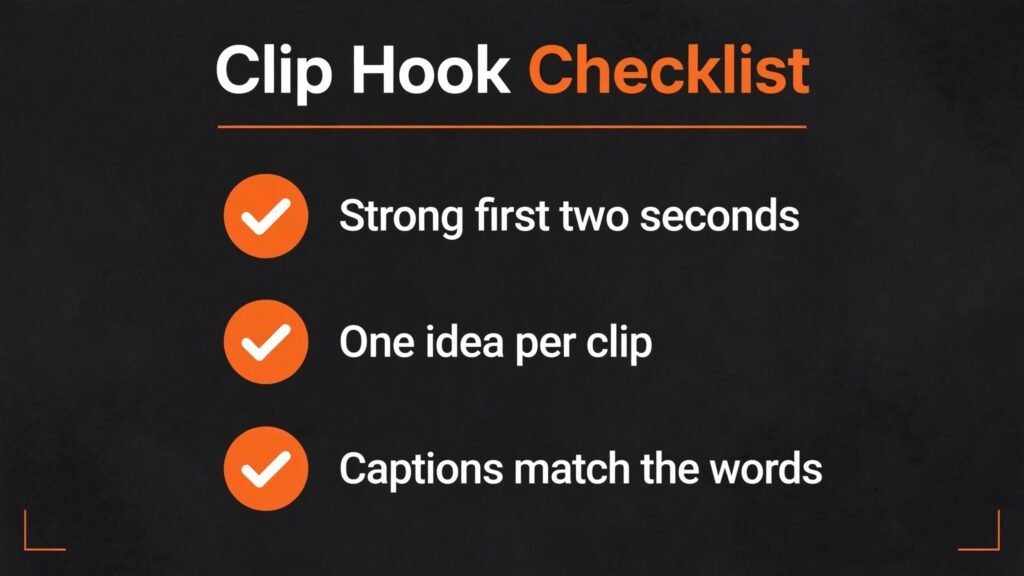
Next, test with a real video, not a demo. Use a 30 minute video with your voice, your accent and your typical topics. Review the top five suggested clips and score them on three questions. Does the clip start with a hook? Does it contain one complete idea? Would a new viewer understand it without the full video? If a tool fails two of those three questions on most clips, it is not the right tool for your content, even if it works well for other creators.
Then check the economics for your publishing volume. Count how many long videos you publish per month, how many clips you want per video, and how long those videos are. That gives you a monthly minute estimate. Compare that estimate with plan limits, and check checkout for overage pricing. A tool that is cheap for one video a week can become expensive for daily publishing. Also check export quality and watermark rules, because a clip that looks good in preview but exports with a watermark is not usable.

A simple weekly clipping workflow that actually ships
A reliable weekly workflow beats a perfect workflow that you abandon after two weeks. Start by publishing your long video first, then set aside one focused hour for clipping. In that hour, review AI suggestions, pick your three strongest clips, and edit only those three. Do not try to publish ten clips from one video in a single session, because quality and hooks will suffer. Schedule the three clips across the week, leaving a gap between posts so each clip gets a fair chance to be seen. That rhythm is sustainable for a solo creator and for a small team, and it gives you time to learn which topics perform before you scale volume.
Keep a simple clip log. For each clip, note the source video, the hook, the platform, and the result after seven days. After a month, patterns will emerge. You may find that how to clips outperform opinion clips, or that clips under 30 seconds retain better than clips over 45 seconds. That log is more valuable than any trend report, because it reflects your audience, not a general audience. Use it to brief your next long video as well. If short clips about a specific subtopic perform well, make a full video on that subtopic next. In that way, clipping stops being an afterthought and becomes a research tool for your whole content plan.
Mistakes that hurt short form performance
The most common mistake is publishing clips without a hook. The first two seconds decide whether a viewer stays. A clip that starts with filler, a greeting, or a slow introduction will lose viewers even if the later content is strong. When you review AI clips, rewrite or trim the opening so the first line promises a clear benefit, a surprising fact, or a direct question. That single edit often matters more than caption style.
Another mistake is posting the same clip unchanged on every platform. TikTok, Reels and Shorts have different length norms, caption styles and audience expectations. A clip that performs on TikTok may need a different caption, a different hook, or a shorter cut for Reels. Adapt the clip for each platform, even if the core moment stays the same. Creators planning a wider short form workflow may also find best AI tools for TikTok useful for platform specific ideas.
A third mistake is chasing virality instead of consistency. One viral clip does not build an audience. A steady schedule of useful clips, with a clear topic and a recognisable style, does. Use AI clipping to maintain that schedule, and use your best clips to test new hooks and formats. Measure watch time and saves, not just views, because those signals show whether viewers found the clip useful.
A fourth mistake is ignoring rights and consent. If your long video includes guests, music or third party footage, check that you have the right to repurpose those moments as short clips. A guest who agreed to a podcast interview may not have agreed to a short clip used in an ad. When in doubt, ask, and keep a record of permission for commercial use.
Frequently asked questions
Which Opus Clip alternative is best for podcasts?
Descript and Vidyo.ai are the strongest podcast choices here. Descript gives you text based editing and precise control, while Vidyo.ai gives you fast topic based clips. If you publish podcasts weekly, test both with the same episode and compare editing time, not just clip count.
Can AI clipping replace a human editor?
For routine repurposing, AI clipping replaces much of the discovery work. For high value brand videos, a human editor still adds pacing, storytelling and brand judgment. The best workflow is AI for first drafts and humans for selection and polish, especially for client work.
How many clips should I make from one long video?
Quality matters more than count. For a 30 to 60 minute video, three to five strong clips is a good target for most creators. Agencies that publish daily may make more, but they should still rank clips and publish the strongest first. Publishing weak clips to hit a number will hurt watch time.
Do I need to pay for captions?
Many tools include basic captions on free or low cost plans, but trendy animated captions and high accuracy for technical terms often sit on paid plans. If captions are central to your style, test accuracy and editing speed on a paid trial before committing.
Which tool works best for TikTok specifically?
Submagic and Captions are strong for TikTok style captions and mobile editing, while Vizard and Klap are strong for generating the clips themselves. Many creators use two tools: one to find clips, one to style them. That combination often beats a single tool that does both averagely.
Can I use these tools for client work?
Yes, but check commercial use terms, watermark rules and export quality on your plan. For client work, keep a human review step, verify captions and facts, and confirm guest consent for repurposed clips. A clip that is fast but inaccurate will cost more in client trust than it saves in editing time.
How do I improve clip quality over time?
Track which hooks, topics and lengths get the best watch time and saves. Reuse those patterns, and retire formats that consistently underperform. AI tools learn from your choices when you consistently select strong clips and edit weak ones, so your selection discipline improves future suggestions.
Platform guide: TikTok, Reels and Shorts need different clips
TikTok rewards fast, native feeling content. Clips that look like a polished ad often underperform compared with clips that feel like a creator talking directly to camera. For TikTok, keep the hook in the first second, use captions that are easy to read on a phone, and avoid long introductions. Trending sounds and formats can help, but they should support your message, not replace it. A clip that follows a trend but says nothing useful will get views and no followers. A clip that teaches one clear thing in 30 seconds will often do better over time, because viewers save it and share it with people who need that answer.
Instagram Reels rewards visual polish and shareability. Reels audiences often discover content through shares and the explore page, so a clip should make sense to someone who has never seen your account. Add context in the first line, either spoken or as on screen text, so a new viewer knows what the clip is about without reading your profile. Reels also favour a consistent visual style. If your captions, colours and framing look the same across clips, viewers start to recognise your content in a feed, which builds trust and repeat viewing.
YouTube Shorts rewards retention and clarity. Shorts viewers can swipe quickly, so a clip must hold attention to the end. Avoid a slow build. State the payoff early, then prove it. For example, if the clip promises three mistakes to avoid, name the first mistake within a few seconds, not after a 10 second introduction. Shorts also benefit from a clear link to longer content. A short clip that teases a full tutorial can drive viewers to your long video, but only if the short itself is satisfying on its own. A teaser that withholds all value will frustrate viewers and hurt retention.
Length is a practical difference across platforms. TikTok allows longer short form video, but most high performing clips are still under 60 seconds. Reels perform well in a similar range, while Shorts are capped at a shorter length in practice for most creators. Rather than making one clip and posting it everywhere, make a core clip, then create platform versions with different hooks, captions and lengths. That extra 10 minutes of adaptation often matters more than the choice of clipping tool.
Editing a clip for maximum retention
Retention is the metric that matters most for short form video. Views show reach. Retention shows whether viewers found the clip worth finishing. The first edit to improve retention is cutting dead air. Remove pauses, filler words and repeated phrases at the start. A clip that starts mid energy will hold viewers better than a clip that slowly warms up. Descript and similar text based editors make this edit fast, because you can see and delete filler words in the transcript.
The second edit is adding visual change every few seconds. That does not mean adding a new effect every second. It means changing the visual in a way that supports the point: a caption highlight, a B roll shot, a zoom, a chart, or a cut to a second angle. Static talking head video with no visual change will lose mobile viewers, even if the spoken content is strong. Use B roll sparingly and purposefully. A relevant example, a product shot, or a screen recording that shows what you are describing will hold attention better than generic stock footage.
The third edit is checking the ending. Many AI clips end abruptly, mid thought, or with a weak sign off. A strong ending gives the viewer a reason to follow, save, or watch the next clip. That can be a clear summary, a question, a call to watch the full video, or a preview of the next tip. Avoid ending on a filler phrase or a trailing thought. If the clip ends with a complete idea and a clear next step, viewers are more likely to engage, and platforms are more likely to show the clip to more people.
Finally, review sound. Short form video is often watched with sound on, but many viewers still watch muted first. Your clip should work in both cases. Captions cover the muted case. Clear audio, consistent volume and light background music cover the sound on case. Check that music does not drown out speech, and that the clip does not start with a loud sound that makes viewers swipe away. A short sound check on a phone, with and without headphones, will catch most problems before publishing.
Final take
The right Opus Clip alternative is the one that turns your long videos into publishable short clips without adding a new bottleneck. For volume, start with Vizard. For podcasts, test Descript and Vidyo.ai. For clean vertical video, try Klap. For trendy captions, add Submagic. For mobile creation, Captions fits a phone first workflow. For YouTube Shorts, 2short.ai is the most direct route. For broader social content, Predis.ai covers more than clipping alone. Whichever combination you choose, keep the human step. Review hooks, check captions, and publish only clips that make sense on their own. Do that consistently, and AI clipping becomes a reliable content engine rather than a pile of unused drafts.