
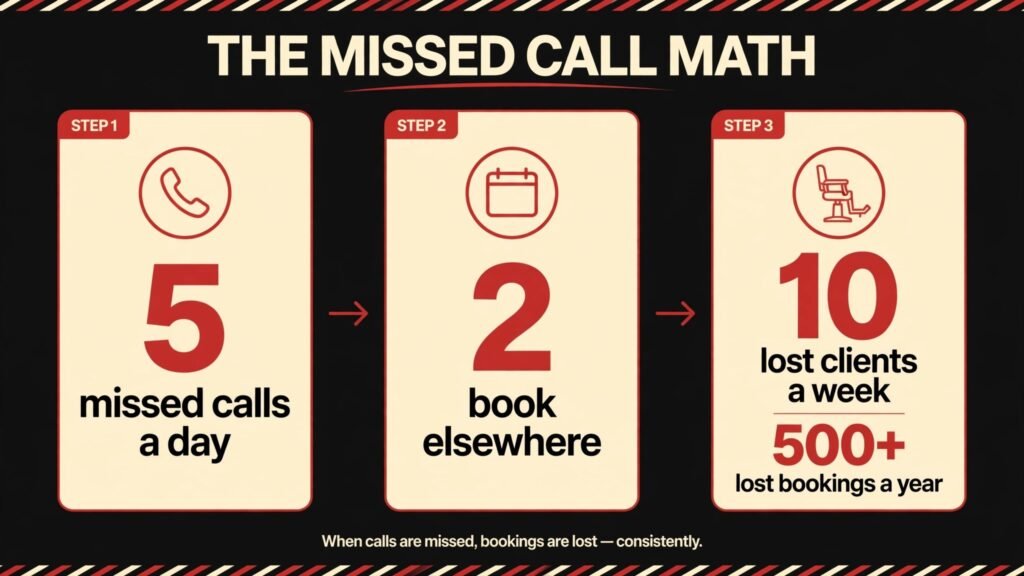
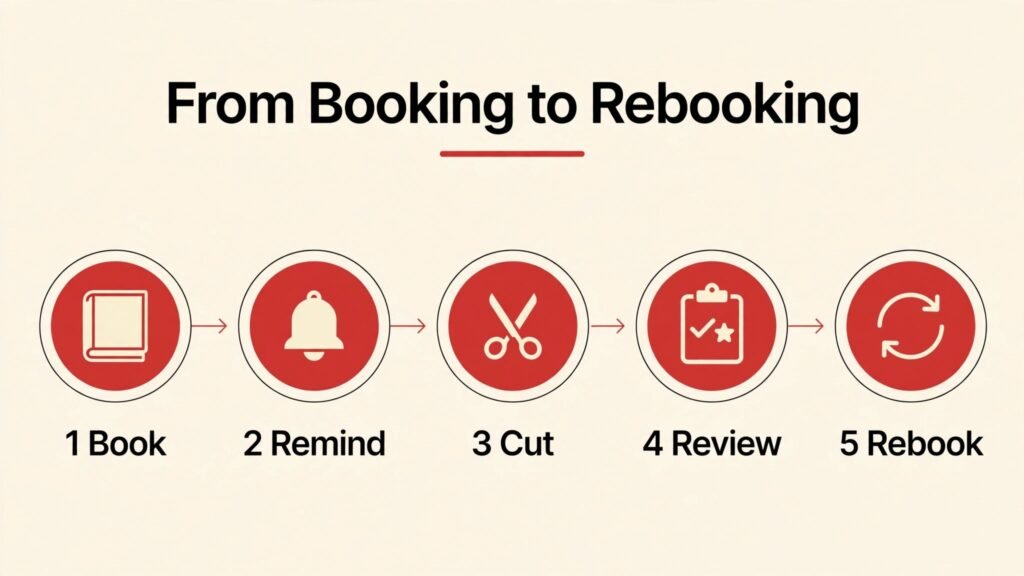
Do the missed call math for a typical barbershop. If the shop misses five calls a day, and two of those callers book elsewhere because they could not book online, that is ten lost clients a week, or more than 500 lost bookings in a year, before you count walk ins who left because the wait was unclear. The best AI tools for barbershops in 2026 fix that specific leak first. They let clients book online at any hour, remind them automatically, fill empty chairs from a waitlist, and keep reviews and repeat bookings working while the barbers focus on cutting hair.
This guide covers nine tools, grouped by the job they do: booking and chair management, marketing and reviews, and the business basics of content and email. It includes barber specific booking platforms and general tools that shops have adapted well. The goal is not to turn a barbershop into a software company. It is to build a simple system where chairs stay full, no shows fall, clients rebook without a phone call, and the owner can see at a glance which chair, which barber and which service is actually making money.
Check pricing at checkout before you buy, because vendor plans change and marketplace commission models differ. Some booking platforms charge a subscription, some charge per booking through a marketplace, and some mix both. Read the fee structure carefully, test the booking flow as a real client, and check what happens when a client cancels or reschedules, before you move your whole book onto a new system.
The best AI tools for barbershops at a glance
| Tool | Best for | Main job | Watch out for |
|---|---|---|---|
| Booksy | Marketplace plus booking | Online booking, marketplace discovery | Marketplace fees, check terms |
| Squire | Barbershop operations | Booking, chair management, payments | Best for multi chair shops |
| Fresha | Free booking plus marketplace | Booking, marketplace, payments | Marketplace commission on some bookings |
| GlossGenius | Salon and barber polish | Booking, payments, marketing | Price for small single chair shops |
| Vagaro | Full salon software | Booking, payroll, marketing | Feature depth can overwhelm |
| Square Appointments | Simple booking plus payments | Booking, payments, point of sale | Less barber specific marketing |
| Canva | Shop marketing visuals | Social posts, price lists, signage | Keep branding consistent |
| ChatGPT | Drafting and ideas | Posts, replies, policies, bios | Outputs need editing and checking |
| Mailchimp | Email and SMS style campaigns | Newsletters, offers, rebooking | List hygiene and permission matter |
The table shows the central choice. A barber specific platform gives you marketplace discovery and barber workflows. A general booking tool gives you simplicity and payment integration. Most shops do well with one booking platform as the home base, plus one design tool, one drafting tool and one email tool, and they resist adding a second booking system for the same chairs.
Booking and chair management
This is the core of the stack. If a shop only fixes one area, it should be booking, because booking touches every chair, every day, and every lost booking is a lost client who may not call back.
1. Booksy
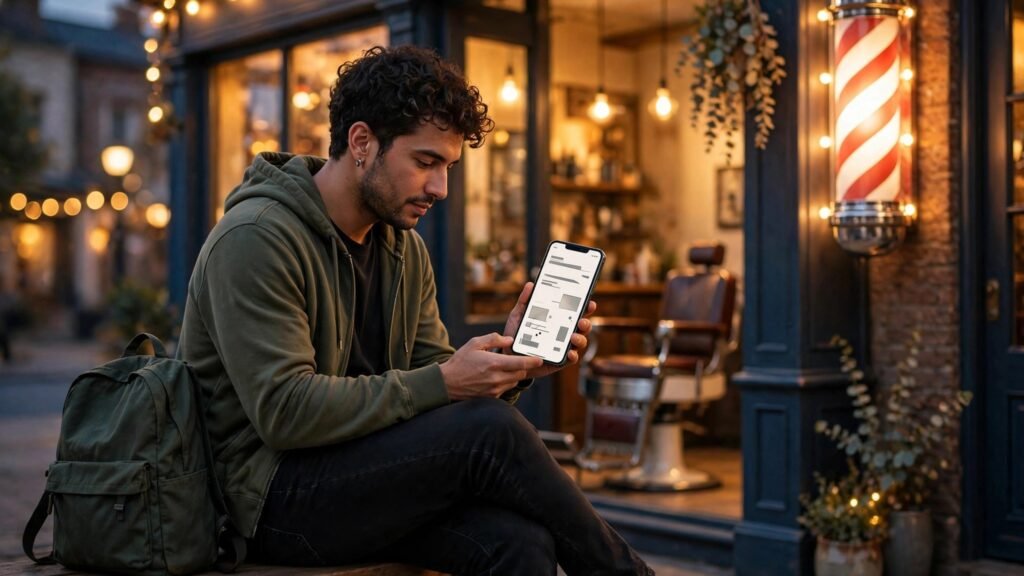
Booksy is a booking platform and marketplace for barbers and beauty professionals. Clients can discover a shop, see services and prices, book online, and receive reminders, while the shop manages its calendar, staff schedules and payments. For a barbershop, the marketplace side matters. New clients who search for a barber in their area can find the shop, see reviews and book without a phone call, which is exactly how many new clients now choose a barber.
Booksy also helps with no shows. Automatic reminders, easy rescheduling and a clear cancellation policy reduce empty chairs, and the shop can see which services and barbers are most booked. That data helps with staffing decisions, such as which hours need more chairs open and which services deserve a price or promotion review.
Best for: shops that want online booking plus new client discovery.
Watch out for: read the marketplace fee structure carefully. Some bookings through the marketplace may carry different terms from bookings through your own booking link, and those terms can affect margin. Check the fee page and the contract before launch, and model the cost at your real booking volume, not at a demo volume.
2. Squire
Squire is built for barbershops, with booking, chair management, payments and shop operations in one system. It handles individual barber calendars, walk in management, service menus and payments, and it gives the owner a view of shop performance by barber, service and time. For a multi chair shop, that view is the point. An owner can see which chairs are busy, which services take longest, and where empty slots cluster, and then adjust staffing or promotions to fill them.
Squire also suits shops that want a professional client experience without a marketplace dependency. Clients book through the shop own flow, pay cleanly, and receive reminders, while the shop keeps control of branding and booking rules. That control matters for shops that have built a strong local reputation and do not want to compete on a marketplace price list every day.
Best for: multi chair barbershops that need real operations control.
Watch out for: setup takes care. Service menus, barber schedules, buffer times and walk in rules all need to be defined before launch, or the calendar will create double bookings and awkward gaps. Test the full flow as a client for each barber and each service type, including a walk in, a reschedule and a cancellation, before you go live.
3. Fresha
Fresha offers booking software with a marketplace, and it is known for a free booking software model with marketplace commissions on some bookings. For a new or small shop, that model lowers the barrier to entry. You can set up online booking, manage a calendar, take payments and appear in a marketplace without a large upfront subscription, and then judge the system on real bookings.
Fresha covers the core booking job well: services, staff calendars, reminders, payments and client records. It also helps with discovery, because clients searching in the marketplace can find the shop and book directly. That discovery is valuable for a shop in a competitive area, where a new client may try the first shop that makes booking easy.
Best for: new and small shops that want low upfront booking cost plus discovery.
Watch out for: understand which bookings carry a commission and which do not, and how that affects your pricing. A free software model is not free if marketplace bookings carry a fee on a large share of your work. Model the total cost at your expected mix of marketplace and direct bookings, and check the terms for cancellations and no shows.
4. GlossGenius
GlossGenius is a booking and business platform for salons and barbershops, with online booking, payments, marketing tools and client management. It is known for a polished client experience, including a professional booking page and payment flow, which helps a shop look established even if it is new. For a barbershop that cares about presentation, from the booking page to the payment receipt, GlossGenius delivers a consistent, modern feel.
GlossGenius also includes marketing features such as review requests, promotions and client messaging, which help a shop stay in touch with clients between cuts. A client who receives a polite rebooking reminder at the right interval is more likely to return on schedule, and a shop that asks for reviews at the right moment will build a stronger online reputation over time.
Best for: shops that want a polished booking and marketing experience.
Watch out for: price for a single chair shop needs checking. A platform with strong marketing features may cost more than a simple booking tool, and a solo barber should check whether the extra features will actually be used. If you will not use the marketing tools, a simpler booking tool may be better value.
5. Vagaro
Vagaro is a full salon and barbershop software platform, covering booking, payroll, marketing, inventory and client management. For a larger shop with several barbers, product sales and staff management needs, Vagaro depth is useful. Payroll, commission tracking and inventory in the same system as booking reduces the manual work of running a shop, and the owner can see the business as a whole rather than as separate spreadsheets.
Vagaro also supports marketing campaigns, memberships and packages, which help shops that sell regular cut packages or grooming memberships. A client on a monthly package is more likely to return on schedule, and the shop gets more predictable income. That predictability helps with staffing and rent planning, which are the two largest fixed costs for most shops.
Best for: larger shops that need booking plus payroll and inventory.
Watch out for: feature depth can overwhelm a small shop. If you only need booking and payments, Vagaro may feel complex at first. Start with booking, payments and client records, and add payroll and inventory only when you actually need them. A phased rollout will keep the team confident.
6. Square Appointments
Square Appointments is a booking tool from Square, integrated with Square payments and point of sale. For a shop already using Square for payments, the integration is the win. Booking, payment, tips and sales reporting sit in one system, and the owner does not need to reconcile two platforms at the end of the day. Clients can book online, receive reminders, pay cleanly, and rebook from a receipt or a link.
Square Appointments is less barber specific than Booksy or Squire, and it does not offer the same marketplace discovery. That trade off suits shops that already get clients through reputation, location and social media, and who need reliable booking and payments more than marketplace discovery. It also suits shops that sell products at the counter, because product sales and service payments can be tracked together.
Best for: shops already on Square that need simple booking plus payments.
Watch out for: check the booking features against your shop rules. Walk in handling, buffer times, barber specific services and cancellation policies all need to match how your shop actually works. Test those rules with real scenarios before launch, and adjust the settings until the calendar reflects the real shop, not an idealised version of it. Shops that also run a wider service business may find the best AI tools for contractors guide useful for the operations side, although barber booking needs are more specific than general contractor scheduling.
Marketing, content and client retention
Once chairs are bookable online, the next job is keeping them full. These three tools handle visuals, writing and email, and they work best when they point clients back to the booking link, not just to a pretty feed.
7. Canva
Canva covers shop marketing visuals: social posts, price lists, service menus, window signage, before and after post templates and promotion graphics. For a barbershop, the win is consistency. A set of templates in the shop colours and fonts, used for every post and price list, will make the shop look professional and recognisable, even if the owner designs the posts on a phone between clients.
Canva AI features can help with background removal, resizing and first draft layouts, but the shop brand still comes from the owner. Pick two fonts, two or three colours and three post formats, such as a cut showcase, a shop update and a promotion, and repeat them. Clients recognise a shop by repetition, and repetition builds trust over months.
Best for: consistent shop visuals and price lists.
Watch out for: keep price lists accurate. A social post with an old price will create awkward conversations at the till. Update the price list template whenever prices change, and check the shop website, booking page and printed list at the same time, so every price a client sees matches.
8. ChatGPT
ChatGPT is the drafting tool in this stack. Use it to draft social post captions, rewrite a shop policy in plain language, draft a polite reply to a review, brainstorm promotion ideas for a slow weekday, or write a short bio for a new barber. The output is a first draft, and the owner editing is what makes it sound like this shop, not like every other shop using the same tool.
ChatGPT is also useful for review replies. A thoughtful reply to a positive review thanks the client by name and invites them back. A calm reply to a negative review acknowledges the issue, offers a private conversation, and avoids arguing in public. Drafting those replies with AI help can save time, but the final reply must be reviewed by a human who knows what actually happened, because a generic reply to a specific complaint will make the situation worse.
Best for: drafting posts, policies and review replies.
Watch out for: check every price, time and service name. AI drafting is fluent, and fluent errors are easy to miss. Do not paste client personal details into a general chat tool, keep client records in your booking system, and never let AI send a booking confirmation or a price quote without your review.
9. Mailchimp
Mailchimp handles email marketing for shops that build a list: newsletters, seasonal offers, rebooking reminders and new service announcements. Email is useful for bringing back lapsed clients, because it reaches people who already visited the shop and already trust it. A short email with a clear offer, a booking link and a deadline will bring back more clients than a long newsletter with no clear action.
Mailchimp costs rise with list size, so clean the list regularly. Remove or re engage contacts who never open emails, and segment the list by last visit date, so lapsed clients receive a different message from regular clients. Permission matters too. Only email people who gave you their address for that purpose, and make unsubscribing easy. A shop reputation is local, and spammy email travels fast in a local community.
Best for: rebooking campaigns and lapsed client offers.
Watch out for: keep email and booking in sync. An offer email that links to a booking page with no availability for that service will frustrate clients. Check availability before every send, and set the offer period to match real chair availability.
Best pick by job
| Job | Best pick | Runner up | Why this pick wins |
|---|---|---|---|
| Marketplace plus booking | Booksy | Fresha | Discovery plus booking in one place |
| Barbershop operations | Squire | Vagaro | Chair and shop control for multi chair shops |
| Low upfront booking | Fresha | Square Appointments | Free software model, check commissions |
| Polished booking experience | GlossGenius | Booksy | Professional booking and marketing feel |
| Full shop software | Vagaro | Squire | Booking plus payroll and inventory |
| Simple booking plus payments | Square Appointments | Fresha | Payment integration for Square shops |
| Marketing visuals | Canva | Mailchimp templates | Consistent shop branding in minutes |
| Drafting and replies | ChatGPT | Canva copy tools | Fast first drafts, needs editing |
| Email retention | Mailchimp | Booking reminders | Rebooking campaigns for lapsed clients |
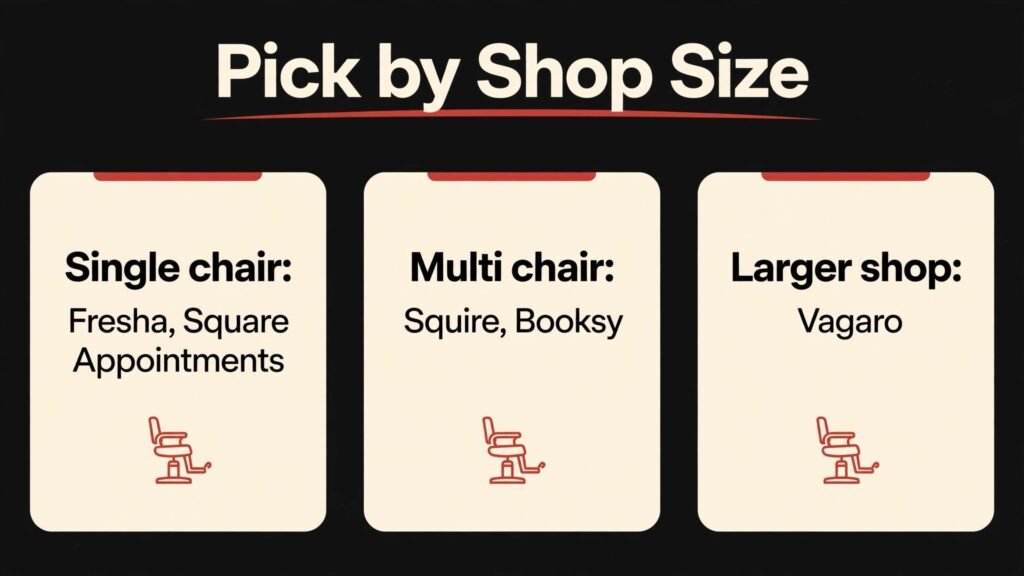
If you run a single chair shop, the simplest credible stack is Fresha or Square Appointments for booking, Canva for visuals, ChatGPT for drafting and Mailchimp for rebooking emails. If you run a multi chair shop, start with Squire or Booksy as the home base, add Vagaro only when payroll and inventory become real needs, and keep the marketing tools the same. In both cases, one booking system should own the chairs, and every marketing message should link back to it.
How to choose the right tools for your shop
Start from your biggest leak. Track one normal week and count missed calls, no shows, empty chairs and lapsed clients who have not returned in two months. If missed calls are the leak, fix online booking first. If no shows are the leak, fix reminders and cancellation policy first. If lapsed clients are the leak, fix rebooking emails first. The tool that fixes the largest leak is the right first purchase, even if another tool has a longer feature list.
Second, test booking as a real client. Book, reschedule and cancel through the shop own link, on a phone, at a time when the shop is closed. Note every confusing step, every missing price, and every moment where you wanted to call instead of booking online. Those friction points are your buying criteria, because your clients will hit the same points.
Third, check fees at real volume. Model subscription fees, marketplace commissions, payment processing fees and per booking costs at your actual weekly booking count. A cheap headline price can become expensive at scale, and a pricier subscription can become cheap if it fills chairs that would otherwise stay empty. Do the math for your shop, not for a demo shop.
Fourth, check the client and barber experience together. A system that is easy for the owner but confusing for barbers will fail, because barbers will work around it. Ask each barber to test their calendar, their services and their walk in flow, and fix the friction they find. A system the whole team uses is worth more than a system only the owner understands.
Fifth, protect the shop atmosphere. A barbershop is a social place, and clients return for the cut and the conversation, not just for the booking link. Use tools for administration, reminders and marketing, and keep the welcome, the consultation and the chair conversation as human work. Technology should make the shop calmer, not colder.
Sixth, plan for slow days and seasonal swings. Most shops have a quiet weekday and a busy Saturday, and school holidays, local events and weather can shift demand sharply. Use that pattern in your tool setup. Open extra online slots on busy days, hold walk in slots when demand is uncertain, and run a rebooking campaign in a quiet week rather than discounting in a panic on a slow morning. A booking platform that shows demand by day and by barber makes this planning concrete. Review the pattern monthly, adjust opening hours and staffing to match it, and keep one promotion ready for a genuinely slow period, so you are not inventing an offer while chairs sit empty.
Seventh, make reviews part of the daily routine, not a monthly project. Ask for a review after a good cut, reply to every review within a day, and use the feedback to fix real issues, such as wait times, price clarity or a service that clients mention repeatedly. Reviews also feed discovery. A shop with recent, specific reviews about a barber, a service and a friendly welcome will win a new client over a shop with older, generic reviews, even if the older shop has a higher average. Track which barbers and services get mentioned most, and use that information for training and for the shop social posts, so marketing reflects what clients actually value.
Mistakes to avoid
Running two booking systems for the same chairs is the first mistake. Double bookings, conflicting calendars and confused clients will follow. Pick one booking system as the master, and retire the other, even if retiring it feels wasteful. A single source of truth for chairs is non negotiable.
Ignoring marketplace fees is the second mistake. A booking platform that looks free can carry commissions that affect margin, especially on a large share of bookings. Read the fee terms, model the cost at real volume, and adjust prices or booking mix if needed, rather than discovering the cost at month end.
Letting prices go stale across channels is the third mistake. Website, booking page, social posts and printed price list must match. When prices change, update every channel on the same day, and check them all before the next opening. A price mismatch at the till damages trust, even if the difference is small.
Sending unedited AI replies to reviews is the fourth mistake. A generic reply to a specific complaint will make a frustrated client more frustrated. Review every reply, acknowledge the specific issue, and offer a private conversation for complaints. Public replies should be calm, brief and professional.
Forgetting lapsed clients is the fifth mistake. A client who has not visited in three months is not lost yet, but will be soon. Segment lapsed clients, send a polite rebooking offer with a clear booking link, and follow up once. Many lapsed clients simply need a reminder, not a discount, and a reminder costs almost nothing.
Frequently asked questions
Do barbershops need online booking, or is walk in enough?
Walk in works for some shops, especially in high foot traffic locations, but online booking captures clients who search and book outside opening hours, reduces missed calls, and fills chairs more predictably. Many shops run a hybrid model: online booking for most chairs, plus walk in slots held each day. That hybrid keeps the shop accessible while making the calendar predictable.
Which booking platform is best for a small barbershop?
It depends on whether you need marketplace discovery, payment integration or operations depth. Fresha suits a new shop that wants low upfront cost plus discovery. Square Appointments suits a shop already on Square. Booksy suits a shop that wants marketplace discovery plus booking. Test the booking flow as a client for each option, and check fees at your real volume before you choose.
How can a barbershop reduce no shows?
Use automatic reminders, require a card or deposit for high demand slots where your policy allows it, make rescheduling easy, and set a clear cancellation policy that clients see at booking. Easy rescheduling actually reduces no shows, because a client who can move a booking will move it, while a client who cannot move it may simply not turn up.
AI can draft captions, brainstorm promotion ideas and help with review replies, but the final post should sound like your shop. Add a real photo of a real cut, a specific detail about the shop, and a clear booking link. Generic posts with no photo and no booking link will not fill chairs, no matter how polished the wording is.
How do barbershops get more reviews without begging clients?
Ask at the right moment, such as after a good cut when the client is happy, and make it easy with a direct review link. A short, polite ask beats a long request, and a follow up message after the visit can help. Reply to reviews, both positive and negative, because clients read replies as a sign of how the shop treats people.
Is email marketing still useful for a barbershop?
Yes, for rebooking and lapsed clients. Email reaches people who already visited and already trust the shop, and a short offer with a booking link can bring them back. Keep emails short, segment by last visit, and check availability before every send, so the offer matches real chair availability.
How much should a barbershop budget for tools each month?
Budget by chair count and booking volume, not by a fixed number. A single chair shop can run on a small stack with one booking tool plus design and email tools. A multi chair shop will need a deeper operations platform. Check checkout pricing, model marketplace commissions at real volume, and review the stack quarterly. Cancel tools the team does not actually use.
Conclusion
The best barbershop stack is the simplest stack that keeps chairs full and clients returning. Booksy for marketplace plus booking, Squire for multi chair operations, Fresha for low upfront booking plus discovery, GlossGenius for a polished experience, Vagaro for full shop software, Square Appointments for simple booking plus payments, Canva for visuals, ChatGPT for drafting and Mailchimp for rebooking together cover the full job, if one booking system owns the chairs and every marketing message links back to it.
Start with your biggest leak, test booking as a real client on a phone after hours, model fees at real volume, and keep the shop atmosphere human. A system built on that rule will fill chairs, reduce no shows, bring back lapsed clients, and let barbers spend their day cutting hair, not answering the phone about a booking that could have been made online.