

Here is the problem most car detailing businesses face: the work itself is excellent, but the business around it is held together by texts, missed calls, and memory. A customer asks for a price in a direct message. The detailer replies hours later, after the customer has booked someone else. Another customer wants the same package next month, but no one wrote down what was done last time. A third customer arrives late, the next job slips, and the whole day unravels. The best AI tools for car detailing businesses fix that surrounding business, not the polishing itself. They book the job, confirm the package, remind the customer, record what was done, take payment, and ask for a review, all without the detailer stopping work to answer a phone.
Detailing is different from many trades. Jobs vary widely in time and price, from a quick interior clean to a full paint correction that takes a day. Mobile detailers travel to the customer, which adds driving, water, power, and parking questions. Shops handle multiple bays and staff. Both models need clear packages, honest time estimates, and photos that show the result. A tool that only offers a calendar will not solve the pricing and package problem. A tool that only offers payments will not solve the booking problem. This guide compares ten tools that cover the full job, from first message to final review.
Pricing notes in this guide point you to check the current price at checkout. Detailing software often prices by users, bookings, or features, so the headline price is rarely the full monthly cost.
How the best AI tools for car detailing businesses compare at a glance
| Tool | Best for | Standout strength | Watch first |
|---|---|---|---|
| Jobber | Solo and small mobile teams | Quotes, scheduling and invoicing together | Package setup needs care |
| Housecall Pro | Online booking focus | Customer booking and card payments | Add on costs |
| Workiz | Missed call recovery | AI phone answering and booking | Message tone needs review |
| Detail Boss | Detailing specific workflow | Packages and job tracking for detailers | Smaller user community |
| Mobile Tech RX | Shops with estimators | Estimates and job records | Best for shops, less for solo mobile |
| Urable | Mobile detailing marketplace reach | Customer discovery and booking | Commission and terms |
| FieldPulse | Clean mobile job management | Job tracking and invoicing | Fewer detailing specific reports |
| ServiceM8 | On site payment | Quote, complete and pay on site | Package templates need building |
| Booksy | Appointment based shops | Booking, reminders and reviews | Service menu setup time |
| Square Appointments | Simple booking and payments | Easy payments and calendar | Limited route planning |
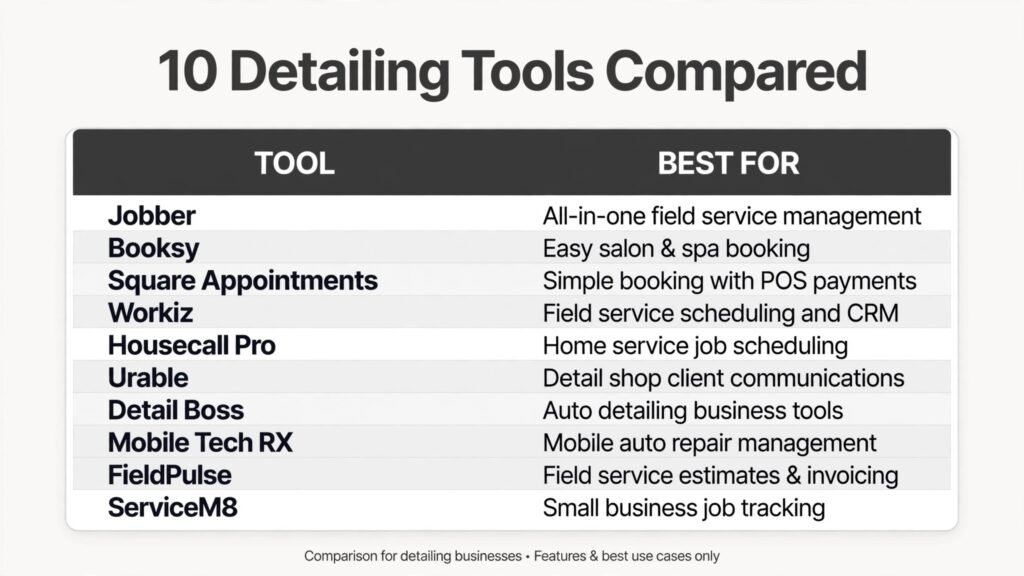
Tools grouped by the job they do best
Booking and packages
A detailing customer needs to understand the package before booking. If the package names are vague, the customer will ask ten questions or book the wrong service. These tools make packages clear and booking easy.
1. Jobber
Jobber is a field service platform that many detailers use for quotes, scheduling, and invoicing. You can define packages such as interior detail, exterior detail, and full detail, attach a price and a time estimate to each, and let customers approve a quote online. The scheduling view shows the day by detailer, which helps a mobile operator plan driving time between jobs.
Jobber also supports automated reminders, which cut no shows. For a mobile detailer, a no show is worse than for a shop, because the drive time is already spent. Pricing is subscription based per user. Check the per user total at checkout as you add staff.
Watch out for: build your package list carefully before you go live. Include what is included, what is not included, and the time each package takes. A clear package list prevents arguments at the car.

2. Booksy
Booksy is an appointment platform used by many personal service businesses, including detailing shops. Customers can see services, prices, and available times, book online, and receive reminders. The review system helps a shop build a local reputation, which matters when customers choose a detailer from search results.
Booksy suits shops with fixed locations and set hours. Pricing is subscription based. Check at checkout whether booking, reminders, and payments are all included in your plan.
Watch out for: the service menu needs regular care. If a package changes price or time, update Booksy the same day, or customers will book a service you can no longer deliver at that price.
3. Square Appointments
Square Appointments combines booking with payments, which is a strong combination for small detailing businesses. Customers book a time, the detailer sees the day on a calendar, and payment is handled through the same system. For a solo detailer, that simplicity removes the need for three separate tools.
Square also supports customer records and basic marketing. Pricing includes a subscription element plus payment processing fees. Check the full cost at checkout, including processing rates.
Watch out for: Square Appointments is not built for mobile route planning. If you travel between jobs all day, pair it with a simple route plan or a dispatch tool.
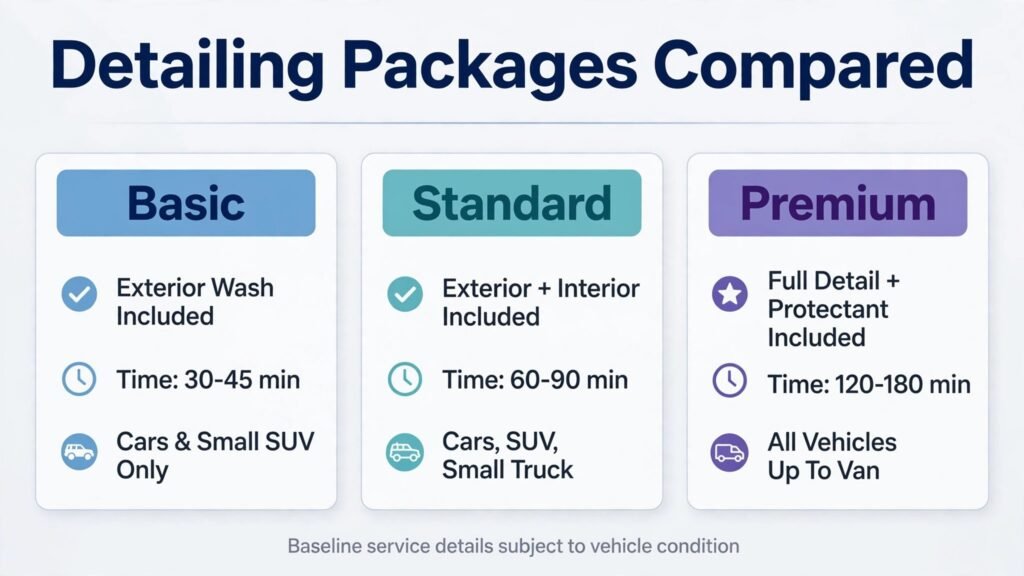
Calls, messages and customer capture
Detailers lose work while they are working. Hands are wet, a car is half polished, and the phone rings. The tools in this group capture that demand.
4. Workiz
Workiz offers scheduling and invoicing plus AI phone answering that can take messages and book jobs when the detailer is busy. For a mobile detailer, that coverage is valuable: a customer who calls during a job can still get a booking instead of a voicemail. Online booking and reminders are included, so the customer journey stays in one system.
Pricing is subscription based. Check at checkout whether AI answering is included or billed separately.
Watch out for: review every automated message before launch. Detailing customers often ask about paint condition, pet hair, or stains. The automated reply should set a calm expectation and offer a human follow up for complex jobs.
5. Housecall Pro
Housecall Pro gives customers an online booking page, a technician profile, and card payment. The “on my way” message is useful for mobile detailers, because customers need to know when to move the car, open the gate, or provide water and power access. After the job, the system can request a review, which helps a local detailer rank in search.
Pricing is subscription based with tiers. Check at checkout which tier includes the booking and payment features you need.
Watch out for: test the mobile job flow for a full day. A detailer should be able to see the package, the address, access notes, and the customer phone number without tapping through many screens with wet hands.
6. Urable
Urable is a platform focused on mobile car detailing and car wash services. Customers can discover detailers, compare packages, and book a service. For a new detailer, that discovery can bring early jobs without a large advertising budget. For an established detailer, it can fill gaps in the schedule.
Pricing and terms vary by marketplace arrangement. Read the terms carefully and check commission or fees at checkout before listing your full package range.
Watch out for: marketplace customers may be more price sensitive than direct customers. Keep your best packages and repeat customer offers on your own booking page, and use the marketplace to fill spare capacity.
Job tracking, estimates and payments
The middle of a detailing job is where time and money are decided. An accurate estimate, a clear job record, and a fast payment turn a good detail into a profitable one.
7. Detail Boss
Detail Boss is software built for detailing businesses, with package management, scheduling, and job tracking shaped around detailing work. That focus helps when a business offers many packages, add ons such as ceramic coating maintenance, and repeat plans. The system can track what was done to each vehicle, which supports repeat bookings and honest advice about what the car needs next.
Pricing is subscription based. Check the current plan and user limits at checkout.
Watch out for: a smaller, niche tool needs a support check. Ask about support hours, data export, and what happens to your customer records if you later switch systems.
8. Mobile Tech RX
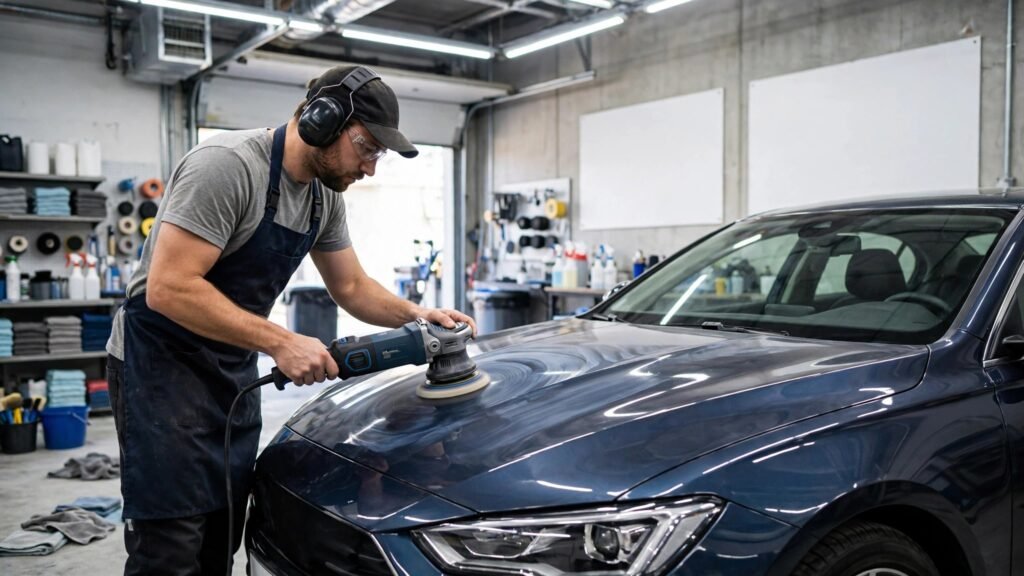
Mobile Tech RX is known in the auto recon world for estimates and job management. Shops use it to build estimates, track jobs, and manage customer records. For a detailing shop that also handles paint correction, dent work, or recon services, that estimate depth is useful.
Pricing is subscription based. Check at checkout which features are included in your plan.
Watch out for: Mobile Tech RX fits shops better than solo mobile detailers. A solo operator should trial it on a real week of mobile jobs before committing, to confirm the mobile flow is fast enough.
9. FieldPulse
FieldPulse is a mobile first field service tool with scheduling, estimates, invoicing, and customer management. A detailer can capture before and after photos, notes, and a signature on site, then send the invoice without returning to a desk. That photo record is a strong sales tool: customers who see the before and after are more likely to rebook and to recommend the business.
Pricing is subscription based with a trial. Check user limits at checkout.
Watch out for: detailing specific reporting is thinner than in a niche tool. If you need reports by package, by detailer, or by repeat rate, confirm those reports exist or plan to export data regularly.
10. ServiceM8
ServiceM8 builds the job around a job card that moves from quote to completion to payment. A detailer can quote a package, complete the work, and take card payment at the car. That speed matters for mobile work, where returning to an office to invoice adds a delay that customers notice.
ServiceM8 also supports scheduling and reminders. Pricing is subscription based with a small free tier. Check the free tier limits at checkout, since it suits only a light workload.
Watch out for: build package templates for every service before going live. Without templates, each quote takes longer and prices vary between detailers, which customers notice.
Best pick by job
| If you need | Start with |
|---|---|
| Solo mobile detailer, all in one | Jobber |
| Shop booking and reviews | Booksy |
| Simple booking plus payments | Square Appointments |
| After hours call capture | Workiz |
| Mobile booking and on the way texts | Housecall Pro |
| New customer discovery | Urable |
| Detailing specific packages | Detail Boss |
| Shop estimates and recon | Mobile Tech RX |
| Photo rich mobile job tracking | FieldPulse |
| Pay at the car | ServiceM8 |
How to choose without overcomplicating the business
Start with your packages. Write down every package you actually sell, its price, its time, and what is included and excluded. If that list is longer than eight items, simplify it before you buy software. Software cannot fix a confusing menu. Customers book faster when they can compare three clear packages and add one or two extras.
Next, decide whether you are a mobile business, a shop, or both. A mobile business needs route planning, access notes, and on the way messages. A shop needs bay scheduling, staff calendars, and a waiting area plan. A business that does both needs a tool that can handle both without forcing every job into one shape. Trial the tool on a mobile day and a shop day, not just one of them.
Then test the photo workflow. Before and after photos are the most persuasive marketing a detailer owns. The tool should make it easy to capture photos, attach them to the job, and share them with the customer. If photos live only on a personal phone, they are lost to the business when that phone changes.
Also check the payment flow. Customers should be able to pay by card at the car or online after the job, and the invoice should go out the same day. Ask about failed payments, deposits for large jobs, and tips if you accept them. A clear deposit policy for paint correction and ceramic work protects both sides.
Finally, compare the full monthly cost. Add subscription, user seats, payment processing, text credits, and any marketplace fees. A tool that looks cheap but charges for every booking message can cost more than a higher subscription with messages included. Get the total in writing and check it at checkout.
Detailers who also sell their work on social media often use best AI tools for Instagram to plan before and after posts. Those who want broader local reach compare best AI tools for Facebook for booking ads and reviews.
Mistakes to avoid
The first mistake is pricing by guesswork. A full detail on a large SUV with pet hair takes far longer than the same package on a small sedan. Price by vehicle size and condition, and write those rules into the tool so every quote follows them.
The second mistake is booking jobs back to back with no travel or setup time. Mobile detailers need buffer time for driving, setup, and water and power access. A schedule with no buffer looks full and profitable, then collapses by midday.
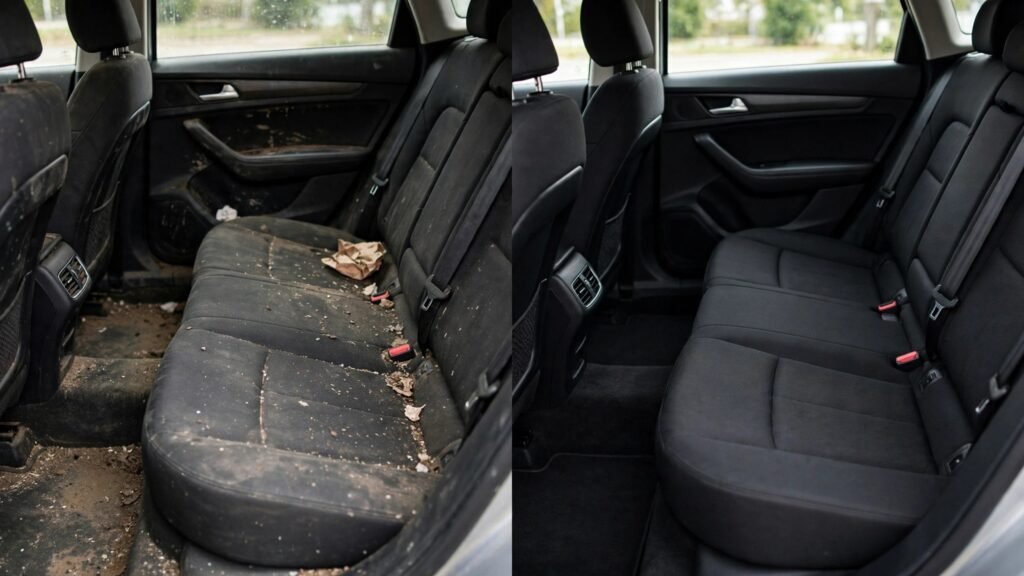
The third mistake is skipping the condition check. Photograph the car at arrival, note existing damage and stains honestly, and share that record with the customer. That single habit prevents most disputes and builds trust.
The fourth mistake is forgetting the repeat customer. Detailing is a repeat business when the first job is good. Set up a rebooking reminder for four to eight weeks after a full detail, depending on the package, and make it easy for the customer to book the same package again.
The fifth mistake is posting only finished photos with no context. A before and after pair, with a short note about what was done, sells far better than a single shiny photo. Ask permission before posting a customer car, and tag the package name so viewers know what to book.
Frequently asked questions
What is the best tool for a solo mobile detailer?
Jobber and ServiceM8 are strong starting points because they combine quoting, scheduling, and on site payment. Choose the app you find faster with one hand, since you will use it between jobs and at the car.
Do detailing businesses need AI phone answering?
It helps when you are working on a car and cannot answer. AI answering captures the inquiry and books a slot, but the reply wording must be calm and specific. Always follow up personally on paint correction, ceramic, and damage questions.
How should a detailer price packages in software?
List each package with vehicle size pricing, time, inclusions, and exclusions. Add extras such as pet hair removal and odour treatment as separate priced items. Clear rules keep quotes consistent across staff and seasons.
Is a marketplace such as Urable worth it?
It can be worth it for filling spare capacity and for early customers. Keep your direct booking page as the main channel, and use the marketplace for gaps rather than for your full schedule.
How important are before and after photos?
Very important. Photos prove the result, support the price, and drive repeat bookings and referrals. Store them with the job record, not only on a personal phone, and ask permission before posting them publicly.
Should a detailing shop use Booksy or a field service tool?
A shop with fixed hours and appointment booking often does well on Booksy or Square Appointments. A mobile or mixed business often does better on Jobber, Housecall Pro, or FieldPulse, which handle travel and job tracking more fully.
A closing note for detailers
The best system for a detailing business is the one that lets you spend the day detailing, not answering messages. For most solo and small teams, that means Jobber or ServiceM8 as the core, Workiz for call capture if missed calls are a problem, and a disciplined photo and rebooking habit on top. Shops should trial Booksy and Square Appointments for booking simplicity, and Mobile Tech RX if estimates and recon work are a large share of revenue.
Define your packages clearly, leave buffer time between jobs, photograph every car at arrival, and confirm the full cost at checkout before you commit. Those habits, paired with the best AI tools for car detailing businesses, turn one good detail into a repeat customer and a steady schedule.
Confusing pricing is the most common reason a detailing customer does not book. A customer who cannot tell whether their car counts as a sedan, an SUV, or a large vehicle will either ask ten questions or choose a cheaper rival with a clearer menu. Fix the menu before you fix the software, then build the menu into the tool so every quote follows it.
Start with three vehicle size bands. Small covers hatchbacks and small sedans. Medium covers standard sedans, small SUVs, and crossovers. Large covers full size SUVs, trucks, and vans. For each band, define three core packages: interior, exterior, and full detail. For each package, write the time it takes, what is included, and what is excluded. Pet hair removal, odour treatment, headlight restoration, and paint correction become priced add ons, not vague promises. A customer can then compare packages in seconds and book without a phone call.
Condition matters as much as size. A well kept car and a car that has carried dogs and children for a year are not the same job, even at the same size. Add a condition note to the booking flow: light, moderate, or heavy soiling, with a short description of each level. The office or the detailer can confirm the condition at arrival with photos, and adjust the price only when the photos support it. Customers accept an adjustment they can see. They resent an adjustment that feels invented at the car.
Repeat plans turn one booking into steady income. Offer a maintenance plan for customers who book a full detail: a shorter exterior and interior refresh every four to six weeks at a lower price than a full detail. The plan keeps the car in good condition, which makes each visit faster, and it keeps the schedule full in quiet weeks. Build the plan into the booking tool as a recurring option with reminders, so the customer does not have to remember to rebook. A customer on a plan who receives a reminder at the right time will rebook far more often than a customer who must start from scratch each time.
Marketing for a detailer is mostly proof. Before and after photos, short videos of the process, and honest notes about what was done sell the next job better than any discount. Post one strong before and after pair each week, name the package, and show the vehicle size band so viewers know what to book. Ask permission before posting any customer car, and never post a number plate without covering it. Over a year, that steady proof builds a portfolio that a new rival cannot copy quickly, because it shows real cars, real results, and a consistent standard.
Mobile setup and handling difficult jobs
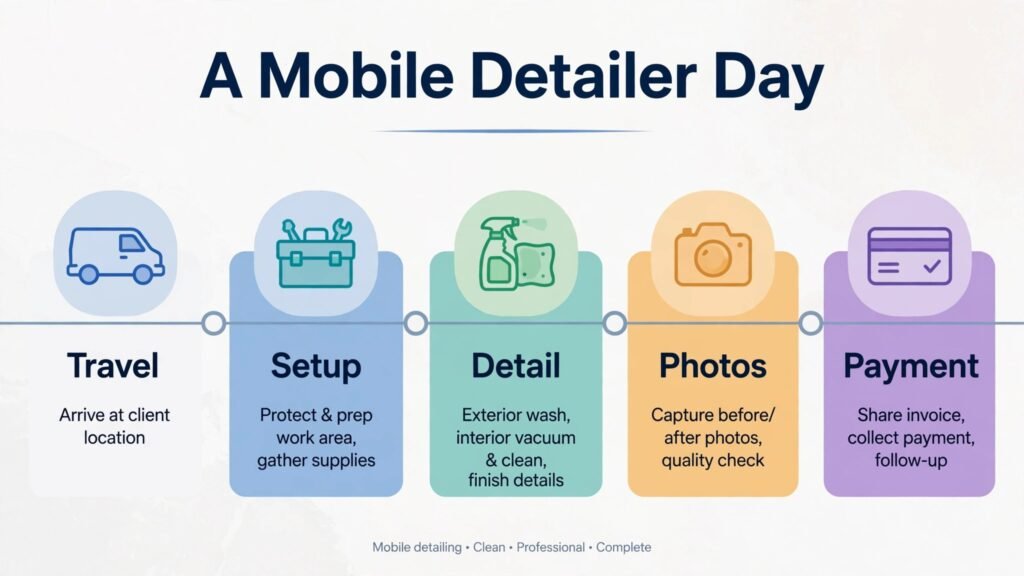
A mobile detailer needs a setup that works in a driveway, not only in a shop. Before the first job of the day, check water supply, power access, hose length, and tank levels if you carry water. Confirm with the customer where to park, where to access water and power, and whether pets or children will be in the work area. Those five questions, asked the day before, prevent most mobile delays. Keep the van organised with a fixed place for every tool, so setup takes minutes rather than a search through boxes at every stop.
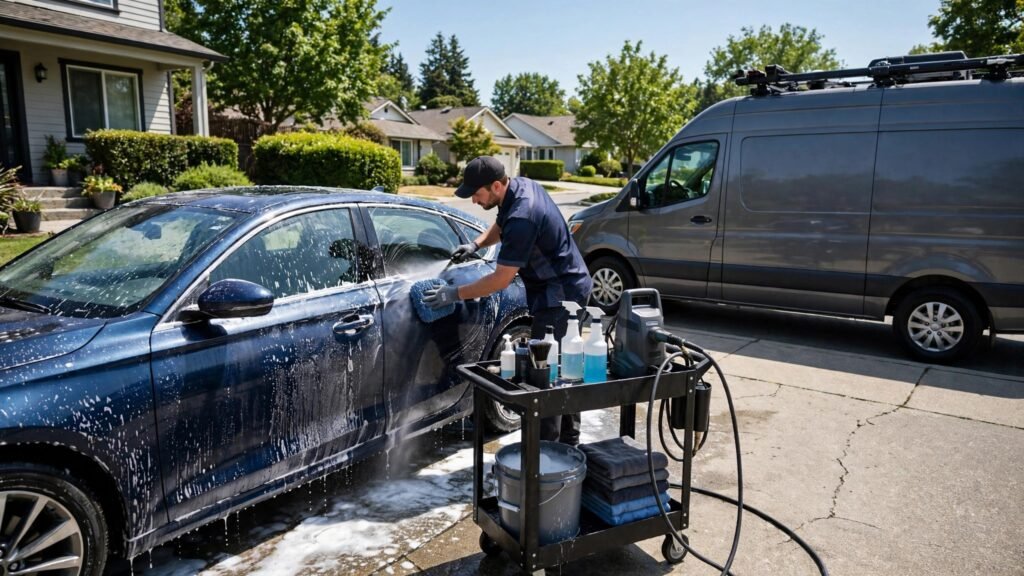
Difficult jobs need honest handling. A car with heavy pet hair, stains, or odour will take longer than the standard package time. Tell the customer at arrival what you found, how long the job will now take, and whether the price changes under the condition rules you published. Take photos before starting, so the customer can see the starting condition. Most customers accept a longer job and a fair adjustment when they see the evidence and hear the explanation before work begins. They rarely accept a surprise charge at the end.
Paint correction and ceramic work deserve a separate conversation. Those jobs take hours, carry higher prices, and depend on paint condition, lighting, and customer expectations. Inspect the paint in good light with the customer, explain what correction can and cannot fix, and agree the scope in writing before starting. A written scope protects both sides and prevents the most common dispute in high end detailing: a customer who expected a new car finish from a single stage correction. For those jobs, a deposit policy also makes sense, and the booking tool should collect it automatically rather than relying on a manual request.
Weather is the final mobile factor. Rain, extreme heat, and freezing temperatures all affect detailing quality and safety. Build a weather policy into the booking flow: when a job must move, who contacts the customer, and how rebooking works. A clear policy, sent at booking, turns a rained out day from a complaint into a reschedule. A firm with no policy will spend every bad weather day answering the same questions one customer at a time.
Upsells, slow weeks and keeping the diary full
Upsells work best when they solve a problem the customer already has. A customer booking a full detail may also need odour treatment after a pet, headlight restoration before a sale, or a maintenance wash plan for a new car. Offer those extras at booking and again at arrival, with a clear price and a short explanation of what each one does. Do not offer five extras at once. Two relevant offers, timed well, earn more than a long list that confuses the customer. Record which extras sell best by vehicle type, and promote those first in the booking flow.
Slow weeks need a plan, not a discount panic. A quiet January or February is the right time to contact past customers with a maintenance offer, to update package photos, and to refresh the booking page. Send a simple message to customers who had a full detail three to six months ago: a short reminder, a named package, and a booking link. That message costs almost nothing and fills gaps that a broad discount would fill at a lower margin. Discounts should be used sparingly, for a clear reason such as a new package launch or a referral reward, not as a routine response to a quiet week. A business that discounts every slow week trains customers to wait for the next discount.
Finally, protect your reputation in the slow weeks too. A single rushed job in a quiet period can cost a review that matters more than the income from that job. Keep the same condition check, the same photo habit, and the same package standard in January as in June. Consistency across seasons is what turns a one time customer into a customer who books four times a year and recommends the business to friends. That repeat pattern, more than any single tool, is what makes a detailing business stable.
One last habit matters for every detailer: end each job the same way. Walk around the car with the customer, point out what was done, mention anything that needs attention later, and confirm the next booking if the customer wants one. That two minute walkaround turns a finished job into a recommendation, because the customer leaves understanding the value, not just seeing a clean car.