

Compare two electrical firms on a busy Monday. One firm answers the phone, books a job, sends a quote, dispatches a tech, and invoices the same day, all from one system. The other firm writes notes on paper, loses a quote in a van, calls the tech three times to check job status, and invoices at month end from memory. Both firms may do excellent electrical work, but only the first firm looks professional to the client, and only the first firm gets paid promptly. That gap is what the best AI tools for electricians close in 2026. The tools below are not about flashy technology. They are about quotes that go out fast, dispatch that stays clear, invoices that go out on time, and records that prove what was done.
Electrical work has specific needs. Jobs range from a small repair to a full rewiring project. Safety and compliance records matter. Parts, permits, and inspections can delay a job. Emergency calls arrive at awkward hours and need triage, not just a booking form. A good tool handles that mix without forcing every job into the same simple template. Pricing changes often, so confirm current pricing at checkout before you commit to any paid plan.
The best AI tools for electricians at a glance
| Tool | Best for | Main job |
|---|---|---|
| Jobber | Small to mid sized electrical firms | Quotes, scheduling, invoicing |
| Housecall Pro | Service and repair crews | Booking, dispatch, payments |
| ServiceTitan | Large electrical firms | Full operations platform |
| FieldEdge | Field service teams | Dispatch, work orders, invoicing |
| Workiz | Growing service firms | Scheduling, dispatch, communication |
| Service Fusion | Firms that need job management | Scheduling, estimates, invoicing |
| simPRO | Project and service firms | Job management and quoting |
| ChatGPT | Writing and office help | Estimates wording, emails, job notes |
Best pick by job
| Job | Best pick | Runner up |
|---|---|---|
| All round operations | Jobber | Housecall Pro |
| Emergency dispatch | Housecall Pro | Workiz |
| Large firm operations | ServiceTitan | simPRO |
| Project quoting | simPRO | Service Fusion |
| Simple field workflow | FieldEdge | Workiz |
| Writing help | ChatGPT | Jobber |
Quotes, dispatch, and invoicing
1. Jobber
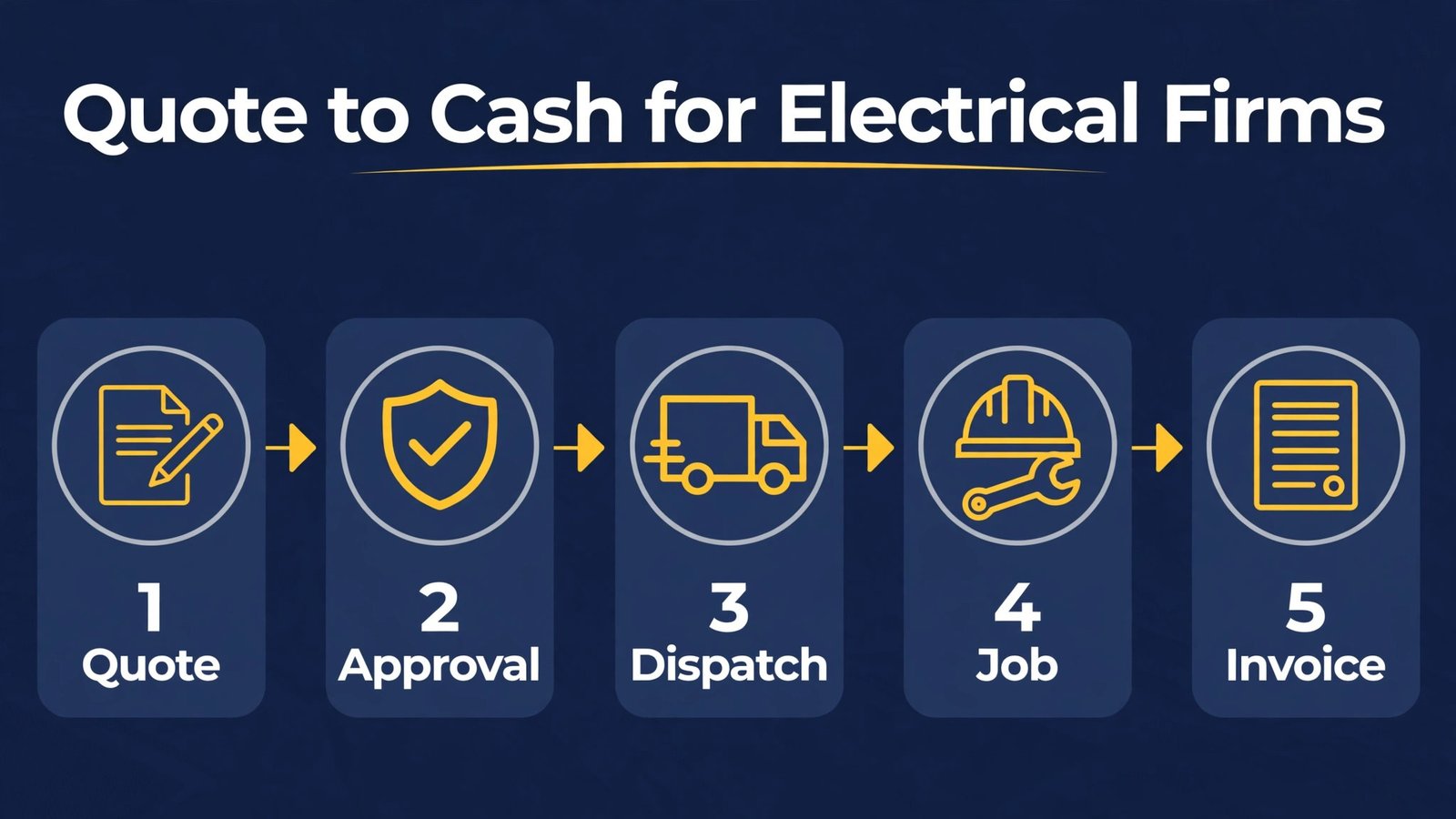
Jobber suits many small to mid sized electrical firms because it covers the full chain from quote to invoice in one place. A quote can be built on site, sent to the client, approved online, turned into a scheduled job, and invoiced without retyping the details. That chain reduces errors, such as a wrong address, a missing part, or a price that changes between quote and invoice. Jobber also supports recurring work, such as safety checks and maintenance visits, which helps build steady revenue between larger projects. The mobile app lets techs see job details, add photos, and record notes on site, so the office does not need to chase updates by phone.
For electrical work, the client note and photo features matter more than they first appear. A photo of a panel before work, a note about access, and a record of parts used can prevent disputes and help the next tech who visits the same property. Jobber keeps those records with the client, so a repeat job starts from facts, not from memory. The reporting also shows which services fill the diary and which sit empty, which helps an owner decide where to focus marketing and hiring.
Watch out for: very large firms with complex project costing and multi branch operations may need a deeper system such as ServiceTitan or simPRO. Test multi tech scheduling and reporting with your real job types before you standardise.
2. Housecall Pro
Housecall Pro is strong for service and repair work, where speed and dispatch clarity matter most. Clients can book online, receive reminders, and pay by card, while dispatchers see job status and tech availability in real time. That clarity helps on emergency days, when several urgent jobs compete for the same techs. The app also supports on site estimates and invoicing, so a repair job can be quoted, approved, and paid without a return to the office. For a firm that handles many small to medium jobs, that speed improves cash flow and reduces admin backlog.
Housecall Pro also helps with reviews, because it can request a review after a completed job. Reviews matter for electricians, because clients invite a stranger into their home to work on wiring, and they check ratings before they trust a firm. A steady stream of recent reviews, with photos of tidy work where appropriate, builds local trust faster than advertising alone. For message templates and follow up habits, our guide to best AI tools for WhatsApp Business covers reply timing that also suits service firms.
Watch out for: add on features raise the total price, so list the features you need, such as online booking, dispatch, and review requests, and avoid paying for modules the team never uses. Also check payment processing terms in your region before you rely on card payments for large jobs.
3. ServiceTitan
ServiceTitan is a large operations platform for electrical, plumbing, heating, and related trades. It handles booking, dispatch, estimates, invoicing, marketing, and reporting at scale, with a clear view of jobs, techs, and revenue. For a firm with office staff, multiple techs, and a call centre, that central view prevents jobs from falling between systems. Managers can see which techs are on which jobs, which estimates are waiting, and which invoices are overdue, without assembling reports from several tools.
The estimating and pricebook features are particularly useful for electrical firms that sell standard services with set prices, such as panel upgrades, outlet additions, and safety inspections. A standard pricebook keeps quotes consistent across techs, which reduces price disputes and makes training new techs easier. The reporting also helps owners spot which services make money and which only look busy, because a service that fills the diary but loses money on parts and time is not a success.
Watch out for: ServiceTitan is built for scale, with pricing and setup to match. A solo electrician or a two person firm will pay for depth it does not need, and setup will take longer than a simple tool. Get a demo using your real services and pricebook before you sign, and check the contract term carefully.
4. FieldEdge
FieldEdge helps field service teams manage dispatch, work orders, and invoicing from office and field. Dispatchers assign jobs, techs update status on site, and invoices follow completed work without delay. That same day invoicing matters for cash flow, because an invoice sent on the day a job finishes gets paid faster than one sent weeks later from memory. FieldEdge also keeps customer records and service history, so a repeat visit starts with known facts about the property, previous work, and parts used.
For electrical firms, the work order detail matters. A job that involves a panel, a circuit, and a permit needs clear notes, photos, and parts lists, not just a one line description. FieldEdge supports that detail, which helps when a different tech returns to finish a job or when a client asks what was done. The system also helps office staff track which jobs are waiting for parts, permits, or inspections, so clients get updates before they chase you.
Watch out for: check integration with your accounting software and payment processor, because a smooth invoice flow depends on those connections. Also test the mobile app in real field conditions, with poor signal and gloves, before you roll it out to all techs.

Scheduling, projects, and office help

5. Workiz
Workiz is a growing field service platform that covers scheduling, dispatch, invoicing, and client communication. It suits firms that want a modern interface, online booking, and clear dispatch without the complexity of a large enterprise system. Clients can book, receive reminders, and pay online, while techs see their day in a clear mobile view. Workiz also supports call tracking and messaging, which helps a firm understand where enquiries come from and respond quickly.
The communication features are a practical strength. When a tech is delayed, the office can message the client from the system, keeping the conversation in one place instead of scattered across personal phones. When a job changes, the updated details reach the tech without a chain of calls. That clarity reduces missed appointments and confused clients, which are common sources of negative reviews for trade firms.
Watch out for: Workiz is newer than some larger platforms, so check support hours, integration options, and data export before you move a large client list into it. Test online booking with real clients before you advertise it widely.
6. Service Fusion
Service Fusion covers scheduling, dispatch, estimates, and invoicing for service firms, with a focus on keeping the whole job in one system. It supports recurring jobs, customer history, and technician tracking, which helps firms that mix repairs, maintenance, and small projects. The estimate feature lets you build a priced proposal, send it to the client, and turn an approved estimate into a job without retyping. That flow reduces the gap between quote and work, which is where many jobs are lost to faster competitors.
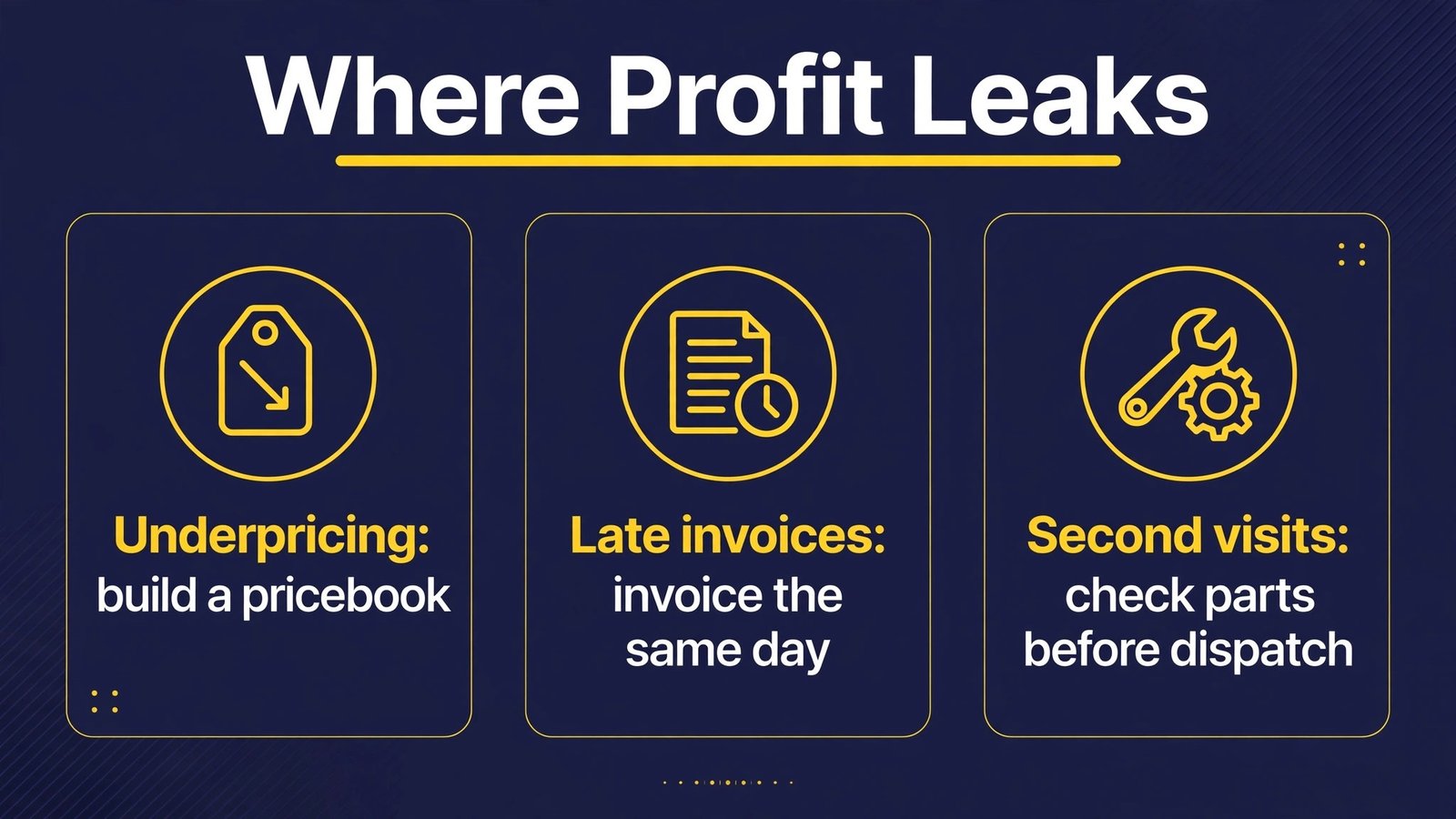
Service Fusion also supports inventory and parts tracking in some plans, which helps electrical firms that carry common parts on vans. Knowing what is on each van, and what needs ordering, prevents a tech arriving on site without the part that the job needs. That preparation saves a second visit, which saves fuel, time, and client goodwill.
Watch out for: the feature set varies by plan, so confirm that the plan you choose includes the dispatch, estimate, and payment features you need. Avoid assuming a feature is included because it appears on a marketing page.
7. simPRO
simPRO is a job management system for trade and project firms, with strong quoting, scheduling, and job costing. It suits electrical firms that handle larger projects, such as rewiring, commercial fit outs, and multi stage installations, where a simple quote and invoice flow is not enough. simPRO helps you build detailed quotes with labour, materials, and subcontractor costs, track job progress against budget, and manage variations when a project changes scope. That costing discipline protects margins on large jobs, where a small error can become a large loss.
For service work, simPRO also supports recurring maintenance and service history, so a firm can run both projects and service from one system. That single system avoids the common problem of project jobs living in one tool and service jobs living in another, with no clear view of total workload. Managers can see crew availability, job status, and profitability across both kinds of work, which helps with hiring and scheduling decisions.
Watch out for: simPRO is a serious system that needs proper setup, including service catalogues, cost rates, and workflows. Invest time in setup and training, or the system will look powerful while producing estimates that are still based on guesswork. For broader construction workflows, our guide to best AI tools for contractors covers related scheduling and estimating patterns.
8. ChatGPT
ChatGPT can draft the writing that fills an electrician’s office hours: quote cover notes, service descriptions, email replies, appointment reminders, and job summaries. It can turn rough tech notes into a clear client summary, explaining what was done, what parts were used, and what the client should watch for next. That clarity reduces follow up questions and disputes, because the client has a written record in plain words. It can also draft seasonal messages, such as safety check reminders before winter, and social posts about services, using the firm’s own tone after editing.
The boundary is important. ChatGPT cannot judge electrical safety, diagnose a fault from a description, or replace a qualified electrician’s inspection. Never let AI draft safety advice that could mislead a client about a dangerous fault. If a client reports burning smells, tripping breakers, or damaged wiring, direct them to switch off the affected circuit where safe and to contact a qualified professional promptly, rather than offering a diagnosis by message. Use AI for drafting and summarising, with a human check on every price, date, and safety statement.
Watch out for: never paste private client addresses, access details, or payment information into a public AI tool. Keep client specific details inside your business system, and use AI only for general wording that you then check and adapt.
How to choose for your firm size and job mix
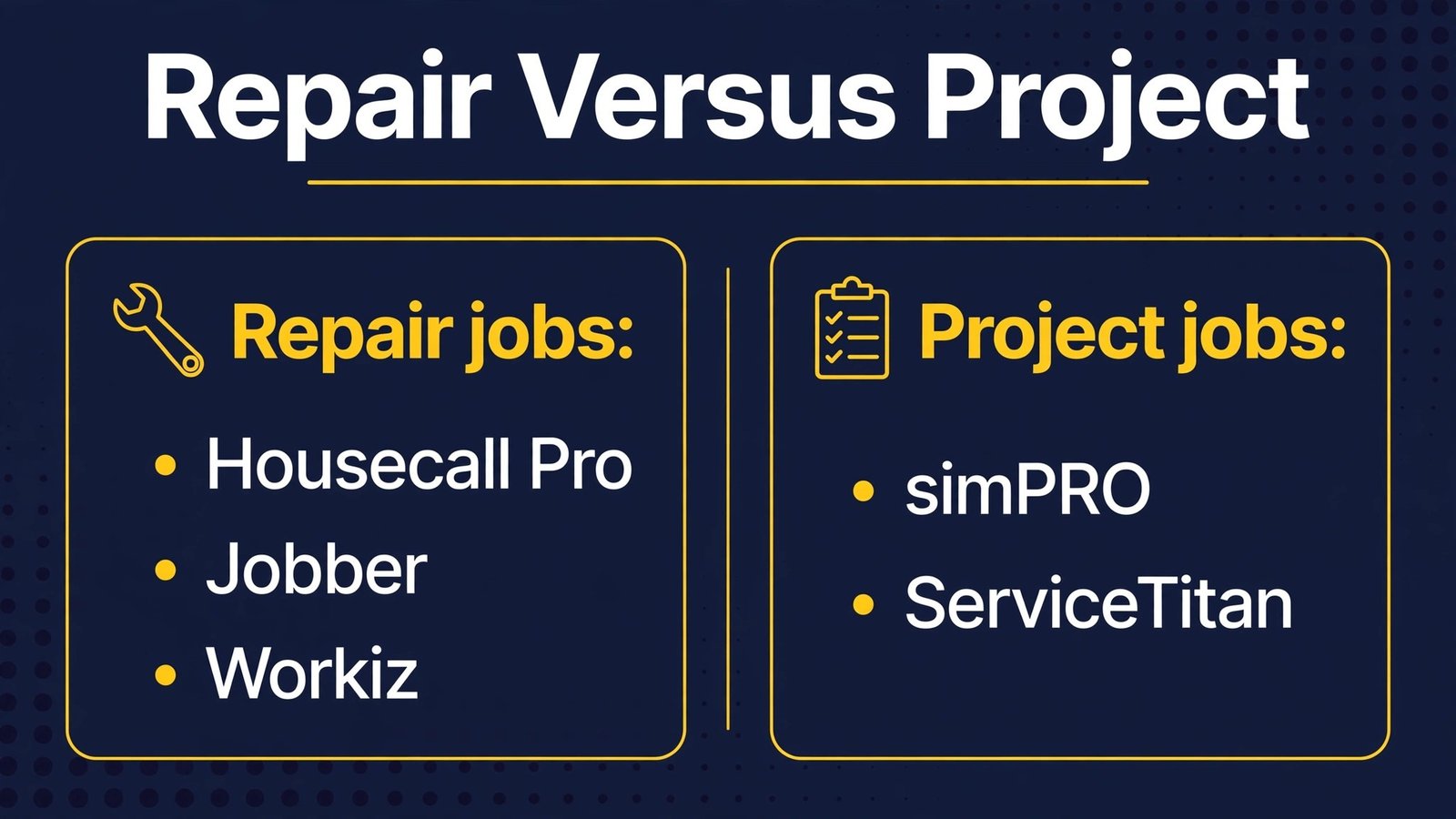
Start with your job mix, not with a feature list. If most jobs are repairs and small installations, prioritise online booking, dispatch clarity, and same day invoicing. Housecall Pro, Jobber, or Workiz will fit that pattern. If most revenue comes from projects, prioritise detailed quoting, job costing, and variation tracking. simPRO or ServiceTitan will fit that pattern better, even if setup takes longer. If you do both, pick one main system that handles service well, and check that its project quoting is good enough for your largest typical job, rather than running two full systems.
Test with a real week. Enter ten real clients, build five real quotes covering a repair, a panel job, and a larger project, dispatch two techs, and invoice a completed job. Check whether the tech app works with gloves, poor signal, and bright light. Check whether the office can see job status without calling techs. Check whether parts, photos, and notes stay with the job. If any step needs a workaround, that workaround will become daily friction, and staff will quietly return to paper or messages.
Measure after 30 days. Quote response time, quote win rate, jobs completed per tech per day, invoice time, and days to payment tell you whether the tool helps. A tool that cuts quote time from three days to same day is worth keeping. A tool that techs avoid on site is worth dropping, even if it was cheap. Review those numbers monthly for the first quarter, then quarterly, so software costs do not grow while usage stays flat.
Safety, records, and compliance habits
Electrical work carries safety duties that software cannot replace, but software can support good habits. Keep a clear record for each job: what was inspected, what was installed, what parts were used, and what the client was told. Photos of panels before and after work, notes on access and hazards, and a signed completion record protect both the firm and the client if a question arises later. A system that keeps those records with the client file is far better than photos scattered across personal phones.

Permits and inspections need tracking too. A job that waits for a permit or an inspection should be visible in the system, with a status and a next step, so clients get updates before they chase you. When a job changes scope, record the variation in writing, with a revised price agreed before extra work starts. That habit prevents disputes that cost more than the extra work itself. Finally, train techs to record notes on site, not at the end of the week from memory. Same day notes are more accurate, more complete, and more useful when a different tech returns to the property.
Emergency work: triage without chaos
Emergency calls need a different workflow from routine bookings. When a client reports a loss of power, a burning smell, or a safety concern, the first job is triage, not scheduling. Train office staff to ask clear questions, to give safe immediate guidance where appropriate, and to escalate urgent jobs to the next available qualified tech. A booking tool should support urgent flags, so an emergency job stands out from routine work and does not sit in a general queue until morning.
After triage, communication matters. Tell the client an honest arrival window, update them if the tech is delayed, and record what was found and done on site. Emergency clients are stressed, and clear communication turns a stressful call into a trusted relationship. Many emergency clients become regular clients, and many leave strong reviews, because they remember who helped quickly and clearly. A system that supports urgent flags, clear messaging, and same day invoicing turns emergency work from chaos into a reliable revenue stream.
Hiring, training, and keeping good techs
Software cannot fix a hiring problem, but it can make a good tech’s day easier, which helps retention. A tech who receives a clear day plan, with addresses, job details, parts lists, and client notes, starts the day confident. A tech who receives vague instructions and spends the day calling the office for details ends the day frustrated. The booking and dispatch system is therefore a retention tool, not just an office tool. When you trial a system, ask techs directly whether the day plan is clear, whether the app works in the field, and whether invoicing from site actually works. Their answers matter more than any dashboard demo.
Training new techs also improves with good records. A new tech who can read past job notes, photos, and parts lists for a property starts with context, rather than starting blind. A standard pricebook helps new techs quote consistently, because they do not have to guess prices or call the office for every variation. A checklist for job completion, covering photos, notes, client explanation, and invoice, helps new techs finish jobs to the firm’s standard, not just to their own habit. Use the job system to store those checklists and templates, so they are available on site, not just in an office folder.
Retention also depends on workload fairness. A dispatch view that shows jobs per tech, travel time, and overtime helps managers distribute work fairly, rather than overloading the most reliable tech until they leave. Review workload weekly, rotate emergency duty fairly, and use the system’s reporting to spot techs who are consistently overloaded. A firm that protects its best techs from burnout keeps its best techs, and clients notice the difference when the same trusted tech returns for repeat work.
Finally, pay attention to feedback from techs about the tools themselves. If techs say the app is slow, the job details are incomplete, or invoicing from site fails, fix those problems quickly. A tool that techs dislike will be worked around, and workarounds create the errors the tool was meant to prevent. Involve techs in the choice of the next tool, trial it with a small group first, and only roll it out widely when that group recommends it. That approach takes longer, but it produces a system that the whole firm actually uses. It also surfaces problems early, while they are cheap to fix. A problem found by two techs in a trial can be solved with a settings change. The same problem found by twenty techs after a full rollout becomes a crisis, with missed jobs, confused clients, and staff who lose faith in the new system. Trial small, listen carefully, and scale only what works in the field. A trial also gives the office a chance to test invoicing, payment, and reporting with real money and real clients, rather than discovering a billing problem after the whole firm has switched. That caution saves time, money, and credibility with clients who expect a professional experience from the first job on the new system, every time, without exception, from the very first booking onward.
Mistakes to avoid
The most common mistake is quoting by gut feel. A quote that feels right can still lose money when labour, parts, travel, permits, and overhead are added honestly. Build a pricebook or rate card once, update it when costs change, and let the tool apply it consistently. A second mistake is invoicing late. Work completed on Monday and invoiced at month end is work you have already paid for, with no cash returning for weeks. Invoice on the day, offer card payment, and send one polite reminder before a job becomes a debt.
A third mistake is running bookings across phones, messages, and a booking app at once. That creates double bookings, lost quotes, and confused techs. Pick one source of truth for the diary and direct every channel to it. A fourth mistake is ignoring reviews until a bad one appears. Ask after every completed job, reply quickly, and fix small complaints before they become public. A fifth mistake is buying software for the office while techs still use paper. If the tech app is awkward, office software cannot fix it. Choose a system techs will use, and train them on site with real jobs.
Frequently asked questions
Which tool is best for a small electrical firm?
Jobber is the strongest all round starting point for a small to mid sized firm, with Housecall Pro as a strong option for repair focused work. Workiz is also worth testing for firms that want modern dispatch and communication. Choose based on whether repairs or projects dominate your revenue.
How can AI help an electrician without replacing safety judgement?
AI helps with drafting, scheduling suggestions, quote wording, and summarising job notes. It cannot inspect wiring, diagnose faults safely, or replace a qualified electrician. Use AI for office work, keep safety decisions with trained staff, and check every safety statement before it reaches a client.
Should an electrical firm collect deposits?
For larger projects, a deposit protects materials and scheduling time and confirms the client is serious. For small repairs, a card on file or clear payment on completion often works better. State payment terms in writing before work starts, for both kinds of work, and agree variations in writing before extra work begins.
How do reviews help an electrical firm?
Reviews build trust, because clients invite electricians into their homes. Recent reviews, with clear service details, help a new client choose with confidence. Ask after every job, reply to all reviews, and fix small issues quickly. A single detailed review about a tidy, on time job is worth more than many generic ratings.
What is the biggest pricing mistake for electricians?
Underpricing is the biggest mistake, usually because overhead, travel, parts, and non billable time are left out. Build a full pricebook, include overhead, and review margins by service each quarter. A busy firm that loses money on every job is not a successful firm, no matter how full the diary looks.
How should emergency calls be handled?
Triage first, schedule second. Ask clear safety questions, give safe immediate guidance where appropriate, and flag the job as urgent in your system. Give an honest arrival window, update the client if delayed, and record findings clearly on site. Emergency clients who receive clear help often become loyal regular clients.
Do I need separate tools for projects and service work?
Not always. Many all round tools handle both, and a single system is simpler for a small firm. Larger firms with complex projects often benefit from a deeper job management system such as simPRO, provided service jobs and project jobs stay visible in one place without retyping.
Conclusion
For most electrical firms, the winning stack is one operations tool, one pricing discipline, and one review habit. Jobber suits many small to mid sized firms, Housecall Pro suits repair focused crews, Workiz suits growing firms that want clear communication, and ServiceTitan or simPRO suit larger or project heavy firms. Add ChatGPT for drafting, with a human check on every price and safety statement, and a review request after every job. Start with quote response time and days to payment as your two numbers, improve them for a quarter, and let the software earn its place by making jobs clearer, techs less rushed, and clients more confident in the firm they invited into their home.