
More than seven in ten homeowners now say they want to see a garden design before they pay for plants, paving, or a contractor, and that single expectation explains why photo renders and scaled plans have become the starting point for most outdoor projects. The best AI landscape design tools answer that expectation in two different ways. Some take a photo of your yard and return a restyled concept in under a minute. Others help you draw a scaled plan, place plants at real spacing, and check the result in 3D before you buy anything.
Those are not interchangeable jobs, and choosing the wrong type is the most common waste of money in this category. A beautiful render with no measurements will not tell a contractor where a path should go. A precise plan with no visual preview will not tell you whether you will actually like the finished garden. This guide separates the two, compares 15 tools by the job they do best, and ends with a buying checklist you can use with any vendor.
The quick verdict on the best AI landscape design tools
If you want a fast visual idea, start with Gardenly, OutdoorBrite, or REimagine Home. If you want a plan you can build from, start with Planner 5D or iScape. If you want to walk through the design on site, use iScape or DreamzAR for AR preview. If you are a designer or contractor selling jobs, look at VizTerra, Yardzen, or Realtime Landscaping Pro for client ready output. Do not pay for a professional suite when a photo render and a scaled sketch would answer your question. Do not rely on a render alone when drainage, levels, slopes, or retaining walls are involved. In those cases, a measured plan and a professional site check still matter more than any image.
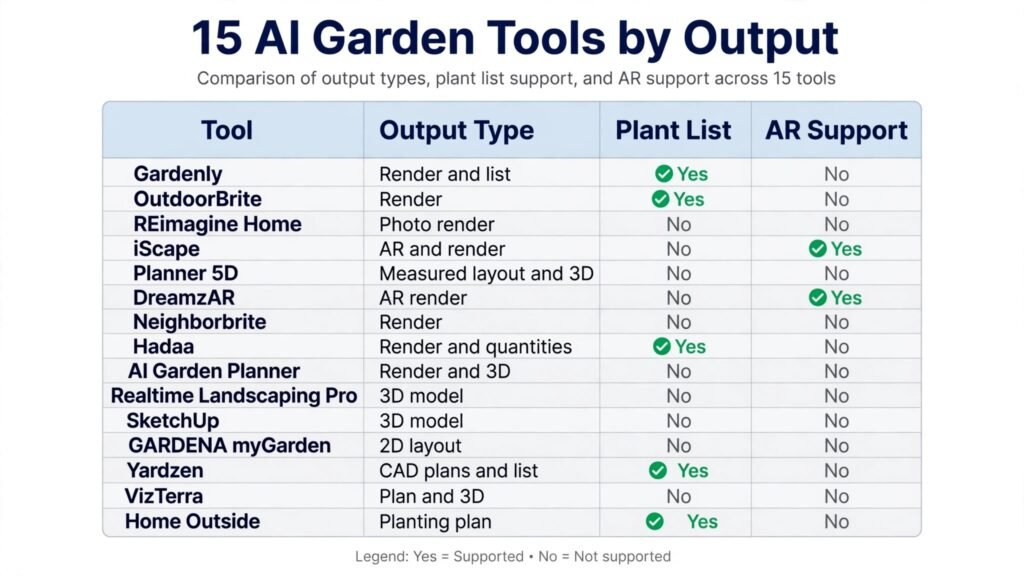
The 15 tools at a glance
| Tool | Best for | Output type | Pricing note |
|---|---|---|---|
| Gardenly | Render plus plant list | Render and buildable list | Paid plans; check checkout |
| OutdoorBrite | High volume renders | Render with zone aware planting | Paid plans; check checkout |
| REimagine Home | House and yard in one tool | Photo render | Free credits, then paid; check checkout |
| iScape | AR on your own yard photo | AR and render | Free plan, then paid; check checkout |
| Planner 5D | Scaled 2D and 3D plans | Measured layout and 3D view | Free plan, then paid; check checkout |
| DreamzAR | AR walkthrough on iPhone | AR render | Paid plans; check checkout |
| Neighborbrite | Free first renders | Render | Free, then paid; check checkout |
| Hadaa | Plant list without a subscription | Render and quantities | Per render; check checkout |
| AI Garden Planner | Themed and unusual styles | Render and 3D | Paid plans; check checkout |
| Realtime Landscaping Pro | Realistic 3D for homeowners | 3D model and walkthrough | One time purchase; check checkout |
| SketchUp | Flexible 3D modelling | 3D model | Free web app, then paid; check checkout |
| GARDENA myGarden | Free starter planning | 2D layout | Free |
| Yardzen | Human designer plus software | CAD plans and plant list | Per project; check checkout |
| VizTerra | Designers needing 2D and 3D in one file | Plan and 3D view | Free trial, then paid; check checkout |
| Home Outside | Designer quality planting plans | Planting plan | Per project; check checkout |
Pick by the job first
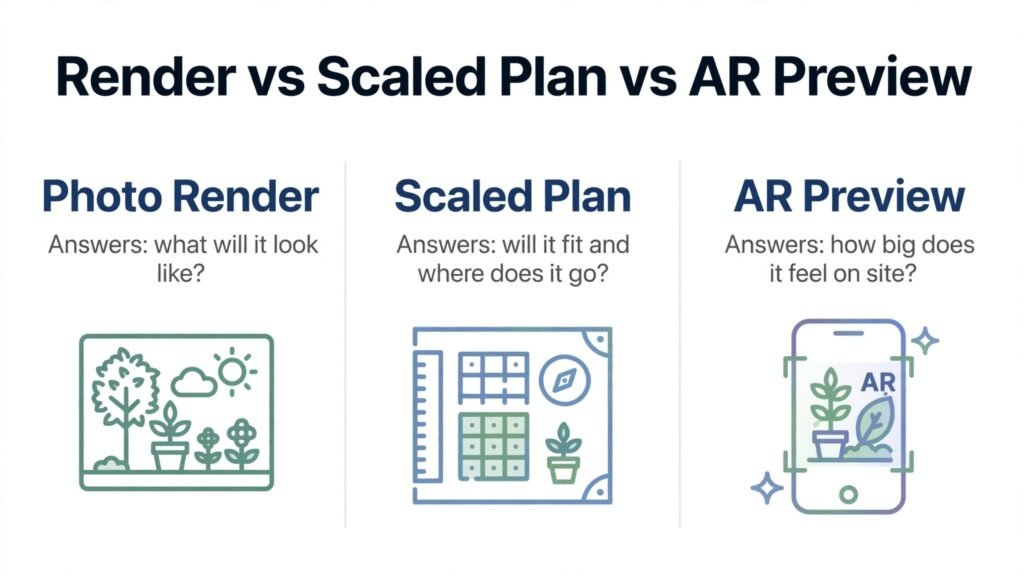
Photo renders: see the finished look fast
Gardenly, OutdoorBrite, REimagine Home, Neighborbrite, Hadaa, and AI Garden Planner belong here. Upload a clear photo in good light, choose a style, and compare several concepts before you commit to materials.
Scaled plans: build it accurately
Planner 5D, iScape, SketchUp, GARDENA myGarden, VizTerra, and Realtime Landscaping Pro belong here. Draw to scale, set real spacing for plants and paths, and check whether furniture, a grill, and planting can all fit without crowding.
On site preview and professional presentation
DreamzAR, iScape, Yardzen, and Home Outside belong here. AR tools let you stand in the yard and see plants at real scale. Professional services add a human designer and documents a contractor can work from.
1. Gardenly
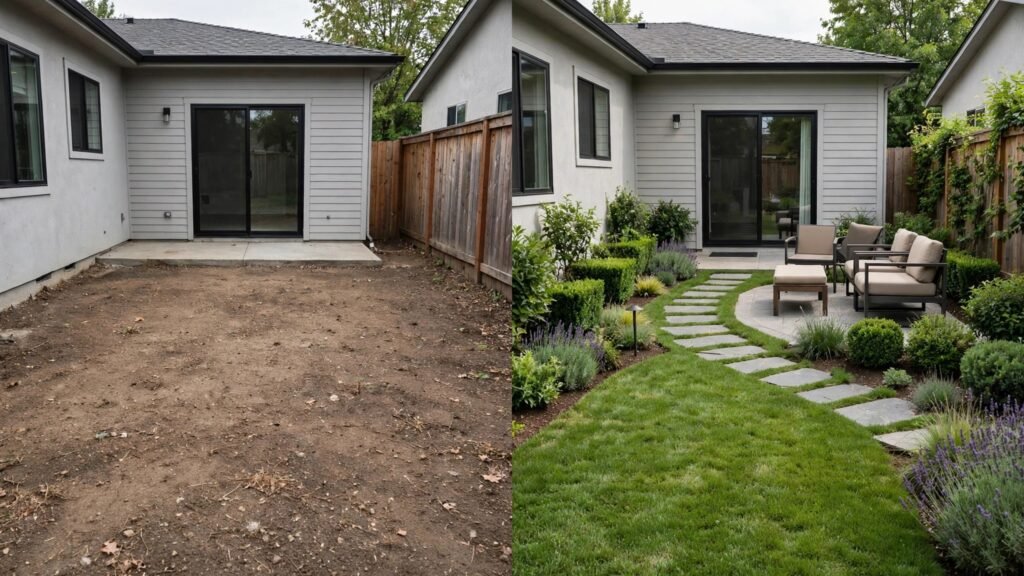
Gardenly is the strongest all round pick for homeowners who want both a render and a plant list they can actually buy from. Many render tools show a beautiful garden and leave you to guess which plants were used, how many you need, and whether they will survive in your climate. Gardenly closes that gap by pairing the visual with a buildable list, which makes the next step, shopping and planting, much simpler.
It works best when your photo is clear and your brief is specific. Name the style, the amount of sun, and the maintenance level you want. A low maintenance, sunny, modern garden with gravel and grasses is a very different brief from a shaded, cottage style garden with dense planting. The more specific the brief, the more useful the plant list will be. Check that list against your hardiness zone and local nursery stock before you order, because availability varies by region and season.
Watch out for subscription terms. Gardenly is a paid tool, so check checkout for the current monthly or annual price and for what is included in each tier. Also treat any render as a concept, not a planting guarantee. Mature plant size, soil, drainage, and watering will change the result, and a local nursery or designer can confirm the final choices.
2. OutdoorBrite
OutdoorBrite is built for volume and for zone aware planting suggestions. That combination suits agencies, designers, and homeowners who want many concepts quickly, with plant ideas that are at least filtered for climate. If you are comparing ten ideas for one yard, or rendering many properties, a tool built for volume will save you repeated setup time.
OutdoorBrite works best as a concept engine, not as a final plan. Generate several directions, pick the best structure, and move it into a scaled planner for measurements before you brief a contractor.
Watch out for cost at volume. Paid plans vary by render allowance, so check checkout for the tier that matches your project count. A plan that is good value for one yard may be poor value for twenty, and the reverse is also true. Confirm whether plant suggestions are tailored to your zone on the plan you choose, because that feature is a key reason to pick this tool.
3. REimagine Home
REimagine Home is useful because it covers house and yard in one tool. Many homeowners start with an interior project and then realise the outdoor space needs the same attention, or they want the front of the house and the garden to look coherent. A single tool for both avoids learning two systems and keeps the style consistent across the property.
It works best for early ideas. Try a modern, a traditional, and a natural style on the same photo, and note which one suits the architecture of the house. Use the free credits to test that fit before you pay for more renders.
Watch out for the limits of a general home tool. REimagine Home is strong on visual restyling, but it is not a scaled garden planner or a plant specialist. For planting lists, spacing, and buildable output, pair it with Planner 5D, Gardenly, or a local designer. Check checkout for current credit pricing and for any limits on commercial use.
4. iScape
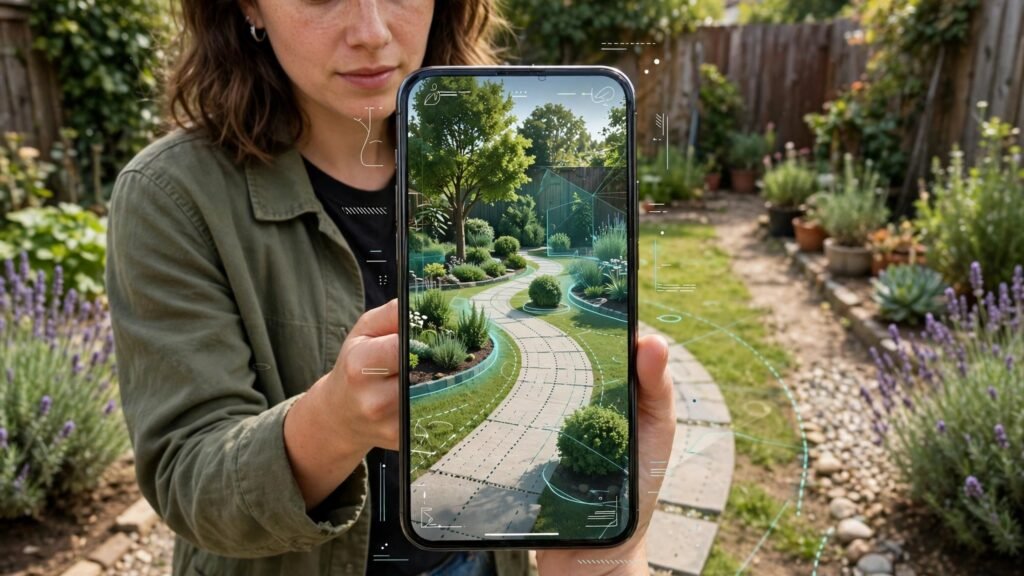
iScape is the strongest mobile pick for designing directly on a photo of your own yard. Because you work on a real photo, scale and context are easier to judge than in a blank plan. You can place plants, paving, walls, and features, revise layouts quickly, and share a proposal with a contractor or a partner. The AR preview adds a further check, letting you see plants in place on site before you buy them.
iScape works best for a fast, credible proposal. Start with a straight, well lit photo, place the largest elements first, such as trees, paths, and seating, and only then add smaller planting.
Watch out for plant detail limits. iScape gives you a strong visual and layout tool, but you should still confirm mature size, spacing, and climate fit for every plant you plan to buy. Pricing is subscription based, so check checkout for the current monthly tiers and for which features are included at each level.
5. Planner 5D
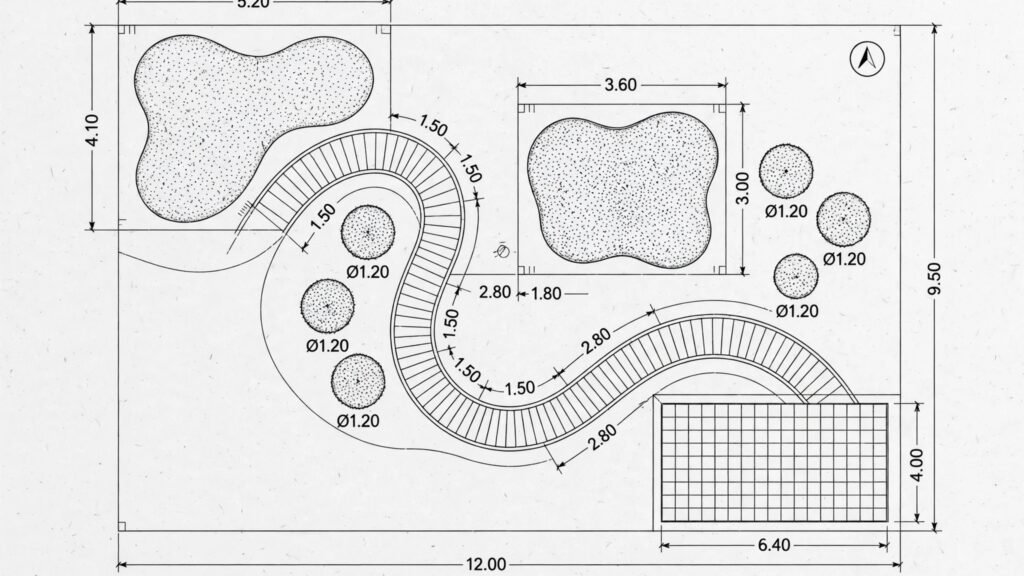
Planner 5D is the best low cost entry point for scaled planning. You draw the yard to scale, place beds and paving, and check the result in 3D. The free tier covers a single yard for basic layouts, which is enough to test whether scaled planning suits you. Because it also covers indoor rooms, it suits homeowners who want one tool for a whole property project.
Planner 5D works best when you measure first. Note drains, trees, and access points, enter those measurements, and test two layouts: one that maximises planting and one that maximises usable space.
Watch out for catalogue limits on the free plan. About half the furniture and material catalogue is locked behind paid plans, and advanced outputs such as high quality renders and CAD export need higher tiers. Check checkout for current annual pricing and for which output types you actually need before you upgrade.
6. DreamzAR
DreamzAR is an AR focused tool for iPhone users who want to walk through a garden design on site. Instead of judging a design only on a screen at home, you can stand in the yard, point your phone, and see how plants and features sit in the real space. That on site check is valuable for scale, because a tree or a pergola that looks modest in a render can feel very large in person.
DreamzAR works best for final confidence checks, after you have a layout you like. Walk the yard, check sight lines from windows and seating areas, and note where shade will fall at different times of day.
Watch out for platform and price. DreamzAR is iPhone focused and subscription based, so check checkout for current pricing and device compatibility before you plan a project around it. AR previews also depend on light and phone performance, so test on site in normal daylight rather than only in ideal conditions.
7. Neighborbrite
Neighborbrite is the best free first try in this list. If you have never used a garden design tool, it lets you see what AI rendering can do without paying, and without a long setup process. That low barrier makes it ideal for a first concept session, for comparing a few styles, and for deciding whether a paid tool is worth it for your project.
It works best as a starting point, not as a final planning tool. Generate several concepts, save the ones that still appeal to you after a day, and then move the best structure into a scaled planner for measurements. That sequence keeps the free tool in the role it does best, which is inspiration, and avoids asking it to do detailed planning work it was not built for.
Watch out for the limits of a free tier. Free renders may be limited in number or resolution, and paid tiers add more capacity and features. Check checkout for current Pro pricing and for whether the free output is good enough to share with a contractor. If it is not, use the free tool for ideas and a paid or scaled tool for the presentation file.
8. Hadaa
Hadaa suits homeowners who want a plant list without a subscription. Instead of paying monthly for a tool you may use for only one project, you pay per render and receive a render plus a bill of quantities. That model is good value for a single garden project, a front yard refresh, or a seasonal planting plan that does not need ongoing software.
Hadaa works best when you are ready to buy plants. Check the quantities against your measured beds, and check local availability, because a substitute with similar size and sun needs is often better than waiting months for one variety.
Watch out for per render cost. A single render can be good value, but many iterations can add up. Plan your iterations in batches, with a clear brief for each batch, rather than generating one render at a time with vague prompts. Check checkout for current per render pricing and for what the quantities list includes.
9. AI Garden Planner
AI Garden Planner is the best pick for themed and unusual styles. If you want a Mediterranean courtyard, a Japanese inspired garden, a pollinator garden, or a kitchen garden with a strong structure, a themed planner can suggest combinations that a generic render tool might miss. It also offers 3D views, which help you judge height and layering, not only flat layout.
It works best when you give it a theme and a constraint. For example, ask for a pollinator garden for a sunny, dry bed with low watering, rather than a general request for a pretty garden. The constraint forces the tool to make choices that fit your site, and the result is more likely to survive in real conditions. Save the best themed concept, then check each plant for zone, sun, and water needs before you buy.
Watch out for subscription pricing. Themed planners vary widely in price, so check checkout for the current monthly or annual tier that matches your project. Also confirm whether the tool checks plants against your climate, or whether you need to verify that step yourself with a local source.
10. Realtime Landscaping Pro
Realtime Landscaping Pro is the strongest realistic 3D option for homeowners who want to walk through a design before building it. The software is bought once, rather than subscribed monthly, which suits homeowners who will use it for several projects over time. The 3D walkthrough helps you judge height, shade, and sight lines in a way that a flat render cannot.
It works best for larger projects where layout mistakes are expensive. Build the hardscape first, then add planting in layers, from trees to shrubs to ground cover.
Watch out for learning time. A full 3D tool takes longer to learn than a photo render app, and the one time price varies by edition. Check checkout for the current edition pricing and for system requirements. If you only need one small bed redesigned, a simpler photo tool may be faster and cheaper.
11. SketchUp
SketchUp is the most flexible 3D modelling tool in this list, and it suits users who want exact dimensions for a deck, a wall, or a structure. The free web app lets you start without paying, and the large model library gives you ready made elements for outdoor projects. For custom structures, SketchUp is hard to beat, because you are not limited to a fixed catalogue of garden items.
SketchUp works best when precision matters more than speed. Start with a scaled base, model the hardscape accurately, and only then add planting for visual context.
Watch out for the learning curve. SketchUp takes longer to learn than garden specific planners, and plant specific detail is weaker than in specialist tools. If you want quick planting ideas, pair SketchUp with Gardenly or iScape. Check checkout for current Go and Pro pricing, because the free web app has limits on output and commercial use.
12. GARDENA myGarden
GARDENA myGarden is the best free browser planner for simple layouts. It lets you draw beds, paths, and planting areas without installing software or paying, which makes it ideal for a first scaled sketch, a vegetable bed plan, or a simple front yard layout. Because it comes from a garden brand, the planning logic is grounded in practical garden use, not only visual style.
It works best for simple projects and for testing a layout before you invest in a paid tool. Draw the yard to scale, test two or three bed shapes, and check whether paths are wide enough for a wheelbarrow and whether beds are reachable for maintenance. Those practical checks are often missed in a beautiful render, and a free planner is a good place to make them.
Watch out for depth limits. GARDENA myGarden covers simple layouts well, but it does not offer the same render quality, plant maturity views, or client presentation output as paid tools. For a complex design, use it as a sketch tool and move to a stronger planner for the final presentation. As a free tool, it is also the easiest way to test whether scaled planning suits you at all.
13. Yardzen
Yardzen pairs software with a human designer, which makes it the best pick when you want a professional result without hiring a designer from scratch. You provide photos, measurements, and a brief, and Yardzen returns CAD plans and a plant list that a contractor can work from. That human check catches problems that AI alone often misses, such as drainage, access, and plant suitability for your site.
Yardzen works best for full yard projects. Be specific about budget, maintenance, sun, pets, and how you use the space, and review the first draft against your daily routine, not only against the visual.
Watch out for price and scope. Yardzen is priced per project, starting at a higher level than a render app, so check checkout for current project pricing and for what is included. It is not the right choice for a single bed refresh, where a render tool plus a local nursery visit will be faster and cheaper.
14. VizTerra
VizTerra suits designers who need 2D plans and 3D views in one file. That single file workflow matters for client work, because revisions stay consistent across plan and presentation. Change a path in the plan, and the 3D view updates with it, rather than requiring a separate rebuild. For designers and contractors, that consistency saves time and reduces errors.
VizTerra works best for professional presentations and for projects where the client needs to approve both layout and look before work starts. Build the plan to scale, add materials and planting, and export views that show the garden from the main viewpoints, such as the patio, the kitchen window, and the street. Those viewpoints are where the client will actually judge the design, so prioritise them over generic aerial views.
Watch out for the professional price and learning curve. VizTerra is a designer tool, not a casual homeowner app, so check checkout for trial terms and subscription pricing. Homeowners with a single small project will usually get faster value from iScape or Planner 5D, while designers with repeat clients will benefit more from VizTerra.
15. Home Outside
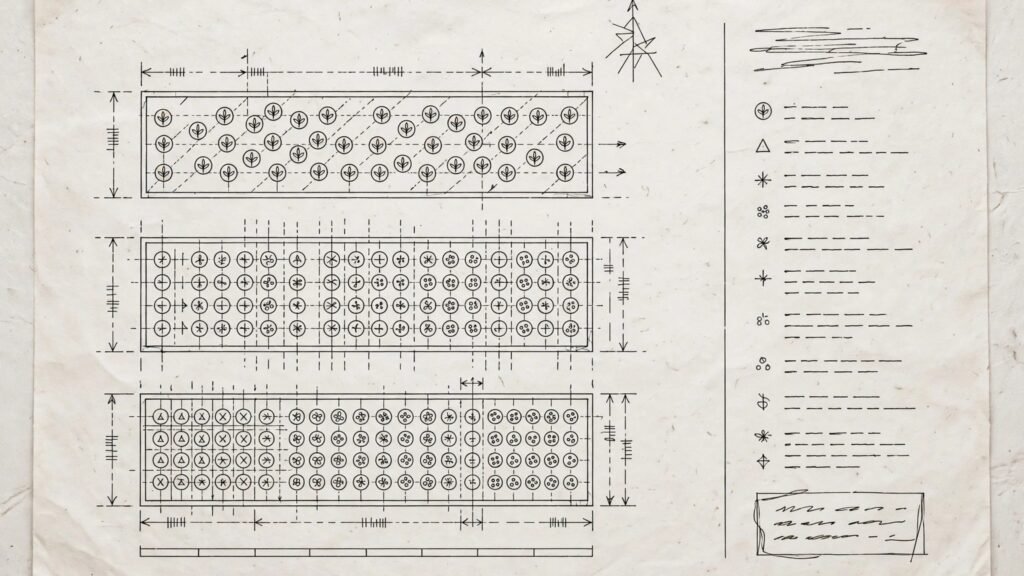
Home Outside offers designer quality planting plans without a full in person design service. It suits homeowners who want a professional planting scheme, with species, spacing, and layout, but who do not need a complete hardscape redesign. If your paths, patio, and structure are already right, and only the planting needs help, Home Outside focuses on the exact problem you have.
It works best when you provide good site information. Share photos, measurements, sun exposure, soil notes, and your maintenance capacity. A planting plan is only as good as the site data behind it, and a designer working remotely needs clear information to choose plants that will thrive. Review the plan for mature size, not only for how it looks on day one, because a garden that looks full immediately can become overcrowded within two years.
Watch out for scope. Home Outside is a planting plan service, not a full construction plan, so check checkout for current project pricing and for what is included. For drainage, retaining walls, or major grading, you will still need a local professional and a site visit.
Best pick by job for garden design
| Job | First pick | Why it wins | Second option |
|---|---|---|---|
| Fast photo render | Gardenly | Render plus plant list | OutdoorBrite |
| Free first render | Neighborbrite | No cost start | REimagine Home |
| AR preview on site | iScape | Photo design plus AR | DreamzAR |
| Scaled plan to build from | Planner 5D | Low cost scaled 2D and 3D | VizTerra |
| Realistic 3D walkthrough | Realtime Landscaping Pro | One time purchase, realistic 3D | SketchUp |
| Plant list without subscription | Hadaa | Per render quantities | Gardenly |
| Professional client output | VizTerra | 2D and 3D in one file | Yardzen |
| Human designer plus plan | Yardzen | CAD plans and plant list | Home Outside |
| Simple free sketch | GARDENA myGarden | Free browser planning | Planner 5D |
How to choose the right garden design tool
Start with the output you need, not with the tool that looks most impressive. If you need a contractor quote, you need a scaled plan with measurements. If you need family agreement on style, you need renders that everyone can react to. If you need to buy plants this weekend, you need a plant list with quantities and zone checks. Write that output down before you open any tool, and judge every option against it.
Next, test with your own yard photo or measurements, not with a demo image. Demo images are chosen to make the tool look good. Your yard has awkward corners, shade patterns, slopes, and existing features that a demo will not show. A tool that handles your real site well is worth more than a tool that looks perfect on a sample garden. For renovation context, see our guide to how to use AI to renovate your home, and for professional design tools, best AI tools for architects and best AI tools for interior designers.
Then check the plant logic. Ask whether the tool filters plants by hardiness zone, sun, water, and mature size, or whether it only shows attractive plants. A tool that ignores zone and mature size will produce a garden that looks good in a render and fails in the ground. Confirm plant choices with a local nursery, especially for trees and large shrubs, because those are expensive to replace.
Finally, check total cost for your project, not only the headline price. Match the pricing model to the number of projects you actually have.
Mistakes to avoid with AI garden design
The first mistake is trusting a render without measurements. A render can show a path, a tree, and a seating area in perfect proportion, while the real yard cannot fit all three at usable sizes. Measure first, draw to scale, and only then judge the visual. A beautiful render that cannot be built is not a design. It is a picture.
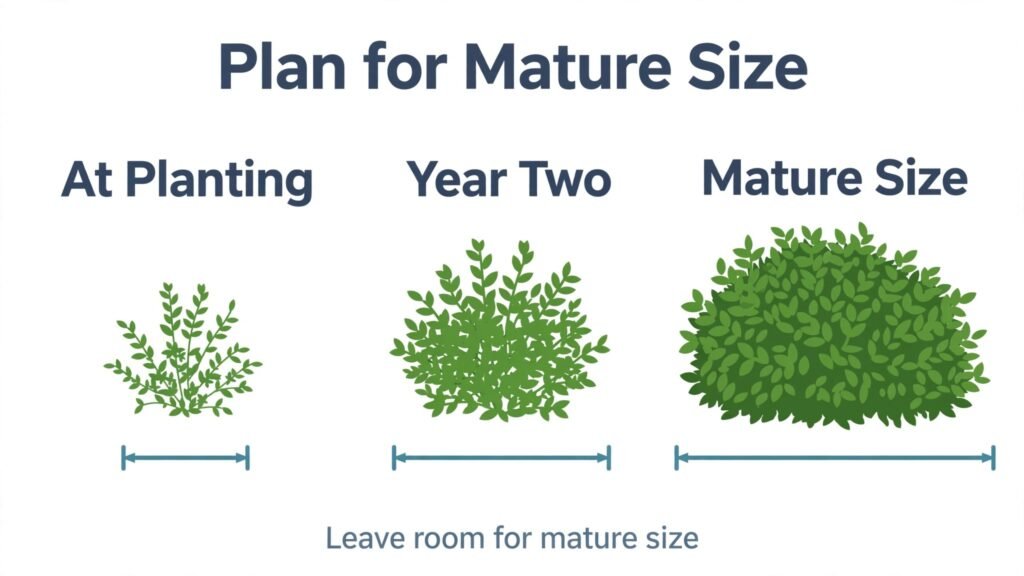
The second mistake is ignoring mature plant size. Plants in renders are often shown at a pleasing intermediate size. In reality, a shrub that looks neat at planting can block a path, shade a window, or crowd a neighbour plant within three years. Check mature height and spread for every plant, and leave space for that mature size, even if the garden looks sparse in year one.
The third mistake is forgetting maintenance, water, and sun. A garden that needs daily watering, frequent pruning, and constant weeding will fail if you have limited time, even if it looks stunning in a render. Be honest about maintenance capacity, choose plants that match your sun and water conditions, and plan paths and access for mowing, pruning, and cleaning.
The fourth mistake is designing for a single season. A garden that looks full in summer can look empty in winter, and a garden that relies on one flowering period can disappoint for most of the year. Mix evergreen structure, seasonal colour, and different textures, so the garden has interest across seasons. Check how each plant looks in winter, not only in its best season.
The fifth mistake is skipping drainage and levels. Renders rarely show water flow or slope problems. If your yard has standing water, a slope, or a retaining wall, get a local professional to check the site first.
Frequently asked questions
Can AI design my garden from a photo?
Yes, for concepts. Photo tools can return restyled ideas in under a minute, which is excellent for style decisions. For a buildable garden, you still need measurements, plant checks, and, where relevant, drainage and level checks. Use the photo render to choose direction, then move to a scaled plan for the build.
Which tool is best for a small front yard?
iScape is a strong pick, because you design on a photo of your own front yard and can test AR scale on site. Planner 5D is a strong second pick if you want a scaled plan for a contractor quote. For a free first look, Neighborbrite or GARDENA myGarden will show whether a scaled or render approach suits you better.
Do these tools check plants for my climate?
Some do, and some do not. OutdoorBrite and Gardenly are stronger on zone aware suggestions, while many general render tools show attractive plants without a climate filter. Always confirm hardiness zone, sun, and water needs with a local nursery before you buy, especially for trees and large shrubs.
Is a paid garden design tool worth it for one project?
It depends on the pricing model. A per render tool such as Hadaa can be good value for one project. A monthly subscription is good value only if you finish the project within that month. A one time purchase is usually poor value for a single small bed, but good value if you will redesign several areas over time.
Can I use these tools to brief a contractor?
Yes, and that is one of their best uses. Give the contractor a scaled plan with measurements, a render showing style, and a plant list with quantities. That combination reduces misunderstandings and makes quotes comparable. For work involving drainage, retaining walls, or grading, also ask for a site visit and a professional check.
Conclusion: render for style, plan for building
The best AI landscape design tools are the ones that match your next decision. Use a photo render to choose style, a scaled plan to check fit and cost, and an AR preview to confirm scale on site. Start with your own photo and measurements, test two tools before you pay, and confirm plants and levels locally. For property and design context, see also best AI tools for real estate agents.