
Interior design work now starts with a picture, not a sample board. Clients expect to see a room before they approve a budget, and they expect that picture fast. The best AI tools for interior designers meet that expectation without replacing the designer. They turn a photo, a sketch or a short brief into a visual a client can react to, and they cut the time between first meeting and first approved concept from weeks to days.
This guide compares 12 tools by the stage of work they actually help. Rendering tools create the first visual. Floor plan tools fix the measurements and the layout. Sourcing tools connect a look to products a client can buy. Presentation tools turn those pieces into a proposal a client will sign. Prices are October 2026 figures in US dollars. Where a vendor does not publish a single headline price, or where pricing depends on renders, seats or projects, the guide says check checkout rather than inventing a figure.
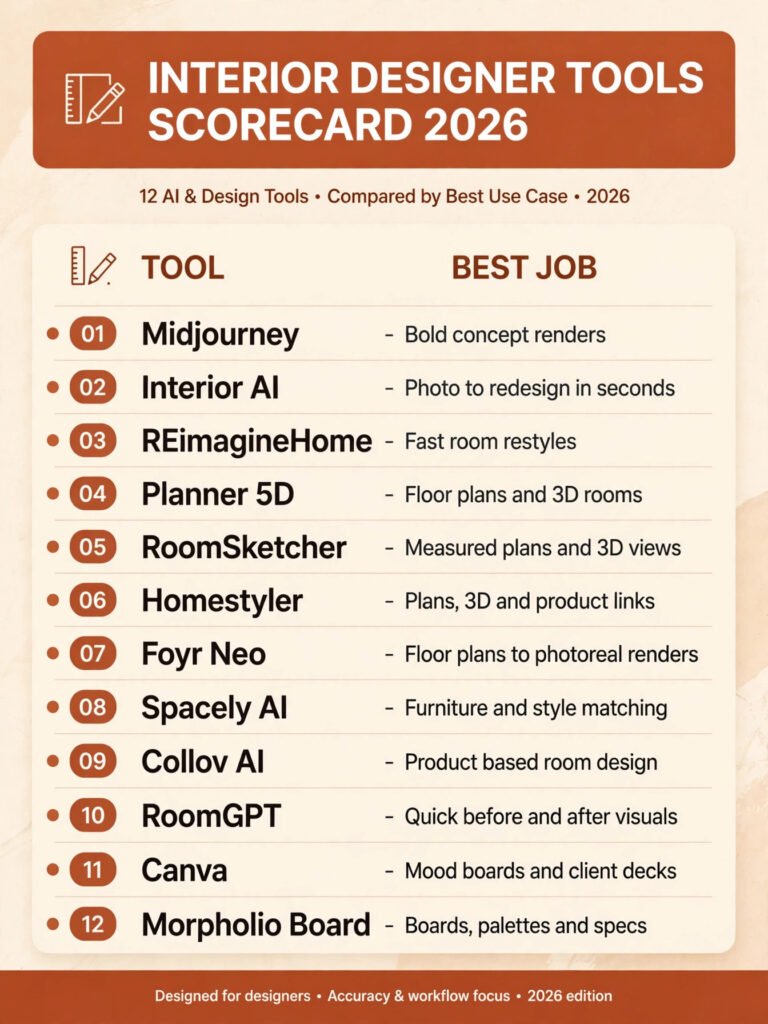
The 12 best AI tools for interior designers at a glance
| Tool | Best job | Free option | Paid model |
|---|---|---|---|
| Midjourney | Bold concept renders | Trial | Monthly subscription |
| Interior AI | Photo to redesign in seconds | Free renders | Monthly subscription |
| REimagineHome | Fast room restyles | Free renders | Monthly subscription |
| Planner 5D | Floor plans and 3D rooms | Free tier | Monthly subscription |
| RoomSketcher | Measured plans and 3D views | Free tier | Annual subscription |
| Homestyler | Plans, 3D and product links | Free tier | Monthly subscription |
| Foyr Neo | Floor plans to photoreal renders | Free trial | Monthly subscription |
| Spacely AI | Furniture and style matching | Free renders | Monthly subscription |
| Collov AI | Product based room design | Free tier | Monthly subscription |
| RoomGPT | Quick before and after visuals | Free renders | Pay per render pack |
| Canva | Mood boards and client decks | Free tier | Monthly subscription |
| Morpholio Board | Boards, palettes and specs | Free trial | Monthly subscription |
Start here by project type
| Your project | Start with | If that fails, try |
|---|---|---|
| A client who needs inspiration fast | Interior AI | REimagineHome |
| A bold concept for a pitch | Midjourney | Interior AI |
| A measured plan for a real renovation | Planner 5D | Foyr Neo |
| A 3D walkthrough for a client | RoomSketcher | Homestyler |
| A room built around real products | Collov AI | Spacely AI |
| A full home redesign with renders | Foyr Neo | Planner 5D |
| A rental refresh on a small budget | RoomGPT | REimagineHome |
| A client deck that looks finished | Canva | Morpholio Board |
| A board with exact finishes and specs | Morpholio Board | Canva |
| A style test before ordering furniture | Spacely AI | Collov AI |
| A plan that a contractor can follow | RoomSketcher | Planner 5D |
| A social post that wins the next client | Canva | RoomGPT |
Concept and rendering: see the room before you buy anything
Rendering tools answer the first client question, which is always what will this look like. They are fastest when the brief is clear about style, colour and light. They are weakest on exact dimensions, so treat every render as a concept, not a construction drawing.
1. Midjourney
Midjourney produces the most striking concept images in this guide. A short written brief can return a room with a clear mood, a consistent palette and a level of detail that helps a client choose a direction in one meeting. It works best for pitches, competitions and early concepts, where feeling matters more than a shopping list.
Pricing: A subscription is required after the trial period. Plans are billed monthly, with higher tiers for faster generation and more images. Check checkout for current tiers.
Best for: Designers who need a strong visual direction before they start sourcing.
Watch out for: Midjourney does not know your room measurements, and it will invent furniture that may not exist. Use it to sell a direction, then rebuild the approved look with real products. Designers who want more image generators should also see our Midjourney alternatives guide.
Try it at: midjourney.com
2. Interior AI
Interior AI restyles a real photo of a room. Upload a picture, pick a style, and the tool returns a redesigned version of that same room, keeping the windows, the shape and the main structure recognisable. That closeness to the real space is why clients trust it more than a generic render.
Pricing: A small number of free renders are offered. Paid plans are billed monthly for more renders and higher resolution. Check checkout for current limits.
Best for: Redesigns of existing rooms, rental refreshes and quick client options.
Watch out for: Styles can drift from the brief, and small details such as skirting, switches and door handles often change. Check every render against the real room before you present it as a plan.
Try it at: interiorai.com

3. REimagineHome
REimagineHome works in a similar way, with a focus on speed and on whole home restyles. It offers several interior styles, exterior views and virtual staging options, so one upload can produce a set of options for different rooms. The interface is simple, which makes it useful for clients who want to try styles themselves.
Pricing: Free renders are offered with limits. Paid plans are billed monthly for more renders and commercial use. Check checkout for current limits.
Best for: Fast options for a single room, a staged home or a first round of ideas.
Watch out for: Renders are concepts, not product accurate. Furniture, art and lighting in the image may not match anything you can order, so pair a chosen render with a sourcing tool before you quote.
Try it at: reimaginehome.ai
Floor plans and 3D space planning: get the measurements right first
A beautiful render fails if the sofa does not fit through the door. Plan tools solve that problem. They let you draw a room to scale, test furniture placement and show a client a 3D view that respects real walls, windows and walkways.
4. Planner 5D
Planner 5D lets a designer draw a floor plan in 2D and view it in 3D at once. The catalogue covers furniture, finishes and decor, and the tool works in a browser and on mobile, so a plan can be adjusted during a site visit. It suits designers who need a working plan, not only a picture.
Pricing: A free tier covers basic plans and a limited catalogue. Paid plans are billed monthly for the full catalogue and high resolution renders. Check checkout for current pricing.
Best for: Renovation plans, space planning and client facing 3D views.
Watch out for: The free catalogue is limited, and very large projects can become slow to edit. For a full construction set, a specialist CAD tool will still be needed.
Try it at: planner5d.com
5. RoomSketcher
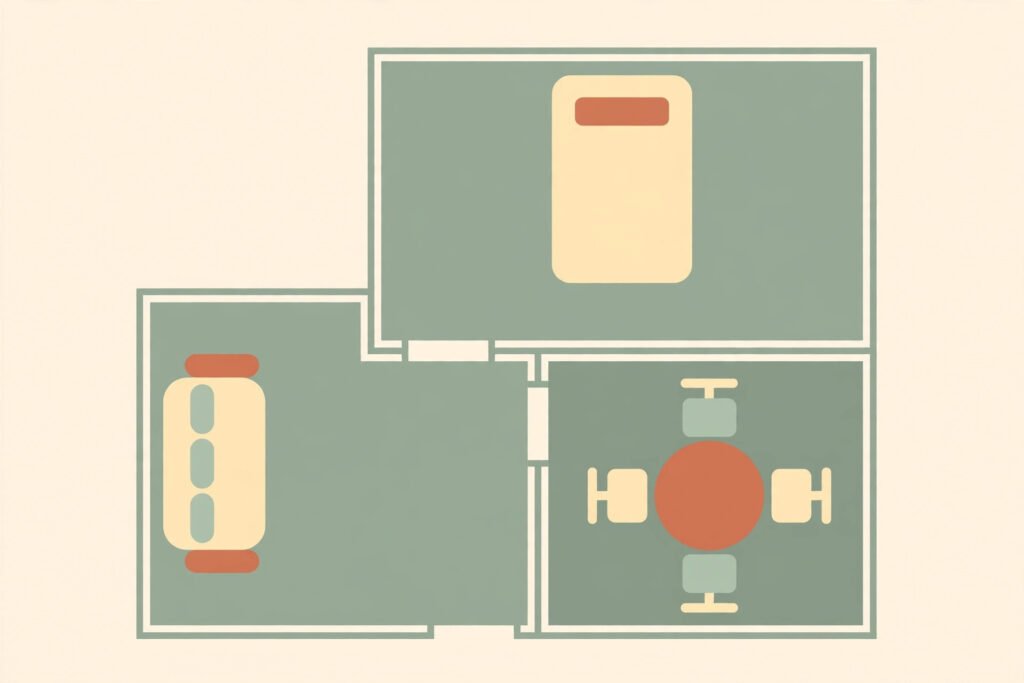
RoomSketcher is built around measured plans. Draw walls to scale, add doors and windows, furnish the rooms, then generate floor plans, 3D photos and a 360 view. The output looks clean enough for a client pack and clear enough for a contractor to follow the layout.
Pricing: A free tier covers basic drawing. Paid plans are billed annually for 3D photos, 360 views and higher quality output. Check checkout for current pricing.
Best for: Measured plans for renovations, lettings and property presentations.
Watch out for: It is a planning tool first, not a free form concept tool. Designers who want wild creative renders should start with a rendering tool, then rebuild the approved idea here.
Try it at: roomsketcher.com
6. Homestyler
Homestyler combines floor plans, 3D design and product links in one workspace. A designer can draw a room, furnish it in 3D, render a view and link items to products, which shortens the gap between a client saying yes and a client ordering. It also offers video renders for presentations.
Pricing: A free tier is offered. Paid plans are billed monthly for more renders, higher quality output and extra features. Check checkout for current pricing.
Best for: Designers who want plan, render and product links without switching tools.
Watch out for: Product availability varies by region, so a linked item may not ship to your client. Confirm availability and lead time before you put a product on a final quote.
Try it at: homestyler.com
Furniture, finishes and sourcing: from a pretty picture to a buy list
This is the stage where many AI projects break down. A render looks good, but the client asks where to buy the sofa, and the answer is nowhere. Sourcing tools close that gap by working from real products, real finishes and real dimensions.
7. Foyr Neo
Foyr Neo takes a floor plan and turns it into a photoreal render, with a catalogue of furniture and finishes a designer can place in the room. Because the plan comes first, the render respects the room shape better than a pure image generator. It is a strong choice for a full room design that must be built, not only admired.
Pricing: A free trial is offered. Paid plans are billed monthly, with higher tiers for more renders and team features. Check checkout for current pricing.
Best for: Full room designs where plan, render and product choice must stay consistent.
Watch out for: The learning curve is steeper than a one click restyle tool. Allow time to learn the plan editor before you use it on a live client project.
Try it at: foyr.com

8. Spacely AI
Spacely AI focuses on style matching and furniture placement. Upload a room photo, choose a style, and the tool suggests furniture and decor that fit that look. It is useful when a client loves a style but cannot name the pieces that create it.
Pricing: Free renders are offered with limits. Paid plans are billed monthly for more renders and higher resolution. Check checkout for current pricing.
Best for: Clients who have a style in mind but no product list yet.
Watch out for: Suggestions are a starting point, not a final specification. Check dimensions, fabric, colour and stock before you present a suggested piece as a confirmed choice.
Try it at: spacely.ai
9. Collov AI
Collov AI designs rooms around products a client can actually buy. The tool generates a room design, then links the furniture and decor in the image to products, which makes the step from render to order much shorter. It also offers virtual staging for empty rooms, which suits property work.
Pricing: A free tier is offered. Paid plans are billed monthly for more designs and commercial use. Check checkout for current pricing.
Best for: Designers and stagers who need a render that ends in a shopping list.
Watch out for: Product links need checking for region, stock and delivery time. A design that depends on one out of stock item will stall, so always offer a second choice for key pieces.
Try it at: collov.ai
Presentation and handover: sell the design, then build it
Clients sign when they understand the whole proposal: the look, the products, the cost and the next step. Presentation tools turn renders and plans into a deck, a board or a pack that a client can review at home and approve without another meeting.
10. RoomGPT
RoomGPT is the fastest tool here for a before and after visual. Upload a room photo, pick a style, and the tool returns a redesigned version in seconds. It is best for a first meeting, a social post or a quick test of whether a bold style will work in a real room.
Pricing: Free renders are offered with limits. Paid render packs and subscriptions are available for more images. Check checkout for current pricing.
Best for: Quick visuals, social content and early style tests.
Watch out for: RoomGPT is a concept tool, not a planning tool. It will change details, proportions and finishes, so never use a RoomGPT image as a measurement drawing or a final specification.
Try it at: roomgpt.io
11. Canva
Canva is not a room designer, and that is its strength in this list. It turns renders, plans, photos and product shots into mood boards, client decks and social posts that look finished. Templates, brand colours and shared links make it easy for a client to review a proposal and for a designer to reuse a deck format.
Pricing: A free tier covers most templates and design tools. Paid plans are billed monthly for brand kits, background removal and premium content. Check checkout for current pricing.
Best for: Mood boards, client presentations, proposals and portfolio posts.
Watch out for: Canva will not fix a bad render or a wrong plan. Use it to present work that is already measured and sourced, not to hide gaps in the design itself.
Try it at: canva.com
12. Morpholio Board
Morpholio Board builds professional mood boards with exact finishes, materials and product notes. A designer can place swatches, furniture and images on a board, add notes and share a link with a client or a contractor. The result reads as a specification, not only as inspiration, which reduces follow up questions.
Pricing: A free trial is offered. Paid plans are billed monthly for full board features and sharing. Check checkout for current pricing.
Best for: Client boards where finishes, colours and products must be exact.
Watch out for: It works best as part of a workflow, not as a standalone designer. Pair it with a plan tool and a render tool, and treat the board as the final record of decisions.
Try it at: morpholioapps.com

Pricing compared: what you actually pay for
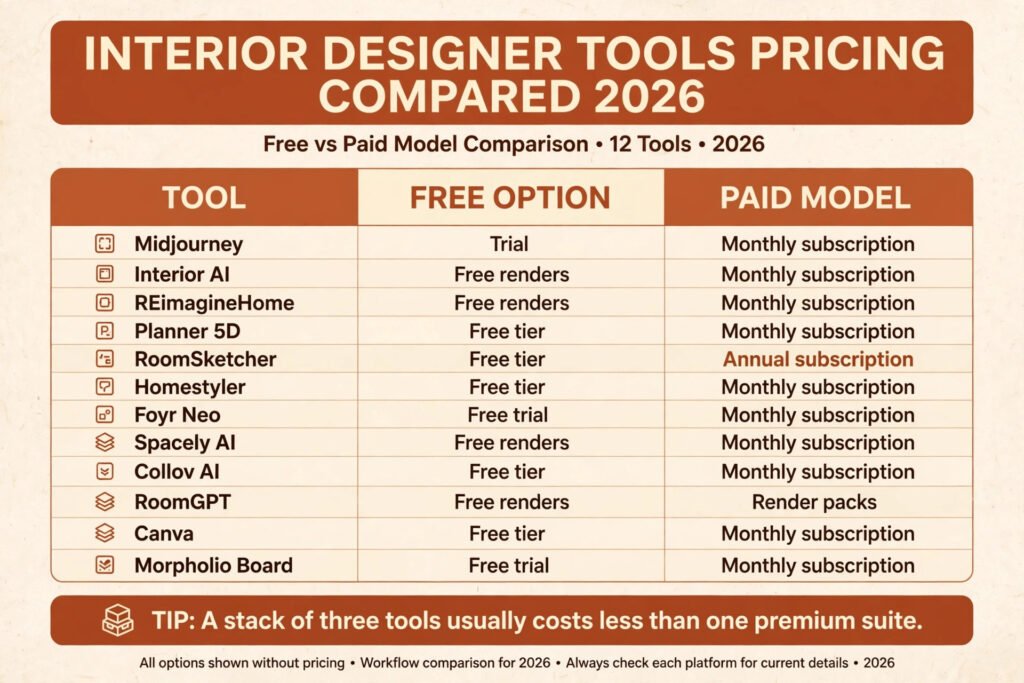
| Tool | Free option | Paid model | Watch the cost of |
|---|---|---|---|
| Midjourney | Trial | Monthly subscription | Higher tiers for speed |
| Interior AI | Free renders | Monthly subscription | Render limits |
| REimagineHome | Free renders | Monthly subscription | Commercial use tier |
| Planner 5D | Free tier | Monthly subscription | Full catalogue access |
| RoomSketcher | Free tier | Annual subscription | 3D and 360 output |
| Homestyler | Free tier | Monthly subscription | High quality renders |
| Foyr Neo | Free trial | Monthly subscription | Team seats |
| Spacely AI | Free renders | Monthly subscription | Render limits |
| Collov AI | Free tier | Monthly subscription | Commercial use tier |
| RoomGPT | Free renders | Render packs | Extra renders |
| Canva | Free tier | Monthly subscription | Brand kit and premium content |
| Morpholio Board | Free trial | Monthly subscription | Sharing features |
A single tool rarely covers a whole project, so budget for a stack, not a single subscription. A practical stack is one render tool, one plan tool and one presentation tool. That usually costs less than a single premium design suite, and each tool is used for the stage it does best. The hidden cost is not the subscription. It is the time spent rebuilding a design in a second tool because the first tool produced a picture that could not be measured, sourced or built.
How to Choose: match the tool to the stage, not the trend
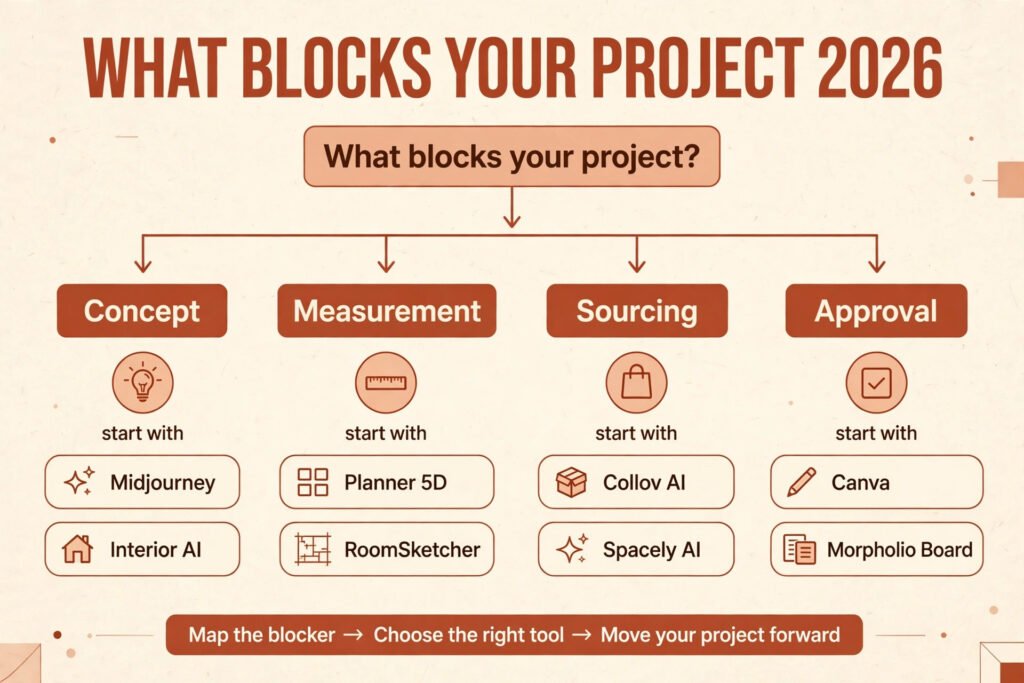
Start with the stage that blocks your project right now. If clients cannot picture the idea, start with a render tool. If plans keep changing on site, start with a plan tool. If approved designs stall at ordering, start with a sourcing tool. If clients delay approval, start with a presentation tool. Buying the most talked about tool first, when your real problem is measurement or sourcing, wastes a month.
Next, test with a real room, not a perfect demo photo. Upload a photo with awkward light, a small window and a radiator in the wrong place. The tool that handles that room will handle most client rooms. The tool that only works on bright, empty rooms will fail on the first live project.
Then check three practical points before you commit. First, can you export a plan, a render and a product list in formats your contractor and your client can open. Second, can you use the output commercially, and does that right change between tiers. Third, does the catalogue cover your region and your price range, or will every design need a substitute. Designers who also prepare homes for sale should check our AI tools for real estate agents guide, since staging has its own pricing and presentation rules.
Mistakes to avoid when an AI render meets a real room
Presenting a render as a finished plan is the top mistake. A render can show a sofa that is too wide for the wall, a light that has no wiring point and a rug that covers a floor vent. Label renders as concepts in every client pack, and keep the measured plan as the document everyone builds from.
A second mistake is skipping the product check. A client who falls in love with a specific chair, then learns it is out of stock, discontinued or twice the budget, loses trust in the whole design. Confirm stock, size, colour and delivery for every hero piece before the final presentation.
A third mistake is using too many tools for one room. Each tool adds a new file format, a new login and a new place where decisions can drift. Pick one tool per stage, name the files clearly and keep a single board as the record of final choices. Finally, do not let a render replace a site visit. Light, sound, storage and existing damage only show up in person, and no image generator will tell you about a damp patch behind a wardrobe.
Frequently asked questions
Can AI replace an interior designer?
No. AI produces images and plans fast, but it does not visit a site, manage a budget, coordinate a contractor or take responsibility for a result. The designer still decides what fits, what is safe, what is in budget and what the client actually wants. AI is a fast draft tool, not a substitute for judgement.
Will clients accept AI renders?
Most clients accept renders when they are labelled as concepts and followed by a measured plan and a product list. Problems start when a render is presented as a promise, and the built room looks different. Set that expectation in the first meeting, and show a before and after example from a past project if you have one.
How accurate are AI floor plans?
Plan tools are accurate when you enter correct measurements. Image tools that restyle a photo are not accurate at all for dimensions. Always measure the room yourself, enter those figures in a plan tool and use the plan, not a render, for ordering and building.
Can I use AI renders for commercial work?
It depends on the tool and the tier. Some free tiers limit commercial use, while paid tiers allow it. Check the terms for the exact tier you pay for, and keep a record of the licence for any image you publish or put in a client pack.
Why does furniture in a render not match real products?
Image generators invent furniture from patterns in their training data. They do not shop from a catalogue. That is why sourcing tools exist, and why a concept render should always be followed by a product based design before a client approves a budget.
How many renders does a client actually need?
Three options for one room is usually enough: a safe option, a bold option and a middle option. More options slow decisions and create extra work. If a client cannot choose from three, the brief is unclear, and another render will not fix it.
The short verdict
The best AI tools for interior designers do not do the same job, and buying them as if they do is the fastest way to waste money. Midjourney wins bold concepts. Interior AI and REimagineHome win fast restyles of real rooms. Planner 5D, RoomSketcher and Homestyler win measured plans. Foyr Neo, Spacely AI and Collov AI win the step from picture to product. RoomGPT wins speed. Canva and Morpholio Board win presentation.
Pick one tool for the stage that blocks you now, test it on a real room, check the product and commercial terms, and present renders as concepts with a measured plan behind them. Do that, and AI will shorten your projects without lowering the standard of the finished room.