

The verdict first: for most people, RoomSketcher is the best AI floor plan generator for listing ready plans, Planner 5D is the best low cost all rounder, and magicplan is the best tool for measuring a room that already exists. The best AI floor plan generators are not interchangeable, and that is the point of this guide. Some draw a plan from a written brief. Some convert a sketch or a photo into a plan. Some scan a room with your phone. Some only help you draw walls by hand, with AI added for furniture and rendering.
If you choose by headline price or by render quality alone, you will likely pick the wrong type. A beautiful 3D render with wrong measurements will mislead a buyer, a contractor, or a furniture delivery team. A precise plan with a plain presentation may still be the right file for a listing, a permit discussion, or a renovation quote. Start with the job: listing, renovation, new build concept, or furniture layout. Then pick the tool that produces the output that job actually needs, at the accuracy that job requires.
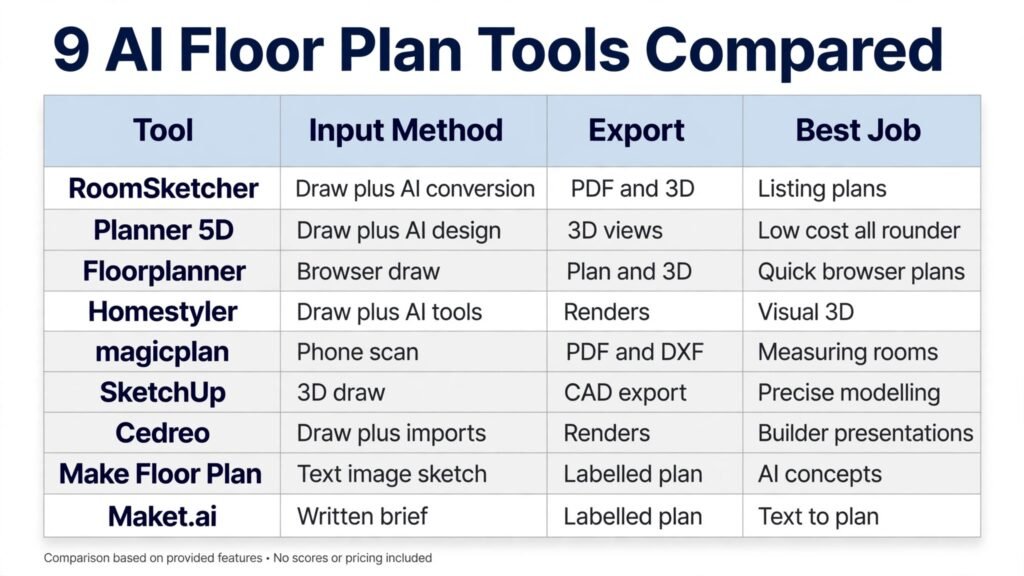
The 9 tools at a glance
| Tool | Best for | Input method | Pricing note |
|---|---|---|---|
| RoomSketcher | Listing ready plans | Draw, plus AI conversion | Free plan, then paid; check checkout |
| Planner 5D | Low cost all rounder | Draw, plus AI design | Free plan, then paid; check checkout |
| Floorplanner | Quick browser plans | Draw in browser | Free projects, then credits; check checkout |
| Homestyler | Visual 3D and renders | Draw, plus AI tools | Free plan, then paid; check checkout |
| magicplan | Measuring existing rooms | Phone scan | Free projects, then per project; check checkout |
| SketchUp | Precise 3D modelling | Draw in 3D | Free web app, then paid; check checkout |
| Cedreo | Home builder presentations | Draw, plus imports | One project free, then paid; check checkout |
| Make Floor Plan | AI concepts from text or image | Text, image, or sketch | Trial credits, then paid; check checkout |
| Maket.ai | Text to plan concepts | Written brief | Paid plans; check checkout |
Pick by the job first
For property listings
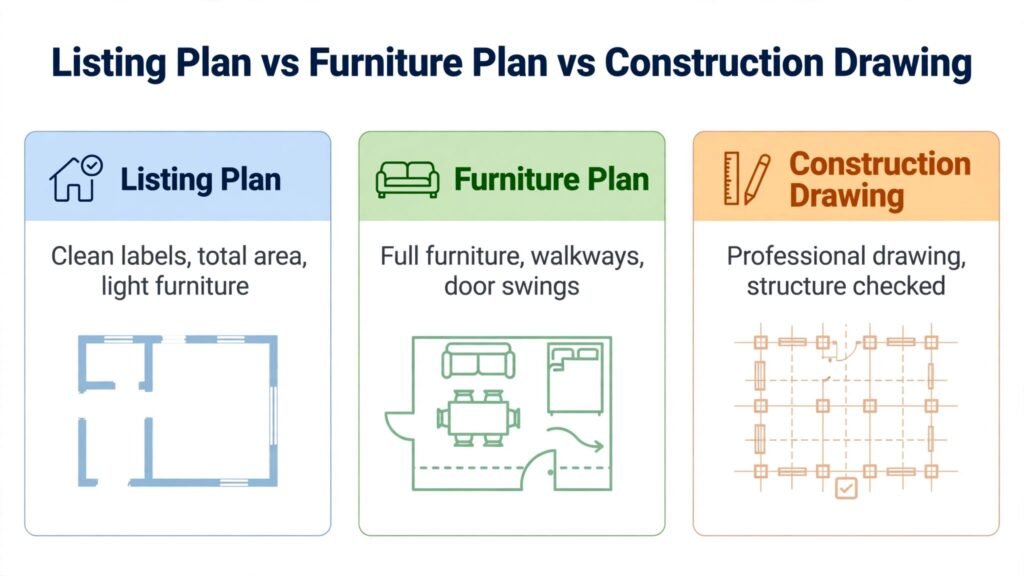
RoomSketcher and Floorplanner lead here. Listings need clean 2D plans, clear room labels, dimensions, and a presentation that looks professional on a portal and in a brochure. A plan that is pretty but hard to read, or that omits total area, will not help a buyer compare properties. Test the export at the size it will appear in the listing, not only at full screen size.
For renovations and furniture layout
Planner 5D, Homestyler, and magicplan lead here. Renovations need measurements of the existing space, a way to test furniture fit, and a visual that helps you decide before you buy. Scan the existing room with magicplan where possible, then test layouts in Planner 5D or Homestyler. That sequence, measure first, then design, prevents the most common renovation error, which is buying furniture for a plan that was never measured.
For new build concepts and early ideas
Make Floor Plan and Maket.ai lead here. When no plan exists yet, a text brief can produce a labelled concept in minutes, which is excellent for discussing options with a partner, an agent, or an architect. Treat every AI concept as a brief for a professional, not as a construction drawing. It will not be structurally designed, code checked, or drawn to a certified scale.
Accuracy checks before you trust any AI plan
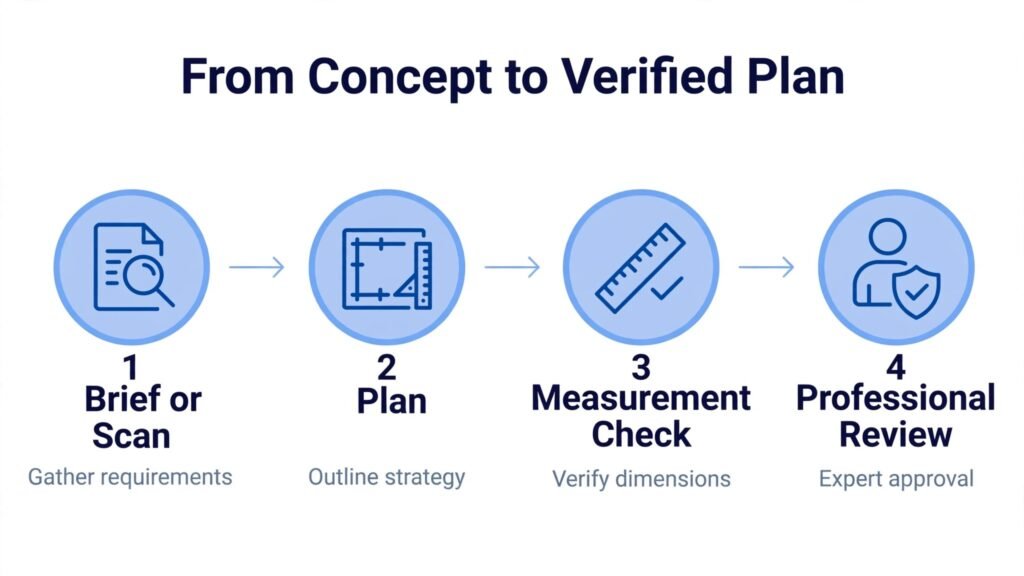
Accuracy is not a single number. It is a set of checks that depend on the job. A plan can be accurate enough for a furniture layout and still be wrong for a kitchen fit, because a kitchen needs clearance for doors, appliances, and plumbing, while a furniture layout only needs approximate wall lengths. Before you trust a plan, run four checks. First, measure the longest wall in each room with a tape measure and compare it with the plan. Second, check door positions and swing directions, because a door drawn on the wrong side can change a whole layout. Third, check ceiling height and any fixed features, such as fireplaces, built in wardrobes, and structural columns, that an AI tool may have simplified or missed. Fourth, check total area against any existing listing, survey, or estate record, and investigate any large difference before you publish or share the plan.
The second accuracy issue is scale versus presentation. A plan can look scaled because it has dimensions printed on it, while still being based on a guessed wall length. That is why the source of the measurement matters. A plan drawn from a manual measurement, a phone scan with spot checks, or a professional survey is stronger than a plan generated from a text brief alone. Text brief plans are useful for concepts, but their dimensions are invented to fit the brief, not measured from a real property. Label the source clearly when you share a plan, so the next person knows whether they are looking at a measured plan, a scanned plan, or a concept.
The third accuracy issue is change over time. Homes change. Walls move, extensions are added, and furniture layouts evolve. A plan saved in a tool without an export can become outdated and hard to update, while a plan saved as a clean PDF and an editable file can be revised quickly. Keep both versions: a clean presentation version for sharing, and an editable version for future changes. Note the date and the measurement source on the plan, so a future agent, buyer, or contractor can judge how much to trust it without guessing.
1. RoomSketcher
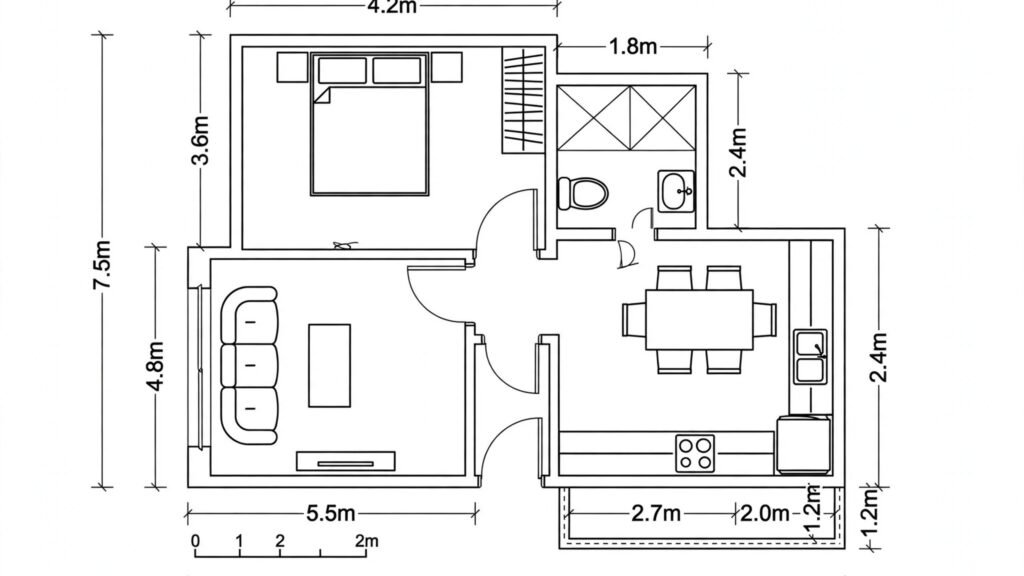
RoomSketcher is the most complete listing focused tool in this list. You can draw a measured plan, furnish it, and produce clean 2D plans, 3D photos, and walkthrough views that look professional in a listing. For agents and designers who produce plans repeatedly, that consistency matters. Clients learn to read the same style of plan, and every listing carries the same professional standard.
RoomSketcher works best when you enter real measurements and use its AI conversion only as a starting point. Draw or import the plan, check room sizes and total area, label every room clearly, and export at listing quality. The free plan lets you test the editor and includes a first AI conversion, which is enough to judge whether the workflow suits you. For regular work, the paid plan adds the measurement display, higher quality output, and branding options that listings need.
Watch out for the credit and export model. Even paid plans use credits for some outputs, so check checkout for how many credits you receive, what each export costs, and whether the plan renews monthly or annually. Also note that RoomSketcher is designed for desktops and tablets, not phones, so plan your site visit workflow accordingly. Measure on site, then draw on a larger screen.
2. Planner 5D
Planner 5D is the best low cost all rounder for homeowners, renters, and small designers. It runs on web, mobile, and desktop, it offers unlimited free projects, and it combines a drag and drop editor with AI design tools and 3D views. That breadth makes it easy to start on a laptop, check a layout on your phone in a store, and share a view with a partner or contractor.
Planner 5D works best for furniture layout and visual exploration. Draw the room to scale, place furniture from the catalogue, and check walkways, door swings, and sight lines in 3D. The AI tools can help generate design ideas and convert an uploaded plan into 3D, which speeds up the early stage. For a renovation, that visual check often reveals problems a flat plan hides, such as a sofa blocking a walkway or a table that leaves too little space around it.
Watch out for catalogue and output limits. The free plan locks roughly half the catalogue and limits render quality, while full catalogue access, AI credits, and CAD export need paid tiers. Check checkout for current Premium and Professional pricing, and choose the annual plan only if you will use the tool for more than one room. For a single room, the free plan plus a careful manual layout is often enough.
3. Floorplanner
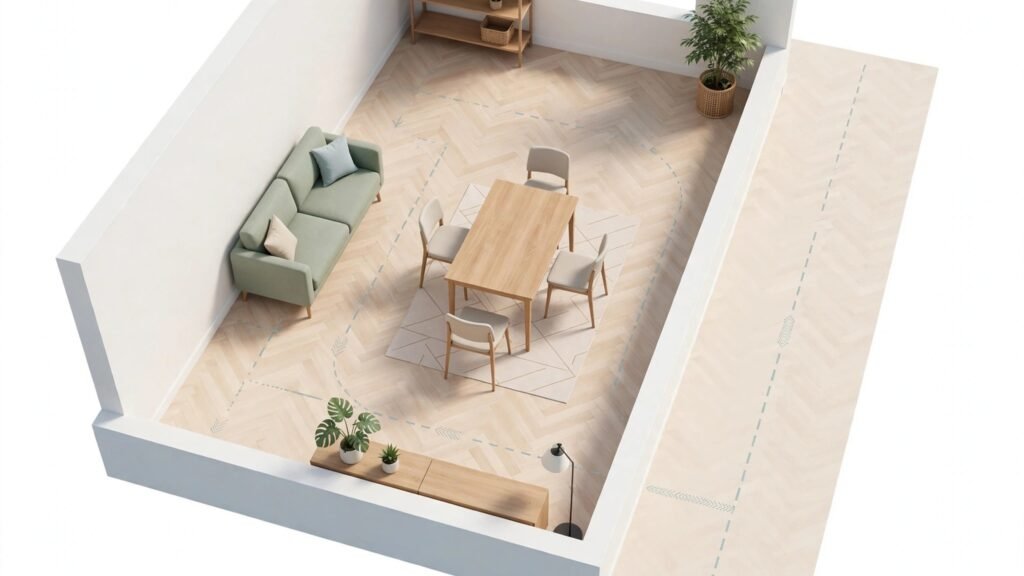
Floorplanner is the best browser only option for quick, polished plans. You do not need to install software, and you can draw in 2D, view in 3D, and share a plan with a client or agent from any computer. That simplicity suits agents, landlords, and homeowners who need a clean plan fast, without learning a full 3D modelling tool.
Floorplanner works best for listings and for early renovation sketches. Draw walls to scale, add doors and windows, furnish lightly, and export a clean 2D plan with room labels. Keep furniture light in a listing plan, because too much furniture can make rooms look smaller and can distract from the layout itself. For a renovation, use the 3D view to test whether a proposed change, such as removing a wall or moving a kitchen, actually improves flow before you pay for professional advice.
Watch out for the credit system. Free projects export at lower resolution with a watermark, and higher quality renders, 3D tours, and extra projects use credits. Check checkout for current credit pricing and for how many credits each output type costs. If you produce plans weekly, compare the total credit cost with a subscription tool such as RoomSketcher before you commit.
4. Homestyler
Homestyler is the best pick when visual quality matters most. The free plan includes a large 3D model library and unlimited basic renders, which is generous compared with many rivals, and the 3D views look lifelike enough to help a homeowner decide on colours, materials, and furniture. For interior focused projects, that visual confidence is often the deciding factor.
Homestyler works best for room redesigns and for presenting options to a client or partner. Generate a base room, then test two or three variations, such as a light scheme versus a warm scheme, or a minimal layout versus a furnished layout. Comparing variations side by side makes decisions faster than describing them in words, and it reduces the risk of buying furniture that does not suit the room in practice.
Watch out for render pricing. Sharper renders cost extra on a pay per render basis, and the Pro plan adds a bundle of higher quality renders plus AI credits. Check checkout for current Pro pricing and for the render allowance included. If you only need basic views for layout decisions, the free plan may be enough. If you need presentation quality images for a client, budget for the higher tier.
5. magicplan
magicplan is the best tool for measuring a room that already exists. Instead of guessing dimensions or carrying a tape measure through every room, you scan with your phone and the app builds a plan from the scan. For agents, contractors, and renovators who visit properties regularly, that speed is a real advantage, and it reduces transcription errors from handwritten notes.
magicplan works best as the first step in a renovation or listing workflow. Scan each room, check the measurements against a spot check with a tape measure, and then export the plan to a design tool or to a contractor. The export formats, including PDF, DXF, and 3D formats on paid plans, make it useful for professional handoffs. For a quick estimate or a furniture check, the scan alone is often enough to start the conversation.
Watch out for per project pricing and accuracy limits. Free projects are limited, and extra projects are paid, so check checkout for current per project pricing. Also treat scans as a strong starting measurement, not as a survey. For permit work, structural changes, or any decision where an inch matters, confirm dimensions with a manual measurement or a professional survey.

6. SketchUp
SketchUp is the most precise 3D modelling tool in this list, and it suits users who need exact dimensions for a new build, an extension, or a custom structure. The free web app lets you start without paying, and the large model library provides ready made doors, windows, furniture, and fixtures. For architects, designers, and serious renovators, SketchUp gives control that a simple plan drawer cannot match.
SketchUp works best when you build from a scaled base and model structure accurately before adding decoration. Draw walls at true thickness, place openings at real positions, and check heights and clearances in 3D. That discipline makes the model useful for a builder or an architect, rather than merely attractive on screen. It also helps you test whether a proposed extension fits the plot, the light, and the existing structure.
Watch out for the learning curve and for the fact that SketchUp is a modelling tool, not an AI plan generator in the text to plan sense. AI features exist in the wider ecosystem, but the core value is precise manual modelling. Check checkout for current Go and Pro pricing, and choose Pro only if you need desktop tools, CAD export, or commercial use at that level.
7. Cedreo
Cedreo is built for home builders, remodelers, and designers who need client ready presentations. You can draw a plan, import existing files, and produce 3D renders and walkthroughs that help a client approve a design before construction. That presentation quality matters for high value decisions, where a client needs to see the finished home, not only a flat plan.
Cedreo works best for whole home projects and for sales presentations. Build the plan to scale, add materials and finishes that match the real specification, and present views from the main living spaces and the exterior. Those views are where clients make decisions, so prioritise them over generic angles. A clear presentation also reduces change requests later, because the client approved a visual they understood.
Watch out for pricing transparency and for the professional focus. Cedreo offers a first project free, but full pricing is shown on its own site, so check checkout for current plans and for what each tier includes. Homeowners with a single room project will usually get faster value from Planner 5D or Homestyler, while builders with repeat projects will benefit more from Cedreo.
8. Make Floor Plan
Make Floor Plan is the best AI first concept tool in this list. It can generate concepts from a text brief, edit an existing plan image, and produce a labelled plan quickly, which makes it ideal for early brainstorming. If you have only a description, such as three bedrooms, two bathrooms, an open plan living area, and a garage, Make Floor Plan can turn that brief into a visual you can discuss and revise.
Make Floor Plan works best for idea generation and for revising a concept through images. Start with a brief, review the labelled rooms and sizes, and then ask for changes in plain language, such as moving a bedroom, enlarging the kitchen, or adding a study. That conversational revision loop is faster than redrawing a plan by hand for every idea, and it helps you arrive at a brief that an architect can actually work from.
Watch out for the limits of AI concepts. These are concept plans, not structurally designed or permit ready drawings. They may include rooms that do not fit the plot, circulation that does not work in practice, or sizes that need professional adjustment. Check checkout for trial credit terms and paid plan pricing, and treat the output as a discussion document for a professional, not as a build document.
9. Maket.ai
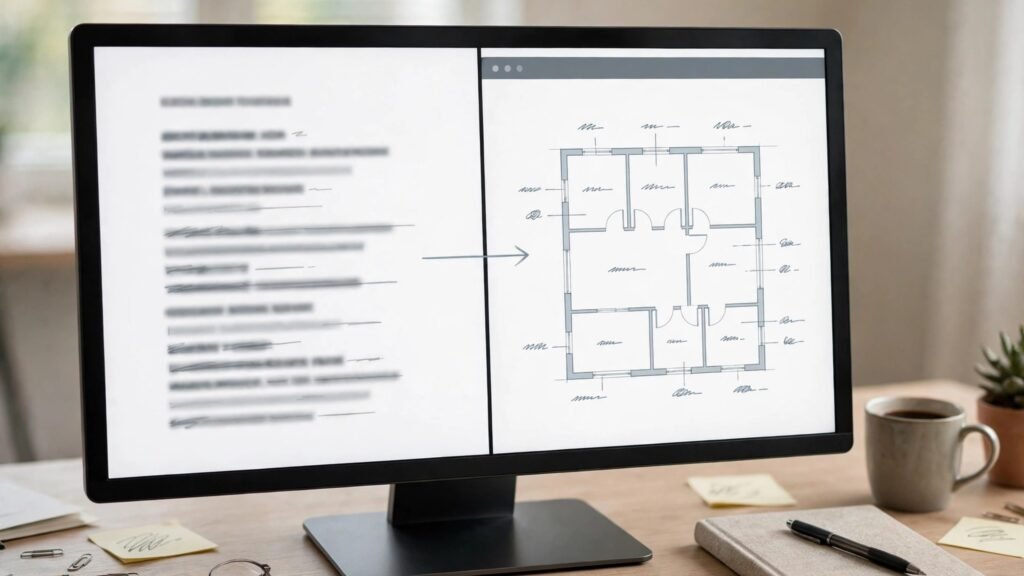
Maket.ai is a text to plan tool for residential concepts. Type a brief with room count, sizes, style, and constraints, and Maket.ai returns a labelled plan that you can review and refine. For developers, agents, and homeowners exploring a new build, that speed is valuable, because it lets you test many layouts before you pay for architectural design time.
Maket.ai works best at the very start of a project, when you are still deciding what kind of home fits a plot or a budget. Test several briefs, such as a compact three bedroom home versus a larger open plan home, and compare total area, room sizes, and circulation. That comparison often clarifies priorities, such as whether a large kitchen matters more than a fourth bedroom, before you commit to a design direction.
Watch out for the same concept limits as Make Floor Plan. Maket.ai plans are not construction documents, and they do not replace an architect, a structural engineer, or a planning check. Check checkout for current pricing and for export options, and take the best concept to a professional for a feasibility check on plot, light, access, and local rules.
Best pick by job for floor plans
| Job | First pick | Why it wins | Second option |
|---|---|---|---|
| Listing ready plan | RoomSketcher | Clean 2D plans with dimensions and branding | Floorplanner |
| Low cost all rounder | Planner 5D | Unlimited free projects and 3D views | Homestyler |
| Measuring an existing room | magicplan | Phone scan to plan | RoomSketcher |
| Visual room redesign | Homestyler | Lifelike renders and large model library | Planner 5D |
| Precise 3D modelling | SketchUp | Exact dimensions and model library | Cedreo |
| AI concept from text | Make Floor Plan | Text, image, and sketch input | Maket.ai |
| Builder presentation | Cedreo | Client ready renders and walkthroughs | SketchUp |
| New build concept | Maket.ai | Fast text to plan concepts | Make Floor Plan |
How to choose the best AI floor plan generators for your project
Start with accuracy, not with render beauty. Ask what the plan will be used for, and what error is acceptable. A listing plan needs correct room labels and total area. A furniture plan needs correct wall lengths and door positions. A permit discussion needs a professional drawing, not an AI concept. Write the required output down, then choose a tool that produces that output at that accuracy.
Next, test with a real room or a real brief, not with a demo. Demo plans are clean, rectangular, and easy. Real homes have angled walls, uneven rooms, built in storage, and awkward door positions. A tool that handles your real space well is worth more than a tool that looks perfect on a sample. For property context, see best AI tools for real estate agents, and for design context, best AI tools for architects and best AI tools for interior designers.
Then check exports before you pay. Confirm whether you can download a clean PDF, an image at listing quality, and, where needed, a CAD or 3D file that another professional can open. A tool that locks your plan inside its own viewer is a risk for long projects, because you may need to share the plan with a contractor, an agent, or a future buyer years later.
Finally, compare total cost for your volume. A free plan with watermarked exports may be fine for a personal project and useless for a listing. A credit system may be cheap for occasional plans and expensive for weekly listings. A subscription may be good value for a business and poor value for a one off renovation. Match the pricing model to how often you will actually produce plans.
Mistakes to avoid with AI floor plans
The first mistake is trusting an AI concept as a construction drawing. AI plans can look complete, with labels, dimensions, and furniture, while still containing circulation errors, rooms that do not fit, or structure that has not been designed. Use AI concepts for discussion and briefing, and use a professional for any building work, structural change, or permit application.
The second mistake is skipping manual measurement checks. Phone scans and AI conversions are strong starting points, but they can misread a wall, a door, or a ceiling height. Spot check key dimensions with a tape measure, especially for furniture orders, kitchen fits, and door clearances. A single wrong measurement can cost more than the time saved by scanning.
The third mistake is over furnishing a listing plan. A plan crowded with furniture looks smaller and harder to read, and it can mislead buyers about room size. For listings, keep furniture light, label rooms clearly, and show total area. For renovation planning, furnish fully, but in a separate version, so you have both a clean listing plan and a detailed layout plan.
The fourth mistake is ignoring door swings, walkways, and access. A plan that looks good from above can fail in daily use if doors hit furniture, walkways are too narrow, or a wheelchair, a pram, or a large delivery cannot pass. Check those practical clearances in 3D or on site, not only in a flat 2D view.
The fifth mistake is locking your plan into one tool without an export. If you cannot download a clean file, you cannot share it with a contractor, reuse it for a future listing, or edit it in another tool. Before you invest hours in a plan, test the export, check the file quality, and confirm that the format works for the people who will need it next.
Frequently asked questions
Can AI generate a floor plan from a description?
Yes, for concepts. Tools such as Make Floor Plan and Maket.ai can draw a labelled plan from a written brief in minutes. That plan is useful for discussion and briefing, but it is not a construction drawing. It has not been structurally designed, checked for code, or drawn to a certified scale, so take it to an architect or designer before any building work.
Which of the best AI floor plan generators is best for real estate listings?
RoomSketcher is the strongest listing pick, because it produces clean, dimensioned plans with professional presentation and branding options. Floorplanner is a strong browser based second pick for quick plans. For a single listing, test both free tiers with your real property before you pay, and check export quality at listing size.
Can I scan my home with my phone to make a floor plan?
Yes, with magicplan. Scan each room with your phone, check key measurements with a tape measure, and export the plan for design or listing use. Scans are a strong starting point, not a survey, so confirm dimensions before you order fitted furniture, kitchens, or structural work.
Are AI floor plans accurate enough for a renovation?
They can be, if you measure first and check exports. A scanned or drawn plan with verified dimensions is good enough for layout decisions, furniture orders, and contractor discussions. For structural changes, extensions, or permit work, you still need a professional drawing and, where required, a survey and approvals.
Do I need to pay for a floor plan tool?
Not always. Planner 5D, Homestyler, and Floorplanner offer useful free tiers for personal projects and early ideas. Pay when you need clean exports without watermarks, higher resolution, CAD files, branding, or regular production for listings. For a one off personal project, a free plan is often enough.
What file should I give to a contractor?
Give a clean 2D plan with dimensions, room labels, and total area, in PDF form, plus a 3D view if it helps explain the design. Keep furniture light in the contractor version, note any fixed points such as drains and structural walls, and confirm on site that the plan matches the real space before work starts.
Conclusion: measure first, choose by output, verify before building
The best AI floor plan generators save time at the start of a project, not at the end. They turn a brief, a sketch, or a phone scan into a plan you can discuss, revise, and share. The value comes when you match the tool to the job, measure the real space, check the export, and verify dimensions before you order, list, or build. Do that, and an AI plan becomes a useful brief for a professional, rather than a pretty picture that misleads the next decision. For home project context, see also how to use AI to renovate your home.