
Small fashion brands face a plain problem. A collection needs design, sampling, photography, and marketing, but a small team cannot afford a large studio, a full sampling cycle, and a professional shoot for every drop. The best AI fashion design tools close part of that gap. They turn sketches into 3D garments, generate on model imagery without a shoot, forecast trends from real data, and speed up tech packs and product development. They do not replace taste, fit testing, or manufacturing judgment. They do replace some of the slowest, most expensive steps between an idea and a product a customer can buy.
This guide compares 11 tools by the job they actually do. Some are design and 3D sampling tools. Some are trend and forecasting tools. Some are imagery tools for ecommerce. Choosing across those categories without a clear job in mind leads to wasted subscriptions, because a trend tool will not sew a sample, and an imagery tool will not check a pattern. Start with the bottleneck in your own workflow, then pick the tool that removes it.
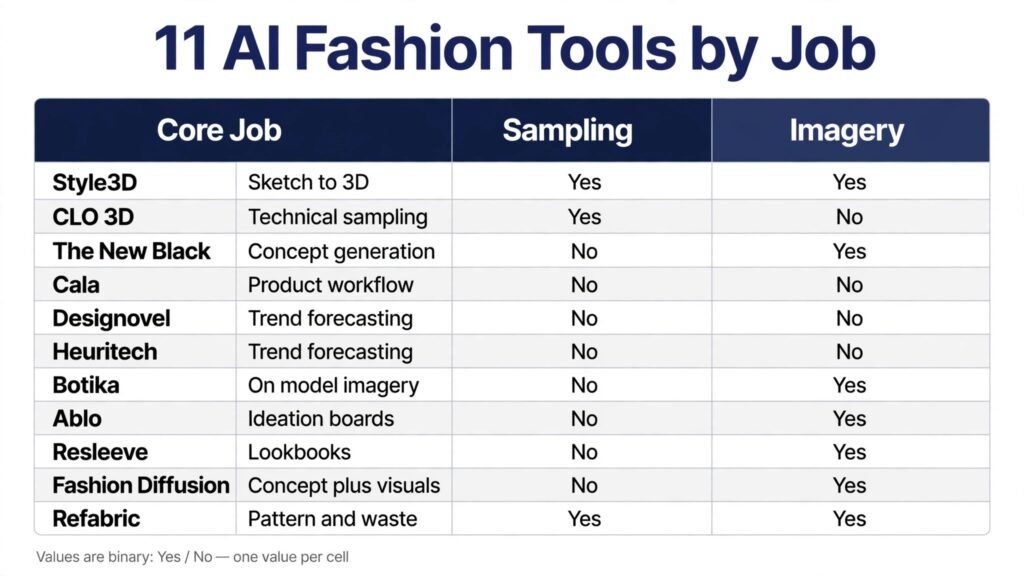
The 11 tools at a glance
| Tool | Best for | Core job | Pricing note |
|---|---|---|---|
| Style3D | Sketch to 3D workflow | Design, 3D sampling, virtual shoot | Paid plans; check checkout |
| CLO 3D | Technical 3D sampling | Pattern accurate 3D garments | Paid plans; check checkout |
| The New Black | Rapid concept generation | Text and sketch to fashion visuals | Paid plans; check checkout |
| Cala | Product development workflow | Design plus development and production | Paid plans; check checkout |
| Designovel | Trend forecasting and automation | Trend data plus generative design | Enterprise pricing; check checkout |
| Heuritech | Trend forecasting for planning | Data led trend and demand insight | Enterprise pricing; check checkout |
| Botika | On model ecommerce imagery | AI models for apparel photos | Paid plans; check checkout |
| Ablo | Fast ideation and boards | Creative boards and virtual shoots | Paid plans; check checkout |
| Resleeve | AI lookbooks | Lookbook imagery without a shoot | Paid plans; check checkout |
| Fashion Diffusion | Fast concept plus visuals | Sketch to render and studio visuals | Paid plans; check checkout |
| Refabric | Pattern and waste reduction | Pattern generation and 3D visualisation | Paid plans; check checkout |
Pick by the job first
Design and 3D sampling
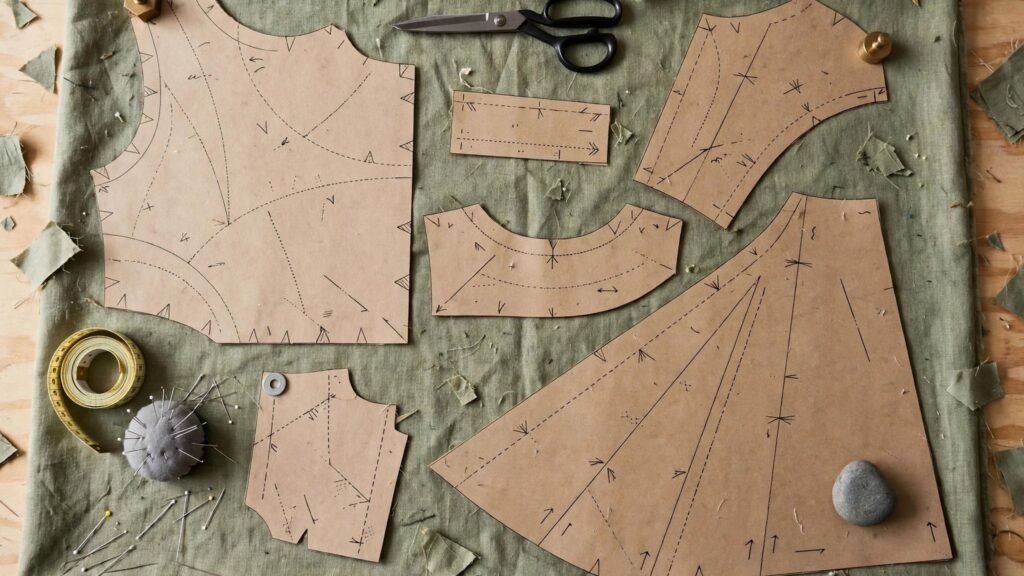
Style3D, CLO 3D, and Refabric belong here. Use them when the bottleneck is turning a sketch into a garment you can check for fit, drape, and proportion before you cut fabric. A 3D sample will not replace a physical fit test, but it will catch many proportion and construction errors earlier, when changes are cheap.
Trend and planning
Designovel and Heuritech belong here. Use them when the bottleneck is deciding what to make, in which colours and silhouettes, and in what quantities. Trend tools analyse social, runway, and ecommerce data, but they are most useful when combined with your own sales data. A global trend that does not match your customer base is a distraction, not a direction.
Imagery and selling
Botika, Ablo, Resleeve, and Fashion Diffusion belong here. Use them when the bottleneck is photography, lookbooks, or product pages. On model imagery can launch a drop faster and cheaper than a full shoot, provided you keep model consistency, size representation, and fabric accuracy honest. Customers should see a garment they will actually receive, not only a beautiful image.
Full product workflow
Cala and The New Black belong here in different ways. Cala combines design with product development and production workflow, which suits small brands that need one system for a whole drop. The New Black focuses on rapid concept generation and brand identity, which suits designers who need many strong directions quickly before narrowing to a collection.
1. Style3D
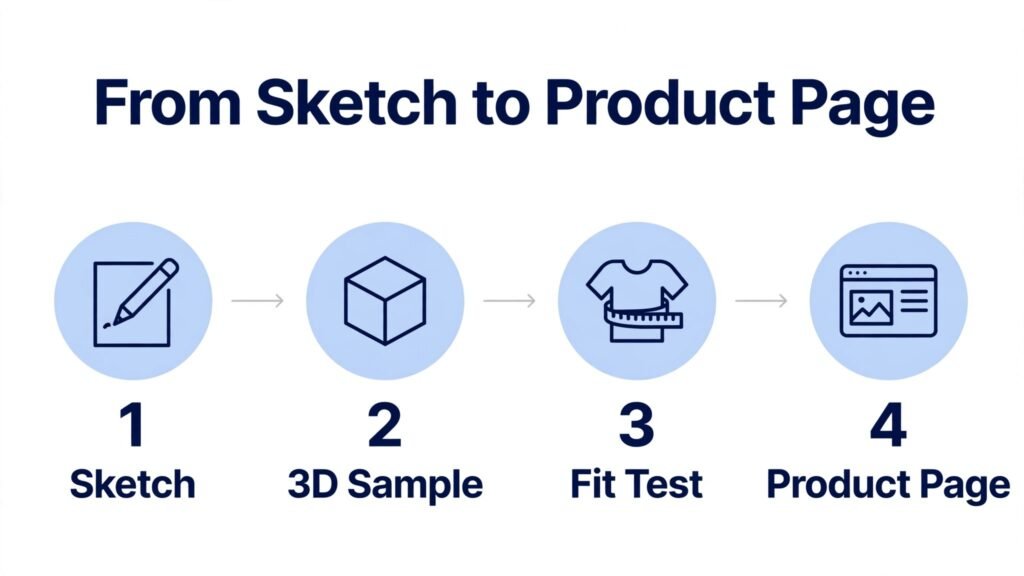
Style3D is the strongest end to end tool for designers who want to move from sketch to 3D garment to virtual photoshoot in one workflow. You can upload a sketch, generate a 3D garment, simulate fabric, test fit on a virtual model, and produce marketing visuals without a separate shoot for every variation. That connected flow is valuable for small brands, because each handoff between tools is a chance for a design to lose detail or change unintentionally.
Style3D works best when you treat 3D as a sampling step, not as a final product. Build the garment, check proportions and drape, test colour and fabric variations, and only then order a physical sample for fit and fabric hand feel. That order saves sampling rounds, because many errors become visible in 3D before fabric is cut. It also helps you present a collection to buyers or partners early, with visuals that are close enough to the real garment to support a decision.
Watch out for learning time and for fabric simulation limits. A 3D simulation is an approximation, not a physical test. Stretch, weight, and drape vary by real fabric, and a garment that looks perfect in 3D may behave differently in production. Check checkout for current plan pricing and for whether the tier you choose includes the fabric library, virtual shoot, and collaboration features you actually need.
2. CLO 3D
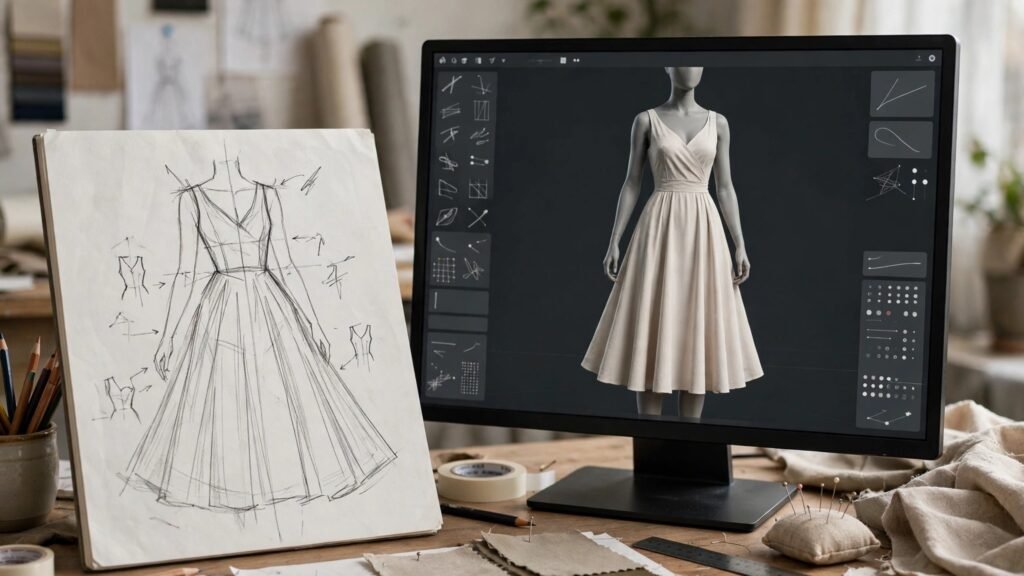
CLO 3D is the technical standard for pattern accurate 3D sampling. Unlike a purely visual generator, CLO 3D works with patterns, measurements, and construction, so a 3D garment is tied to a real pattern that a manufacturer can use. For brands that work with factories, that link between design and production is the main reason to choose CLO 3D over a visual only tool.
CLO 3D works best for teams with pattern and technical skills, or for designers willing to learn them. Build the pattern, simulate the garment on a correctly sized avatar, check fit, ease, and seam placement, and revise the pattern in 3D before you cut a physical sample. That loop reduces sampling costs and shortens the time from design to approved sample, especially for complex garments where fit errors are expensive to fix late.
Watch out for the skill barrier and price. CLO 3D is a professional tool, not a quick concept app, and it rewards training and practice. Check checkout for current subscription pricing and for educational or team tiers if you are a small studio. If you only need fast concept visuals, start with The New Black or Fashion Diffusion, and move to CLO 3D when pattern accuracy becomes the bottleneck.
3. The New Black
The New Black is built for rapid concept generation and brand identity. You can turn text prompts, reference images, or rough sketches into polished clothing visuals, test many directions quickly, and build a visual language for a brand or a collection. For independent designers and emerging labels, that speed matters, because a collection often starts with fifty ideas and narrows to ten.
The New Black works best at the ideation stage, before you commit to patterns or sampling. Generate a wide set of concepts, group them by silhouette, colour, and mood, and then select the few that form a coherent collection. That grouping step is essential. A set of beautiful but unrelated designs is not a collection. It is a portfolio. A collection needs a shared story, a consistent colour palette, and garments that work together in a wardrobe.
Watch out for the gap between a concept visual and a producible garment. A generated image may show construction, fabric, or proportions that cannot be made as drawn, or that would be uneconomical at your price point. Take the best concepts to a technical designer or pattern maker early, and ask what must change for production. Check checkout for current plan pricing and for commercial use terms.
4. Cala
Cala combines AI assisted design with product development and production workflow, which makes it the best full workflow pick for small brands. Instead of managing design in one tool, tech packs in another, and supplier communication in a third, Cala brings those steps closer together. That integration reduces the admin load that often slows small teams more than design itself.
Cala works best for brands that produce regular drops and need repeatability. Design a garment, develop the specification, track samples and production, and reuse the workflow for the next drop. That repeatability is valuable because fashion production is full of small details, measurements, trims, and supplier notes, that are easy to lose when they live in separate emails and spreadsheets. A single workflow keeps those details attached to the product.
Watch out for fit and for pricing opacity. Cala is a platform, not a single feature, so check checkout for current plan terms and for what is included for your team size and production volume. Also confirm how Cala handles fit testing and factory communication for your region and product type, because those practical details decide whether the workflow actually saves time in your specific case.
5. Designovel
Designovel is a trend forecasting and automation platform that analyses social media, ecommerce, and runway data to predict colours, silhouettes, and consumer preferences. It also offers generative design, which lets you move from a trend signal to a design concept in the same system. For brands that plan collections months ahead, that data led starting point can reduce guesswork.
Designovel works best when you combine its forecasts with your own sales and customer data. A global trend is a signal, not a decision. Check whether the trend matches your customer age, region, price point, and existing best sellers, and test it in a small drop before you commit a full collection. Designovel is also known for automated brand operations in its home market, which shows the platform can support a full workflow, not only a forecast report.
Watch out for enterprise pricing and market focus. Designovel is primarily an enterprise platform with custom pricing, so check checkout or contact the vendor for current terms. Small brands may get more value from Heuritech for forecasting, or from a concept tool for design, unless they are planning at a scale where a full forecasting platform is justified.
6. Heuritech
Heuritech specialises in trend forecasting from large image datasets, with region specific insights and demand planning. It analyses millions of social images to track colours, prints, fabrics, and silhouettes, and it presents forecasts that merchandisers and designers can use for range planning. For retailers and mid size brands, that planning value is often higher than a single design image.
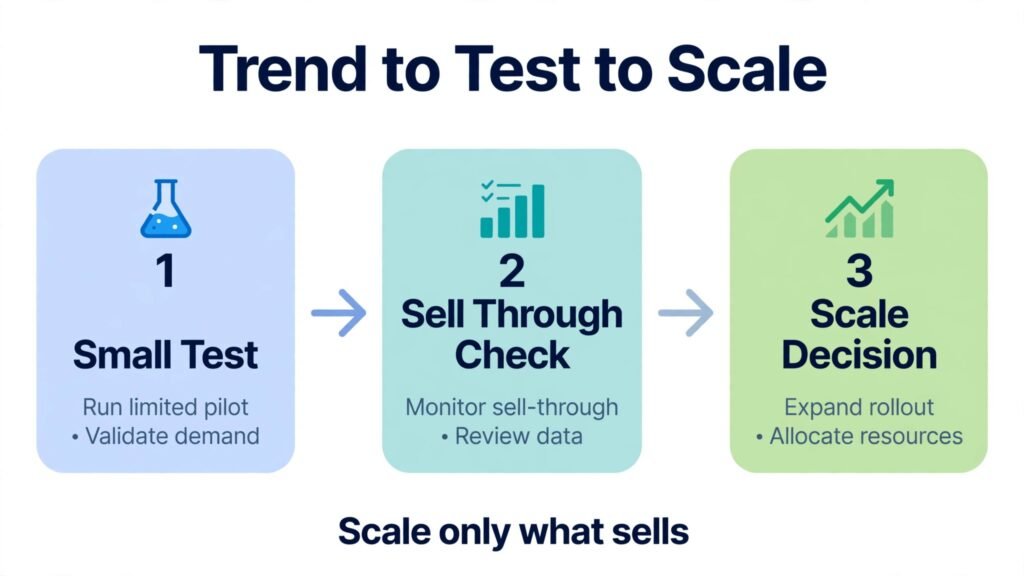
Heuritech works best for range and inventory decisions. Use it to decide which trends to invest in, which to test in small quantities, and which to skip, rather than to generate a single garment. Pair the forecast with your sell through data, so you can see whether a predicted trend is already performing in your own store or whether it is only popular in a different region or customer segment. That pairing prevents overproduction, which is both a cost and a sustainability problem.
Watch out for price and for forecast horizon. Heuritech is an enterprise tool with custom pricing, so check checkout or vendor terms for current plans. Forecasts are also probabilistic, not guarantees. A trend with a high forecast score can still fail for a specific brand if fit, price, or distribution does not match the customer. Use forecasts to guide bets, not to replace testing.
7. Botika
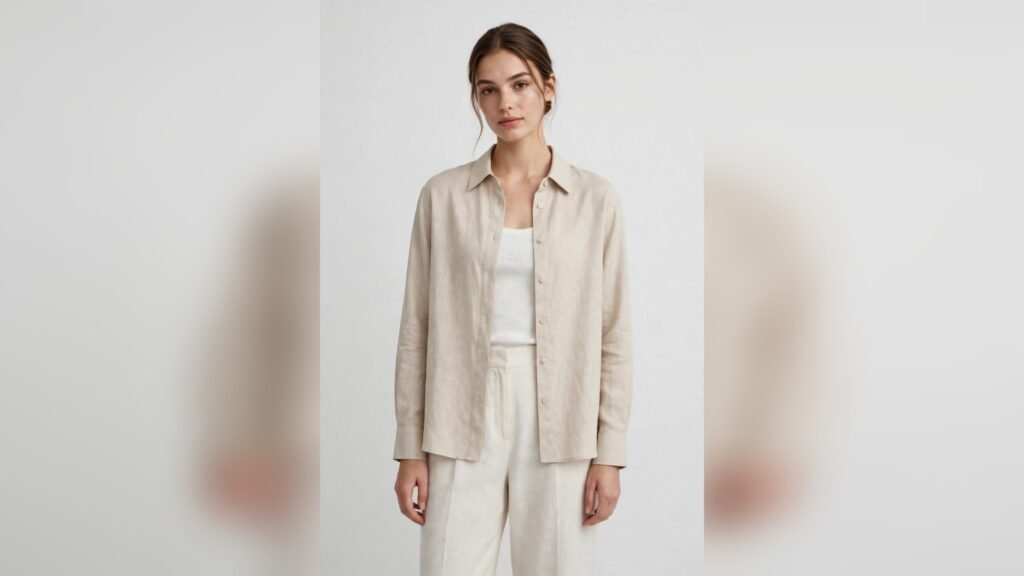
Botika generates on model fashion imagery for apparel brands and retailers. Upload a flat product photo, choose a model, a pose, and a setting, and Botika returns a studio style image that can be used on a product page, in a lookbook, or in marketing. For ecommerce sellers, that workflow can replace many studio shoots, especially for large catalogues where shooting every size and colour is impractical.
Botika works best for catalogue scale and for consistency. Use the same model, lighting, and background style across a collection, so product pages look coherent and customers can compare garments fairly. That consistency also helps with size representation, provided you show the garment on models of different sizes and you state the model size and height clearly. A beautiful image that misrepresents fit will generate returns, not sales.
Watch out for fabric and fit honesty. AI imagery can smooth fabric, hide construction details, or suggest a drape that the real garment does not have. Check every generated image against the physical product, and do not publish an image that shows a different fabric, colour, or fit from the product you ship. Check checkout for current plan pricing and for image volume limits, because catalogue scale costs add up quickly.
8. Ablo
Ablo is built for fast ideation, creative boards, and virtual photoshoots for small teams. It lets you explore styles, build mood boards, and generate product visuals without a large creative team. For a small brand preparing a drop, that speed helps you test a collection story before you invest in sampling and photography.
Ablo works best when you use it as a creative sandbox, not as a final production tool. Build boards for a collection, test colour stories and silhouettes, and generate virtual shoot images to present the direction to a team or a buyer. Once the direction is approved, move to a technical tool such as CLO 3D or Style3D for sampling, and to a real product photo or a carefully checked AI image for the final product page.
Watch out for the limits of a sandbox tool. Ablo will not check patterns, fit, or manufacturing feasibility, and its visuals are concepts, not samples. Check checkout for current pricing and for whether the plan includes commercial use for the images you publish. For a small brand, Ablo is best paired with a technical partner or a sampling workflow, not used alone.
9. Resleeve
Resleeve focuses on AI lookbooks and product imagery for direct to consumer brands and boutiques. Instead of organising a full shoot for every drop, you can generate lookbook images that show garments in styled settings, with consistent models and moods. That is valuable for brands that launch frequently, because a lookbook is often the main marketing asset for a drop.
Resleeve works best for storytelling and for speed. Build a lookbook around a theme, such as a coastal summer collection or a minimal workwear drop, and use consistent styling across images so the collection reads as a whole. Test the lookbook with a small audience before a full launch, and note which images drive clicks and which drive confusion about fit or fabric. That feedback is more useful than another ten generated images.
Watch out for model and fabric consistency. Lookbook imagery must still represent the real garment, and models should reflect the sizes and body types your customers actually have. Check checkout for current pricing and for image rights, especially if you use lookbook images in paid advertising. A lookbook that misrepresents a product will cost more in returns and trust than it saves in shoot costs.
10. Fashion Diffusion
Fashion Diffusion is an all in one design tool for fast concept iteration and studio quality visuals. It offers sketch enhancement, text to sketch, virtual try on, recolour, background change, and fabric application, which covers many of the steps between a rough idea and a presentable product visual. For designers who need both speed and visual quality, that breadth is attractive.
Fashion Diffusion works best for designers and direct to consumer brands that need many variations quickly. Start with a sketch, enhance it to a polished visual, test colour and fabric options, and generate studio images for a product page or a buyer presentation. That loop lets you test a design direction with real visuals before you commit to sampling, which is especially useful for seasonal drops with tight deadlines.
Watch out for the difference between a polished visual and a producible design. Fashion Diffusion understands silhouettes, draping, and textiles better than a generic image generator, but it still produces visuals, not patterns. Take the best visuals to a technical designer for a feasibility check, and confirm fabric and construction before you promise a delivery date. Check checkout for current pricing and for commercial terms.
11. Refabric
Refabric is an AI fashion assistant focused on pattern generation, zero waste layout, and 3D visualisation. It automatically generates patterns and layouts designed to minimise fabric waste, with made to measure options and integrated 3D views. For brands that care about cost and sustainability, waste reduction is not only an environmental benefit. It is a direct saving on fabric, which is often the largest material cost in a garment.
Refabric works best for brands that want to link design, pattern, and sustainability in one workflow. Generate a pattern, check the layout for waste, visualise the garment in 3D, and adjust the design to improve both fit and material use. That loop is especially valuable for small runs, where waste per garment has a larger impact on margin than in mass production.
Watch out for the need for technical validation. A zero waste layout is only useful if the resulting garment fits, drapes, and sews correctly in production. Test patterns with a physical sample, confirm fabric behaviour with your supplier, and check checkout for current pricing and for whether the plan includes the pattern, 3D, and made to measure features you need.
Best pick by job for fashion design
| Job | First pick | Why it wins | Second option |
|---|---|---|---|
| Sketch to 3D sampling | Style3D | Connected sketch, 3D, and virtual shoot | CLO 3D |
| Pattern accurate sampling | CLO 3D | Pattern linked 3D garments | Refabric |
| Rapid concept generation | The New Black | Fast text and sketch to visuals | Fashion Diffusion |
| Full product workflow | Cala | Design plus development and production | Style3D |
| Trend forecasting | Heuritech | Region specific data and demand insight | Designovel |
| On model ecommerce imagery | Botika | Consistent catalogue imagery | Resleeve |
| AI lookbooks | Resleeve | Styled lookbook imagery without a shoot | Ablo |
| Fast ideation and boards | Ablo | Creative boards and virtual shoots | The New Black |
| Waste reduction | Refabric | Pattern and zero waste layout | CLO 3D |
How to choose the best AI fashion design tools for your brand
Start with the bottleneck, not with the feature list. If sampling is slow, you need a 3D sampling tool. If photography is slow, you need an imagery tool. If range planning is uncertain, you need a forecasting tool. A tool that solves a different bottleneck will feel impressive in a demo and useless in your weekly workflow. Write your bottleneck down, and judge every tool against it.
Next, test with a real garment, not with a demo design. Demo designs are chosen to show the tool at its best. Your garment has a specific fabric, a specific fit, and a specific customer. Run that garment through the tool, check the output against the physical product, and ask whether the result would help you sell, sample, or plan that garment. For ecommerce context, see best AI tools for ecommerce product photos, and for selling context, best AI tools for Etsy sellers and best AI tools for print on demand sellers.
Then check the handoff to production. A design tool is only useful if its output can be used by the next person in your workflow, whether that is a pattern maker, a factory, a photographer, or a marketing team. Confirm file formats, pattern compatibility, image rights, and whether the tool supports the sizes and measurements your brand actually uses. A beautiful visual that cannot be turned into a pattern or a product page is a dead end.
Finally, check total cost for your drop cycle. A subscription that you use for every drop is good value. A subscription that you use for one drop and forget is not. An enterprise forecasting tool may be justified for a large range plan and unjustified for a ten piece capsule. Match the pricing model to your drop frequency, catalogue size, and team size.
Mistakes to avoid with AI fashion tools
The first mistake is publishing AI imagery that misrepresents the product. If the fabric, colour, fit, or construction in the image differs from the garment you ship, you will get returns, complaints, and lost trust. Check every AI image against the physical product, show real size information, and use real photos for any detail where AI imagery could mislead, such as fabric texture or close up construction.
The second mistake is treating a concept visual as a pattern. A generated image may look like a finished garment, but it has no pattern, no measurements, and no construction plan. Take concepts to a technical designer early, and budget time for pattern making, sampling, and fit testing. Skipping that step leads to garments that look good in a lookbook and fail in production.
The third mistake is following a global trend without checking your customer. Trend tools show what is popular in a dataset, not what your customers will buy at your price point. Test trends in small quantities, track sell through, and use your own sales data to decide whether to scale a trend or drop it. A trend that works for a luxury brand may fail for a small direct to consumer label, and vice versa.
The fourth mistake is building a collection from unrelated beautiful images. A collection needs a story, a colour palette, and garments that work together. Group AI concepts by theme, check that the pieces can be worn together, and remove designs that do not fit the story, even if they look strong alone. A coherent collection sells better than a set of unrelated hits.
The fifth mistake is ignoring fit diversity. AI models and avatars often default to a narrow size and body type, which can misrepresent how a garment fits your real customers. Test designs on a range of sizes and body types, show model measurements clearly, and use fit testing with real people for any garment where fit is a key selling point.
Frequently asked questions
Can AI design a complete fashion collection?
AI can generate concepts, 3D samples, trend forecasts, and imagery for a collection, but it cannot complete a collection alone. You still need design judgment, pattern making, fit testing, fabric sourcing, and manufacturing. AI speeds up the steps between idea and sample, but the collection still needs a human designer to choose, edit, and approve it.
Which of the best AI fashion design tools is best for a small brand?
Style3D is the strongest all round pick for a small brand that needs design, 3D sampling, and virtual imagery in one workflow. Botika is the strongest pick if imagery is the main bottleneck, and Cala is the strongest pick if product development workflow is the main bottleneck. Test with a real garment before you commit to a subscription.
Do AI fashion images replace a photoshoot?
They can replace many catalogue and lookbook shoots, especially for large catalogues and frequent drops. They do not replace a real shoot for hero imagery, fabric close ups, or any image where fabric texture and fit must be shown exactly. Many brands use a hybrid approach: AI imagery for catalogue scale, and real photography for hero products and key details.
Can AI tools check garment fit?
3D tools such as CLO 3D and Style3D can simulate fit on a virtual avatar, which catches many proportion and ease errors early. That simulation is not a substitute for a physical fit test on a real person, because fabric behaviour, body variation, and movement cannot be fully simulated. Use 3D for early checks, and physical samples for final fit approval.
Are AI trend forecasts reliable?
Forecasts are probabilistic signals, not guarantees. Tools such as Heuritech and Designovel analyse large datasets and can identify trends early, but a trend can still fail for a specific brand if price, fit, distribution, or customer base does not match. Use forecasts to guide small tests, track sell through, and scale only the trends that perform in your own store.
Do I need pattern skills to use these tools?
It depends on the tool. Concept and imagery tools such as The New Black, Botika, and Resleeve need no pattern skills. Technical tools such as CLO 3D and Refabric reward pattern knowledge, and they are most valuable when used by someone who understands construction. If you lack pattern skills, pair a concept tool with a technical designer or pattern maker.
Conclusion: solve the bottleneck, keep the product honest
The best AI fashion design tools do not make a brand successful on their own. They make a specific step faster, cheaper, or more consistent, whether that step is sampling, forecasting, imagery, or product workflow. Choose the tool that solves your current bottleneck, test it with a real garment, check the handoff to production, and keep every published image honest about fit and fabric. Do that, and AI becomes a practical advantage for a small brand, not just a faster way to generate pretty pictures. For visual design context, see also best AI tools for graphic designers.