

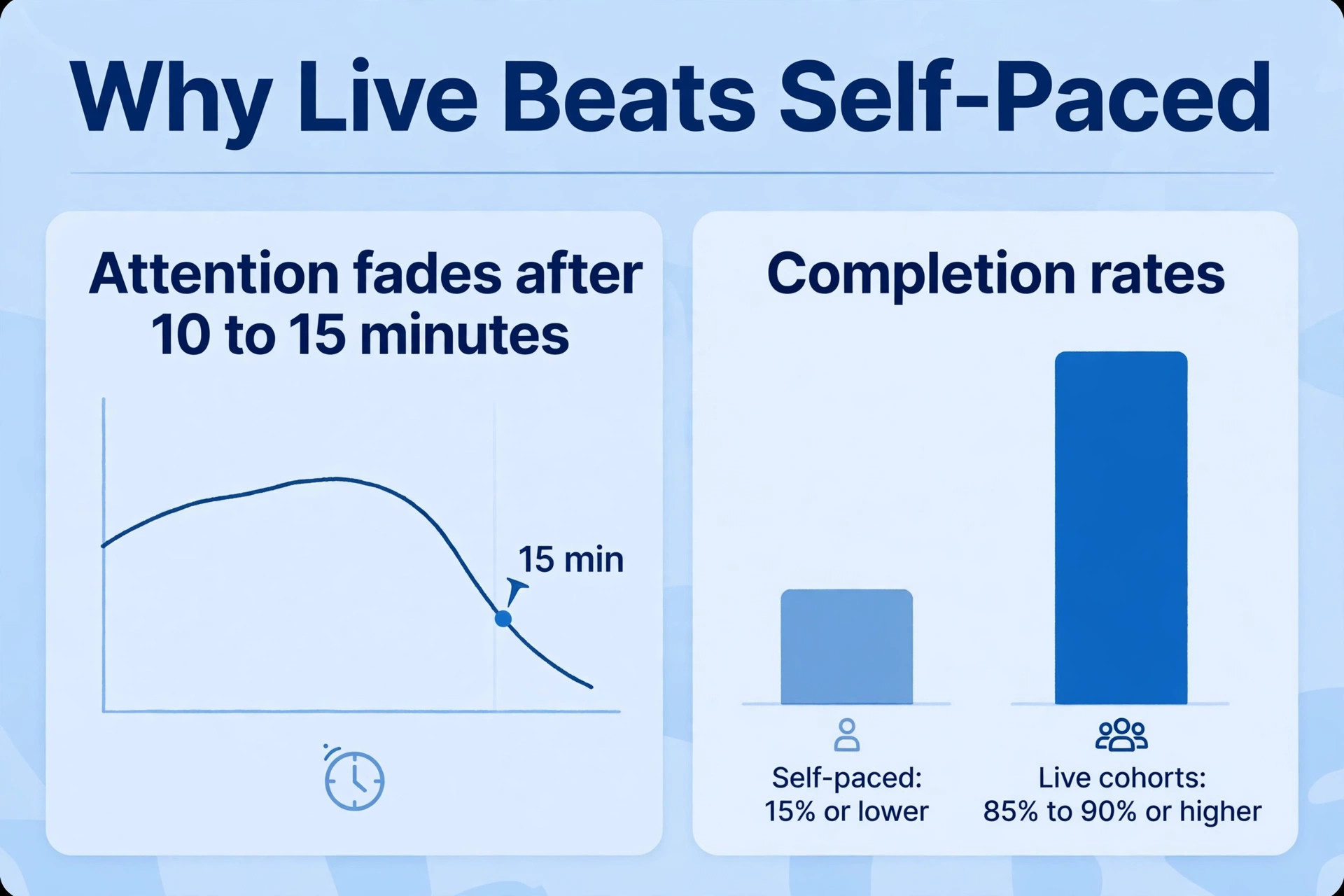
Attention in a virtual room starts to fade after 10 to 15 minutes, according to training research summaries, and self-paced online courses often finish with completion rates of 15 percent or lower, while live instructor-led cohorts report rates of 85 to 90 percent or higher. That gap is the whole case for doing workshops live instead of sending another recording and hoping people watch it. When you use Zoom for online workshops, you are not just choosing a video tool. You are choosing a room where people can talk, practise, ask questions and leave with something finished, and the difference between a workshop people remember and one they quietly leave early usually comes down to planning, not charisma.
This playbook covers the full run, from picking the right Zoom format and plan to opening the room, running breakout work, handling live problems and following up within 48 hours. It includes a session playbook and an engagement checklist you can copy into your own run sheet, plus pricing, limits and the mistakes that most often sink an otherwise good session. Prices quoted here reflect publicly listed October 2026 figures, so check the Zoom pricing page and checkout before you pay, because plans and add-on rates change.
How to Use Zoom for Online Workshops Without Losing the Room
A workshop is not a webinar with a longer agenda, and it is not a meeting that happens to have slides. A workshop has a job to finish, and every person in the room should leave with a decision made, a draft started, a skill practised or a plan written. If your session ends and nobody has produced anything, you ran a presentation, however good the slides were. Start by writing one sentence that finishes with a visible result, for example that every participant leaves with a one-page launch plan, or that every team leaves with a revised pricing page.
That sentence decides the format, the group size, the exercises and the follow-up, and it stops the agenda from filling up with background talk.
Group size is the next decision, and it matters more than most hosts admit. Up to 20 people can work in one room with real discussion, because the host can hear from most of them and still keep time. From 20 to 60 people, you need breakout rooms and a co-host, because one host cannot watch chat, manage hands, run polls and coach groups at the same time. Above 60 people, you need a production mindset, with panelists, moderators, preassigned rooms and a tight run sheet, and you should think hard about whether a Zoom Meeting is still the right format or whether a webinar with breakout sessions fits better.
A small group with a clear task will beat a large audience with a vague agenda every time.
Pick Meeting or Webinar Before You Book Anything
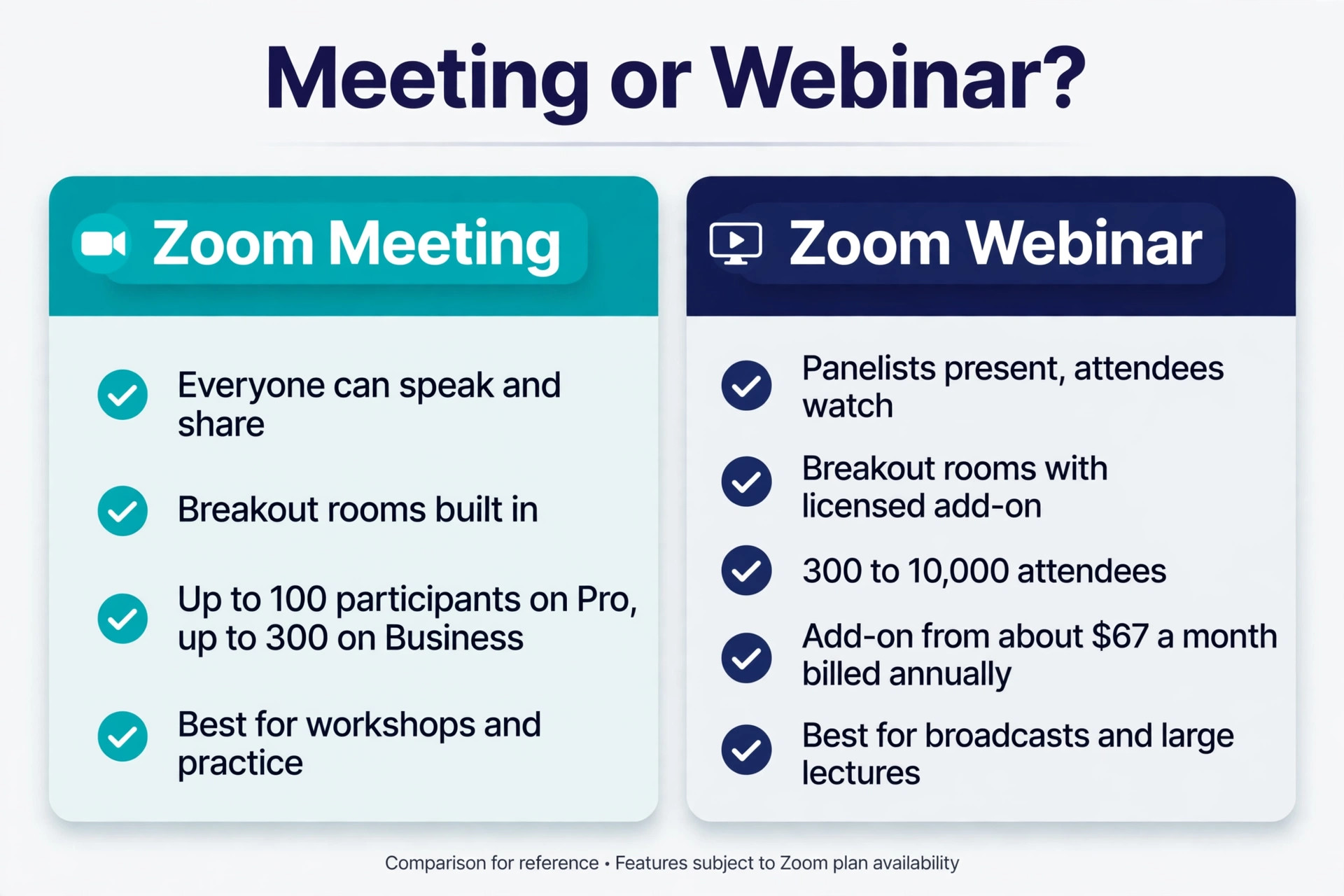
Zoom Meetings and Zoom Webinars look similar on screen, but they give the host very different control, and picking the wrong one is hard to fix once invitations go out. In a Meeting, everyone can turn on video and audio, share a screen, join a breakout room and talk to each other, which is exactly what a workshop needs. In a Webinar, panelists present while attendees watch, ask questions through Q and A and answer polls, and attendees stay off camera by default, which suits a broadcast, a product launch or a large lecture. A workshop that needs practice, peer feedback and group work belongs in a Meeting in almost every case.
There are exceptions worth knowing. If your audience is above 300 people, if most of the value is a polished presentation with a short Q and A, or if you need registration, branding and attendee reporting at broadcast scale, a Webinar may be the better shell, and Zoom now supports breakout rooms in webinars for licensed accounts, with up to 200 breakout sessions for up to 5,000 attendees according to Zoom support. That option still needs a Webinar or Events license, and attendees need a reason to move into rooms, so do not choose it just because the audience is large.
Choose it when the session is mainly one to many, with a small amount of small group work at the end.
| Format | Best for | Participant control | Breakout work | Watch out |
|---|---|---|---|---|
| Zoom Meeting | Workshops, training, coaching, team practice | Everyone can speak and share | Yes, built in | Needs moderation above 60 people |
| Zoom Webinar | Broadcasts, launches, large lectures | Panelists present, attendees watch | Yes, with a licensed add-on | Less natural for peer practice |
| Zoom Meeting with registration | Paid or gated workshops | Host controls entry and list | Yes, built in | Test the join link before tickets go live |
What Zoom Actually Costs for a Workshop Host
When you use Zoom for online workshops, you only need one paid license to host a paid workshop, because the license belongs to the host, not to each participant. That single fact keeps the cost low for solo trainers, coaches and consultants, and it is the reason a one person business can run professional workshops without a team plan. The free Basic plan allows up to 100 participants, but group meetings end after 40 minutes, which makes it unusable for a real workshop, however tempting free looks. A workshop that restarts every 40 minutes loses trust fast, especially with paying participants.
The current public list prices, checked in October 2026, put Workplace Pro at 16.99 dollars per user a month on monthly billing, or 14.16 dollars per user a month billed annually. Workplace Business is 21.99 dollars per user a month on monthly billing, or 18.33 dollars per user a month billed annually, and it raises the participant cap from 100 to 300. Both paid plans allow meetings of up to 30 hours, which is far beyond any workshop you should run, and both include cloud recording, with 10 GB per user on recent listings. Business adds admin controls, single sign-on and managed domains, which matter for a company, but a solo host rarely needs them to run a good workshop.
| Plan | Monthly billing | Annual billing per month | Participants | Workshop verdict |
|---|---|---|---|---|
| Basic, free | 0 dollars | 0 dollars | 100 | Too short at 40 minutes for a real workshop |
| Pro | 16.99 dollars per user | 14.16 dollars per user | 100 | Best value for most solo hosts |
| Business | 21.99 dollars per user | 18.33 dollars per user | 300 | Worth it above 100 people or for company admin |
| Webinar add-on | From about 67 dollars a month billed annually | Varies by capacity | 300 to 10,000 attendees | Only for broadcast style sessions |
Set Up the Session So Nothing Breaks Live
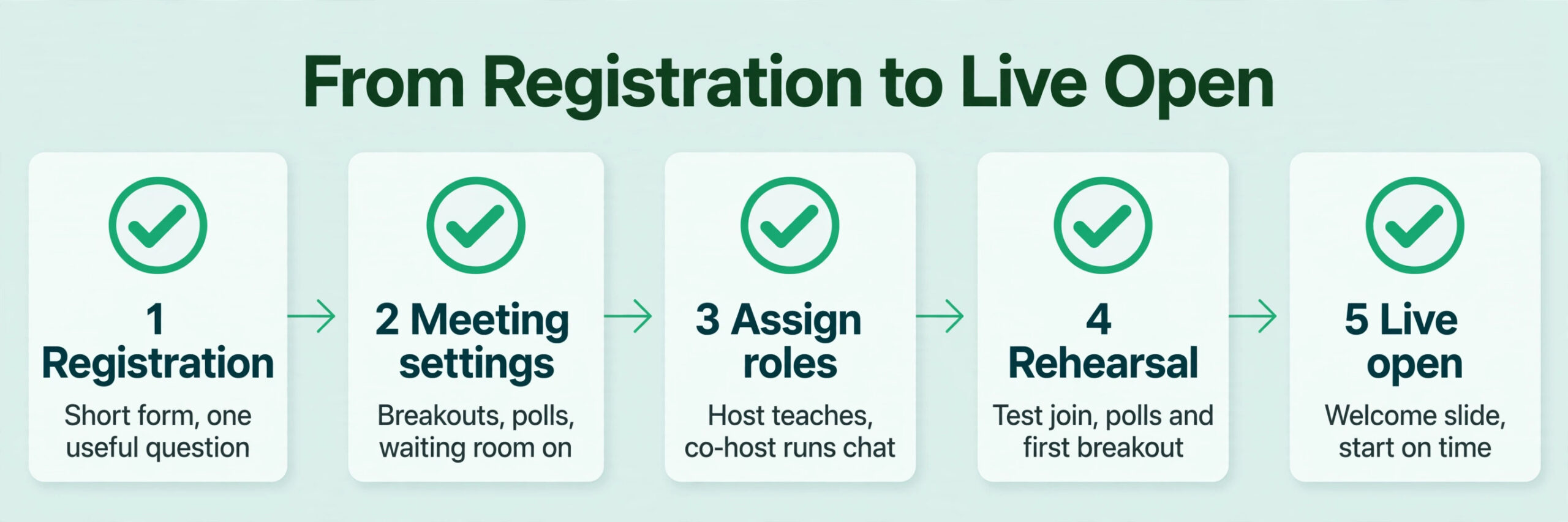
When you use Zoom for online workshops, good setup is invisible, and bad setup is the only thing participants remember. Start with the meeting settings in the Zoom web portal, not in the app five minutes before start time. Turn on breakout rooms, polls, whiteboard and reactions, and decide in advance whether participants can share screens, annotate, rename themselves or use chat freely. For a workshop, screen sharing by participants is often useful during show and tell, but it should be limited to hosts and co-hosts during teaching segments, or one stray share can derail the room.
Set the waiting room on for paid sessions, so late arrivals do not interrupt an exercise, and set a co-host before the session starts, because you cannot reliably promote someone while you are also teaching.
Registration is a second setup job, and it is worth doing properly even for a free workshop. A registration form gives you a real attendee list, a way to send reminders, and a record of who actually showed up, which matters when you follow up. Ask for name, email and one useful question, such as the biggest problem they want solved or their current skill level, and use the answers to shape examples and breakout groups. Keep the form short. Every extra field lowers signups, and a workshop that asks for job title, company size and phone number before a free session will lose people who would have joined and learned.
Assign Roles Before You Go Live
A workshop needs at least two roles, even if the second person is a friend or a colleague helping for one session. The host teaches, runs exercises and keeps time. The co-host watches chat, admits people from the waiting room, launches polls, opens breakout rooms, spots raised hands and handles technical problems in private chat. Split those jobs in writing, and agree on signals, for example that the co-host will send a private message when chat shows a repeated question, or that the co-host will extend a breakout by two minutes without asking. When one person tries to do both jobs, chat goes unanswered, breakouts run long, and the teaching suffers, because attention is a limited resource.
Run the Opening 15 Minutes Like a Host, Not a Lecturer
The first 15 minutes decide whether people stay engaged or drift into email. Start on time, even if only half the room has arrived, because waiting for latecomers punishes the people who showed up on time and teaches everyone that your start time is a suggestion. Open with the result, not your biography. Tell participants what they will leave with, how the session will work, and what you need from them, in under three minutes. Then ask for a response, a poll, a chat answer or a raised hand, so the room moves from watching to participating before the first teaching block ends.
Use the opening to set working agreements that make the rest of the session easier. Ask people to keep cameras on during discussion if they can, to use reactions for quick agreement, to put questions in chat, and to use the raise hand feature for longer points. Explain how breakout rooms will work, how long they will last, and what to do if they get stuck, before you open the first room. People who know the rules relax, and relaxed people participate. People who are unsure about the rules stay quiet, not because they have nothing to say, but because they do not want to make a mistake in public.
Breakouts That Produce Work, Not Small Talk
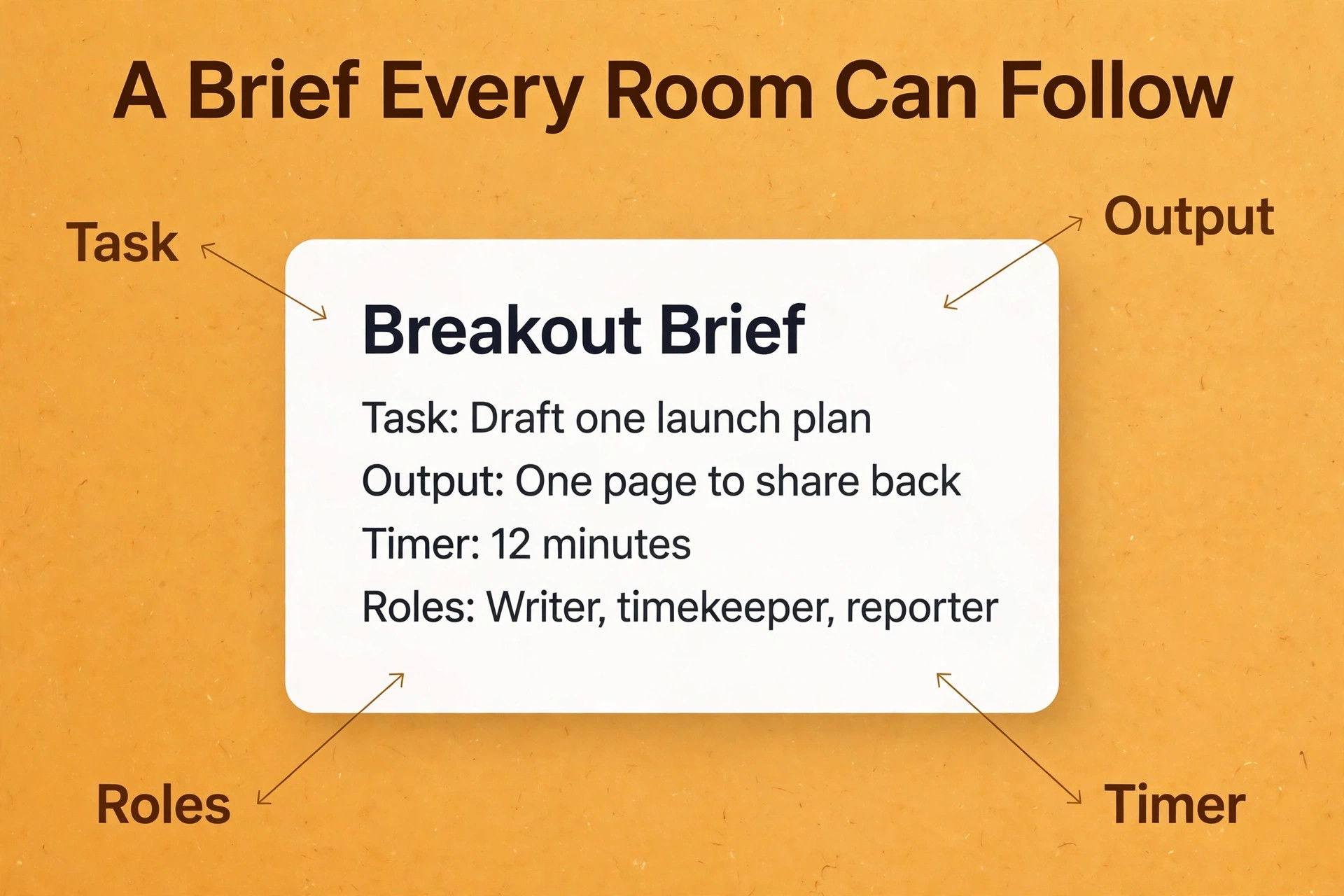
Breakout rooms are the strongest reason to use Zoom for online workshops, and also the easiest feature to waste. A room with no task, no time limit and no output will fill with polite chat and produce nothing, and participants will return to the main room with nothing to share. A room with a clear task, a visible timer, a named output and a way to report back will produce work even from quiet groups, because the structure carries people who would not speak up on their own.
Zoom allows up to 100 breakout rooms in a meeting, with preassignment for up to 1,000 participants on larger setups, but a workshop rarely needs more than a handful of rooms with four to six people in each.
Size the rooms deliberately. Groups of three work well for fast feedback, because everyone must speak. Groups of four to six work well for discussion and joint work, because there are enough views to be useful without anyone hiding. Groups above eight start to behave like a small lecture, with two people talking and the rest listening, so split larger groups even if it means more rooms to visit. Assign people by the registration question when you can, so groups share a problem or a level, and mix groups across sessions so people meet new peers instead of staying with the same colleagues every time.
Give every breakout a written brief that participants can see, not just a spoken instruction they may miss. Put the task, the time limit and the output on a shared slide, in chat, and on the workbook page, so a late joiner or a distracted participant can catch up without asking. Set a timer that everyone can see, broadcast a warning two minutes before rooms close, and visit rooms as a host, not as a judge. When you enter a room, ask one question, listen, and leave a useful nudge, rather than taking over the discussion.
If a room is silent, give it a smaller first step, such as asking each person to write one line before speaking, because writing first makes speaking easier.
The return matters as much as the work. Bring groups back, ask two or three groups to share one concrete output, and connect what they said to the next teaching point. Do not ask every group to report in full, because a 10 group report back will drain the room faster than any lecture. Instead, collect outputs in a shared document or whiteboard, read the patterns aloud, and name the groups that produced them. That way every group sees its work used, even if it does not speak in the main room, and the workshop keeps moving.
Keep a Large Room Engaged Without Shouting Over Chat
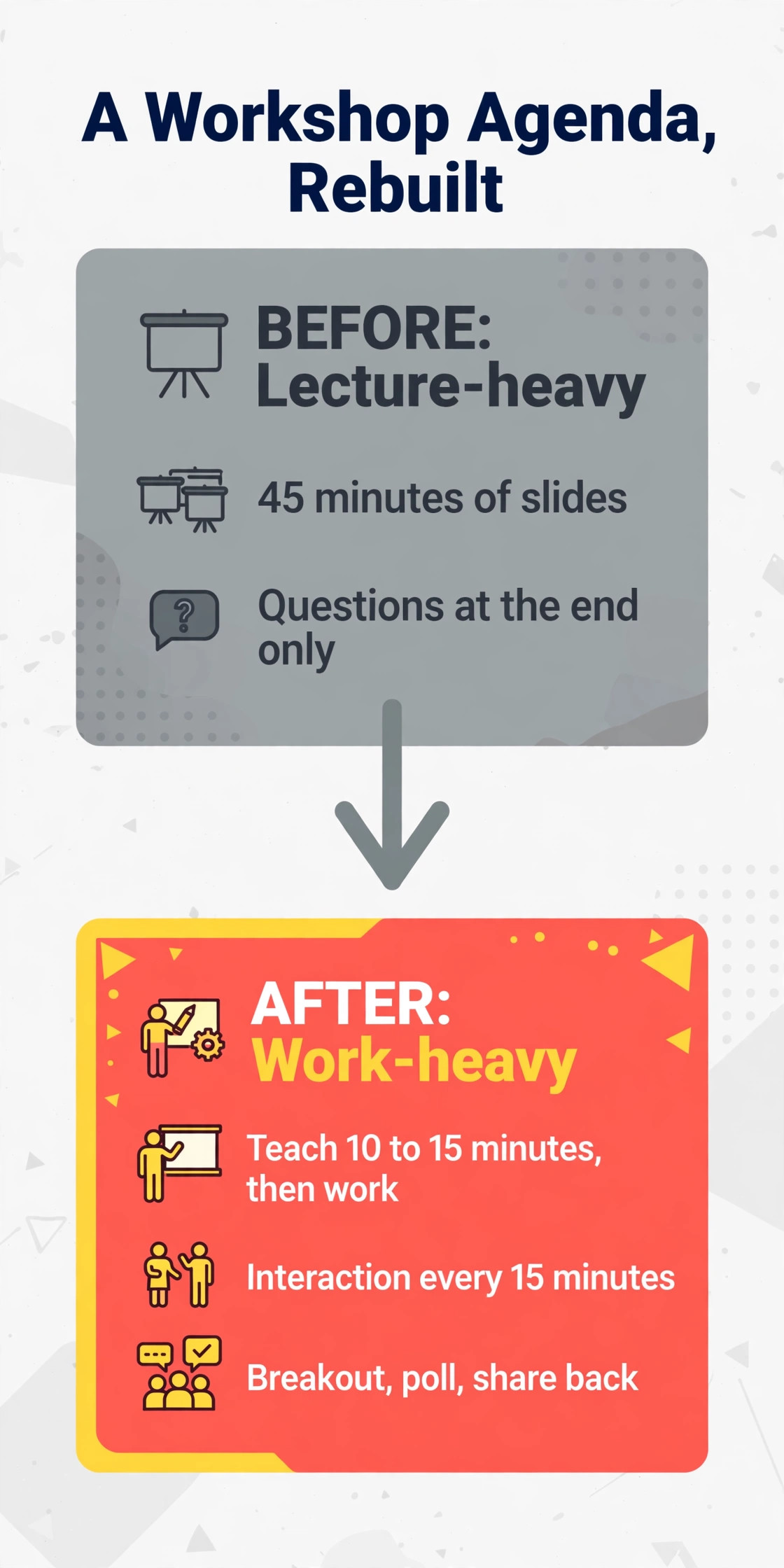
When you use Zoom for online workshops, engagement is not a trick, it is a rhythm. Plan an interaction every 10 to 15 minutes, and vary the type, so participants do not learn to ignore one format. A poll tests understanding and gives you data to react to. A chat prompt collects many answers fast, and works even in a room of 100 people. A whiteboard lets groups build something together, such as a list, a map or a ranking. A reaction check, such as a thumbs up for ready or a raised hand for a question, takes seconds and tells you whether to move on or slow down.
A short pair discussion in a breakout resets attention better than another slide.
Polls deserve preparation, because a badly written poll wastes more time than it saves. Write polls before the session, test them in rehearsal, and keep each poll to one clear question with three or four answers. Use the result live, by naming what surprised you, by correcting a common wrong answer, or by changing the next example to fit what the room actually knows. A poll whose result is never discussed teaches participants that their input does not matter, and they will stop answering. The same rule applies to chat. Read chat aloud, answer by name, and save useful questions for a dedicated Q and A block, rather than letting questions pile up unanswered while you teach.

Handle the Problems You Will Meet Live
Every live workshop meets a technical problem, and the difference between a professional host and a flustered one is a plan made before the problem appears. Prepare a one page troubleshooting sheet for your co-host, covering the five problems below, and keep a backup link ready, such as a second meeting link or a phone dial-in, in case the main room fails. Tell participants at the start what to do if they drop out, namely to rejoin with the same link, and reassure them that a recording and workbook will follow, so a dropout does not feel like a lost ticket.
| Problem | Likely cause | Fix during the session |
|---|---|---|
| Participant cannot join | Wrong link, waiting room, outdated app | Co-host admits from waiting room, sends fresh link in email, asks participant to update the app |
| No audio or echo | Wrong device, two devices open, browser audio blocked | Ask participant to leave and rejoin on one device, check audio settings, use phone audio as backup |
| Breakout button missing | Rooms not enabled, mobile host, old app version | Host or co-host manages rooms from desktop, participant updates app, manual assignment as fallback |
| Recording only captures main room | Cloud recording limit in Zoom | Tell groups in advance, ask one person per room to record locally with permission, collect files after |
| Screen share freezes | Weak connection, large file, too many apps open | Share a smaller window, close extra apps, switch to slides as PDF, continue by voice while fixing |
The Session Playbook and Engagement Checklist
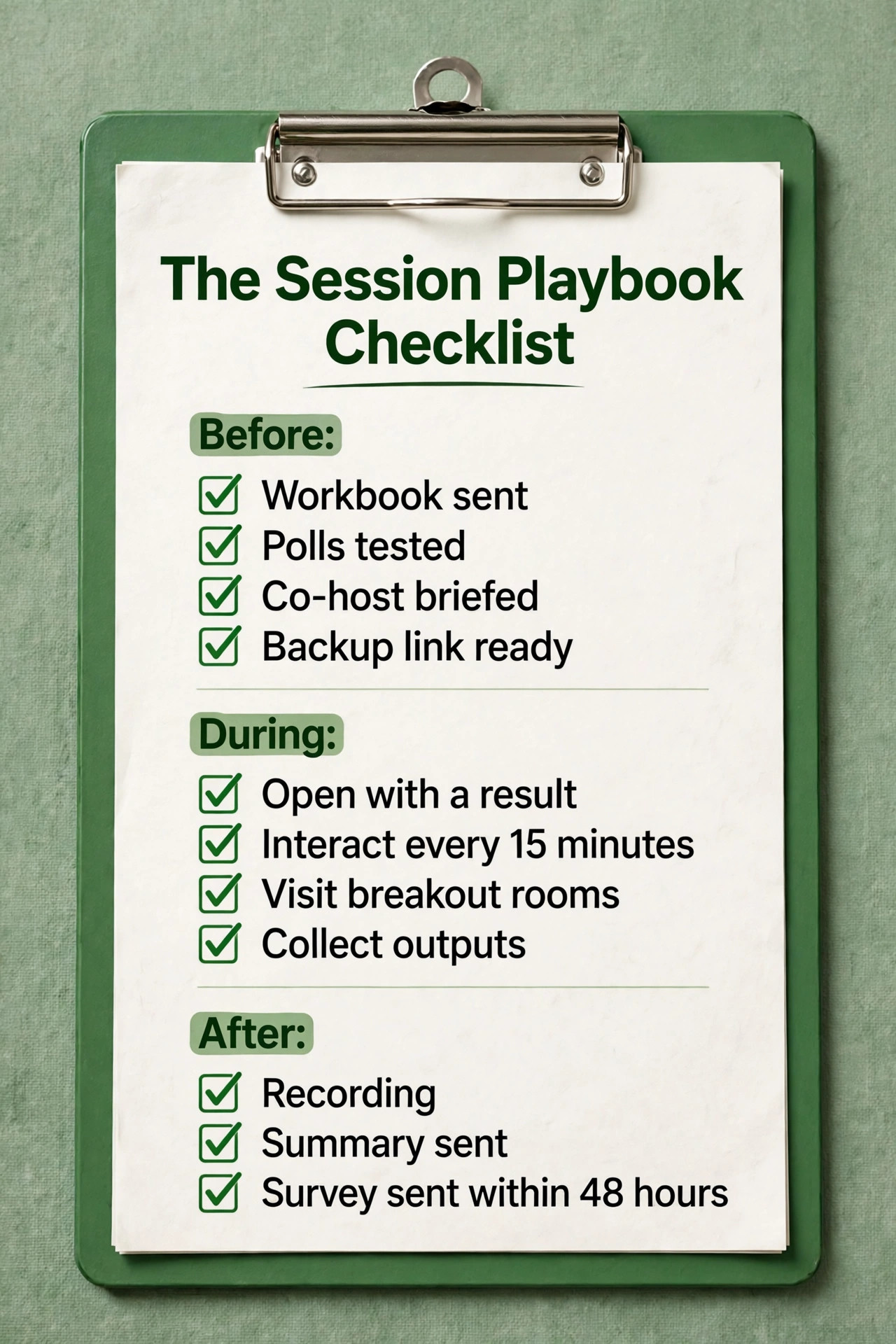
This is the core of the guide, a playbook you can copy into a run sheet and use for any workshop, from a 90 minute paid class to a half day team training. It assumes a 90 minute session with 20 to 60 participants, one host and one co-host, and it can be stretched or shortened by adding or removing one work block. Print it, assign names to each job, and tick items off in rehearsal, not just on the day, because a checklist used only in theory helps nobody.
Session Playbook, 90 Minutes
Before the session, confirm the meeting settings, the waiting room, breakout rooms, polls and co-host, and send the workbook, the join link and a reminder with the start time in the participants own time zone. Open the room 15 minutes early with a welcome slide, greet early arrivals by name, and test audio, video, screen share and a poll. In the first 10 minutes, state the result, set the working agreements, run a quick poll or chat prompt, and give the first small task. Teach in short blocks of 10 to 15 minutes, each followed by work, not by another teaching block, and keep slides visual, with one idea per slide and short text.
Run the first breakout at about minute 25, with groups of four to six, a written brief, a 12 minute timer and a two minute warning broadcast. Bring groups back, hear two or three outputs, and connect them to the next point in under five minutes. Run a second work block at about minute 55, using a different format, such as a whiteboard task, a pair share or a draft and feedback round, so the second half does not feel like a repeat of the first.
Close at minute 80 with commitments, where each participant writes one action, one deadline and one person to share it with, then use the final 10 minutes for questions, the recording note, the feedback survey link and a clear next step, such as a follow-up session, a resource page or a community link.
Engagement Checklist, Tick Before and During
Before the session, tick that the workbook is sent, the polls are built and tested, the breakout briefs are written, the co-host brief is agreed, the backup link is ready, and the join path has been tested from a second device. During the session, tick that you opened with a result and a response, that you interacted at least every 15 minutes, that you read chat by name, that you used poll results live, that you visited breakout rooms, that you broadcast a two minute warning, that you collected outputs in a shared document, and that you closed with written commitments.
After the session, tick that the recording, the summary, the outputs and the survey were sent within 48 hours, and that unanswered questions received a reply. If an item is not ticked, note why, and fix it for the next session, because a checklist that never changes never improves.
Follow Up in 48 Hours So the Workshop Keeps Working
When you use Zoom for online workshops, a workshop that ends without follow-up loses most of its value within a week, because participants return to normal work and the workbook sits unopened. Send the follow-up within 48 hours, while the session is still fresh, and keep it to one email with four parts. First, the recording link and the workbook, with a note about which breakout outputs are included and where to find them. Second, a short summary of decisions and patterns from the room, not a full transcript, because a summary respects time and shows that the host listened. Third, the action list, with each participant’s commitment restated, or a shared action template if commitments were private.
Fourth, one clear next step, such as a survey, a second session, a resource page or a booking link, not three competing calls to action.
Recording needs care. Cloud recording captures the main room, not breakout rooms, so if breakout work matters, ask one person per room to record locally with host permission, or collect the shared document outputs instead of relying on video. Check the recording before you send it, trim long silences at the start if your editing tool allows it, and add chapter notes or timestamps for key sections, so a participant who missed a part can jump to it. If your plan includes AI summaries, read the summary before sending it, because automated notes can misstate a decision or invent a detail, and a wrong summary sent under your name damages trust faster than no summary at all.
Mistakes That Quietly Ruin Good Workshops
When you use Zoom for online workshops, the first mistake is teaching for 45 minutes before any work, which turns a workshop into a lecture and teaches participants that their job is to listen. The second mistake is opening breakout rooms without a written brief, a timer and an output, which produces polite chat and no work. The third mistake is running a session alone at scale, with no co-host, which means chat, waiting room, polls and technical problems compete with teaching, and teaching always loses. The fourth mistake is choosing the free plan for a paid workshop, which ends the session at 40 minutes and signals that the host did not plan for the basics.
The fifth mistake is ignoring the follow-up, or sending it a week later as a long transcript nobody reads. The sixth mistake is overloading slides with text, then reading them aloud, which makes the slide and the voice compete and bores the room twice. The seventh mistake is letting one voice dominate, or letting a silent room stay silent, instead of using writing, polls and small groups to spread participation. The eighth mistake is pricing the ticket before checking the real cost, including the plan, any add-on, and the time spent preparing, rehearsing and following up, which leaves the host underpaid and resentful after a good session.
Avoid those eight, and most workshops will feel professional even when a technical glitch appears.
For related reading on the wider video and meeting field, see Zoom vs Google Meet if your audience already uses Google tools, Zoom alternatives for other platforms worth comparing, best webinar tools if your session leans toward broadcast, and best AI meeting assistants for note taking and summaries after the session.
Frequently Asked Questions
How long should an online workshop on Zoom last?
A 90 minute workshop suits most topics, with two work blocks and a close that produces commitments. A three hour workshop needs a real break in the middle, and a full day workshop works better as two or three sessions across days, with practice between them. Shorter is often stronger, because attention, energy and participation all fall in a long single call.
Do I need a paid Zoom plan to run a workshop?
Yes, for any real workshop. The free Basic plan ends group meetings after 40 minutes, which breaks exercises and follow-up. Pro, at 16.99 dollars per user a month on monthly billing or 14.16 dollars billed annually, removes that limit for up to 100 participants and adds cloud recording, which is enough for most solo hosts. Check checkout before you buy, because prices change.
How many people can join a Zoom workshop?
Pro allows up to 100 participants, Business allows up to 300, and a Large Meetings add-on raises the cap further, from about 50 dollars a month for 500 participants on recent listings. For workshops, the practical limit is lower than the technical limit, because discussion, breakout coaching and feedback get harder above 60 people without extra moderators.
Can I use Zoom for online workshops with breakout rooms on the free plan?
Breakout rooms are available on the free plan, but the 40 minute group limit still applies, so a workshop will end mid exercise unless you restart the meeting. For a professional or paid session, a paid plan is the safer choice, and preassigning rooms works best when participants register with the same email they use to join.
What should I do if participants drop out or lose audio during a workshop?
Tell participants at the start to rejoin with the same link, and keep a co-host free to help in private chat while you keep teaching. For audio, the usual fix is to leave and rejoin on one device, check the audio settings, and use phone audio as a backup. Send the recording, workbook and summary within 48 hours, so a dropout does not lose the session.
Is a Zoom Meeting or a Zoom Webinar better for a workshop?
A Meeting is better for almost every workshop, because everyone can speak, share and join breakout rooms. A Webinar suits a broadcast, a launch or a large lecture, where panelists present and attendees watch. Zoom webinars can now use breakout rooms on licensed accounts, but the add-on cost and the one to many setup make it a poor fit for peer practice and group work.
Your Next Workshop, Run on Purpose
A good workshop is not an accident, and it is not a performance. It is a room with a clear result, a host and co-host who know their jobs, work blocks that produce something visible, breakout rooms with a brief and a timer, and a follow-up that arrives while the work is still fresh. When you use Zoom for online workshops in that way, the tool stops being the point, and the work participants leave with becomes the point, which is exactly what a paying audience, a team or a class will remember and recommend.
Start with the next session, not with a perfect system. Write the one sentence result, build the workbook and the breakout briefs, rehearse the join path and the first breakout, and run the playbook and checklist above. After the session, send the follow-up within 48 hours, read the feedback, and change one thing for the next run. Repeat that cycle three times, and you will have more than a workshop format. You will have a repeatable session that participants trust, that produces real outputs, and that you can run without dreading the next live call.