
Meetings create a lot of useful information, but keeping track of everything said during a busy call can be difficult. Important decisions get buried in conversations, action items are forgotten, and someone often has to spend extra time writing notes and follow-up emails.
That is where AI meeting assistants come in.
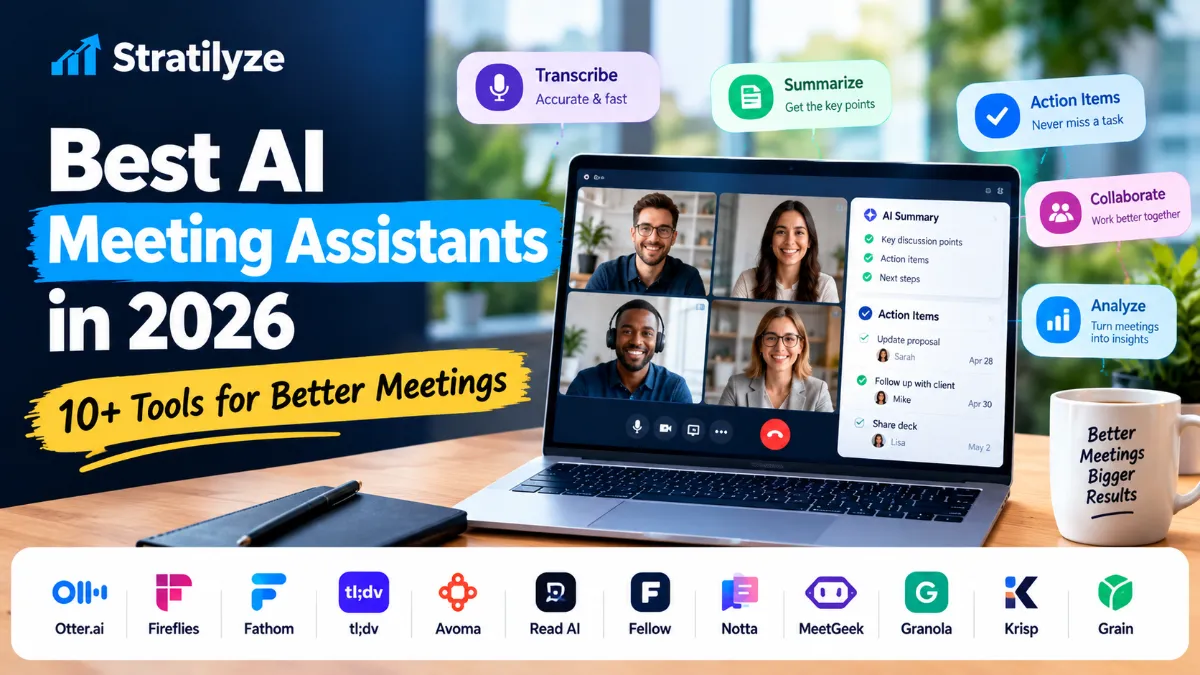
The best AI meeting assistants in 2026 can record meetings, create transcripts, summarize conversations, identify action items, answer questions about previous calls, and connect meeting information with tools such as CRM, Slack, Notion, project management platforms, and email.
But these tools are not identical. Some are better for sales teams, some are designed for simple meeting notes, while others focus on meeting analytics, workflow automation, or bot-free recording.
In this guide, we compare 12 of the best AI meeting assistants in 2026 to help you choose the right option for your meetings, team, or business.
Quick answer: Otter.ai is one of the strongest all-around choices for transcription and meeting collaboration, while Fireflies is particularly useful for teams that want meeting search and workflow automation. Fathom is a strong option for individuals who want simple AI meeting notes, and tl;dv stands out for teams that want generous recording and transcription capabilities. Avoma is particularly interesting for sales and revenue teams.
Best AI Meeting Assistants in 2026
| AI Meeting Assistant | Best For | Free Plan | Starting Paid Price* |
|---|---|---|---|
| Otter.ai | General meetings and transcription | Yes | From $8.33/user/month |
| Fireflies.ai | Meeting intelligence and automation | Yes | From $10/user/month |
| Fathom | Individuals and simple AI notes | Yes | From $15/user/month |
| tl;dv | Free recording and team workflows | Yes | From $18/user/month |
| Avoma | Sales and revenue teams | Trial | From $19/user/month |
| Read AI | Meeting analytics and coaching | Yes | From $15/user/month annually |
| Fellow | Meeting notes and action items | Yes | From $7/user/month annually |
| Notta | Transcription and multilingual workflows | Yes | From $8.17/month annually |
| MeetGeek | Meeting analytics and automation | Yes | From $9.99/user/month annually |
| Granola | Bot-free meeting notes | Yes | From $14/user/month |
| Krisp | AI notes plus audio quality | Trial | From $8/user/month annually |
| Grain | Conversation intelligence | Yes | Paid plans from $19/user/month |
*Prices can change, and features vary by billing cycle and plan. Always check the provider’s current pricing before purchasing.
What Is an AI Meeting Assistant?
An AI meeting assistant is software that uses artificial intelligence to capture and process information from meetings.
Depending on the tool, it may be able to:
- Record meetings
- Transcribe conversations
- Identify speakers
- Generate summaries
- Extract action items
- Highlight important moments
- Answer questions about meetings
- Create follow-up emails
- Search previous conversations
- Analyze speaker participation
- Connect meeting notes with CRM systems
- Automate post-meeting workflows
Instead of manually writing everything down, you can focus on the conversation while the AI handles much of the documentation.
However, the level of automation differs considerably between products.
Some tools mainly act as AI note takers. Others are becoming broader meeting intelligence platforms that connect conversations to sales, customer success, project management, and business workflows.
1. Otter.ai – Best Overall AI Meeting Assistant
Otter.ai is one of the best-known AI meeting assistants and a strong all-around choice for individuals, students, professionals, and teams.
Its core strength is meeting transcription, but Otter has expanded beyond simple transcripts with AI chat, meeting workflows, search, speaker identification, and integrations.
The current free plan includes 300 monthly transcription minutes, while the Pro plan is listed at $8.33 per user per month on annual billing and includes 1,200 in-app recording minutes. The Business plan is $19.99 per user per month on annual billing.
Why Otter stands out
Otter can:
- Transcribe meetings in real time
- Identify speakers
- Generate AI summaries
- Extract important information
- Let users ask questions about meetings
- Search across meeting content
- Record Zoom, Microsoft Teams and Google Meet meetings
- Support desktop and mobile workflows
- Connect with selected business tools on higher plans
Best for
Otter is best for general-purpose meeting transcription and collaboration.
It is particularly useful if you want one familiar tool for capturing conversations rather than a highly specialized sales intelligence platform.
Potential limitation
Users with large meeting volumes should pay attention to transcription and recording limits on the plan they choose.
2. Fireflies.ai – Best for Meeting Intelligence and Automation
Fireflies.ai takes meeting documentation a step further by combining transcription, summaries, search, AI questions, and workflow automation.
Fireflies describes itself as an AI assistant for meetings, email, chat, CRM and other applications. Its meeting platform can transcribe, summarize, search and analyze conversations.
Its current Pro plan is listed at $10 per seat per month when billed annually and includes unlimited transcription and AI summaries, with 8,000 minutes of storage per seat.
Key features
- AI meeting transcription
- Real-time notes
- AI summaries
- Meeting search
- AskFred AI assistant
- Audio and video uploads
- Mobile and desktop apps
- CRM integrations
- Workflow automation
- Meeting analytics
Best for
Fireflies is a strong choice for teams that have many meetings and want to turn meeting information into searchable business knowledge.
Sales, customer success, recruiting and management teams can benefit particularly from its integrations and automation features.
Potential limitation
The large number of features can make Fireflies feel more complex than a basic AI note-taking app.
3. Fathom – Best for Simple AI Meeting Notes
Fathom focuses heavily on making meeting documentation simple.
It supports Zoom, Google Meet and Microsoft Teams and can capture, transcribe and summarize meetings.
One of its biggest advantages is its free individual plan. Fathom’s current pricing page lists a free plan and paid individual and team options, with Premium currently shown around $15-$20 per user per month depending on billing.
What Fathom does well
- Automatic transcription
- AI meeting summaries
- Action items
- Meeting highlights
- Searchable meeting information
- CRM-related workflows
- Zoom, Google Meet and Microsoft Teams support
- Team collaboration
Best for
Fathom is particularly appealing to individual professionals, consultants, founders and small teams that want useful meeting notes without setting up a complicated system.
Potential limitation
Organizations looking for deep conversation intelligence or highly advanced sales analytics may want something more specialized.
4. tl;dv – Best for Generous Free Meeting Recording
tl;dv is another strong option for people who want to record and transcribe meetings while keeping the workflow relatively flexible.
Its current free plan includes unlimited video recordings and transcription, with AI notes available for up to 10 meetings per month. The Pro plan is listed at $18 per user per month when billed annually.
Key features
- Meeting recording
- Transcription
- AI-generated notes
- AI questions
- Multi-meeting insights
- CRM integrations
- Follow-up email drafting
- Custom templates
- Sales playbooks
- AI coaching
- Workflow integrations
Best for
tl;dv is especially useful for teams that want to capture lots of meetings and later search, analyze and reuse that information.
It is also attractive for sales and customer-facing teams that need more than basic summaries.
Potential limitation
Some of the more advanced intelligence and sales features require higher-tier plans.
5. Avoma – Best for Sales and Revenue Teams
Avoma is designed around meeting intelligence, scheduling and revenue workflows.
Its AI Meeting Assistant can provide automatic recording, real-time transcription, AI summary notes, meeting questions and AI email follow-ups. It can also save notes to CRM records.
Avoma’s Startup plan currently starts at $19 per recorder seat per month when billed annually. Its Organization and Enterprise plans add more advanced controls, while conversation and revenue intelligence are available as add-ons.
Best features
- AI meeting transcription
- Automatic video recording
- AI summaries
- AI email follow-ups
- CRM note synchronization
- Meeting scheduling
- Conversation intelligence
- Call scoring
- Sales coaching
- Revenue intelligence
Best for
Avoma is one of the strongest choices for sales teams and revenue organizations.
If your meetings are directly connected to leads, opportunities and customer relationships, Avoma can be more useful than a basic meeting note taker.
Potential limitation
Its advanced sales and revenue capabilities can make it unnecessarily expensive for someone who only wants simple meeting notes.
6. Read AI – Best for Meeting Analytics
Read AI takes a slightly different approach by focusing on meeting intelligence and analytics.
In addition to transcription and summaries, Read AI provides insights related to meetings and conversations.
Its current pricing shows a free plan with up to five meetings per month, while the paid plan is listed at $15 per user per month when billed annually, with a monthly price of $19.75.
Key features
- Meeting transcription
- AI meeting reports
- Meeting summaries
- Engagement insights
- Search
- Cross-meeting intelligence
- Integrations
- AI-generated insights
Best for
Read AI is a good fit for managers, team leaders and organizations interested in understanding meeting patterns rather than simply generating transcripts.
Potential limitation
If you only need basic notes, its broader analytics features may be more than you need.
7. Fellow – Best for Meeting Notes and Action Items
Fellow combines AI meeting notes with broader meeting management and collaboration features.
Its current pricing lists a free option, with the small-team plan starting at $7 per user per month when billed annually or $11 monthly.
The AI meeting features include:
- Meeting transcription
- AI summaries
- Action items
- AI meeting notes
- Audio and video uploads
- Ask Fellow
- Meeting automations
- Project management integrations
- Notion and Confluence integrations
- API access
Best for
Fellow is particularly useful for teams that want meeting notes to lead directly into tasks, projects and accountability.
It can be a better fit than a pure transcription tool if your main problem is what happens after the meeting.
8. Notta – Best for Multilingual Transcription
Notta is a strong transcription-focused option with support for online meetings, files and multiple languages.
Notta supports meeting transcription for platforms including Zoom, Google Meet, Microsoft Teams and Webex. Its free plan currently includes 120 transcription minutes per month, while Pro is $8.17 per month when billed annually.
Notta features
- Meeting transcription
- Live transcription
- Speaker identification
- AI summaries
- Transcript translation
- Custom vocabulary
- File transcription
- Meeting recording
- Mobile apps
- CRM and Zapier integrations on higher plans
Best for
Notta is worth considering if you frequently work with different languages, international meetings, interviews or recorded audio files.
Potential limitation
The free plan has a relatively small monthly transcription allowance and a three-minute limit per conversation.
9. MeetGeek – Best for Meeting Analytics and Workflows
MeetGeek is designed to turn meetings into searchable and actionable information.
Its free plan currently provides three hours of transcription per month, unlimited AI summaries, meeting analytics, AI chat and recording through supported platforms. The Pro plan starts at $9.99 per user per month when billed annually.
Key features
- AI meeting notes
- Transcription
- Meeting analytics
- AI chat
- Meeting templates
- Integrations
- AI agents and workflows
- No-bot recording options
- API and MCP access
- Mobile apps
Best for
MeetGeek is a good option for teams that want meeting analytics plus workflow automation.
Potential limitation
Its free and lower paid plans have transcription-hour limits, so high-volume teams should calculate their expected usage before choosing a plan.
10. Granola – Best for Bot-Free Meeting Notes
Granola takes a different approach from traditional meeting bots.
Instead of focusing entirely on a bot joining the call, Granola is built around capturing meeting audio and helping you turn your raw notes and conversation into structured AI notes.
Its Basic plan is free and includes AI meeting notes, limited meeting history, AI chat, shared folders, custom note templates and multilingual support. The Business plan is currently $14 per user per month.
Key features
- AI meeting notes
- AI chat
- Custom note templates
- Shared folders
- Multi-language support
- Integrations
- API access
- MCP integration
- Team administration
Best for
Granola is especially interesting for professionals who dislike having a visible AI bot join their meetings.
Potential limitation
Its workflow is different from conventional meeting assistants, so users who specifically want a traditional meeting bot may prefer another platform.
11. Krisp – Best for AI Notes Plus Better Audio
Krisp is well known for noise cancellation, but its meeting product also includes AI meeting assistance.
Its current Meeting AI plans include transcription, audio and video recording, AI notes and action items. The Core plan is listed at $8 per user per month when billed annually, while Advanced is $15.
Krisp features
- Noise cancellation
- AI transcription
- AI meeting notes
- Action items
- Audio and video recording
- AI chat
- In-person meeting support
- Multiple languages
- Custom vocabulary
- Meeting recording
Best for
Krisp is a strong choice if audio quality is just as important to you as AI meeting notes.
For remote workers, freelancers and teams working in noisy environments, that combination can be useful.
12. Grain – Best for Conversation Intelligence
Grain focuses on recording, meeting notes and conversation intelligence.
Grain supports Zoom, Google Meet, Microsoft Teams, Webex and Slack huddles. It also supports automatic recording rules through connected calendars.
Its AI features include:
- AI meeting notes
- Meeting recaps
- Next steps
- AI questions
- Conversation intelligence
- Meeting recordings
- Search
- Workflow features
The platform currently offers a free plan, with paid seats starting at $19 per seat per month under its current pricing display.
Best for
Grain is particularly useful for customer-facing teams that want to analyze conversations and share useful moments from meetings.
AI Meeting Assistants Compared by Use Case
Choosing the best AI meeting assistant becomes much easier when you start with the problem you are trying to solve.
| Your Need | Recommended Tool |
|---|---|
| Best overall | Otter.ai |
| Meeting search and automation | Fireflies.ai |
| Simple meeting notes | Fathom |
| Generous free recording | tl;dv |
| Sales intelligence | Avoma |
| Meeting analytics | Read AI |
| Action items and accountability | Fellow |
| Multilingual transcription | Notta |
| Meeting analytics and workflows | MeetGeek |
| Bot-free notes | Granola |
| Noise cancellation + AI notes | Krisp |
| Conversation intelligence | Grain |
Which AI Meeting Assistant Is Best for Sales Teams?
Sales teams usually need more than a transcript.
A useful sales meeting assistant should help with:
- Customer conversations
- Discovery calls
- Objection tracking
- Follow-up emails
- CRM updates
- Sales coaching
- Call scoring
- Deal intelligence
- Searching previous conversations
For this type of workflow, Avoma, Fireflies, tl;dv, Grain and Otter are worth considering.
Avoma is particularly focused on CRM-connected meeting intelligence and revenue workflows, while tl;dv offers CRM integrations and sales-oriented features on its paid plans.
If your company already relies heavily on CRM data, don’t choose purely on transcription accuracy. The more important question is whether the meeting assistant can move useful information into your existing sales workflow.
Which AI Meeting Assistant Is Best for Small Businesses?
Small businesses usually need three things:
- Affordable pricing
- Reliable meeting notes
- Easy setup
You probably do not need an enterprise meeting intelligence platform if your team has only a few recurring meetings each week.
Good options include:
- Fathom for simple meeting documentation
- Otter.ai for general-purpose use
- Fellow for notes and action items
- Granola for bot-free workflows
- tl;dv for generous meeting capture
- MeetGeek for meeting analytics
The right choice depends more on your workflow than the number of features.
Which AI Meeting Assistant Has the Best Free Plan?
There is no single winner for everyone because free plans use different limits.
For example, Otter currently gives free users 300 transcription minutes per month.
Notta’s free plan provides 120 transcription minutes per month, but individual conversations are limited to three minutes.
MeetGeek offers three hours of transcription per month with unlimited AI summaries within that allowance.
tl;dv takes a different approach with unlimited free recording and transcription while limiting some AI features.
Fathom also offers a free individual plan, making it another attractive option for people who want to start without paying.
For frequent meeting capture, tl;dv is particularly attractive. For straightforward individual use, Fathom and Otter are strong starting points.
AI Meeting Assistant vs AI Note Taker
These terms are often used interchangeably, but there can be an important difference.
An AI note taker usually focuses on:
- Recording
- Transcription
- Summaries
- Action items
An AI meeting assistant may go further with:
- Meeting analytics
- Cross-meeting search
- CRM updates
- Follow-up automation
- Sales coaching
- Workflow automation
- Meeting scheduling
- Team intelligence
- AI agents
For someone who simply wants a summary after a weekly team meeting, a note taker may be enough.
For a sales organization managing hundreds of customer calls, a broader meeting intelligence platform can provide considerably more value.
Do AI Meeting Assistants Join Your Meeting?
Not always.
Traditional AI meeting assistants often use a bot that joins Zoom, Google Meet or Microsoft Teams as a participant.
But some tools now support bot-free or no-bot recording.
For example, MeetGeek supports no-bot recording through browser and desktop applications, while Granola takes a different approach to capturing meetings. Krisp also supports meeting recording and AI notes without requiring the traditional bot experience.
This matters if:
- Clients do not like meeting bots
- You attend external meetings
- You want a less distracting meeting experience
- Your company has specific privacy requirements
Before recording other people, however, you should consider applicable consent, privacy and workplace policies.
Are AI Meeting Assistants Safe to Use?
Potentially, but privacy should be one of your main selection criteria.
Meeting transcripts can contain sensitive information such as:
- Customer information
- Business plans
- Financial information
- Employee discussions
- Product roadmaps
- Sales data
- Personal information
Before using an AI meeting assistant for sensitive conversations, check:
- Data retention policies
- Whether meeting data is used for model training
- Encryption
- Access controls
- SSO availability
- Compliance certifications
- Data residency
- Admin controls
- Recording consent options
For example, MeetGeek currently lists SOC 2 Type II, HIPAA, GDPR, zero data training and EU/US residency among its security-related features.
Notta currently lists SOC 2, ISO 27001, GDPR and HIPAA-related compliance information on its pricing page.
That does not automatically mean one tool is safer for every company. Your organization’s requirements should determine what level of security and compliance you need.
How to Choose the Best AI Meeting Assistant
Instead of comparing dozens of feature boxes, ask these seven questions.
1. What meetings do you have?
A freelancer, sales representative and enterprise manager may all need completely different tools.
Think about whether you mainly have:
- Internal team meetings
- Sales calls
- Interviews
- Client meetings
- Research interviews
- Project meetings
- One-to-one meetings
- Webinars
2. Do you need video recording?
Some users only need the transcript.
Others need the complete video so they can return to important moments later.
If video matters, check exactly what the free and paid plans include.
3. How much meeting data do you generate?
A person with three meetings per week may be fine with a limited free plan.
A sales team conducting hundreds of calls needs to look closely at transcription limits, storage and retention.
4. Do you need CRM integration?
This is especially important for sales teams.
A transcript sitting inside an AI app is useful.
A transcript that can automatically contribute information to your CRM workflow can be much more valuable.
5. Do you need bot-free recording?
If meeting participants dislike bots joining calls, choose a platform that offers a suitable bot-free recording workflow.
6. Do you need multilingual transcription?
If your organization works internationally, look at:
- Supported languages
- Automatic language detection
- Translation
- Speaker identification
- Custom vocabulary
Notta, tl;dv, MeetGeek and Krisp are among the tools with substantial multilingual capabilities.
7. What happens after the meeting?
This may be the most important question.
The best meeting assistant is not necessarily the one with the nicest transcript.
It is the one that helps your team do something with the information afterward.
That could mean:
Meeting → Summary → Action items → Email → CRM → Project → Follow-up
The more of that process a tool can support, the more useful it can become.
How Much Do AI Meeting Assistants Cost?
AI meeting assistant pricing varies widely.
Some products have genuinely useful free plans, while business-focused platforms can cost considerably more once you need advanced CRM, analytics or administration features.
Current examples include:
- Otter Pro – from $8.33/user/month annually
- Fireflies Pro – from $10/user/month annually
- Fathom Premium – around $15/user/month depending on billing
- tl;dv Pro – $18/user/month annually
- Avoma Startup – $19/recorder seat/month annually
- Read AI – $15/user/month annually
- Fellow – $7/user/month annually for its small-team plan
- Notta Pro – $8.17/month annually
- MeetGeek Pro – $9.99/user/month annually
- Granola Business – $14/user/month
- Krisp Core – $8/user/month annually
The cheapest plan is not necessarily the cheapest solution.
A $10 tool that requires manual copying into your CRM may cost more in staff time than a $20 tool that automates the workflow.
What Makes a Good AI Meeting Assistant?
When comparing these tools, focus on the following areas.
Transcription quality
The foundation of every meeting assistant is transcription. If the transcript is poor, the summary and action items may also be poor.
Summary quality
A good summary should identify the important parts of the conversation rather than simply shortening every sentence.
Action items
The tool should make it easy to see:
- Who needs to do something
- What needs to be done
- When it needs to happen
Search
Search becomes increasingly important as your meeting library grows.
Integrations
Check whether the tool connects with the apps your team already uses.
Privacy
Meeting data can be sensitive, so security and data handling should never be an afterthought.
Workflow automation
The best platforms increasingly connect meeting information to the work that follows.
Our Picks for Different Types of Users
There is no universal winner, but these are useful starting points:
Best overall: Otter.ai
A balanced choice for transcription, AI notes, search and general meeting collaboration.
Best for meeting automation: Fireflies.ai
A strong choice when you want meeting information connected to broader workflows.
Best for individuals: Fathom
A simple option for professionals who mainly want useful meeting summaries and follow-ups.
Best free recording option: tl;dv
Particularly attractive for users who want extensive recording and transcription before paying.
Best for sales teams: Avoma
A strong fit when meetings are closely connected to CRM, sales coaching and revenue workflows.
Best for meeting analytics: Read AI
Useful for teams that want insights beyond a basic transcript.
Best for action items: Fellow
A good option when meetings need to connect directly with tasks and accountability.
Best for multilingual use: Notta
A practical choice for users working across languages and meeting platforms.
Best for bot-free notes: Granola
A strong option for professionals who prefer a less intrusive meeting capture experience.
Best for audio quality: Krisp
Useful when noise cancellation and AI meeting documentation need to work together.
Do You Still Need to Take Meeting Notes Yourself?
For many meetings, probably not.
But that does not mean you should stop paying attention.
AI meeting assistants are best used to remove the mechanical work of note-taking, not replace human judgment.
You still need to:
- Verify important decisions
- Check AI-generated action items
- Correct inaccurate transcripts
- Confirm names and numbers
- Review sensitive information
- Decide what actually matters
- Communicate decisions to the right people
Think of the AI assistant as a documentation layer around the meeting rather than a replacement for participation.
Final Verdict
The best AI meeting assistant in 2026 depends on what you want to accomplish after the meeting.
If you want a balanced, general-purpose solution, Otter.ai is an excellent place to start.
If your team needs meeting search, automation and broader workflow integration, Fireflies.ai deserves a close look.
For individuals who want straightforward meeting notes, Fathom is an appealing option.
If you want a generous free recording and transcription setup, tl;dv stands out.
For sales organizations, Avoma can make more sense because of its CRM, conversation intelligence and revenue-focused capabilities.
And if you dislike traditional meeting bots, Granola and other bot-free approaches are worth exploring.
The important thing is not to choose the tool with the longest feature list. Choose the one that fits your meeting workflow, privacy requirements, integrations and budget.
A good AI meeting assistant should do more than create a transcript. It should help turn conversation into decisions, decisions into action, and action into measurable work.
Frequently Asked Questions
What is the best AI meeting assistant in 2026?
There is no single best tool for everyone. Otter.ai is a strong all-around option, while Fireflies is better suited to meeting intelligence and automation, Fathom is attractive for simple meeting notes, and Avoma is particularly useful for sales teams.
Are AI meeting assistants free?
Yes. Several AI meeting assistants offer free plans, including Otter.ai, Fireflies, Fathom, tl;dv, Read AI, Notta, MeetGeek, Granola and Grain. However, free plans usually have limitations on transcription, AI features, storage, meetings or collaboration.
Can AI meeting assistants record Zoom meetings?
Yes. Many AI meeting assistants support Zoom, and several also support Google Meet and Microsoft Teams. The exact recording method varies by product.
Can AI meeting assistants create action items?
Yes. Many of the leading tools can identify or generate action items from meeting conversations. Some can also connect those actions to other productivity or project management tools.
Do AI meeting assistants work with Google Meet and Microsoft Teams?
Yes. Otter, Fathom, Notta, Avoma, MeetGeek, Grain and other platforms support major meeting services, although supported features vary by product and plan.
Can AI meeting assistants summarize old recordings?
Many can process uploaded audio or video files, but limits vary by plan. Notta, Fireflies, Krisp and other platforms provide file-upload or recording-processing features.
Are AI meeting assistants accurate?
They can produce useful transcripts and summaries, but no AI transcription system should be treated as perfect. Accents, background noise, overlapping speakers, technical terminology and poor audio can affect results.
Should I tell people that an AI assistant is recording?
You should follow the applicable laws, workplace policies and meeting-consent requirements where you and the other participants are located. Recording and transcription rules can vary by jurisdiction.
Are AI meeting assistants useful for remote teams?
Yes. They can be particularly useful for remote teams because they create searchable records of decisions, discussions and action items without requiring every participant to write detailed notes.
Which AI meeting assistant is best for sales?
Avoma, Fireflies, tl;dv, Grain and Otter are worth considering for sales workflows. Avoma is particularly focused on CRM-connected meeting intelligence and revenue workflows.
Which AI meeting assistant is best for people who hate meeting bots?
Look for a tool with a bot-free recording workflow. Granola is designed around a different capture experience, while MeetGeek and Krisp also provide recording approaches that can avoid the traditional meeting-bot experience in supported workflows.
If you’re building a broader productivity stack, you may also find these useful: