
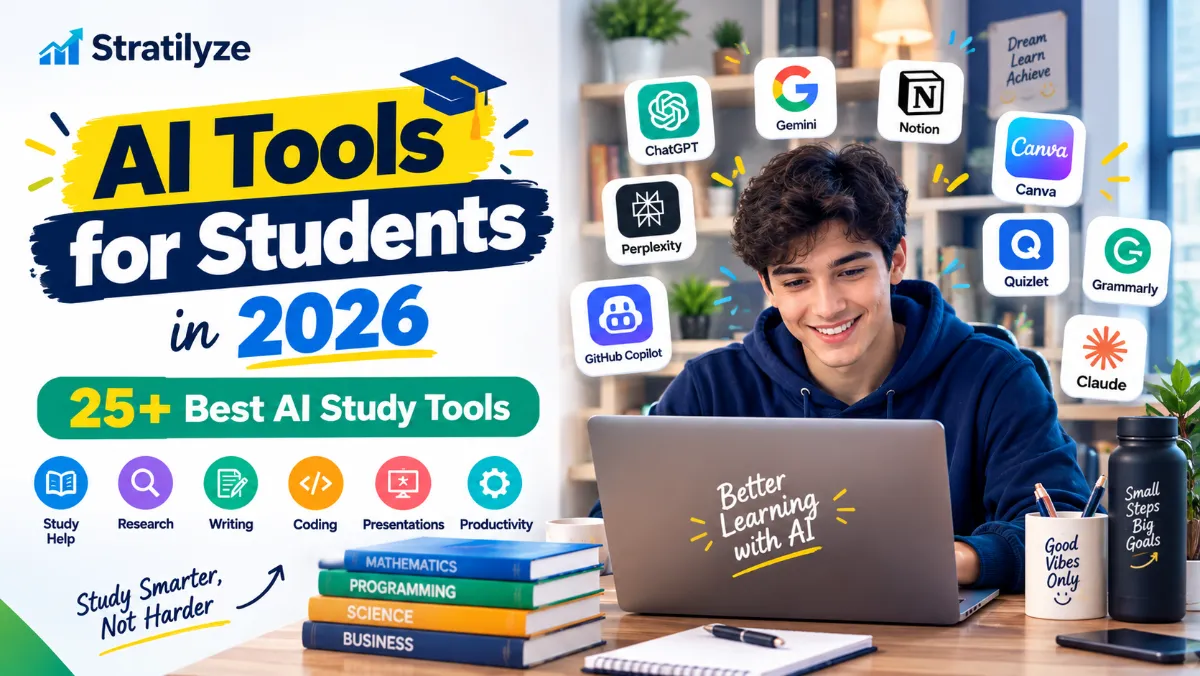
Students today have access to more AI-powered learning tools than ever. From getting help with difficult homework to organizing lecture notes, researching a topic, preparing for exams, improving writing, and learning to code, the right AI tool can make studying more efficient.
But there is a catch.
Not every AI tool is designed for the same job. A general AI chatbot may be excellent for explanations, while another tool may be much better for academic research, mathematics, flashcards, presentations, or coding.
That is why choosing the right tool matters.
In this guide, we cover the best AI tools for students in 2026, including free and paid options for school and college students. You will find tools for studying, research, writing, mathematics, coding, note-taking, presentations, productivity, and exam preparation.
The goal is not to let AI do your schoolwork for you. The goal is to use AI as a learning assistant that helps you understand difficult topics, practice more effectively, and manage your academic workload.
Quick List of the Best AI Tools for Students
Here are some of the most useful options to consider:
| AI Tool | Best For | Free Option |
|---|---|---|
| ChatGPT | Overall studying and tutoring | Yes |
| Gemini | General study assistance | Yes |
| Gemini Notebook | Notes and course materials | Yes |
| Claude | Writing and reasoning | Yes |
| Perplexity | Research | Yes |
| Khanmigo | Guided learning | Varies |
| Quizlet | Flashcards and revision | Yes |
| Grammarly | Writing improvement | Yes |
| QuillBot | Paraphrasing and summarizing | Yes |
| Photomath | Mathematics | Yes |
| Wolfram Alpha | Advanced math and science | Limited |
| GitHub Copilot | Coding | Yes |
| Otter.ai | Lecture transcription | Yes |
| Notion | Notes and organization | Limited |
| Canva | Presentations and visual projects | Yes |
| Gamma | AI presentations | Yes |
| Elicit | Academic research | Yes |
| Consensus | Research discovery | Yes |
| Microsoft Copilot | General productivity | Yes |
| DeepL | Translation | Yes |
| CapCut | Video projects | Yes |
| Microsoft Designer | Graphic design | Yes |
| Suno | Music projects | Yes |
| ElevenLabs | Voice and audio | Limited |
Free features and usage limits can change, so check the current plan before choosing a tool based on a specific feature.
1. ChatGPT – Best Overall AI Tool for Students
Best for: Studying, explanations, practice questions, writing support, brainstorming, and exam preparation.
ChatGPT is one of the most flexible options for students because it can handle many different academic tasks in one place.
One of its most useful features for learning is Study Mode. It is designed to guide students through concepts instead of simply providing a final answer. It can ask questions, break difficult topics into smaller parts, provide step-by-step explanations, create practice questions, and check whether the student understands the material. It can also work with uploaded notes, PDFs, worksheets, slides, and images when those capabilities are available.
Students can use ChatGPT to:
- Understand difficult concepts
- Create study plans
- Generate practice questions
- Prepare for exams
- Review class notes
- Practice mathematics
- Brainstorm essay ideas
- Improve writing
- Learn programming
- Create flashcard-style questions
For example, instead of asking:
“Give me the answer.”
A better prompt would be:
“Explain the concept step by step, then ask me five questions to test whether I understand it.”
This makes AI much more useful as a study partner.
Best for: Almost every type of student.
2. Gemini – Best for Students Using Google
Best for: General study help, explanations, brainstorming, and Google-based workflows.
Gemini is Google’s general-purpose AI assistant and another strong choice for students.
It can help with:
- Concept explanations
- Brainstorming
- Summaries
- Writing
- Study planning
- Research preparation
- Practice questions
Google has also been expanding its education-focused AI features. In 2026, Google announced study notebooks in Gemini that can use uploaded class materials and create personalized learning experiences with lessons and quizzes.
For students already using Google’s ecosystem, Gemini can be a convenient addition to their everyday workflow.
3. Gemini Notebook – Best for Studying Your Own Materials
Best for: Lecture notes, PDFs, readings, study guides, and source-based learning.
If you regularly work with large amounts of course material, Gemini Notebook can be especially useful.
Google renamed NotebookLM to Gemini Notebook in July 2026 while continuing its focus on research and learning.
You can use a notebook-style AI workflow to work with materials such as:
- Lecture notes
- Course readings
- PDFs
- Slides
- Study guides
- Other supported sources
Instead of asking a general chatbot about a topic, you can ask questions about the materials you are actually studying.
For example:
“Create a study guide from these notes and identify the concepts I should review before the exam.”
You can also use it to generate questions and review material in a more structured way.
Best for: College students dealing with large amounts of reading and lecture material.
4. Claude – Best for Writing and Detailed Reasoning
Best for: Writing, reasoning, reading comprehension, and detailed explanations.
Claude is another useful general-purpose AI assistant for students.
It can help with:
- Essay brainstorming
- Outlining
- Reading comprehension
- Summarization
- Draft review
- Programming
- Explaining difficult topics
A good use of Claude is to give it your own draft and ask for feedback on clarity, structure, and reasoning rather than asking it to write the entire assignment for you.
5. Perplexity – Best AI Tool for Research
Best for: Research and finding information.
Perplexity is particularly useful when you want to explore a topic and quickly discover relevant sources.
Students can use it to:
- Explore unfamiliar subjects
- Find potential sources
- Compare information
- Research a topic
- Build a starting point for a research project
- Understand complex subjects
However, AI search tools should be treated as a starting point, not the final authority.
For important academic work, open the original source, read it yourself, and verify the information before using it.
A good research workflow is:
AI search → original source → verify information → cite appropriately
6. Khanmigo – Best for Guided Learning
Best for: Tutoring and guided learning.
Khanmigo is designed around education and guided learning.
Instead of simply producing an answer, tutoring-style AI can encourage students to think through a problem and understand the reasoning behind it.
This can be especially useful when you are stuck on a problem but still want to solve it yourself.
Best for: Students who prefer a tutoring-style experience.
7. Quizlet – Best for Flashcards and Exam Review
Best for: Flashcards, memorization, vocabulary, and revision.
Quizlet is a popular study platform that can help students create and review flashcards and other study materials.
It is particularly useful for subjects where memorization plays a major role.
You can use it for:
- Vocabulary
- Definitions
- Key concepts
- Exam preparation
- Practice questions
- Flashcard review
Combining flashcards with active recall can make revision more effective than simply rereading your notes.
8. Grammarly – Best for Improving Student Writing
Best for: Grammar, clarity, proofreading, and writing feedback.
Grammarly can help students identify common writing problems before submitting an assignment.
It can assist with:
- Grammar
- Spelling
- Sentence clarity
- Word choice
- Tone
- General writing quality
The best approach is to use it as an editor for your own writing.
9. QuillBot – Best for Paraphrasing and Summarizing
Best for: Paraphrasing, summarizing, and writing support.
QuillBot can help students rewrite sentences and improve the clarity of their own drafts.
However, students should understand that paraphrasing does not remove the need for proper citation.
If an idea came from another source, it may still require attribution even after the wording has been changed.
10. Photomath – Best for Math Help
Best for: Mathematics and step-by-step problem solving.
Photomath is designed specifically around mathematics and can be useful when students want to understand how a problem is solved.
It can help with topics such as:
- Algebra
- Geometry
- Trigonometry
- Equations
- Calculus
- Other mathematical problems
The important part is not simply copying the answer. Use the explanation to understand the method, then try a similar problem without assistance.
11. Wolfram Alpha – Best for Advanced Math and Science
Best for: Mathematics, calculations, statistics, and technical subjects.
Wolfram Alpha is different from a typical conversational chatbot.
It is particularly useful for computational questions and mathematical exploration.
Students can use it for:
- Algebra
- Calculus
- Statistics
- Equations
- Mathematical calculations
- Scientific problems
It can also be useful as a verification tool when checking your own calculations.
12. GitHub Copilot – Best AI Coding Tool for Students
Best for: Programming and software development.
Computer science students can use GitHub Copilot as an AI coding assistant.
It can help with:
- Code suggestions
- Debugging
- Explaining code
- Learning programming concepts
- Creating functions
- Understanding unfamiliar code
Verified students can currently receive free access to Copilot through GitHub Education. GitHub states that students must be verified and that eligibility is reevaluated periodically.
The most effective way to use a coding assistant is to understand the code it generates.
If an AI writes a function for you, ask it to explain each part and then try modifying the function yourself.
13. Otter.ai – Best for Lecture Transcription
Best for: Transcription, lecture notes, meetings, and interviews.
Students who struggle to keep up with lectures may find transcription tools useful.
Otter.ai can help create searchable text from supported recordings, making it easier to review material later.
Potential uses include:
- Lecture review
- Meeting notes
- Interview transcription
- Searching through recorded material
Always check your school’s rules and obtain appropriate permission before recording a class or another person’s conversation.
14. Notion – Best for Student Organization
Best for: Notes, schedules, projects, and organization.
Notion can serve as a central workspace for academic life.
You can organize:
- Class notes
- Assignments
- Deadlines
- Reading lists
- Projects
- Research
- Study schedules
Its AI features can also help students summarize and organize information.
For students who struggle with scattered notes and deadlines, organization can make a bigger difference than adding another AI chatbot.
15. Canva – Best for Student Presentations
Best for: Presentations, posters, infographics, and visual assignments.
Canva is useful for students who need to create visual projects without advanced graphic design skills.
It can help with:
- Presentations
- Infographics
- Posters
- Class projects
- Visual summaries
AI-assisted design can speed up the creation process, but students should still verify facts, sources, images, and other academic requirements.
16. Gamma – Best for Creating Presentations
Best for: Presentation drafts and visual storytelling.
Gamma can help turn an idea or outline into a presentation-style document.
Students can use it as a starting point for:
- Class presentations
- Project summaries
- Visual reports
- Presentation outlines
Always review the generated material before presenting it.
17. Elicit – Best for Academic Research
Best for: Finding and analyzing academic research.
Elicit is designed around research workflows and can be useful for students working on research-heavy assignments.
It can help with:
- Finding relevant papers
- Exploring literature
- Organizing research
- Comparing findings
- Developing research questions
When using academic research tools, always review the original paper before relying on an AI-generated summary.
18. Consensus – Best for Research Questions
Best for: Exploring academic questions and research findings.
Consensus focuses on research literature and can help students investigate questions using academic papers.
It can be useful when:
- Starting a research project
- Exploring evidence
- Comparing research findings
- Understanding a research topic
As with other AI research tools, the original studies should remain the final reference for important academic claims.
19. Microsoft Copilot – Best for General Productivity
Best for: General AI assistance and Microsoft users.
Microsoft Copilot can help students with:
- Brainstorming
- Writing
- Explanations
- Planning
- Research
- General productivity
Students already using Microsoft products may find it convenient to have an AI assistant within the same broader ecosystem.
20. DeepL – Best for Translation
Best for: Translation and multilingual study.
Students learning another language can use DeepL to understand unfamiliar text and compare translations.
It can also be useful when working with sources in another language.
However, students should use translation tools as a learning aid rather than relying on them blindly. Comparing the original sentence with the translation can help improve vocabulary and language understanding.
21. CapCut – Best for Student Video Projects
Best for: Video editing and multimedia assignments.
Students increasingly create video presentations, digital projects, and other multimedia assignments.
CapCut can help with:
- Video editing
- Captions
- Audio
- Visual effects
- Short videos
- Educational projects
It is particularly useful for students who want a simpler alternative to more advanced video-editing software.
22. Microsoft Designer – Best for Quick Visual Projects
Best for: Graphic design and AI-assisted visuals.
Microsoft Designer can help students create visual material without extensive design experience.
It can be useful for:
- Posters
- Presentation graphics
- Project visuals
- Simple promotional graphics
23. Suno – Best for Student Music Projects
Best for: AI-generated music and creative projects.
Students working on multimedia or creative projects may find AI music tools useful for experimentation.
Possible uses include:
- Creative projects
- Video background music
- Music experiments
- Multimedia assignments
Before using generated music publicly or commercially, check the applicable licensing terms.
24. ElevenLabs – Best for Voice and Audio Projects
Best for: AI voice and audio projects.
Students working on multimedia assignments can use AI voice tools for projects such as:
- Narrated presentations
- Educational videos
- Audio projects
- Creative prototypes
Be careful when using voice cloning or voices that imitate real people. Appropriate permission may be required.
Best AI Tools for Students by Use Case
Choosing a tool becomes easier when you start with the task you need to complete.
| What You Need | Recommended Tool |
|---|---|
| General study help | ChatGPT |
| Guided learning | ChatGPT Study Mode |
| Course notes and PDFs | Gemini Notebook |
| Research discovery | Perplexity |
| Academic research | Elicit |
| Research evidence | Consensus |
| Writing improvement | Grammarly |
| Paraphrasing | QuillBot |
| Math practice | Photomath |
| Advanced calculations | Wolfram Alpha |
| Flashcards | Quizlet |
| Coding | GitHub Copilot |
| Lecture transcription | Otter.ai |
| Notes and organization | Notion |
| Presentations | Canva |
| AI presentations | Gamma |
| Translation | DeepL |
| Video projects | CapCut |
| Voice projects | ElevenLabs |
| Music projects | Suno |
How Students Can Use AI for Studying
The most effective use of AI is not asking it to finish an assignment. It is using it to make your study process more interactive.
For example, you can ask an AI tutor to:
- Explain a difficult concept in simple language.
- Give you an example.
- Ask you a question.
- Wait for your answer.
- Point out what you misunderstood.
- Give you another problem.
- Increase the difficulty as you improve.
This creates a much more active learning experience.
ChatGPT Study Mode is built around this type of interaction. It can ask questions, explain ideas in stages, work through practice problems, create quizzes, and use uploaded study materials when available.
How to Use AI for Exam Preparation
AI can be particularly useful during exam preparation when it is combined with active recall.
Start by collecting your:
- Class notes
- Lecture slides
- Reading materials
- Previous practice questions
- Study guides
Then create a study plan.
For example:
Day 1
Review the major concepts.
Day 2
Practice questions and identify weak areas.
Day 3
Focus on difficult topics.
Day 4
Take a practice test.
Day 5
Review mistakes and repeat difficult questions.
Instead of repeatedly asking an AI to summarize the material, ask it to test you on the material.
That forces you to retrieve information from memory and makes the study session more active.
How Students Can Use AI for Research
Research is another area where AI can save time, but accuracy matters.
A good workflow looks like this:
Step 1: Define your research question.
Step 2: Use an AI research tool to discover relevant sources.
Step 3: Open the original sources.
Step 4: Read the relevant sections yourself.
Step 5: Compare multiple sources.
Step 6: Take your own notes.
Step 7: Cite the original sources according to your instructor’s requirements.
Never assume that an AI-generated citation is automatically correct.
How Students Can Use AI for Writing
AI can be useful throughout the writing process without replacing the student’s own work.
You can use AI to:
- Brainstorm topics
- Create an outline
- Identify weak arguments
- Improve sentence clarity
- Check grammar
- Suggest questions your essay should answer
- Review your draft
For example:
“Here is my essay outline. Identify gaps in my argument and suggest questions I should answer.”
This is generally more useful for learning than:
“Write my essay for me.”
If your school or instructor restricts AI-generated writing, follow those rules.
How Students Can Use AI for Coding
Programming students can use AI coding assistants as learning tools.
Instead of asking:
“Write the entire project.”
Try:
“Explain how I should approach this problem. Give me a small example, then let me implement the solution.”
You can also paste your own code and ask:
“Find the bug and explain why it happens without rewriting the entire program.”
This helps develop actual programming skills.
Are AI Tools for Students Free?
Some are free, while others offer a free tier with usage limits.
You will generally encounter four types of pricing:
Free tools
The main features are available without payment.
Free tiers
Basic access is available, but advanced features or higher usage limits require payment.
Student plans
Some companies offer special benefits to verified students.
For example, GitHub provides eligible verified students with access to Copilot through GitHub Education.
Paid subscriptions
Paid plans may provide:
- Higher limits
- More advanced models
- Additional features
- Larger file limits
- More research capabilities
Because AI pricing changes frequently, always check the provider’s current plan before making a decision.
What Is the Best Free AI Tool for Students?
There is no single tool that is best for every student.
Your ideal choice depends on what you study.
Best overall
ChatGPT
A versatile option for explanations, tutoring, practice, writing support, and general study.
Best for course materials
Gemini Notebook
Useful for working with notes and other study materials.
Best for research
Perplexity
Useful for exploring topics and discovering sources.
Best for flashcards
Quizlet
Useful for memorization and revision.
Best for mathematics
Photomath
Useful for understanding mathematical solutions.
Best for coding
GitHub Copilot
A strong option for programming students, especially verified students who qualify through GitHub Education.
AI Tools for College Students
College students often have to balance several types of work at the same time.
A practical toolkit could include:
ChatGPT for tutoring and explanations.
Gemini Notebook for course materials.
Perplexity for research discovery.
Grammarly for writing feedback.
Quizlet for revision.
GitHub Copilot for programming.
Canva or Gamma for presentations.
You do not need all of them.
Start with the tools that solve your biggest academic problems.
AI Tools for High School Students
High school students can also benefit from AI, especially for studying and practice.
Useful categories include:
- AI tutoring
- Math assistance
- Flashcards
- Vocabulary practice
- Writing feedback
- Study planning
- Research assistance
However, younger students and their parents should pay close attention to age requirements, privacy settings, and school policies.
Are AI Tools Allowed in School and College?
There is no universal answer.
AI policies vary between schools, colleges, instructors, courses, and individual assignments.
An instructor may allow AI for:
- Brainstorming
- Studying
- Practice questions
- Grammar checking
- Research discovery
Another instructor may prohibit AI-generated content completely.
Always read the assignment instructions before using AI.
ChatGPT’s official guidance also recommends following the AI-use policies established by your school, instructor, or organization when using Study Mode for graded work.
How to Use AI Without Cheating
A simple rule is:
Use AI to strengthen your understanding, not to hide a lack of understanding.
Good uses include:
- Asking for explanations
- Getting hints
- Creating practice questions
- Reviewing your own draft
- Checking your reasoning
- Building a study plan
- Exploring research topics
Riskier uses include:
- Submitting AI-generated essays as your own
- Having AI complete an assignment that prohibits AI assistance
- Using AI during a restricted exam
- Copying answers without understanding them
- Using fabricated citations
Your school’s academic-integrity policy should always take priority.
Are AI Study Tools Accurate?
Not always.
Even advanced AI systems can make mistakes, misunderstand questions, or provide outdated information.
This is particularly important for:
- Academic research
- Scientific information
- Statistics
- Historical facts
- Citations
- Mathematical calculations
- Assignment requirements
For important academic work, verify the information using your textbook, instructor, official documentation, or original research.
ChatGPT’s own Study Mode documentation notes that it can make mistakes and recommends double-checking important information.
Are AI Tools Safe for Students?
Students should think carefully about privacy before uploading information to any AI service.
Avoid sharing unnecessary:
- Passwords
- Financial information
- Personal identification information
- Confidential school documents
- Private information about other people
Also check the privacy policy and account settings of the tool you are using.
If your school provides an institution-managed AI service, understand how your school’s policies apply to that account.
The Best AI Study Stack for Most Students
You do not need dozens of AI subscriptions.
A simple setup can be enough.
For general studying
ChatGPT + Gemini
Use them for explanations, brainstorming, practice, and study planning.
For course materials
Gemini Notebook
Use it to work through notes and other source materials.
For research
Perplexity + Elicit
Use AI to discover information and academic literature, then verify the original sources.
For writing
Grammarly + QuillBot
Use them to review and improve your own writing.
For mathematics
Photomath + Wolfram Alpha
Use them to work through and verify mathematical problems.
For programming
GitHub Copilot
Use it as a coding assistant while making sure you understand the code.
For presentations
Canva + Gamma
Use them to create and refine visual presentations.
The best setup is the one that fits your actual study habits.
Frequently Asked Questions
What is the best AI tool for students in 2026?
ChatGPT is one of the strongest all-purpose options for students because it can support tutoring, explanations, practice, writing, brainstorming, and exam preparation. Gemini Notebook is particularly useful for working with personal course materials, while Perplexity is useful for research discovery.
What is the best free AI tool for students?
There is no single best free option for everyone. ChatGPT, Gemini, Gemini Notebook, Perplexity, Quizlet, Grammarly, and several other platforms provide free access or free tiers. The best choice depends on your study needs and the current limits of each service.
Can students use ChatGPT for studying?
Yes. ChatGPT’s Study Mode is designed to help students understand concepts, work through problems, review materials, create practice questions, and prepare for tests.
What is the best AI tool for research papers?
Perplexity can be useful for discovering information, while Elicit and Consensus are designed around academic research. Students should always verify important claims against the original research.
What is the best AI tool for math?
Photomath and Wolfram Alpha are strong choices for mathematics. General AI assistants can also explain concepts and work through problems step by step.
What is the best AI coding tool for students?
GitHub Copilot is a strong option for programming students. Verified students can currently access Copilot through GitHub Education.
Can AI replace studying?
No. AI can make studying more efficient, but students still need to read, practice, recall information, solve problems, and develop their own understanding.
Are AI tools allowed in college?
It depends on the school, instructor, course, and assignment. Always follow the applicable academic-integrity and AI-use rules.
Should students pay for AI tools?
Not necessarily. Many students can accomplish a lot using free plans. Paid plans become more useful when you need higher usage limits or advanced features.
Final Verdict
The best AI tools for students are not necessarily the ones with the most features.
The right choice depends on what you are trying to accomplish.
For general studying, ChatGPT is a strong starting point.
For working with your own course materials, Gemini Notebook can be especially useful.
For research discovery, Perplexity is worth considering.
For revision, Quizlet can help with flashcards and practice.
For writing, Grammarly and QuillBot can help improve your own drafts.
For mathematics, Photomath and Wolfram Alpha are useful options.
For programming, GitHub Copilot can make a valuable coding assistant.
And for presentations, Canva and Gamma can speed up the design process.
But the most important point is how you use these tools.
Don’t use AI simply to get an answer faster. Use it to ask better questions, practice difficult concepts, identify your weaknesses, and understand the material well enough to solve problems without assistance.
The best AI study tool is ultimately the one that helps you become a better learner, not the one that does the most work for you.
For more practical comparisons, software recommendations and AI guides, explore the other AI and software resources on Stratilyze.
4 thoughts on “AI Tools for Students in 2026 | 25+ Best AI Study Tools”