
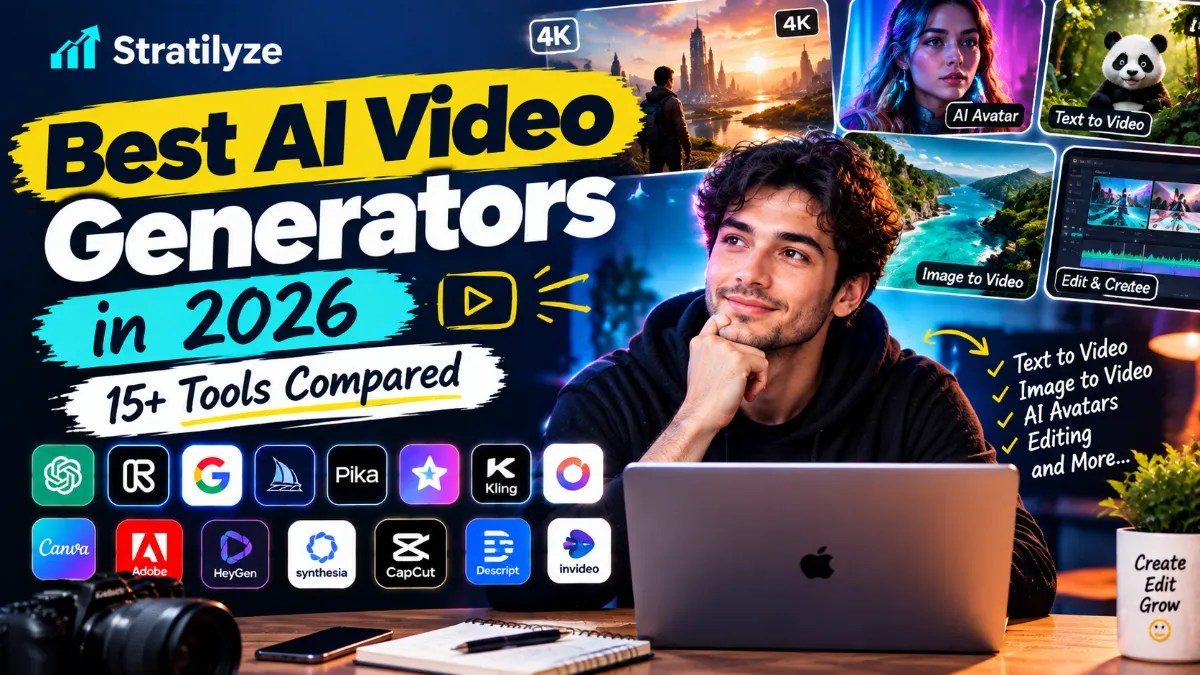
AI video generation has changed quickly in 2026. What used to be limited to short experimental clips can now cover cinematic scenes, product videos, social content, talking avatars, visual effects, image-to-video workflows and even clips with synchronized audio.
That does not mean every AI video generator is equally good.
Some tools are designed for cinematic text-to-video generation. Others are better for turning a script into a complete video. Some focus on AI avatars, while others are built around creative control, reference images, editing or social media content.
So the real question is not simply “What is the best AI video generator?”
It is:
Which AI video generator is best for the type of video you want to create?
This guide compares more than 15 of the leading AI video tools available in 2026, including Google Veo, Runway, Kling, Seedance, Luma, Pika, Hailuo, Vidu, Krea, Adobe Firefly, HeyGen, Synthesia and more.
Important 2026 update: OpenAI’s Sora product is no longer available as a standalone product. OpenAI says the Sora product became unavailable on April 26, 2026, and its Sora 2 API is scheduled to shut down on September 24, 2026. Therefore, Sora is not included as a current recommendation in this list.
Best AI Video Generators in 2026 at a Glance
| AI Video Generator | Best For | Main Strength |
|---|---|---|
| Google Veo 3.1 | Cinematic videos | Realism, audio and creative control |
| Runway Gen-4.5 | Professional creators | Control and visual production |
| Kling 3.0 | Narrative video | Consistency and multimodal generation |
| Seedance 2.5 | Storytelling | Longer clips and reference control |
| Luma AI | Cinematic creation | Motion, consistency and creative control |
| Pika 2.5 | Social content | Fast creative effects |
| Hailuo / MiniMax H3 | Creative video | Multimodal generation and motion |
| Vidu Q3 | Story-driven clips | Native audio and camera control |
| Krea | Multi-model workflows | Access to multiple video models |
| Adobe Firefly | Commercial creative work | AI generation and editing |
| HeyGen | AI avatars | Presenter and talking-head videos |
| Synthesia | Business videos | Professional AI presenters |
| InVideo AI | Complete videos from prompts | Script-to-video workflow |
| Descript | AI video + editing | Generation and text-based editing |
| Higgsfield | Social and cinematic content | Creative camera workflows |
| LTX Studio | Story development | Pre-production and AI filmmaking |
There is no single winner for every creator.
For cinematic generation, Google Veo 3.1 and Runway deserve serious consideration. For narrative consistency, Kling and Seedance are strong options. For AI presenters, HeyGen and Synthesia are more suitable. And for creators who want an easier all-in-one workflow, InVideo AI, Descript or Krea may make more sense.
1. Google Veo 3.1 – Best for Cinematic AI Video
If your priority is realistic, cinematic AI-generated footage, Veo 3.1 is one of the most important tools to consider in 2026.
Google describes Veo 3.1 as its leading video generation model, with text-to-video, image-to-video, reference-image workflows, camera controls, scene extension and native audio capabilities. It can also generate video at 1080p and 4K in supported workflows.
Why creators may like Veo 3.1
- Strong visual realism
- Text-to-video generation
- Image-to-video
- Native audio generation
- Camera controls
- Reference images
- First and last frame workflows
- Object insertion
- Scene extension
- 1080p and 4K options
The native audio capability is particularly interesting because it can reduce the need to create the visual and sound separately.
Best for
- Cinematic clips
- Storytelling
- Advertising concepts
- Product videos
- Social content
- Short films
- Visual experiments
Verdict: One of the strongest options when realism, audio and creative control matter.
2. Runway Gen-4.5 – Best for Creative Control
Runway has been one of the major names in generative video for years, and Gen-4.5 remains a serious option for creators who want more control over their footage.
Runway’s documentation says Gen-4.5 supports both text-to-video and image-to-video generation. It supports clips from 2 to 10 seconds and multiple aspect ratios, including vertical formats.
Runway is particularly interesting because it is not just about generating a clip and stopping there. The platform also provides creative workflows for continuing, modifying and editing generated content.
Best features
- Text-to-video
- Image-to-video
- Detailed prompting
- Camera choreography
- Multiple aspect ratios
- Creative editing workflows
- Professional-oriented tools
Best for
- Filmmakers
- Video creators
- Advertisers
- Visual effects
- Short films
- Creative experimentation
Verdict: A strong choice if you want AI generation combined with a broader creative production workflow.
3. Kling 3.0 – Best for Narrative Consistency
Kling 3.0 is one of the major AI video platforms to watch in 2026.
Kuaishou announced Kling 3.0 with stronger consistency, improved photorealistic generation, longer video duration and native audio. The model family supports text-to-video, image-to-video, reference-to-video and video editing within a multimodal workflow.
The current Kling platform also promotes its 3.0 series as a unified multimodal video engine with narrative control and native audio.
Best for
- Narrative videos
- Character-driven scenes
- Product advertising
- Storytelling
- Cinematic social content
- Multi-scene concepts
Verdict: A particularly interesting choice for creators who care about consistency and storytelling rather than just generating isolated clips.
4. Seedance 2.5 – Best for Longer AI Video Scenes
Seedance 2.5 is one of the newer models that has pushed AI video toward longer and more complete scenes.
ByteDance’s Seed team says Seedance 2.5 can generate up to 30 seconds of audio-video content in one generation and supports multiple rounds of extension. It also provides reference-based generation and editing capabilities.
That makes it interesting for creators who want more than a five-second visual experiment.
Useful for
- Short stories
- Product videos
- Brand storytelling
- Social videos
- Advertising
- Cinematic concepts
- Multi-shot sequences
Verdict: A strong option when longer scenes and reference control are important.
5. Luma AI – Best for Creative Motion and Control
Luma’s video generation platform has evolved significantly, with its newer Ray models focusing on motion, consistency and creative control.
Luma’s current information identifies Ray3.2 as its current video model, while the Ray family supports video generation and creative workflows inside the Luma ecosystem.
Earlier Ray3 updates also introduced advanced features such as character references, keyframes, video modification and more controlled transformations.
Best for
- Cinematic scenes
- Image-to-video
- Character consistency
- Video modification
- Creative experimentation
- Visual storytelling
Verdict: Worth considering if you want a flexible creative environment rather than a basic prompt-to-video generator.
Pika takes a slightly different approach from some of the cinematic-first platforms.
It focuses heavily on creative effects and social-friendly video creation.
Its current platform includes Pika 2.5, Pikaframes, Pikascenes, Pikadditions, Pikaswaps, Pikatwists and Pikaformance. Pika’s pricing page also lists text-to-video and image-to-video workflows in several resolutions and durations.
Pikaformance can also animate images with synchronized audio, allowing images to sing, speak or perform.
Best for
- TikTok
- Instagram Reels
- YouTube Shorts
- Memes
- Creative effects
- Quick experiments
- Image animation
Verdict: A good choice when you want entertaining and social-friendly AI video rather than traditional filmmaking.
7. Hailuo AI / MiniMax – Best for Multimodal Video Creation
Hailuo is part of MiniMax’s growing generative AI ecosystem.
MiniMax’s H3 model, launched in July 2026, supports text, images, video and audio as part of a unified multimodal generation system. MiniMax says H3 can generate video with native stereo sound, up to 15 seconds at 2K resolution.
This makes the platform particularly interesting for creators who want video generation to include more than just visuals.
Best for
- Creative video
- Advertising
- Product concepts
- Branding
- E-commerce
- Visual effects
- Multimodal workflows
Verdict: A strong option for creators who want a flexible multimodal generation platform.
8. Vidu Q3 – Best for Video With Native Audio
Vidu Q3 focuses heavily on combining video and sound in a single generation.
The current Vidu Q3 platform supports native audio-video output, including dialogue, voiceover, sound effects and music. It can generate up to 16 seconds in one generation and provides camera and pacing controls.
Best for
- Short films
- Comic-style stories
- Dialogue scenes
- Narrative ads
- Social videos
- Short-form storytelling
Vidu also offers different Q3 variants for general, drama and advertising workflows.
Verdict: Particularly interesting when synchronized audio is an important part of the final video.
9. Krea – Best for Accessing Multiple AI Video Models
Krea is different from a platform built around a single proprietary video model.
Its AI video generator gives users access to multiple models, including Veo 3.1, Kling 3.0, Seedance 2.5 and Runway Gen-4.5.
That can be useful because different models have different strengths.
Instead of opening multiple platforms, a creator can compare generations within a broader creative workspace.
Best for
- Comparing models
- Experimenting with styles
- Image-to-video
- Creative workflows
- Rapid iteration
Verdict: One of the more interesting options if you want access to multiple AI video models instead of committing to only one.
10. Adobe Firefly – Best for Adobe Creative Workflows
Adobe Firefly is particularly attractive to creators already working inside Adobe’s ecosystem.
Adobe has expanded Firefly into an all-in-one creative AI environment that combines video, image generation and editing. Its 2026 updates also added access to multiple third-party models alongside Adobe’s own models.
Firefly’s video tools can generate video from text prompts and keyframe images, and Adobe has also added video editing workflows directly inside Firefly.
Best for
- Designers
- Marketing teams
- Adobe users
- Brand content
- Product visuals
- Commercial creative workflows
Verdict: One of the better choices when AI generation needs to fit into a broader professional design workflow.
11. HeyGen – Best for AI Avatar Videos
Not every AI video creator wants cinematic footage.
Sometimes you simply need a person on screen explaining something.
That’s where HeyGen fits.
HeyGen focuses heavily on AI avatars and presenter-style videos. Its current platform supports a large avatar library, personalized avatars and multilingual video creation. HeyGen’s latest 2026 information advertises support across 177+ languages and dialects.
Best for
- YouTube explainers
- Tutorials
- Marketing videos
- Product demonstrations
- Training videos
- Multilingual content
- Presenter videos
Verdict: One of the strongest options if your content needs an AI presenter rather than cinematic generated footage.
12. Synthesia – Best for Business and Training Videos
Synthesia is another major AI avatar platform, but it is particularly focused on business and professional communication.
Its platform offers AI presenters and supports many languages. Synthesia’s own 2026 comparison of AI video generators places it among the leading options for professional video creation.
Best for
- Training
- Corporate communication
- Tutorials
- Internal company videos
- Educational content
- Product demonstrations
Verdict: Better suited to structured business content than cinematic storytelling.
13. InVideo AI – Best for Complete Videos From Prompts
InVideo AI is aimed at creators who want to go from an idea or script to a more complete video.
Instead of generating only a short cinematic clip, the platform can be used for larger video projects involving scripts, visuals, voiceovers and editing.
That makes it particularly useful for creators who want to produce content quickly without learning a professional video editor first.
Best for
- YouTube videos
- Explainer videos
- Social media
- Marketing videos
- Faceless content
- Beginner-friendly workflows
InVideo’s current 2026 material also highlights workflows that bring multiple AI video models into one environment.
Verdict: A practical choice for creators who want a complete video-production workflow rather than isolated generated footage.
14. Descript – Best for AI Video Generation Plus Editing
Descript is especially useful because it combines AI generation with a full editing workflow.
Its AI video tools can generate videos, B-roll, Shorts, title cards and scene elements. Descript also allows creators to work with different video-generation models inside the platform.
The bigger advantage is what happens after generation.
You can continue editing the content rather than exporting the AI output to another application immediately.
Best for
- YouTubers
- Podcasters
- Talking-head creators
- Educational content
- AI-generated B-roll
- Video editing
Verdict: One of the better options if you want generation and editing in the same workflow.
Higgsfield focuses heavily on cinematic and social video creation.
The platform is designed around workflows that help creators turn simple ideas into more polished visual content. Its current ecosystem includes tools such as Cinema Studio, Soul ID and other creative workflows.
Higgsfield has also been highlighted for social video workflows, including product advertising and creator-focused video production.
Best for
- Social videos
- Product ads
- Cinematic concepts
- Short-form content
- Creative advertising
Verdict: Worth exploring if your main goal is visually strong social and advertising content.
16. LTX Studio – Best for AI-Assisted Filmmaking
LTX Studio takes a different approach from simple text-to-video tools.
Instead of focusing only on generating individual clips, the platform is designed around the broader filmmaking process.
It can help creators think about:
- Story concepts
- Scenes
- Characters
- Shots
- Storyboards
- Visual planning
- Video generation
That makes it more interesting for creators working on structured stories rather than one-off social clips.
Best for: Filmmakers, storytellers and creators planning multi-scene projects.
Which AI Video Generator Is Best for You?
The answer depends heavily on what you’re creating.
Best AI Video Generator for YouTube
For YouTube creators, a combination can work better than relying on one tool.
Good starting stack:
ChatGPT + Veo/Runway + Descript + Canva
Use AI for:
- Topic ideas
- Scripts
- Generated footage
- B-roll
- Editing
- Thumbnails
You can also use your existing Best AI Tools for Content Creators guide as a broader reference for building a creator workflow.
Best AI Video Generator for TikTok and Reels
For short-form social content, look at:
- Pika
- Kling
- Higgsfield
- CapCut
- Vidu
The priority here is usually speed, vertical video, visual hooks and repeatable production rather than long cinematic sequences.
Best AI Video Generator for Cinematic Videos
Start with:
- Google Veo 3.1
- Runway Gen-4.5
- Kling 3.0
- Seedance 2.5
- Luma
These platforms are better suited to creators who care about visual quality, motion, camera control and storytelling.
Best AI Video Generator for AI Avatars
If you want a presenter rather than generated cinematic footage:
HeyGen and Synthesia should be near the top of your list.
They are designed around scripted presenter videos rather than simply generating fictional scenes.
Best AI Video Generator for Beginners
For beginners, I would look first at:
- InVideo AI
- Canva
- Descript
- HeyGen
- Pika
These tools can reduce the technical complexity involved in creating a complete video.
AI Video Generator vs AI Video Editor
This distinction is important.
An AI video generator creates new footage.
An AI video editor helps you work with existing footage.
For example:
AI video generator
You write:
“A cinematic drone shot flying over a futuristic coastal city at sunset.”
The AI creates the footage.
AI video editor
You upload your existing YouTube video.
The tool can help:
- Remove silence
- Add captions
- Reframe the video
- Find highlights
- Clean audio
- Create Shorts
Tools such as Descript can combine both types of workflows, which is one reason all-in-one platforms are becoming more useful for creators.
Text-to-Video vs Image-to-Video
There are two workflows you will see repeatedly when comparing AI video generators.
Text-to-Video
You describe the entire scene with a prompt.
For example:
“A small coffee shop beside a rainy Tokyo street at night, cinematic lighting, slow camera movement.”
The AI creates the video from the description.
This is useful for:
- Concept videos
- B-roll
- Fiction
- Advertising
- Visual experiments
Image-to-Video
You provide an image and ask the AI to animate it.
For example, you generate a product image first and then turn it into a short product video.
This can provide more control over the starting appearance.
Veo, Runway, Kling, Luma, Pika and other platforms support image-based video workflows, although the exact controls and limits vary by tool.
What Makes a Good AI Video Generator?
Don’t judge a tool only by its demo videos.
When choosing an AI video generator, look at these factors.
1. Motion quality
Does movement look natural?
Pay particular attention to:
- Hands
- Faces
- Walking
- Sports
- Vehicles
- Water
- Hair
- Complex interactions
2. Prompt adherence
A beautiful video is not useful if it ignores half of your instructions.
A strong model should understand:
- Subject
- Location
- Camera movement
- Lighting
- Style
- Action
- Timing
3. Character consistency
If you’re creating a story, the same character should remain recognizable between shots.
This becomes increasingly important for:
- Short films
- Series
- Storytelling
- Brand characters
4. Audio
Native audio is becoming a major differentiator.
Veo 3.1, Kling 3.0, Seedance 2.5 and Vidu Q3 all highlight audio-video capabilities in different ways.
5. Editing control
Generation is only the first step.
You may also need:
- Camera controls
- Keyframes
- Scene extension
- Object replacement
- Video-to-video
- Timeline editing
6. Cost
AI video can become expensive quickly because video generation consumes considerably more compute than simple text generation.
Before paying, check:
- Monthly credits
- Generation limits
- Resolution
- Watermarks
- Commercial usage
- Extra-credit pricing
- Video duration
- Model availability
Free AI Video Generators in 2026
Several AI video platforms offer free access or free credits, but “free” does not necessarily mean unlimited.
Depending on the platform, free users may encounter:
- Credit limits
- Watermarks
- Lower resolution
- Slower generation
- Limited models
- Shorter videos
- Commercial-use restrictions
Pika, Krea, InVideo and other platforms currently advertise free access or free functionality, but their exact limits can change over time.
For serious production, always check the current plan details before choosing a tool based on price alone.
How to Choose the Right AI Video Generator
Instead of asking which tool is “number one,” ask these five questions.
Do I need realistic cinematic footage?
Start with:
Veo 3.1, Runway, Kling or Seedance
Do I need an AI presenter?
Look at:
HeyGen or Synthesia
Try:
Pika or Higgsfield
Do I want to turn a script into a complete video?
Consider:
InVideo AI or Descript
Do I want to compare multiple models?
Try:
Krea
This approach is much more useful than choosing a tool simply because it appears at the top of a generic ranking.
The Best AI Video Workflow in 2026
For many creators, the best workflow is not:
One AI tool → Finished video
A better process is:
1. Idea
Start with your concept and audience.
2. Script
Develop the story, hook or message.
3. Visual planning
Decide what should be filmed, generated or edited.
4. AI generation
Use the right video model for each scene.
5. Editing
Combine generated footage with real footage, captions, music and graphics.
6. Review
Check:
- Facts
- Faces
- Hands
- Text
- Brand details
- Audio
- Continuity
7. Publish
Export the correct format for:
- YouTube
- Shorts
- TikTok
- Websites
8. Repurpose
Turn one video into multiple pieces of content.
This is where AI video tools become much more valuable.
Should You Use Multiple AI Video Generators?
Yes, if each one solves a different problem.
You don’t necessarily need to subscribe to five platforms.
For example, you could use:
Veo 3.1 for a cinematic hero shot
Kling for a character scene
Pika for a social effect
HeyGen for a presenter
Descript for final editing
This type of workflow can be more effective than trying to force one model to handle every task.
Platforms such as Krea are also making this easier by putting multiple video models into one workspace.
What About Sora in 2026?
This is worth clarifying because many older AI video lists still include Sora.
OpenAI launched Sora 2 in 2025 with improved video realism, physics, controllability and synchronized audio. However, OpenAI now states that the Sora product is no longer available as of April 26, 2026. OpenAI’s developer community also states that the Sora 2 Videos API is scheduled to shut down on September 24, 2026.
Therefore, Sora should not be presented as a currently available primary recommendation in a September 2026 AI video guide.
This is an important difference between an up-to-date article and an older AI tool roundup.
Are AI Video Generators Good Enough for Professional Content?
For many use cases, yes.
But they are not equally reliable for every type of production.
AI-generated footage can still require human review for:
- Continuity
- Text
- Hands
- Product accuracy
- Brand identity
- Facial details
- Physics
- Timing
- Dialogue
- Story structure
The best results usually come when AI handles parts of the production process while the creator remains responsible for the final creative decisions.
That is especially important for commercial content.
AI Video Generators for Different Types of Creators
| Creator Type | Recommended Tools |
|---|---|
| YouTubers | Runway, Veo, Descript, InVideo |
| TikTok creators | Pika, Kling, Higgsfield |
| Instagram creators | Pika, Kling, Canva workflows |
| Filmmakers | Veo, Runway, Seedance, Luma |
| Storytellers | Kling, Seedance, Vidu |
| Marketers | Firefly, Veo, InVideo, HeyGen |
| Product marketers | Firefly, Kling, Runway |
| Faceless channels | InVideo, Descript, HeyGen |
| Educators | HeyGen, Synthesia, InVideo |
| Corporate teams | Synthesia, HeyGen, Firefly |
| Social media teams | Pika, Higgsfield, InVideo |
| Experimental creators | Krea, Pika, Luma |
How AI Video Fits Into a Larger Creator Workflow
AI video is only one part of modern content production.
If you’re also working with images, writing and other creator workflows, these Stratilyze guides can help:
- Best AI Tools for Content Creators – broader AI tools for creators
- Best AI Image Generators – image generation and creative visuals
- Best Free AI Writing Tools – writing, rewriting and editing
- Best Free AI Tools – broader free AI tools
- Canva vs Adobe Express – useful for visual content workflows
Final Verdict
The best AI video generator in 2026 depends on what you are trying to create.
For cinematic realism and integrated audio, Google Veo 3.1 is one of the strongest options to consider. Google has continued adding reference-based workflows, camera controls, scene extension and higher-resolution output.
For professional creative control, Runway Gen-4.5 is a strong choice.
For narrative consistency and multimodal generation, Kling 3.0 stands out.
For longer generated scenes and reference-driven storytelling, Seedance 2.5 is worth considering.
Luma AI is a strong option for creative control and video modification, while Pika is particularly useful for social content and creative effects.
For native audio-video generation, Vidu Q3 and several newer models are making the workflow increasingly complete.
For creators who want several models in one place, Krea offers a particularly interesting approach.
For professional creative teams, Adobe Firefly provides a broader ecosystem around generation and editing.
And if your goal is not cinematic footage but a person presenting information, HeyGen and Synthesia are much better fits.
The biggest lesson is simple:
Don’t choose an AI video generator because it is called the “best.” Choose it because it matches the type of video you actually want to produce.
In 2026, the strongest creator workflow is often a combination of AI generation, human direction and proper editing rather than relying on one tool to do everything.
AI can make video production faster.
Your creative direction is still what makes the video worth watching.