
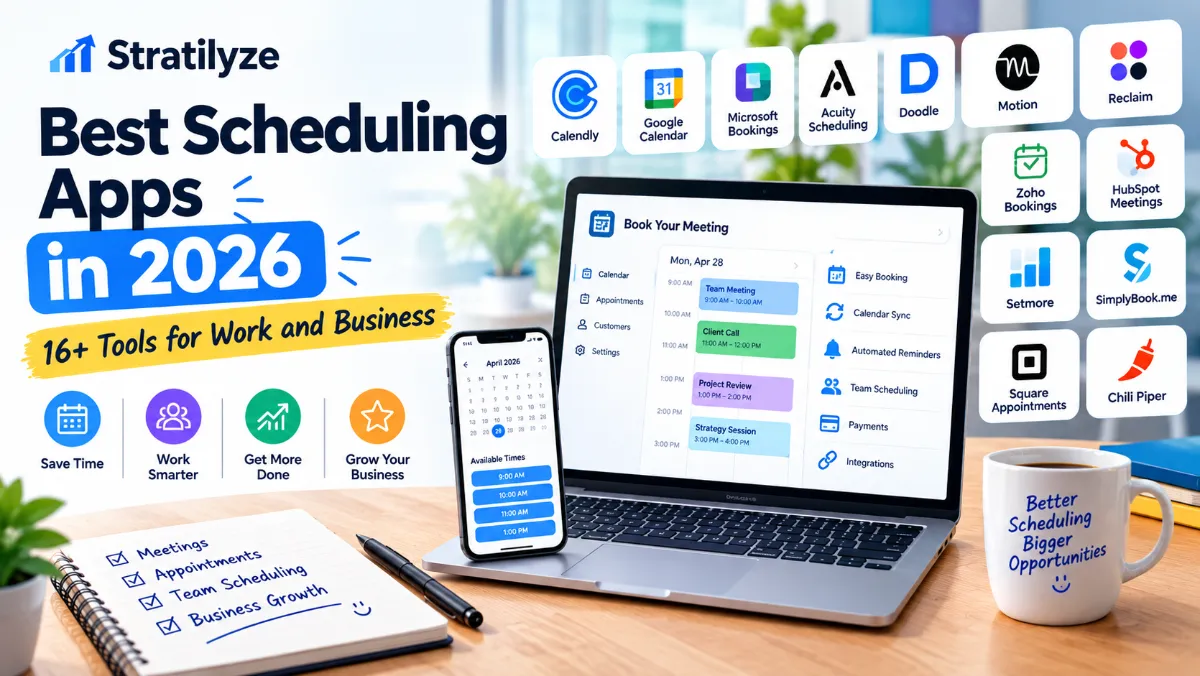
Finding the right time for a meeting should not require a long email conversation.
The best scheduling apps in 2026 make it easier to share availability, let people book appointments, avoid calendar conflicts, send reminders, connect video meetings, and automate routine scheduling tasks. For businesses, the right scheduling software can also handle payments, team calendars, lead routing, customer bookings, and recurring appointments.
There is no single best scheduling app for everyone. A freelancer may only need a simple booking link, while a growing business may need team scheduling, payment processing, CRM integration, and automated reminders.
This guide compares 16 of the best scheduling apps in 2026 to help you choose the right option for work, client meetings, sales calls, appointments, and business operations.
Quick Answer | What Is the Best Scheduling App in 2026?
For most professionals, Calendly is one of the easiest choices for meeting scheduling and booking links. Its free plan includes one event type and one calendar connection, while paid plans add multiple calendars, reminders, automations, payments, and team scheduling.
However, your best option depends on what you need:
| Scheduling App | Best For | Free Plan | Standout Feature |
|---|---|---|---|
| Calendly | Meeting scheduling | Yes | Simple booking links |
| Google Calendar | Google users | Yes | Built-in appointment schedules |
| Microsoft Bookings | Microsoft 365 businesses | Included with eligible plans | Business appointment booking |
| Acuity Scheduling | Service businesses | Trial | Client appointments and payments |
| Doodle | Group meetings | Yes | Meeting polls |
| Motion | AI scheduling | Trial | AI-powered calendar and task planning |
| Reclaim | Calendar optimization | Yes | Smart time blocking |
| SavvyCal | Professional scheduling | Limited free | Calendar overlays |
| Cal.com | Flexible scheduling | Yes | Open scheduling platform |
| YouCanBookMe | Custom booking pages | Yes | Flexible booking customization |
| Zoho Bookings | Small businesses | Yes | Zoho ecosystem integration |
| HubSpot Meetings | Sales teams | Yes | CRM-connected scheduling |
| Setmore | Appointment-based businesses | Yes | Booking and payments |
| SimplyBook.me | Service businesses | Yes | Booking website and widgets |
| Square Appointments | Local businesses | Yes | Scheduling + payments |
| Chili Piper | Sales teams | No simple free plan | Lead routing and scheduling |
What Are Scheduling Apps?
Scheduling apps are software tools that help individuals and businesses manage meetings, appointments, availability, and bookings.
Instead of manually asking someone:
“What time works for you?”
you can create a booking page that shows available time slots. The other person selects a suitable time, and the appointment is automatically added to the appropriate calendar.
Modern scheduling apps can do much more than create meeting links.
Depending on the platform, you may get:
- Calendar synchronization
- Booking pages
- Meeting reminders
- Automatic time-zone conversion
- Team scheduling
- Round-robin scheduling
- Appointment payments
- Video meeting integrations
- CRM integrations
- Recurring appointments
- Scheduling polls
- Automated workflows
- AI-powered scheduling
- Customer management
- Lead routing
This makes scheduling software useful for freelancers, consultants, agencies, sales teams, coaches, healthcare providers, salons, tutors, service businesses, and larger organizations.
How We Chose the Best Scheduling Apps
A good scheduling app should solve more than one scheduling problem.
For this comparison, the most important factors include:
Ease of use
A booking system should be easy for both the business and the person making an appointment.
Calendar integrations
The software should work with popular calendars such as Google Calendar, Microsoft Outlook, and Apple Calendar where supported.
Booking pages
A professional booking page makes it easier to share availability with clients or customers.
Team scheduling
Businesses may need round-robin scheduling, shared availability, multiple calendars, or team booking.
Automation
Automatic reminders, confirmations, rescheduling, and workflows can reduce repetitive administrative work.
Integrations
Connections with Zoom, Google Meet, Microsoft Teams, CRM platforms, payment services, and automation tools can make a scheduling system much more useful.
Pricing
We considered free plans, trials, entry-level pricing, and the features available as businesses scale.
1. Calendly | Best Scheduling App Overall
Calendly is one of the most recognizable scheduling platforms for professional meetings.
Its biggest advantage is simplicity. You create an event type, connect your calendar, define your availability, and share a booking link.
The free plan currently includes one event type, one calendar connection, one-on-one scheduling, a customizable booking page, and a browser extension. The Standard plan adds unlimited event types, multiple calendar connections, reminders, automations, and payment integrations. Teams adds round-robin scheduling, lead routing, and additional administrative features.
Best for
- Freelancers
- Consultants
- Sales professionals
- Agencies
- Recruiters
- Remote teams
- Client meetings
Pros
- Very easy to use
- Excellent booking experience
- Popular integrations
- Free plan available
- Strong team scheduling features
Cons
- The free plan is limited
- Advanced features require paid plans
Our pick: Best overall scheduling app for most professionals.
2. Google Calendar | Best for Google Workspace Users
If your business already relies on Gmail and Google Workspace, you may not need a separate scheduling platform.
Google Calendar includes Appointment Schedules, which let you create a booking page and share available times with other people.
When someone books an appointment, the event is added to your calendar. Google Calendar can also block unavailable periods to help prevent scheduling conflicts.
A personal Google Account or Workspace Business Starter account can create a single booking page. Higher-tier eligible subscriptions add features such as multiple appointment schedules, automatic reminders, multiple-calendar availability checks, payments, email verification, and co-host capabilities.
Best for
- Freelancers
- Consultants
- Small businesses
- Google Workspace users
- Internal meetings
Pros
- Familiar interface
- Excellent Google integration
- Booking page included
- Strong calendar management
- Convenient for existing Google users
Cons
- Advanced booking features depend on subscription
- Less specialized than dedicated scheduling platforms
Our pick: Best simple scheduling solution if you already use Google Calendar.
3. Microsoft Bookings | Best for Microsoft 365 Businesses
Microsoft Bookings is designed for businesses that use the Microsoft ecosystem.
It integrates with Microsoft 365 and is available with eligible subscriptions including Business Basic, Business Standard, Business Premium, Teams Essentials, and Teams Premium.
For companies already using Outlook, Teams, and Microsoft 365, Bookings can be a natural fit because scheduling can remain within the existing Microsoft environment.
Current Microsoft 365 Business Basic pricing is listed at $7 per user per month when paid yearly, while Business Standard is listed at $14 per user per month. Some plans include Bookings.
Best for
- Microsoft 365 businesses
- Teams users
- Service businesses
- Internal and external appointments
Pros
- Strong Microsoft integration
- Works with Outlook and Teams
- Suitable for business environments
- No separate scheduling ecosystem required for eligible plans
Cons
- Best value for existing Microsoft customers
- Less attractive if you use Google Workspace
Our pick: Best scheduling app for Microsoft-based businesses.
4. Acuity Scheduling | Best for Service Businesses
Acuity Scheduling is designed around appointment-based businesses.
It provides scheduling tools for businesses that need clients to book services rather than simply schedule occasional meetings.
Current Acuity pricing starts at $16 per month when billed annually, with Standard at $27 and Premium at $49 per month. Monthly pricing is higher. Acuity also offers a 7-day free trial.
The Standard plan supports up to six calendars and adds payment options through services such as Stripe, Square, PayPal, and Venmo. Premium supports up to 36 calendars.
Best for
- Coaches
- Consultants
- Therapists
- Salons
- Personal services
- Appointment-based businesses
Pros
- Strong appointment management
- Payment support
- Multiple calendars
- Automatic time-zone conversion
Cons
- No permanent free plan
- More expensive than simple meeting schedulers
Our pick: Best for businesses selling appointments or services.
5. Doodle | Best for Group Scheduling
Doodle takes a different approach to scheduling.
Instead of simply giving someone your available booking slots, you can use polls to find a time that works for a group.
That makes Doodle particularly useful when several people need to agree on a meeting time.
Doodle offers a free plan that includes group meetings, booking pages, and Sign-up Sheets. Its Professional plan is currently listed at $15 per month or $132 per year in the United States.
Best for
- Group meetings
- Teams
- Events
- Interviews
- Community organizations
- People coordinating across multiple schedules
Pros
- Excellent for group availability
- Simple meeting polls
- Free plan
- Booking pages
Cons
- Less focused on advanced CRM workflows
- Not the strongest choice for complex appointment businesses
Our pick: Best scheduling app for finding a meeting time that works for multiple people.
6. Motion | Best AI Scheduling App
Motion goes beyond traditional appointment scheduling.
Its AI Calendar combines meetings, tasks, projects, deadlines, and available working time. Motion says its AI Calendar can automatically prioritize tasks, schedule meetings, protect focus time, and continuously rebuild the schedule when plans change.
The current Pro AI plan is listed at $19 per seat per month with annual billing, while Business AI is $29 per seat per month. Features include AI calendar and meetings, task planning, projects, integrations, and mobile and desktop apps.
Best for
- Entrepreneurs
- Executives
- Freelancers
- Project managers
- Busy professionals
Pros
- AI-powered scheduling
- Automatic task planning
- Calendar + task management
- Meeting scheduling
- Focus-time protection
Cons
- More expensive than basic schedulers
- May be overkill if you only need booking links
Our pick: Best for people who want AI to actively manage their work schedule.
7. Reclaim | Best for Smart Calendar Optimization
Reclaim focuses on intelligent calendar management.
Instead of only allowing people to book meetings, Reclaim helps automatically organize time around priorities, habits, focus time, and meetings.
Its Lite plan is available at no cost for individual users. The current Starter plan is listed at $12 per seat per month and includes features such as AI agents, focus-time goals, scheduling links, and integrations.
Best for
- Busy professionals
- Managers
- Teams
- People with crowded calendars
Pros
- Smart time blocking
- Calendar optimization
- Scheduling links
- Focus-time protection
- Free individual option
Cons
- More focused on calendar optimization than customer appointments
- Advanced features require paid plans
Our pick: Best for automatically protecting time for important work.
8. SavvyCal | Best for Professional Scheduling Links
SavvyCal is designed to make scheduling feel more personal and flexible.
One of its notable features is the ability to overlay calendars when comparing availability. This can make it easier for invitees to select a convenient time.
The current pricing page lists Basic at $10 per user per month and Premium at $17 per user per month. Features include unlimited calendars, scheduling links, team scheduling, meeting polls, and integrations.
Best for
- Consultants
- Executives
- Agencies
- Professional services
Pros
- Excellent calendar overlays
- Unlimited calendar connections
- Team scheduling
- Meeting polls
- Professional booking experience
Cons
- Paid plans are required for full scheduling functionality
- Less focused on appointment-based businesses
Our pick: Best for polished scheduling experiences and calendar overlays.
9. Cal.com | Best Flexible Scheduling Platform
Cal.com is an excellent option for users who want flexibility and extensive integrations.
The free plan supports one user, unlimited event types and calendars, email and SMS notifications, more than 100 integrations, mobile access, payments through Stripe and PayPal, and CRM synchronization.
The Teams plan is currently listed at $12 per user per month when billed annually and adds team scheduling, round-robin scheduling, routing forms, analytics, and additional customization.
Best for
- Developers
- Startups
- Technical teams
- Businesses needing custom workflows
Pros
- Generous free plan
- Many integrations
- Team scheduling
- Routing forms
- API access
- Payment support
Cons
- Can feel more technical than Calendly
- Some advanced features are aimed at teams
Our pick: Best flexible alternative to traditional scheduling platforms.
10. YouCanBookMe | Best Customizable Booking Pages
YouCanBookMe focuses heavily on customizable booking experiences.
Its free plan currently includes one calendar connection and one booking page. It supports Google, Apple, and Microsoft calendars, customizable booking pages, booking forms, reminders, conferencing integrations, payments through Stripe, and rescheduling tools.
Best for
- Freelancers
- Consultants
- Tutors
- Coaches
- Small businesses
Pros
- Free plan
- Highly customizable
- Multiple calendar providers
- Payment support
- Video meeting integrations
Cons
- Some advanced customization requires paid plans
- Interface may take some time to learn
Our pick: Best for businesses that want more control over their booking pages.
Read More : How to Create a Professional Resume With AI | Step-by-Step Guide for 2026
11. Zoho Bookings | Best for Zoho Users
Zoho Bookings is a strong option for businesses already using Zoho CRM, Zoho Mail, Zoho Flow, or other Zoho products.
Zoho currently offers a forever-free plan for one user with online meetings, notifications and reminders, plus two-way calendar synchronization with Zoho, Google, and Microsoft calendars.
Paid plans add more event types, calendars, workspaces, collective bookings, payment integrations, and other business functionality.
Best for
- Small businesses
- Zoho customers
- Consultants
- Service providers
- Sales teams
Pros
- Free plan
- Zoho ecosystem integration
- Calendar synchronization
- Online meetings
- Payment integrations
Cons
- Best value if you use other Zoho products
- Interface may feel less familiar than Calendly
Our pick: Best scheduling software for businesses already invested in Zoho.
12. HubSpot Meetings | Best for Sales Teams
HubSpot’s meeting scheduler is particularly useful for businesses that want scheduling connected directly to CRM and sales workflows.
You can connect a Google, Office 365, or Exchange calendar, create a scheduling page, and share or embed the booking link on your website.
HubSpot offers its meeting scheduler as part of Sales Hub and allows users to get started for free. Advanced Sales Hub editions provide additional features.
Best for
- Sales teams
- Lead generation
- Agencies
- B2B businesses
- CRM users
Pros
- CRM integration
- Free starting option
- Website embedding
- Sales automation
- Group meeting links
Cons
- Best value inside the HubSpot ecosystem
- Advanced CRM features can become expensive
Our pick: Best scheduling tool for turning booked meetings into sales opportunities.
13. Setmore | Best for Appointment-Based Small Businesses
Setmore is built around appointment scheduling for businesses that interact directly with customers.
Its free plan supports up to four users. The Pro plan adds unlimited appointments, payment options, branded booking pages, reminders, recurring appointments, two-way calendar synchronization, team collaboration, and more.
Setmore’s current annual pricing lists Pro at $5 per user per month, while monthly billing is higher.
Best for
- Salons
- Coaches
- Consultants
- Personal services
- Small appointment businesses
Pros
- Free plan
- Customer booking page
- Payments
- SMS reminders on Pro
- Mobile apps
- Recurring appointments
Cons
- More focused on appointments than general business meetings
- Some features require Pro
Our pick: One of the better budget options for appointment-based businesses.
14. SimplyBook.me | Best for Service Businesses
SimplyBook.me provides a more complete online booking system for service businesses.
Its free plan currently includes 50 bookings per month, one provider, a booking website, booking widget, and admin app. Paid plans increase booking limits and the number of providers while adding features such as payments, POS, client apps, branded apps, and integrations.
Current annual pricing starts at $11.90 per month for Basic, $24.90 for Standard, and $49.90 for Premium.
Best for
- Salons
- Clinics
- Coaches
- Fitness businesses
- Local service providers
Pros
- Free plan
- Booking website
- WordPress widget
- Payment support
- Multiple providers
- Client app
Cons
- Feature-rich setup can take longer
- Pricing depends on booking volume and plan
Our pick: Best for service businesses that need more than a simple booking link.
15. Square Appointments | Best for Scheduling + Payments
Square Appointments is especially useful for local businesses that need scheduling and payment processing in the same ecosystem.
Square currently offers a Free plan with no monthly subscription cost for a single location. Paid plans add more advanced scheduling and business management features.
The platform also supports payment processing, multiple calendars, customer booking, and other business tools.
Best for
- Salons
- Barbers
- Personal trainers
- Local services
- Beauty businesses
- Appointment-based retailers
Pros
- Free plan
- Scheduling and payments
- Strong business ecosystem
- Useful for physical businesses
Cons
- Payment processing fees apply
- More useful for appointment businesses than ordinary office meetings
Our pick: Best for businesses that need scheduling and payments together.
16. Chili Piper | Best for B2B Sales Scheduling
Chili Piper is designed for sales and revenue teams rather than ordinary personal scheduling.
Its Routing & Scheduling product can qualify, route, and schedule leads directly from web forms. It also supports round-robin assignment, CRM routing, smart scheduling links, analytics, and automated re-engagement.
Current pricing for Routing & Scheduling starts at $1,250 per month with up to 15 seats included, while additional seats are priced separately. ChiliCal is also available as a standalone product at $12 per user per month with a 200-seat minimum.
Best for
- B2B sales teams
- SaaS companies
- Revenue teams
- High-volume lead generation
Pros
- Lead routing
- CRM integration
- Round-robin scheduling
- Sales automation
- Revenue-focused workflows
Cons
- Expensive for small businesses
- Overkill for simple meeting scheduling
Our pick: Best for larger sales teams where scheduling is part of the lead-conversion process.
Best Scheduling Apps by Use Case
Different businesses need different scheduling workflows.
| Use Case | Best Choice |
|---|---|
| Best overall | Calendly |
| Google users | Google Calendar |
| Microsoft 365 users | Microsoft Bookings |
| Service appointments | Acuity Scheduling |
| Group meeting polls | Doodle |
| AI scheduling | Motion |
| Calendar optimization | Reclaim |
| Professional booking links | SavvyCal |
| Flexible scheduling | Cal.com |
| Custom booking pages | YouCanBookMe |
| Zoho users | Zoho Bookings |
| Sales teams | HubSpot Meetings |
| Budget appointment scheduling | Setmore |
| Service businesses | SimplyBook.me |
| Scheduling + payments | Square Appointments |
| Enterprise sales routing | Chili Piper |
Best Free Scheduling Apps in 2026
If you want to avoid paying for scheduling software, several good options are available.
Best free options include:
Calendly
Good for basic one-on-one scheduling.
Google Calendar
Excellent if you already use Google Calendar.
Doodle
Useful for group scheduling polls.
Cal.com
One of the strongest free options for flexible scheduling.
YouCanBookMe
Offers a free plan with a booking page and calendar connection.
Zoho Bookings
Provides a free plan for one user.
HubSpot Meetings
Useful if you want scheduling connected to a CRM.
Setmore
Good for small appointment-based businesses.
SimplyBook.me
Useful for businesses with modest booking volume.
Square Appointments
Strong choice for a single-location business that also needs payments.
Keep in mind that “free” does not always mean unlimited. Free plans often limit users, calendars, booking pages, event types, reminders, integrations, or monthly bookings.
Calendly vs Google Calendar
Calendly and Google Calendar solve similar problems, but they are designed differently.
Choose Calendly if:
- You want a dedicated scheduling platform
- You need multiple event types
- You want more booking customization
- You need team scheduling
- You want scheduling-specific integrations
Choose Google Calendar if:
- Your business already uses Google Workspace
- You only need basic appointment booking
- You prefer fewer tools
- You want scheduling directly inside your calendar
Google Calendar’s appointment schedules can create a booking page, check calendar availability, and add appointments directly to your calendar.
Winner for dedicated scheduling: Calendly
Winner for simplicity inside Google: Google Calendar
Calendly vs Microsoft Bookings
The decision is relatively straightforward.
If your organization uses Google Workspace, Calendly may provide a more natural dedicated scheduling experience.
If your organization already runs on Microsoft 365, Microsoft Bookings can be a better fit because it works within the Microsoft ecosystem.
Microsoft Bookings is available with several Microsoft 365 and Teams subscriptions, including Business Basic, Business Standard, Business Premium, Teams Essentials, and Teams Premium.
Best for Microsoft 365: Microsoft Bookings
Best standalone scheduling platform: Calendly
Motion vs Reclaim
Motion and Reclaim are both interesting choices if your goal is not just booking meetings but managing your overall calendar.
Motion
Motion combines:
- AI calendar
- Tasks
- Projects
- Meeting scheduling
- AI task planning
- Workflows
Its AI Calendar can automatically reorganize schedules when meetings or priorities change.
Reclaim
Reclaim focuses heavily on protecting time, automatically scheduling focus periods, habits, tasks, and meetings around your existing calendar.
Choose Motion if you want an all-in-one AI productivity system.
Choose Reclaim if your main goal is intelligent calendar optimization.
What Features Should You Look for in Scheduling Software?
Before choosing a scheduling app, think about how your business actually works.
1. Calendar synchronization
At minimum, your scheduler should be able to check your existing calendar.
This prevents people from booking times when you are already busy.
2. Multiple calendars
If you maintain separate personal and business calendars, multiple-calendar support can be important.
3. Time-zone support
This matters especially if you work with clients across the United States or internationally.
Automatic time-zone conversion can prevent confusion about meeting times.
4. Booking pages
A good booking page should make it easy for customers or clients to select a time without contacting you manually.
5. Buffer time
If you have back-to-back meetings, buffer time can help prevent appointments from becoming exhausting.
6. Meeting limits
Some scheduling tools let you limit the number of meetings you accept per day.
This can be particularly useful for consultants, salespeople, and executives.
7. Reminders
Automatic email or SMS reminders can reduce missed appointments.
8. Payment processing
If customers are booking paid services, payment support can be extremely useful.
9. Team scheduling
Businesses with multiple employees may need:
- Round-robin scheduling
- Shared availability
- Multiple calendars
- Team booking
- Group appointments
10. CRM integration
Sales teams should consider scheduling software that connects with their CRM.
This allows a booked meeting to become part of the sales workflow rather than an isolated calendar event.
Scheduling Apps for Different Types of Businesses
Freelancers
A freelancer usually does not need a complicated enterprise platform.
Good choices include:
- Calendly
- Google Calendar
- Cal.com
- YouCanBookMe
- SavvyCal
Consultants
Consultants may need booking links, intake questions, payments, and calendar integration.
Good choices include:
- Calendly
- Acuity Scheduling
- SavvyCal
- YouCanBookMe
- Motion
Small Service Businesses
Businesses that sell appointments should look beyond basic meeting schedulers.
Consider:
- Acuity Scheduling
- Setmore
- SimplyBook.me
- Square Appointments
- Zoho Bookings
Sales Teams
Sales scheduling requires more than a calendar link.
Good options include:
- HubSpot Meetings
- Calendly
- Chili Piper
- Cal.com
- Microsoft Bookings
AI Productivity Users
If you want software that actively helps organize your time, consider:
- Motion
- Reclaim
- TimeHero
TimeHero, for example, automatically plans tasks around connected Google and Microsoft calendars and can adjust schedules as work changes. Its current annual pricing starts at $4.60 per user per month for Basic, with higher tiers adding project management, recurring tasks, reporting, Gantt, and workload features.
How Much Does Scheduling Software Cost?
Scheduling software pricing varies significantly.
A basic scheduling link can cost nothing.
Dedicated professional scheduling platforms commonly start around $5 to $20 per user per month, while advanced appointment platforms and sales-routing systems can cost significantly more.
For example:
- Calendly Free: $0
- Calendly Standard: $10 per seat/month when billed annually
- Acuity Starter: $16/month when billed annually
- Motion Pro AI: $19/seat/month with annual billing
- Reclaim Starter: $12/seat/month
- SavvyCal Basic: $10/user/month on the current pricing page
- Cal.com Teams: $12/user/month annually
- Setmore Pro: $5/user/month with annual billing
- SimplyBook.me Basic: $11.90/month annually
- Chili Piper Routing & Scheduling: starts at $1,250/month
Prices and plans can change, so check the provider’s current pricing page before purchasing.
Are Free Scheduling Apps Good Enough?
For many individuals, yes.
A free scheduling app may be enough if you only need:
- One calendar
- One booking page
- Basic availability
- Simple meetings
- Basic calendar synchronization
You may need a paid plan when you want:
- Multiple event types
- Multiple calendars
- Team scheduling
- Automated reminders
- Payments
- CRM integrations
- Advanced branding
- Analytics
- Round-robin scheduling
- Automated workflows
The right approach is to start with the free plan when possible and upgrade only when your scheduling requirements justify the cost.
How to Choose the Best Scheduling App for Your Business
Use this simple process.
Step 1 | Identify what you’re scheduling
Are you scheduling:
- Internal meetings?
- Client calls?
- Sales demos?
- Customer appointments?
- Classes?
- Consultations?
- Paid services?
This immediately eliminates many unsuitable options.
Step 2 | Check your existing ecosystem
If you already use Google Workspace, Google Calendar may be enough.
If you use Microsoft 365, Microsoft Bookings could be a better fit.
If you use Zoho, Zoho Bookings may integrate more naturally with your workflow.
Step 3 | Decide whether you need payments
If customers pay before appointments, prioritize platforms such as Acuity Scheduling, Square Appointments, Setmore, SimplyBook.me, or other tools with payment support.
Step 4 | Consider team scheduling
If multiple employees need to receive appointments, look for round-robin, collective scheduling, shared calendars, and staff management.
Step 5 | Consider automation
If your calendar is constantly changing, AI-focused platforms such as Motion or Reclaim may provide more value than a basic booking link.
Step 6 | Calculate the real cost
Don’t only compare the advertised monthly price.
Check:
- Number of users
- Number of calendars
- Booking limits
- SMS charges
- Payment processing fees
- Premium integrations
- Additional locations
- Required minimum seats
The cheapest scheduling app is not always the cheapest solution for your business.
Best Scheduling Apps in 2026 | Our Final Verdict
The best scheduling app depends on how you work.
Calendly is our overall choice for professional meeting scheduling because it combines a simple booking experience with strong integrations and scalable team features. Its current plans range from a free tier to paid plans designed for individuals and teams.
Google Calendar is the better choice if you already live inside Google Workspace and only need straightforward appointment scheduling.
Microsoft Bookings makes the most sense for businesses already using Microsoft 365 and Teams.
Acuity Scheduling is a strong option for appointment-based businesses that need payments and multiple calendars.
Motion stands out if you want AI to manage your schedule and tasks rather than simply provide a booking link.
Reclaim is especially useful for people who want to protect focus time and automatically optimize their calendars.
Cal.com is an excellent flexible choice for technical users, startups, and businesses that need integrations and customization.
Setmore, SimplyBook.me, and Square Appointments are worth considering for local and service businesses that need customer appointments and payment capabilities.
For sales organizations, HubSpot Meetings and Chili Piper become more interesting because scheduling can connect directly to lead management and revenue workflows.
The important thing is not to choose the app with the longest feature list. Choose the one that fits your actual workflow, existing calendar, team size, customers, and budget.
Frequently Asked Questions
What is the best scheduling app in 2026?
Calendly is one of the best overall choices for professional meeting scheduling. Google Calendar is a strong alternative for Google users, while Microsoft Bookings is useful for Microsoft 365 businesses.
What is the best free scheduling app?
Good free options include Calendly, Google Calendar, Doodle, Cal.com, YouCanBookMe, Zoho Bookings, HubSpot Meetings, Setmore, SimplyBook.me, and Square Appointments. The available features and usage limits vary by platform.
Is Calendly still worth using in 2026?
Yes. Calendly remains a strong option for people who want simple booking links, calendar synchronization, reminders, payments, and team scheduling. Its current free plan provides basic scheduling, while paid plans add more advanced capabilities.
Is Google Calendar a scheduling app?
Yes. Google Calendar includes Appointment Schedules that allow users to create booking pages and let others schedule available times.
What is the best scheduling app for small business?
For a general small business, Calendly, Google Calendar, Microsoft Bookings, Setmore, Zoho Bookings, or SimplyBook.me can be good choices depending on the business model.
What is the best scheduling app for service businesses?
Acuity Scheduling, Setmore, SimplyBook.me, and Square Appointments are strong choices for businesses where customers book services or appointments.
What is the best AI scheduling app?
Motion is one of the strongest AI-focused options because it combines calendar management, meeting scheduling, task planning, and project management. Reclaim is another strong option for intelligent calendar optimization.
Can scheduling apps accept payments?
Yes. Several scheduling platforms support payments. For example, Google Calendar supports paid appointment bookings through Stripe on eligible subscriptions, while Acuity, Setmore, Square Appointments, Cal.com, and other platforms also provide payment capabilities.
Can scheduling software prevent double bookings?
Many scheduling platforms can check connected calendars and block unavailable periods. Google Calendar, for example, can check calendar availability when creating appointment schedules.
What is the best scheduling app for sales teams?
HubSpot Meetings and Calendly are good choices for many sales teams. For larger revenue organizations that need automated lead routing and scheduling, Chili Piper is a more specialized option.
Should a small business pay for scheduling software?
Not necessarily. Start with a free plan if it meets your requirements. Upgrade when you need features such as multiple calendars, team scheduling, payment processing, advanced reminders, CRM integrations, or automation.
Read More : Best Spreadsheet Software for Small Business in 2026 | 10 Tools Compared
Final Recommendation
Scheduling software should make your calendar easier to manage, not create another complicated system to maintain.
For most professionals, start with Calendly.
For Google Workspace users, try Google Calendar Appointment Schedules.
For Microsoft 365 businesses, consider Microsoft Bookings.
For appointment-based businesses, look at Acuity Scheduling, Setmore, SimplyBook.me, or Square Appointments.
For AI-powered productivity, consider Motion or Reclaim.
For sales teams, HubSpot Meetings or Chili Piper may provide more value because scheduling can become part of the larger sales workflow.
The best scheduling app is ultimately the one that fits your existing tools, customers, team, and workflow without making scheduling harder than it needs to be.
For more practical comparisons, software recommendations and AI guides, explore the other AI and software resources on Stratilyze.