
Buffer rewards a team that wants a fast queue and a low bill. Later rewards a team that plans by eye, builds a feed that looks considered, and treats the link in bio as a real destination. If your team argues more about how the grid will look than about whether a post went out on time, that is a sign you should switch Buffer to Later. The trade is real, though. You gain a visual planner and a stronger media library, and you give up Buffer per channel pricing, some networks, and the queue habit your team already knows.
This guide is written for a social team of roughly three to ten people managing one brand or a small set of brands. It assumes no developer on call and one person leading the move alongside normal posting work. It covers queues, the visual planner and media library, link in bio handling, analytics limits, approvals, and a cutover plan that keeps posting uninterrupted. Prices change, so check the vendor pricing page before you pay.
Why Later Wins the Visual Work and Where Buffer Still Leads
Later was built around the visual calendar. You drag posts across a calendar, preview the Instagram grid before anything publishes, and see gaps and crowded days at a glance. For a team that plans campaigns and seasonal content weeks ahead, that view changes the weekly meeting. Instead of reading a list of captions, the team looks at the month as the audience will see it and moves a post with a drag.
Buffer was built around the queue. You fill a queue for each channel, set posting times, and Buffer sends the next item when its slot arrives. That model is fast for evergreen content and for a solo scheduler who wants to load a week of posts and move on. It is less helpful when the order of posts matters visually, because the queue shows a list, not a feed.
Buffer also still leads on pricing shape and network breadth. Buffer charges per channel, so a team with three channels pays for three channels, and its free plan covers three channels with ten queued posts per channel. Later charges by social set, where one set covers one account per network, and its paid plans start at 25 dollars per month billed monthly, or 18.75 dollars per month billed annually, for one set and one user on Starter. A team with two Instagram accounts needs extra sets, and that changes the maths fast.
Network coverage is the second place Buffer leads. Buffer supports X, Bluesky, Mastodon, and Google Business alongside the major networks. Later schedules to Instagram, Facebook, Pinterest, TikTok, LinkedIn, Threads, YouTube Shorts, and Snapchat, according to its own getting started guide, but it removed X scheduling in 2025. If X drives real traffic for your brand, Later cannot replace Buffer on its own.
Before You Move. What Transfers and What Does Not
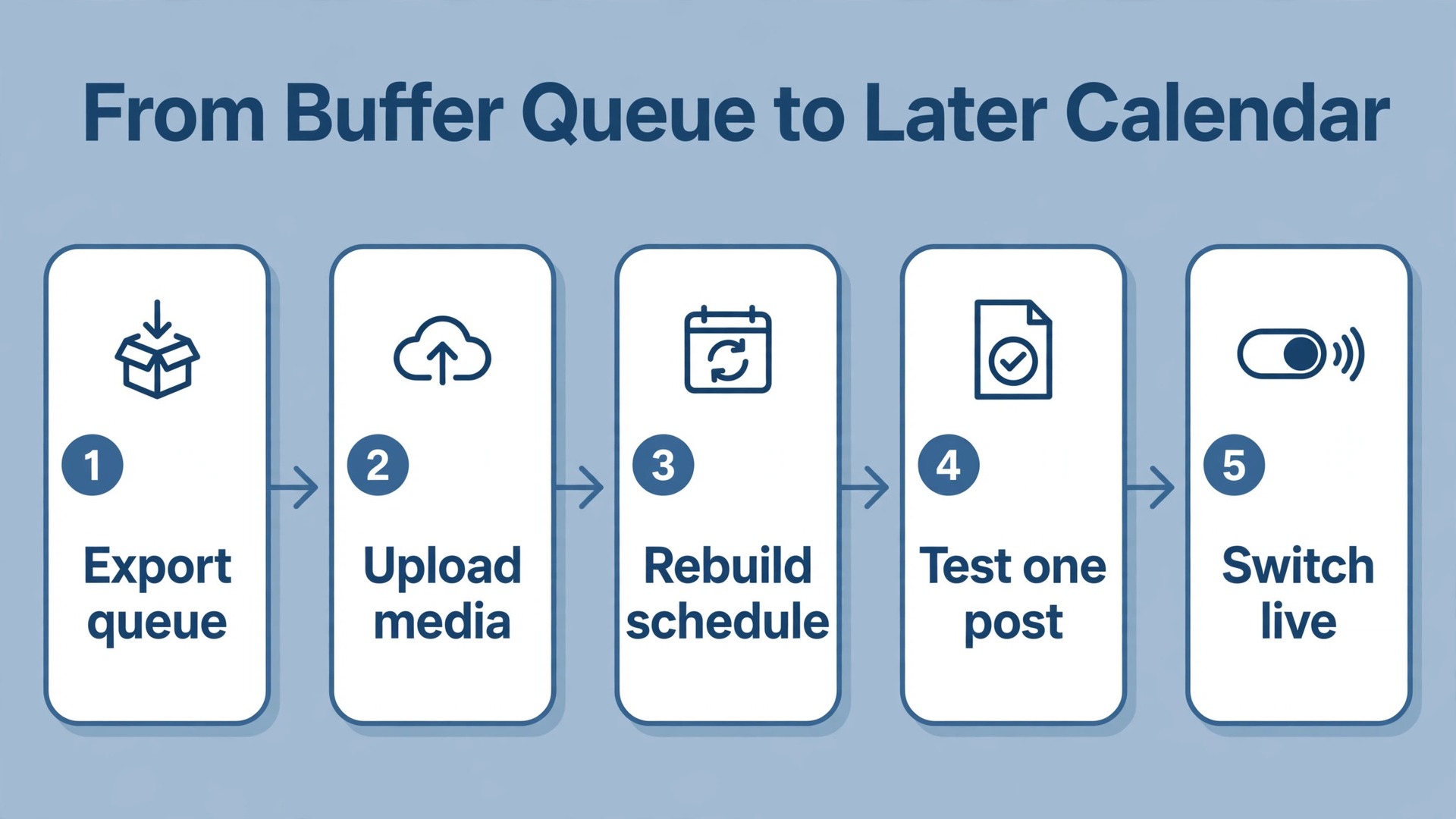
There is no one click importer that lifts a Buffer account into Later. No button moves your queue, your media, your hashtag groups, and your analytics history in one step. What you can move is the work itself. Captions move when you copy them into a spreadsheet or rebuild them in Later. Images and video move when you download the originals and upload them to the Later media library. Posting times move when you rebuild them as a schedule in Later.
What does not move is everything tied to Buffer itself. Scheduled posts in a Buffer queue do not appear in Later on their own. Buffer analytics history does not become Later analytics history. Approvals, drafts, and channel settings do not transfer. Hashtag groups must be recreated in Later, and any landing page setup tied to Buffer must be rebuilt as a Later Link in Bio page or kept in its own tool.
Start with an audit week, not a signup. List every channel, every person who posts or approves, every recurring series, and every link that still gets clicks. Export Buffer analytics for published posts through Analyze, which offers a CSV export by channel and date range. That export covers performance data but may not include full captions or images, so treat it as your analytics record, not your content backup.
How to switch Buffer to Later Without Losing a Post
The first decision when you switch Buffer to Later is the order of work. Connect accounts first, rebuild the schedule second, and cancel Buffer last. Never cancel Buffer while its queue still holds unpublished posts, because those posts will not publish themselves once the account closes. Keep both tools live through one full posting cycle, so every post has a home in at least one system at all times.
Work in this order for each brand.
- Create the Later account and choose the plan that fits your social sets and user count, not the cheapest plan on the page.
- Connect each social profile in Later and confirm that Later shows the correct account name and profile image for each one.
- Set up Access Groups or team roles in Later before anyone starts scheduling, so a new joiner cannot publish to the wrong brand by accident.
- Upload media to the Later media library in labelled folders, starting with the next two weeks of content, then the rest of the library.
- Rebuild the next two weeks of scheduled posts in Later first, and check each one against the Buffer queue spreadsheet, post by post.
- Rebuild the remaining scheduled posts in Later, working forward in date order so the nearest posts get the most checking.
- Recreate hashtag groups, saved captions, and first comment text in Later, and test one post per network end to end.
- Run both tools in parallel for one week, with Later as the live publisher and Buffer as the safety net.
- Only when the Later calendar matches the plan for the next fourteen days, pause the Buffer queue and then cancel or downgrade Buffer after its renewal date.
The mapping table below is the document the whole move runs from. Fill it in before you create a single post in Later. Every Buffer item gets one row, a decision, and a Later destination. If a row has no destination, it is something you are deliberately dropping.
| Buffer item | What happens in Later | Your action |
|---|---|---|
| Scheduled queue posts | Rebuilt by hand or from a spreadsheet | Copy each post to the master spreadsheet, then schedule it in Later |
| Published post history | Not imported as Later analytics | Export the Buffer Analyze CSV and keep it as the baseline record |
| Media attached to posts | Not transferred automatically | Download originals and upload them to the Later media library |
| Approval steps | Rebuilt in the Later workflow | Document who approves what, then set it up and test it |
| Link in bio or landing page | Rebuilt as a Later Link in Bio page | Map every old link to a new destination and test each one |
| Channels Buffer covers that Later does not | Kept in Buffer or another tool | Decide per channel before cutover and tell the team |
Scheduling and Queue Differences That Change Daily Work
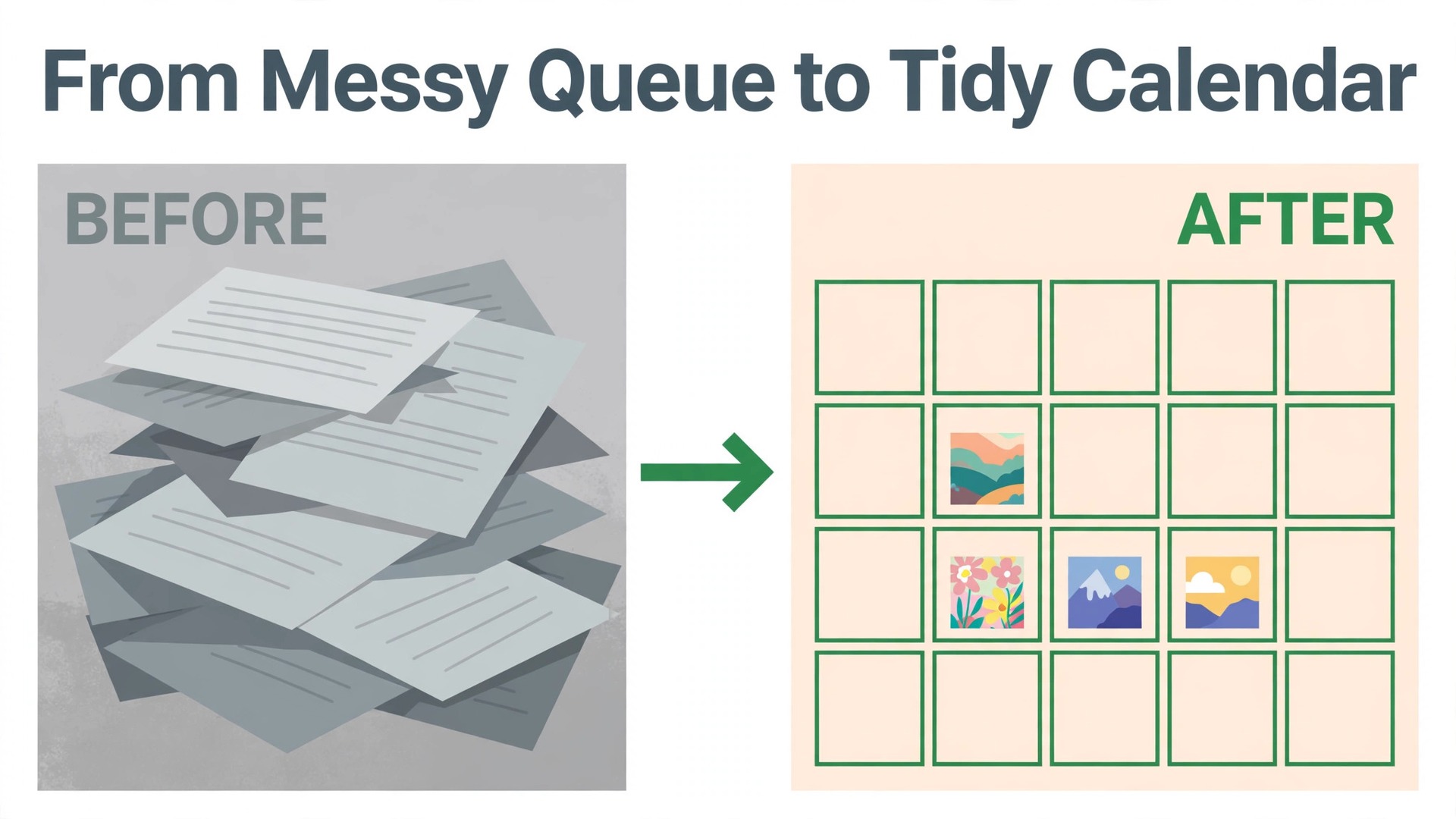
The queue is the biggest habit change in this move. In Buffer, the queue is the plan. You add posts, Buffer holds them in order, and each posting slot takes the next item. That system forgives a messy calendar, because the queue always knows what comes next. It also hides problems, because a queue can look full while the feed looks unbalanced.
In Later, the calendar is the plan. You place each post on a date and time, and the visual calendar shows the result. That system rewards planning and punishes vague intentions. A team that used to drop ten posts into a queue and trust the slots must now decide the date for each post. That is more work up front and less confusion later, because everyone can see the week as it will actually appear.
Best times work differently too. Buffer offers best time recommendations based on past performance. Later offers its own scheduling suggestions and a visual view of posting patterns. Do not copy Buffer slot times into Later blindly. Export the Buffer analytics, note which days and times earned the strongest engagement for each channel, and use those as the starting point for the Later schedule.
Recurring and evergreen content needs a deliberate rebuild. Buffer queues suit evergreen recycling, because a post can sit in a queue and return on a cycle. Later is built for planned campaigns rather than automatic recycling, so an evergreen series becomes a set of scheduled posts you maintain by hand. If evergreen recycling drives a large share of your traffic, count those posts before you move and plan the monthly hand rescheduling workload into the move.
When you switch Buffer to Later, protect the daily rhythm in the first two weeks. Keep the same posting frequency, the same series, and the same slots as far as possible. Change the tool first and the strategy second. If engagement dips in week one, you will know it is a setup problem, not a strategy problem, and you can fix the setup while the old numbers are still fresh in mind.
Move the Media Library Without Breaking Links and Crops
Media is where quiet migrations fail. A caption copies easily. An image cropped for a feed, a carousel ordered a certain way, and a video with a cover frame do not copy themselves. Before you move, download the original files, not screenshots and not compressed copies from a published post.
Organise the Later media library the way your team searches, not the way the old tool stored files. Folders by campaign, by series, or by month work better than one large folder named uploads. Name files so a teammate can find them without opening each one, using the campaign, the format, and the date.
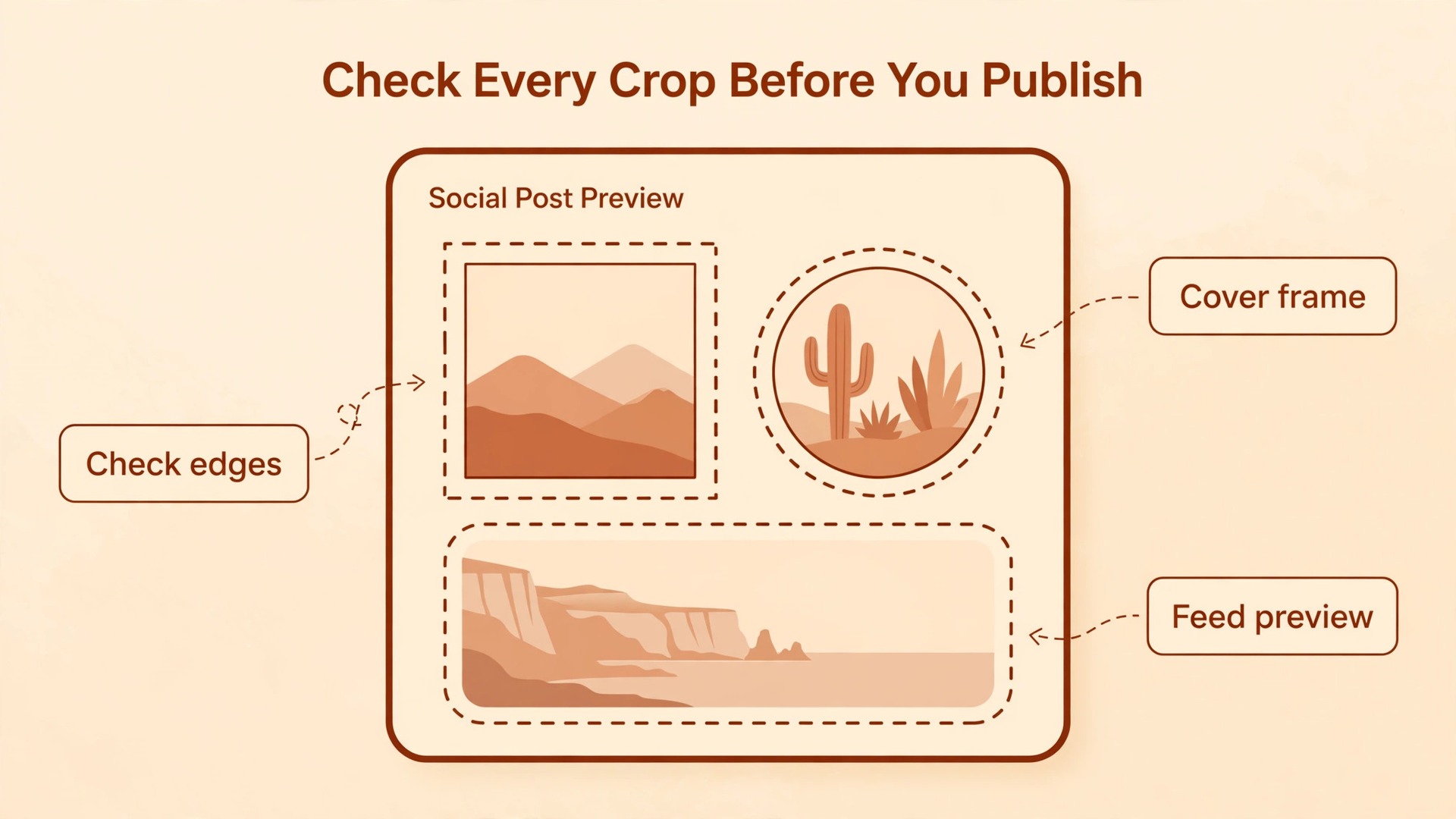
Check crops before the first week goes live. Instagram feed posts, Reels covers, TikTok videos, Pinterest pins, and LinkedIn images all crop differently, and a design that looked fine in Buffer may sit badly in the Later grid preview. Use the Later preview for each post, and check the first frame of every video. Pay special attention to text near the edges of an image, because a tight crop can cut a headline or a price. If a design keeps failing the preview, remake it at the right size rather than forcing it through.
Carousels and multi image posts need a separate check. Confirm the image order, confirm that each image carries the right caption or alt text where the platform supports it, and test one carousel per network before you rebuild the rest. Videos need the same care. Confirm the length, the cover frame, and whether a first comment carries information the video itself does not. A migration that moves captions but loses cover frames will look careless, even if every post goes out on time.
Link in Bio and the Links Your Audience Actually Clicks
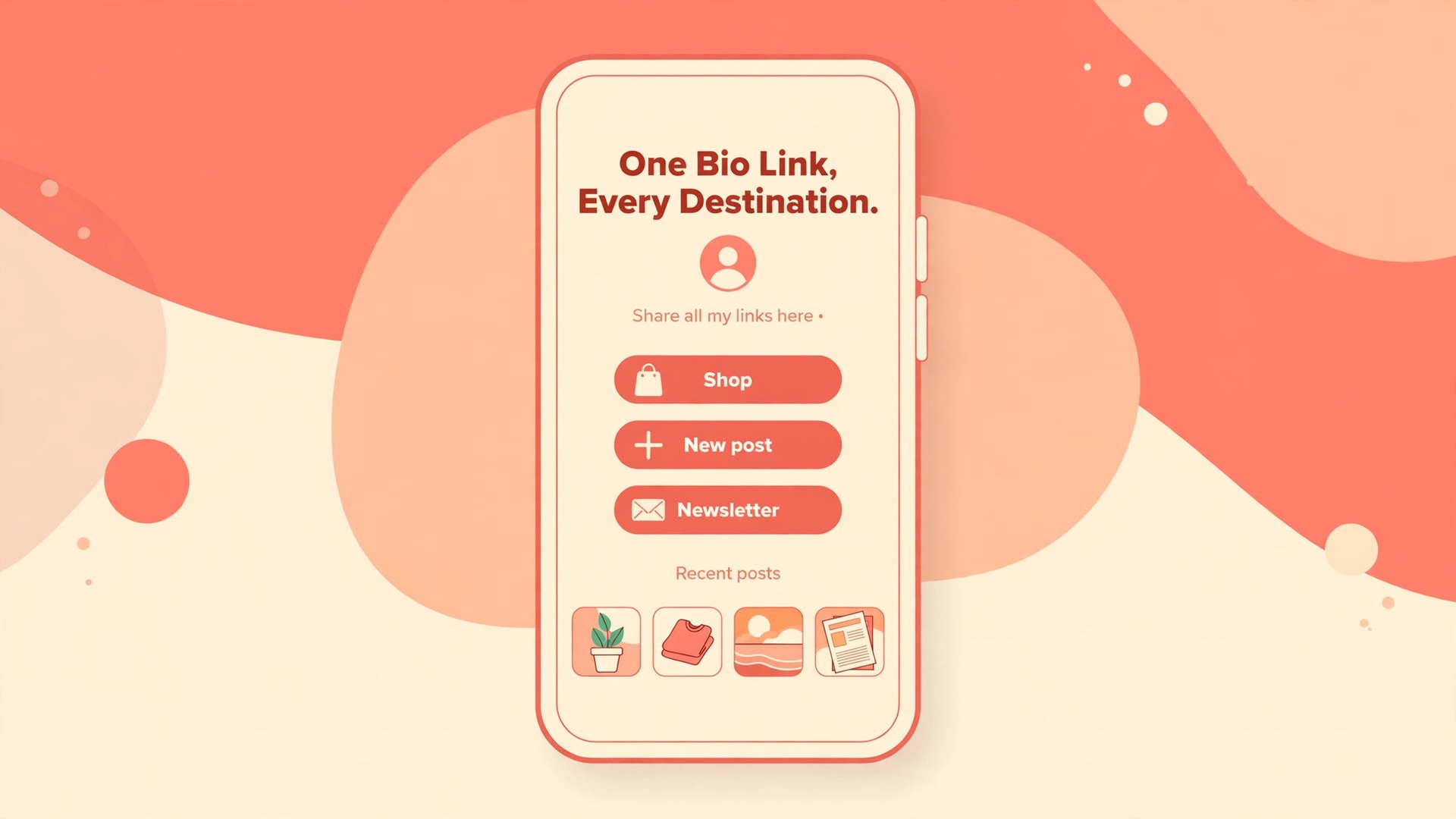
Link in Bio is one of the strongest reasons teams choose Later, and it is also easy to mishandle in a move. Later Link in Bio turns a single bio link into a page of buttons, linked posts, and featured destinations. That page can carry a shop link, a new post, a newsletter signup, and an event, all from one tap. Later ties the page directly to scheduled posts, so a follower can tap a post and reach the right destination.
Start the link move by listing every link that currently gets clicks. Check Buffer analytics, your link tool analytics, and your website analytics for the top destinations over the last ninety days. Those links are the ones that must work on day one in Later. A link that earned clicks but points to an expired offer should be updated, not copied blindly.
Map each old link to its new Later destination in a simple list before you change any bio. For each link, note the old URL, the new Later page block, and the final destination. Change the bio link on one profile first, test every button on a phone, and only then roll the change out to the other profiles. Test on a phone, not just a desktop browser, because most bio traffic arrives on mobile and a button that looks fine on desktop can sit badly on a small screen.
Analytics History Limits and the Checklist That Protects Your Baseline
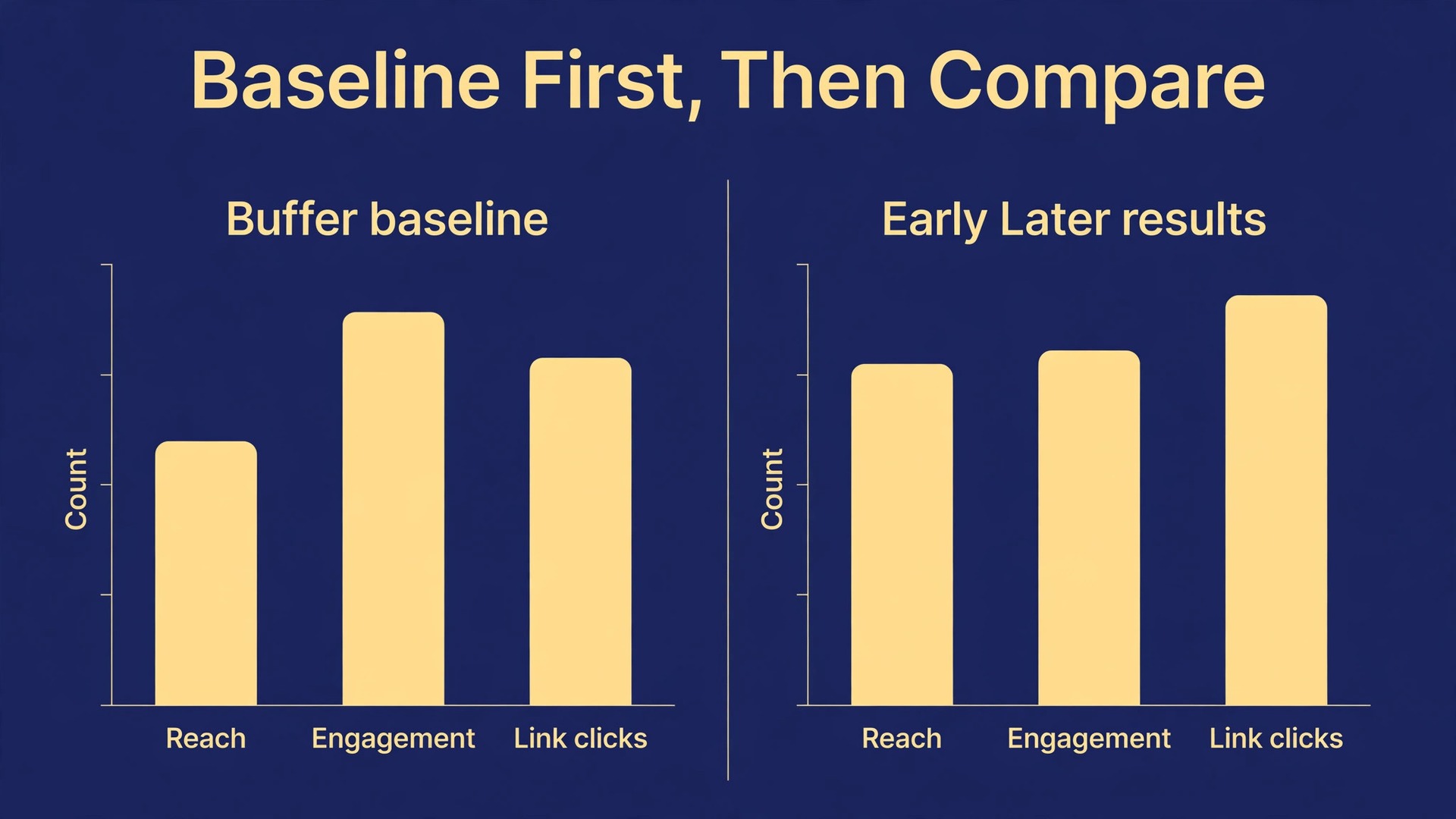
Analytics is where a migration can quietly erase the past. Later analytics start from the day you connect a profile in Later. They do not reach back into Buffer history and import it. If you cancel Buffer and delete its data before you save a baseline, you lose the comparison that tells you whether the move helped or hurt.
Buffer history itself has limits worth knowing. The free plan keeps about thirty days of analytics history, while paid plans extend it. A team on a free plan cannot export a full year of history, because the tool does not hold it. A team on a paid plan should export as far back as the plan allows before cutover.
Use this checklist before you change any publisher. Tick each item off, and do not start cutover until every item is done.
- Export Buffer Analyze data for every channel, for the longest date range the plan allows, and save each CSV with the channel name and the export date.
- Record the baseline for each channel. Followers, average reach, average engagement rate, link clicks, and top five posts by engagement, all for the last ninety days.
- Screenshot the Buffer analytics overview for each channel, so a chart shape survives even if a CSV column confuses a future reader.
- Note the best posting days and times per channel from Buffer data, and use them as the starting schedule in Later.
- Save the top ten captions by engagement in a document, with the post date and the format.
- Record Link in Bio and landing page clicks for the last ninety days, so the new Later page has a number to beat.
- Agree the reporting template for Later in advance, with the same metrics and date ranges.
- Assign one person to own the baseline file, and store it where the whole team can find it.
If you switch Buffer to Later mid quarter, keep the quarter split in your reporting. Report the Buffer period and the Later period separately, then report the combined quarter with a note explaining the tool change. A single blended number that hides the switch will mislead the next quarterly review. After six weeks in Later, compare the new baseline against the old one on the same metrics, and judge the move on engagement and clicks, not on how tidy the calendar looks.
Team Approval Workflows, Roles and Permissions
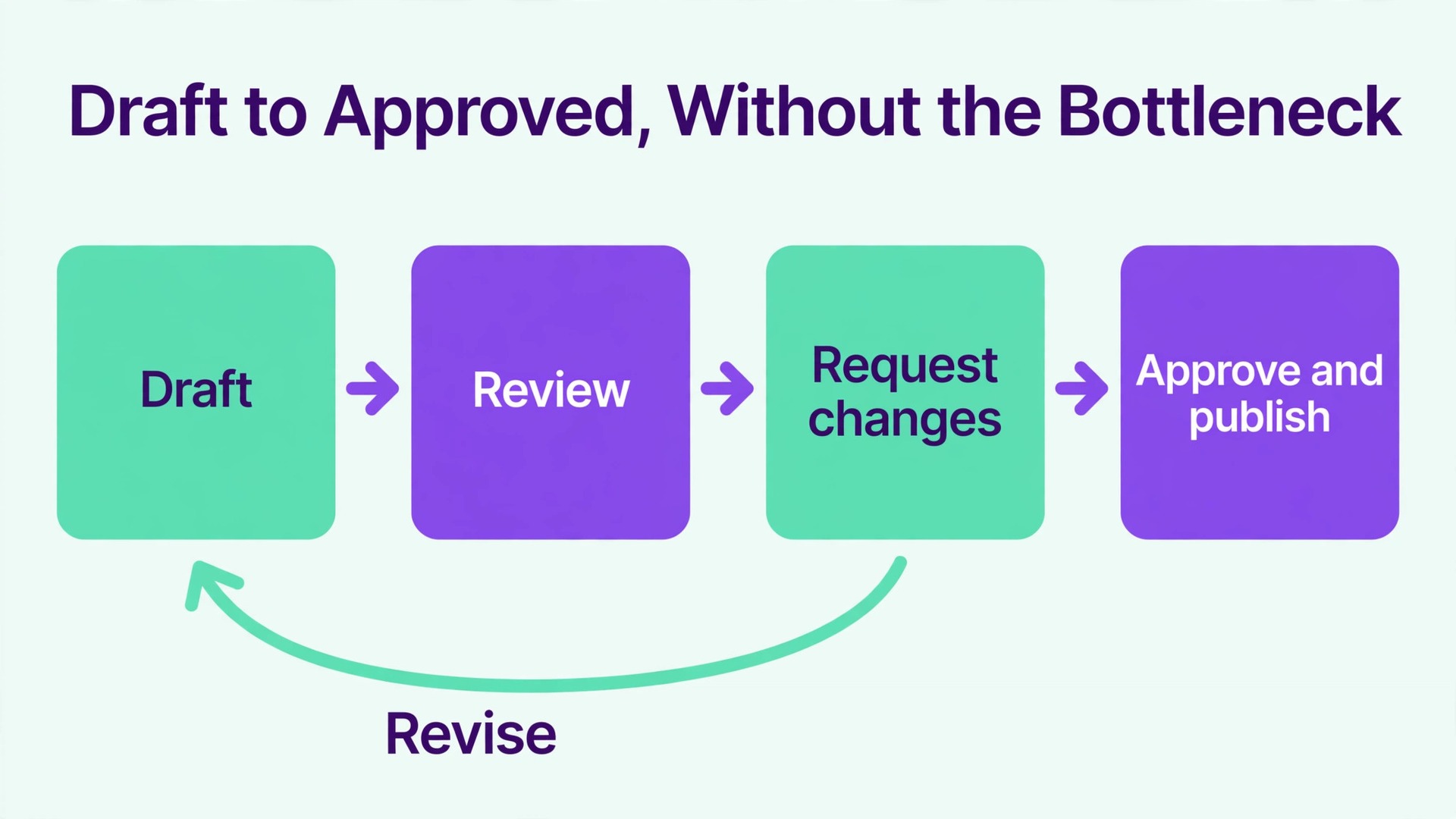
Approvals are where a social team either gains control or creates a bottleneck, and the move is the moment to fix whichever problem you have. Buffer Team offers approval workflows and unlimited team members, with custom access controls on paid plans. Later handles approvals through its own team roles and Access Groups, which control who can see and publish to each social set. The settings do not transfer, so map people to roles deliberately.
Start by listing every person and their real job in the workflow, not their job title. Who writes captions. Who designs images. Who approves copy. Who publishes. Who reads analytics. Many teams discover that two people both thought they were the approver, or that nobody owned approvals for one channel at all. Write the list down, agree it with the team, and then build the Later roles to match it.
Test the workflow with a real post before cutover week. Create a draft in Later, send it for approval, ask the approver to request a change, edit the draft, and approve it again. Check that the approver gets a clear notification and that the editor can see the requested change. A workflow that works in a demo but fails on a Friday afternoon post is not a workflow yet.
Watch for three permission traps. The first is a former contractor or freelancer who still holds access in Buffer and gets invited to Later out of habit. Review the member list name by name during the move, and remove anyone whose work has ended. The second is a shared login. Later roles exist so each person has their own login, and a shared login destroys accountability when a post goes out wrong. The third is a client added as a full team member when they only need to approve. Give approvers the narrowest role that lets them do their job, and review roles quarterly.
Cost is where many Buffer to Later comparisons go wrong, because the two tools charge for different things. Buffer charges per channel. Later charges by social set and by user. A team that compares headline prices without counting its own channels and users will pick the wrong tool.
Work the numbers for your exact setup. Count channels for Buffer, meaning every connected profile. Count social sets for Later, meaning one set per brand where a set covers one account per network. Count users for Later, meaning every person who needs their own login. Then price both tools on the same billing cycle, because mixing cycles hides the difference.
For a small illustration, a team with three channels on Buffer Essentials at 5 dollars per channel per month billed annually pays 15 dollars per month for one user. The same team on Later Starter at 18.75 dollars per month billed annually gets one social set and one user. The gap is small at that size. Add a second user and a second social set, and Later Growth at 37.50 dollars per month billed annually becomes the realistic comparison. Add several brands, and either tool can end up cheaper, depending on how many accounts each brand holds per network. There is no universal winner. There is only the winner for your channel list.
Check the plan limits that sit behind the price, not just the price itself. Later Starter covers one user and one social set, while Growth covers more sets and users, and Scale covers more again. Buffer Essentials covers one user, while Team adds unlimited members and approvals. If your team needs approvals, price the plan that actually includes them.
The Cutover Plan That Keeps Posting Uninterrupted
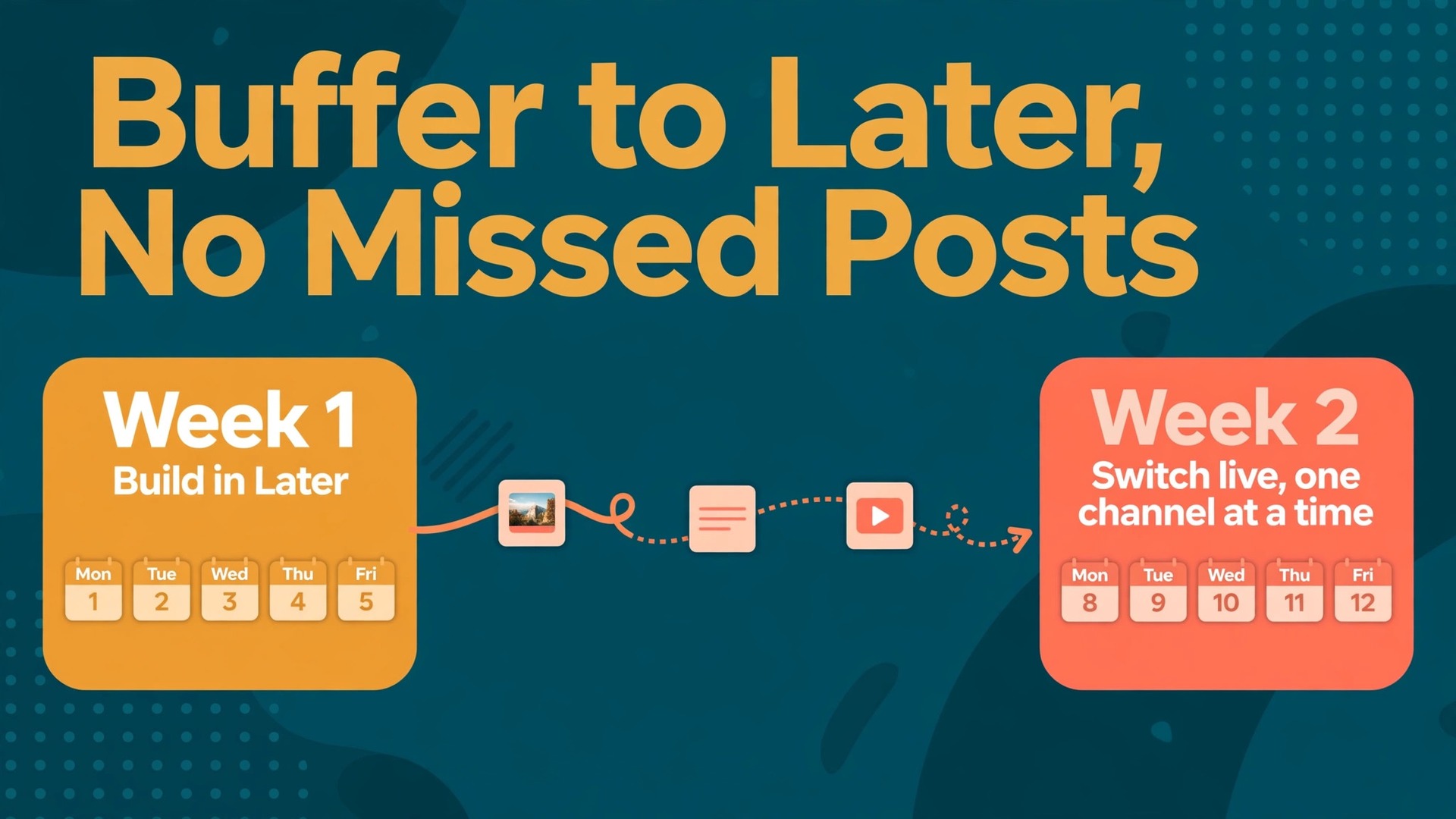
In week one, build in Later while Buffer keeps publishing. Connect accounts, upload media, rebuild the next two weeks of posts, recreate hashtag groups, and set up approvals. Test one post per network in Later, and check that each one publishes correctly, with the right image, caption, link, and first comment.
In week two, switch the live publisher one channel at a time. Start with the lowest risk channel, usually the one with the smallest audience or the simplest content. Publish from Later for that channel for two full days, check every post, and only then move the next channel. Keep the Buffer queue paused, not deleted, for each channel you move.
The week you switch Buffer to Later, assign clear roles. One person owns the Later calendar and checks it every morning. One person owns the Buffer queue and confirms it is paused for moved channels. One person owns the bio link on every profile and tests it daily. One person owns approvals and clears the queue before noon, so afternoon posts are never waiting on a missing approval. A short daily check, fifteen minutes at the start of the day, catches most problems before the audience sees them.
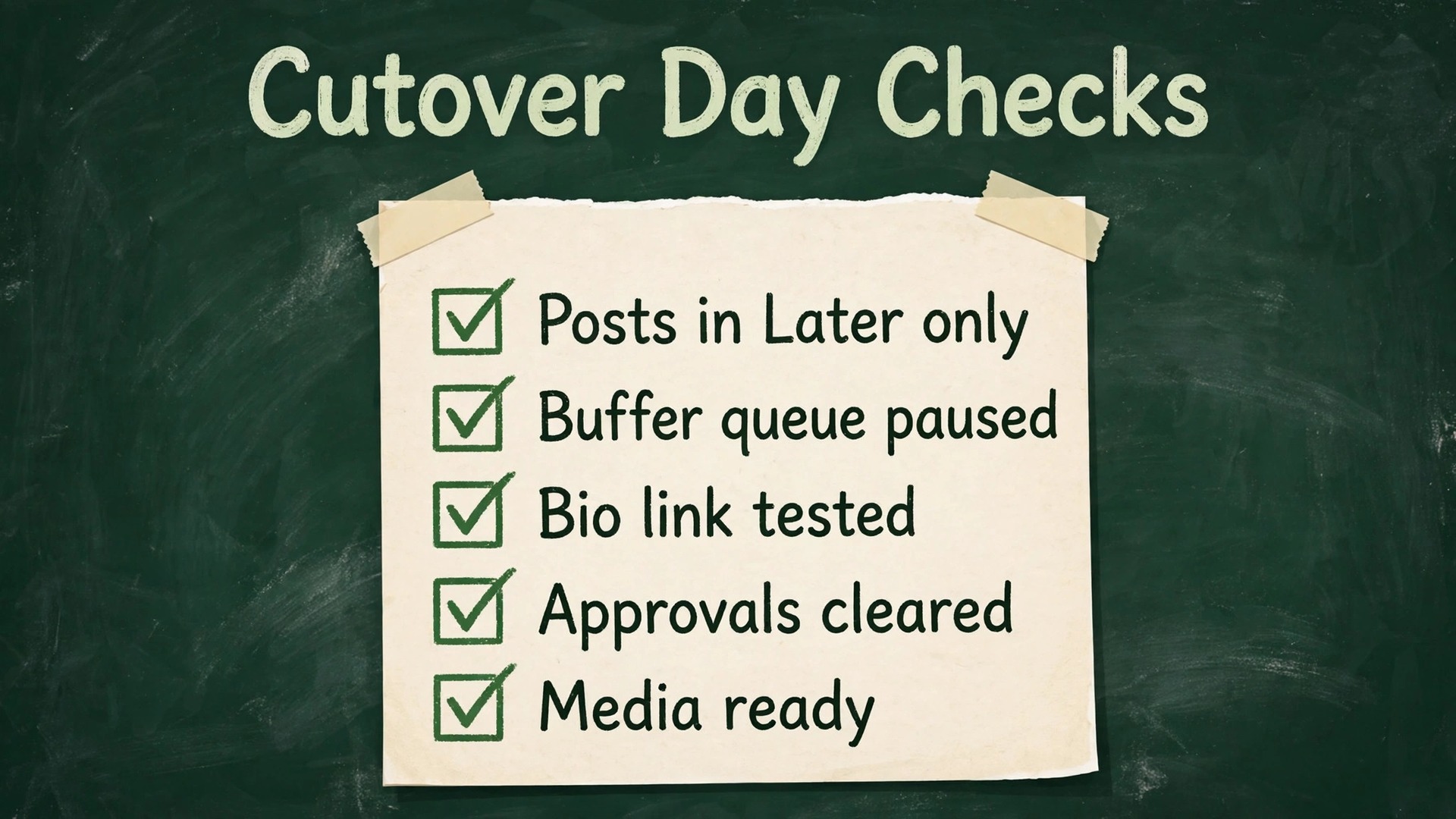
On cutover day itself, run a simple checklist before noon. Confirm that every post planned for today exists in Later and only in Later, that the Buffer queue holds no unpublished post for a moved channel, that the bio link works on a phone, and that approvals and media for today are ready. If any item fails, fix it before the first post is due.
After the switch, keep Buffer readable for at least one month. Do not delete the account on cutover day. A question about an old post, a caption, or a link will arrive in that month, and a readable Buffer account answers it in minutes. Set a calendar reminder for the Buffer renewal date, and cancel or downgrade only after the Later calendar has run cleanly for a full posting cycle and the baseline file is saved.
Common Migration Mistakes and How to Avoid Them
The most common mistake is moving the queue without moving the media. Captions arrive in Later, images stay in Buffer or on a laptop, and the first week of posts goes out with the wrong image or no image at all. Avoid it by uploading media before you schedule posts, and by checking the preview for every post in the first two weeks.
The second mistake is changing the posting schedule on the same day as the tool change. A team that moves to Later and also doubles its posting frequency cannot tell whether a dip in engagement comes from the tool, the frequency, or the content. Keep frequency steady for a month, then change one variable at a time.
The third mistake is forgetting the networks Later does not cover. A team that posts to X or Google Business from Buffer, and moves everything to Later without a plan for those channels, goes silent on those networks without noticing. List every network before the move and check each network daily during cutover week.
The fourth mistake is inviting the whole team on day one with full publishing rights. A new tool plus full rights plus a busy week produces mistakes. Start with a small group of publishers, let approvers learn the workflow on real drafts, and widen publishing rights once the calendar has run cleanly for two weeks.
The fifth mistake is treating analytics as an afterthought. Teams that skip the baseline export spend the next quarter arguing about whether performance improved, with no numbers to settle it. Export first, report honestly, and let the data judge the move.
Related reading on this site can help with the wider choice. See other options at Buffer alternatives, check how a visual workflow fits an Instagram plan at bakery Instagram marketing workflow, and see how to handle a failed post without panic at fix Instagram Reels not uploading. For templates that keep media consistent across the move, see also use Figma for social media templates system.
Frequently Asked Questions
Can scheduled Buffer posts move into Later automatically?
No. There is no one click import from Buffer into Later. When you switch Buffer to Later, you rebuild scheduled posts by hand or from a spreadsheet, and you re-upload the media to the Later media library. Export Buffer analytics for the record, copy upcoming posts into a master spreadsheet, and rebuild the nearest two weeks first. Keep Buffer live until the Later calendar matches the plan, so no post is left without a home.
Will Later analytics show my old Buffer history?
No. Later analytics start from the day you connect each profile in Later. Old Buffer history stays in Buffer, and you should export it before cutover through Analyze, where Buffer offers a CSV export by channel and date range. Save that export as your baseline, record the key metrics for the last ninety days, and report the two periods separately for the first quarter after the move.
What happens to X, Bluesky, and Google Business posts?
Later does not cover every network Buffer covers. Later removed X scheduling in 2025, and teams that rely on X, Bluesky, or Google Business need a separate plan for those channels. Options include keeping Buffer for those networks only, using a second scheduler for them, or posting to them by hand. Decide per channel before cutover, and check each uncovered network daily during cutover week.
How long does a Buffer to Later move take for a small team?
For a team managing one brand with three to six channels, plan on two weeks. Week one is building in Later while Buffer keeps publishing. Week two is switching the live publisher one channel at a time and checking every post. A team with several brands or complex approvals should allow three to four weeks.
Do I need to change my posting times when I move?
Not on day one. Start with the best performing days and times from Buffer analytics, rebuild them as the Later schedule, and keep posting frequency steady for a month. Later will then collect its own performance data, and after four to six weeks you can adjust times based on what Later reports. Changing times, frequency, and tool all at once makes it impossible to tell which change caused any rise or fall.
Should a small team keep Buffer after moving to Later?
Keep Buffer readable for at least one month after cutover, and keep it as the publisher for any network Later does not cover. After a full posting cycle has run cleanly in Later, and after the analytics baseline is saved, cancel or downgrade Buffer before its next renewal date if no channel still needs it.
The Decision Your Team Should Make This Week
A move to Later pays off when the visual plan is the work itself. If your team plans campaigns by feed, argues about grid balance, and treats the link in bio as a shop window, Later gives that work a proper home. If your team posts fast, leans on a queue, covers X or Bluesky heavily, and counts every dollar per channel, Buffer remains the calmer and cheaper choice. Neither tool is the wrong answer in general. Only the wrong answer for a specific team, channel list, and budget is a problem.
Decide on three facts, not on a demo. Count your channels and social sets. List the networks you cannot drop. Name the person who owns approvals and the person who owns the bio link. If Later wins on those three facts, decide to switch Buffer to Later this week, run the two week cutover plan, and judge the move on engagement and clicks after six weeks. If Buffer wins on those facts, stay, tidy the queue, and revisit Later when the visual work grows too big for a list.