

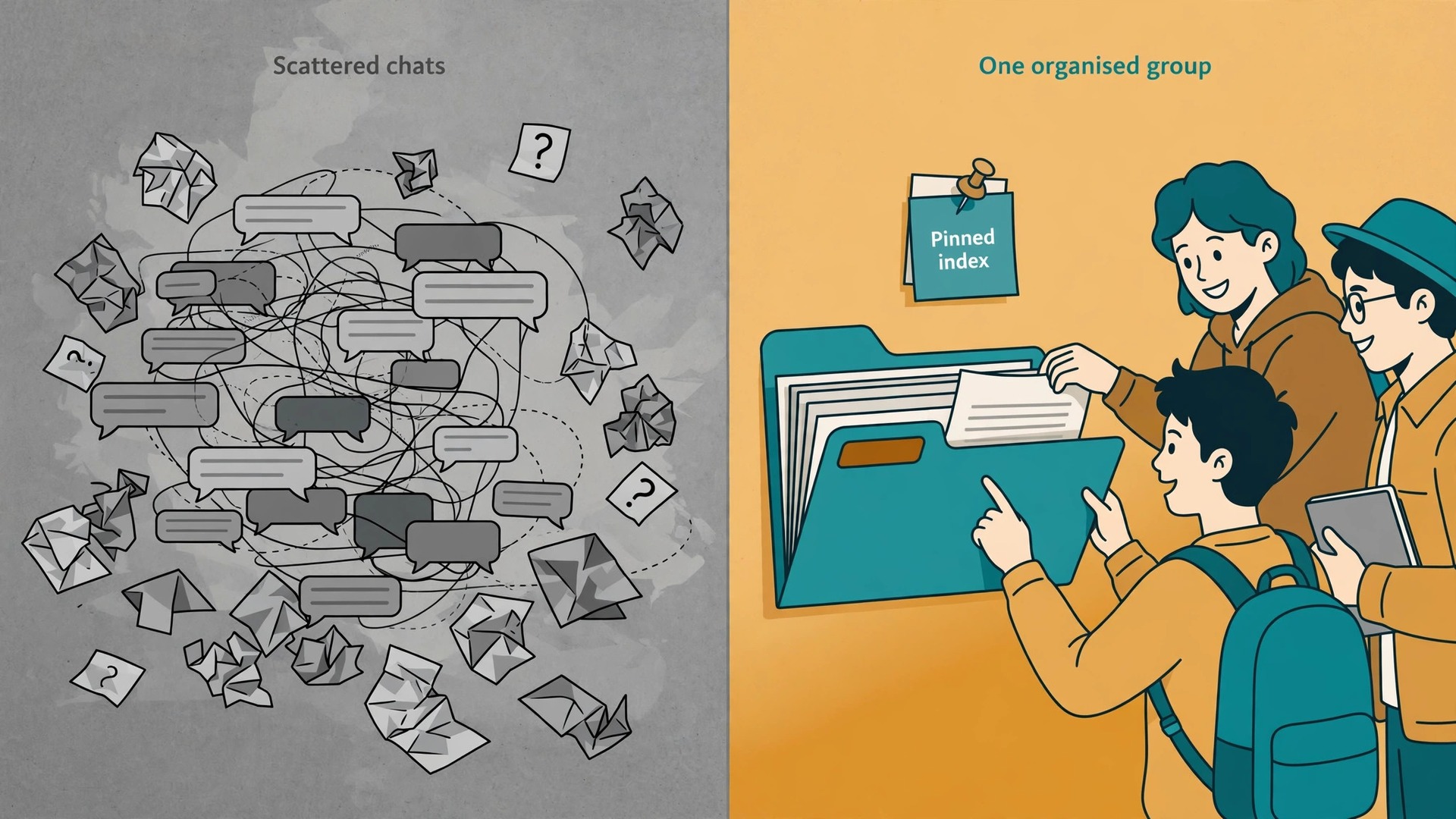
If you use Telegram for study group notes, you stop losing good material in five different class chats and a pile of screenshots nobody can find again. One group becomes the single place where notes live, where questions get answered, and where revision happens on a schedule. Most study groups do not fail for lack of effort. They fail because material is scattered, the plan is vague, and nobody knows which file is current. Telegram fixes the scattered part well, provided the group is set up with intent. This guide gives you that setup, plus a weekly revision workflow you can run without a tutor, a paid app, or a complicated system.
The approach below works for a class of six friends, a university module cohort, a revision circle for a professional exam, or a school class run by a teacher. The tools are the same in each case. What changes is the number of topics, the strictness of the moderation rules, and how much admin work you take on. Keep the structure light at first. Add rules only when a real problem appears, and write every rule down in a pinned message so new members can see it on day one.
Why One Group Beats Scattered Class Chats
Scattered chats create three quiet problems. The first is duplicate work. Three people summarise the same chapter because nobody saw the first summary. The second is version confusion. A corrected set of notes sits in one chat while an older, wrong version keeps circulating in another. The third is lost questions. A good question asked at midnight gets buried under memes by morning, and the answer never reaches the person who needed it.
A single Telegram group solves these problems only if it has a clear home for each kind of material. That is why this guide starts with structure, not with features. Features help, but structure decides whether members can find a file in ten seconds or give up and ask for it again. Think of the group as a small library with a front desk. The pinned messages are the front desk. The topics are the shelves. The search box is the catalogue.
Telegram also suits study groups for practical reasons. Groups can hold up to 200,000 members, according to Telegram’s own FAQ, so even a large cohort fits in one place. Files of up to 2 GB each can be shared on a free account, with a 4 GB limit for Premium accounts, which covers lecture recordings, slide decks and scanned handouts with room to spare. Messages, files and polls stay in sync across phone and desktop, so a student can read on a phone on the bus and type up notes on a laptop at home without copying anything across. None of this makes Telegram a replacement for a textbook or a teacher.
It makes it a strong shared workspace for the notes, questions and practice that sit around formal teaching. That combination is a practical reason to use Telegram for study group notes rather than a chat app that caps files or hides history.
Group or Channel, and When to Run Both
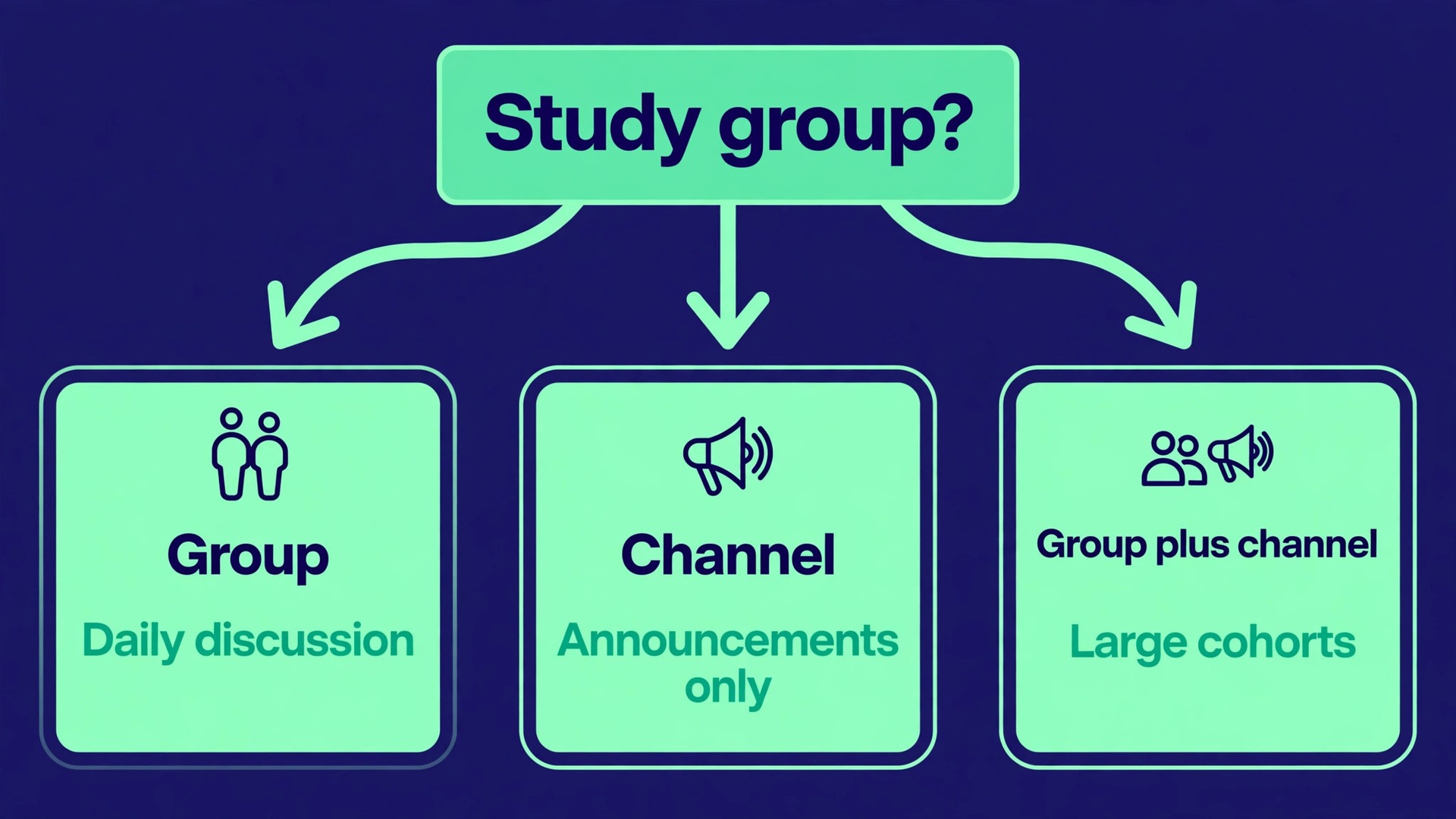
The first decision is format, and it is worth getting right before anyone joins. A Telegram group is a two way space. Every member can post, reply, share files and vote in polls, subject to the permissions admins set. A channel is a one way broadcast. Only admins post, while subscribers read, react and, if comments are switched on through a linked discussion group, comment underneath. For a study group, the group is almost always the right core, because study needs questions, corrections and discussion, not just announcements.
A channel still has a place in two cases. The first is a large cohort where announcements must reach everyone without discussion noise, for example exam dates, room changes and deadline reminders. The second is a teacher or tutor who publishes a clean set of notes and does not want student chat mixed into the same feed. In both cases, the cleanest pattern is to run both and link them. Publish the finished notes and announcements in the channel, and link a discussion group where members ask questions about each post. That way the channel stays readable as a reference, and the group stays lively without burying the material.
| Format | Who can post | Best for a study group | Main risk |
|---|---|---|---|
| Group | All members, or members within admin set permissions | Daily discussion, shared notes, questions and quizzes | Chat volume buries files unless topics and pins are used |
| Channel | Admins only | Clean announcements and finished notes | No peer discussion unless a linked group is added |
| Group plus linked channel | Admins in the channel, all members in the group | Large cohorts and teacher led classes | Two places to check, so the link and the rules must be clear |
For a small group of friends, skip the channel. One well organised group is simpler, and simplicity is what keeps people posting. In short, when you use Telegram for study group notes in a small class, one group is enough. For a cohort above about fifty members, or a class where a teacher must keep announcements clean, add the channel from the start. Moving announcements later, after members have formed habits around a noisy group, is harder than setting the split up on day one.
Privacy matters here too. A private group suits a class or a paid cohort, because only invited members can join and see the history. A public group suits an open revision community that wants new members to find it by search, but it needs stronger moderation and a clear rule against sharing exam papers or copyrighted material. Choose private unless you have a specific reason to be public. You can always open a private group later, but you cannot easily take back material that was posted in public.
How to use Telegram for study group notes
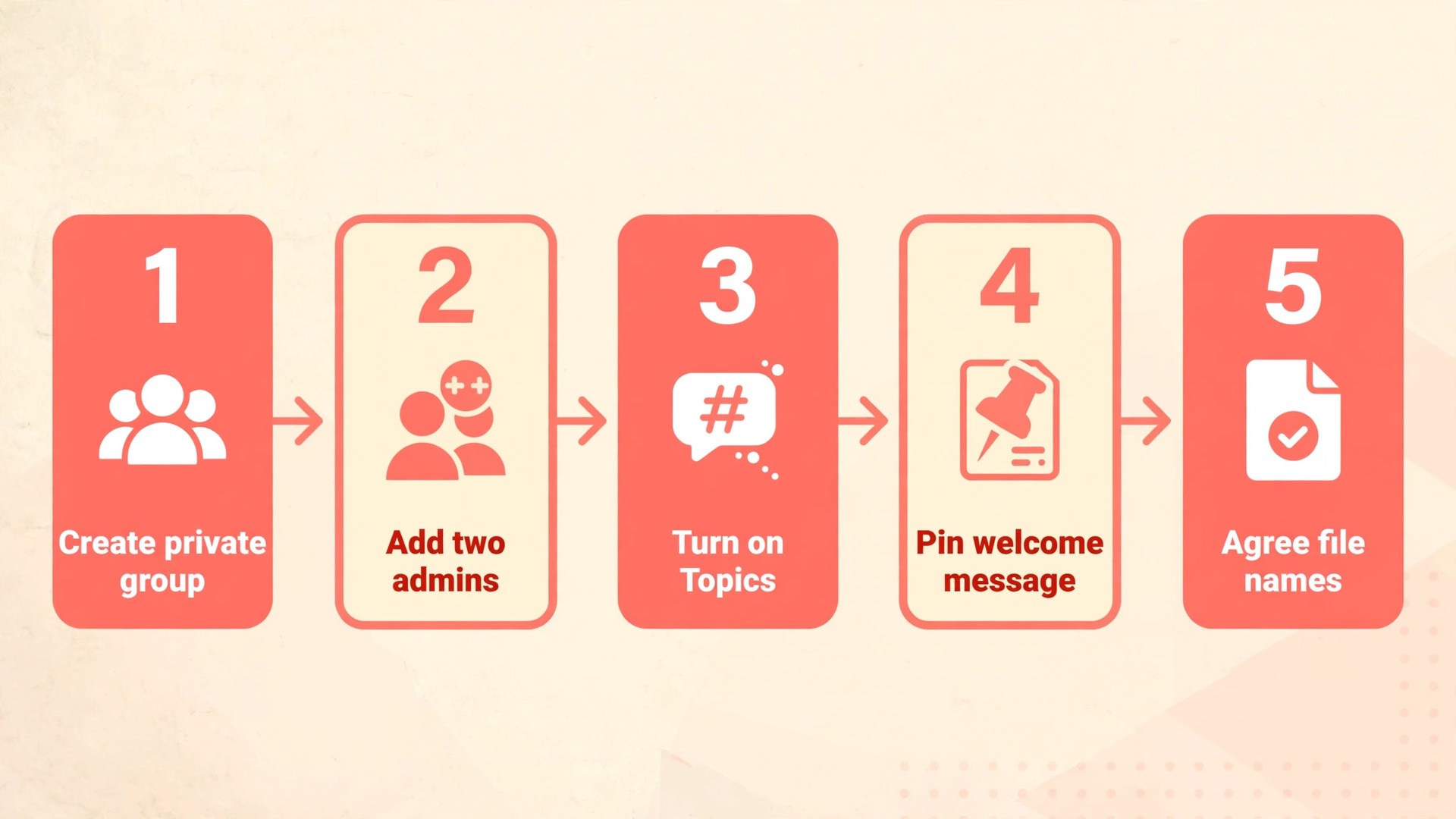
Set the group up once, properly, and the rest of the term gets easier. The steps below take about thirty minutes, and most of them need doing only once. Do them in order, because each step makes the next one easier to explain to members.
- Create a private group and give it a name that states the subject, the level and the term. A name such as Biology Year 2 Revision Spring Term tells a new member instantly whether they are in the right place, while a vague name such as Study Group does not.
- Add two admins at minimum, even for a small group. One admin covers the other during exams, holidays and busy weeks. Give the second admin permission to pin messages and manage topics, but keep member removal and group settings with the main admin until trust is built.
- Write a short group description that states the purpose, the subjects covered, and the single rule that matters most, which is usually that finished notes go in the right topic and questions go in the matching topic, not in the general chat.
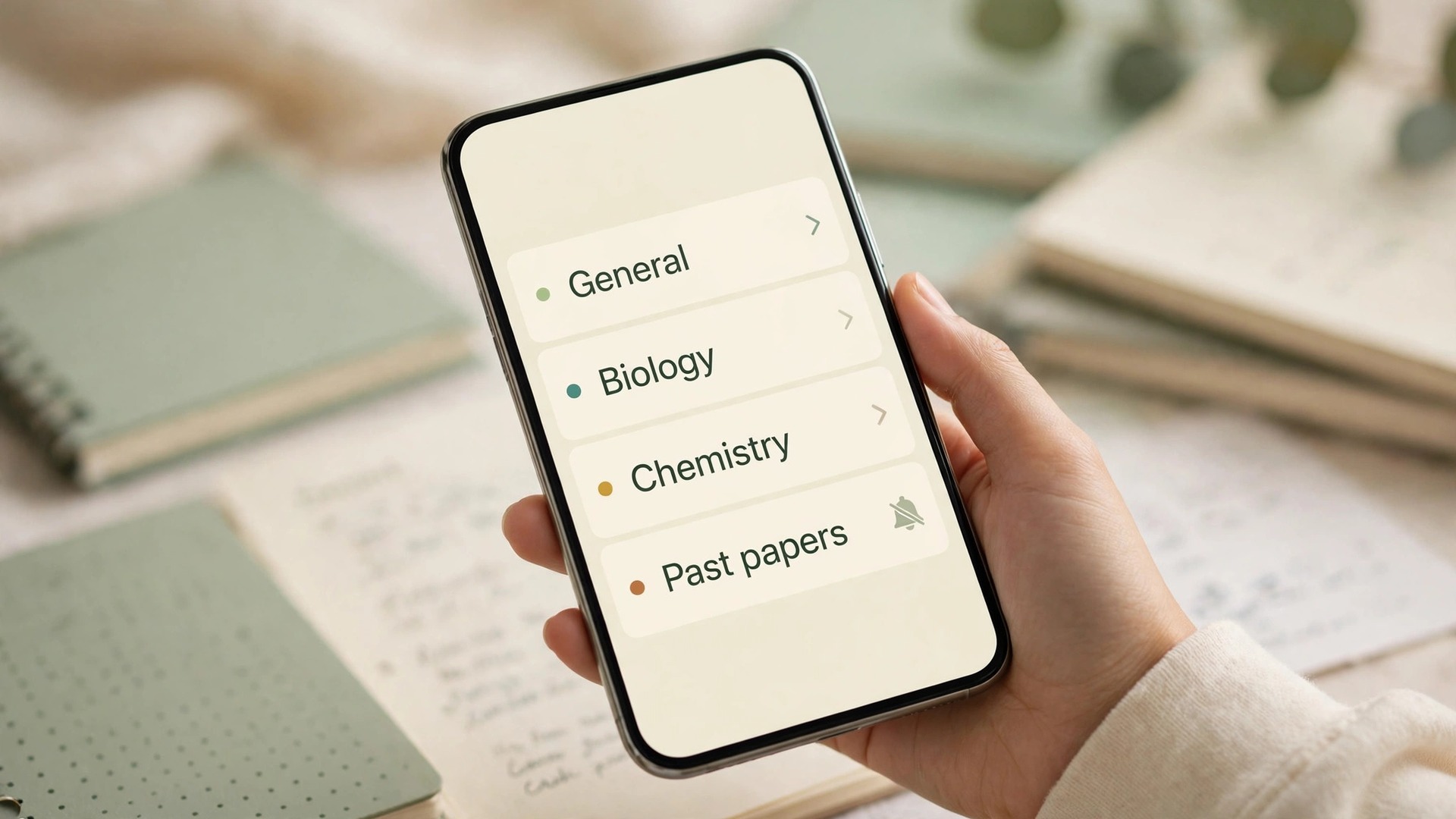
- Turn on Topics if the group will cover more than one subject or chapter. Topics are available in groups and split discussion into separate threads, each with its own history, media and notification settings. Without topics, a group covering five subjects becomes one long mixed feed.
- Create the topic list before inviting everyone. Start with a general topic for introductions and admin notices, one topic per subject or module, one topic for past papers and practice questions, and one topic for exam logistics such as dates, rooms and materials allowed in the exam.
- Post a pinned welcome message that links the layout in plain words. Tell members where finished notes live, where questions go, how files should be named, and when the weekly quiz runs. Pin it, and keep it short enough to read on a phone screen without scrolling far.
- Set default permissions before the first week gets busy. Members should be able to send messages, media and files, and to take part in polls. Restrict nothing else at first. Add restrictions only if spam, off topic chat or file clutter becomes a real problem.
- Create an invite link, set it to expire if the group is tied to one term, and share it only through the class list or the teacher, not on a public social feed. An expired link stops old links circulating after the term ends.
- Agree a file naming pattern and put it in the pinned message. A pattern such as subject, chapter, topic and date, written the same way every time, makes search work. A file named notes.pdf helps nobody, while a file named Biology Chapter 4 Cell Division Summary 12 May helps everyone.
Once the group exists, resist the urge to add every feature at once. Bots, scheduled messages and extra channels can wait until the group has survived two normal weeks. A group that members understand beats a group that impresses them for a day and confuses them for a term. The test is simple. A new member should be able to join, read the pinned message, find the current chapter notes, and post a question in the right topic without asking an admin for help.
Pinned Notes and File Organisation That Survive the Term
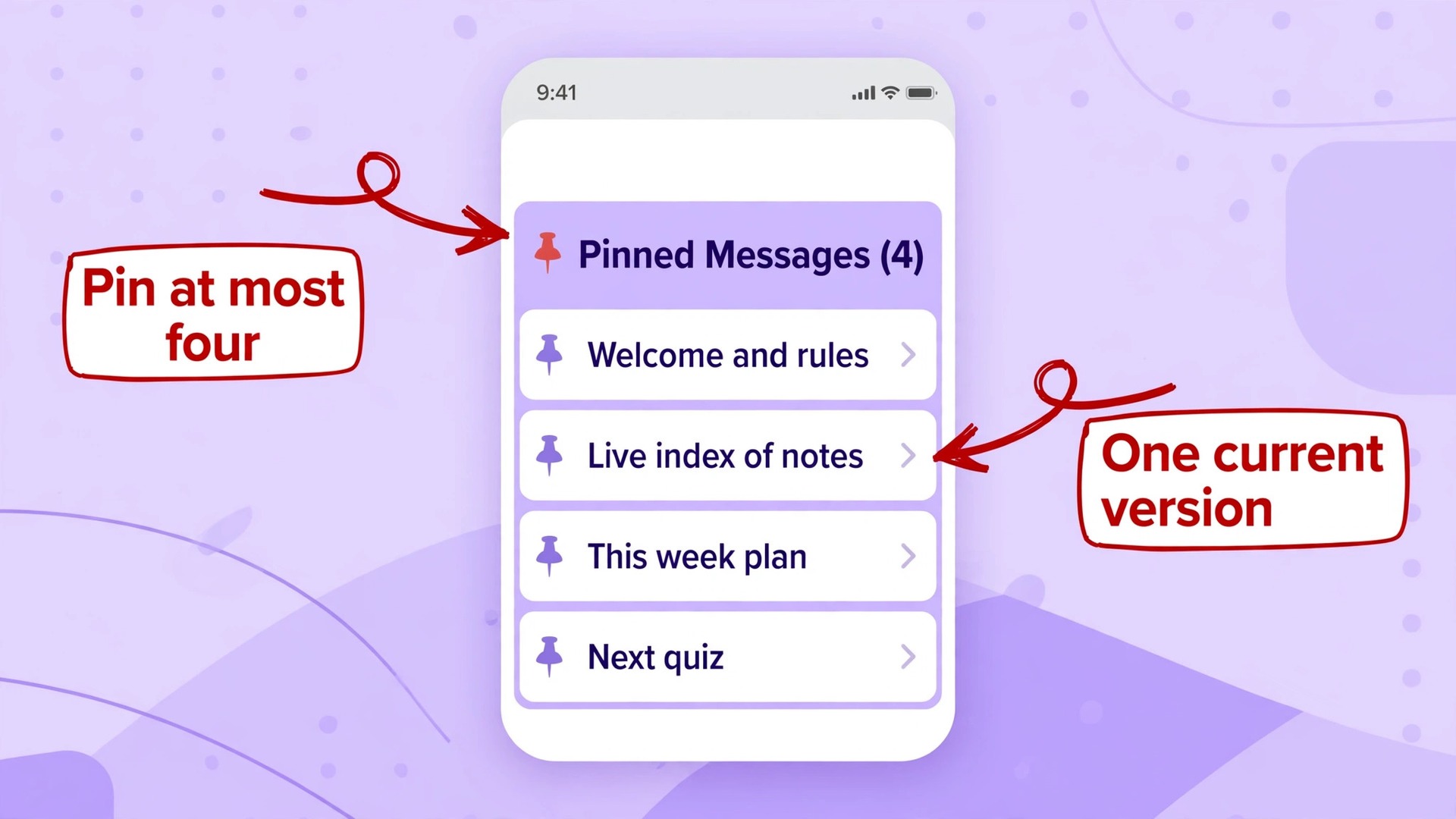
Pins are the most underused tool in study groups. Telegram lets admins pin messages to the top of the chat, and members can tap through pinned items to reach the material that matters. The mistake is pinning everything. A group with twelve pinned messages has no front desk at all, because nobody scrolls through twelve pins to find one file. Pin at most four items, and make each one earn its place.
The four pins that work for most study groups are a welcome and rules message, a live index of finished notes, the current week plan, and the next quiz or deadline. The live index is the most valuable of the four. It is a single message, edited by an admin as new notes arrive, that lists each finished note with its topic and a short description. Members check the index instead of scrolling, and the admin edits one message instead of reposting files. When a note is corrected, the admin replaces the file in its topic and updates the index line, so there is one current version and no competing copies.
An index like this is what makes it practical to use Telegram for study group notes across a whole term.
File organisation needs the same discipline. Telegram search is strong, and members can filter by sender or file type, but search only helps if files have useful names and live in the right topic. Agree three habits from the start. First, post finished notes as files, not as photos of pages, wherever possible, because files keep their names and are easier to download and print. Second, post a one line description with every file, stating what it covers and what it does not cover, so members do not have to open five files to find the right one. Third, never post a corrected version as a new file with a similar name.
Replace the old file or post the correction as a clearly labelled version in the same topic, and update the index.
Lecture recordings, slides and handouts need a home too. Put the original teaching material in its subject topic, and put student summaries in the same topic but marked as summaries. That distinction matters during revision, because a student under time pressure must know at a glance whether they are reading the lecturer’s slides or a classmate’s interpretation of them. Both are useful. They are not the same, and mixing them without labels causes confident mistakes in exams.
Topic Threads That Keep Subjects Separate
Topics turn a busy group into something closer to a forum, and they are the feature that most separates a useful study group from a noisy chat. Each topic has its own chat history, shared media and notification settings, so a member revising chemistry can mute the physics topic for a week without missing chemistry updates. That control is what keeps a large group usable, because members can focus on the subjects they need and ignore the rest without leaving the group.
Set topics by subject or module first, not by week. Week based topics age badly, because a question about week three material in week nine has no obvious home. Subject topics stay relevant all term. Inside each subject topic, use replies to keep discussions threaded. When a member asks a question, answers should reply to that message, so the whole exchange stays together and later readers can follow it.
Hashtags add a second layer of organisation inside topics. Agree a small set and use them consistently, for example one tag for summaries, one for past paper questions, one for corrections, and one for exam tips. Telegram search finds hashtagged messages quickly, and members can tap a tag to see every summary in a subject without scrolling. Keep the tag list short. Ten tags nobody remembers are worse than four tags everyone uses. Members who use Telegram for study group notes with this tag habit can find every summary in seconds. Put the tag list in the pinned welcome message, next to the topic list, so new members learn it on day one.
Quizzes and Polls That Turn Reading Into Recall
Reading notes feels productive and often is not. Recall practice, where a student tries to answer before checking the answer, is far stronger for long term memory, and Telegram polls and quizzes make that practice easy to run inside the group. A native poll can be created from the attachment menu in any group, with options for multiple answers, visible votes, anonymous votes, and a quiz mode that marks one answer correct and shows an explanation after voting. For a study group, quiz mode is the most useful, because it gives instant feedback and a short explanation at the moment the mistake is fresh.
That instant feedback is a strong reason to use Telegram for study group notes for recall practice, not just reading.
Run quizzes in small, frequent doses rather than one large test at the end of a chapter. Ten questions on a single topic, posted twice a week, beat fifty questions posted once, because short practice fits into a spare ten minutes and keeps the group active. The best source of questions is the group itself. Ask each member to write two questions when they finish a chapter summary, with the correct answer and a one sentence explanation. The admin collects them, checks the answers, and posts them as a quiz.
Writing questions forces the writer to decide what matters, which is itself a strong study activity, and the group ends up with a bank of questions that reflects the actual syllabus rather than a generic question set.
Quiz bots extend what native polls can do. Telegram’s own QuizBot lets a creator build multi question quizzes with text and media, track how many answers each user got right, track time taken, and keep a leaderboard. That suits a longer weekly quiz or a mock test, while native polls suit quick daily checks. Do not run both for the same material. Use native polls for daily recall and a bot quiz for the weekly review, and keep the two clearly separate in the topic list, so members know which one counts as the weekly check and which one is casual practice.
The Weekly Revision Workflow
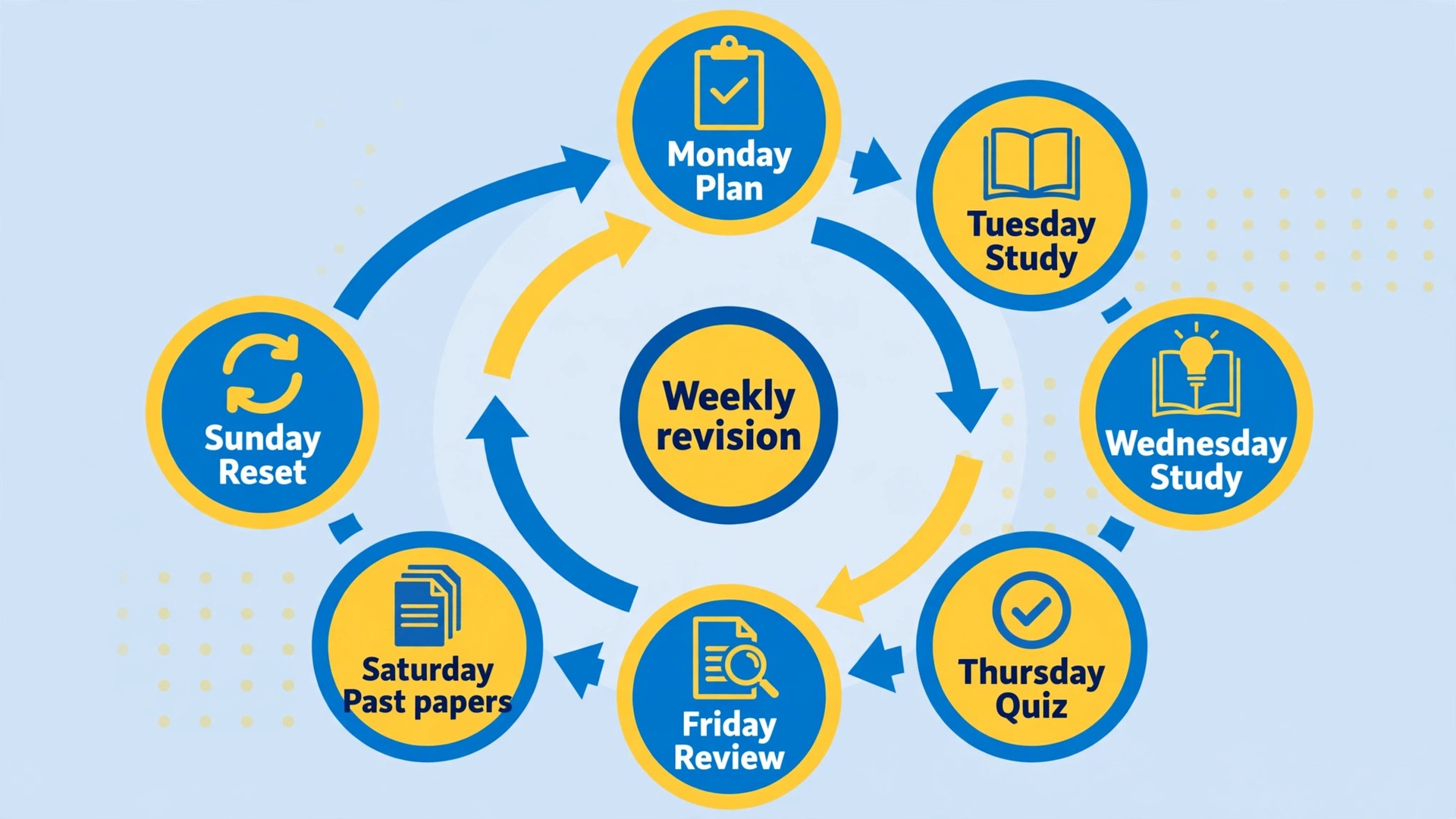
This is the part that turns a file store into a study system. A group that only collects notes will still leave revision to chance, because members read when they feel like it and cram when panic arrives. A weekly workflow gives the group a rhythm, and rhythm is what carries students through a long term. The workflow below runs Monday to Sunday and takes about three focused sessions plus short daily checks. Adapt the days to your timetable, but keep the order, because each step prepares the next one.
Monday is planning day. The admin posts the week plan in the announcements topic, naming the chapter or chapters for the week, the notes that cover them, and the quiz day. Members reply in their subject topic with one line stating their weakest point from last week. Those replies become the focus for the week, because a plan built on real weak points beats a plan built on what feels comfortable. A plan built this way shows how groups use Telegram for study group notes to target real weak points.
Tuesday and Wednesday are study days. Members read the notes and add questions to the subject topic as they go, using replies to keep each question thread together. Anyone who finds an error in a note posts a correction in the same topic and tags it as a correction, so the fix is visible to everyone who downloaded the old version. No new finished notes should be posted on these days unless they correct an error, because new material competes with reading time.
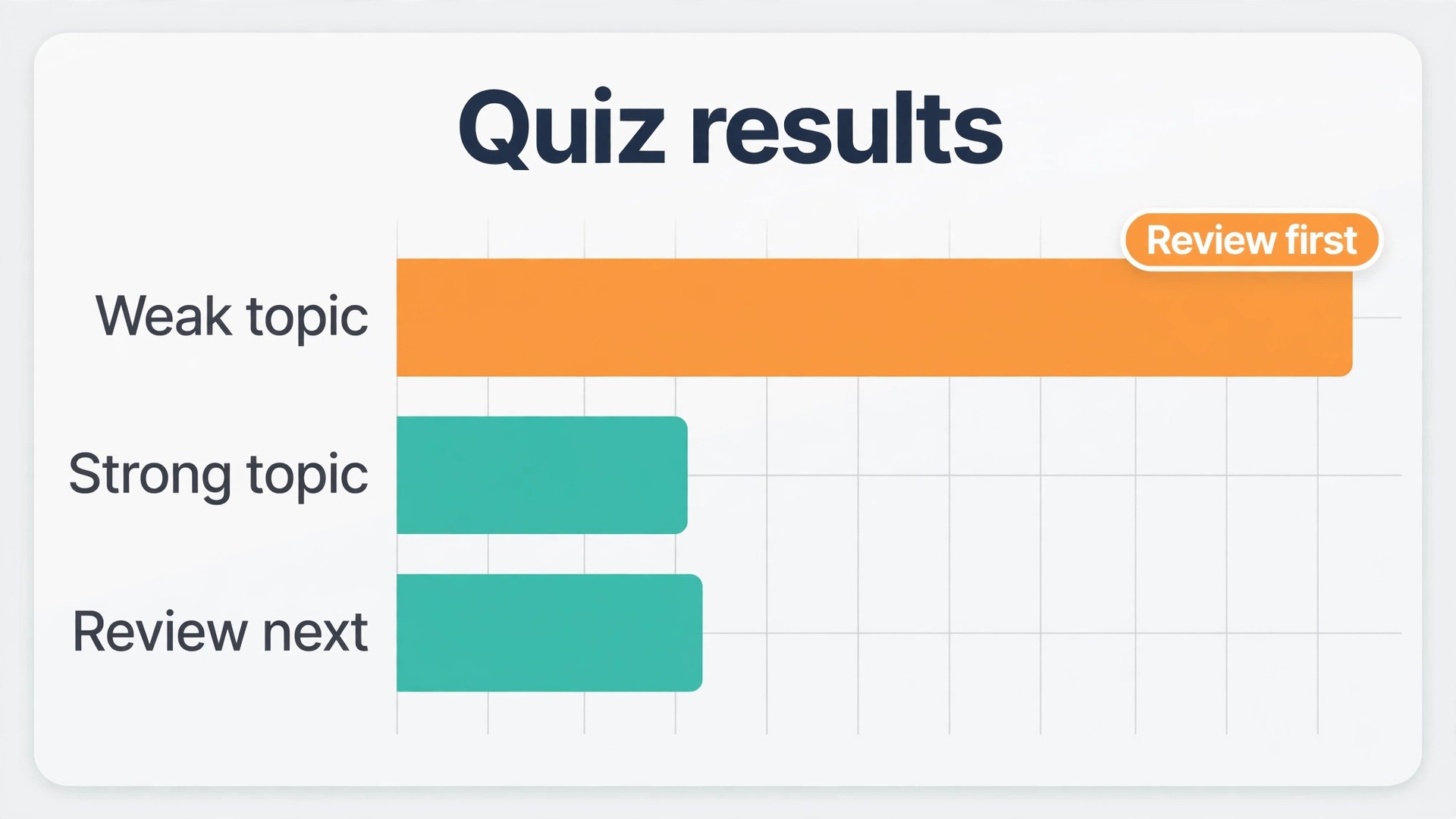
Thursday is quiz day. The admin posts a ten question quiz in the subject topic in the morning, using quiz mode with explanations. Members answer during the day, and the admin posts a short summary in the evening naming the two or three topics with the lowest scores. That summary is the most important message of the week, because it tells the group exactly what to review next, based on evidence rather than feeling.
Friday is review day. Members revisit only the weak topics from Thursday, using the explanations from the quiz and the original notes. Each member posts one short summary of a weak topic in their own words, no longer than a paragraph, in the subject topic. Short summaries force understanding, because copying a textbook paragraph is easy and explaining a concept briefly is not. The admin collects the best summaries into the pinned index as revision cards for exam week.
Saturday is past paper day. Members work through two or three past paper questions in the past papers topic, posting answers as replies and marking each other’s work against a mark scheme where one exists. Past paper practice reveals gaps that reading never shows, such as answers that are correct in content but too vague for marks.
Sunday is rest and reset day. The admin updates the pinned index, archives the week plan, and posts the next week plan. Members mute topics they do not need for the coming week and check that their files are downloaded for offline study. A group that rests on Sunday starts Monday with energy, while a group that studies every day without a break burns out before the exam period that matters most.
| Day | Focus | Group action | Time guide |
|---|---|---|---|
| Monday | Plan | Admin posts the week plan, members name one weak point | 15 minutes |
| Tuesday and Wednesday | Study | Members read notes and post questions in the subject topic | Two focused sessions |
| Thursday | Quiz | Ten question quiz in the morning, weak topic summary in the evening | 30 minutes plus review |
| Friday | Review | Members post one short summary of a weak topic | 30 minutes |
| Saturday | Past papers | Two or three questions worked through in the past papers topic | 45 minutes |
| Sunday | Reset | Admin updates the index and posts the next plan | 15 minutes |
Moderation Rules That Keep the Group Useful
A study group needs fewer rules than a public community, but it needs the rules it has to be clear, fair and enforced the same way for everyone. Write the rules in the pinned welcome message, keep them to six or fewer, and review them once a term. Rules that nobody reads are decoration. Rules that everyone knows shape behaviour without constant admin intervention.
Start with the rules that protect study time. Keep off topic chat in the general topic and out of subject topics, so a member opening a subject topic finds study material, not jokes. Keep memes and stickers in the general topic too, for the same reason. Ban spoilers for past paper answers, meaning answers should be posted as replies to the question or behind a clear warning, so members who want to try first are not given the answer by scrolling. Require sources for claims about exam content, such as a syllabus page or a past paper reference, so rumours about what will be on the exam do not spread as fact.
Next, set rules that protect members. No sharing of another member’s notes outside the group without permission, because a student who shares a summary deserves control over where it goes. No sharing of copyrighted textbooks, paid course material or exam papers that the exam board forbids sharing, because the group should not put members at risk. No personal attacks, and no public correction that shames a member for a wrong answer. Correct the answer, thank the person for asking, and move on. A group where members fear looking foolish stops asking questions, and a study group that stops asking questions has lost its purpose.
Admin tools make these rules enforceable without drama. Admins can delete messages, restrict a member who repeatedly posts off topic material, and pin the rules so they are always visible. Use warnings before restrictions, and keep warnings private where possible, through a direct message rather than a public rebuke. Public enforcement creates sides and arguments. Private enforcement keeps the group calm. Private warnings work well when you use Telegram for study group notes, because they keep the group calm without a public argument. If a member repeatedly breaks the rules after two private warnings, restrict posting for a short period and explain why in a direct message.
Most members correct course after one clear warning, because they joined to study, not to argue.
If your group also uses other tools for notes and revision, the Stratilyze guides to student tools and exam preparation pair well with this setup. Read the guide to AI tools for students for ways to summarise and organise material before it enters the group, the guide to AI quiz generators for building larger question banks, and the guide to note taking apps for choosing where finished notes are written before they are shared. For exam season itself, the guide on how to use AI to prepare for an exam covers planning and practice beyond the group.
Frequently Asked Questions
Is a Telegram group or a channel better for study notes?
A group is better for most study notes, because members need to ask questions, post corrections and take quizzes, and only a group allows that two way discussion. A channel suits announcements and finished notes for a large cohort, and it works best when linked to a discussion group. For a small class or a friend group, start with a group alone and add a channel only if announcements start getting buried.
How many members can a Telegram study group hold?
Telegram groups can hold up to 200,000 members, according to Telegram’s own FAQ, so size is rarely a practical limit for a class or a cohort. The real limit is moderation and organisation. A group above fifty members needs topics, pinned rules and at least two admins to stay usable, while a group of ten can run on a single pinned message and informal habits.
Can new members see old notes and files when they join?
New members can see the group history if the admin sets history visibility that way, which is the right choice for a study group, because a student who joins in week five needs week one notes. Check the history setting when you create the group, and test it by asking a new member to find a file from the first week. If they cannot see it, the setting needs changing before the group grows further.
How do Telegram quizzes work in a study group?
A native poll in quiz mode lets the creator mark one answer correct and add an explanation that appears after voting. Members vote, see instantly whether they were right, and read the explanation while the question is fresh. For longer multi question quizzes, Telegram’s QuizBot builds a full quiz with media, tracks scores and time, and keeps a leaderboard. Use native polls for quick daily checks and a bot quiz for the weekly review.
Files of up to 2 GB each can be shared on a free Telegram account, with a 4 GB limit for Premium accounts, according to Telegram’s own FAQ. That covers lecture recordings, slide decks, scanned handouts and past papers in almost every case. If a single recording exceeds the limit, split it into parts or link it from a shared drive, and note the link in the pinned index so members find it in one place.
How do we stop a Telegram study group becoming too noisy to use?
Topics are the main answer, because members can mute topics they do not need while keeping notifications for their subjects and for announcements. Pinned rules help too, by keeping off topic chat in the general topic and out of subject topics. If noise persists, admins can slow down posting, restrict media in busy periods, or set a short daily window for casual chat. The goal is not silence, but a group where study material is easy to find.
Start With One Pinned Index and One Weekly Quiz
You do not need a perfect group on day one. You need a group with a clear purpose, a pinned index members can trust, topics that keep subjects separate, and a weekly rhythm that turns reading into recall. Set those four pieces up this week, run the workflow for three weeks, and then judge the group by Thursday quiz scores and by how quickly a new member can find the current notes. Once those pieces are in place, you can use Telegram for study group notes with confidence through exam season. If both improve, the system is working, and the group will carry itself through exam season.
If they do not, change one piece at a time, starting with the pinned index, because a group that cannot find its own notes cannot revise from them, no matter how good the notes are.