
Finding the best AI logo maker is hard because every tool’s homepage shows its best-ever results, not its typical ones. The honest way to compare them is to give every tool the same brief and judge what actually comes out — which is exactly what we did. We invented a fictional coffee subscription brand, fed the identical brief into Looka, Brandmark, LogoAI, and Canva, and compared the resulting logos on originality, editing effort, vector-file delivery, and the real price per logo once you download something usable.
The results surprised us: the most expensive tool wasn’t the most original, the free tool had a trademark catch that matters more than its price, and two of the four produced logos we’d genuinely put on a coffee bag. Here’s the full test.
The Short Answer
| Tool | Price per usable logo (Oct 2026) | Vector files | Originality (our score) | Best for |
|---|---|---|---|---|
| Looka | $65 one-time (Premium) | SVG, EPS, PDF on Premium | 7/10 | Logo + full brand kit in one place |
| Brandmark | $65 one-time (Designer) | SVG, EPS on Designer | 8/10 | Most distinctive, minimal marks |
| LogoAI | $59 one-time (Pro) | On Pro plan | 6/10 | Fast concepts + brand tools bundle |
| Canva | Free (PNG); Pro ~$15/mo for SVG | SVG on Pro | 5/10 | Free placeholder logo inside a design suite |
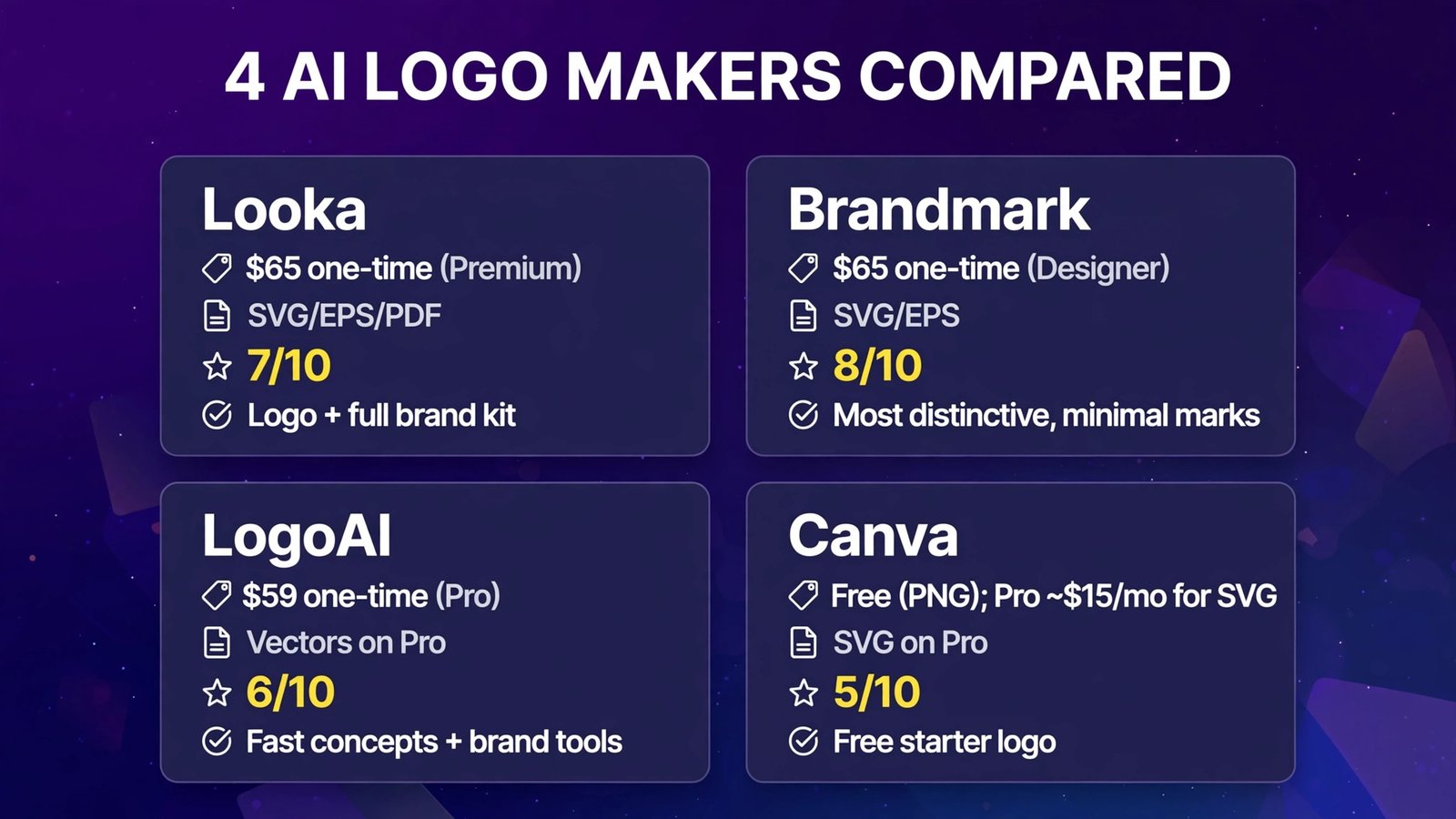
Bottom line: For a logo you actually own and can print, Looka Premium ($65) and Brandmark Designer ($65) are the two real contenders — Looka if you want the brand kit, Brandmark if you want the most distinctive mark. LogoAI is a close, cheaper-feeling third. Canva is fine for a free placeholder, but a logo built from its templates cannot be trademarked — which rules it out as your final brand mark.
The Test Brief: One Brand, Four Tools
Every tool received the identical fictional brief:
Brand: RoastRoute — a coffee subscription service delivering fresh-roasted beans monthly.
Tagline: “Fresh-roasted. Delivered monthly.”
Style keywords: warm, modern, craft, minimal. Colors: deep brown, cream, burnt orange.
Must work: on a coffee bag, a website header, and a small app icon.
We generated the first full set of concepts in each tool without cherry-picking inputs, picked the strongest concept, made light edits (color/font tweaks only), and scored it 1–10 on originality (how unlike a generic template it felt), brief fit, and versatility across the three placements. Pricing below is what it costs to download that finished logo in files you can actually use.
1. Looka — Best Logo + Brand Kit Combo
What it is: Looka (launched in 2016 as Logojoy) is one of the longest-running AI logo makers: you enter your business name, pick styles, colors, and symbols you like, and it generates hundreds of logo concepts you refine in a simple editor. Its real differentiator is what happens after the logo — a Brand Kit that turns your mark into 300+ branded templates (business cards, social posts, letterheads).
2026 pricing (verified): Designing is free; downloading is not. Basic $20 one-time gets a single low-resolution PNG on a colored background — no transparency, no vectors, and honestly not usable for a real business. Premium $65 one-time is the real product: high-resolution PNG plus SVG, EPS, and PDF vector files, transparent variations, color variations, unlimited edits after purchase, and full ownership. The Brand Kit subscription is $96/year (Brand Kit + Website $129/year). Every purchase covers one brand only.
Our test result: 7/10 originality. For RoastRoute, Looka produced the widest spread of concepts — several hundred across wordmarks, combined marks, and icons. The strongest was a clean route-line forming a coffee bean, paired with a warm serif wordmark; it needed about 10 minutes of editing to land. The weakness was sameness: many concepts were a wordmark plus one small generic icon, and a few “top” results felt like siblings of logos we’ve seen other startups use. The coffee-bag mockup looked genuinely good; the app-icon version needed manual simplification.
Pros:
- Largest concept volume — you’ll find a workable direction fast
- Premium tier includes true vectors (SVG/EPS/PDF) and unlimited post-purchase edits
- Brand Kit turns the logo into a full identity system for $96/year
- Full ownership on paid packages; you keep the logo if you cancel the kit
Cons:
- The $20 Basic tier is a trap — a low-res PNG with no transparency is not a usable logo
- Outputs can feel generic; symbols stay in Looka’s library and can appear in other logos
- One purchase = one brand; a second business name is a second $65
Verdict: The best AI logo maker for founders who want a logo and a ready-made brand kit — budget for the $65 Premium tier and skip Basic entirely.
2. Brandmark — Most Distinctive Marks
What it is: Brandmark is an AI logo generator from the team orbit behind Namelix, built around a neural network trained specifically on professional logo design. Where rivals assemble templates, Brandmark generates mark-and-wordmark combinations with coordinated color and type systems — and it still runs on a one-time purchase model, no subscription for the logo itself.
2026 pricing (verified): Generation is free and unlimited; you pay once to download. Basic $25 one-time (PNG files). Designer $65 one-time — the tier most people need: vector source files (SVG/EPS), brand style guide, business card designs, and font files, with unlimited revisions. Enterprise $175 one-time adds a brand guidelines document and 10 original concepts refined by Brandmark’s human design team. Full copyright is included with purchases.
Our test result: 8/10 originality — the winner. Brandmark’s RoastRoute concepts were the most “designed” of the four: fewer options than Looka, but a higher hit rate — the top concept (an abstract road winding into a coffee cup silhouette, muted brown/orange palette exactly on brief) looked like something a studio would present. Typography choices were stronger and more deliberate than any rival’s. The trade-off: Brandmark’s aesthetic range is narrower. It does clean, modern, minimal superbly; playful, retro, or illustrative briefs get less variety. The editor is also less granular — you adjust colors, fonts, and layout, but deep icon editing isn’t the point of this tool.
Pros:
- Most original output in our test — actively avoids generic template patterns
- One-time pricing with full copyright included; no subscription
- Strong typography and coordinated color systems out of the box
- Enterprise tier’s human-refined concepts bridge AI and a design studio
Cons:
- Narrower style range — minimal/modern is its home turf
- Less editing depth than Canva-class editors after generation
- No free download at any tier; preview only until you pay
- Smaller icon library than Looka
Verdict: The best AI logo maker if distinctiveness is the priority — the one we’d pick for a brand that expects to file a trademark later (after a proper clearance search — see the trademark notes below).
3. LogoAI — Solid All-Rounder With Brand Tools
What it is: LogoAI is an AI logo maker that combines a generator (name + industry + style preferences) with a broader brand toolkit: after you buy a logo, you get access to branding tools, templates for office documents, and mockup previews that show your logo on websites, social media, and print materials.
2026 pricing (verified): Sold as one-time packages per logo. Basic $29 — design edits and a low-resolution logo with transparent PNG. Pro $59 — high-resolution files and vector files, plus Word/PowerPoint templates and branding-tools access. Brand $99 — everything in Pro plus logo animation and brand center access. Pricing is per package (per logo/brand), so a second brand is a second purchase — worth confirming the current package terms on the official site before checkout, as LogoAI also runs subscription-style offers at times.
Our test result: 6/10 originality. LogoAI’s RoastRoute output landed between Canva and the two leaders: competent, on-brief concepts with sensible coffee iconography, but the top results leaned on familiar coffee-cup and bean motifs that felt closer to stock imagery than Looka’s or Brandmark’s best. Where LogoAI earned points: the mockup previews were the most useful in the test (seeing the logo on a bag, a storefront, and a phone screen before paying is genuinely helpful), and Pro at $59 undercuts both rivals’ vector tiers by a few dollars. Editing was smooth, with easy color/font/layout variations of a chosen concept.
Pros:
- Pro tier with vectors ($59) is the cheapest full-ownership download here
- Best pre-purchase mockups — see the logo in real contexts before paying
- Branding tools and document templates included on Pro
- Smooth variation workflow for colors, fonts, and layouts
Cons:
- Concepts leaned generic in our test — stock-like coffee motifs dominated
- Per-package pricing means repeat brands cost repeat money
- Pricing presentation can be confusing (packages vs. subscription offers) — read the checkout carefully
Verdict: A good-value all-rounder: pick LogoAI if budget is tight and you want vectors plus brand templates without paying Looka/Brandmark money — accept slightly less original output.
4. Canva — Best Free Placeholder, With a Legal Catch
What it is: Canva’s logo maker lives inside its huge design platform: thousands of logo templates (20,000+), a drag-and-drop editor anyone can use, and an AI logo generator in Magic Studio. It’s where most people start — and for quick, free, good-enough logos, it’s hard to beat.
2026 pricing (verified): Free — design and download PNG/JPG/PDF logos, with free elements usable commercially (SVG export and transparent backgrounds are tied to Canva Pro for template-based designs; a logo built only from free elements may export as SVG). Canva Pro is about $15/month or roughly $120–$144/year for one person (pricing varies by region and billing), unlocking SVG downloads, transparent PNGs, the Brand Kit, and the full asset library.
Our test result: 5/10 originality. Canva gave us the most control — we could nudge every element of the RoastRoute logo pixel by pixel — but the least originality: every strong result started from a template that thousands of other businesses can also use, and the AI generator’s suggestions were the most generic of the four. The coffee-bag test looked fine; it just looked like it could belong to any coffee brand. And then there’s the legal line that ends the discussion for serious brands: Canva states that logos built from its templates carry non-exclusive rights and cannot be registered as trademarks (the same applies to stock graphics used inside a logo). A logo drawn entirely from your own basic shapes and lines is the exception Canva points to — which is no longer really “using the logo maker.”
Pros:
- Genuinely free downloads — the only tool here where $0 gets you a usable file
- Best editor and template library; the logo lives where your other design work lives
- Brand Kit (Pro) keeps logo, colors, and fonts consistent across everything
- Zero learning curve for anyone who has touched Canva
Cons:
- Template-built logos cannot be trademarked — non-exclusive rights only
- Most generic output in our test; your “unique” logo may be a café’s logo too
- SVG/transparent exports effectively require Pro (~$15/month)
- AI generation quality trails the dedicated logo tools
Verdict: Use Canva for a free placeholder while you validate the business — then budget $65 for Looka or Brandmark before you print packaging or file anything official.
The RoastRoute Results Table
Same brief, same brand — here’s how the finished logos compared:
| Looka | Brandmark | LogoAI | Canva | |
|---|---|---|---|---|
| Originality score | 7/10 | 8/10 | 6/10 | 5/10 |
| Concepts generated | Hundreds | Dozens | Dozens | Template-based |
| Editing time to final | ~10 min | ~5 min | ~8 min | ~15 min (manual) |
| Usable download cost | $65 (Premium) | $65 (Designer) | $59 (Pro) | $0 (PNG) / Pro for SVG |
| Vector files | SVG, EPS, PDF | SVG, EPS | Yes (Pro) | SVG on Pro |
| Transparent PNG | Premium+ | Paid tiers | Basic+ | Pro |
| Coffee-bag mockup | Strong | Strong | Good previews | Fine, generic |
| App-icon version | Needed simplifying | Worked as-is | Worked | Needed simplifying |
| Trademark path | Ownership included* | Full copyright* | Ownership on paid* | Not available for template logos |
*Ownership of the file is not the same as a registrable trademark — see below.

Trademark and Ownership Notes (Read Before You Print Anything)
This is the section most logo-maker reviews skip, and it’s the one that can cost you a rebrand:
- Buying a logo ≠ owning a trademark. Looka, Brandmark, and LogoAI transfer ownership/commercial rights in the design files you purchase. Trademark registration is a separate legal process, and none of these tools guarantees your mark is registrable.
- AI marks can collide. Template- and library-based generators reuse elements. Looka’s own help center notes your copyright covers the logo as a whole, not its individual elements — and a symbol from its library can appear in another business’s logo. Brandmark documents its commercial rights most clearly of the four, which helps, but doesn’t replace a search.
- Canva template logos are explicitly non-exclusive and, per Canva, can’t be registered as trademarks. Fine for a placeholder; disqualifying for a flagship brand.
- Always run a trademark search (USPTO’s database in the US) in your business category before ordering signage, packaging, or merchandise. A $65 logo is cheap; reprinting 5,000 coffee bags is not.
- Keep your receipts. Save the purchase confirmation and license terms for whichever tool you buy from — that’s your proof of commercial rights if a dispute ever arises.

Full Comparison Table
| Looka | Brandmark | LogoAI | Canva | |
|---|---|---|---|---|
| Model | One-time / annual kit | One-time | One-time packages | Freemium subscription |
| Entry download | $20 (low-res PNG) | $25 (PNG) | $29 (low-res + transparent PNG) | $0 (PNG) |
| Vectors from | $65 | $65 | $59 | Pro (~$15/mo) |
| Originality (our test) | 7/10 | 8/10 | 6/10 | 5/10 |
| Brand kit | $96/year, 300+ templates | Style guide on Designer | Brand tools on Pro | Brand Kit on Pro |
| Free download | No | No | No | Yes |
| Trademark path | Yes* | Yes* | Yes* | No (templates) |
| Best for | Logo + brand kit | Distinctive minimal marks | Budget vectors + tools | Free placeholders |
How to Choose
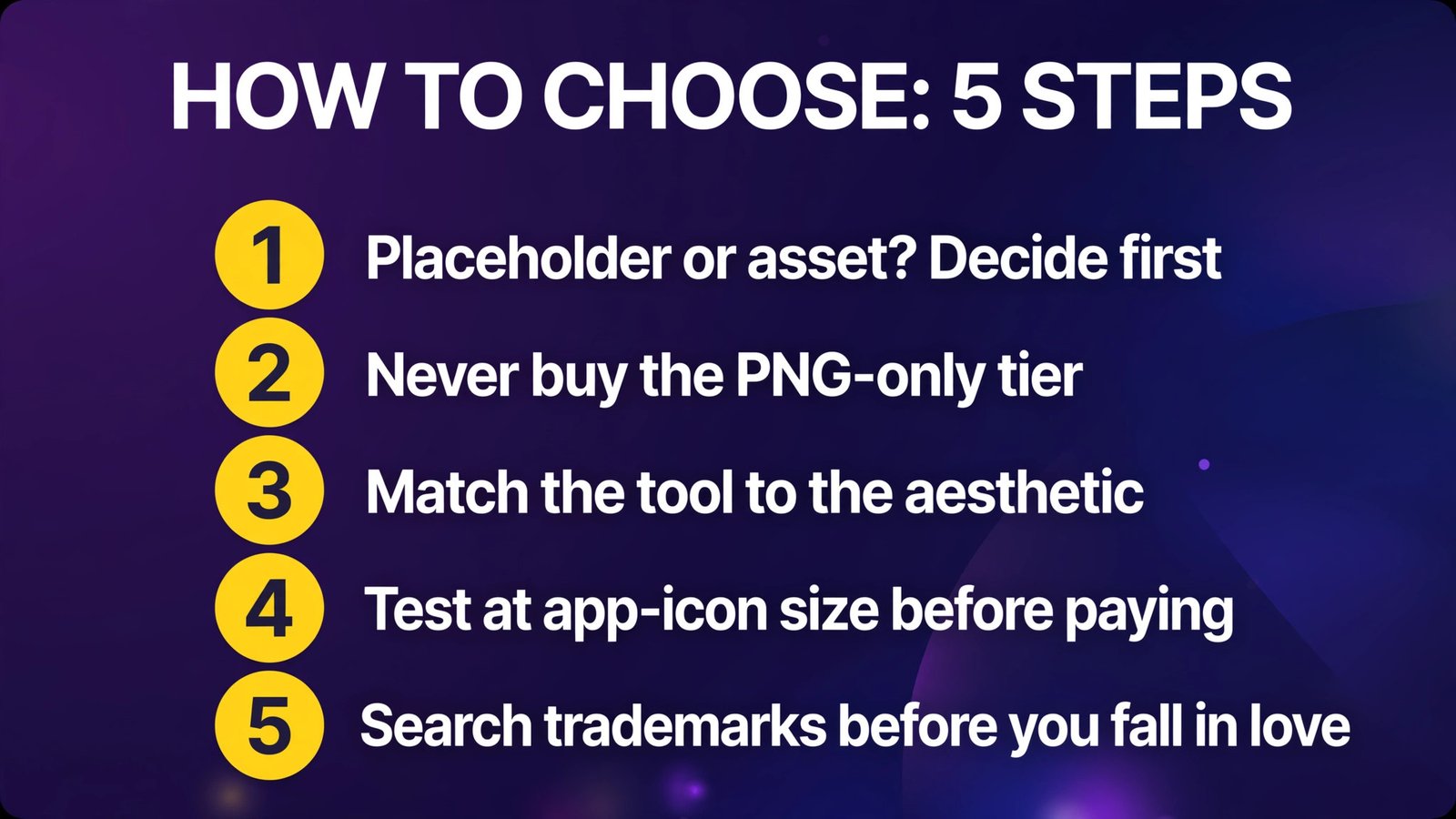
- Decide if this logo is a placeholder or an asset. Validating an idea? Canva free is fine. Building a business you’ll print, package, and advertise? Skip to a paid tool with ownership and vectors.
- Never buy the PNG-only tier. Looka Basic ($20), Brandmark Basic ($25), and similar tiers are the category’s worst value — a logo without a vector file is a logo you’ll pay for twice. The real price of a logo here is $59–$65.
- Match the tool to the aesthetic. Minimal, modern, typography-led brand → Brandmark. Need lots of directions to explore plus marketing templates → Looka. Tight budget with brand templates included → LogoAI.
- Test at app-icon size before paying. Shrink your finalist to 1 cm on screen. Marks that survive that test (Brandmark’s did; two of ours didn’t) are the ones that work everywhere.
- Search trademarks before you fall in love. Run the name and a similar-mark search in your category before printing anything. Do this step even — especially — with AI-generated marks.
Frequently Asked Questions
Which is the best AI logo maker overall?
In our test, Brandmark produced the most original, studio-quality logo from the same brief, with a $65 one-time Designer tier that includes vector files and full copyright. Looka is the better all-round package if you also want a brand kit with hundreds of templates. For $0, Canva wins — with the trademark caveat below.
How much should an AI logo cost?
For a real, usable logo: $59–$65 one-time (LogoAI Pro, Looka Premium, Brandmark Designer). That tier gets you vector files, transparent versions, and commercial ownership. Anything cheaper is usually PNG-only and will cost you again later; Canva Pro at ~$15/month is the subscription alternative.
Can I trademark an AI-generated logo?
Sometimes — but read carefully. Paid tiers at Looka, Brandmark, and LogoAI grant commercial ownership of the files, and Brandmark documents its rights clearly. Canva template-based logos explicitly cannot be trademarked — the license is non-exclusive. Either way, ownership of files is not registration: run a proper trademark search in your business category before investing in signage or packaging.
Do AI logo makers give you vector files?
The good ones do, on paid tiers: Looka Premium ($65) includes SVG/EPS/PDF; Brandmark Designer ($65) includes SVG/EPS; LogoAI Pro ($59) includes vectors; Canva Pro (~$15/mo) unlocks SVG export. Never buy a PNG-only tier if you plan to print, scale, or put the logo on packaging — a vector file is the difference between a logo you own and a logo you rent.
Is a free AI logo good enough for my business?
For validation, yes: Canva’s free tier produces a clean placeholder for a website, pitch deck, or social page. It’s not good enough as a final asset — template origins mean other businesses can end up with near-identical marks, you can’t trademark it, and free files are low-resolution. Treat free logos as temporary.
Looka vs Brandmark: which should I choose?
Pick Looka if you want volume (hundreds of concepts) and a full brand kit with 300+ templates for $96/year. Pick Brandmark if you want the most distinctive minimal mark, one-time pricing, and the clearest commercial-rights documentation. Our test’s originality score favored Brandmark (8/10 vs 7/10); Looka’s ecosystem favors founders doing everything themselves.
Conclusion
The best AI logo maker in 2026 comes down to what the logo is for. If it’s the face of a real business you’ll print and protect, the test is clear: Brandmark for the most distinctive mark, Looka for the most complete brand-kit ecosystem — both at a $65 one-time tier that delivers vectors and ownership. LogoAI is a competent budget alternative at $59. Canva remains the free starting line, and an honest one: great for placeholders, disqualified as a final mark because template logos can’t be trademarked.
And the meta-lesson from running one brief through all four: the tools differ less in “AI magic” than in ownership terms, file formats, and the boring question of who else might be using your symbols. Read the license. Check the vectors. Search the trademark database. Then pick the logo.
Next step: write your own one-paragraph brief like our RoastRoute test, run it through the free generators at Looka and Brandmark (designing is free), and shrink your two finalists to app-icon size — buy the one that still reads clearly.