
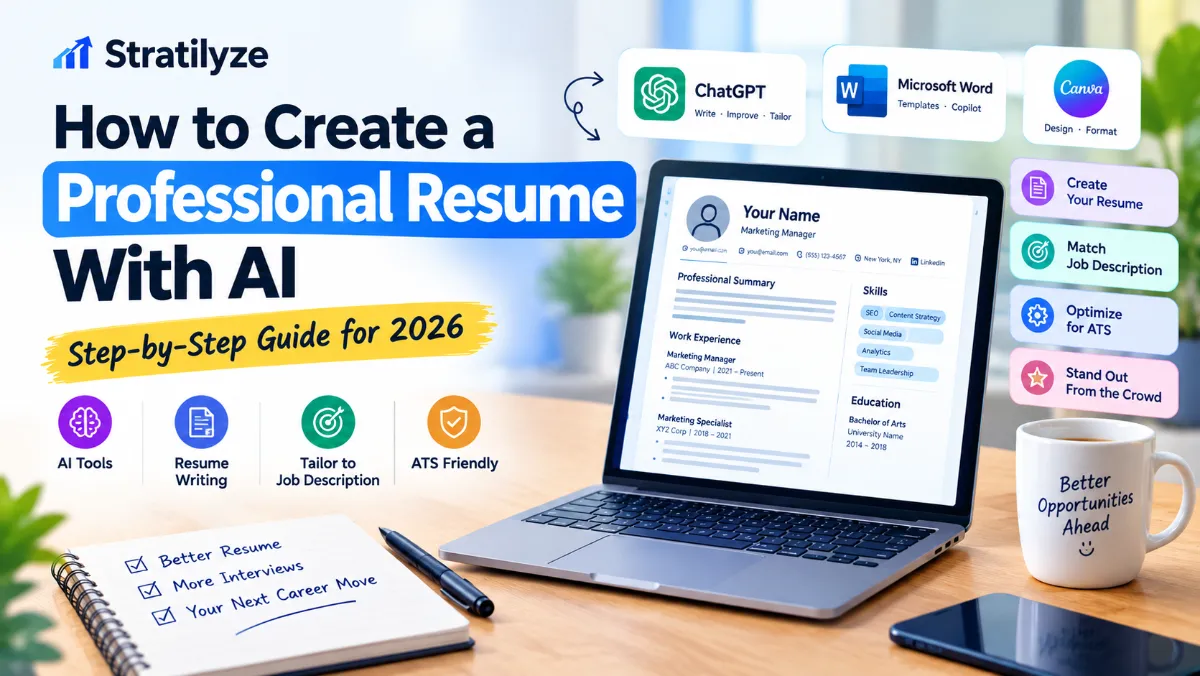
Creating a professional resume can take hours, especially when you are trying to turn years of experience, skills, projects, and achievements into a document that is clear and relevant to a specific job.
AI can make the process much faster.
You can use AI to organize your experience, improve resume bullets, identify relevant keywords from a job description, create a professional summary, and tailor your resume for different positions. Tools such as ChatGPT, Microsoft Word with Copilot, and Canva can assist with different parts of the process.
However, AI should be treated as a resume assistant, not a replacement for your judgment. The information on your resume still needs to be accurate, truthful, and based on your actual experience.
In this guide, you’ll learn how to create a professional resume with AI, how to write better resume bullets, how to tailor a resume to a job description, how to make it more ATS-friendly, which AI tools can help, and which mistakes you should avoid.
Can AI Create a Professional Resume?
Yes. AI can help you create a professional resume from your existing career information, but you should review and customize the final document before submitting it.
AI is particularly useful for:
- Organizing career information
- Writing a professional summary
- Improving resume bullet points
- Identifying relevant skills
- Matching your experience to a job description
- Removing unnecessary wording
- Improving grammar and clarity
- Creating different resume versions for different roles
- Formatting a resume
- Preparing an ATS-friendly structure
- Brainstorming measurable achievements
- Preparing for interviews
Microsoft currently provides resume-building workflows in Word where Copilot can help draft, rewrite, and refine resume sections. ChatGPT can also be used to organize experience, tailor resumes to specific roles, and improve application materials.
The important part is that AI should not invent experience, qualifications, job responsibilities, certifications, or performance results.
Read More : Best Software for Small Business in 2026 | 20+ Essential Tools
How to Create a Professional Resume With AI
The most effective approach is not to tell an AI tool:
“Write me a resume.”
Instead, build your resume in stages.
A strong AI resume workflow looks like this:
Your information → Target job → Job description → AI analysis → Resume draft → Human editing → ATS check → Final PDF
Let’s go through the process step by step.
Step 1: Collect Your Career Information
Before asking AI to write anything, collect the information it will need.
Create a simple document containing:
Contact information
Include:
- Full name
- City and state
- Phone number
- Professional email
- LinkedIn profile
- Portfolio or professional website, if relevant
You generally do not need to provide sensitive personal information such as your Social Security number.
Work experience
For each position, collect:
- Company name
- Job title
- Employment dates
- Main responsibilities
- Major projects
- Achievements
- Tools or software used
- Team size, if relevant
- Revenue, cost, time, efficiency, or performance improvements you can truthfully quantify
Education
Include:
- School or university
- Degree
- Field of study
- Graduation year, when appropriate
- Relevant academic achievements
Skills
Create a list of:
- Technical skills
- Software skills
- Industry knowledge
- Communication skills
- Leadership skills
- Languages
- Certifications
Projects
Projects can be particularly useful for students, career changers, freelancers, and candidates with limited professional experience.
Include:
- Project name
- Your role
- Tools used
- What you created
- Results
- Relevant skills
The more accurate information you give AI, the more useful the resulting resume will be.
Step 2: Choose the Job You Want
One of the biggest mistakes people make is creating one generic resume and sending it to every employer.
A better approach is to identify the specific role you want.
For example:
- Marketing Manager
- Software Engineer
- Data Analyst
- Customer Success Manager
- Project Manager
- Sales Representative
- Graphic Designer
- Financial Analyst
Your resume should make it easy for the employer to understand why your background matches that particular position.
AI becomes much more useful when you provide the target role and job description.
Step 3: Give AI the Job Description
Copy the job description into your AI tool.
Then ask it to analyze the position before writing your resume.
Useful prompt
Analyze this job description and identify:

1. The top 10 responsibilities
2. The most important technical skills
3. The most important soft skills
4. The required qualifications
5. The preferred qualifications
6. Important keywords that should naturally appear in a resume
7. The main problems this person will likely be expected to solve

Do not write my resume yet.

Here is the job description:

[PASTE JOB DESCRIPTION]
This creates a much better foundation for your resume.
A job description often contains clues about what the employer wants to see. Applicant tracking systems can also compare resume information with position descriptions, which is why relevant terminology and clear formatting matter.
Step 4: Match Your Experience to the Job
Now give AI your career information.
Ask it to identify where your real experience matches the employer’s requirements.
Prompt
Compare my experience with the job description below.

Identify:

1. My strongest matches
2. Relevant skills I already have
3. Experience I should emphasize
4. Projects that are relevant
5. Important requirements I do not appear to meet
6. Areas where more information is needed

Do not invent anything.

Separate confirmed information from anything that needs clarification.

Job description:
[PASTE JOB DESCRIPTION]

My experience:
[PASTE YOUR EXPERIENCE]
This step is important because it prevents the AI from blindly rewriting everything.
You want to know which parts of your actual background deserve the most attention.
Step 5: Write a Strong Professional Summary With AI
Your professional summary is usually one of the first sections a recruiter sees.
It should quickly communicate:
- Who you are
- What you specialize in
- Your relevant experience
- Your strongest skills
- The type of value you bring
Avoid generic statements such as:
“Hardworking professional seeking an exciting opportunity to grow.”
That tells an employer very little.
Instead, make the summary specific to your background and target position.
AI prompt
Write three professional resume summary options based only on the information I provide.

Target role: [JOB TITLE]

My experience:
[YOUR EXPERIENCE]

Requirements:
- 3 to 4 sentences
- Professional American English
- Specific and concise
- Highlight relevant experience and skills
- Avoid generic buzzwords
- Do not invent achievements or qualifications
- Do not claim expertise that I have not demonstrated
Then choose the version that sounds most like you.
Read More : ChatGPT vs Gemini in 2026 | Which AI Tool Is Better?
Step 6: Turn Responsibilities Into Strong Resume Bullets
This is one of the areas where AI can provide significant value.
Many resumes simply list responsibilities.
For example:
Responsible for managing social media accounts.
That’s understandable, but it doesn’t communicate much about impact.
A stronger version might explain:
- What you managed
- What you changed
- What tools you used
- What happened as a result
For example:
Managed social media content across multiple platforms, coordinating weekly campaigns and improving audience engagement.
If you have a real metric, it can become even stronger:
Managed social media campaigns across three platforms, increasing monthly engagement by 28%.
The important point is that the 28% figure should come from your actual results. Never ask AI to make up a number.
OpenAI’s current career-readiness guidance specifically recommends using AI to turn real experience into truthful resume bullets and warns against inventing metrics, credentials, duties, or experience.
A Powerful Resume Bullet Prompt
Rewrite these resume bullets for a [TARGET JOB TITLE].

Requirements:

- Keep every fact accurate
- Do not invent numbers
- Do not add responsibilities I did not perform
- Start bullets with strong action verbs
- Focus on contribution and impact
- Remove unnecessary words
- Use clear professional American English
- Include relevant job-description keywords naturally
- Keep each bullet concise

Original bullets:

[PASTE YOUR BULLETS]
This gives AI clear boundaries.
Step 7: Add Numbers When They Are Real
Numbers can make resume achievements easier to understand.
Consider whether you can truthfully quantify:
- Revenue
- Sales
- Customers
- Projects
- Team size
- Time saved
- Costs reduced
- Productivity
- Conversion rates
- Response times
- Website traffic
- Engagement
- Production volume
- Error reduction
For example:
Weak:
Improved customer service processes.
Better:
Redesigned the customer support workflow, reducing average response time by 20%.
Again, the number must be real.
If you don’t know the exact number, don’t ask AI to estimate it.
Instead, ask AI to help you identify what type of evidence you could look for.
Step 8: Create the Skills Section
AI can help you identify which skills from your background are relevant to the job.
However, your skills section should represent what you can actually do.
For example, a software-related resume might include:
Technical Skills
- Python
- SQL
- JavaScript
- Git
- REST APIs
- Data Analysis
Tools
- GitHub
- Jira
- Docker
- AWS
A marketing resume might include:
Read More : AI Tools for Students in 2026 | 25+ Best AI Study Tools
Marketing Skills
- Content Strategy
- SEO
- Email Marketing
- Paid Search
- Analytics
- Social Media Marketing
Don’t add a tool simply because it appears in the job description.
If you have never used it, you shouldn’t claim that you have.
Step 9: Make Your Resume ATS-Friendly
Many employers use applicant tracking systems, commonly called ATS, to collect and review resumes. These systems can compare resume information with job requirements before a recruiter reviews the application.
That means your resume should be easy for both software and humans to understand.
ATS-friendly resume practices
Use:
- Standard section headings
- Clear job titles
- Simple formatting
- Readable fonts
- Consistent dates
- Relevant keywords
- Standard bullet points
- Logical section order
- Clean spacing
Be careful with:
- Complicated graphics
- Excessive columns
- Text embedded inside images
- Unusual symbols
- Overly decorative layouts
- Important information hidden in design elements
Microsoft’s current guidance also recommends creating structured resumes and naturally incorporating relevant keywords into sections such as the summary, skills, and experience.
Step 10: Use AI to Check Your Resume Against the Job
After creating your first draft, don’t immediately submit it.
Ask AI to act as a recruiter.
Prompt
Act as a recruiter reviewing my resume for this specific job.

Compare my resume with the job description.

Tell me:

1. The strongest matches
2. The biggest weaknesses
3. Important requirements I have not addressed
4. Relevant keywords missing from my resume
5. Bullets that sound too generic
6. Sections that should be shortened
7. Claims that need evidence
8. The five most important improvements I should make

Do not invent experience or qualifications.

Job description:
[PASTE JOB DESCRIPTION]

Resume:
[PASTE RESUME]
This gives you a practical second review before submitting the application.
Step 11: Ask AI to Improve Weak Resume Bullets
You can also review individual bullets.
Prompt
Review each bullet below.

For every bullet:
1. Identify whether it clearly communicates an action.
2. Identify whether the result or impact is clear.
3. Suggest a stronger version using only the facts provided.
4. Tell me what additional information would make the bullet stronger.

Do not invent metrics or responsibilities.

Resume bullets:
[PASTE BULLETS]
This approach is better than simply asking AI to “make my resume impressive.”
You want specific improvements, not exaggerated language.
Step 12: Format the Resume Professionally
Once the content is strong, move to formatting.
You can use:
- Microsoft Word
- Google Docs
- Canva
- ChatGPT’s available resume-formatting features
Microsoft currently offers resume templates and Copilot-assisted resume workflows in Word. Canva also provides a resume builder with templates and AI-assisted content tools.
For most traditional corporate, technology, finance, healthcare, and administrative roles, a clean and simple layout is usually a safer choice than a highly decorative design.
ChatGPT vs Microsoft Word vs Canva for AI Resumes
| Tool | Best For | Main Strength |
|---|---|---|
| ChatGPT | Writing and tailoring | Resume content, analysis, bullets and job matching |
| Microsoft Word + Copilot | Complete document workflow | Writing, editing, templates and PDF export |
| Canva | Visual design | Templates and easy formatting |
| Google Docs | Simple editing | Collaboration and straightforward formatting |
The best choice depends on what you need.
If your biggest problem is writing, use an AI assistant.
If your biggest problem is document creation, Word can be convenient.
If you want a more visually designed resume and your target industry allows it, Canva can be useful.
How to Create a Resume With ChatGPT
ChatGPT can now support more of the job-search workflow, including resume creation and tailoring. OpenAI’s current documentation says users can upload or create a resume in ChatGPT, tailor it to a specific role, and download it in a professional format.
A simple workflow is:
1. Start with your existing resume
If you already have one, provide it to ChatGPT.
2. Add the target job description
Give ChatGPT the exact position you want.
3. Ask for a gap analysis
Find the strongest matches and missing information.
4. Rewrite the content
Improve the summary, skills, and experience bullets.
5. Review every claim
Make sure everything is accurate.
6. Format the final document
Use a professional, readable structure.
7. Export the final version
Save a PDF when appropriate for the application.
How to Create a Resume With Microsoft Copilot
Microsoft’s current resume workflow allows users to start from a blank Word document, an existing resume, or a template and use Copilot to draft or refine sections. Microsoft also recommends reviewing details such as job titles, dates, and achievements before finalizing the document.
A basic workflow is:
- Open Word.
- Choose a resume template or start with a document.
- Add your career information.
- Use Copilot to help draft sections.
- Customize the content for the target position.
- Review every fact.
- Check formatting.
- Export the final resume as PDF.
Read More : Best Free AI Tools in 2026 | 25+ AI Tools You Can Use for Free
How to Create a Resume With Canva
Canva is especially useful when you want a polished visual layout.
Its resume builder provides professionally designed templates, drag-and-drop editing, and AI-powered content tools.
The basic process is:
- Open Canva’s resume builder.
- Select a suitable template.
- Replace placeholder information with your experience.
- Use AI tools to help improve wording where useful.
- Adjust typography and spacing.
- Review the resume for readability.
- Export the final version.
However, don’t choose a design simply because it looks impressive.
If you’re applying to an employer that uses ATS software, prioritize clear structure and machine-readable text over elaborate visual effects.
Use This Master AI Resume Prompt
If you want to create a resume from scratch, you can use the following prompt:
Act as an experienced U.S. career coach and professional resume writer.

I want to create a professional resume for the following position:

Target job:
[JOB TITLE]

Job description:
[PASTE JOB DESCRIPTION]

My background:
[PASTE YOUR EXPERIENCE]

Education:
[PASTE EDUCATION]

Skills:
[PASTE SKILLS]

Certifications:
[PASTE CERTIFICATIONS]

Projects:
[PASTE PROJECTS]

Create a professional, ATS-friendly resume using only the information I provide.

Requirements:

- Do not invent experience, credentials, job titles, responsibilities, achievements, dates, metrics, or skills.
- Use professional American English.
- Tailor the resume to the target job.
- Prioritize the most relevant experience.
- Write concise, achievement-focused bullets.
- Use relevant keywords naturally.
- Create a strong professional summary.
- Organize the resume with clear standard headings.
- Remove unnecessary filler.
- Keep the writing natural and credible.
- Flag information that is missing instead of making assumptions.

Before creating the final resume, identify the strongest matches between my experience and the job description.
This is much better than asking AI to create a resume without providing context.
How to Tailor One Resume for Multiple Jobs
You don’t necessarily need to create an entirely new resume every time.
Instead, keep a master resume containing your complete professional history.
Then create targeted versions.
For example:
Master Resume
Contains:
- All relevant jobs
- All major achievements
- All skills
- All projects
- Certifications
- Education
Then create:
Resume – Marketing Manager
Focus on:
- Marketing
- Campaigns
- Analytics
- Content
- Leadership
Resume – Content Strategist
Focus on:
- Content
- SEO
- Editorial work
- Research
- Audience growth
Resume – Project Manager
Focus on:
- Project coordination
- Stakeholder management
- Planning
- Deadlines
- Team leadership
This makes your job search more efficient while keeping every version truthful.
OpenAI’s current career guidance similarly recommends keeping a reusable career workflow and tailoring resumes to individual role types rather than treating every application identically.
Resume Sections You Should Consider
A professional resume doesn’t need every possible section.
Depending on your experience, consider:
1. Name and contact information
Keep it easy to find.
2. Professional summary
A short overview relevant to your target role.
3. Work experience
Focus on relevant responsibilities and achievements.
4. Skills
List relevant skills you genuinely possess.
5. Education
Include relevant academic information.
6. Certifications
Add certifications that support the target position.
7. Projects
Particularly useful for students, technical candidates, freelancers, and career changers.
8. Additional sections
Depending on the role, you may include:
- Publications
- Awards
- Volunteer experience
- Professional organizations
- Languages
- Portfolio
Only include sections that strengthen your application.
How Long Should an AI-Generated Resume Be?
AI-generated resumes can become unnecessarily long because AI tends to include too much information when given a large amount of background material.
Don’t assume that a longer resume is automatically better.
For many professionals, a concise resume that prioritizes relevant experience is easier to review.
Ask AI:
Review this resume for unnecessary content.

Identify anything that:
- repeats information
- does not support the target job
- is too generic
- could be shortened
- belongs in another section
- distracts from my strongest qualifications

Do not remove important evidence of relevant experience.
The goal is not to make your resume as short as possible.
The goal is to make every section useful.
Common AI Resume Mistakes to Avoid
1. Letting AI invent achievements
This is one of the biggest problems.
Never allow AI to create fake:
- Revenue figures
- Performance percentages
- Certifications
- Job responsibilities
- Titles
- Projects
- Awards
Your resume should remain completely truthful.
2. Copying the first AI draft
The first draft is rarely the final version.
Review it carefully.
Ask yourself:
Would I actually say this in an interview?
If not, rewrite it.
3. Using too many buzzwords
Words such as:
- Results-driven
- Dynamic
- Innovative
- Strategic
- Passionate
- Synergy
- Thought leader
can become meaningless when overused.
Specific evidence is stronger.
Instead of:
Results-driven marketing professional with exceptional leadership skills.
Consider:
Managed digital campaigns across three channels and developed content strategies for a growing B2B audience.
The second statement gives the reader something concrete.
4. Stuffing keywords into the resume
ATS optimization does not mean repeating the same keyword dozens of times.
Use relevant terminology naturally.
If the job description says project management, and you genuinely have project management experience, use the term where appropriate.
Don’t turn the resume into a list of keywords.
5. Using a complicated design
A beautiful resume isn’t useful if the content becomes difficult to read.
For traditional professional roles, prioritize:
- Clear headings
- Good spacing
- Consistent formatting
- Readable fonts
- Strong hierarchy
- Simple organization
6. Uploading sensitive information unnecessarily
Be careful about what you give an AI system.
OpenAI’s current career-readiness guidance specifically recommends avoiding sensitive information such as Social Security numbers, bank details, medical information, security-clearance details, and private service records when using ChatGPT for career tasks.
A practical approach is to provide only the information necessary to create the resume.
How to Check Your AI Resume Before Applying
Before submitting your resume, run this checklist.
Content
- Is every claim truthful?
- Are job titles correct?
- Are employment dates correct?
- Are skills accurate?
- Are achievements supported by real evidence?
- Are there unnecessary sections?
Job targeting
- Does the resume match the target role?
- Are the most relevant skills easy to find?
- Are important job-description terms naturally included?
- Does the experience section emphasize relevant achievements?
Formatting
- Are headings clear?
- Is the document easy to scan?
- Is formatting consistent?
- Is important information stored as text rather than images?
- Does the PDF look correct after export?
Final quality
- Does it sound like a real person?
- Is there unnecessary AI-style wording?
- Are there grammar or spelling errors?
- Would you be comfortable discussing every bullet in an interview?
AI Resume Checklist for 2026
Here’s a simple workflow you can save:
1. Choose a target role
↓
2. Find the exact job description
↓
3. Analyze the job requirements with AI
↓
4. Collect your real experience
↓
5. Match your experience to the requirements
↓
6. Write the professional summary
↓
7. Improve your experience bullets
↓
8. Add relevant skills and keywords
↓
9. Format the resume professionally
↓
10. Review it for ATS readability
↓
11. Check every fact manually
↓
12. Export and submit
This workflow gives you the benefits of AI without giving up control over your application.
Is It OK to Use AI to Write Your Resume?
Yes. Using AI to help write and improve a resume is reasonable, as long as the final resume accurately represents your real experience and skills.
AI can help you communicate your experience more clearly, but it should not create a fictional version of your career.
The best approach is:
You provide the facts. AI helps organize and communicate them. You make the final decisions.
That principle is also reflected in current career guidance from OpenAI, Microsoft, and other organizations: use AI for drafting, organizing, tailoring, and editing while keeping a human responsible for accuracy and final review.
Final Thoughts
Learning how to create a professional resume with AI can save significant time, but the quality of the final resume depends on the information you provide and the decisions you make during the editing process.
The strongest workflow isn’t:
AI → Resume → Apply
It’s:
Your real experience → AI assistance → Targeted resume → Human review → Application
Use AI to turn rough notes into stronger bullets, analyze job descriptions, identify relevant skills, improve your summary, and create targeted versions of your resume.
But don’t let AI exaggerate your background or manufacture achievements.
A professional resume should make your real qualifications easier to understand, not make you look like someone you’re not.
If you already have an old resume, you can start with that instead of creating everything from scratch. Uploading an existing resume and combining it with a specific job description can give AI much better context for tailoring the document. Microsoft and OpenAI both currently support workflows that use existing resume material as part of AI-assisted resume improvement.
The best AI-generated resume is ultimately not the one that sounds the most impressive.It’s the one that clearly connects your real experience to the job you want.
2 thoughts on “How to Create a Professional Resume With AI | Step-by-Step Guide for 2026”