
GitHub Copilot is the strongest choice among the best ai code assistants for freelancers, because it works in every editor a client might use, its Pro plan costs 10 dollars a month, and its multi-model support means you are not locked to one provider when a client has a preference. Freelancers do not need the most powerful agent or the flashiest editor. They need a tool that speeds up real client work, respects the client’s code rules, and pays for itself in the first week.
That need shapes every pick below. Freelance coding is not the same as working on one product with one team. You switch stacks between clients, you inherit code you did not write, and you bill by the hour or by the project, so every minute the tool saves is money. The tools that rank highest here adapt to unfamiliar codebases fast, explain code they did not write, and stay out of the way when you know what you are doing.
Price matters, but the billing model matters more. Most tools here moved to a seat price plus usage credits in 2026, which means heavy chat and agent use can cost more than the headline plan. This guide states the real starting price for each tool, what the free tier covers, and where the usage meter starts to bite.
Completion, Chat and Agents: Three Different Jobs
Completion, chat, and agents are three different jobs, and a tool that excels at one may be weak at another. Completion predicts the next lines as you type, which still saves the most time on routine code. Chat answers questions about a codebase and writes new functions from a description. Agents take a task, plan the changes across several files, and run the tests.
Pick the job you actually do most. A freelancer who writes new features in a familiar stack gains most from strong completion, so Copilot Pro or Supermaven will show the fastest return. A freelancer who inherits unfamiliar code gains most from chat, since asking questions about a codebase beats reading it file by file.
The model underneath matters less than it did a year ago. Copilot, Cursor, and Windsurf all offer a choice of models now, including Claude, GPT, and Gemini, so the difference between them is the editor experience and the agent workflow, not the raw intelligence.
What a Freelancer Actually Pays Per Month
The entry prices among the best ai code assistants for freelancers run from free to 39 dollars a month, and the cheapest seat is not always the cheapest month. GitHub Copilot Pro costs 10 dollars a month, and JetBrains AI costs 8.33 dollars a user a month on annual billing, which makes them the lowest paid seats in this list. Cursor Pro and Windsurf Pro both cost 20 dollars a month, and Amazon Q Developer Pro costs 19 dollars a user a month. Tabnine is the most expensive at 39 dollars a user a month, justified only by privacy and private deployment.
Usage credits changed the maths in 2026. GitHub moved all paid Copilot plans to AI-credit billing in June 2026, and Cursor runs on a credit pool tied to the model you pick. A freelancer who uses chat and agents heavily can burn past the included allowance, and the extra credits cost real money.
Free tiers are genuinely useful here. Copilot, Cursor, Windsurf, Amazon Q Developer, Sourcegraph Cody, Continue, Aider, and Pieces all offer a free tier or a free plan, and the free tier is enough to judge the tool on real work.
Privacy, Code Ownership and Client Rules
Client code is not yours to share, and several clients now write AI rules into their contracts. Before you use any assistant on client work, check whether the client allows AI-generated code, whether the code may leave their network, and whether the vendor trains on your files. Among the best ai code assistants for freelancers, Tabnine is the strongest pick for strict clients, with private deployment and IP indemnification, while Amazon Q Developer suits AWS-heavy clients who need the code to stay inside their cloud.
Training policies differ more than the marketing suggests. Some vendors state plainly that they do not train on your code, while others reserve the right to use it unless you opt out. Read the data policy for any tool you use on client work, and keep a note of which clients allow which tools.
Ownership of AI-generated code is still a grey area in some contracts, so check the terms before you deliver work that an assistant wrote. Most vendors grant you rights to the output, and Tabnine adds indemnification, which matters when a client asks who stands behind the code.
The 15 Tools at a Glance
| Tool | Main job | Best for | Starting price |
|---|---|---|---|
| GitHub Copilot | Completion, chat and agents everywhere | The safest default | From $10 per month |
| Cursor | Agentic editing in an AI-native editor | Multi-file agent work | From $20 per month |
| Windsurf | Agentic IDE with cloud sessions | Agent workflows at scale | From $20 per month |
| Tabnine | Private completion and code review | Regulated and strict clients | From $39 per user per month |
| Amazon Q Developer | AWS-native assistant and chat | AWS-heavy client work | From $19 per user per month |
| JetBrains AI | Assistant inside JetBrains IDEs | JetBrains users | From $8.33 per user per month |
| Sourcegraph Cody | Codebase-aware chat and search | Large unfamiliar codebases | From $9 per month |
| Replit | Cloud coding with an AI agent | Quick builds and prototypes | From $25 per month |
| Supermaven | Fast completion with a long context | Speed on routine code | From $10 per month |
| Continue | Open-source assistant in your editor | Control and customisation | Free |
| Aider | Terminal-based pair programming | Command-line workflows | Free |
| Blackbox AI | Chat and code search with vision | Working from images and video | From $20 per month |
| AskCodi | AI assistance for small teams | Lightweight daily help | From $9 per month |
| Pieces | On-device snippet and context manager | Saving and reusing code | Free |
| Claude Code | Agentic coding from the terminal | Agent work in the terminal | From $20 per month |
Best Pick by Job
| Job type | First pick | Second tool | Why this pair works |
|---|---|---|---|
| Safest default for any client | GitHub Copilot | JetBrains AI | Copilot works everywhere, and JetBrains AI covers JetBrains IDEs |
| Multi-file agent work | Cursor | Windsurf | Cursor leads on agents, and Windsurf adds cloud sessions |
| Strict client privacy rules | Tabnine | Amazon Q Developer | Tabnine deploys privately, and Q stays inside AWS |
| Learning an unfamiliar codebase | Sourcegraph Cody | Claude Code | Cody searches the codebase, and Claude Code edits it by terminal |
| Fast routine completion | Supermaven | GitHub Copilot | Supermaven is fastest, and Copilot is the broadest fallback |
How to Compare the Best AI Code Assistants for Freelancers on Real Client Work
A trial week on a real project beats a month of reading reviews, because an assistant is judged by what it does with code it has never seen. Pick two tools from the glance table and use them on the same client task, such as adding a feature to an unfamiliar codebase.
Start with completion quality. Work for an hour with each tool on routine code and count how often you accept a suggestion unchanged, edit it slightly, or reject it outright. A tool with a high accept rate on your stack is worth more than a tool with a longer feature list.
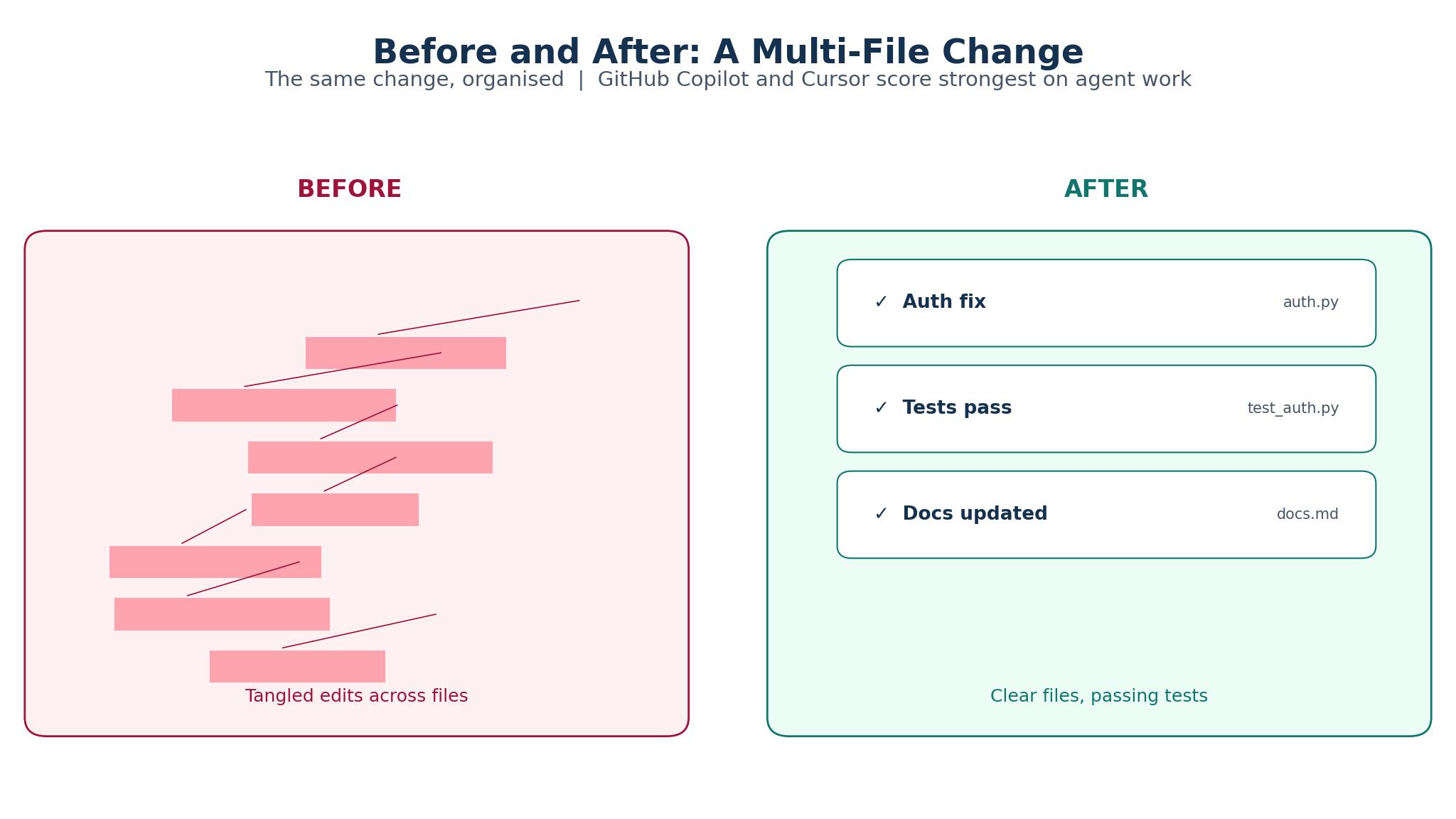
Then test the agent on a real multi-file change. Give each tool the same task, such as adding a new field across a form, an API, and a database migration, and check the result. Cursor usually wins this test, and Claude Code is close behind for terminal users.
Finish by checking the bill. Look at the usage meter after a week of real work and price the month from that number. A tool that looks cheap at 10 dollars a month but burns credits on every chat is more expensive than a flat 20 dollar plan. The best ai code assistants for freelancers are the ones whose cost you can predict, so treat an unpredictable bill as a reason to switch.
The 15 Tools in Detail
1. GitHub Copilot
GitHub Copilot is the safest default, and its breadth is why it leads. It works as an extension in VS Code, JetBrains, and other editors, and it now offers completion, chat, and an agent, with a choice of models including Claude, GPT, and Gemini. Pro costs 10 dollars a month, and the free tier covers limited use. Paid plans moved to AI-credit billing in June 2026.
Copilot is a generalist. Its agent is good but not as strong as Cursor on multi-file work, and its completion does not match Supermaven on raw speed. Freelancers who want the best agent or the fastest completion will find a better specialist, but they will give up Copilot breadth.
It suits freelancers who switch clients and stacks often. If your week moves between three codebases in three editors, Copilot is the only tool here that follows you everywhere without a new setup.
Test it by using it for a full week on client work and tracking two numbers: the share of suggestions you accept unchanged, and the credit usage on the meter. If the accept rate is above half and the credits stay inside the plan, the fee is earned.
2. Cursor
Cursor is the strongest agentic editor in this list. It is a VS Code-based editor built around AI, with a Composer agent that plans and applies multi-file changes, a choice of frontier models, and a chat that understands the whole codebase. Pro costs 20 dollars a month, and the free tier gives limited agent and chat requests.
The switch is the hard part. Cursor is a separate editor, so you leave your configured VS Code behind, and the credit pool tied to the model you pick can run out fast on heavy agent use.
It suits freelancers who build whole features from a brief. If your work is adding features across several files rather than fixing single lines, Cursor agent saves hours a week.
Test it by giving the agent a real five-file feature on a client project and reviewing the result file by file. If the agent completes the feature with fewer than three corrections, it is ready for client work.
3. Windsurf
Windsurf is an agentic IDE with a Flow agent and background cloud sessions, which makes it the strongest pick for long-running tasks. It offers a choice of models, including its in-house SWE models, and it handles multi-file edits with a workflow that keeps the agent and the developer in step. Pro costs 20 dollars a month.
Change is the risk. Windsurf moved from credits to daily and weekly quotas in March 2026, and the company was acquired by Cognition in 2025, so the product direction has shifted more than its rivals.
It suits freelancers who run long agent tasks in the background. If you want the agent to work on a refactor while you handle another client, the cloud sessions make that possible.
Test it by starting a background agent task on a refactor, then working on something else for an hour and checking the result. If the agent finished the task and the tests pass, the cloud workflow is real.
4. Tabnine
Tabnine is the privacy-first pick. It offers private deployment, including on-premises and air-gapped options, IP indemnification, and a code assistant that learns from your private codebase without sending it to a shared cloud. The Code Assistant tier costs 39 dollars a user a month on annual billing, and the Agentic tier costs 59 dollars.
Price and raw capability both lag. At 39 dollars a user a month, Tabnine is the most expensive seat in this list, and its completion quality does not match the frontier models that Copilot and Cursor offer.
It suits freelancers with regulated or strict clients. If a client forbids code leaving their network, or the contract demands indemnification, Tabnine is the only tool here that meets the requirement.
Test it by asking a strict client whether Tabnine private deployment meets their rules, then running it on their codebase for a week. If the client approves and the completion quality holds up, the price is justified.
5. Amazon Q Developer
Amazon Q Developer is the AWS-native assistant. It offers completion, chat, and an agent inside the IDE and the AWS console, with security scanning and a Pro tier at 19 dollars a user a month. The free tier is generous, and the tool is strongest for freelancers whose clients run deep on AWS infrastructure.
Access is restricted. AWS closed new signups for paid IDE plugin subscriptions in May 2026, with existing plugin subscriptions supported only through April 30, 2027, so confirm which access path you will use before you commit.
It suits freelancers whose clients live on AWS. If your week is Lambda functions, infrastructure code, and AWS console work, Q Developer saves time that a general tool cannot.
Test it by using it on an AWS-heavy task, such as writing a Lambda function with IAM permissions, and checking whether the generated code follows AWS practice. If the permissions are right first time and the security scan catches a real issue, the tool earns its place for AWS work.
6. JetBrains AI
JetBrains AI is the assistant for developers who live in JetBrains IDEs. It offers completion, chat, and an agent inside IntelliJ, PyCharm, WebStorm, and the rest of the JetBrains family. It costs 8.33 dollars a user a month on annual billing, the cheapest paid seat in this list.
Scope is narrow. JetBrains AI only makes sense inside a JetBrains IDE, so freelancers who switch editors between clients will not get the value.
It suits freelancers who already work in JetBrains IDEs all day. If your clients are Java, Kotlin, Python, or PHP shops running IntelliJ or PyCharm, JetBrains AI adds help without changing your setup.
Test it by using it for a week inside your usual JetBrains IDE and tracking the accept rate on completions. If the rate matches Copilot on the same code, the lower price and the native integration make it the better buy.
7. Sourcegraph Cody
Sourcegraph Cody is the codebase-aware assistant. It searches and understands large codebases, answers questions about code it has indexed, and writes new code with the context of the whole repository. Pro costs 9 dollars a month, and the free tier covers limited use.
Cody is a chat and search tool first, not an agent. Its multi-file editing is weaker than Cursor, and its completion is lighter than Copilot.
It suits freelancers who inherit unfamiliar code. If your first week on a client project is reading a codebase you did not write, Cody turns days of reading into hours of questions.
Test it by asking Cody five questions about a codebase you do not know, such as where authentication happens and which services call a given API. If the answers are accurate and point to the right files, Cody is doing the job.
8. Replit
Replit is a cloud coding platform with an AI agent that builds and deploys from a prompt. It runs in the browser, so there is nothing to install, and its agent can scaffold a full application, wire up a database, and deploy it. Core costs 25 dollars a month, and the free tier covers limited use.
Replit is a platform, not an editor assistant. It suits new builds and prototypes, not work inside an existing client codebase.
It suits freelancers who sell prototypes and MVPs. If a client wants to see an idea working before committing to a full build, Replit produces the demo fastest.
Test it by building a small client prototype from a brief and timing the process from prompt to deployed link. If the demo is working within a day and the client can click through it, Replit has earned its fee.
9. Supermaven
Supermaven is the speed pick. It offers fast completion with a very long context window, so it understands more of your codebase than most completion tools, and its suggestions arrive quickly enough to keep up with fast typing. Pro costs 10 dollars a month, and the free tier covers generous use.
Breadth is limited. Supermaven is a completion tool, not an agent, so it will not plan multi-file changes or run tests for you.
It suits freelancers who write fast and want the completion to keep up. If your day is mostly new code in a familiar stack, Supermaven saves more time per dollar than any other tool here.
Test it by writing routine code for an hour with Supermaven and counting the accepted suggestions against your usual tool. If the accept rate is higher and the suggestions need fewer edits, the speed is real.
10. Continue
Continue is the open-source assistant that runs in your editor and connects to any model you choose. It offers chat, completion, and editing with full control over which model answers, which data leaves your machine, and how the tool behaves. It is free, and it runs in VS Code and JetBrains IDEs.
Setup takes effort. Continue needs you to choose and configure a model, and the experience depends on the model you pick. There is no managed service to fall back on.
It suits freelancers who care about control and cost. If you run a local model, or you want to route work through a model a client approves, Continue gives you that choice.
Test it by configuring it with the model you already use and working for a day on client code. If the answers match the managed tools, Continue is the cheapest way to get a capable assistant.
11. Aider
Aider is a terminal-based pair programmer. It works from the command line, edits code in your repository, runs tests, and commits changes, all through a chat interface in the terminal. It is free and open source, and it works with any model you connect, including Claude, GPT, and Gemini.
The interface feels dated. Aider has no graphical editor, no inline completion, and no visual diff beyond what the terminal shows, so it suits a terminal workflow and little else.
It suits freelancers who code in the terminal and want an agent there. If your workflow is already terminal-first, Aider adds AI without changing how you work.
Test it by giving Aider a real multi-file change from the terminal and reviewing the diff it produces. If the diff is clean and the tests pass, the terminal workflow is working.
12. Blackbox AI
Blackbox AI offers chat, code search, and completion, with a vision feature that reads code from images and video. It costs 20 dollars a month, and it suits freelancers who work from screenshots, tutorial videos, or whiteboard photos, since it can turn a picture of code into editable text.
Blackbox AI is a generalist at a specialist price. Twenty dollars a month matches Cursor, but the agent is weaker, and the completion is less refined than Copilot or Supermaven.
It suits freelancers who regularly work from visual material. If a client sends a screenshot of an error, a photo of a whiteboard, or a video walkthrough, Blackbox AI turns that material into working code faster than retyping it.
Test it by feeding it a screenshot of real code and asking for an explanation and a fix. If the explanation is accurate and the fix compiles, the vision feature is real.
13. AskCodi
AskCodi is a lightweight AI assistant for small teams and solo developers. It offers code generation, documentation, and chat inside the editor and the browser, with a simple interface and a low price. Plans start at 9 dollars a month, and the free tier covers basic use.
Depth is thin. AskCodi covers the basics well, but its agent features are thinner than Cursor, its codebase understanding is lighter than Cody, and its completion is less refined than Copilot.
It suits freelancers who want a cheap, simple assistant for everyday tasks. If your work is small scripts, documentation, and quick questions, AskCodi answers them at a low price.
Test it by using it for a week on small tasks, such as writing functions, documenting code, and answering questions. If the answers are accurate and the price feels fair, it earns a place for light work.
14. Pieces
Pieces is an on-device snippet and context manager. It saves code snippets, captures context from your work, and surfaces the right snippet when you need it, all without sending your code to a cloud. It is free, and it runs on your machine, which makes it the most private tool in this list.
Pieces is not a code generator. It organises and recalls your own code, but it will not write new code or plan changes the way an agent does.
It suits freelancers who work across many clients and reuse patterns. If you write the same authentication flow, the same API client, or the same test setup for different clients, Pieces keeps those snippets at hand.
Test it by saving ten snippets you reuse often, then working for a week and counting how often Pieces surfaces the right one. If it saves you a search three times in the week, the memory is working.
15. Claude Code
Claude Code is an agentic coding tool that runs from the terminal, built around the Claude models. It plans multi-file changes, edits code, runs tests, and explains its work, all through a command-line interface. Access comes through Claude Pro at 20 dollars a month, and the tool is strongest for freelancers who already work in the terminal and want an agent there.
Cost control is weak. Claude Code usage is metered through the Claude plan, and heavy agent work can hit the limits of a 20 dollar plan, pushing you toward a higher tier.
It suits freelancers who live in the terminal and trust the Claude models. If your workflow is already command-line first, Claude Code adds an agent without changing how you work.
Test it by giving Claude Code a complex refactor on a client project and reviewing the plan it proposes before it runs. If the plan is sound and the execution matches it, the agent is trustworthy.
A Trial Week That Proves Value Before You Commit
A trial week needs a real project, not a demo. Pick one client task that represents your normal work, such as adding a feature to an unfamiliar codebase, and use the tool on that task for five working days. Track the time saved, the errors introduced, and the moments you had to fight the tool.
Measure the accept rate, not the feature list. Count how many suggestions you accept unchanged, how many you edit, and how many you reject. A high accept rate on your stack means the tool understands your code, and a low rate means it is guessing.
Check the bill at the end of the week. Look at the usage meter, price the month from that week, and compare it with the seat price you expected. If the meter shows heavy credit use, budget for it or pick a flat-priced tool. The best ai code assistants for freelancers are the ones that save time and cost what you expected, so treat a surprise bill as a failed trial.

One Assistant or a Stack: How Freelancers Should Decide
One assistant is enough for most freelancers. Among the best ai code assistants for freelancers, GitHub Copilot covers completion, chat, and agents well enough that a second tool adds little, and the simplicity of one setup, one bill, and one set of rules is worth more than a marginal gain.
A stack makes sense when the jobs are genuinely different. A freelancer who writes fast routine code and also inherits large codebases might pair Supermaven for completion with Sourcegraph Cody for questions. A freelancer with a strict client might pair Tabnine for that client with Copilot for everyone else.
Drop a tool the moment it stops earning its seat. Freelancers accumulate subscriptions quietly, and three tools at 20 dollars a month is 720 dollars a year for capability you may not use. Review the stack every quarter, and cancel anything you have not opened in a month.
Frequently Asked Questions
Which AI code assistant is best for freelancers?
GitHub Copilot is the best default for most freelancers comparing the best ai code assistants for freelancers, because it works in every editor, costs 10 dollars a month, and covers completion, chat, and agents. Cursor is the best pick when multi-file agent work dominates, and Tabnine is the best pick when a client demands private deployment.
Do AI code assistants work with any programming language?
Yes, broadly. Copilot, Cursor, and Claude Code all support the major languages, and the quality is highest on popular stacks such as JavaScript, Python, and Java. Niche languages get weaker suggestions, and the tools perform best where the training data is deepest. Test the tool on your actual stack before you commit.
Is it safe to use AI assistants on client code?
It depends on the client contract and the tool data policy. Some clients forbid AI-generated code, and some forbid code leaving their network. Tabnine offers private deployment for strict clients, and Amazon Q Developer suits AWS-heavy clients. Always check the contract first, and keep a note of which clients allow which tools.
How much do AI code assistants cost per month?
Entry prices run from free to 39 dollars a month, with Copilot Pro at 10 dollars and Cursor and Windsurf Pro at 20 dollars. Most tools now add usage credits on top of the seat price, so heavy chat and agent use can cost more. Check the meter after a week of real work and price the month from that number.
Can an AI assistant replace a junior developer?
No. Assistants write code fast, but they do not understand the business, the client, or the consequences of a change. They make mistakes a junior developer would catch, and they cannot own a decision. Use them to speed up your own work, and keep the judgement, the review, and the responsibility firmly with yourself.
The Verdict for Freelance Developers
GitHub Copilot is the pick for most freelancers comparing the best ai code assistants for freelancers, because it works everywhere, costs 10 dollars a month, and covers the three jobs that matter. Cursor is the pick when agent work dominates your week, and Tabnine is the pick when a client demands privacy. Test two tools on the same client task, watch the accept rate and the bill, and keep the one that saves time without surprises.