

A legal research tool is only as good as the case law behind it, and that is the fact that decides the best ai research tools for lawyers. A model can write a beautiful answer, and if the citation is invented, the answer is worse than useless. Independent testing has found even purpose built research tools fabricate or fail to support citations on a meaningful share of queries, so verification is part of the workflow, not an optional extra.
The tools below sit on very different foundations. Lexis+ AI and Westlaw Precision sit on licensed primary law that nobody else can license, CoCounsel pairs AI with the Westlaw corpus, and Harvey works across practice areas without owning a database of its own. The right pick follows which corpus your practice already lives in.
Pricing in this category is mostly quote based, and the published figures here are reported ranges, not a rate card. Confirm the current price with the vendor before you budget, because a solo practitioner and a two hundred lawyer firm will be quoted very different numbers for the same product.
Why Case Law Depth Decides a Legal Research Tool
Two research tools can answer the same question and cite different cases, and both answers can look right. The difference is the corpus. LexisNexis and Thomson Reuters spent decades licensing primary law, statutes and secondary sources, and their AI layers answer from that licensed material with citation checks built in.
A general model has no corpus at all. It predicts the most likely next words, and a citation is just more words to predict. That is how a confident, well formatted answer ends up citing a case that never existed, and why courts have now seen filings caught with fabricated citations.
The practical rule is simple. A research answer that cannot be traced to a real case in a real database is a draft, not research. The tools in this guide differ in how much of that tracing they do for you, and the best ones check each citation against the database before you ever see it.

The 8 Tools at a Glance
The best ai research tools for lawyers fall into three groups. Corpus tools that own the law, platform tools that work across practice areas, and specialist tools that own one job like contracts or discovery.
| Tool | Main job | Best for | Starting paid price |
|---|---|---|---|
| CoCounsel | AI on the Westlaw corpus | Firms already on Westlaw | about 225 dollars a user a month |
| Lexis+ AI | conversational research on Lexis | Firms standardised on LexisNexis | quote based, Lexis entry from about 114 dollars a month |
| Westlaw Precision AI | case law research with KeyCite | Litigators needing cited answers | from about 257 dollars a month |
| Harvey AI | firm wide legal platform | Large firms across practice areas | quote only, reported from about 500 dollars a user a month |
| Luminance | document review and due diligence | Litigation and transactions | quote only |
| Spellbook | contract review inside Word | Transactional lawyers | from about 99 dollars a user a month |
| vLex Vincent | multi jurisdiction research | Lawyers working across borders | about 79 dollars a user a month |
| Relativity aiR | AI document review at scale | Discovery heavy litigation | quote only, part of RelativityOne |
The dearest tools here are also the ones large firms already pay for, because the database subscription and the AI layer are sold together. The cheapest way in for a solo lawyer is vLex Vincent or Spellbook, and the cheapest way to test the category is a general model used only for drafting, never for citations.
A firm already paying for Lexis or Westlaw should start inside its own ecosystem. Buying a second corpus to run a second AI layer doubles the bill and splits the research across two databases, which is how citations get missed.
Best Pick by Job
The right pick follows the practice, not the press release. A litigator needs cited case law, a transactional lawyer needs contract review, and a large firm needs one platform across every practice group.
| Job type | First pick | Second tool | Why this pair works |
|---|---|---|---|
| Litigator needing cited case law | Westlaw Precision AI | CoCounsel | KeyCite checks every citation against Westlaw |
| Firm already on LexisNexis | Lexis+ AI | vLex Vincent | Shepard checks sit inside the research you already buy |
| Large firm, many practice areas | Harvey AI | CoCounsel | One platform across research, drafting and review |
| Contract review in Word | Spellbook | Luminance | Review happens inside the document you already use |
| Multi-jurisdiction research | vLex Vincent | Lexis+ AI | Coverage beyond one country without a second subscription |
| Discovery and document review | Relativity aiR | Luminance | AI review across millions of documents |
A litigator on Westlaw should start with Westlaw Precision, because the citation checking is the product, and CoCounsel adds drafting and deposition prep on the same corpus. A firm on Lexis should stay on Lexis, because Shepard does the same job there.
A transactional lawyer should start with Spellbook, because contract review inside Word is a different job from case law research, and buying a research platform to review contracts is paying for a database you will never open.
How to Judge the Best AI Research Tools for Lawyers
Start with five real questions from your own closed matters, and run them through two tools side by side. Check three things for each answer. Whether every citation exists, whether the case is still good law, and whether the answer actually addresses the question asked.
Next, test the verification layer itself. Ask a question with a deliberately wrong premise and see whether the tool corrects you or agrees with you. A research tool that agrees with a false premise will agree with a client, a judge and a filing deadline too.
Then price the tool at your real seat count and your real matter volume. CoCounsel publishes a self serve price near 225 dollars a user a month for small firms, Lexis+ AI is sold as an add on to a Lexis subscription, and Harvey is quoted per firm with reported figures running into five figures a year. The best ai research tools for lawyers that look affordable for one lawyer are rarely affordable for fifty.
Finally, check privilege and confidentiality before any client document goes in. A general model on a consumer plan is not a research tool, and a firm should use a legal platform or an enterprise plan with data protections in writing, not a free chatbot for matter work.
Ask the vendor what happens when the tool is wrong, and listen to the answer. A vendor that talks about confidence scores, verification layers and human review is selling a research tool, while a vendor that talks only about speed is selling a demo. The difference matters on the first filing, because the lawyer owns the error, not the vendor, and the court will not accept a software excuse.
The 8 Tools in Detail
Each tool below was checked against the same three tests. Whether the corpus is real, whether citations are verified, and whether the price matches the practice that would use it.
1. CoCounsel
CoCounsel is the AI on the Westlaw corpus choice in this group, and its research, drafting, deposition prep and document review all run against Westlaw content, so an answer can be checked against the same database it came from. CoCounsel suits firms that already pay for Westlaw and want AI across research and drafting without buying a second corpus.
CoCounsel lists self serve plans from about 225 dollars a user a month for small firms, with higher tiers adding Westlaw Advantage content, so confirm the current price with the vendor before you budget. CoCounsel is now sold bundled with a Westlaw subscription rather than as a standalone product, so a firm not on Westlaw cannot simply buy CoCounsel alone.
Choose CoCounsel if the firm already pays for Westlaw and wants research, drafting and deposition prep on one corpus. Skip CoCounsel if the firm is not on Westlaw, and look at Lexis+ AI instead, because CoCounsel is now sold bundled with a Westlaw subscription.
2. Lexis+ AI
Lexis+ AI is the conversational research on Lexis choice in this group, and its answers are grounded in the LexisNexis database of case law, statutes and secondary sources, and Shepard checks whether cited cases are still good law. Lexis+ AI suits firms that already research on Lexis, and its brief analysis and drafting features sit inside the workflow those lawyers already know.
Lexis+ AI is sold as an add on to a Lexis subscription, with reported combined figures near 175 to 300 dollars a user a month, so get a quote from the vendor before you budget. Lexis+ AI was rebranded as Lexis+ with Protégé in early 2026, so a firm comparing old reviews against new pricing pages should confirm which name and plan it is actually buying.
Choose Lexis+ AI if the firm already researches on Lexis and wants Shepard checks inside the workflow it knows. Skip Lexis+ AI if the firm needs Westlaw depth, and look at CoCounsel instead, because the corpus you already pay for decides the answer.
3. Westlaw Precision AI
Westlaw Precision AI is the case law research with KeyCite choice in this group, and its AI assisted search runs on the Westlaw corpus, and KeyCite validation checks every citation it returns against the database. Westlaw Precision AI suits litigators who file briefs, because a citation that KeyCite has already checked is a citation a junior lawyer does not have to chase.
Westlaw Precision AI lists solo tiers from about 257 dollars a month for a single jurisdiction, with full coverage running higher, so confirm the current price with the vendor before you budget. Westlaw Precision AI is quote based above the solo tiers, so a mid size firm will negotiate a contract rather than buying off a pricing page.
Choose Westlaw Precision AI if the practice files briefs and needs KeyCite validation on every citation. Skip Westlaw Precision AI if the firm wants a platform across practice areas, and look at Harvey AI instead, because Westlaw Precision is a research tool first.
4. Harvey AI
Harvey AI is the firm wide legal platform choice in this group, and its agentic workflows run research, drafting and review across practice areas, and it led independent benchmark testing for large firm legal work. Harvey AI suits large firms that want one platform for every practice group, and its breadth is the reason it is priced as an enterprise deployment.
Harvey AI does not publish list prices, with reported figures from about 500 dollars a user a month upward and firm contracts running far higher, so only a vendor quote gives a real number. Harvey AI targets mid size to large firms, so a solo practitioner or small firm will find the pricing prohibitive and the sales process slow.
Choose Harvey AI if the firm is large enough to want one platform across every practice group. Skip Harvey AI if the practice is solo or small, and look at vLex Vincent instead, because Harvey pricing is enterprise only and the sales process is slow.
5. Luminance
Luminance is the document review and due diligence choice in this group, and its AI reads contracts, flags unusual clauses and groups documents for review, which makes due diligence on thousands of pages a days long job instead of a weeks long one. Luminance suits firms handling large document sets in litigation or transactions, and its clause analysis is stronger than a general research tool for that job.
Luminance does not publish prices, so a firm must request a quote, and the figure will depend on document volume and the number of users. Luminance is a document tool first, so a lawyer who mainly needs case law research will get more from Westlaw Precision or Lexis+ AI for the same spend.
Choose Luminance if the firm handles thousands of documents in litigation or transactions and needs clause analysis at scale. Skip Luminance if the main job is case law research, and look at Westlaw Precision AI instead, because Luminance is a document tool first.
6. Spellbook
Spellbook is the contract review inside Word choice in this group, and its drafting and review assistant lives inside Microsoft Word, flags risky clauses, suggests redlines and benchmarks terms against market standards. Spellbook suits solo and small firm transactional lawyers, because the work happens in the document itself and the price fits a small practice.
Spellbook lists plans from about 99 dollars a user a month, with higher tiers adding benchmarking and team features, so confirm the current price on the vendor site before you pay. Spellbook reviews contracts, it does not research case law, so a litigator who buys it expecting cited research will be disappointed.
Choose Spellbook if the practice is transactional and the work happens inside Word. Skip Spellbook if the firm needs cited case law research, and look at CoCounsel instead, because Spellbook reviews contracts and does not research case law.
7. vLex Vincent
vLex Vincent is the multi jurisdiction research choice in this group, and its Vincent AI searches case law across many jurisdictions, which matters when a matter touches two or three countries at once. vLex Vincent suits international practices and small firms that need credible research beyond one country without paying for two corpus subscriptions.
vLex Vincent lists Vincent from about 79 dollars a user a month, which makes it the cheapest real research corpus in this guide. vLex Vincent has a smaller domestic corpus than Westlaw or Lexis in the United States, so a purely domestic litigator gets more depth from the incumbents.
Choose vLex Vincent if the practice works across borders and needs multi jurisdiction research at a solo friendly price. Skip vLex Vincent if the work is purely domestic US litigation, and look at Westlaw Precision AI instead, because the incumbents have deeper domestic corpora.
8. Relativity aiR
Relativity aiR is the AI document review at scale choice in this group, and its AI review works across millions of discovery documents, prioritising the ones most likely to matter and drafting summaries a review team can trust. Relativity aiR suits firms running large discovery matters, and its review workflows are built for teams rather than for a single lawyer.
Relativity aiR is priced as part of RelativityOne, so a firm must get a quote, and the cost depends on data volume and review seats. Relativity aiR is an eDiscovery engine, not a research tool, so a firm that needs cited case law should pair it with Westlaw Precision or Lexis+ AI.
Choose Relativity aiR if the firm runs large discovery matters and needs AI review across millions of documents. Skip Relativity aiR if the firm needs cited case law, and look at Lexis+ AI instead, because Relativity aiR is an eDiscovery engine, not a research tool.
The Research to Brief Workflow for Litigators
A research workflow that skips verification is a filing risk. The six steps below keep the AI fast and the lawyer in charge.
| Step | Job | Best tool | What good looks like |
|---|---|---|---|
| 1 | Ask the question | Westlaw Precision AI | One clear question, jurisdiction stated |
| 2 | Read the answer | CoCounsel | Check the reasoning before the citations |
| 3 | Verify each citation | Lexis+ AI | Shepard or KeyCite confirms good law |
| 4 | Read the primary source | Westlaw Precision AI | Open the case, not only the summary |
| 5 | Draft from verified law | CoCounsel | Draft only from cases you opened |
| 6 | File with a human check | Harvey AI | Senior lawyer reviews before filing |
The step firms skip is reading the primary source, and it is the step that catches the errors no verification layer can see. A case can be real, good law and still say something different from what the summary claims.
A firm that runs this workflow on every AI assisted brief will file slower than a firm that trusts the output, and faster than a firm that has to fix a filing after a judge notices a fabricated citation.
The verification habit is what separates a firm that uses AI well from a firm that gets sanctioned for it. A junior lawyer who checks every citation against the primary source will file slower for a month and faster forever after, because the habit catches the errors that no software layer can see. A firm that skips the habit will file fast until the day a judge notices a case that never existed.
What a Small Firm Actually Pays for Legal AI
The best ai research tools for lawyers span two orders of magnitude in price, and the gap is the corpus. The table below prices realistic firm sizes for one month.
| Business type | Monthly volume | Tool stack | Monthly cost |
|---|---|---|---|
| Solo practitioner | One seat | vLex Vincent | About 79 dollars a month |
| Small firm, 5 lawyers | Five seats | CoCounsel self serve | About 1,125 dollars a month |
| Small firm, 5 lawyers | Five seats | Westlaw Precision solo tiers | About 1,285 dollars a month |
| Mid size firm, 20 lawyers | Twenty seats | Lexis+ AI add on | Quote, roughly 3,500 dollars a month |
| Large firm, 100 lawyers | One hundred seats | Harvey AI enterprise | Quote, five figures a month |
The cheapest real research in this guide is vLex Vincent at about 79 dollars a user a month, and the dearest is Harvey at enterprise pricing. Neither figure tells a firm what it will actually pay, because Westlaw and Lexis sell bundles and Harvey sells contracts.
Budget for the corpus and the AI layer together. A firm that buys CoCounsel without a Westlaw subscription, or Lexis+ AI without Lexis, has bought half a product, and the second half is where most of the money goes.
A firm that buys the AI layer without the corpus has bought half a product, and the second half is where most of the money goes. A solo lawyer on vLex Vincent pays about 79 dollars a month for a real corpus, while a large firm on Harvey pays five figures a month for a platform, and both are right for the practice they serve. The wrong buy is the middle, a small firm paying enterprise money for a platform its matters never use, or a litigator trusting a general chatbot with citations it cannot verify.
Citation Mistakes That Put a Filing at Risk
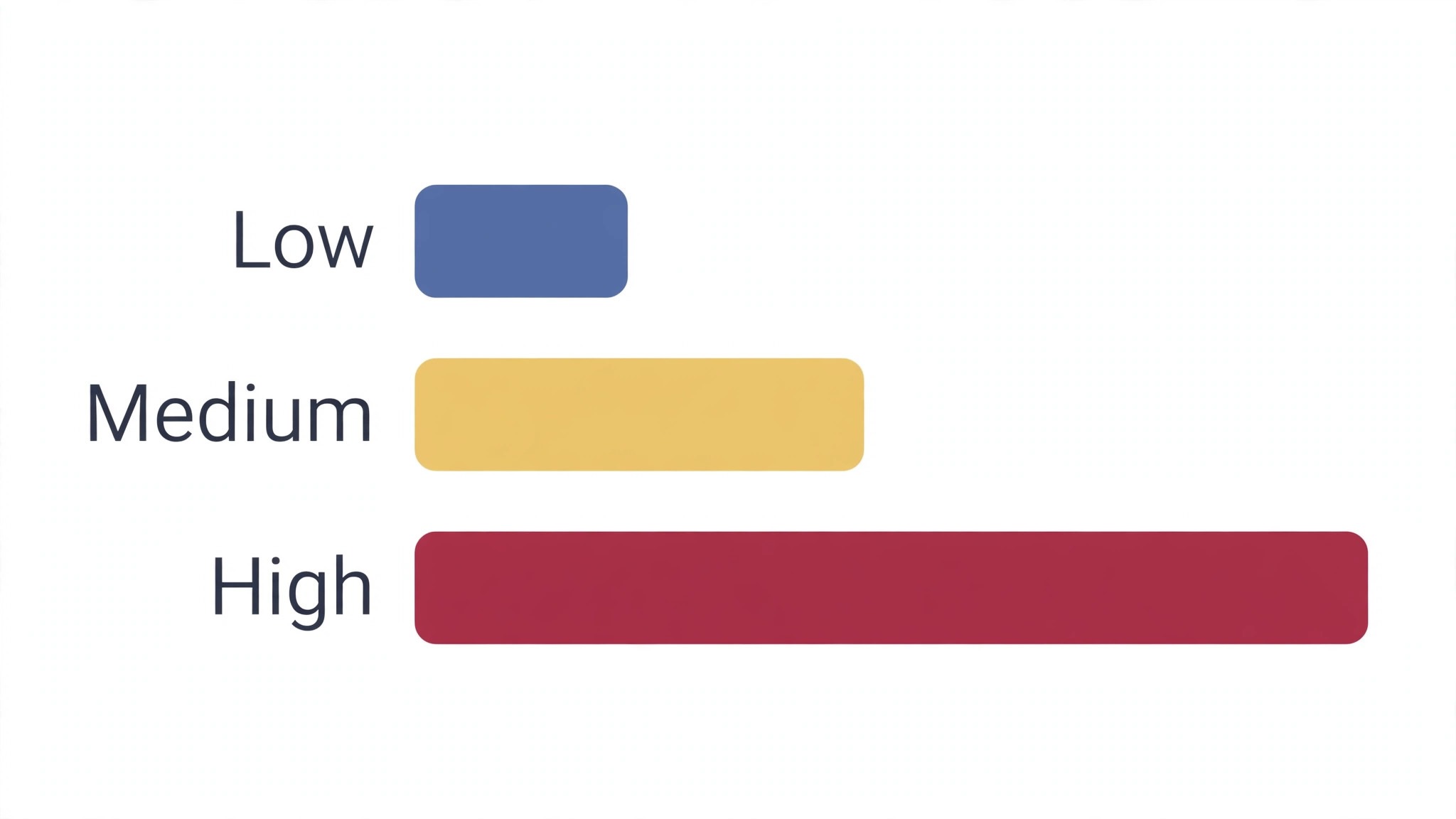
The first mistake is filing an AI answer without opening a single cited case. Verification layers catch most fabricated citations, and independent testing shows they do not catch all of them. A lawyer who files an unverified answer owns the error, and courts have sanctioned lawyers for exactly that.
The second mistake is asking a research tool to agree with you. A question phrased as a conclusion gets an answer that supports the conclusion, and the tool will find cases that seem to help even when the law points the other way. Ask the question neutrally, and let the corpus answer it.
The third mistake is putting client documents into a consumer chatbot. A free general model is not a research tool, and privilege and confidentiality are not protected by a consumer terms of service. The best ai research tools for lawyers that belong in a firm are the ones with enterprise data protections in writing, and that protection is part of the price.
The fourth mistake is buying a second corpus to run a second AI layer. A firm that standardises on one corpus and one AI layer will research faster and cheaper than a firm that pays for two of each. A firm already paying for Lexis that buys CoCounsel, or a firm already on Westlaw that buys Lexis+ AI, doubles the bill and splits the research across two databases, which is how citations get missed. The corpus you already pay for decides the AI layer you should buy, and a firm that ignores that rule will pay twice for the same case law and still miss the case that matters.
Your First-Month Verification Plan for Legal AI
Run this plan for a month before the firm standardises on any legal AI tool, and keep the results with your purchasing file.
- Pick five real questions from closed matters and run them through two tools, checking every citation by hand.
- Test the verification layer with a deliberately wrong premise and record whether the tool corrects you.
- Ask the vendor in writing how client data is stored, who can see it, and whether it trains models.
- Get a written quote at your real seat count, including the corpus subscription and the AI add on together.
- Run a pilot with three lawyers on live matters for two weeks, and review every AI assisted brief before filing.
- Check that the tool covers the jurisdictions your matters actually touch, not only the ones on the sales page.
- Train the team on neutral questioning, and ban copy and paste from an AI answer into a filing.
- Decide who owns verification on every matter, and put that name in the file before the work starts.
Related Guides
Keep exploring with these guides on Stratilyze:
- Best AI Keyword Research Tools for Content Creators (8 Tools)
- Best AI Meeting Note Takers for Lawyers (8 Tools)
- Best AI Translation Tools for Lawyers (10 Tools)
Frequently Asked Questions
Which of the best ai research tools for lawyers is best for a solo practitioner?
vLex Vincent is the best pick for a solo practitioner on price, at about 79 dollars a user a month for multi jurisdiction research. Spellbook is the best pick for a solo transactional lawyer, and CoCounsel self serve at about 225 dollars a user a month is the best pick for a solo litigator who wants Westlaw backed research.
Can the best ai research tools for lawyers be trusted for citations?
Not without verification. Independent testing found even purpose built research tools fabricate or fail to support citations on a meaningful share of queries. Use the tool to find the law, then open each cited case and check it is real and still good law before you rely on it.
How much do the best ai research tools for lawyers cost?
A solo lawyer pays about 79 to 257 dollars a month for vLex Vincent or a Westlaw solo tier. A small firm pays about 225 dollars a user a month for CoCounsel self serve. Large firm platforms like Harvey are quote only and run into five figures a month, so get a written quote at your real seat count.
Is CoCounsel or Lexis+ AI better for legal research?
CoCounsel is better for firms already on Westlaw, because its research, drafting and deposition prep run on the Westlaw corpus with KeyCite checking. Lexis+ AI is better for firms already on LexisNexis, because its answers are grounded in the Lexis database with Shepard checks. The corpus you already pay for decides the answer.
Can I use a general chatbot for legal research?
You can use one for drafting and brainstorming, and you should not use one for citations. A general model predicts likely words, and a citation is just more words to predict, which is how fabricated cases end up in filings. Use a corpus backed research tool for the law itself, and verify every citation by hand.
What happened to Casetext, and is it still available?
Casetext was acquired by Thomson Reuters in 2023 and rebranded as CoCounsel, and the standalone Casetext product was retired in March 2025. CoCounsel is now sold bundled with a Westlaw subscription, so a firm that used Casetext should look at CoCounsel plans inside Westlaw.
Trust the Corpus, Then Verify Every Citation
There is no universal winner here, because the right tool follows the corpus your practice already pays for. A litigator on Westlaw should start with Westlaw Precision. A firm on Lexis should start with Lexis+ AI. A large firm should start with Harvey. A solo lawyer should start with vLex Vincent or Spellbook.
Whichever you choose, run five real questions through it, verify every citation by hand, and never let an AI answer reach a filing without a lawyer reading the primary source. A research tool earns its fee in hours saved and citations that survive scrutiny, and the second of those two jobs is the one that matters. The best ai research tools for lawyers that fit your practice are the ones whose corpus you can trust and whose citations you still check.