
A day trader who waits 15 seconds for a chart to load can watch a setup vanish before the order ticket opens, and the best ai stock analysis tools for day traders exist because speed and signal quality decide who keeps the profit. Trade Ideas runs millions of backtests overnight and hands the trader a ranked list before the bell, while TrendSpider automates the chart work.
The remaining ten tools cover scoring, pattern recognition, alternative data and research, and each one earns its place by answering a different question a day trader asks before risking money.
Every tool below was live in November 2026, and the prices quoted are the vendor list prices found on their own pricing pages and recent price checks, so confirm the current number before paying. A scalper who holds positions for minutes needs different data than a momentum trader who holds for the session, and the recommendations below reflect that split.
Why Day Traders Lose Money on Slow Data
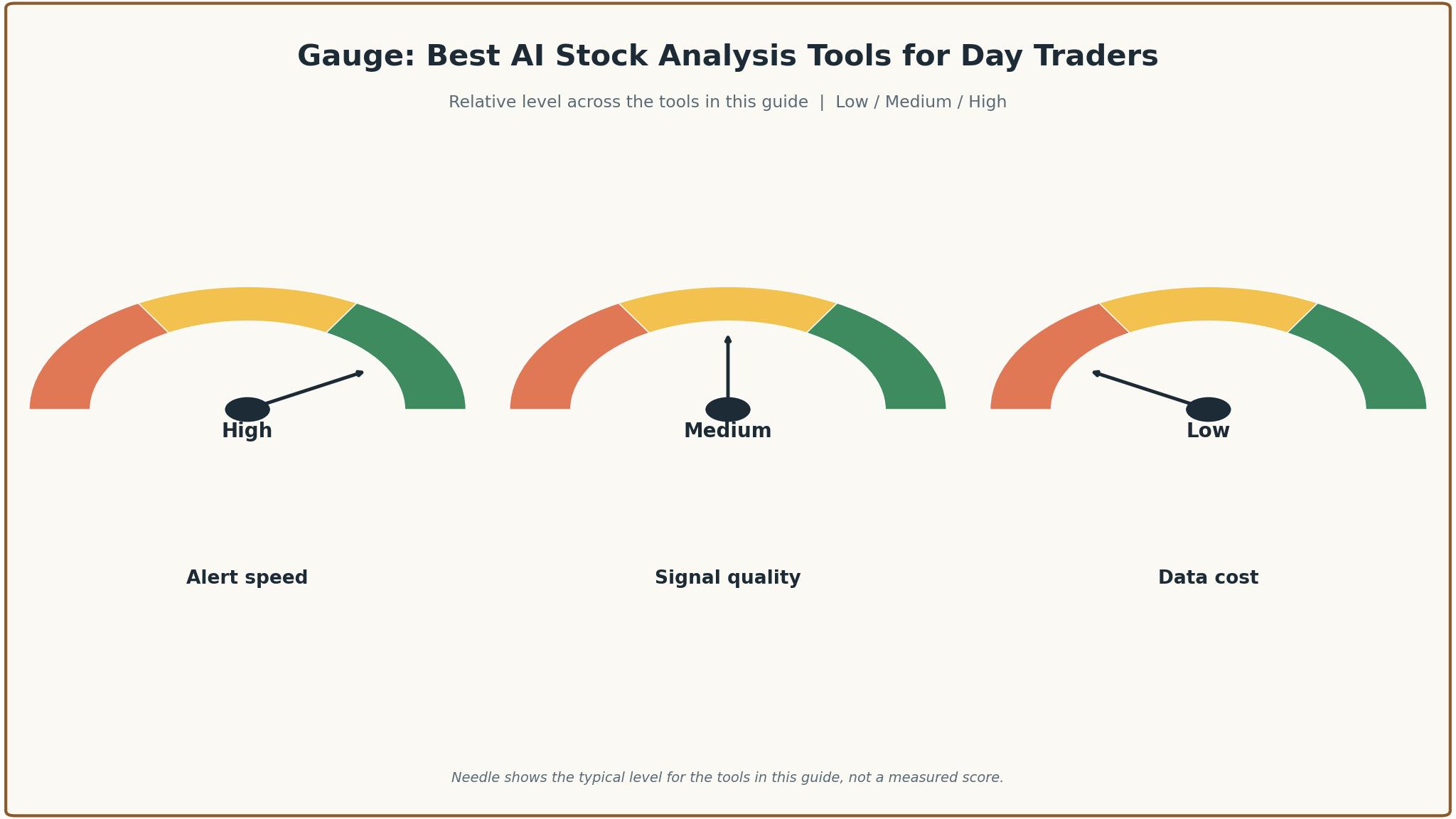
Day trading punishes slow information more than any other kind of trading. The first loss comes from delayed quotes, because a screener that refreshes every minute shows a setup that existed 60 seconds ago, and the move is often half over by the time the trader acts. Real-time data costs money, and every tool in this guide was judged partly on whether its real-time feed is included in the headline price or sold as an add-on that doubles the bill.
A second loss comes from trusting a signal without a backtest. AI scores and pattern alerts look convincing on a chart, but a score that has never been tested against live market conditions is a guess dressed as a number. A tool that hides its track record should be treated with suspicion.
A third loss comes from clutter. A platform that shows ten indicators, three news feeds and a chat window at once makes the trader slower, not smarter, because every extra panel is a decision the brain has to make. The best ai stock analysis tools for day traders in this guide were scored on whether the interface helps the trader act in seconds or forces them to hunt for the number that matters.
What a Day-Trading Stack Really Costs
The headline price of a trading tool is only the first line of the bill. Real-time exchange data is often sold separately, and a trader who needs NYSE, Nasdaq and options data can add 30 to 80 dollars a month on top of the subscription.
Free tiers deserve a hard look too. TradingView, Danelfin and Koyfin all offer free plans that are genuinely useful for learning the workflow, and a new trader should spend a month on a free tier before paying for anything. The catch is the limit that matters most to a day trader, which is usually the refresh rate or the number of alerts. A free plan that updates every 15 seconds is fine for research and useless for trading the open.
The cheapest tool that still finds the setup is the right buy, and the most expensive tool that finds nothing extra is a leak.
The 12 Tools at a Glance
| Tool | Main job | Best for | Starting price |
|---|---|---|---|
| Trade Ideas | AI trade ideas and real-time scanning | Active day traders | 127 dollars a month |
| TrendSpider | Automated chart analysis and scanning | Chart-driven traders | 59 dollars a month |
| Tickeron | Pattern recognition and AI robots | Pattern traders | From 50 dollars a month |
| TradingView | Charting, screeners and alerts | Traders who want charts plus community | 13 dollars a month |
| Finviz Elite | Fast screening and heat maps | Quick pre-market screening | 39.50 dollars a month |
| Stock Rover | Fundamental screening and portfolios | Research-heavy traders | 29 dollars a month |
| Danelfin | AI stock scores from 1 to 10 | Score-based stock selection | 22 dollars a month |
| AltIndex | Alternative data and AI stock picks | Data-driven investors | 29 dollars a month |
| Kavout | Quantitative Kai Score rankings | Systematic stock ranking | From 16 dollars a month |
| Koyfin | Dashboards, screening and charts | Traders who build their own views | 39 dollars a month |
| FinChat | Fundamental research with source links | Earnings and filing research | 30 dollars a month |
| OVTLYR | AI stock alerts | Traders who want alerts only | 69 dollars a month |
Best Pick by Job
| Job type | First pick | Second tool | Why this pair works |
|---|---|---|---|
| Intraday scanning | Trade Ideas | Finviz Elite | Trade Ideas scans live and Finviz Elite adds fast pre-market filters |
| Chart trading | TrendSpider | TradingView | TrendSpider automates chart work and TradingView adds community ideas |
| Score-based picks | Danelfin | Kavout | Danelfin scores simply and Kavout adds a deeper quantitative rank |
| Research depth | Stock Rover | FinChat | Stock Rover screens fundamentals and FinChat links every claim to a source |
| Low budget | TradingView | Danelfin | TradingView charts for little money and Danelfin adds scores on a free tier |
Budget follows the same logic. A trader with a 25,000 dollar account can justify 127 dollars a month for Trade Ideas, because the cost is a small share of the capital at risk and a single good setup pays for the month. A trader with a 3,000 dollar account cannot, and should start on TradingView and Danelfin, then upgrade when the account grows. The best ai stock analysis tools for day traders are the ones that fit the account size without eating the profit they are supposed to find.
How to Judge the best ai stock analysis tools for day traders
Start with the speed test, because that is where a day-trading tool either earns its fee or wastes it. Open the scanner at 9:30 in the morning, run your usual filter, and count how many seconds pass before the results appear. A tool that takes 30 seconds to refresh will miss the move, while one that updates in under five seconds keeps the trader in the trade.
Next, test the signal on a paper account. Take ten signals from the tool, write down the entry, the stop and the target, and track them for two weeks without risking money. Count how many hit the target, how many hit the stop, and how many never triggered at all. A tool whose signals win half the time with a 2 to 1 reward ratio is useful, while one whose signals win a third of the time is noise. The best ai stock analysis tools for day traders publish enough history to make this test possible.
Finally, check the exit and the trial. A good trading tool offers a trial that includes the real-time feed, not a delayed demo, and it lets the trader export watchlists and saved scans. The best ai stock analysis tools for day traders treat a trial as a real test, and the trader should use it that way, running the morning routine on the trial account before paying for anything.
The 12 Tools in Detail
Intraday speed sets the order below, so the tool that finds the trade fastest leads the list.
1. Trade Ideas
Trade Ideas is built for the trader who wants the market scanned while it moves. Holly AI runs millions of backtests overnight and produces a ranked list of trade ideas before the open, each with a suggested entry, stop and target based on historical performance. The real-time scanner watches the whole market and alerts the trader when a setup triggers.
The drawback is the price and the learning curve. Standard costs 127 dollars a month and Premium costs 254 dollars a month, with annual billing bringing those to about 89 and 178 dollars a month. The platform carries a lot of panels, and a new user needs a week to set up the workspace properly. There is no free tier, so the only way to test it is a paid trial.
Trade Ideas suits active day traders who trade the open and want ideas handed to them. It fits a momentum trader, a scalper who needs real-time alerts, and anyone whose edge is speed rather than research. The Brokerage Plus feature on Premium lets the trader place orders from the platform.
Open a trial and run your exact morning routine on it for five trading days. Count the winners and the losers, then compare the result with your current tool.
2. TrendSpider
TrendSpider automates the chart work that active traders usually do by hand. It draws trendlines, detects patterns and watches multiple timeframes at once, then alerts the trader when price interacts with a level they care about. The scanner finds setups across the market without the trader flipping through charts one by one.
The drawback is the price range and the trial. Standard runs from about 59 to 89 dollars a month depending on the billing term, with Premium and higher tiers above that, and the trial is a paid 14-day intro period rather than a free tier. A trader who wants the full multi-timeframe scanning will pay for a higher tier.
TrendSpider suits chart-driven traders who think in levels and patterns. It fits a technical trader who draws trendlines by hand today, a swing trader who scans for breakouts each evening, and anyone who wants the chart work done automatically. The automated trendlines are the feature that saves the most time.
Set up three of your own trendline levels and one scan during the trial, then watch them for a week. If the lines are accurate and the scan is fast, TrendSpider replaces the manual chart work.
3. Tickeron
Tickeron packages AI as signals, pattern tools and a bot marketplace. Its pattern recognition scans stocks, ETFs and crypto for chart patterns with confidence scores, and its AI Agents feature lets users build and run autonomous trading bots without coding. The screener filters by pattern, trend and momentum.
The drawback is the pricing spread. Paid plans run from about 50 dollars a month upward, with signals from 5 dollars a month for some signals and bots from 90 dollars a month, so the total depends heavily on which pieces the trader buys. The bot marketplace needs care, since a bot that looks good in a backtest can behave differently live.
Tickeron suits pattern traders and bot followers who want signals with confidence scores. It fits a trader who trades chart patterns, a user who wants to follow a bot rather than build one, and anyone who trades crypto alongside stocks. The pattern library is broad, covering classic formations a manual chart reader would take minutes to spot.
Pick one pattern you trade often and test Tickeron on it for two weeks. If the scores match your judgment and the screener is faster, the tool earns its place.
4. TradingView
TradingView is the charting platform most traders already know, and its strength is the combination of charts, screeners and community ideas in one place. The free Basic plan is fully usable for daily charting, and the paid plans add more indicators, more alerts and more chart layouts. Pine Script lets traders build custom indicators and screeners.
The drawback is the free-plan ceiling. Basic allows only two indicators per chart, one chart per tab and three price alerts, and real-time exchange data is sold separately and needs a paid plan or a trial. Paid plans run from 12.95 dollars a month on Essential to 59.95 dollars a month on Premium when billed annually.
TradingView suits traders who want charts plus community, and it fits almost every style at the entry level. It fits a new trader learning technical analysis, a swing trader who shares ideas with other traders, and a day trader who uses it as a second screen alongside a scanner. The community ideas are a useful source of setups, provided the trader checks them rather than copying them.
Use the free plan for a month and count how often you hit the limits. If the limits bite every day, pay for Essential and test the real-time feed.
5. Finviz Elite
Finviz Elite is the fastest way to screen the American market before the open. The free site shows quotes delayed by one minute, while Elite gives real-time stock quotes, export to Excel and CSV, more than 20 extra screener filters, unlimited saved presets and unlimited alerts. The heat maps show the whole market at a glance.
The drawback is the scope. Finviz covers American stocks well and global markets thinly, and the charting is basic compared with TradingView or TrendSpider. Elite costs 39.50 dollars a month or 299.50 dollars a year, and a trader who needs deep charting or options data will need a second tool. The screener is the product, and everything else is secondary.
Finviz Elite suits traders who screen while the market is open and rely on alerts. It fits a pre-market scanner, a trader who watches sector rotation, and anyone who wants the fastest possible filter on the American market. The preset system is the quiet strength, letting the trader save a dozen screens and run them in seconds.
Save your three most-used screens as presets and run them at the open for a week. If the presets are fast and the real-time data catches a move the free version missed, Elite pays for itself.
6. Stock Rover
Stock Rover is a research platform that goes deeper on fundamentals than any other tool in this guide. Premium screens on more than 300 metrics, with five years of fundamentals, portfolio tools and research reports, and higher tiers add up to 800 metrics, 20 years of history and ranked screening. The screener is the most powerful here for a trader who picks stocks on numbers rather than charts.
The drawback is the price ladder and the day-trading fit. Premium costs 34 dollars a month or 29 dollars a month billed annually, and the higher tiers climb to 70, 99 and 199 dollars a month. The platform is built for research rather than real-time trading, so a scalper will find it slow, and the free Basic plan caps tables at 100 rows.
Stock Rover suits research-heavy traders who screen on fundamentals before the session. It fits a trader who builds a watchlist the night before, a portfolio manager who tracks several accounts, and anyone who wants to rank stocks on 400 metrics instead of guessing. The portfolio analytics show correlation and risk in a way most scanners never attempt.
Build one screen with your own fundamental rules and run it for two weeks. If the screen finds names your chart tools missed and the analytics read clearly, Stock Rover belongs in the stack.
7. Danelfin
Danelfin takes a simpler path than the charting tools. It scores stocks from 1 to 10 using hundreds of technical, fundamental and sentiment indicators, then presents the score with an explanation of the factors behind it. The free tier gives top 10 lists and 10 stock reports a month, and Plus costs about 22 dollars a month billed annually, with Pro at 59 dollars a month.
The drawback is the horizon. Danelfin is built for stock selection rather than intraday timing, so a day trader will not find entry signals in it. The score is a probability-style rating, not a prediction, and the trader still needs a charting tool to time the entry. Backtested performance claims should be read as marketing, not as a guarantee, since past scores do not predict future returns.
Danelfin suits traders who want a second opinion on a stock before trading it. It fits a momentum trader checking whether the score agrees with the chart, a swing trader ranking a watchlist, and anyone who wants a fast, explainable rating. The explanation of each score is the feature that matters, because a score without reasons cannot be checked.
Score your current watchlist and compare the results with your own judgment. If the disagreements have reasons you can verify, the score is a useful check.
8. AltIndex
AltIndex uses alternative data to find stocks before the crowd does. It tracks social media mentions, web traffic, job postings and app downloads, then turns that data into AI stock picks and alerts. The free tier gives access to alternative data insights on thousands of companies, and the paid plan costs 29 dollars a month, which is cheap for the data it covers.
The drawback is the signal-to-noise ratio. Alternative data is noisy, and a spike in social mentions can mean excitement or a scandal, so the trader has to check the reason behind every alert. The platform is built for investors as much as traders, and a day trader will need to filter the picks for names with enough liquidity to trade.
AltIndex suits data-driven traders who want an edge from non-price data. It fits a trader who watches social sentiment, a user who trades earnings season on web traffic signals, and anyone who wants a second data source beyond price and volume. The job posting data is the most original signal here, since hiring spikes often precede good news.
Follow three AltIndex alerts for a month and track what happens next. If the alerts point to real moves and the reasons check out, the data is worth paying for.
9. Kavout
Kavout is a quantitative platform built around its Kai Score, which ranks stocks using machine learning across fundamental, technical and alternative data from more than 200 sources. The score is the product, and the platform is aimed at traders who want a systematic ranking rather than a chart to read. Paid plans run from 16 dollars a month to 39 dollars a month.
The drawback is the audience. Kavout leans toward professional and enterprise users, so the retail experience is thinner than Danelfin or AltIndex, and pricing is not published as a simple consumer plan. A trader who wants a clean consumer product with a clear price will find the site vague, and should ask for a quote and check what coverage and API access are included before paying.
Kavout suits systematic traders who rank the whole market and trade the top names. It fits a quant-minded trader, a user who builds a rules-based watchlist, and anyone who trusts a model more than a chart pattern. The breadth of the data behind the score is the selling point, since 200 sources catch things a single indicator cannot.
Rank a watchlist you already trade and compare the Kai Score with your own ranking. If the top of both lists overlaps and the differences have explanations, the score is a useful filter.
10. Koyfin
Koyfin is a market data platform that lets traders build custom dashboards, screen for stocks, set alerts and chart global markets in one place. The free plan covers two watchlists and two screens with two years of financials, and Plus costs 39 dollars a month with ten years of financials, unlimited watchlists and ETF screening. Premium at 79 dollars a month adds advanced portfolio analytics.
The drawback is the AI gap. Koyfin provides data and visualisation, and it does not analyse the data for the trader, so a day trader who wants signals will need another tool alongside it. The monthly billing price for Plus is 49 dollars a month, with the 39 dollar figure applying to annual billing, so the trader should check the billing term before comparing.
Koyfin suits traders who build their own views and want institutional-grade data without a terminal price. It fits a trader who watches global markets, a user who builds custom dashboards for earnings season, and anyone who wants ten years of financials on one screen. The custom formula columns in the screener are the feature that sets it apart from simpler screeners.
Build one dashboard for your trading day and use it for a week. If the dashboard covers the morning routine without a second tab, Koyfin earns the subscription.
11. FinChat
FinChat is a fundamental research platform that links every number to its source. It covers earnings, filings and financial statements with source links on each figure, so a trader can check a claim against the original document in one click. The paid plan costs about 30 dollars a month, and the free tier is useful for basic research before paying.
The drawback is the day-trading fit. FinChat is built for research, not for real-time scanning, so it will not find the intraday setup. A trader who uses it should treat it as the research layer, checking earnings quality and guidance before the session, and pair it with a scanner for the live work. The coverage is strongest on American large caps, and smaller names get thinner treatment.
FinChat suits traders who want to verify a story before trading it. It fits an earnings-season trader, a user who checks guidance before buying a breakout, and anyone who has been burned by a number that turned out to be wrong. The source links are the feature that matters, because a number without a source cannot be trusted.
Pick three stocks you traded recently and check their earnings on FinChat. If the source links catch a detail the headlines missed, the research layer is worth the price.
12. OVTLYR
OVTLYR sends AI stock alerts and nothing else, which is either a limitation or a virtue depending on the trader. The platform costs 69 dollars a month and focuses on alerts, so the trader gets a signal and decides what to do with it. There is no charting suite, no screener and no portfolio tool, which keeps the product simple and the morning routine short.
The drawback is the narrow scope. A trader who buys OVTLYR still needs a charting tool and a broker, so the total stack cost is higher than the headline price. The alert history is the thing to check before paying, since an alert service is only as good as its last hundred alerts. The platform states plainly that it does not execute trades and is not an adviser, which is honest and worth respecting.
OVTLYR suits traders who want alerts only and already have charts and a broker. It fits a trader who trades on signals, a user who wants a second opinion on entries, and anyone who finds a full platform distracting. The simplicity is the selling point, because a trader who only needs alerts should not pay for a terminal.
Paper-trade the alerts for two weeks before paying for a month. If the win rate and the reward ratio beat your current signal source, the subscription is justified.
Trading Mistakes These Tools Cannot Fix
A second mistake is overtrading on alerts. An AI signal that fires ten times a day will tempt the trader to take all ten, and the commissions and the losers will eat the winners. The best ai stock analysis tools for day traders are most useful when the trader takes the best two or three signals and ignores the rest. Set a daily trade limit before the open, and let the tool rank the signals so the limit picks the strongest ones.
A third mistake is ignoring position size. A tool can be right about direction and still lose money if the position is too large for the account, because a normal pullback becomes a forced exit. No AI score can fix a position that is too big.
How to Pick Your Day-Trading Stack
Next, run a paper trial on the top two choices with real market hours. A trial with delayed data proves nothing, so insist on the real-time feed during the trial and run the actual morning routine. Measure three things, time from login to shortlist, alert speed on a live setup, and the win rate of ten paper trades. The winner on those three measures is usually the right tool, even when it is not the cheapest.
Then check the total cost with data included. Read the pricing page, list every add-on, and compare the full monthly total across the shortlist. The best ai stock analysis tools for day traders are priced on the whole stack, and a tool that looks cheap without data is often the most expensive once the feed is added. Set a review date for three months out, and re-run the same three measures before renewing.

Frequently Asked Questions
Which AI stock tool is best for day trading?
Trade Ideas is the strongest pick for active day trading, because Holly AI generates ranked trade ideas before the open and the real-time scanner finds momentum while the market moves. TrendSpider is the better pick for traders who think in charts, since it automates trendlines and scanning.
How much do AI stock analysis tools cost per month?
A day trader should expect to pay between 13 and 69 dollars a month for a single tool, or between 127 and 254 dollars a month for a professional scanner like Trade Ideas. Real-time exchange data is often an add-on, so budget 30 to 80 dollars a month extra for the feed.
Can AI stock tools predict which stocks will go up?
No tool can predict the market, and any tool that claims it can should be avoided. AI stock tools rank probabilities, spot patterns and surface setups faster than a human can, but the signal is a starting point for research, not a prediction.
Is TradingView enough for day trading?
TradingView is enough for charting and for swing trading, but most day traders pair it with a scanner. The free plan limits the trader to two indicators per chart and three alerts, and real-time exchange data costs extra.
What is the difference between Danelfin and Kavout?
Danelfin scores stocks from 1 to 10 with an explanation of the factors behind each score, and it suits a retail trader who wants a fast, readable rating. Kavout ranks stocks with its Kai Score across more than 200 data sources, and it leans toward professional and systematic users.
Do I need real-time data to day trade?
Yes, for intraday trading real-time data is not optional. A delayed feed shows a setup that existed a minute ago, and the move is often half over by the time the trader acts.
The Verdict on AI Tools for Day Traders
Trade Ideas takes the top spot because it is the only tool in this guide built entirely around the day trader’s morning. The overnight backtests, the ranked ideas and the real-time scanner compress the routine from an hour to ten minutes, and that speed is the edge.
TrendSpider is the pick for chart traders, TradingView is the pick for a low-cost start, and Danelfin is the pick for traders who want a score before they trade. The best ai stock analysis tools for day traders are not the ones with the most features, they are the ones that find the setup fastest, rank it honestly and cost less than the profit they help create.
Choose by holding time first, account size second and price third. Paper-trade the signals for two weeks, measure the three things that matter, and set a review date.