
Take a typical 60 place daycare on a normal Tuesday. By 9 am, staff have handled drop offs, allergy notes, late arrivals, and a dozen parent messages. By lunch, there are billing questions, a staffing gap, and a tour inquiry that needs a reply before the family chooses another centre. By pick up, someone still needs to send daily reports, update attendance, and prepare tomorrow’s ratios. The best AI tools for daycares do not change the care itself. They take the messages, records, billing, and reminders off the shoulders of educators, so the time in the room stays focused on children rather than paperwork.
This guide compares 10 tools, from childcare specific platforms to general AI helpers that work well in a centre. Some suit a single small nursery. Others suit a multi site group with complex billing and waitlists. Prices change often, so treat every pricing note as an October 2026 starting point and check at checkout before you buy. Safety and trust come first in every recommendation here, because a tool that saves time but weakens child safety or parent communication is not a good tool for a daycare, no matter how clever it looks.
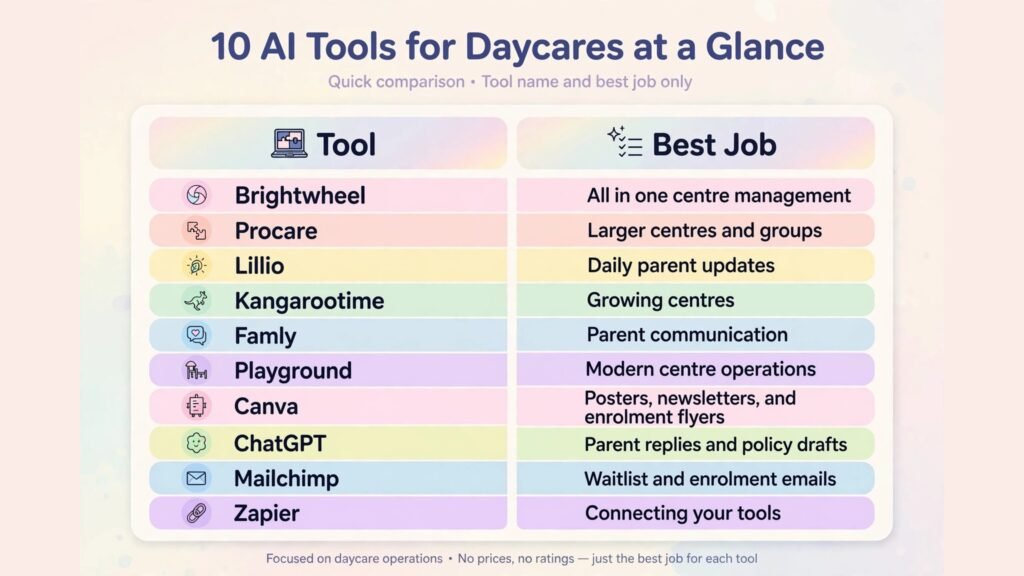
At a Glance: 10 Tools Compared
| Tool | Best for | Main strength | Watch out for |
|---|---|---|---|
| Brightwheel | All in one centre management | Billing, attendance, and parent app | Costs scale with enrolment |
| Procare | Larger centres and groups | Deep billing and reporting | Setup needs time and training |
| Lillio | Daily parent updates | Photos, reports, and messaging | Value depends on daily use |
| Kangarootime | Growing centres | Enrolment, billing, and CRM | Newer ecosystem than older rivals |
| Famly | Parent communication | Clean app and learning journals | Regional availability varies |
| Playground | Modern centre operations | Billing, enrolment, and app | Check local compliance features |
| Canva | Posters, newsletters, and enrolment flyers | Fast branded design | Needs real centre photos |
| ChatGPT | Parent replies and policy drafts | Speed on everyday writing | Check every date, fee, and policy |
| Mailchimp | Waitlist and enrolment emails | Automated tour follow up | Costs rise with list size |
| Zapier | Connecting your tools | Automates reminders and records | Test flows before term starts |
Childcare Platforms That Run the Centre
1. Brightwheel
Brightwheel is the most widely used all in one platform for daycares and preschools in many markets, covering enrolment, billing, attendance, messaging, and daily reports. Parents check in children, receive photos and updates, pay tuition, and message staff through one app, while directors see attendance, ratios, and billing in one dashboard. For a busy centre, that single parent app is the main benefit. Parents stop asking the same questions in five channels, because invoices, reports, and messages live in one place they already check.
Pricing is subscription based and varies with enrolment and features, so check at checkout and ask about billing and payment processing costs separately. Watch out for adoption. Brightwheel only saves time when staff actually log attendance, meals, naps, and incidents in real time, and when parents are onboarded properly at enrolment. Train staff in short sessions, show parents the app during the first tour or enrolment meeting, and keep paper backup procedures for days when devices fail or the internet drops. A platform is not a safety system on its own; it supports the safety routines your centre already follows.
2. Procare
Procare is a long established childcare management system suited to larger centres and multi site groups that need deeper billing, reporting, and administrative control. It handles complex tuition plans, sibling discounts, subsidies where applicable, attendance, and staff records, with reporting that helps directors compare sites, track enrolment, and plan staffing. For a group that outgrew a simple app, that depth can be the difference between a clear monthly close and a week of spreadsheet corrections.
Pricing is subscription based and depends on modules and centre size, so check at checkout and clarify implementation support. Watch out for implementation time. Procare rewards careful setup: tuition rules, room structures, billing cycles, and permissions must be built correctly before families are migrated. Run a parallel period with a small group, test billing with real family structures, and train administrators before rolling out to every room. A rushed migration in a childcare business creates billing disputes that damage parent trust quickly.
3. Lillio
Lillio, formerly HiMama, focuses on the daily parent experience: photos, learning updates, meals, naps, and messages that keep families connected to their child’s day. For centres where parent communication is a competitive advantage, daily reports matter enormously. Parents who see what their child ate, learned, and played with are more likely to stay, recommend the centre, and raise concerns early rather than quietly leaving. Lillio also helps educators record observations without writing long paper reports at the end of a long day.
Pricing is subscription based, so check at checkout for the tier that matches your room count and photo or reporting needs. Watch out for consistency. Daily updates only build trust when every room uses the system to a similar standard. Agree on a minimum daily update for each age group, assign a room lead to check reports before pick up, and avoid sharing photos without clear consent records. The goal is warm, reliable communication, not a photo contest between rooms.

4. Kangarootime
Kangarootime is a modern childcare platform that combines enrolment, billing, parent communication, and a CRM for tours and waitlists. That CRM element matters for growing centres, because tour inquiries are future revenue, and a slow or lost follow up is a lost enrolment. Kangarootime helps staff track inquiries, schedule tours, send follow ups, and convert interest into enrolment, while keeping billing and daily operations in the same system once a family joins.
Pricing is subscription based, so check at checkout. Watch out for change management. A platform that changes enrolment, billing, and communication at once needs a clear launch plan. Start with one workflow, such as tour follow up, prove it for a month, then move billing and daily reports across. Staff who learn one change well are more likely to adopt the next one, while staff hit with five changes at once often revert to old habits.
5. Famly
Famly is a childcare platform known for a clean parent app, learning journals, and communication tools, widely used in European markets and growing elsewhere. It suits centres that value pedagogy and parent partnership, with tools for observations, learning stories, and daily updates alongside billing and enrolment. For a centre whose brand is built on early learning rather than just care, a learning journal that parents can actually read and respond to is a meaningful advantage.
Pricing is subscription based, so check at checkout and confirm availability and local compliance features for your region. Watch out for regional fit. Features, payment options, and support hours vary by market, so test the parent journey in your country, including billing and reporting, before committing. A beautiful app that does not match local billing or record requirements will create workarounds that erase its benefits.
6. Playground
Playground is a newer, modern childcare management platform covering billing, enrolment, attendance, and a parent app, with a design that appeals to centres opening fresh or replacing an older system. Its strength is a clean, mobile friendly experience for parents and staff, which helps adoption in centres where many staff and parents rely on phones rather than desktop computers. For a new centre, starting with a modern system avoids migrating years of paper records later, which is often the hardest part of adopting software.
Pricing is subscription based, so check at checkout. Watch out for depth in complex cases. Newer platforms may handle standard billing and enrolment well but need checking for unusual tuition plans, subsidy handling, or multi site reporting. List your five most complex billing cases and test each one during a trial, rather than assuming the demo covers them. If your centre has simple, standard billing, Playground may be ideal. If your billing is complex, depth matters more than design.

Marketing, Writing, and Connection Tools
7. Canva
Canva helps a daycare look professional in enrolment flyers, open day posters, newsletters, room notices, and social posts. Build templates for tours, term dates, and events, then change only dates, photos, and room names. AI tools help with resizing and background cleanup, but the real value is consistency. Parents judge a centre partly by how clear and calm its communication looks, and a consistent design supports that trust before a family ever visits.
Pricing includes a free plan and paid plans for brand controls, so check at checkout. Watch out for photo consent. Never use identifiable child photos in marketing without clear, current parent consent, and keep consent records by child, not by memory. Use photos of rooms, activities without faces, staff with consent, or stock images for public marketing, and reserve real child photos for private parent updates where consent and platform controls apply.
8. ChatGPT
ChatGPT drafts the writing that fills a director’s week: replies to tour inquiries, waitlist updates, policy explanations, newsletter drafts, and staff notices. Give it your term dates, fees, ratios, opening hours, and tone, and a first draft arrives in seconds. During enrolment season, that speed can be the difference between a tour booked today and a family choosing a faster responding centre tomorrow.
Access includes a free tier and paid plans, so check at checkout. Watch out for accuracy and sensitivity. Never send a draft that states a fee, a place availability, a safety policy, or a child’s progress without checking it against your real records. Keep safeguarding, medical, and behavioural matters out of AI drafts entirely, and handle those with qualified staff and direct parent conversation. AI is for admin and general communication, not for sensitive child matters.
9. Mailchimp
Mailchimp helps centres manage waitlists and enrolment communication. Set up a welcome sequence for tour inquiries, a reminder before an open day, a term date reminder for enrolled families, and a simple newsletter that highlights learning and events. Automated follow up matters because tour families often need two or three touches before they decide, and a busy director rarely has time to send each one manually.
Pricing scales with list size, so check at checkout as your waitlist grows. Watch out for message fatigue. Parents already receive many messages from schools and activities. Send fewer, clearer emails with one action each, and keep urgent safety or closure messages on your fastest channel, not buried in a newsletter. Email is for planning and marketing. Urgent messages need a channel parents check immediately.
10. Zapier
Zapier connects childcare tools that do not talk to each other. A new tour booking can trigger a staff task and a follow up reminder. A new enrolment can trigger a welcome checklist. A payment can trigger a receipt and a record update. These flows prevent the classic centre errors: a tour booked but never followed up, an enrolment completed but a room list never updated, or a payment received but never reconciled.
Pricing is tiered by task volume, so check at checkout and estimate tour and enrolment volume honestly. Watch out for data safety. Only automate flows that involve non sensitive data unless you have checked privacy and access controls carefully. Test every flow with test family data before live use, and make sure a human reviews any flow that touches billing, attendance, or child records.
Best Pick by Job
| Job | Best pick | Why it wins |
|---|---|---|
| All in one centre management | Brightwheel | Single parent app for billing, attendance, and updates |
| Large centre and group control | Procare | Deep billing and multi site reporting |
| Daily parent updates | Lillio | Photos, reports, and messaging done well |
| Growth and tour conversion | Kangarootime | CRM plus operations in one system |
| Learning journals and communication | Famly | Pedagogy focused parent experience |
| Modern new centre setup | Playground | Clean mobile experience for staff and parents |
| Flyers and newsletters | Canva | Fast, consistent, brand controlled |
| Replies and policy drafts | ChatGPT | Speed when given real centre details |
| Waitlist and enrolment emails | Mailchimp | Automated tour follow up |
| Connecting tools | Zapier | Prevents missed follow ups and record gaps |
How to Choose the best AI tools for daycares
Start with safety and parent trust, then efficiency. Ask whether a tool improves attendance accuracy, pickup authorisation, allergy visibility, and incident recording, or whether it only looks convenient. If a tool makes a safety routine harder, slower, or easier to skip, it fails the first test, regardless of price or features. Next, ask whether parents will actually use it. A parent app that families ignore creates double work, because staff must update both the app and a paper or message system. Test with five real families before launch, and fix every confusing step they find.
Then consider staff reality. Educators work on their feet, often with limited time at a computer. A tool that requires long desktop sessions will fail in a busy room, while a tool that works in seconds on a phone or tablet has a real chance. Train in short, practical sessions during paid time, not in long meetings after a full day. Provide a one page guide for the five most common tasks, and assign a room champion who can help colleagues in the first month. Adoption is a staffing decision as much as a software decision.
Finally, count total cost at full enrolment, including payment processing, extra staff seats, and message costs. Review after one full term, looking at enrolment conversion, billing errors, parent satisfaction, and staff time saved. Keep what survives a busy term and a staff change, and cancel what only worked when the director personally managed it. A system that depends on one person is not a system. It is a risk.
Centres that also need strong local marketing can borrow ideas from our guide to the best AI tools for Instagram, and centres planning events or open days may find useful parallels in the best AI tools for event planners.
Three Centre Workflows That Protect Time and Trust
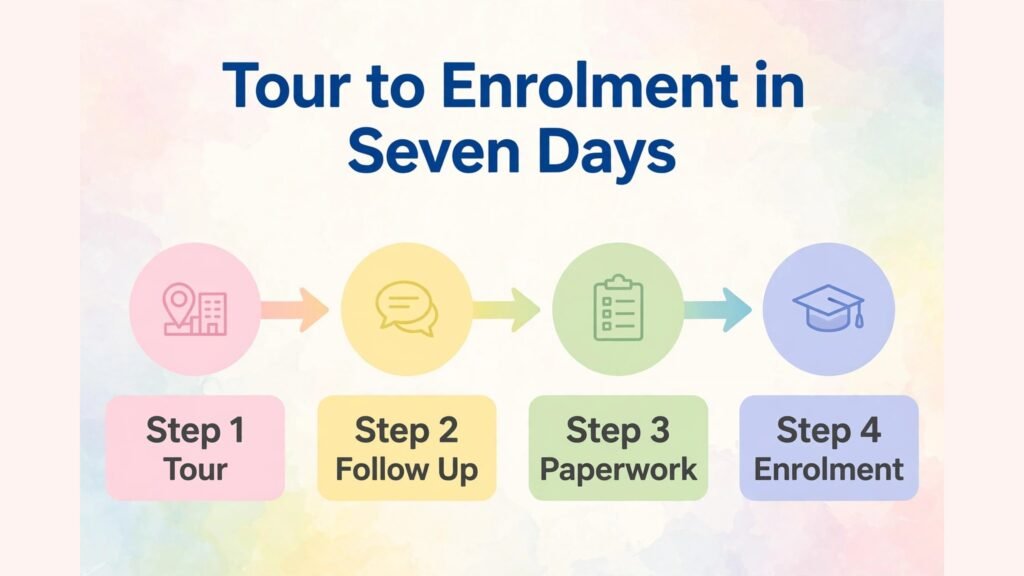
Workflow 1: Tour to enrolment in seven days
A tour inquiry deserves a reply within one working day, a tour within a week, and a clear next step at the end of the tour. Use Mailchimp or your platform CRM to send a welcome message, a tour confirmation with directions and what to bring, and a follow up two days after the tour with the enrolment link, fee summary, and start date options. During the tour, show parents the parent app, the daily report, and the room their child would join, because parents enrol based on trust in the room and the team, not on a brochure. Track conversion by source, so you know whether tours come from search, referral, or social media, and where to focus marketing.
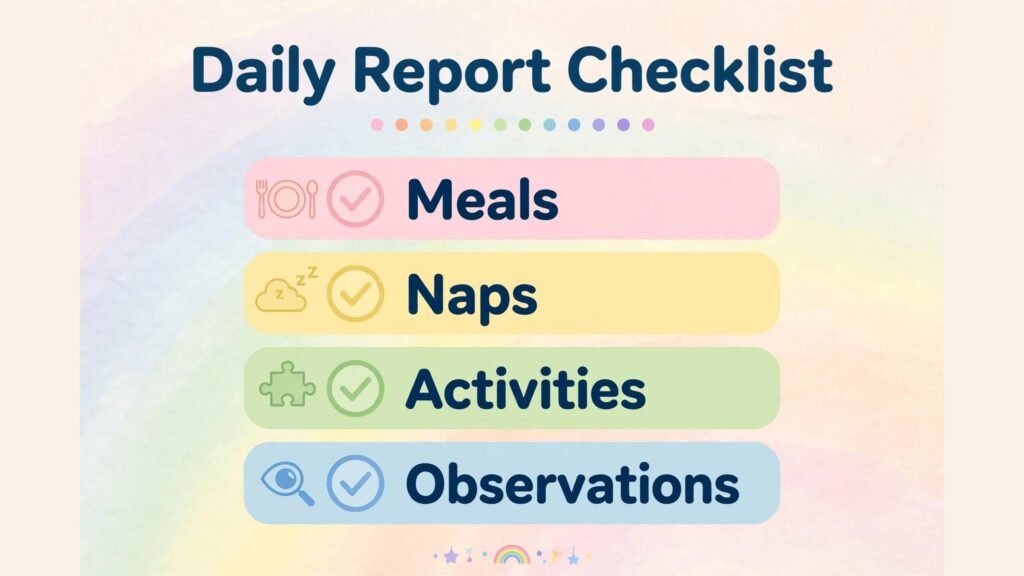
Workflow 2: A calm daily report routine
Daily reports work when they are short, consistent, and checked. Agree on a minimum update per age group: meals, naps, activities, and one observation or photo where consent allows. Staff update during natural transition points, not in a rush at pick up. A room lead checks reports before pick up, so parents receive accurate information rather than a rushed correction later. Keep incident and health notes separate from general updates, with clear procedures for parent contact. A calm report routine builds parent confidence daily, and it also creates a record that helps staff hand over between shifts.
Workflow 3: Billing without monthly disputes
Billing disputes usually come from unclear rules, not from parents refusing to pay. Publish tuition, late fees, holiday policies, and payment dates in plain language before enrolment, and keep them in the parent app where families can find them. Use your platform to send invoices on a fixed date, reminders before due dates, and receipts automatically. When a dispute arises, respond with the invoice, the policy, and a human conversation, not an automated message. Review billing errors monthly, and fix the rule or template that caused them, rather than fixing each case individually. Over time, clear billing becomes a retention tool, because families stay where money matters feel fair and predictable.

Staffing, Ratios, and Inspection Readiness
Technology helps a daycare most when it makes staffing and compliance visible without adding paperwork. Attendance data, when logged in real time, shows room ratios at a glance and helps a director move staff before a room becomes unsafe or non compliant, rather than discovering the problem at the end of the day. That visibility is especially valuable during drop off and pick up peaks, staff breaks, and sickness cover, when ratios change quickly and memory alone is unreliable. A platform does not replace a director’s judgment, but it gives that judgment current numbers instead of guesses.
Staff scheduling also benefits from a clear system. Keep a master rota, a cover list, and a record of qualifications and training expiry dates in one place, and review them weekly. When a staff member calls in sick, the director should see who is available, who is qualified for each age group, and which rooms need cover first, without searching through messages. AI writing help can draft a cover request or a rota notice, but the decision about who covers a baby room versus a preschool room must remain a human decision based on qualifications, experience, and child familiarity. Speed matters in cover, but suitability matters more.
Inspection readiness is another area where good systems quietly pay off. Inspectors and regulators, depending on your country, may ask for attendance records, staff qualifications, incident logs, policies, and parent communication records. A centre that keeps these in one organised system can answer confidently and quickly. A centre that keeps them across paper folders, personal phones, and email threads will spend inspection week reconstructing history under pressure. Review your records monthly, not just before an inspection. Check that attendance is complete, incident notes are factual and dated, policies carry current review dates, and consent records match the children currently enrolled. That monthly habit takes less than an hour when records are digital, and it prevents the most stressful inspection findings.
Training records deserve the same discipline. Track first aid, safeguarding, food hygiene, and other required training by staff member, with expiry alerts well before renewal dates. When training lapses, it is rarely because staff refused to train. It is usually because nobody tracked the date. A simple alert, reviewed monthly by the director, solves a problem that can otherwise become a compliance risk. Keep certificates in the system, not in personal email accounts, so they remain available when staff leave or when a record is requested.
Finally, use data to support staff wellbeing, not just compliance. Attendance patterns, overtime, and cover frequency tell a director which rooms are under pressure and which staff carry extra load. A room that constantly needs cover may need a rota change, a recruitment plan, or a smaller group size, not just another reminder to cope. Review these patterns monthly, discuss them openly with room leads, and make changes before burnout becomes resignations. In childcare, retention of good educators is as important as retention of families, and systems that show workload honestly help directors act early rather than react late.
Mistakes to Avoid
The first mistake is choosing a tool for marketing features while attendance and billing are messy. Fix core operations first, because a beautiful enrolment funnel that leads to billing errors will lose families faster than no funnel at all. The second mistake is sharing child photos without current consent. Keep consent records, review them termly, and respect families who decline, without making their child feel excluded. The third mistake is automating sensitive messages. Health, behaviour, and safeguarding conversations need a human voice and a direct conversation, never an automated template. The fourth mistake is launching new software during enrolment season or a staffing change. Learn systems in a quieter period, test with one room, and expand only when staff are confident. The fifth mistake is keeping parallel systems. If staff update both an app and a paper list, errors double. Choose one source of truth for attendance, billing, and enrolment, and retire the duplicate.

Frequently Asked Questions
What are the best AI tools for daycares on a small budget?
Start with Brightwheel or a similar all in one platform for your core operations, plus Canva and ChatGPT for marketing and replies. Add Mailchimp when your waitlist grows large enough to need automated follow up. Keep the stack small until enrolment justifies more.
Can AI help with child safety?
AI can support records, reminders, and communication, but it cannot replace staff judgment, ratios, supervision, or safeguarding procedures. Use tools to make safety routines clearer and easier to follow, and keep human checks at every critical step, especially attendance, pickup, allergies, and incidents.
How do I get parents to use a new app?
Introduce it during enrolment or a tour, show a real daily report, and help parents complete first login before their child’s first day. Send a short guide, answer questions in the first week, and keep urgent messages on a channel parents already check until app use is routine.
Should I automate parent messages?
Automate routine messages such as invoices, term reminders, and tour follow ups, but keep personal, health, and progress messages human. Parents trust a centre that knows their child, and automation should free staff time for those personal conversations, not replace them.
How long does it take to switch childcare platforms?
Allow six to eight weeks for data migration, staff training, and parent onboarding, and avoid switching during enrolment peaks or inspection periods. Run a pilot room first, test billing with real family structures, and keep paper backups until the new system proves reliable.
What should I measure after adopting a new tool?
Track tour conversion, billing errors, parent satisfaction, staff time on admin, and attendance accuracy. If billing errors fall and parent satisfaction rises, the tool is working. If staff time does not fall after two months, review training and workflows before blaming the software.
Conclusion: Calm Systems Make Better Care Visible
The verdict from these 10 tools is practical rather than dramatic. A daycare does not need the most advanced platform. It needs one reliable system for enrolment, billing, attendance, and parent communication, plus a small set of helpers for design, writing, and follow up. Brightwheel suits many centres as an all in one starting point. Procare suits larger groups that need depth. Lillio, Kangarootime, Famly, and Playground each suit a different centre style, from daily communication to growth to modern setup. General tools fill the gaps, provided every date, fee, and policy is checked before it reaches a parent. Judge the final stack by calm mornings, clear billing, accurate records, and parents who feel informed without chasing staff for updates. When those measures improve, technology is doing its proper job: protecting educator time for children, and making good care visible to the families who trust you with it. Review the stack each term, listen to educators and parents, and keep only the tools that make the centre calmer, safer, and more welcoming. That discipline matters more than any single feature, because a daycare grows on trust earned daily, in small moments that good systems protect and poor systems interrupt. Start with one reliable core platform, prove it in one room, and expand only when staff and parents both find it easier than the old way.