
TradingView takes the top spot among the best ai trading tools for most traders because it pairs excellent charts with a huge community, a working free tier and an AI assistant that explains patterns in plain language. A trader can move from an idea to a tested setup in one place, and the platform runs on any device without installing anything. That combination of access, community and chart quality is hard to beat.
Trading tools make a specific promise, and it is worth stating plainly. No software guarantees profits, and any tool that implies otherwise should be avoided. What a good tool does is shorten the research cycle, surface patterns a human would miss, and enforce the discipline of a written plan. The value is in better decisions made faster, not in a magic signal.
This guide compares eight tools on the factors that shape real trading outcomes. Data quality, backtesting honesty, alert reliability, broker integration and cost all matter more than a marketing claim about accuracy. Each of the eight tools was live in November 2026, with prices taken from vendor pages, so check the vendor page for the current number before paying. Read the risk notes in each section carefully, since trading involves losing money as well as making it.
Why Trading Punishes the Wrong Tool
Trading punishes bad tools faster than any other activity in this guide. A chart that lags by seconds, an alert that arrives after the move, or a backtest that quietly uses future data can each cost real money in a single session. The best ai trading tools treat data quality and execution speed as the core product, because a trader who cannot trust the numbers cannot trust the decision built on them.
Backtesting is where most tools mislead. A strategy that looks brilliant on historical data may have been fitted to that data by accident, and a tool that encourages endless optimisation makes the problem worse. Honest backtesting tools show out-of-sample results, charge realistic commissions and slippage, and warn when a strategy has too many parameters for the data available. Traders should demand those features before paying.
The third trap is the signal service dressed as analysis. Some tools sell alerts that cannot be explained, tested or reproduced, and their track records come from cherry-picked periods. A trader who cannot explain why a signal fired will not know when to ignore it, and that ignorance turns a bad week into a blown account. Prefer tools that show their reasoning and let the trader test it.
A fourth pressure comes from cost structure. A subscription of 89 dollars a month needs to save more than that in avoided mistakes or better entries to justify itself, and many traders never do that maths. Add the data fees, the broker commissions and the time spent learning the platform, then compare the total against the account size. A tool that costs more than the account can support is a leak, not an investment.
A fifth pressure is emotional. A tool that fires alerts all day can push a disciplined trader into overtrading, and the best ai trading tools let the owner tune alert frequency, silence low-confidence signals and set quiet hours. The trader controls the tool rather than the other way round, and that control protects both the account and the trader’s attention across a long session.
The 8 Tools at a Glance
| Tool | Main job | Best for | Starting price |
|---|---|---|---|
| TradingView | Charts, screening and community | Most traders, all levels | Free tier available |
| Trade Ideas | AI scanning and alerts | Active day traders | 89 dollars a month |
| TrendSpider | Automated chart analysis | Technical traders | 32 dollars a month |
| Tickeron | AI pattern recognition | Traders who want signals | 90 dollars a month |
| Kavout | AI stock ratings | Investors who want scores | Custom pricing |
| MetaStock | Charting and system testing | Serious technical analysts | 79 dollars a month |
| Composer | AI-built trading strategies | Investors who automate | 30 dollars a month |
| QuantConnect | Algorithmic backtesting | Coders who build strategies | Free tier available |
Best Pick by Job
| Job type | First pick | Second tool | Why this pair works |
|---|---|---|---|
| Day trader | Trade Ideas | TradingView | Trade Ideas scans live and TradingView charts the setups |
| Swing trader | TrendSpider | TradingView | TrendSpider finds patterns and TradingView manages watchlists |
| Long-term investor | Kavout | Composer | Kavout scores stocks and Composer automates the plan |
| Technical analyst | MetaStock | TrendSpider | MetaStock tests systems and TrendSpider automates chart reading |
| Coder and quant | QuantConnect | TradingView | QuantConnect backtests code and TradingView visualises results |
Job type decides the winner because a day trader and a long-term investor need opposite things from a tool. The day trader needs speed, live scanning and instant alerts, while the investor needs research depth and automation that runs without daily attention. The pairs above give each trader a primary engine and a second tool that covers the gaps in the first.
Market coverage also follows the job. A trader focused on US stocks needs different data than one trading crypto around the clock or forex across sessions. Check that the chosen tool covers the exact markets traded, with data fast enough for the style, before paying, since a platform that lacks a key market forces a second subscription and splits the workflow in two.
How to Judge the best ai trading tools
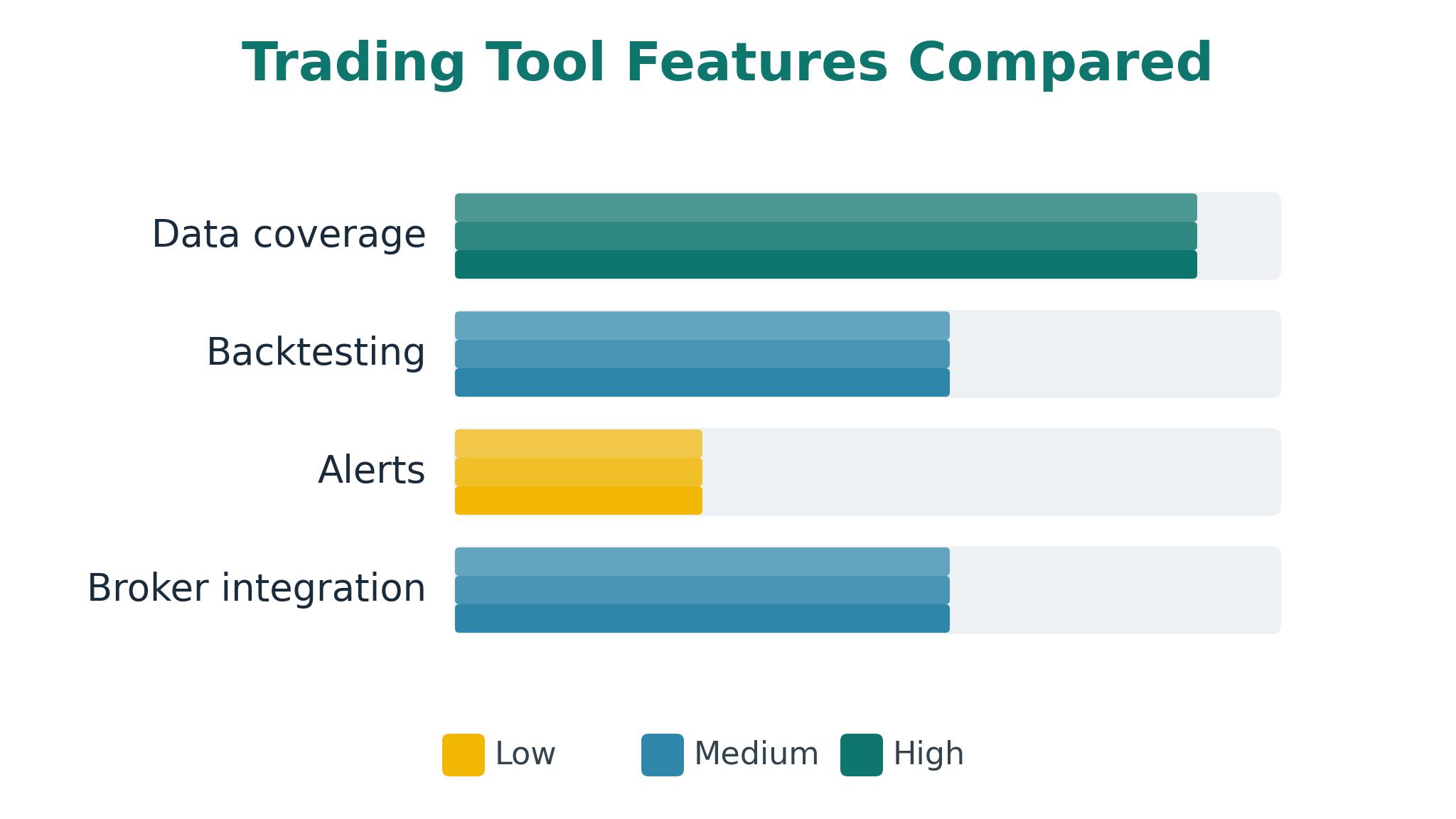
Start with the data test, because every feature sits on top of it. Check whether the tool covers the markets traded, whether prices update fast enough for the trading style, and whether corporate actions like splits and dividends are handled correctly. The best ai trading tools publish their data sources and update frequencies, and a trader should verify them with a known event before trusting the platform with real money.
Next, test the backtest for honesty. Run a simple strategy, check whether the results include commissions and slippage, and then test it on data the strategy never saw. A tool that makes out-of-sample testing easy and shows the results plainly is worth more than one with a hundred indicators. Look for walk-forward testing and a clear warning when a strategy is overfitted to history.
Finally, test the alert path end to end. Set an alert on a real symbol, wait for it to trigger, and measure how long it takes to reach the phone. A tool that delivers alerts in seconds with a clear reason and a link to the chart earns its subscription, while one that delivers late or without context is a liability. Check the broker integration too, since a tool that cannot place or track orders adds manual work at the worst moment.
One more check deserves attention, and that is the paper trading mode. The best ai trading tools let a trader test a strategy with fake money under live conditions, which reveals whether the routine works before any capital is at risk. Paper trade for a month, log the results honestly, and only move to real money when the process feels repeatable rather than lucky.
The 8 Tools in Detail
General usefulness sets the order here, so the platform most traders should try before paying anything leads.
1. TradingView
TradingView is the most widely used charting platform in the world, and its strength is the combination of clean charts, a huge indicator library and a community that publishes ideas daily. The AI assistant explains chart patterns, summarises news and answers questions about a symbol in plain language. Screening tools cover stocks, forex, crypto and futures across global markets.
The free tier is genuinely useful, with real-time data on many markets, three indicators per chart and a full screener. Paid plans add more indicators, more alerts, faster data and multi-chart layouts, while the Pine Script language lets traders build custom indicators and strategies. The social layer means a trader can see how others read the same chart, which is a learning resource no closed tool offers.
TradingView is a charting and analysis platform rather than a broker, so orders go through a separate integration and execution quality depends on the broker chosen. The AI assistant is helpful for explanations but should not be treated as a signal service, and the sheer volume of community ideas can distract a trader from their own plan. Data on some smaller markets needs a paid add-on.
TradingView suits almost every trader as a starting point, from beginners learning to read charts to professionals who need reliable analysis anywhere. It fits anyone who wants a strong free tier, a deep community and charts that work on any device, and it pairs well with any specialist tool in this guide.
2. Trade Ideas
Trade Ideas built its reputation on Holly, an AI that scans the entire market in real time and surfaces trade setups as they form. The platform watches thousands of symbols, applies statistical patterns and alerts the trader the moment a setup matches. Backtesting tools let the trader check a strategy against years of history before risking money on it.
The live scanning is the reason day traders pay for it. Holly runs continuously during market hours, and its alerts arrive with the reasoning behind them, including the pattern, the volume and the historical success rate. The OddsMaker backtester is thorough, and the platform integrates with major brokers for one-click order entry. The community of active traders shares channels and strategies daily.
Trade Ideas costs 89 dollars a month at the standard tier, which is steep for a small account, and the learning curve is real because the platform packs a lot into one screen. The AI suggestions are starting points rather than instructions, and a trader who follows them blindly will lose money. The interface feels dense next to TradingView’s clean design.
Trade Ideas suits active day traders who need live scanning and can act on alerts within minutes. It fits traders with enough capital that the subscription is a small fraction of the account, and it rewards those who treat the AI as a research assistant rather than a decision maker.
3. TrendSpider
TrendSpider automates the manual work of technical analysis, drawing trendlines, detecting patterns and running multi-timeframe analysis without the trader hand-placing every line. Its AI scans for chart patterns, tests them against history and alerts the trader when a new one forms. Dynamic alerts update automatically as price moves, so a level set last week stays relevant today.
The automation saves hours of chart work every week. A trader can scan hundreds of symbols for a specific pattern in minutes, and the backtesting tools show how that pattern performed historically before any money is risked. The platform covers stocks, ETFs, forex and crypto, and the interface is cleaner than most specialist tools. Raindrop charts and volume analysis add depth for serious technicians.
TrendSpider pricing starts at 32 dollars a month on annual billing, but the most useful AI features sit on higher tiers that cost considerably more. The platform is technical by design, so beginners may find the learning curve steep, and it lacks the community layer that makes TradingView welcoming. Broker integration is thinner than the larger platforms.
TrendSpider suits technical traders who want chart reading automated and pattern scanning done properly. It fits swing traders and analysts who value clean automation over community features, and it rewards those who build a repeatable process around its alerts.
4. Tickeron
Tickeron uses AI pattern recognition to find chart patterns, predict price movement probabilities and generate trade ideas across stocks, ETFs, forex and crypto. Its scanners cover thousands of symbols, and each signal comes with a confidence score, a predicted price range and a historical success rate. The platform also offers AI portfolios and a paper trading mode for testing ideas without risk.
The transparency around each signal is the strongest feature. A trader can see why a pattern was flagged, how often it worked in the past and what the expected move looks like, which makes it possible to test the ideas rather than follow them blindly. The interface is approachable, and the educational material helps newer traders understand what they are looking at.
Tickeron signals are probabilistic rather than certain, and a trader who treats a 60 percent confidence score as a guarantee will be disappointed. The subscription costs 90 dollars a month at the standard tier, and some features need higher plans. The platform is weaker on broker integration than Trade Ideas, and the sheer number of signals can overwhelm a trader without a filtering process.
Tickeron suits traders who want AI-generated ideas with visible reasoning and a paper trading mode to test them. It fits swing traders and newer investors who want pattern recognition done for them, and it rewards those who use the signals as a watchlist rather than a buy list.
5. Kavout
Kavout scores stocks with its Kai Score, an AI rating that combines fundamentals, technicals and market sentiment into a single number. The platform covers thousands of US stocks, updates scores daily and explains the factors behind each rating. Portfolio tools let an investor track holdings against their scores and receive alerts when a rating changes.
The scoring system appeals to investors who want a systematic view without building their own models. A long-term investor can screen for high-rated stocks in a sector, compare them on valuation and momentum, and build a watchlist in minutes. The explanations behind each score make the system testable, and the coverage of small and mid-cap stocks is good.
Kavout pricing is custom, so investors cannot see the cost without contacting sales, and the platform is focused on US equities, which limits international investors. The scores are a starting point rather than a recommendation, and a trader who buys on score alone will miss the context that numbers cannot capture. The interface is functional rather than polished.
Kavout suits long-term investors who want a systematic screen for stocks and a daily rating to track. It fits anyone building a portfolio from quantitative signals, and it rewards those who combine the score with their own research before buying.
6. MetaStock
MetaStock has served technical analysts for decades, and its strength is system testing. Traders can build a strategy from indicators, test it against decades of history, optimise it and then run it live with alerts. The charting is deep, the indicator library is large, and the forecasting tools include neural network models that learn from price history.
The testing depth is unmatched in this guide for pure technical work. A trader can test a system across many symbols and timeframes, see the equity curve and the drawdown, and refine the rules before risking capital. The data quality is high, and the platform works offline, which matters to traders who want their tools independent of a browser.
MetaStock costs 79 dollars a month and the interface shows its age, with menus and dialogs that feel dated next to modern web platforms. The learning curve is steep, and the AI features are narrower than the newer tools here. It is a desktop product at heart, so mobile access is limited.
MetaStock suits serious technical analysts who build and test their own systems. It fits traders who value testing depth over a modern interface, and it rewards those who treat strategy development as a discipline rather than a hobby.
7. Composer
Composer lets investors build automated trading strategies with an AI assistant, using plain-language descriptions that become rules the platform executes. A user can describe a strategy, test it against history, and set it running with automatic rebalancing. The platform handles the brokerage, the execution and the tax-aware rebalancing without daily attention.
The automation is the whole appeal. An investor who has a clear idea, such as rotating into the strongest sector each month, can turn it into a running strategy in an afternoon and then let it operate. Backtesting is transparent, with clear performance charts and drawdown figures, and the community shares strategies that can be copied and modified.
Composer charges 30 dollars a month, and the strategies it runs are only as good as the ideas behind them. The platform is US-focused, and the AI assistant can produce strategies that look good in backtest but fail in live markets when conditions change. Traders who want intraday control or complex options strategies will find it limiting.
Composer suits investors who want to automate a rules-based plan without writing code. It fits long-term investors and busy professionals who prefer a system that runs itself, and it rewards those who test thoroughly and monitor results rather than setting and forgetting.
8. QuantConnect
QuantConnect is an open algorithmic trading platform where coders build, backtest and deploy strategies in Python or C sharp. It provides decades of high-quality data across equities, futures, options, forex and crypto, plus a cloud backtesting engine that runs thousands of tests in parallel. Live trading connects to major brokers, and the community shares algorithms and research.
The data and testing infrastructure is the best in this guide for coders. A strategy can be tested on tick data, optimised with parameter sweeps and then deployed to a live broker from the same code. The research environment uses Jupyter notebooks, and the documentation covers everything from basic indicators to machine learning models. The free tier is generous for learning.
QuantConnect demands programming skill, so non-coders will get nothing from it. The platform is complex, the learning curve is long, and live trading needs a paid plan plus a broker account. Support is community-led at the free tier, and debugging a strategy that works in backtest but fails live takes real skill.
QuantConnect suits coders and quantitative traders who want full control over their strategies. It fits anyone building algorithms professionally or learning quantitative finance seriously, and it rewards those who treat backtesting as a science rather than a shortcut.
A Daily Routine Before the Market Opens
A good trading day starts the night before, with a written plan for the next session. Review the watchlist, note the levels that matter, and decide in advance what would make a trade worth taking. The best ai trading tools make this preparation fast, since screeners and alerts can be set up in minutes and the plan lives next to the charts it refers to.
Thirty minutes before the open, check the overnight news, the futures and the economic calendar for events that could move the market. Update the plan if something material changed, and set alerts at the levels that matter rather than watching every tick. A trader who starts the session with a plan and a set of alerts trades with intent, while one who opens the platform cold reacts to noise.
Position sizing belongs in the morning routine too. Decide before the open how much of the account each trade can risk, and write the number down next to the entry level. A trader who sizes positions in advance never has to decide under pressure, and that single habit prevents more losses than any indicator ever will.
After the close, spend fifteen minutes on review. Log the trades taken, note whether they followed the plan, and record the outcome without judgement. That log becomes the most valuable tool in the set, because it shows the patterns in the trader’s own behaviour that no AI can see. Review it weekly and the plan improves faster than any new indicator could. Among the best ai trading tools, the ones that make journaling easy earn their keep here, since a trader who reviews honestly learns faster than one who buys a new indicator every month.

Active Trader, Swing Trader or Long-Term Investor
The first decision is time horizon, because it changes everything else. A day trader needs live data, fast alerts and a broker with low commissions, while a long-term investor needs research depth, automation and tax-aware rebalancing. The best ai trading tools for each horizon look different, and buying a day-trading tool for a retirement account wastes money twice over.
The second decision is how much control the trader wants. Some traders want to approve every order, while others want a system that runs itself and only reports results. Neither approach is better in general, but the tool must match the temperament, because a control-loving trader will disable an automated system at the first drawdown, and a hands-off investor will neglect a tool that demands daily attention.
The final decision is cost against account size. A subscription of 89 dollars a month is a rounding error on a 100,000 dollar account and a serious drag on a 2,000 dollar one. Add data fees and commissions, then check that the total stays under one percent of the account per year. If it does not, the free tier of a strong platform is the honest choice until the account grows. The best ai trading tools for a small account are the ones with a genuinely useful free tier, and TradingView leads that group by a wide margin.
Frequently Asked Questions
Which AI trading tool is best for beginners?
TradingView is the best start for beginners because the free tier is genuinely useful, the charts are clear and the community explains ideas in plain language. A beginner can learn chart reading, test ideas with paper trading and upgrade only when the free limits become a problem. Avoid paid signal services until the basics are solid.
Can AI trading tools guarantee profits?
No, and any tool that claims otherwise should be avoided. AI tools can surface patterns, test strategies and enforce discipline, but markets change and no model predicts them reliably. The honest value of these tools is faster research and better risk control, not guaranteed returns. Treat every signal as a hypothesis to test, not a promise. A trader who tracks the win rate of the signals they follow will quickly learn which ones deserve trust and which ones deserve the bin, and that record matters more than any vendor claim about accuracy.
How much do AI trading tools cost?
Costs range from free tiers on TradingView and QuantConnect to 89 or 90 dollars a month for Trade Ideas and Tickeron. Most traders land between 15 and 90 dollars a month depending on the features needed. Confirm the number on the vendor page before you pay, since prices change with promotions and billing periods.
Do I need a broker to use these tools?
Most analysis tools work without a broker, but placing real trades needs one. TradingView, Trade Ideas and QuantConnect all integrate with major brokers, while others focus on analysis only. Choose the broker first if execution cost matters, then pick the tool that connects to it cleanly.
What is backtesting and why does it matter?
Backtesting runs a trading strategy against historical prices to see how it would have performed. It matters because it separates ideas that work from ideas that only sound good, but it can mislead when a strategy is fitted too closely to past data. Always test on data the strategy never saw, and include realistic commissions and slippage.
Is paper trading useful before risking real money?
Yes, paper trading tests whether a trader can follow a plan without the emotional cost of real losses. It reveals whether the strategy, the alerts and the routine work together in live conditions. Paper trade for at least a month, and only move to real money when the process feels boring and repeatable rather than exciting. Start with a small real position after that, since real money changes behaviour in ways paper trading cannot show, and scale up only when the live results match the paper ones.
Trade the Plan, Not the Signal
TradingView is the pick for most traders in this guide, with Trade Ideas as the specialist choice for active day traders and Composer as the automation pick for long-term investors. The right tool is the one that supports a written plan and shows its reasoning, because a trader who understands the signal can judge when to ignore it. Start with the free tier, build a plan, paper trade it for a month, and only then pay for the tool that the plan actually needs. Patience with the process beats enthusiasm for the newest signal every time.