
A photographer can run bookings by email for years, until the week three inquiries land on the same day and two of them never get an answer. The old way means a client asks for a date, the photographer checks a calendar, sends a price list, waits for a reply, then sends a contract and an invoice as separate steps. The newer way gives the client a link, and the date, contract, deposit and questionnaire all happen in one flow while the photographer is out shooting. This comparison of the best booking software for photographers looks at eight tools that cover that whole flow, from the first inquiry to the final gallery delivery.
The stakes are higher than the monthly fee suggests. A missed inquiry is a lost booking worth hundreds or thousands of dollars, and a slow reply is the most common reason a client books someone else. Industry surveys keep finding the same pattern, that the back-and-forth after an inquiry is the part of the job photographers find most draining. Software that shortens that stretch pays for itself the first time it turns an evening inquiry into a signed session before morning.
Price is only part of the decision. A cheap scheduler that cannot take a deposit or send a contract still leaves the photographer doing admin by hand, while a full client system that costs 29 dollars a month can replace three other subscriptions. Each entry below names the starting price the vendor publishes, and every figure should be confirmed on the vendor page before you pay.
What Makes Booking Different for a Photographer
Photography bookings are not appointments in the usual sense. A hair salon books a 45-minute slot and the service is the same every time, while a photographer books a wedding, a newborn session or a headshot day, and each one carries a different price, contract, questionnaire and delivery promise. The best booking software for photographers has to handle that variety, letting one client book a mini session and another sign a 2,000 dollar wedding agreement without the photographer building a new workflow each time.
The second difference is the gallery. Booking and delivery are two halves of one client relationship, and the tools that combine them have a real advantage. A client who books through the same platform that delivers their photos gets one login, one payment history and one place to order prints. A photographer who splits booking and gallery work across two systems pays twice and answers the same questions twice, which is why gallery-first tools appear on this list alongside full client systems.
The third difference is seasonality. Most photographers earn the bulk of their income in a few busy months, then spend the quiet season on marketing, editing and admin. The best booking software for photographers should therefore be cheap to keep during the slow months and strong during the rush, with automated reminders, deposit collection and mini-session scheduling that handle volume without extra staff.
The 8 Tools at a Glance
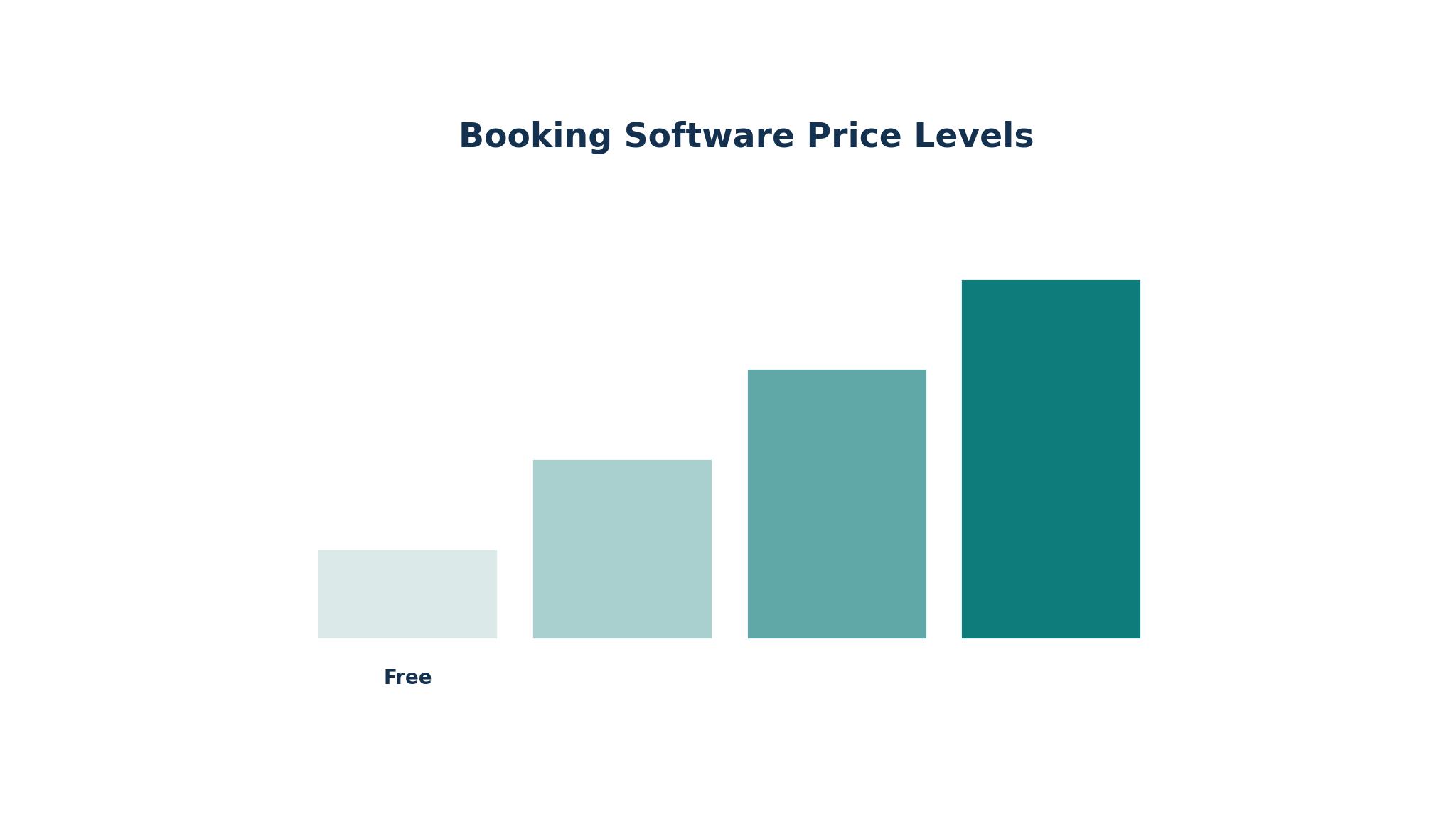
| Tool | Main job | Best for | Starting price |
|---|---|---|---|
| HoneyBook | Client system with booking, contracts and invoices | Solo photographers who want one dashboard | From 29 dollars a month |
| Dubsado | Client system with deep automation | Studios that want custom workflows | From 28 dollars a month |
| Acuity Scheduling | Pure scheduling with payments | Studios that need flexible calendars | From 16 dollars a month |
| ShootProof | Galleries, proofing and booking | Photographers who sell prints | From 8 dollars a month |
| Pixieset | Galleries, storefront and studio manager | Visual brands that sell online | From 8 dollars a month |
| Studio Ninja | Studio manager built by photographers | Photographers who want one workflow | From 16 dollars a month |
| Iris Works | Studio manager with self-serve booking | Photographers who want clients to book themselves | From 15 dollars a month |
| Calendly | Simple scheduling links | Quick mini-session and headshot bookings | From 10 dollars a month |
Best Pick by Job
| Job type | First pick | Second tool | Why this pair works |
|---|---|---|---|
| Solo wedding photographer | HoneyBook | Dubsado | HoneyBook sets up fast and Dubsado adds deeper automation later |
| Portrait and headshot studio | Acuity Scheduling | Iris Works | Acuity handles the calendar and Iris Works adds contracts |
| Volume and school photography | ShootProof | Pixieset | ShootProof scales print sales and Pixieset adds a storefront |
| Mini sessions and seasonal rush | Calendly | Studio Ninja | Calendly books fast and Studio Ninja manages the follow-up |
| Budget-first solo shooter | ShootProof | Calendly | Both start cheap and cover galleries plus scheduling |
The best booking software for photographers is the one that matches the busiest month, not the quietest. A wedding photographer needs contracts and invoices more than a calendar, while a volume shooter needs galleries and print sales more than automation. The pairing above works because the first pick covers the main job and the second covers the gap, so a photographer can start with one tool and add the other when the business grows.
How to Judge the best booking software for photographers
Start with the deposit. A booking is not real until money changes hands, and a tool that cannot take a deposit online leaves the photographer chasing payments by email. Check whether the tool collects deposits at booking, whether it supports payment plans for weddings, and what fee the processor charges. HoneyBook processes cards in-house at 2.7 percent plus 10 cents, while most others pass the client through to Stripe, Square or PayPal at those processors’ published rates.
Next, test the client experience as if you were the customer. Open the booking link on a phone, try to book a session, sign the contract and pay the deposit, and count the steps. If the flow takes more than a few minutes or asks the client to create an account before they can pay, some of them will abandon it. The best tools make the client feel looked after, with branded pages, clear pricing and automatic reminders that sound like the photographer wrote them.
Finally, check what happens after the shoot. A booking tool that ends at the session leaves the photographer to handle galleries, print orders and delivery elsewhere. A system that connects booking to galleries, like ShootProof or Pixieset, keeps the client in one place and makes print sales easier. Confirm the number on the vendor page before you pay, and trial the full journey from inquiry to gallery before committing.
The 8 Tools in Detail
1. HoneyBook
HoneyBook is a client experience platform for creative freelancers, and photographers are one of its largest user groups. It combines proposals, contracts, invoices, payments and scheduling in one pipeline, so an inquiry can become a signed, paid session without leaving the dashboard. Pricing starts at 29 dollars a month billed annually, with higher tiers adding automation and client galleries. Setup is fast, with photography templates that a solo shooter can customise in a weekend.
The strength is the way the pieces connect. A client receives a proposal, signs the contract, pays the deposit and books the date in one flow, and the photographer sees every step in a single pipeline. Automated reminders chase unpaid invoices, the mobile app lets a photographer send a proposal from a shoot, and native galleries arrived in July 2026 with unlimited storage on Premium plans. For a solo wedding or portrait photographer, that completeness is hard to beat.
The limits are real and worth knowing. HoneyBook only operates in the United States and Canada, so photographers elsewhere cannot use it at all. Automation is simpler than Dubsado, the February 2025 price increases pushed every tier up, and there is still no print store, so photographers who rely on print sales pair it with a gallery platform like Pic-Time. Scheduling is also weaker than a dedicated scheduler.
HoneyBook fits a solo photographer in the United States or Canada who wants bookings, contracts and invoices in one place and wants to be live in days. A photographer outside North America, or one whose income depends on print sales, should look at the gallery-first tools instead.
2. Dubsado
Dubsado is a client management system built for creative studios that want automation shaped around their own process. It covers lead capture, proposals, contracts, invoices, questionnaires and scheduling, with workflow automation that can move a client from inquiry to gallery delivery with almost no manual steps. Pricing starts at 28 dollars a month billed annually, and a free trial lets a studio test the full system before paying.
The depth of the automation is the reason studios choose Dubsado over HoneyBook. Workflows can branch on the type of session, send different questionnaires to wedding and portrait clients, and trigger reminders based on payment status. Templates are flexible, the client portal is clean, and the system handles multi-photographer studios better than most rivals. A studio that has a repeatable process can encode it once and let the software run it.
The trade-off is the learning curve. Dubsado takes longer to set up than HoneyBook, and a photographer who wants to be live tomorrow will find the first week frustrating. The interface is less polished, there is no native gallery, and the mobile app is weaker. Pricing is also close to HoneyBook, so the choice is about depth rather than cost.
Dubsado suits a studio with a defined process and the patience to build it properly, especially a wedding or commercial studio with several photographers. A solo shooter who wants speed over depth will be happier with HoneyBook, but a studio that lives on automation will outgrow HoneyBook eventually.
3. Acuity Scheduling
Acuity Scheduling, owned by Squarespace, is a mature generic scheduler that many portrait, headshot and boudoir photographers rely on. It handles calendars, intake forms, payments and reminders with a level of control that simpler tools lack, including multiple calendars, buffers between sessions and custom booking forms. Pricing starts at 16 dollars a month billed annually, with higher tiers adding more calendars and features.
The scheduling depth is the point. A studio can run six staff calendars, set different availability for different session types, and let clients reschedule themselves within rules the photographer sets. Payments connect to Stripe, Square and PayPal, intake forms collect the details a session needs, and automated reminders cut no-shows. For a headshot studio booking dozens of short sessions a week, that control matters more than a built-in contract.
The weakness is that Acuity is not photography specific. It has no contracts, no invoices, no galleries and no client portal, so a photographer who needs those must connect another tool or use Zapier. The interface is functional rather than beautiful, and the branding options are limited compared with a studio manager. A photographer who wants one system for everything will find Acuity incomplete on its own.
Acuity fits a studio that already has contracts and galleries sorted and wants the best pure scheduling available. Pair it with a gallery tool or a simple contract system, and the combination covers the whole client journey without forcing the photographer into a full CRM.
4. ShootProof
ShootProof pairs client galleries with booking tools and takes no commission on anything a photographer sells. The free plan covers 100 photos, and paid tiers start at 8 dollars a month billed annually, scaling by photo count rather than storage. Higher tiers add invoicing, contract signing and larger libraries, with the unlimited plan at 50 dollars a month billed annually.
The commission-free print sales are the headline. Prints fulfil through professional labs like Bay Photo and WHCC automatically, and the photographer keeps the full margin on every order. Galleries support proofing, price list tiers and gallery codes, which makes ShootProof the strongest choice for volume work like schools, sports and events, where thousands of images need to reach the right families. Booking and contracts sit alongside the galleries, so a client can book and pay in the same place.
The limits follow from the pricing model. Costs grow with the photo library, so a wedding photographer with a large archive pays more than a volume shooter with many small galleries. The booking tools are simpler than HoneyBook or Dubsado, and the design options are more limited than Pixieset. A photographer who wants deep automation will find the workflow tools thin.
ShootProof fits a photographer who sells prints, especially volume, school and event shooters, and anyone who wants a gallery that pays for itself. A wedding photographer who needs rich automation should pair it with a client system rather than relying on ShootProof alone.
5. Pixieset
Pixieset combines client galleries, an online storefront and a studio manager, so a photographer can deliver photos, sell prints and manage bookings from one brand. The studio manager starts at 8 dollars a month, with a free plan available for limited features, and the gallery and storefront tools are designed to look polished on any device. The platform is known for visual consistency across galleries, website and storefront.
The design quality is the main draw. Galleries look expensive, the storefront is easy for clients to use, and the studio manager connects bookings, contracts and invoices to the same client record. A photographer whose brand depends on how the work looks will find Pixieset the most attractive of the gallery-first tools, and the print fulfilment options cover the major professional labs. The mobile experience is strong for both photographer and client.
The trade-off is depth. The studio manager is newer and less powerful than HoneyBook or Dubsado, with simpler automation and fewer workflow options. Pricing rises with storage and features, and a photographer with a large archive will pay more than the entry price suggests. The booking tools are adequate for portrait and wedding work but less suited to high-volume scheduling.
Pixieset suits a photographer whose visual brand matters as much as the booking flow, especially portrait, wedding and lifestyle shooters who sell prints through a beautiful storefront. A studio that needs deep automation should look at Dubsado, but for a polished client experience Pixieset is hard to fault.
6. Studio Ninja
Studio Ninja is a studio management system built by photographers, and it shows in the workflow. It covers lead capture, quotes, contracts, invoices, payment plans and workflow automation in one place, with integrations to Stripe, PayPal, Square, ShootProof and Google. Pricing is reported from 16 dollars a month, well below HoneyBook, which makes it one of the best-value full systems on this list.
The photographer-first design is the strength. The job pipeline mirrors how a studio actually works, from inquiry to shoot to delivery, and the automation handles the repetitive emails that eat a photographer’s evening. Quotes and contracts are built for photography, payment plans suit wedding bookings, and the integrations mean a photographer can keep ShootProof for galleries while Studio Ninja runs the business side. Support is known for being responsive and photography-aware.
The weaker side is scale and polish. Studio Ninja is a smaller vendor than HoneyBook or Acuity, so the integrations list is shorter and the mobile app is less developed. The interface is practical rather than beautiful, and a studio that needs advanced reporting or multi-brand management may find it thin. Availability outside Australia, where it started, is good, but the community is smaller.
Studio Ninja fits a photographer who wants a full studio system at a lower price than HoneyBook, and who values a workflow built by people who shoot for a living. Among the best booking software for photographers, it is the strongest value pick for a growing portrait or wedding business that is ready to stop juggling spreadsheets.
7. Iris Works
Iris Works is a studio management platform built for photographers who want clients to book themselves. It combines online booking, contracts, invoices, questionnaires and a client portal, with self-serve scheduling that lets a client pick a date, sign and pay without the photographer lifting a finger. Pricing starts at 15 dollars a month, with a free trial available.
Self-serve booking is the headline feature. A portrait or headshot client can book a session at midnight, choose a package, sign the contract and pay the deposit, and the photographer wakes up to a confirmed booking. The workflow automation follows up with questionnaires and reminders, and the client portal keeps everything in one place. For a photographer who shoots many similar sessions, that automation saves hours every week.
The limits are breadth and scale. Iris Works is less known than HoneyBook or Dubsado, so the integrations list is shorter and the template library is smaller. There is no native gallery, so print sales and delivery need a separate tool, and the reporting is simpler than the larger platforms. A wedding studio with complex packages may find the workflow options less flexible than Dubsado.
Iris Works suits a portrait, headshot or boudoir photographer who wants clients to book themselves and is happy to pair the system with a gallery tool. It is one of the cheapest ways to get real self-serve booking, and the price makes it easy to trial.
8. Calendly
Calendly is the simplest tool on this list, and that is its appeal. It provides scheduling links that a client can use to book a time, pay if needed and receive reminders, with a free plan for basic scheduling and paid plans from 10 dollars a month. It is not photography specific, and it makes no attempt to be, which is why it works so well for a narrow job.
The speed is the strength. A photographer can create a mini-session booking page in minutes, share the link on social media, and fill a Saturday with back-to-back sessions. The calendar sync prevents double-bookings, reminders cut no-shows, and the paid tiers add group events, payment collection and routing rules. For a seasonal mini-session day, no other tool on this list is faster to set up.
The weakness is obvious. Calendly has no contracts, no invoices, no questionnaires and no galleries, so a photographer who needs those must use another tool. It is a scheduler, not a studio system, and using it as the whole booking stack means the admin work still happens by hand. The free plan is also limited to one event type, which is too little for most working photographers.
Calendly fits a photographer who needs a quick booking link for mini sessions, headshots or consultations, and who already has contracts and galleries handled elsewhere. As a standalone booking system it is too thin, but as part of a stack it is the fastest tool here.
What a Photography Booking Stack Costs in a Year
The monthly fee is the smallest part of the real cost. A photographer comparing the best booking software for photographers should add the payment processing rate, which runs about 2.9 percent plus 30 cents on Stripe, the cost of any gallery storage above the free tier, and the price of a second tool if the first one cannot do contracts or galleries.
The second cost is the photographer’s time. A system that saves two hours a week of admin is worth roughly 100 dollars a month to a photographer who charges 150 dollars an hour, which means even the most expensive tool on this list pays for itself if it is actually used. The tools that fail are the ones that sit half-configured, so budget an afternoon to set the system up properly and another to test it with a real booking.
Finally, watch the renewal trap. Several tools on this list charge more on monthly billing than annual, and some raise prices with little warning, as HoneyBook did in February 2025. Pay annually only after a trial month proves the tool fits, and set a calendar reminder for the renewal date. Confirm the number on the vendor page before you pay, and keep the receipt for the tax return, since booking software is a deductible business expense in most places.
Setting Up Online Booking in a Single Weekend
Saturday morning is for choosing and configuring. Pick one tool from the best booking software for photographers, create the account, and set up the session types the business actually sells, with the right durations, prices and buffers between them. Connect the calendar, add the payment method, and write the confirmation and reminder messages in the photographer’s own voice.
Saturday afternoon is for the paperwork. Build the contract, the invoice template and the questionnaire, and link them so a booking triggers all three automatically. Test the whole flow on a phone as if you were a client, from the booking link to the deposit payment, and fix anything that feels slow or confusing. A friend can test it too, and their confusion is more useful than any feature list.
Sunday is for going live. Put the booking link on the website, the social profiles and the email signature, and tell past clients that booking is now online. Watch the first five bookings closely and reply personally to each one, even though the system sends automatic messages. The personal reply is what turns a booking into a relationship, and the software exists to make room for it.
– Set up session types with real prices, durations and buffers. – Connect the calendar and payment method before sharing the link. – Test the full client flow on a phone, from booking to deposit. – Put the link on the website, social profiles and email signature. – Reply personally to the first five bookings, even with automation on.

Frequently Asked Questions
How much does booking software cost a photographer?
Most photographers pay between 8 and 29 dollars a month for a single tool, or 40 to 60 dollars a month for a booking plus gallery combination. The best booking software for photographers varies in how it charges, whether per user, per photo or per booking, and the payment processing rate adds to the total. A trial month will show whether the tool earns its fee before any annual commitment.
Does HoneyBook work for photographers outside the United States and Canada?
No, HoneyBook only operates in the United States and Canada, so photographers elsewhere cannot create an account. Dubsado, Studio Ninja, Acuity Scheduling and Iris Works all work internationally, and ShootProof and Pixieset serve photographers worldwide. Check the vendor site for the current list of supported countries before signing up.
Can clients pay deposits online when they book?
Yes, every tool on this list except the free tier of Calendly can collect a payment at booking, usually through Stripe, Square or PayPal. HoneyBook processes cards in-house, while the others pass payments to a processor at that processor’s published rate. Set the deposit as a percentage or a fixed amount, and make the payment step part of the booking flow rather than a separate email.
Is Acuity Scheduling enough on its own for a photographer?
Acuity is enough if the photographer already has contracts, invoices and galleries handled elsewhere, since it is a scheduler rather than a studio system. A portrait studio that only needs calendar control will find it excellent. A wedding photographer who needs contracts and payment plans should pair Acuity with a client system like Dubsado or a gallery tool with contracts built in.
How do mini sessions work with booking software?
Mini sessions need a tool that can book many short slots on one day, take a deposit for each, and send the same questionnaire to every client. Calendly is the fastest option for a single mini-session day, while Studio Ninja and Iris Works handle recurring mini-session seasons better. Set buffers between slots, limit the number per day, and automate the reminders so the day runs itself.
Do gallery tools replace a client management system?
No, gallery tools handle delivery and print sales, while a client system handles contracts, invoices and the booking pipeline. ShootProof and Pixieset include basic booking and contracts, which is enough for some photographers, but a studio with complex packages still benefits from a dedicated client system. The best setup pairs a gallery tool with a booking system that fits the studio’s workflow.
The Booking Setup That Fits a Working Photographer
A solo wedding photographer should start with HoneyBook, because it covers the whole client journey in one place and sets up in days. A studio that wants deeper automation should choose Dubsado, and a photographer who sells prints should build around ShootProof or Pixieset. The best booking software for photographers is not the one with the most features, but the one the photographer actually uses every day, because a booking system only earns its fee when the calendar fills itself.
Pick one tool, trial it with a real booking, and put the link where clients can find it. The first time an inquiry becomes a paid session overnight, the value of the software will be obvious, and the photographer can get back to the work that actually needs a camera.