

You have a skill people ask you about, a notebook full of lesson ideas, and thirty days to turn it into a course that actually sells. The best course creation software for beginners is the tool that gets your first lesson in front of a paying student fastest, and for most first-time creators that tool is Teachable Starter at $29 a month on annual billing. This post follows one beginner through a full first month, from a one-page outline to a first sale, and it puts each tool in the diary at the moment a beginner would really meet it.
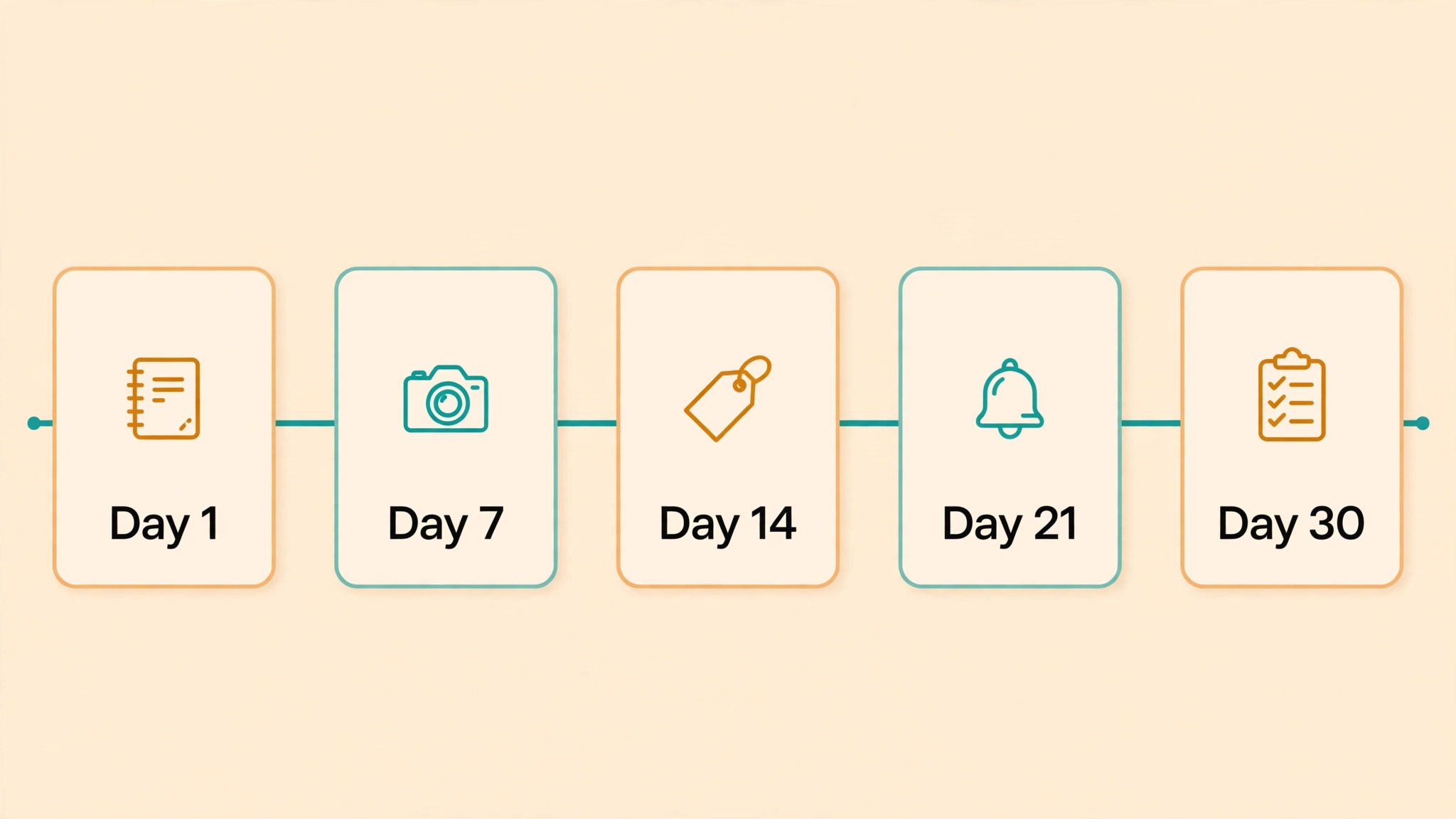
Day 1: The Outline on One Page
Day one is a notebook, not a platform. You sit down with the skill you want to teach and you write the promise of the course in a single sentence. A good promise names the student and the outcome. “Busy parents learn to cook five weeknight dinners in one hour” is a promise. “A cooking course” is not. Every tool in this guide can host a course, but none of them can fix a vague promise, so the outline comes first and the shopping comes second.
Once the promise is written, you list five to eight lessons, and each lesson gets one clear outcome. Lesson one might be “chop an onion without crying”, and lesson two might be “build a pan sauce in ten minutes”. Short lessons win, because a student who finishes lesson one comes back for lesson two.

Day 7: Recording the First Lesson
Day seven is the day most beginners stall, so keep it small. You record lesson one only, with the phone you already own. Prop the phone on a stack of books, sit by a window for light, and close the door so the room is quiet. A phone recording in a quiet room beats a fancy camera in an echoing kitchen.
Record the lesson twice and keep the second take. Watch it back once, note the one spot where you rambled, and fix that minute, then stop editing. A lesson that is good enough on day seven is worth more than a perfect lesson that ships in month three.
Upload the lesson to Teachable and watch it play on your phone. The upload takes minutes, and the platform builds the lesson page, the student login and the checkout around it. Thinkific does the same on its free plan, so if you want to test the whole flow before paying, build lesson one there first. Most students watch on a phone, and a lesson that buffers or refuses to resume will earn refunds no matter how good the teaching is.
Teachable vs Thinkific: Fees Against Freedom
Teachable and Thinkific are the two names every beginner compares first, and they solve the same problem in opposite ways. Teachable Starter costs $29 a month on annual billing and takes 7.5% of every sale. Thinkific Basic costs $36 a month on annual billing and takes no platform fee when you use Thinkific Payments, though a 5% surcharge applies if you connect your own Stripe account instead.
Run the numbers at your real sales volume, not at the sticker price. Sell ten courses a month at $100 each and Teachable takes $75 in fees on top of the $29 plan, while Thinkific Basic takes $36 and no platform fee. Sell two courses a month at the same price and Teachable takes $15 in fees, which is less than the $7 a month gap between the two plans. The crossover sits near nine hundred dollars a month in sales, and below that line Teachable Starter is cheaper, while above it Thinkific Basic or Teachable Builder wins.
The freedom question matters as much as the fee. Thinkific Free lets you publish one real course with unlimited students and no card, which is the best way to test an idea before committing money. Teachable has no free course tier, but its builder walks you through each step, and many beginners find that guidance worth the $29. When you compare the best course creation software for beginners on fees alone, you miss that free test, so weigh the trial against the monthly price.
Day 14: Pricing It Without Guessing
Day fourteen is pricing day. Price the course at what the outcome is worth to the student, then check the fee math before you commit. A $49 course on Teachable Starter loses $3.68 to the platform fee and about $1.72 to the payment processor, so you keep about $43.60 from each sale. The same $49 course on Thinkific Basic with Thinkific Payments loses only the processor share, so you keep about $47.28. That gap is small on one sale and large on a hundred.
Look at three similar courses before you set your number. If the closest courses sell at $39, $59 and $79, then $49 sits in the middle of the market and reads as fair. A first course priced at $199 with no reviews will sit unsold, while one priced at $19 trains buyers to expect cheap. Your first price is a test, and you can raise it after the first ten students leave good reviews.
Do the ten-sale math on a sticky note. Ten sales at $49 on Teachable Starter bring about $436 after fees, ten on Thinkific Basic bring about $473, and ten on Podia Mover bring about $449 after its 5% fee. That ten-sale test is how you should judge the best course creation software for beginners, not by the monthly price alone.
Day 21: The First Sale
Day twenty-one is the day the checkout gets its first real test. You share the sales page link in two places where your people already gather, and then you wait. The first sale usually comes from someone who already knows you, not from a stranger, and that is normal. Their review becomes the proof that sells the second course.
When the sale lands, do three things at once. Thank the buyer personally, ask what nearly stopped them buying, and watch the student side of the platform to see the lesson play properly. The first sale is the moment the best course creation software for beginners stops being a comparison and becomes a business. The answer to the second question is gold, because it tells you whether the price, the sales page or the checkout nearly cost you the sale. Fix that one thing before the next sale.
Best Pick by Job
| Job type | First pick | Second tool | Why this pair works |
|---|---|---|---|
| First course ever | Teachable Starter | Thinkific Free | Guided build, or a free test |
| Course with a community | Mighty Networks | Podia | Courses plus members in one place |
| Course on WordPress | LearnDash | Systeme.io | Low cost, and no monthly fee to start |
| Coaching plus a course | Heights Platform | Kajabi | Coaching and courses together |
| Budget start with no card | Systeme.io Free | Thinkific Free | Both start free |
| AI-built course in a day | Coursebox | Graphy | Both build fast with AI |
Start on Teachable Starter if you want the guided build, start free on Thinkific or Systeme.io if you want to test the idea first, and take LearnDash only if WordPress is already your home.
How to Choose the Best Course Creation Software for Beginners
Start with the fee, not the monthly price. Teachable Starter costs $29 a month on annual billing, or $39 month to month, with a 7.5% transaction fee. Thinkific Basic costs $36 a month on annual billing with no platform fee on Thinkific Payments. Podia Mover costs $39 a month, or $33 on annual billing, with a 5% fee, while Shaker at $89 a month, or $75 annual, drops the fee to zero.
Next, count the courses and the students. Thinkific Free allows one course with unlimited students, which is enough for a first course. Teachable Starter allows unlimited courses, while LearnWorlds Starter at $29 a month, or $24 annual, allows unlimited paid courses with a $5 fee per sale. Systeme.io Free allows one course and 2,000 contacts, with a $10,000 lifetime sales cap.
Then check the marketing tools. Kajabi Kickstarter at $69 a month, or $55 annual, includes email marketing, a website, funnels and a community. Podia includes email marketing on every plan, which is rare at this price, while Teachable and Thinkific sell email as an add-on.
Finally, test the student experience on a phone before you commit, because a player that buffers or a lesson that does not resume will lose the student and earn refunds.
Here is the whole field before you spend a dollar. Read the starting prices as the cost of the door, not the cost of the course, because the transaction fee decides what you keep.
| Tool | Main job | Best for | Starting price |
|---|---|---|---|
| Teachable | Hosted courses | Most beginners | $29 per month |
| Thinkific | Hosted courses | Free start | Free plan |
| Podia | Courses and memberships | Simple selling | $39 per month |
| Kajabi | All-in-one business | Full business | $69 per month |
| LearnWorlds | Interactive courses | Engaging lessons | $29 per month |
| LearnDash | WordPress courses | WordPress sites | $199 per year |
| TalentLMS | Team training | Small teams | From $69 per month |
| Mighty Networks | Community and courses | Community courses | $79 per month |
| FreshLearn | Budget courses | Tight budgets | From $49 per month |
| Heights Platform | Courses and coaching | Coaching courses | $29 per month |
| Graphy | Courses and apps | Mobile-first courses | $49 per month |
| Coursebox | AI course creation | Fast AI builds | Free plan |
| Xperiencify | Gamified courses | Completion rates | From $42 per month |
| Teachery | Flat-fee courses | Simple pricing | $49 per month |
| Systeme.io | Funnels and courses | Free start | Free plan |
The 15 Tools in Detail
The fifteen tools below are ordered by how often they fit a first-time creator, starting with the two most compared platforms and ending with the free all-in-one. Each section names the price first, because the fee math decides the best course creation software for beginners more than any feature list does.
1. Teachable
Teachable is the hosted course platform most beginners should start with, because the builder is the easiest to learn and the checkout is built in. Starter costs $29 a month on annual billing, or $39 month to month, with a 7.5% transaction fee, while Builder at $69 a month on annual billing drops the fee to zero. The platform handles video hosting, student logins, payments and certificates.
The fee is the trade, and it is worth working out in real money. Sell a $49 course and Starter keeps $3.68 before the processor takes about $1.72, so you keep about $43.60. Sell ten of those courses in a month and the platform takes $36.80, which is more than the $29 plan itself. That is the moment to move to Builder, because the $69 plan with no fee beats Starter once monthly sales pass about $900.
Teachable suits a beginner who wants the fastest path from recording to selling and is willing to pay the fee for the ease. The guided builder asks for the course name, the first lesson and the price, then builds the sales page, the checkout and the student area.
What would I do in your place. I would start on Starter, sell the first ten courses, and move to Builder the month sales pass $900.
2. Thinkific
Thinkific is the hosted course platform with the best free plan, because the free tier allows one course with unlimited students and no monthly fee. Basic costs $36 a month on annual billing, though one October 2026 source lists $40, so confirm the rate at checkout. Basic charges no platform fee on Thinkific Payments, though a 5% surcharge applies with your own Stripe account.
The strength is the free start. You can build, publish and sell a first course without paying anything, and the platform only earns when you earn through the payment processor. The drag and drop builder needs no training, and the free plan is a real course, not a demo, though the branding stays on the free tier.
The trade is the monthly price once you upgrade. Basic at $36 a month costs $7 more than Teachable Starter, and that gap only pays off once your sales pass about $900 a month, so the free plan is the smart Thinkific move for a first course.
Thinkific suits a beginner who wants to test a course idea before committing to a monthly fee. Build the first course free, sell ten copies, and then decide with real numbers.
3. Podia
Podia is the simple platform that sells courses, memberships, downloads and coaching in one place, without a separate website. Mover costs $39 a month, or $33 on annual billing, with a 5% transaction fee, while Shaker at $89 a month, or $75 annual, drops the fee to zero. Email marketing is included on every plan, which is the feature that saves a beginner the cost of a separate email tool.
The strength is the simplicity. A beginner who sells a course and a membership can run both from the same dashboard, and the checkout, the student login and the email are all built in. Podia suits a creator who wants one tool for courses, memberships and email, and who values simplicity over advanced course features.
4. Kajabi
Kajabi is the all-in-one platform that runs the website, the courses, the email, the funnels and the community for one monthly fee. Kickstarter costs $69 a month, or $55 on annual billing, and Basic costs $143 a month on annual billing. The platform charges no transaction fee, so you keep every sale minus the payment processor rate.
The trade is the price. Kajabi is the most expensive tool in this guide for a beginner, and a creator who sells one course will pay more for Kajabi than for Teachable or Thinkific. The all-in-one convenience is real, but it only pays off when you actually use the website, the email and the funnels together.
Kajabi suits a beginner who wants to build a full business around courses, coaching and memberships. If you only need a course, start cheaper and upgrade later.
5. LearnWorlds
LearnWorlds is the platform for interactive courses, with a video player that adds quizzes, notes and transcripts inside the lesson. Starter costs $29 a month, or $24 on annual billing, plus $5 per sale, while Pro Trainer at $99 a month removes the per-sale fee.
The trade is the per-sale fee on Starter, because a $100 course sale costs $5 before the payment processor, so a seller who grows should move to Pro Trainer once monthly sales pass about $1,400. The interactivity is worth paying for when your course needs quizzes and certificates, and it is a waste when your course is simple video lessons.
LearnWorlds suits a beginner who wants engaging lessons with quizzes and certificates, and who is willing to pay the per-sale fee for the interactivity.
6. LearnDash
You already have a WordPress site with readers. Do you need a hosted platform at all.
No, and that is the whole LearnDash case. LearnDash is the WordPress plugin that turns a WordPress site into a full course platform, and it is the best pick for a beginner who already runs WordPress. The plugin costs $199 a year for one site, though one October 2026 source lists the Pro tier at $399 a year, so confirm the tier at checkout.
The course inherits the site’s domain, design and search ranking, and you pay no platform fee on sales, which is cheaper than any hosted platform once sales pass a few hundred dollars a month. The trade is the upkeep, because you manage hosting, updates and backups yourself.
7. TalentLMS
TalentLMS is the training platform for small teams, and it is the best pick for a beginner who sells courses to companies rather than to individuals. Pricing starts from $69 a month on annual billing, though one October 2026 source lists the Core tier at $119 a month, so confirm the rate at checkout. The platform handles user groups, reporting, certifications and compliance tracking, which are the features a company buyer asks for.
The trade is the audience. TalentLMS is built for training employees, not for selling courses to the public, so the sales page and checkout are weaker than Teachable or Thinkific.
8. Mighty Networks
Mighty Networks is the community platform that adds courses to a membership, and it is the best pick for a beginner who sells a course with a community attached. Launch costs $79 a month, with a 2% platform transaction fee, and Scale at $179 a month drops the fee to 1%. The platform removed its old $49 Community plan in 2025, so Launch is the current entry point.
The strength is the community. A course that includes a member space, live events and discussion keeps students engaged longer than a course alone, and the mobile app is one of the best in this guide.
9. FreshLearn
FreshLearn is the budget platform for creators who want zero transaction fees without paying Kajabi prices. Paid plans start from $49 a month, with no transaction fee on any plan, though one 2026 source lists the Pro tier from $35 a month, so confirm the rate at checkout. A free plan is available with a 10% transaction fee, and the platform includes white labelling, community features and AI course creation.
The strength is the price. A beginner who sells $1,000 a month in courses keeps the full amount minus the payment processor, which beats Teachable Starter by $75 a month.
10. Heights Platform
Heights Platform is the course and coaching platform that helps creators sell courses, bundles, coaching and digital products from one dashboard. Pricing starts from $29 a month, or $19 on annual billing, with higher plans from $49 to $499 a month, and the platform charges no transaction fee. The AI assistant helps you plan lessons and write course content, which speeds up a first build.
The strength is the coaching angle. A beginner who sells a course plus one-to-one coaching can run both from Heights, with student projects, gamification and live streaming built in.
11. Graphy
Graphy is the course platform built for mobile-first creators, with a branded mobile app and strong roots in the Indian market. Launch costs $49 a month, Rise at $149 a month, and Scale at $399 a month, with no transaction fee on any plan. The platform supports INR pricing, Indian payment gateways and WhatsApp-based student communication, which suits creators selling to Indian students.
The strength is the mobile app. A beginner who sells to students who learn on a phone will find Graphy’s app experience stronger than a mobile web player.
12. Coursebox
Coursebox is the AI course creator that turns a prompt or a document into a full course with quizzes, videos and scenarios in minutes. The free plan includes unlimited learners and three mini courses of up to five pages, with limited AI usage, and paid tiers start at a reported $79 a month. Coursebox takes no sales commission, so you keep every sale minus the payment processor rate.
The strength is the speed. A beginner who has a document, a slide deck or a set of notes can turn it into a course in an afternoon, which is the fastest build in this guide.
13. Xperiencify
Xperiencify is the gamified course platform that uses points, badges, rewards and celebrations to keep students finishing. Pricing starts from $42 a month, reported, and the platform focuses on completion rates rather than course building features.
Gamification helps when your course has a clear finish problem.
- Students earn points for each lesson they complete, so progress feels visible.
- Badges mark the halfway point, which is where most students quit.
- Celebrations and rewards arrive at the finish, so the last lesson feels like an event.
A course that students actually finish earns better reviews and more referrals than a course that students abandon halfway.
14. Teachery
Teachery is the flat-fee course platform with no transaction fee and no complicated tiers. The price is $49 a month, or $470 a year, and a $950 lifetime offer is advertised as a limited-time deal. Teachery takes no platform fee, so you keep every sale minus the payment processor rate, and the platform has nothing to install and no features locked behind higher tiers.
The strength is the simplicity. A beginner who hates tiered pricing will find Teachery’s one price refreshing, and the course builder is simple enough to learn in an afternoon.
15. Systeme.io
Systeme.io is the free all-in-one platform that includes funnels, email marketing and courses for no monthly fee. The free plan allows one course, 2,000 contacts and three funnels, with a $10,000 lifetime sales cap, while Startup at $17 a month allows five courses and 5,000 contacts. All plans charge no platform transaction fee, so you keep every sale minus the payment processor rate.
The strength is the free start. A beginner who wants to sell a course, send emails and build a funnel can do all three without paying anything, which is the cheapest start in this guide.
What Does a First Course Cost to Launch?
A beginner who launches a first course on Thinkific Free pays nothing to start, because the free plan allows one course with unlimited students and no monthly fee. The only cost is the payment processor rate, which is 2.9% plus 30 cents per sale in the US. Sell ten courses at $100 each and you pay about $32 in processor fees and keep about $968.
Launch on Teachable Starter and the same ten sales cost $29 plus $75 in platform fees plus about $32 in processor fees, which totals about $136. Launch on LearnDash and you pay $199 a year for the plugin plus hosting, which is the cheapest option once sales pass a few hundred dollars a month. This is the honest launch cost, and it is the number the best course creation software for beginners should be judged on.
The honest cost of a first course is the monthly fee plus the platform fee plus the processor rate, and a beginner who budgets only the monthly price will be surprised. Count the fees at ten sales a month before you pick.
Can You Sell a Course Without a Website?
Yes. Teachable, Thinkific, Podia, Kajabi, LearnWorlds, Mighty Networks, FreshLearn, Heights Platform, Graphy, Coursebox, Xperiencify, Teachery and Systeme.io all host the course, the sales page, the checkout and the student login, so you need no website at all. Publish a course, share the sales page link on social media, and take the first sale without building anything else.
The exception is LearnDash, which needs a WordPress site, because the plugin runs inside WordPress and has no hosted version. A beginner who already runs WordPress should take LearnDash, because the course keeps the site’s search ranking, while a beginner with no website should take a hosted platform, because the sales page is ready on day one.
How Long Does a First Course Take to Build?
A first course with five to eight short lessons takes about three weekends from outline to publish, and most of that time is recording, not platform setup. The outline takes one evening, each lesson takes about an hour to record and upload, and the sales page takes one more evening. A beginner who records one lesson a day finishes in a week.
The platform setup itself takes under a day on Teachable or Thinkific, because the builder, the checkout and the student area are ready out of the box. LearnDash takes longer, because the plugin, the hosting and the payment setup all need configuring first.
Day 30: What to Fix First
Day thirty is a review, and it starts with three numbers. How many students enrolled, how many finished lesson one, and how many asked for a refund. If enrolments are low, the sales page needs work, not the course. If lesson one completion is low, the first lesson is too long or too slow. If refunds are high, the course promise and the content do not match, and that gap needs fixing first.
Two words need explaining before you meet them in a platform menu. Drip content releases lessons on a schedule, so a student gets lesson two a week after lesson one. A cohort course runs a group of students through the lessons together on fixed dates, which suits a course with live sessions. An evergreen course is open all the time. Start evergreen, and add drip or a cohort only when students ask for it.
Fix one thing in week five, not five things. Rewrite the sales page promise if enrolments are low, shorten lesson one if completion is low, or add a short welcome video if students feel lost. A month in, the best course creation software for beginners is the one you actually opened every day, so keep the tool and fix the course.
Frequently Asked Questions
Can I sell a course without paying a monthly fee?
Yes. Thinkific Free allows one course with no monthly fee, Systeme.io Free allows one course with no monthly fee, and Coursebox Free allows three mini courses with no monthly fee. All three charge the payment processor rate on each sale, and Systeme.io Free stops accepting sales after $10,000 in lifetime revenue.
How much does Teachable take from each sale?
Teachable Starter takes 7.5% of each sale, so a $100 course sale leaves $92.50 before the payment processor takes its share. Builder at $69 a month on annual billing takes no platform fee, so a seller who passes about $900 a month in sales should move to Builder.
Do I need a website to sell a course?
No, unless you choose LearnDash, which needs a WordPress site. Every other tool in this guide hosts the sales page, the checkout and the student login, so a beginner can sell a course with no website at all.
What is the cheapest course platform?
Systeme.io Free is the cheapest start for the best course creation software for beginners on a zero budget, because it allows one course, three funnels and email sending for no monthly fee, with no platform transaction fee. Thinkific Free is the cheapest hosted course start, because it allows one course with unlimited students and no monthly fee, though the payment processor still takes its rate.
Can I move my course to another platform later?
Yes, though the move is work. Most platforms export the student list and the course content, though the sales page, the checkout settings and the student progress usually need rebuilding by hand. A beginner who plans to move later should keep the course videos and lesson text in a separate folder.
Which course platform is best for a complete beginner?
Teachable Starter at $29 a month on annual billing is the best pick for a complete beginner, because the builder is the easiest to learn and the checkout is built in. Thinkific Free is the best pick for a beginner who wants to test an idea without paying.