

It was a Monday morning when the owner of a twelve person marketing firm opened her laptop in the office, typed her password, and found herself locked out of everything. A designer working from a café on Friday had used the shared admin password on public Wi-Fi, someone had used it over the weekend, and the firm spent the morning changing every password it owned. That is the morning the best vpn software for small businesses is built to prevent, and this guide shows what it costs when the door is left open and what it costs to lock it properly.
The Monday-Morning Lockout
The owner was not careless. She ran a good firm, her team was talented, and the shared password had worked for years when everyone sat in the same office. Then the team went remote, the designer worked from cafés, the account manager worked from home, and the shared password travelled with them, typed into hotel Wi-Fi, café Wi-Fi, and a train connection that dropped every ten minutes.
The lockout cost more than a morning. The firm lost a day of billable work, it paid an IT contractor to check every system, and it spent a week wondering what had been seen, because there was no log of who had connected, from where, or to what. The owner simply realised the firm had been running on trust, and trust is not a security policy.
What went wrong was not the designer. The designer was doing her job, and the café was where she did it best. What went wrong was the access itself, a shared password with no VPN, no per user rules, and no audit log, and every mistake in this guide is a version of that same failure. A small business VPN is no longer about hiding an IP address. It is about giving a remote employee safe access to the file server, the CRM and the admin panel without opening those systems to the whole internet.
Mistake 1: Café Wi-Fi With No Protection
The first mistake is the simplest one, and it is also the most common. A member of staff opens a laptop in a café, connects to the free Wi-Fi, and logs into the CRM, the email, and the file server, all without a VPN, because the VPN slows the video call and nobody told them it mattered. The traffic travels across a network the firm does not control, and anyone on that network can watch it.
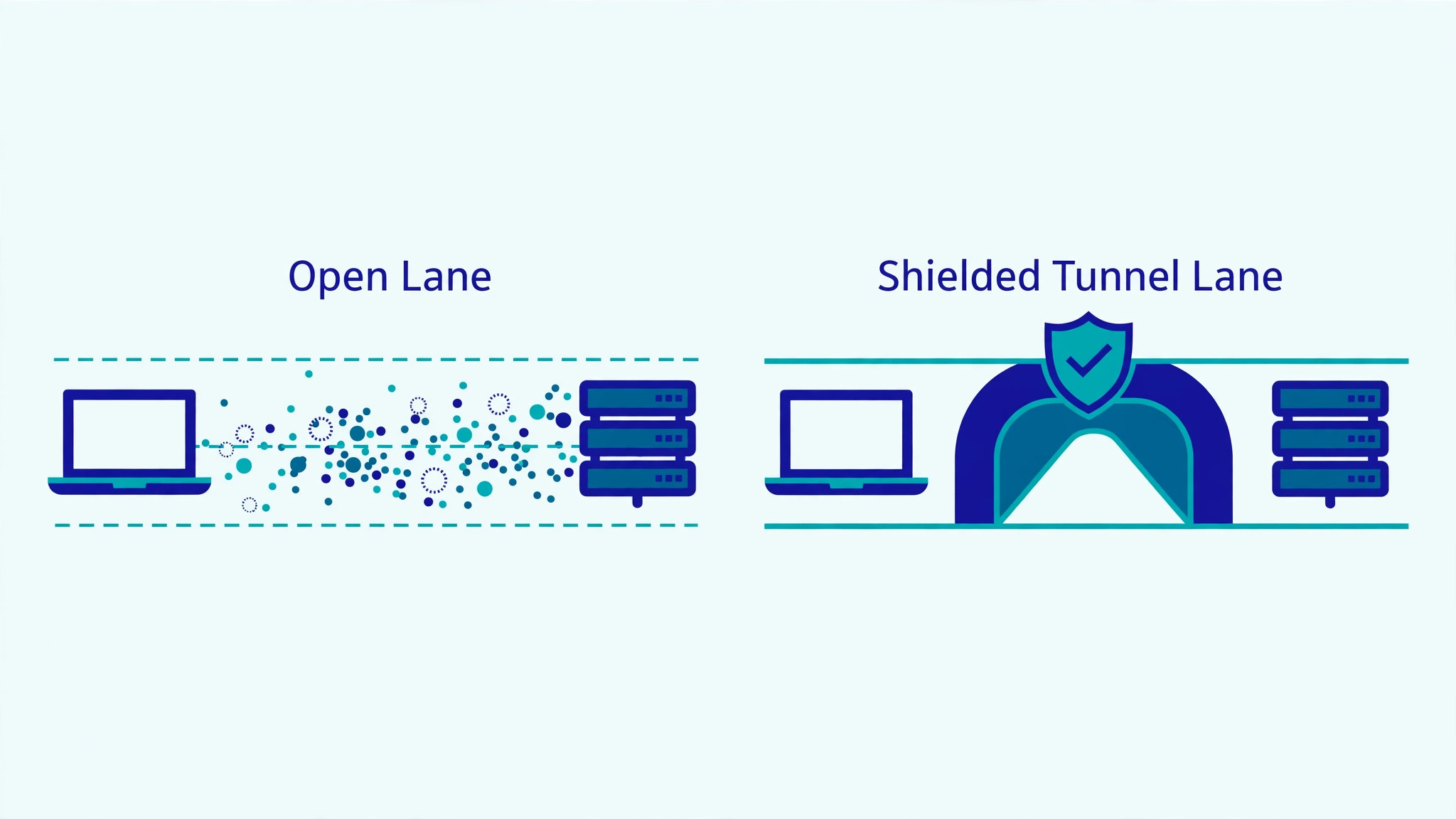
Café Wi-Fi is not evil. It is just open, and open means shared, and shared means anyone in the room can see what passes across it. A VPN encrypts that traffic, so the person at the next table sees noise instead of passwords, and an always on mode means the staff member does not have to remember to switch it on. The best vpn software for small businesses is the one the staff will actually keep switched on.
The fix is a managed VPN with an always on client, installed on every device before the first remote day, not after the first incident. NordLayer, Perimeter 81 and GoodAccess all do that from a central admin panel, and the owner can see every device, every connection and every failed sign in. If your team works from cafés, hotels and home Wi-Fi without a VPN, that is the first mistake to fix.
Mistake 2: Logins That Get Shared
The second mistake is quieter. One password for the whole team, shared in a chat message, written on a sticky note, and known by everyone including the contractor who left three months ago. When that password leaks, it opens every system at once, because one leaked password is one key to every door, and the firm has no way to know who used it, or when, or from where.
A shared login is not a policy. It is a habit, and it survives because it is easy, until the day it is not. A business VPN with single sign on changes the habit, because each person signs in with their own account, and when they leave, one click removes them from every system at once. NordLayer Lite includes single sign on, which is the single feature that saves an owner the most support time.
Here is the test to run on your own firm tonight. List every shared password, every shared login, and every ex member of staff who still knows one. If the list has more than three entries, the firm is running on trust. The tools below are ranked partly on how hard they make it to keep sharing logins, because a tool that lets one password open everything is a tool that is helping you repeat the mistake.
NordLayer vs Twingate: Managed VPN Against Zero Trust
NordLayer and Twingate solve the same problem from opposite directions. NordLayer gives the team a managed tunnel with a familiar admin panel, while Twingate gives each user access to specific apps and closes the network to everyone else. For most small businesses the deciding question is whether any legacy system still needs a full tunnel, and the best vpn software for small businesses for a firm with a file server is the managed tunnel, while the best answer for a firm that lives in cloud apps is the zero trust model.
On price the two are close at small scale, with NordLayer Lite at 8 dollars per user a month and a five user minimum, against Twingate Teams reported from 6 dollars per user a month with a free Starter tier. A five person team pays about 40 dollars a month on NordLayer and nothing on Twingate Starter, which is a real gap for a new firm. The trade is control against simplicity, and a team with a file server should pick NordLayer while a team that lives in cloud apps should pick Twingate.
Mistake 3: The Leaver Who Kept Access
The third mistake happens on the last day, and nobody notices it for months. A member of staff leaves on a Friday, the farewell lunch is lovely, and on Monday their login still works, because nobody removed it. The VPN, the email, the CRM and the file server all still answer to a person who no longer works there, and the firm has no audit log to check whether they ever came back.
A leaver with access is not a hypothetical risk. It is the most common way a small business loses data, because the person knows the systems, knows the passwords, and knows nobody is watching. The fix is a removal that takes one click and one minute, and a monthly review of unused seats.
The habit that prevents this is a short one. On the day someone leaves, remove them from the VPN first, then the email, then the CRM, and check the audit log the next morning. NordLayer, Perimeter 81 and Twingate all make removal a one click job from the admin panel, and a tool that makes removal slow or confusing is a tool that will leave ex staff inside the network.

How to Choose the Best VPN Software for Small Businesses
Start with the count of people and devices, then check the seat minimum, then check what the tool actually guards. A team of four pays the same on NordLayer as a team of five, while Cloudflare Access is free for up to 50 users, which flips the cheapest pick for the smallest firms.
- Count every device, not just every employee, because phones and laptops often need separate seats.
- Check whether single sign on is included or locked behind the top tier.
- Ask how a dedicated IP is priced, since banks and SaaS allowlists often need one.
- Test the client on the slowest laptop in the office, not the newest one.
- Confirm the audit log keeps at least 30 days of connection history.
| Tool | Main job | Best for | Starting price |
|---|---|---|---|
| NordLayer | Managed business VPN | Most small teams | 8 dollars per user a month |
| Perimeter 81 | Zero trust network access | Segmented networks | 8 dollars per user a month |
| Twingate | Zero trust remote access | Replacing VPNs | Free starter tier |
| Cloudflare Access | App level access control | Guarding few apps | Free up to 50 users |
| Proton VPN for Business | Business VPN with privacy | Privacy focused teams | 5 dollars 99 cents per user a month |
| GoodAccess | Simple business VPN | Fast rollout | 6 dollars per user a month |
| OpenVPN Cloud | Cloud VPN by OpenVPN | OpenVPN fans | 5 dollars per user a month |
| Zscaler Private Access | Enterprise zero trust | Regulated firms | Quote only |
| VyprVPN for Business | Business VPN, low cost | Budget teams | 5 dollars per user a month |
| TunnelBear for Teams | Simple team VPN | Smallest teams | 5 dollars 75 cents per user a month |
Then check what the tool guards. Cloudflare Access guards web apps, not file shares or legacy desktop software, so it is not a full VPN replacement. NordLayer and Perimeter 81 guard the whole device, Twingate guards specific apps, and Proton VPN guards the connection with a strict no logs policy. A team with a file server needs a full device VPN, while a team that lives in browser apps can guard the apps directly.
What Does a Business VPN Cost at 5, 10 and 25 Users?
The headline price is rarely the bill. A five user minimum, a dedicated IP add on and a jump to the next tier for single sign on can double the first year cost, so the table below prices the same three team sizes on the tools that publish a price. The best vpn software for small businesses is the one whose total stays predictable as the team grows.
| Volume | Cheapest option | Monthly bill | What changes at this size |
|---|---|---|---|
| 5 users | Cloudflare Access | 0 dollars a month | Free tier covers up to 50 users for web apps |
| 10 users | NordLayer Lite | 80 dollars a month | Five user minimum no longer bites at this size |
| 25 users | Twingate Teams | 150 dollars a month | Per app access scales without a dedicated IP add on |
Worked out for a real team, ten users on NordLayer Lite pay 80 dollars a month, or 960 dollars over a year, while twenty five users on NordLayer Premium pay about 350 dollars a month before the dedicated IP add on. A three person firm that signs for NordLayer Lite pays 40 dollars a month, not 24, because of the five user minimum.
Add about 40 dollars a month to any NordLayer Core or Premium quote for the dedicated IP server, and add the same again if the bank needs an allowlisted address. That is 480 dollars a year for one add on, which is why a team should ask the bank and the key vendors which addresses they allowlist before choosing a plan.
The 10 Tools in Detail
The ten tools below compare real per user prices, the seat minimums that quietly change the bill, and what each one actually protects. Each one is judged on whether it stops the three mistakes above, so this roundup of the best vpn software for small businesses stays honest about the Monday morning that started this guide.
1. NordLayer
NordLayer is the business arm of NordVPN, built for admins who want a managed network without running their own servers. The Lite plan includes single sign on, always on VPN and activity reports across shared gateways in more than 40 countries. Pricing starts at 8 dollars per user a month on annual billing, with a five user minimum.
The limit is the dedicated IP, which costs about 40 dollars a month extra and is required on the Core and Premium plans. Pick NordLayer when the team needs a managed VPN with an admin panel on day one and no server to maintain.
Core at 11 dollars per user a month adds device posture checks and site to site links, while Premium at 14 dollars adds a cloud firewall.
The admin panel is the reason to buy it. Every device, every connection and every failed sign in is visible in one place, and a departing employee loses access in one click.
For most small teams, NordLayer is the managed default, and it is the pick this guide names first for a team with a file server and staff who work from cafés, hotels and home Wi-Fi.
2. Perimeter 81
Perimeter 81 sells zero trust network access as a cloud service, with private gateways that replace the old office VPN box. Its strength is network segmentation, so a contractor can reach one app and nothing else, with rules set per user and per group. Pricing is reported from 8 dollars per user a month on the Essentials plan, with higher tiers adding device posture and monitoring.
The limit is that the cheapest tier is thin on reporting, and the features most buyers want sit on the Premium plan. Pick Perimeter 81 when the business needs separate networks for staff, contractors and partners rather than one shared tunnel.
Deployment is usually a day of gateway setup and client installs, with no hardware to ship to remote workers.
Here is the trade-off stated plainly. Perimeter 81 is cheaper than Zscaler and lighter to run, but you lose the deep compliance reporting that a regulated firm needs, so if an audit trail is the reason you are buying, buy Zscaler.
For a firm that needs the finance folder and the dev server on separate networks, Perimeter 81 is the straightforward pick in this list.
3. Twingate
Twingate replaces the VPN tunnel with per app access, so a user reaches only the specific resource they are allowed to open. Its strength is the free Starter tier, which covers small teams with no open ports and no shared network to attack. The paid Teams plan is reported from 6 dollars per user a month, with Business adding deeper device checks and admin controls.
The limit is that it is not a traditional VPN, so tools that expect a full tunnel, like some legacy printers, need a workaround. Pick Twingate when the team is ready to drop the VPN model and wants the smallest possible attack surface.
Setup is a connector on the office network or cloud account, and users install a lightweight client that stays out of the way.
A five person team pays nothing on Twingate Starter, while the same team pays 40 dollars a month on NordLayer Lite, and that gap is the reason a new firm should trial Twingate first.
For a cloud first team, Twingate is the straightforward pick in this list, and it is the pick for a firm that wants to close the network rather than guard it.
4. Cloudflare Access
Cloudflare Access guards individual web apps behind identity checks, so staff sign in once and reach only the apps they need. Its strength is the free tier for up to 50 users, which covers a whole small business with no per seat bill at all. Paid plans are reported from 7 dollars per user a month when the team needs device posture and deeper logging.
The limit is that it protects web apps, not file shares or legacy desktop software, so it is not a full VPN replacement. Pick Cloudflare Access when the business lives in browser apps and the goal is to lock the admin panels, not the whole network.
5. Proton VPN for Business
Proton VPN for Business brings the Swiss privacy brand to teams, with encrypted tunnels, a kill switch and a strict no logs policy. Its strength is the security record, with open source clients, audited apps and servers in more than 110 countries. Pricing is reported from 5 dollars 99 cents per user a month on the Business plan with annual billing.
The limit is the admin panel, which is simpler than NordLayer or Perimeter 81, with fewer per group network rules. Pick Proton when privacy and a clean audit record matter more than granular network segmentation.
6. GoodAccess
Q. Who is GoodAccess actually for?
A. It is for a small business that needs a working VPN this week and has no IT staff to run it, because the setup is simple enough for an owner to finish in an afternoon.
Q. What does it cost?
A. Pricing is reported from 6 dollars per user a month, with a free trial that covers a real evaluation, and a dedicated IP is available on the paid plans.
Q. What is the catch?
A. The server network is smaller and the compliance reports are thinner than the bigger names, so a firm that needs deep audit trails should look at NordLayer or Zscaler, while a field team that needs a light client that reconnects fast after a signal drop will find GoodAccess fits well.
7. OpenVPN Cloud
- OpenVPN Cloud is the hosted version of the open source protocol most IT staff already know, with no server to patch, and pricing is reported from 5 dollars per user a month, with volume discounts as the seat count grows.
- Its strength is flexibility, with support for the standard OpenVPN clients, site to site tunnels and split tunneling, which is why a team that already trusts OpenVPN finds the migration so easy.
- The limit is the admin experience, which assumes the buyer knows networking and is thinner on guided setup than NordLayer, so a firm with no IT staff should trial NordLayer first.
- It suits businesses with an existing OpenVPN config, because the migration is mostly a copy of the old settings, and a team that already runs OpenVPN will be live in a day.
8. Zscaler Private Access
Zscaler Private Access is the enterprise zero trust platform that hides apps from the internet and brokers each connection. Its strength is scale and compliance, with deep inspection, data loss prevention and audit trails that pass regulated reviews. Pricing is quote only, set per user and per deployment, and it is the most expensive tool in this guide by a wide margin.
The limit is the price and the implementation, which needs a proper rollout plan and usually a partner to deploy. Pick Zscaler when the business handles regulated data or has more than a hundred remote users to protect.
Small teams should not start here, because the minimum commitment and the setup effort both assume enterprise scale, and a ten person firm will pay for depth it never uses.
9. VyprVPN for Business
VyprVPN for Business is a low cost managed VPN with its own server network and a straightforward admin console. Its strength is price, with a reported 5 dollars per user a month and a dedicated IP included on the business plan. The service includes a kill switch, NAT firewall and apps for the main desktop and mobile systems.
The limit is the smaller feature set, with no zero trust segmentation and fewer integrations than the leaders. Pick VyprVPN when the budget is fixed and the job is simply encrypted remote access for a small team.
10. TunnelBear for Teams
TunnelBear for Teams is the simplest VPN in this guide, with a friendly client and central billing for the whole team. Its strength is ease of use, because staff can install the app and connect in under a minute with no training. Pricing is reported from 5 dollars 75 cents per user a month, with a free tier for very small teams to test.
The limit is the thin admin control, with no per app rules and no device posture checks for stricter firms. Pick TunnelBear when the team is tiny, the staff are not technical and the VPN only needs to work without fuss.
The 10 Tools, Ranked by What They Prevent
NordLayer prevents the most common failure, which is a remote worker on café Wi-Fi with no protection, because the always on client and the admin panel make protection the default. Twingate prevents the shared network failure, which is one leaked password opening every system, because each user reaches only the apps they are allowed to open. Cloudflare Access prevents the free tier failure, which is a small firm paying for a VPN it does not need, because the free tier covers up to 50 users for web apps.
The budget tools prevent a different failure, which is a small team paying for enterprise depth it never uses. VyprVPN prevents the overspend, GoodAccess prevents the slow rollout, and TunnelBear prevents the staff revolt against a tool nobody can use. Pick the tool by the mistake you keep making, because the best vpn software for small businesses for your team is the one that stops your own mistake.
Best Pick by Job
| Job type | First pick | Second tool | Why this pair works |
|---|---|---|---|
| Remote team, 5 to 20 staff | NordLayer | Twingate | NordLayer is the managed default, Twingate removes the tunnel entirely |
| Apps only, no file server | Cloudflare Access | Proton VPN for Business | Access guards the apps, Proton covers the whole device |
| Tightest budget | Cloudflare Access | Twingate | Both have free tiers that cover a small team honestly |
| Regulated data, audit trail | Zscaler Private Access | Perimeter 81 | Zscaler fits compliance reviews, Perimeter 81 is the lighter buy |
| Field staff on phones | GoodAccess | VyprVPN for Business | GoodAccess is simple to roll out, VyprVPN is cheap per seat |
A ten person team on NordLayer Lite pays about 80 dollars a month on annual billing, but the five user minimum means a three person firm pays the same 40 dollars. That minimum is the first number to check, because it turns an 8 dollar headline into a 40 dollar floor for the smallest teams, and the best vpn software for small businesses for a three person firm is often the free tier of Cloudflare Access or Twingate Starter, not the managed VPN at all.
Does a Small Business Need a VPN in 2026?
Yes, if any staff work outside the office or connect from home WiFi, hotels or cafes. A business VPN encrypts that traffic and, more importantly, controls who can reach the internal systems, which a home router cannot do. A firm with everyone in one office and no remote access can skip it, but that firm is now rare.
The exception is a business that has already moved every app to the cloud with single sign on and device checks. In that case Cloudflare Access or Twingate may replace the VPN entirely, because the apps are guarded directly. The test is simple, and if an employee can open the CRM from a cafe with only a password, the business needs a VPN or an access broker.
What Is Zero Trust, and Should a Small Business Use It?
Zero trust means every user and device is checked before each app, instead of trusting anyone inside the network. Small businesses can use it through Twingate or Cloudflare Access, and it is the better model once the apps live in the cloud, because there is no shared network to attack and no single password that opens everything.
The trade-off is the learning curve. A team with a file server and legacy software still needs a full tunnel, and zero trust will feel like a workaround. A team that lives in browser apps will find zero trust simpler, cheaper and safer.
Frequently Asked Questions
What happens if the VPN slows down?
Start by checking the gateway, not the internet. A VPN that routes through a distant server will be slow even on fast broadband, so switch the team to the nearest gateway and test the speed again. A five minute gateway change can fix a problem that looks like a broken network, and the client should be tested on the slowest laptop in the office before any annual contract is signed.
Is a free VPN safe for business use?
A free consumer VPN is not safe for business use, because it has no admin control, no audit log and no way to remove a departing employee. The free tiers of Cloudflare Access and Twingate are different, because they are business products with central control and per user rules.
Do I need a dedicated IP for my business VPN?
A dedicated IP is needed when a bank, a SaaS tool or a client system allowlists one address. NordLayer charges about 40 dollars a month for it, and Core and Premium require it. Teams without allowlists can skip it, and a team should ask the bank first, because the add on is 480 dollars a year.
Can I use NordVPN instead of NordLayer for my team?
NordVPN is a consumer product with no central admin, no per user rules and no audit log, so it does not fit a business. NordLayer is the business product from the same company, with the admin panel and the controls a team needs, and that is the whole difference between the two.
How many users does a small business VPN need to cover?
Count every device that touches company data, including phones and a second laptop, because most tools charge per user and some per device. A ten person team often needs 12 to 15 seats once phones are included, and the best vpn software for small businesses for that team is the one whose seat count matches the device count, not the headcount.
How much does NordLayer cost for a ten person team?
NordLayer Lite costs 8 dollars per user a month on annual billing, so ten users pay 80 dollars a month, or 960 dollars over a year. The five user minimum means a three person firm pays the same 40 dollars a month as a five person firm, so count the minimum before the per user price.
The First Mistake to Stop Making
If I were running that marketing firm, I would do one thing on Monday morning before buying anything. I would list every person who still has access, remove the leavers first, and change the shared admin password before lunch, because a leaver with access is the mistake that costs the most and takes the least time to fix. Then I would buy the tool that fits the team, run a two week trial with the five heaviest users, and remove the old open access on day fourteen.
Buy NordLayer Lite when the team needs a managed VPN with single sign on and an admin panel, and accept the 40 dollar monthly floor from the five user minimum. Buy Twingate when the apps live in the cloud and the team is ready to drop tunnels, because the free Starter tier makes the trial cost nothing. Buy Cloudflare Access when the only job is guarding web apps, and buy Zscaler only when compliance demands it. Whatever the pick, run the two week test with real users, count the devices before the seats, and remove the old open access on day 14. That is how a small business gets the protection without paying the enterprise price.