
A freelance designer who bills 400 dollars a month can spend anywhere from nothing to more than 800 dollars a year just to send the invoices, and the best invoice generators for designers in this guide are ranked by that year-one bill. The cheapest tool is free. The dearest one charges for the bookkeeping around the invoice. What follows is the bill, worked out in full, before a single tool is reviewed.
The Year-One Bill for a Freelance Designer
Take a designer with six regular clients and about eight invoices a month. The work is logo work, brand work and the odd rush job, and the money arrives by card or bank transfer. On Wave Starter the year costs nothing for the software itself, because the plan is free and includes unlimited invoices. The only cost is the card fee on each payment, which at 2.9 percent plus 60 cents comes to roughly 140 dollars across a 4,800 dollar year.
On FreshBooks the same designer pays 276 dollars a year on Lite, and that tier caps the client list at five, so the sixth client forces a move to Plus at 516 dollars a year. The jump is the story of this guide. A tool that looks cheap at the entry price can double in cost the moment one more client signs on, and a designer who bills by the hour feels that jump first.
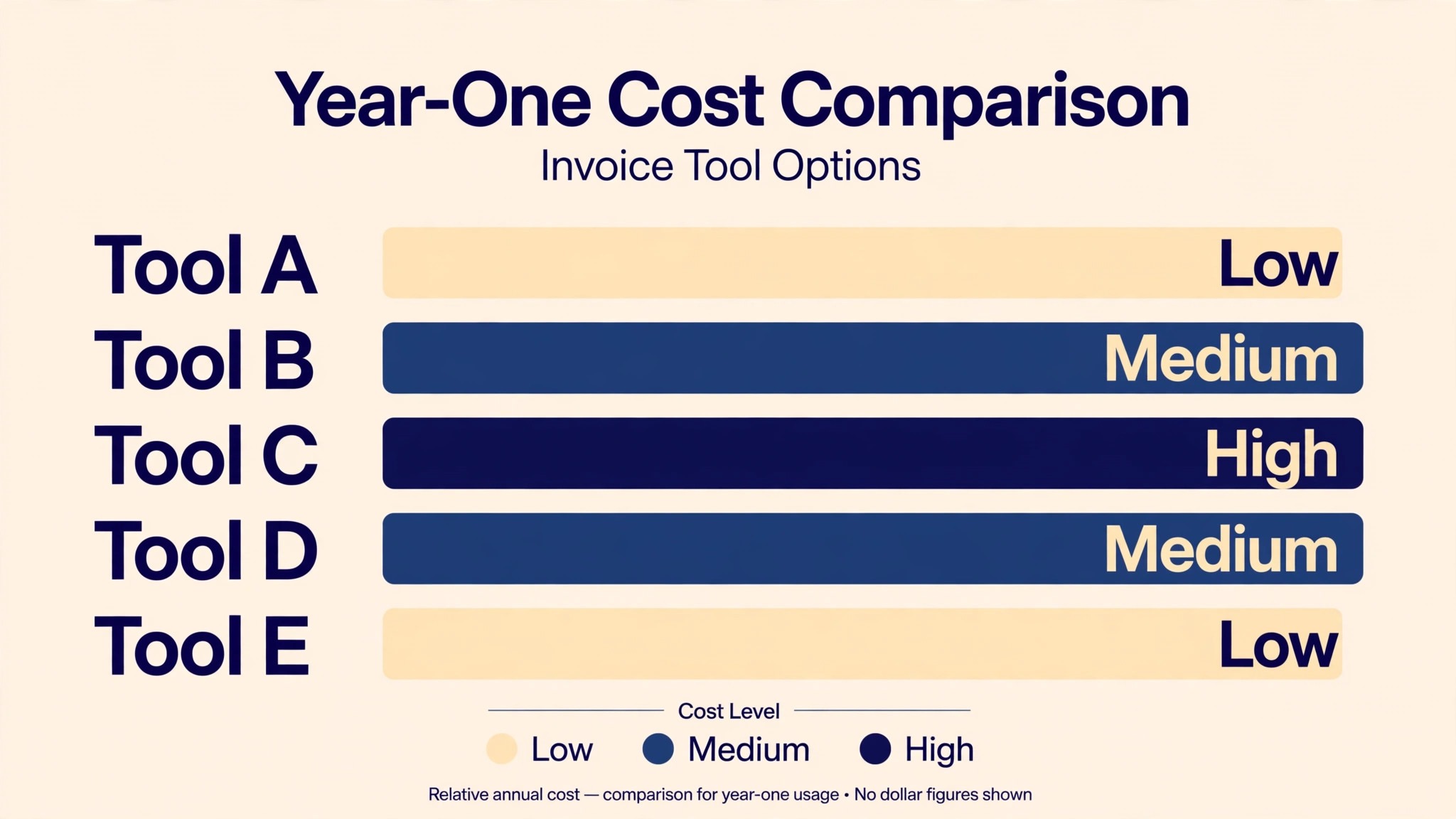
Zoho Invoice stays at zero dollars for the whole year, with a cap of 500 invoices a year and two users, which a solo designer will never reach. The table below puts five year-one bills side by side, using the list prices published in late 2026, so the gap between free and 800 dollars is visible in one place.
| Tool | Year-one software cost | What the money buys |
|---|---|---|
| Zoho Invoice | 0 dollars | Free invoices, reminders, client portal |
| Wave Starter | 0 dollars | Free invoices plus full bookkeeping |
| Invoice Ninja | 0 dollars on the free plan | Free invoices, paid plan from about 120 dollars a year |
| FreshBooks Lite | 276 dollars a year | Invoices and time tracking for five clients |
| FreshBooks Plus | 516 dollars a year | Fifty clients, proposals and retainers |
The card fee is the cost nobody budgets for, and it matters more than the subscription on a small turnover. A designer who takes 4,800 dollars by card pays about 140 dollars in fees on Wave and about 139 dollars on FreshBooks, since both charge close to 2.9 percent. A designer who nudges clients toward bank transfer keeps almost all of that money, and Wave charges 1 percent on bank payments while FreshBooks pushes the client toward card.
Wave vs FreshBooks
Wave and FreshBooks answer different questions, and the year-one bill shows why the choice is not close for most designers. Wave gives away the bookkeeping, with a real chart of accounts, profit and loss statements and a balance sheet on the free plan, and it charges nothing until the designer wants the paid tier at 19 dollars a month. FreshBooks charges from the first month and keeps double-entry reports behind the Plus tier at 43 dollars a month.
FreshBooks earns its price in one place only, and that place is hourly billing. Time tracking, proposals and client retainers sit at the centre of the product, and a designer who bills by the hour will use them every week. Wave tracks time too, but the workflow is thinner, and the proposals feel like an add-on rather than the main event.
The deciding question is simple. A designer who sends fixed-price invoices for logo and brand work should take the free tool and keep the money. A designer who tracks hours across six clients, sends proposals before every job and chases retainers should pay for FreshBooks Plus and treat the 516 dollars as a business cost. Both tools send a clean invoice. Only one of them charges for the privilege.
How to Choose the Best Invoice Generators for Designers
Start with the client count, because it decides the price before any feature list matters. A tool that caps the client list at five will force an upgrade the week a sixth client arrives, and the upgrade usually doubles the bill. Count the clients you expect to bill in the next year, add two for growth, and check that number against the cap on the plan you would actually buy.
Then check the invoice itself, because a designer sells taste and the invoice is part of the work. The template should carry the studio colours, the logo and a clean layout, and it should look right on a phone, since that is where most clients open it. A tool that cannot match the brand will make every invoice look like a receipt from someone else.
Finally, check what happens after the invoice is sent. Payment reminders, late fees, a client portal and a record of what was paid matter more than the invoice editor, because chasing money is the part of freelancing nobody enjoys. A tool that reminds the client for you is worth more than a tool with a prettier template, and the year-one bill should be read with that in mind.
The 12 Tools at a Glance
The twelve tools below take in every way a designer can bill a client, from a free invoice maker to a full accounting platform. The best invoice generators for designers were judged on the year-one cost, the quality of the invoice template, the payment options and how little chasing the tool leaves to the designer.
| Tool | Best for | Starting price | Free plan | Watch out |
|---|---|---|---|---|
| Wave | Free invoicing plus books | 0 dollars | Yes | Card fee is 2.9 percent plus 60 cents |
| FreshBooks | Hourly billing | Lite 23 dollars a month | No | Five-client cap on Lite |
| Zoho Invoice | Free invoices, no catch | 0 dollars | Yes | 500 invoices a year cap |
| Invoice Ninja | Free with self-hosting | 0 dollars | Yes | Paid plan from about 10 dollars a month |
| Design.com | Invoices inside a brand kit | Subscription | Yes | Less depth per tool |
| Square Invoices | Card payments in person | 0 dollars | Yes | Processing fee on every payment |
| QuickBooks Online | Full accounting | Simple Start 38 dollars a month | No | Price rises fast with users |
| Xero | Growing studios | Early 27 dollars a month | No | Invoice cap on the cheapest tier |
| Bonsai | Freelancer workflow | About 25 dollars a month | No | Subscription only |
| PayPal Invoicing | Clients who already use PayPal | 0 dollars | Yes | Fee on every payment received |
| Invoicely | Simple free invoices | 0 dollars | Yes | Paid plan from about 9.99 dollars a month |
| AND CO | Freelancer admin in one place | 0 dollars | Yes | Owned by Fiverr, thinner support |
Wave heads the quick-look table on price, and FreshBooks tops it on hourly billing, since its time tracking and retainers are built for that job. Zoho Invoice is the call for a designer who wants free invoices with no bookkeeping attached, and Square is the call when the client pays in person.
Best Pick by Job
The table below pairs each common billing job with one pick from the best invoice generators for designers, so jump to the row that fits your studio.
| Job | Pick | Why it wins here |
|---|---|---|
| Free invoices plus books | Wave | Zero software cost, real bookkeeping |
| Hourly billing | FreshBooks | Time tracking, proposals, retainers |
| Free invoices only | Zoho Invoice | Free forever, 500 invoices a year |
| Cheapest paid plan | Invoice Ninja | Free start, paid from about 10 dollars a month |
| Invoices inside a brand kit | Design.com | One account, shared brand kit |
| In-person card payments | Square Invoices | Free software, card reader ready |
| Full accounting | QuickBooks Online | Deepest books on this list |
| Growing studio | Xero | Unlimited users on higher tiers |
| Freelancer workflow | Bonsai | Contracts, proposals and invoices together |
| Clients on PayPal | PayPal Invoicing | No new account for the client |
| Simple free invoices | Invoicely | Free plan, quick setup |
| Admin in one place | AND CO | Invoices, expenses and time together |
Do Free Invoice Tools Cost You Clients?
A free invoice tool costs a designer clients only when the invoice itself looks careless, and none of the free tools on this list send a careless invoice. Wave, Zoho Invoice and Invoice Ninja all offer branded templates, a logo, custom colours and a client portal, and the result looks as professional as anything a paid tool sends. The client sees the studio name, the amount and a pay button, and nothing on the page says the software was free.
The real risk is not the price of the tool but the follow-up. A free tool that never reminds the client leaves the designer doing the chasing, and chasing is what costs clients, because nobody enjoys being asked for money twice. Wave and Zoho both send automatic reminders on their free plans, so the follow-up happens without the designer lifting a finger, and that is the feature to check before judging any free tier.
The second risk is the payment page. A client who clicks pay and meets a clumsy checkout will abandon it, and the invoice will sit unpaid for another week. Wave, Square and PayPal all run payment pages that clients already trust, because they have seen them before. A free tool with a smooth payment page beats a paid tool with a rough one, and the year-one bill should never be read without the payment experience beside it.
The 12 Tools in Detail
The ranking below follows what a working designer actually demands. The best invoice generators for designers hold their place on the year-one bill, the invoice template and the follow-up, and the order below follows the glance table exactly.
1. Wave
Wave is the sharpest choice for a designer who wants invoicing and bookkeeping for nothing, and the lead rests on the fact that the free plan is the real product. Starter costs zero dollars, includes unlimited invoices, estimates and bills, and adds a genuine double-entry bookkeeping engine with a chart of accounts, profit and loss statements and a balance sheet. No other free tool on this list gives away the books.
The paid tier is Pro at 19 dollars a month, or 190 dollars a year, and it adds receipt capture and a few conveniences rather than unlocking the invoicing itself. A designer can run a whole year on Starter and never hit a wall, unless the work needs multi-currency accounting, which Wave does not offer. Card payments cost 2.9 percent plus 60 cents, which is the highest per-transaction fee here, and bank payments cost 1 percent with a one dollar minimum.
2. FreshBooks
FreshBooks is the leading choice for a designer who bills by the hour, and it finishes second on time tracking and proposals. Lite costs 23 dollars a month for five billable clients, Plus costs 43 dollars a month for fifty clients, and Premium costs 70 dollars a month for unlimited clients. Annual billing trims roughly 10 percent from each tier.
The Lite cap is the trap to read before buying. Five clients sounds generous until the sixth signs on, and the jump to Plus doubles the bill overnight. Plus is the tier most working designers actually need, since it adds double-entry reports, unlimited proposals, client retainers and e-signature acceptance. Card payments cost 2.9 percent plus 30 cents, and a 30-day trial lets a designer test the workflow before paying.
3. Zoho Invoice
Zoho Invoice is the obvious choice for a designer who wants free invoices and nothing else, and it sits third on honesty. The product is free forever, with one tier and no paid level, covering branded templates, recurring invoices, automatic payment reminders and a client payment portal. The 2026 cap is 500 invoices a year and two users, which a solo designer will not reach.
The catch is that Zoho Invoice is not an accounting product. It tracks expenses and project time, but it does not do double-entry bookkeeping, so a designer who needs books must pair it with another tool or step up to Zoho Books. Card fees are set by the payment gateway connected, usually around 2.9 percent plus 30 cents. For pure invoicing, nothing on this list beats free with reminders included.
4. Invoice Ninja
Invoice Ninja is the preferred choice for a designer who wants a free plan with room to grow, and it comes in fourth on flexibility. Without paying, a designer gets invoicing for up to 20 clients, with branded templates, recurring invoices and a client portal. The paid plan starts at about 10 dollars a month and lifts the client cap, adds team seats and white-label invoices.
The unusual option is self-hosting. A designer with a server can run Invoice Ninja on their own hosting and keep the data entirely under their control, which no other tool here offers. The hosted version is the easier path, and the setup takes under an hour. Payment gateways are plentiful, with more than 40 supported, so a designer can take cards, bank transfer or PayPal without changing tools.
5. Design.com
Design.com comes in fifth, since a designer invoice is part of a brand, with the subscription growing the full identity from the same kit. A single bill covers the logo, brand kit, the website, the business card and an invoice template, with matching colours and fonts across the lot, so the invoice, the site and the card agree from the outset. A designer who is opening a studio and building its identity in one week gets more from that one payment than from an invoice-only tool costing twice as much.
The invoice maker itself is decent rather than dazzling. It produces a clean branded invoice from a template, carries the studio colours and logo, and exports in the formats a client needs. Wave invoices better and FreshBooks tracks time better, so expect neither strength from Design.com. Its real worth is the shared kit behind every piece, and the invoice is one more piece that matches.
6. Square Invoices
Square Invoices is the ideal choice for a designer who takes payment in person, and it takes sixth place on the payment experience. The software costs nothing, invoices are unlimited, and the client pays through a checkout page they already trust. A designer who sells prints at a market or takes a deposit at a meeting can send the invoice and take the card on the same reader.
The fee is the cost, at 2.9 percent plus 30 cents on card payments, with no monthly charge to carry in a quiet month. Recurring invoices, reminders and a simple dashboard come with the free plan, and the Square account also covers point of sale, so the studio and the market stall run on one system. What hurts is depth, since Square will not run books or track project time the way Wave or FreshBooks will.
7. QuickBooks Online
QuickBooks Online is the best option for a designer who needs full accounting behind the invoice, and it claims seventh place on depth. Simple Start costs 38 dollars a month for one user, Essentials costs 85 dollars for three users, Plus costs 140 dollars for five, and Advanced costs 340 dollars for 25 users, after the August 2026 renewal increase. A 50 percent discount for three months runs often on the paid tiers.
The invoicing itself is strong, with branded templates, recurring invoices, payment reminders and a client portal, but the real product is the books. Bank feeds, expense tracking, payroll add-ons and an accountant login all live in the same account, so a designer with a bookkeeper will find the workflow smooth. The price is the argument against it, since a solo designer pays 456 dollars a year for Simple Start before a single card fee, and most of that depth goes unused.
8. Xero
Xero is the winning choice for a growing studio, and it holds eighth place on scale. Early costs 27 dollars a month, Growing costs 59 dollars and Established costs 97 dollars, after the October 2026 increase. Early caps the studio at 20 invoices and five bills a month, which a busy designer can outgrow in a season, so Growing is the realistic starting tier for most studios.
The invoicing is clean and the template carries the studio brand well, with online payment links, reminders and a client view that shows what was paid and what is still open. Xero shines when the team grows, since higher tiers carry unlimited users and the project tracking ties time to invoices. A solo designer should weigh the 27 dollar entry against Wave at zero, and a studio with three billers should weigh Xero against QuickBooks on the strength of the app integrations.
9. Bonsai
Bonsai is the best suited choice for a freelancer who wants contracts, proposals and invoices in one workflow, and it lands ninth on that combination. The price is about 25 dollars a month, with no free plan beyond a trial, and the product covers proposals, contracts, time tracking, invoicing and tax estimates in a single dashboard. A designer who sends a proposal on Monday, a contract on Tuesday and an invoice on Friday will do all three without leaving the tool.
The invoice template is clean and branded, with automatic reminders and late fees, and the tax feature sets aside a percentage of each payment so the year-end bill holds no surprises. What drags is that Bonsai is a freelancer suite rather than an accounting platform, so a studio with a bookkeeper will still need books elsewhere. For a solo designer, the workflow is the product, and the invoice is one step in it.
10. PayPal Invoicing
PayPal Invoicing is the strongest choice for a designer whose clients already use PayPal, and it ranks tenth on familiarity. Sending an invoice costs nothing, the client pays with a PayPal account or a card without creating anything new, and the money lands in the PayPal balance the same day. A designer with overseas clients will find the reach useful, since PayPal is accepted in more countries than most invoicing tools.
The fee is the cost, at roughly 2.9 percent plus 30 cents on domestic card payments and more on cross-border ones, which adds up across a year of international work. The invoice template is plain, with limited branding next to Wave or Zoho, and there are no automatic reminders on the free flow, so the designer still does the chasing. The win is that the client never has to learn a new payment page, and that familiarity gets invoices paid faster.
11. Invoicely
Invoicely is the top choice for a designer who wants simple free invoices with no learning curve, and it finishes eleventh on speed. At no cost, invoicing comes with branded templates and a client portal, and the setup takes minutes, with no accounting jargon to learn. The paid plan starts at about 9.99 dollars monthly and adds more clients, staff accounts and expense tracking.
The template range is smaller than the leaders, and the product will not run books, track time or manage projects, so a designer who outgrows simple invoicing will move on. The value is the start, since a new designer can send a first invoice the same day the studio opens, with a branded template and a payment link, and pay nothing for the privilege. For a side practice with a handful of clients, that is enough.
12. AND CO
AND CO, now part of Fiverr Workspace, is the right call for a designer who wants freelancer admin in one place, and it sits twelfth on that breadth. The free tier covers invoicing, expense tracking, time tracking and income reports, with a clean dashboard that shows what was earned, what is owed and what is overdue. A designer who bills a few clients a month can run the whole admin side on the free tier.
The invoice template is simple and professional, with recurring invoices and reminders, and the expense tracker photographs receipts and files them against the right project. Support is thinner than the leaders, since the product is a small part of a large marketplace, and the roadmap moves slowly. For a designer already working through Fiverr, the fit is natural, and for everyone else it is a capable free option with a quieter future.
What Happens When a Client Pays Late?
A late payment starts as a quiet invoice and ends as a strained relationship, and the best invoice generators for designers are judged partly on how they handle the gap. The first step is an automatic reminder, sent three days after the due date, polite and factual, with the invoice attached and a pay link in the body. Wave, Zoho Invoice and FreshBooks all send it without the designer writing a word, and that distance keeps the relationship intact.
The second step is a late fee, and it should be stated on the invoice before the work starts, not invented after the payment is late. A fee of 1.5 percent a month is standard, and the tools on this list that support it will add it automatically. A designer who states the fee up front rarely has to charge it, because the client reads the terms and pays on time.
The third step is the phone call, and no software replaces it. A client who has not paid after two reminders usually has a reason, and a short call finds it faster than a third email. The invoice tool keeps the record straight, with every reminder logged and every payment timestamped, so the call starts from facts rather than frustration.
Can One Tool Cover Quotes, Invoices and Tax Time?
One tool can cover quotes, invoices and tax time, but only if the designer accepts a compromise somewhere in the chain. Wave covers invoices and books well, and its tax reports are solid, but its quotes are basic and its time tracking is thin. FreshBooks covers quotes, invoices and time tracking well, but its tax reporting leans on the accountant rather than the software. Bonsai covers the whole freelancer chain, but its tax feature is an estimate rather than a filing.
The practical answer is to pick the tool that covers the two jobs that matter most and pair it with a simple habit for the third. A designer who bills fixed-price work should take Wave for invoices and books, and keep a spreadsheet of quotes. A designer who bills by the hour should take FreshBooks for quotes and invoices, and let the accountant handle the tax reports. A designer who wants one dashboard for everything should take Bonsai and accept that the tax number is a guide, not a return.
Frequently Asked Questions
Can I send invoices without a subscription?
Yes. Wave Starter, Zoho Invoice, Invoice Ninja, Square Invoices, PayPal Invoicing, Invoicely and AND CO all send invoices on a free plan, and the best invoice generators for designers include several free options that never charge a subscription. The cost that remains is the card processing fee on each payment, usually around 2.9 percent plus 30 cents, and a designer who takes bank transfer avoids most of it.
Do I need accounting software as well as an invoice tool?
It depends on how the studio is run. Wave and QuickBooks Online include real bookkeeping, so a designer on either one needs nothing else for the books. Zoho Invoice, Invoice Ninja and Square cover invoicing only, so a designer who needs profit and loss statements will pair them with a separate accounting tool or a bookkeeper.
Which invoice tool looks most professional to clients?
Wave, Zoho Invoice and FreshBooks all send branded invoices with the studio logo, colours and a clean layout, and all three offer a client portal where the client can see every invoice and payment. The difference is small, and the template matters less than the follow-up, since a polite automatic reminder does more for the relationship than a prettier header.
Can I charge a late fee automatically?
Yes, on the tools that support it. FreshBooks, Wave and Bonsai all add late fees to overdue invoices, and the best invoice generators for designers in this guide that handle fees will apply them without the designer intervening. State the fee on the first invoice, usually 1.5 percent a month, so the client sees it before the work starts.
What is the cheapest way to take card payments?
Bank transfer is cheapest, since most tools charge 1 percent or less on bank payments against about 2.9 percent on cards. Among card options, the fees are close across Wave, FreshBooks, Square and PayPal, all near 2.9 percent plus 30 cents, with Wave charging 60 cents instead of 30. A designer who nudges clients toward bank transfer saves roughly 90 dollars on every 4,800 dollars billed.
Should I invoice in my own currency or the client’s?
Invoice in the currency the work was quoted in, and state it on the quote before the work starts. A designer who quotes in dollars and invoices in euros creates a conversion argument on every job. Wave handles only dollars and Canadian dollars, so a designer with overseas clients should check the currency support before choosing a tool.
The Money Verdict
The money verdict is simple, and it follows the year-one bill rather than the feature list. A designer who bills fixed-price work should take Wave Starter at zero dollars, keep the 516 dollars that FreshBooks Plus would cost, and spend the saving on the work itself. A designer who bills by the hour should take FreshBooks Plus at 516 dollars a year and treat it as the cost of the time tracking, proposals and retainers that earn the money back.
The best invoice generators for designers in this guide all send a clean invoice, so the choice is about what happens around it. Free wins when the work is fixed-price and the client list is small. Paid wins when the hours need tracking and the proposals need sending. Either way, check the client cap before paying, state the late fee before the work starts, and let the tool send the reminders, because the cheapest invoice is the one that gets paid on time.