
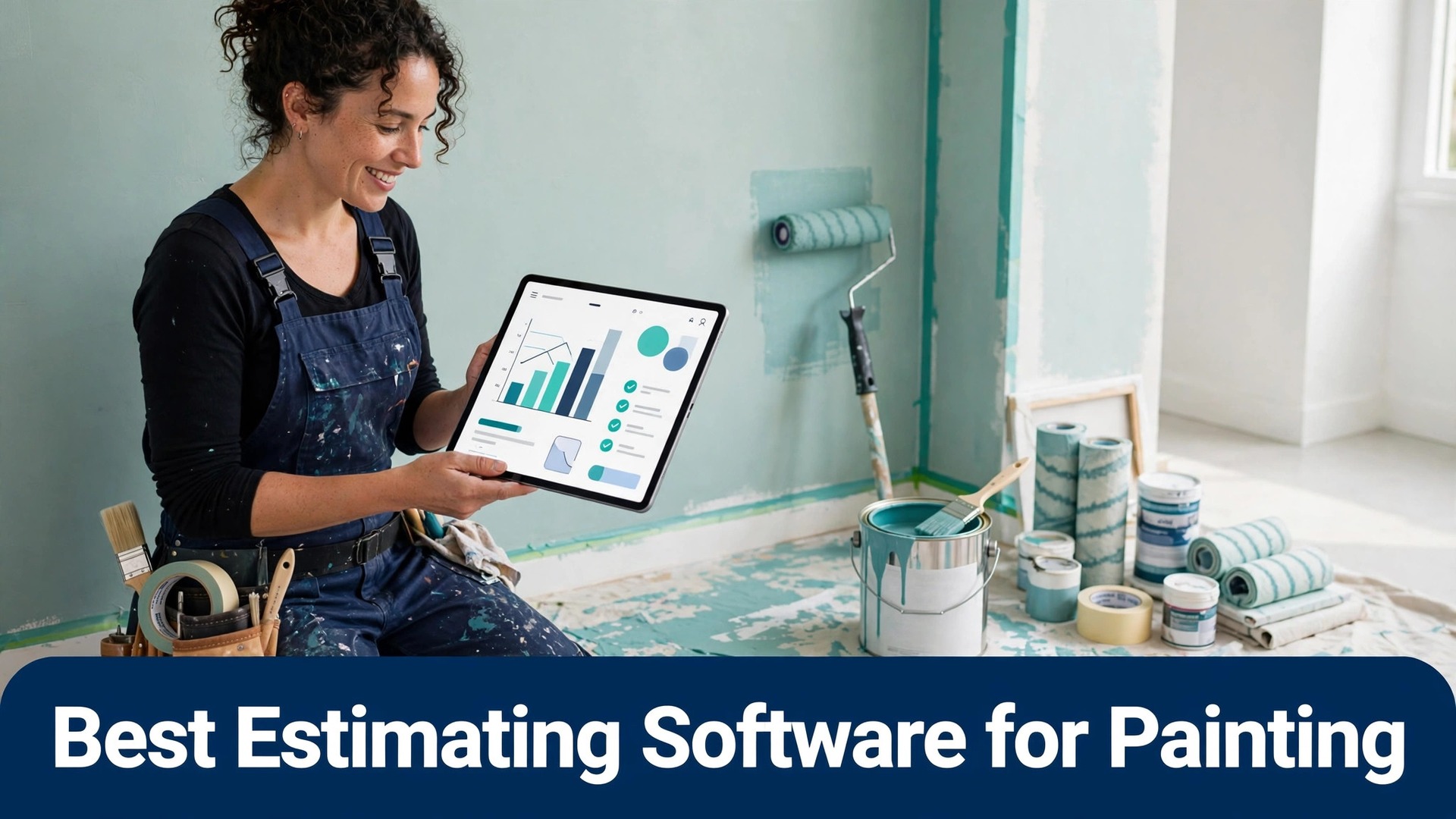
Two painting contractors can walk the same house and return prices thousands of dollars apart. One measured every room, applied a production rate for walls, ceilings, and trim, and priced two coats with a clear material allowance. The other guessed from experience and hoped the job would cover the gap. The best estimating software for painting contractors exists to remove that guess, and the difference shows up in close rates and margins, not just in tidier paperwork.
An estimate is also a sales document. Homeowners compare clarity as much as price, and a proposal that lists surfaces, coats, products, and exclusions looks more trustworthy than a single number on a scrap of paper. Software that produces that proposal on site, lets the customer sign, and collects a deposit wins jobs while a slower rival is still typing up notes at home.
This guide compares 14 tools on estimating depth, proposals, scheduling, invoicing, and price, with clear guidance on when to choose or skip each one. Prices are reported from vendor pages and recent comparisons, and every figure should be confirmed on the vendor page before you buy, because plans change.
Prices and Picks at a Glance
The table below gives a fast read on price and fit. Read it as a starting point, then use the tool sections for the trade offs that decide a purchase. The best estimating software for painting contractors for your firm depends on whether repaints, commercial work, or new construction pays the bills.
| Tool | Starting price | Best for |
|---|---|---|
| PaintScout | 99 dollars per month billed annually for Sales | Paint-specific production rate estimating |
| Jobber | From 49 dollars per month in recent comparisons | Mixed crews that need quoting plus scheduling |
| Housecall Pro | From 59 dollars per month in recent comparisons | Home service painters that win work online |
| DripJobs | 97 dollars per month in recent comparisons | Painters losing bids to slow follow up |
| QuoteIQ | 29.99 dollars per month starting price reported | Commercial painters and photo based estimates |
| JobProgress | From 249 dollars per month in recent comparisons | Remodelling and painting firms with complex jobs |
| Estimate Rocket | Price on request, confirm on vendor page | Firms that want estimates plus full job management |
| Joist | From 10 dollars per month reported | Solo painters who already know their prices |
| Knowify | Price on request, confirm on vendor page | Contractors that need job costing with estimates |
| Projul | Price on request, confirm on vendor page | Painting firms that want job costing in real time |
| ServiceTitan | Price on request, confirm on vendor page | Large painting operations with office staff |
| The Paint Estimator | 129 dollars one time purchase reported | Painters who want to pay once and own software |
| Clear Estimates | From 59 dollars per month reported | Remodellers and painters who want a cost database |
| Markate | 39.95 dollars per month billed annually reported | Budget field service teams that need basics done well |
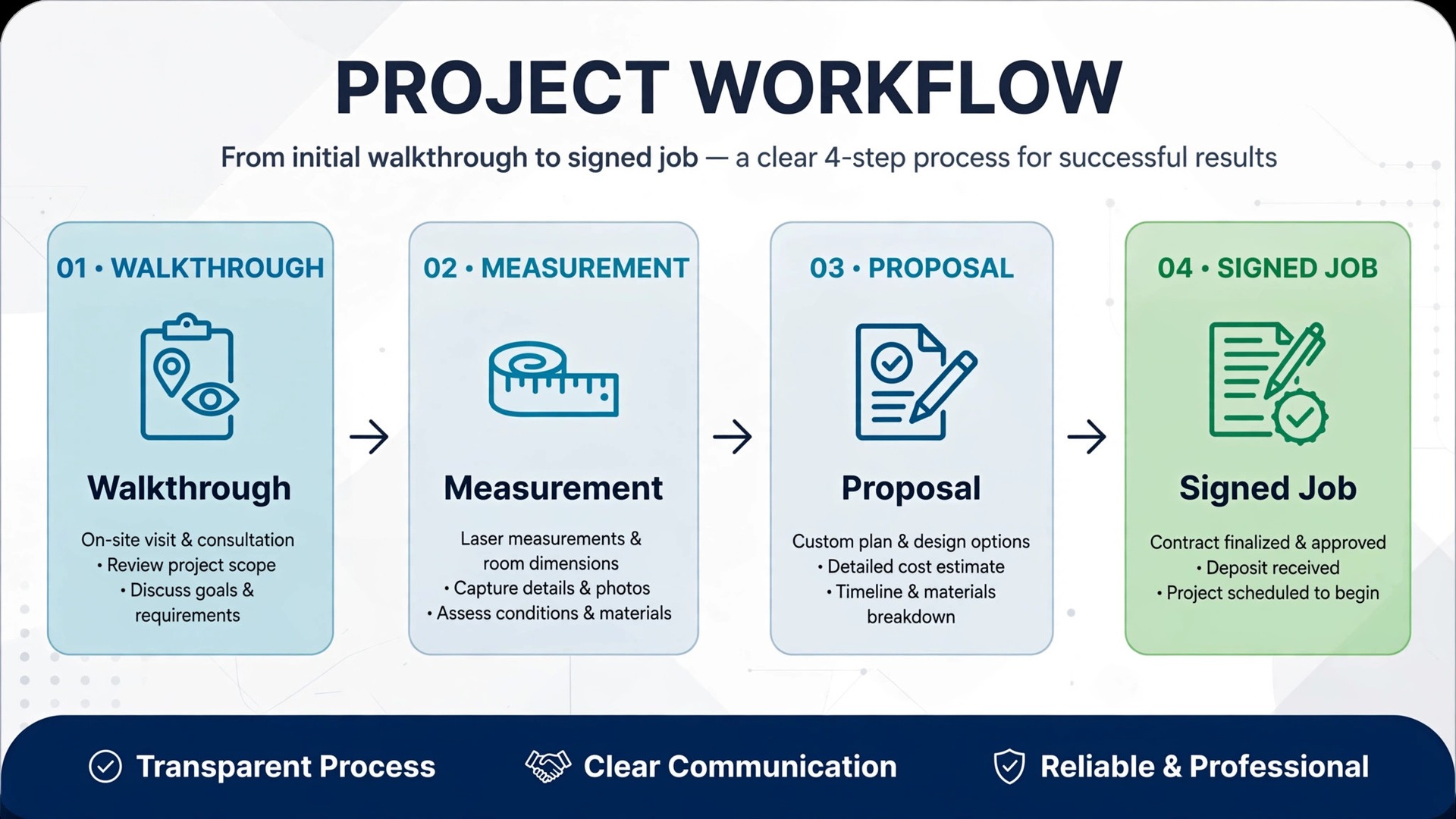
Why the best estimating software for painting contractors beats a spreadsheet estimate
A spreadsheet estimate depends on the person holding it. One estimator remembers to price trim, another forgets, and a third uses last year rates. Estimating software applies the same production rates every time, so two estimators pricing the same house land close together. That consistency protects margins when the owner is not the one selling every job.
Speed is the second difference. A customer who requests an estimate online expects a fast, clear response, and a tool with templates and on site pricing can send a polished proposal before a rival has finished measuring. For residential repaints, that speed often decides who wins the job, because the first credible proposal sets the price anchor.
The third difference is follow up. Most lost painting jobs are not lost on price. They are lost because nobody followed up after the estimate went out. Tools with viewed notifications, reminders, and automated follow up sequences recover jobs that a spreadsheet and a phone call would have let go cold.
14 Tools Compared
PaintScout
PaintScout is built only for painting contractors, and that focus shows in the way an estimate is put together. An estimator sets production rates by surface, enters room dimensions, and lets the system calculate labour and material instead of retyping a spreadsheet for every house. Templates for walls, ceilings, trim, and cabinets keep pricing consistent when different salespeople visit similar homes.
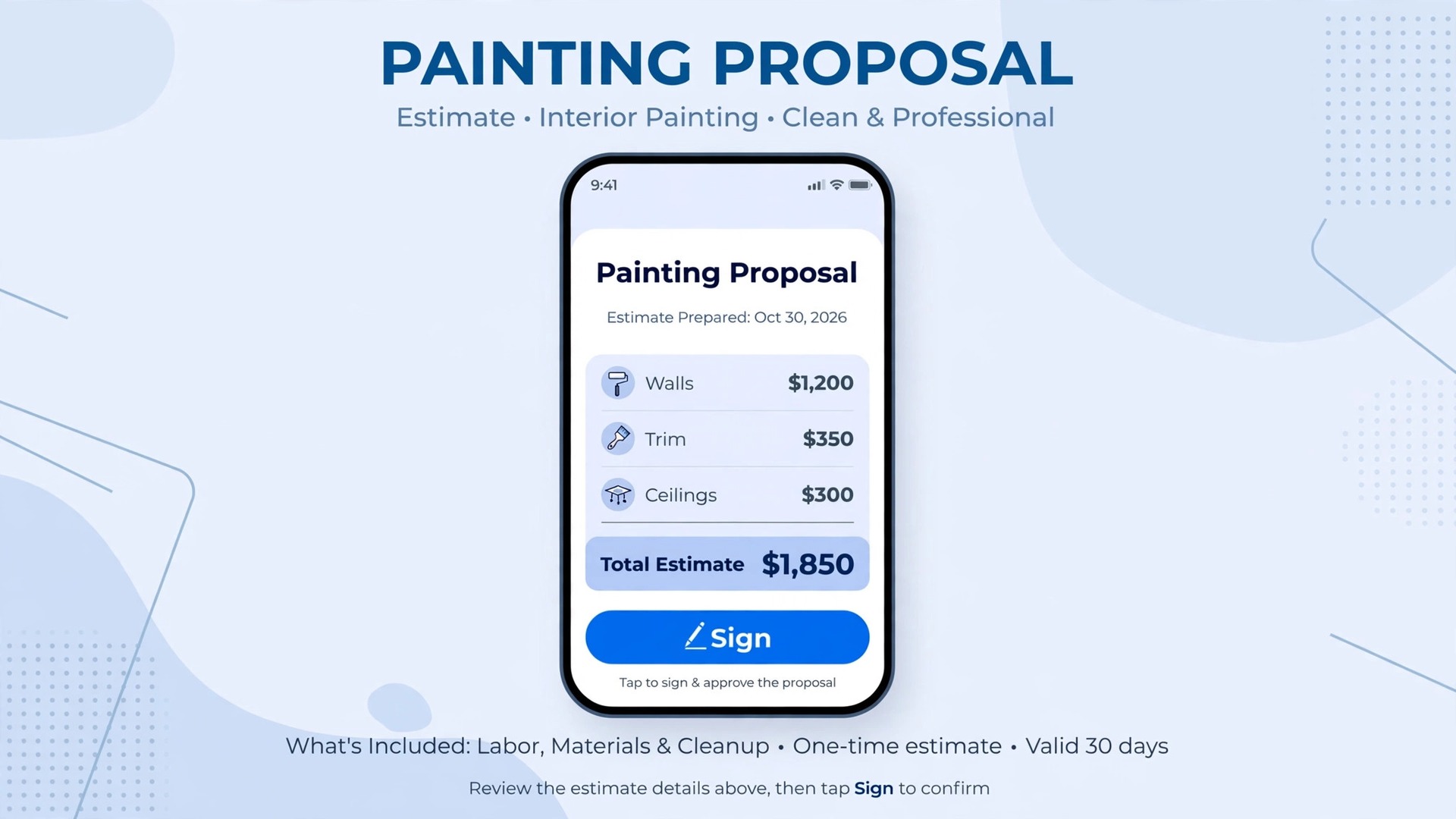
The proposal is the second strength. Customers can view options, choose upgrades, and sign electronically, and the system records when a proposal was viewed so follow up happens at the right moment. Payment links inside the estimate let a customer pay a deposit without a separate invoice step, which shortens the gap between acceptance and scheduling.
Pricing starts at 99 dollars per month billed annually for the Sales platform, or 119 dollars per month on monthly billing, with the Operations add-on from 79 dollars per month billed annually. Extra team seats are listed at 20 dollars per user per month, so model the cost at the real sales team size and confirm the current plan on the vendor page before buying.
Choose PaintScout when paint-specific production rate estimating is the main job. Skip it when a different priority in this guide matters more, and test that priority first during a trial.
Jobber
Jobber covers quotes, scheduling, invoicing, and payments in one system, which suits a painting firm that also handles related home services. A quote turns into a scheduled job, the job turns into an invoice, and reminders and review requests run without retyping customer details. That connected flow matters when one crew paints, another handles pressure washing, and the office must track both.
The quoting side is line item based rather than production rate based, so estimators build prices from items and quantities they define. It works well for firms with settled price lists, and less well for firms that want the system to calculate paint quantities from room measurements automatically. Mobile access lets estimators price on site and crews see the day from a phone.
Pricing is reported from 49 dollars per month in recent comparisons, with higher tiers adding users and automation, so confirm the current plan on the vendor page. Per user charges apply beyond the first seat on several tiers, which changes the total quickly for a multi crew firm.
Choose Jobber when mixed crews that need quoting plus scheduling is the main job. Skip it when a different priority in this guide matters more, and test that priority first during a trial.
Housecall Pro
Housecall Pro suits painting teams that win work through online booking and want strong customer communication. Online booking, on my way texts, mobile invoicing, and payments cover the daily workflow, while financing options can help larger repaint or exterior jobs close. The system is polished and easy for a new hire to learn, which matters when estimators and crew leads change often.
Estimating is solid but general purpose. A painter builds line item estimates and sends them quickly, yet paint specific calculations such as coverage per gallon or coats by surface need manual setup. Firms that already book most work online will feel the benefit fastest, because the booking and communication tools remove phone tag from the process.
Pricing is reported from 59 dollars per month in recent comparisons, with higher tiers adding dispatch and marketing tools, so confirm the current plan on the vendor page. Add the cost of extra users and any marketing add-ons before comparing it with a painting only estimator.
Choose Housecall Pro when home service painters that win work online is the main job. Skip it when a different priority in this guide matters more, and test that priority first during a trial.
DripJobs
DripJobs is built by a painting contractor and pairs estimating with automated lead follow up, which is its clearest difference from a general field service tool. Estimates flow into proposals with tiered package options, then into invoicing and payment collection, while automated drip campaigns chase unanswered estimates through several steps. For a firm that loses jobs because follow up slips, that automation can be worth more than a prettier proposal.
The platform also covers crew management, two way texting, and a customer portal, so the job does not need a second system after acceptance. Its weakness is depth outside painting. A firm that also runs carpentry or drywall work may find the painting centred workflow a poor fit for those jobs.
Pricing is reported at 97 dollars per month in recent comparisons with no contract stated, so confirm the current plan on the vendor page. Compare that flat style price against per user tools once the team grows past a handful of seats.
Choose DripJobs when painters losing bids to slow follow up is the main job. Skip it when a different priority in this guide matters more, and test that priority first during a trial.
QuoteIQ
QuoteIQ combines estimating with scheduling, project tracking, invoicing, and customer communication, and adds photo based measurement tools that suit commercial and larger residential work. Satellite measurement and an AI estimator turn photos into priced estimates, which helps when a site visit is hard to arrange or a property manager sends photos instead of granting access. Multi crew scheduling and job costing sit close to the estimate, so margins are visible as work progresses.
The starting price is far lower than several painting specialists, which makes it attractive for a solo commercial painter. The trade off is setup effort. Measurement tools and commercial workflows reward a firm that invests time in templates and rates, while a small residential repaint firm may never use the deeper features.
Pricing is reported from 29.99 dollars per month, with higher tiers reaching several hundred dollars per month for larger teams, so confirm the current plan on the vendor page. Map the tier that includes the measurement and costing features you need, not just the entry tier.
Choose QuoteIQ when commercial painters and photo based estimates is the main job. Skip it when a different priority in this guide matters more, and test that priority first during a trial.
JobProgress
JobProgress, now sold under the JobProgress name in several comparisons, targets remodelling and painting contractors with complex workflows. Estimating, production management, and customer communication live together, which suits firms running multi stage projects with change orders, subcontractors, and staged payments. A painter who regularly handles insurance work or large commercial repaints will use more of this depth than a one crew repaint firm.
The price and setup effort are the main barriers. Smaller firms may find the system heavy for simple repaints, and the learning curve is longer than a single purpose estimator. Firms that need production tracking across many concurrent jobs are the ones that recover that effort.
Pricing is reported from 249 dollars per month in recent comparisons, so confirm the current plan on the vendor page and ask what the tier includes for estimating, production, and users. A quote only need does not justify this tier.
Choose JobProgress when remodelling and painting firms with complex jobs is the main job. Skip it when a different priority in this guide matters more, and test that priority first during a trial.
Estimate Rocket
Estimate Rocket pairs estimating with scheduling, invoicing, and customer management for trade contractors. A painting firm can build an estimate, convert it to a job, schedule a crew, and invoice from the same record, which removes the retyping that causes scope errors. Templates and a customer database keep repeat clients fast to quote, which matters for property managers and landlords with steady repaint work.
Its estimating is template based rather than paint production rate based, so firms that price by square foot and surface will need to build those templates themselves. That setup pays off for steady repeat work and less for one off custom jobs where every estimate is unique.
Pricing is not published as a single starting figure in the sources checked, so request a quote and confirm the current plan on the vendor page. Ask how many users and what estimating features the quoted tier includes before comparing it with published price tools.
Choose Estimate Rocket when firms that want estimates plus full job management is the main job. Skip it when a different priority in this guide matters more, and test that priority first during a trial.
Joist
Joist is a simple line item estimate and invoice app for solo contractors who already know their prices. An estimator builds an estimate quickly, sends it from a phone, and converts it to an invoice when accepted, without learning a full field service system. That simplicity is the point. A solo painter who paints most days and estimates in the evening needs speed, not a dispatch board.
The limits appear as soon as the firm grows. There is no painting production rate engine, no deep crew scheduling, and no automated follow up of the kind a larger firm relies on. A solo operator who plans to stay solo will not miss those features, while a growing firm will outgrow Joist within a year or two.
Pricing is reported from 10 dollars per month for an entry tier, rising to around 70 dollars per month for fuller tiers in comparisons, so confirm the current plan on the vendor page. Treat Joist as a low cost start, not a long term platform for a multi crew firm.
Choose Joist when solo painters who already know their prices is the main job. Skip it when a different priority in this guide matters more, and test that priority first during a trial.
Knowify
Knowify combines estimating with job costing, invoicing, and project tracking for contractors, which suits painting firms that run larger jobs with subcontractors and materials purchasing. Estimates link to budgets, and actual costs can be tracked against the estimate as work progresses, so a firm learns whether its rates hold on real jobs rather than guessing at year end. That costing discipline is valuable for commercial work with tight margins.
The system is broader than painting, so paint specific features such as production rates by surface need configuration rather than arriving ready made. Smaller repaint firms may find the costing depth more than they need, while firms with crews and suppliers will use it daily.
Pricing is quote based in the sources checked, so request a quote and confirm the current plan on the vendor page. Compare the quoted total, including users, against published price tools at the same team size.
Choose Knowify when contractors that need job costing with estimates is the main job. Skip it when a different priority in this guide matters more, and test that priority first during a trial.
Projul
Projul is built for painting contractors with estimating, scheduling, and real time job costing in one system. Templates support square footage estimating, and costs can be followed as a job progresses, which helps a firm spot a job going over budget before it finishes. That visibility matters for firms running several crews at once, where the owner cannot visit every site every day.
The platform is newer and less widely reviewed than the established field service tools, so references from painting firms of a similar size matter more than a feature list. A firm that values costing visibility over a large integration catalogue will like it, while a firm that needs many third party connections should check each one before buying.
Pricing is quote based in the sources checked, so request a quote and confirm the current plan on the vendor page. Ask for a demo using a real past job so costing behaviour can be judged on familiar numbers.
Choose Projul when painting firms that want job costing in real time is the main job. Skip it when a different priority in this guide matters more, and test that priority first during a trial.
ServiceTitan
ServiceTitan is the enterprise end of this list, built for larger home service operations with dedicated office staff. Estimating, dispatch, invoicing, marketing, and reporting run at a depth smaller tools cannot match, and commercial painting firms with twenty or more painters often use it as the central system. Reporting across crews, close rates, and job profitability is the reason firms accept its cost and setup effort.
For a small painting firm, ServiceTitan is too much system. Implementation takes longer, training takes longer, and the monthly cost only makes sense when volume and office headcount justify it. A firm below that scale will pay for depth it never opens.
Pricing is quote based and not published in the sources checked, so request a quote and confirm the current plan on the vendor page. Do not shortlist it unless the firm already has office staff to run it.
Choose ServiceTitan when large painting operations with office staff is the main job. Skip it when a different priority in this guide matters more, and test that priority first during a trial.
The Paint Estimator
The Paint Estimator is a one time purchase Windows program for painters who want to own their software rather than rent it monthly. It calculates painting estimates from measurements and rates, and the one time price removes the monthly subscription from the budget entirely. For a solo painter with steady work and a Windows computer, that simplicity and ownership can be attractive.
The trade offs are platform and connection. It is a desktop program, not a cloud system with mobile crew apps, online booking, and automated follow up, so a firm that needs those workflows will still buy a second tool. Updates and support depend on the vendor, so check the current version before buying.
Pricing is reported at 129 dollars as a one time purchase, with a short trial stated in comparisons, so confirm the current price on the vendor page. Add any second tool for scheduling or invoicing to the true yearly cost before comparing it with subscriptions.
Choose The Paint Estimator when painters who want to pay once and own software is the main job. Skip it when a different priority in this guide matters more, and test that priority first during a trial.
Clear Estimates
Clear Estimates gives contractors a national cost database to price from, which suits painters who also handle remodelling or handyman work. Estimates draw on database costs for labour and materials, reducing the guesswork for jobs outside the usual repaint pattern. Invoicing and customer records sit alongside estimating, so a small firm can run quotes through payment without a second system.
Paint specific production rates are less central here than in a painting only tool, so a pure painting firm may prefer a specialist. A firm that prices varied trade work will use the database more, and a firm that prices only repaints may find it generic.
Pricing is reported from 59 dollars per month, rising to around 119 dollars per month for a fuller tier, with extra users charged on higher tiers in comparisons, so confirm the current plan on the vendor page. Check whether the database covers the local market well before relying on it.
Choose Clear Estimates when remodellers and painters who want a cost database is the main job. Skip it when a different priority in this guide matters more, and test that priority first during a trial.
Markate
Markate is a low cost field service option for painting firms that want quoting, scheduling, and invoicing without a high monthly bill. It covers the daily workflow cleanly, and its price makes it a realistic step up from spreadsheets for a small crew. Firms that need a solid basic system, rather than painting specific estimating depth, often settle here happily.
The limits are depth and polish. Production rate estimating, advanced follow up, and commercial costing are thinner than in specialist tools, so a firm whose main problem is estimate accuracy should look elsewhere. A firm whose main problem is organisation and scheduling will find Markate sufficient.
Pricing is reported at 39.95 dollars per month billed annually, or 49.95 dollars per month on monthly billing in comparisons, so confirm the current plan on the vendor page. Compare it at the real user count, since per user rules change the total.
Choose Markate when budget field service teams that need basics done well is the main job. Skip it when a different priority in this guide matters more, and test that priority first during a trial.
Picks by Job Type
Use this table to match the tool to the job type that pays the bills. The best estimating software for painting contractors changes with the customer, so pick by job type rather than by feature count alone.
| Job | Best pick | Why it wins |
|---|---|---|
| Residential repaints | PaintScout or DripJobs | Production rates and follow up matter most |
| Commercial jobs | QuoteIQ or ServiceTitan | Measurement, costing, and crew tracking matter most |
| New construction | JobProgress or Knowify | Multi stage costing and change orders matter most |

Paint Quantity Checklist Before You Price
Run through this checklist on a real walkthrough before you commit to a platform. The best estimating software for painting contractors should capture every detail that changes paint quantity, not just the room count.
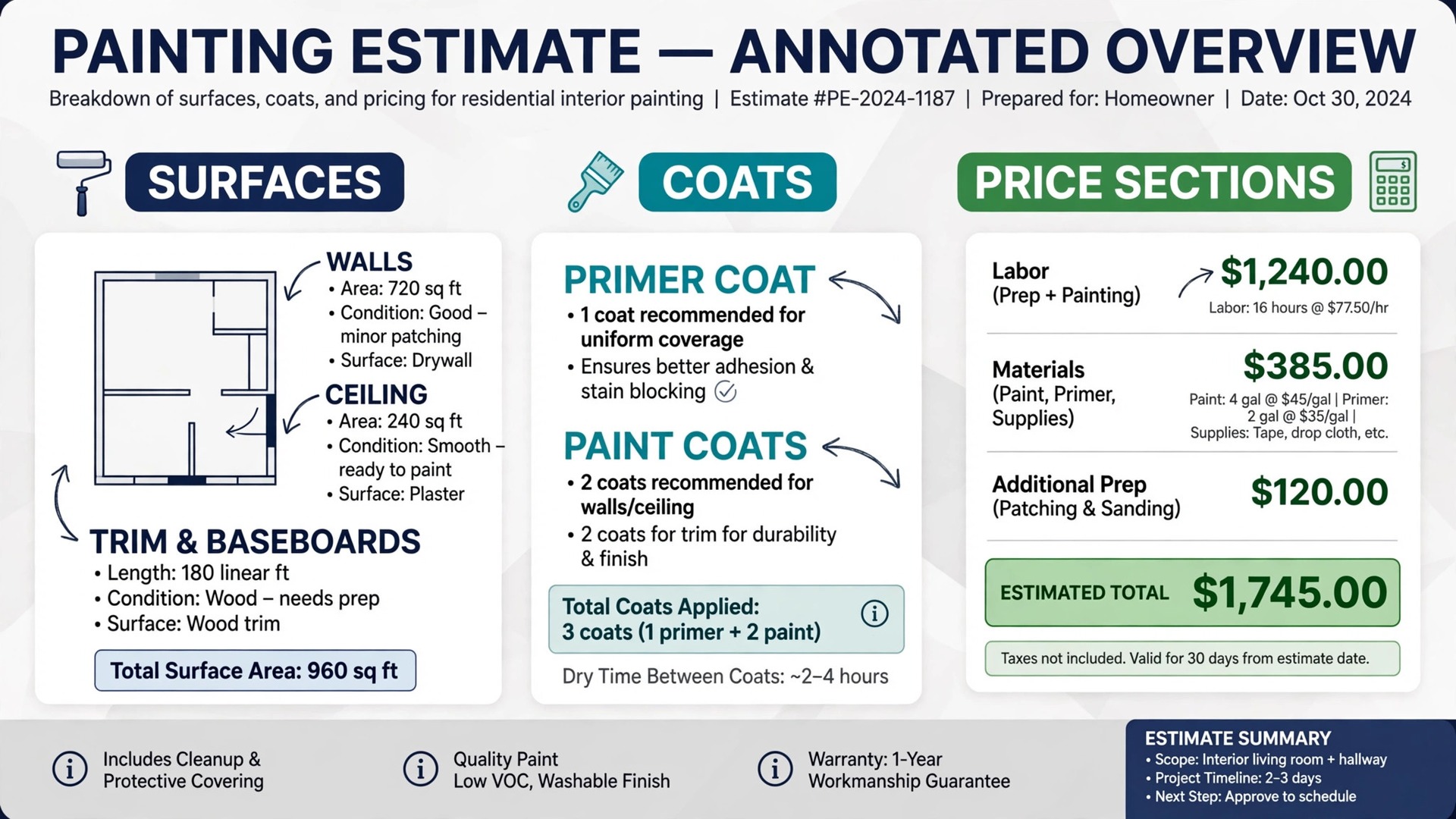
– Measure walls, ceilings, and trim separately, because each surface uses paint at a different rate. – Record surface condition, previous coats, and repairs, since rough or damaged surfaces need more material. – Confirm coats, primer needs, and product lines before pricing, because product choice changes coverage. – Count doors, windows, and cabinets individually rather than guessing a lump sum for trim work. – Note ceiling height, stairwells, and hard to reach areas that slow production and raise labour. – Record waste, touch up allowance, and leftover paint handling so the customer knows what remains. – Send the estimate promptly, with surfaces, coats, and exclusions listed clearly for acceptance.

What Estimating Software Really Costs
The monthly plan is only part of the bill. Add per user charges, add-on modules, payment processing fees, and any second tool for accounting or scheduling. A low entry price can still be the expensive choice once five estimators or crew leads are added, while a flat price tool can beat a per user tool at the same team size.
Estimate conversion is the offset. A tool that wins one extra repaint per month through faster proposals and follow up can pay for itself many times over, even at a higher plan price. Track close rates during the trial, not just the monthly fee, when you judge value.

Estimating Mistakes That Cost Painting Firms Money
The most common mistake is pricing from memory instead of measurement. A price given from a vague walkthrough will be wrong on site, and the crew must either absorb the extra time or argue with the customer. A structured estimate form with surfaces and coats prevents that argument before it starts.
A second mistake is forgetting first coat and preparation pricing. A repaint over dark colours, damaged walls, or glossy trim takes longer than a straightforward recoat, yet many firms quote the same price for both and lose margin on the first day. Estimating software should handle preparation and primer as separate priced lines.
A third mistake is hiding exclusions. Customers who discover that wallpaper removal, extensive repair, or specialty finishes are not included will feel misled, even if the quote was technically correct. Clear inclusions and exclusions build trust and reduce complaints after the job starts.

How to Test Finalists With Real Estimates
Pick two finalists and run the same five real estimates through both. Include a small apartment repaint, a large family home, an exterior repaint, a commercial office, and a new construction unit. The platform that captures surfaces clearly and sends a clean proposal fastest is usually the right pick.
Ask a past customer to test the proposal acceptance step. Their confusion is more useful than any feature list, because customers will face the same steps on a paid job. A proposal that is hard to sign or pay will lose jobs, no matter how good the estimating engine is.
More Reading on Stratilyze
– Best Estimating Software for Contractors – Best Quote Software for Trades Businesses – Best Invoicing Software for Trades Businesses
Frequently Asked Questions
What is the cheapest estimating tool for a painting contractor?
The Paint Estimator at a reported 129 dollars one time is the cheapest entry, while Joist from a reported 10 dollars per month is the cheapest subscription start. QuoteIQ from a reported 29.99 dollars per month is the cheapest all in one option with scheduling and invoicing included.
Do I need painting specific software or will a general field service tool work?
A general tool works when quoting, scheduling, and invoicing matter most and prices are already settled. A painting specific tool works better when production rates, paint quantities, and proposal options decide accuracy, because those calculations are built in rather than configured.
How should I price a repaint versus new construction?
Price repaints from measured surfaces, coats, and preparation, and price new construction from plans, stages, and change order rules. The two job types need different templates, so check that a finalist handles both before committing to one workflow.
Can estimating software handle commercial painting?
Yes, but choose the right depth. QuoteIQ and ServiceTitan suit commercial measurement, costing, and multi crew work, while PaintScout suits sales led firms that sell by proposal. A pure residential tool will struggle with commercial costing and reporting.
How fast should I send an estimate?
As fast as possible, ideally the same day for residential work. Faster estimates convert better, and software with templates and on site pricing helps a small firm reply quickly without sacrificing surface and coat detail.
Can I switch estimating tools later?
You can usually export customer records and estimate history, but production rates, templates, and follow up sequences rarely transfer cleanly. Ask for a sample export during the trial, and expect some rebuilding when you switch.
The Verdict for Painting Contractors
For most painting firms, PaintScout leads for paint specific estimating, DripJobs leads when follow up is the weak point, and Jobber leads for mixed crews that need quoting plus scheduling in one system. QuoteIQ is the value pick for commercial work, while Joist and The Paint Estimator suit solo painters who want a low cost start.
Start with the job type that pays the bills, test two finalists with real estimates, and price the tool at the real estimator and crew count. An estimating system that measures clearly, proposes fast, and follows up reliably will win more jobs and protect margin on every paint job. That is the practical way to choose the best estimating software for painting contractors for the work you actually sell. That is the practical way to choose the best estimating software for painting contractors for the work you actually sell.