

Spectora is the safest first shortlist for most inspection firms, with ISN the stronger pick once office volume and team size grow. That verdict holds for the firms in this guide because scheduling is rarely the only job. The tool that books the job usually also collects the agreement, takes payment and delivers the report, so a weak booking flow creates work at every later step. The best scheduling software for home inspection companies therefore has to be judged as a whole business system, not as a calendar alone.
This guide compares 9 tools that schedule, manage and report home inspections, from solo friendly all-in-one platforms to office heavy systems built for multi-inspector firms. It records published prices where a vendor or a recent review lists them, and marks other tools as quote only, with a note to check the vendor’s current pricing page before budgeting.
The pattern that emerges is clear. Solo inspectors win with a simple all-in-one that they can run from a phone, small teams win with clear per inspector pricing and shared calendars, and larger firms win with scheduling depth, agent tools and payroll style reporting. The sections below show which tool fits each shape, and what to test before you move live bookings across.
This guide is written for owners, not only for inspectors in the field. An owner needs to see booking volume, agent satisfaction, report turnaround and cost per job in one place, and the tool that gives that view without extra spreadsheets will save office hours every week.
At a glance comparison
The table below compares the 9 tools at a glance, including the best scheduling software for home inspection companies for solo, team and firm use.
| Tool | Best for | Starting price | Standout strength |
|---|---|---|---|
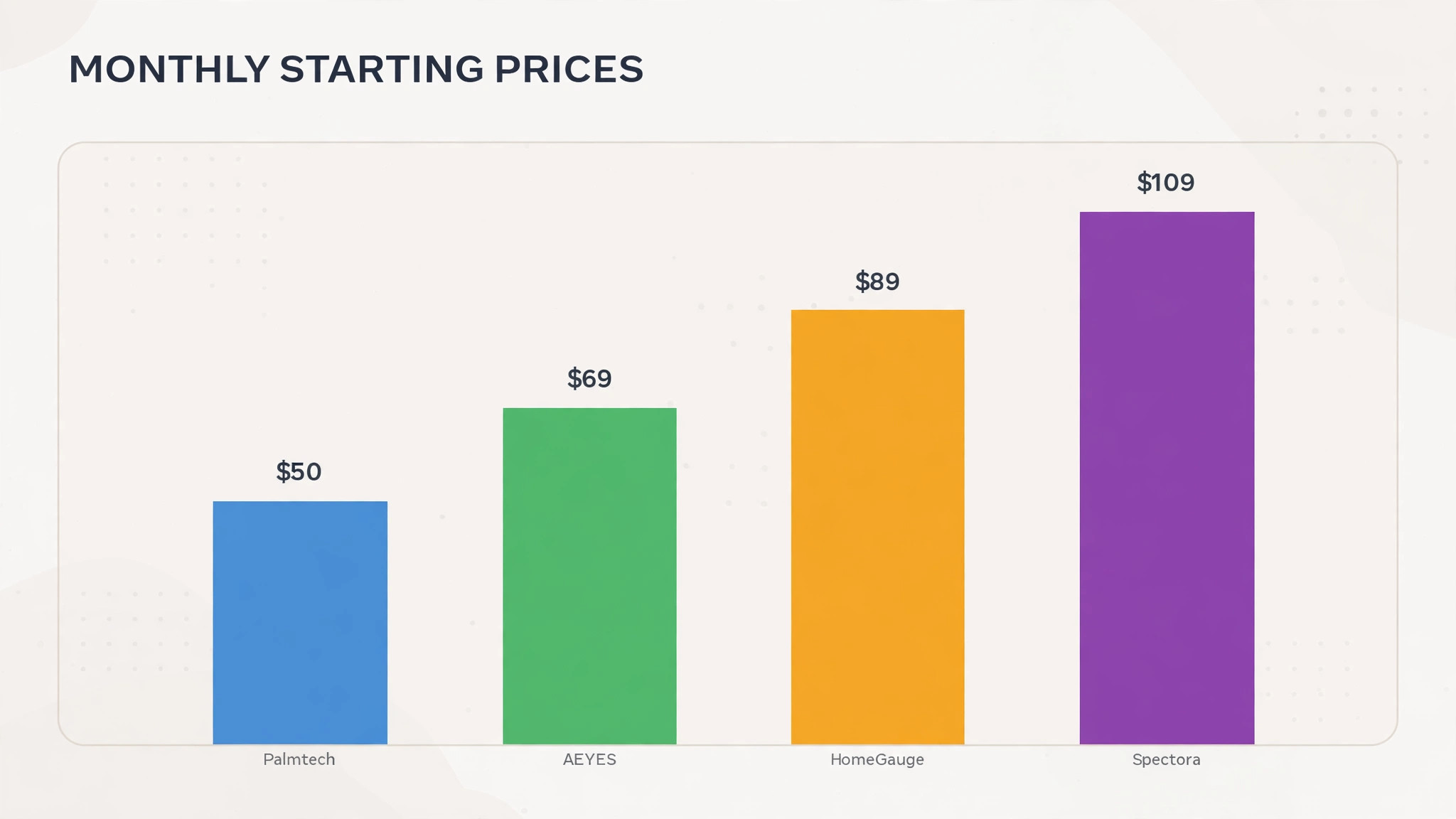
| Spectora | Solo inspectors and small teams | From $109 per month, or $1,090 per year, as listed in a 2026 review. Check the vendor’s current pricing page | Modern reports with scheduling, agreements and payments in one place |
| ISN | Multi-inspector firms and busy offices | Per inspection pricing from $7.25 for the first 50 inspections, falling with volume, as listed by the vendor’s comparison page. Check the vendor’s current pricing page | Scheduling depth, office automation and agent tools |
| HomeGauge | Inspectors who want report layout control | From $89 per month as listed in a 2026 review. Check the vendor’s current pricing page | Polished report delivery with a companion website |
| Home Inspector Pro | Experienced inspectors with their own templates | From $89 per month with the office bundle, or $74 per month for the base subscription, as listed on a vendor comparison page. Check the vendor’s current pricing page | Highly customisable templates and flexible deployment |
| Palmtech | Inspectors who want simple all-in-one pricing | From $50 per user per month, or $500 per user per year, as listed on a vendor comparison page. Check the vendor’s current pricing page | Simple setup with all features included |
| Inspector Toolbelt | Budget conscious inspectors and new starters | Quote only for paid plans, with a free scheduling tier listed in reviews. Check the vendor’s current pricing page | Low cost scheduling with mobile reports |
| Tap Inspect | Mobile first inspectors who want speed | Quote only. Check the vendor’s current pricing page | Fast mobile reporting with a clean client handoff |
| AEYES | Inspectors who want writing assistance | From $69 per month plus $5 per inspection for solo use, as listed in a 2026 review. Check the vendor’s current pricing page | Writing assistance with scheduling and customer tools in every plan |
| Hive Inspect | Teams that want a modern all-in-one at a flat rate | From $99 per month, or $999 per year, with $69 per month per extra inspector, as listed in a 2026 review. Check the vendor’s current pricing page | Modern reports with writing help and plain language summaries |
Prices marked quote only mean the vendor does not publish a starting price on its pricing page at the time of research. Use the trial to confirm total cost, including payment fees and add-ons, before comparing monthly figures directly.
The tools in detail
Each tool below is judged on scheduling first, then on the jobs that surround scheduling, including agreements, payments, report delivery and agent communication. A tool that books well but delivers reports slowly will still lose repeat agent work, which is why this detail section tests every option against the full job behind the best scheduling software for home inspection companies.
Spectora
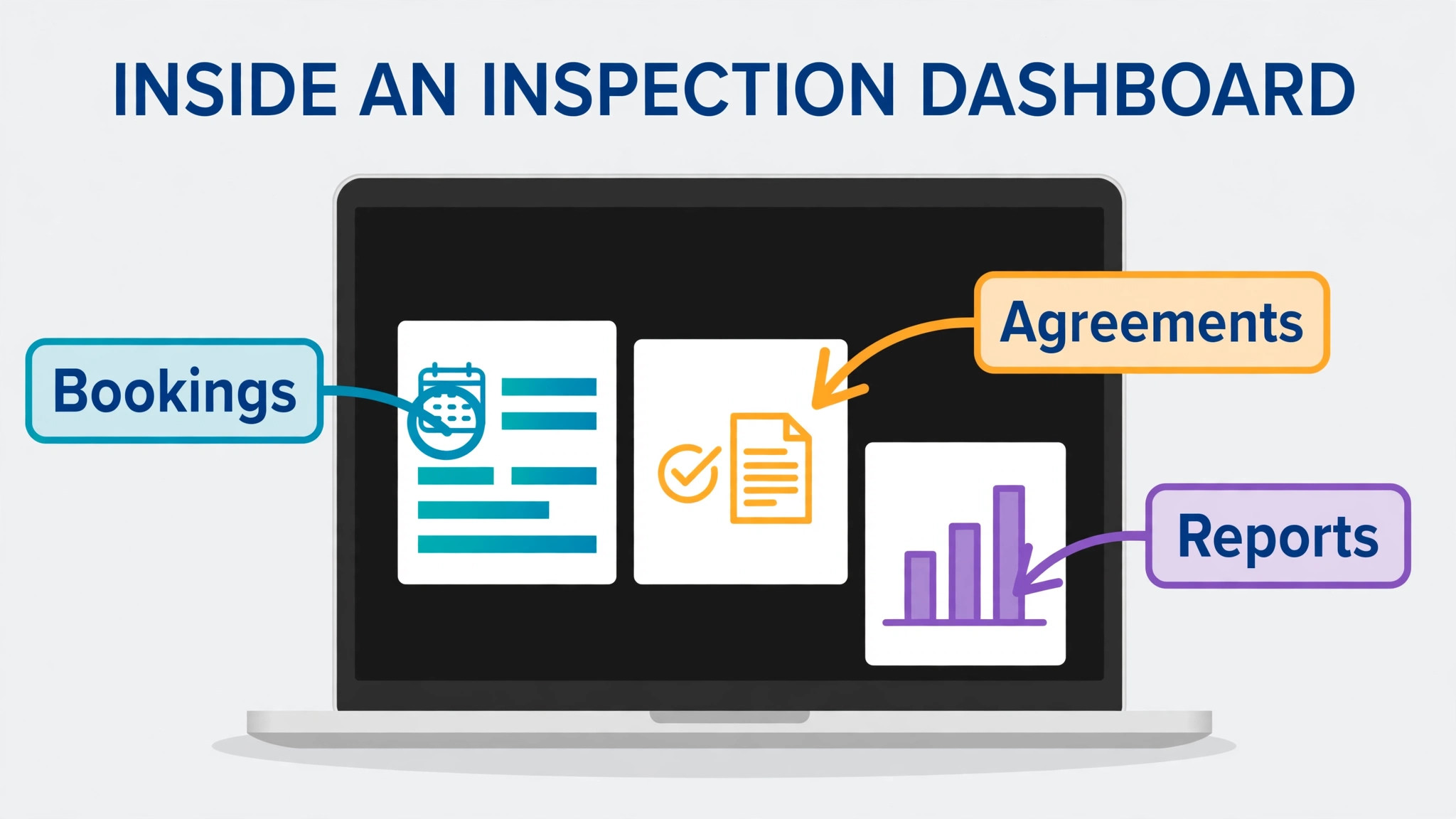
Spectora is the all-in-one choice most inspectors compare first, because it covers online scheduling, agreements, mobile report writing, payments and automations in one system. A client can book, sign and pay without the inspector juggling separate tools, and the report can go out in a format clients and agents can read on a phone. That matters when an agent is waiting on a report to keep a sale moving.
The cost rises with team size and with the advanced customer management add-on, which is priced per inspection in some plans. A solo inspector should price the first year on real inspection volume, including extra inspector seats if a second inspector joins midyear. Trial it with a full report, including photos and a summary, before judging speed.
Before you commit, run Spectora on a real inspection week, including a job where the client books late, the agent changes, and the report needs a same day turnaround. Watch how the calendar, agreement and report delivery stay linked, and check whether the office can see every open job at a glance. A system that passes that week will handle ordinary weeks easily.
Ask Spectora how reports, invoices and customer records export, and test that export with a real job before you depend on it for tax or dispute records.
ISN
ISN, the Inspection Support Network, is an office and scheduling platform first, with its own report writer inside. It suits firms where the bottleneck is not writing one report but running many jobs, with office staff, multiple inspectors, agent relationships and payroll to manage. Smart scheduling assigns work by availability, proximity and capability, which cuts rescheduling calls.
That depth takes setup time. A solo inspector may find the system heavier than needed, while a firm with office staff will use the automation, agent portal and marketing workflows daily. Before choosing it, map your current office jobs, including reminder calls, fee collection and agent follow-up, and check each one in the trial.
The question to settle in the trial is agent experience, not only inspector experience. Ask ISN how agents receive reports, request lists and updates, and whether they can help themselves without calling the office. Agents who find the system easy will send repeat work, while agents who struggle will quietly book elsewhere.
Check ISN for integration with your accounting tool and your calendar, since a scheduling system that cannot share data will create double entry for office staff.
HomeGauge
HomeGauge suits inspectors who care most about how the finished report looks and reads. It offers fine control over report layout, media and presentation, plus a report delivery system that agents and clients already know. For an inspector whose reputation rests on clear, professional reports, that presentation strength carries real weight.
The trade-off is workflow. Report finishing has historically leaned on a Windows computer, so a Mac based inspector should confirm the current setup before committing. Also check how scheduling and payments fit, since some inspectors pair HomeGauge reporting with a separate booking tool and should price that combination honestly.
Cost control matters as much as report style. Ask HomeGauge for a written list of per inspection charges, extra inspector fees and add-on prices, then model the cost at your current volume and at your target volume. The cheapest solo plan can still be the dearest system once team and volume charges are added.
Trial HomeGauge with your busiest agent, not only with a friendly one, since agent feedback will show whether report delivery and summaries actually reduce follow-up calls.
Home Inspector Pro
Home Inspector Pro is built for inspectors who already know how they want a report to read and want templates that bend to that style. It offers desktop and mobile report writing, scheduling and payments, with an office bundle that adds advanced scheduling and automation. Experienced inspectors often value that control over a simpler, more opinionated system.
Customisation takes time to set up well. A new inspector may spend weeks building templates that a simpler tool would supply ready made, so the value depends on how much you will reuse your own wording. Test the template import path if you are switching, and confirm support hours for report day problems.
Finally, check how Home Inspector Pro handles change. Test a job that moves date, changes inspector and adds a second service after booking, and see whether the agreement, payment and report stay correct. Inspection work changes often, and a system that hides revisions will create disputes about what was booked.
Confirm Home Inspector Pro support hours and response times for report day problems, because a scheduling fault on the morning of a busy inspection day cannot wait for an email reply.
Palmtech
Palmtech keeps its offer simple. One monthly or annual price per user includes all features, with a free trial that includes a set number of inspections. That clarity helps a small firm budget without guessing which add-ons will be needed later, and fast setup helps a new inspector start taking paid work quickly.
Simplicity means fewer deep office tools than a platform built for large firms. A multi-inspector firm should test scheduling, payroll style reporting and agent management against its real volume before choosing simplicity over depth. For a solo inspector or a two person team, that trade may be exactly right.
Before you commit, run Palmtech on a real inspection week, including a job where the client books late, the agent changes, and the report needs a same day turnaround. Watch how the calendar, agreement and report delivery stay linked, and check whether the office can see every open job at a glance. A system that passes that week will handle ordinary weeks easily.
Ask Palmtech how reports, invoices and customer records export, and test that export with a real job before you depend on it for tax or dispute records.
Inspector Toolbelt
Inspector Toolbelt appeals to inspectors who want to keep costs down while still offering online scheduling and mobile reporting. The free scheduling tier lets a new inspector take bookings without a monthly bill, and the reporting tools cover the core job of writing a clear report on site.
Low cost tools need a growth check. Confirm what happens when inspection volume rises, when a second inspector joins, or when you need deeper automation and payment features. If the upgrade path is clean, it is a sensible start. If it forces a painful move later, a mid priced tool may cost less over two years.
The question to settle in the trial is agent experience, not only inspector experience. Ask Inspector Toolbelt how agents receive reports, request lists and updates, and whether they can help themselves without calling the office. Agents who find the system easy will send repeat work, while agents who struggle will quietly book elsewhere.
Check Inspector Toolbelt for integration with your accounting tool and your calendar, since a scheduling system that cannot share data will create double entry for office staff.
Tap Inspect
Tap Inspect focuses on fast mobile report writing, which suits inspectors who want to finish most of the report on site and send it the same day. A clean mobile flow, with photos attached to findings as you walk the property, reduces the evening desk work that eats into the next day’s bookings.
Speed on site is only half the job. Check scheduling, agreements, payments and agent sharing before choosing a reporting first tool, and price any separate booking tool alongside it. Also confirm offline behaviour, since signal in basements and rural properties is unreliable.
Cost control matters as much as report style. Ask Tap Inspect for a written list of per inspection charges, extra inspector fees and add-on prices, then model the cost at your current volume and at your target volume. The cheapest solo plan can still be the dearest system once team and volume charges are added.
Trial Tap Inspect with your busiest agent, not only with a friendly one, since agent feedback will show whether report delivery and summaries actually reduce follow-up calls.
AEYES
AEYES is a newer all-in-one option that bundles customer management, scheduling and a writing assistant in every plan, with team pricing that adds a per inspector charge. The assistant aims to cut write-up time, which is the part of the job most inspectors dislike, and the bundled customer tools avoid a separate add-on bill.
As a newer vendor, it deserves a reference check. Ask for inspectors in your state who use it daily, test its templates against your standards of practice, and confirm how reports export if you later switch. A time saving that only works with generic wording is not a saving for a careful inspector.
Finally, check how AEYES handles change. Test a job that moves date, changes inspector and adds a second service after booking, and see whether the agreement, payment and report stay correct. Inspection work changes often, and a system that hides revisions will create disputes about what was booked.
Confirm AEYES support hours and response times for report day problems, because a scheduling fault on the morning of a busy inspection day cannot wait for an email reply.
Hive Inspect
Hive Inspect is a newer all-in-one platform with writing help and plain language context for clients, aimed at inspectors who want modern reports without a long setup. The flat monthly price with a clear extra inspector charge makes team budgeting simple, and the client friendly summaries can reduce follow-up questions from buyers.
Newer platforms carry a template risk. Confirm that its report language matches your state’s standards, that photos and videos attach cleanly, and that agent sharing works without the agent needing an account. Trial it on a real property, not a demo template, before moving live work across.
Before you commit, run Hive Inspect on a real inspection week, including a job where the client books late, the agent changes, and the report needs a same day turnaround. Watch how the calendar, agreement and report delivery stay linked, and check whether the office can see every open job at a glance. A system that passes that week will handle ordinary weeks easily.
Ask Hive Inspect how reports, invoices and customer records export, and test that export with a real job before you depend on it for tax or dispute records.
Best pick by job
Use this table to shortlist by firm shape, then trial the top two in your row. The best scheduling software for home inspection companies for a solo inspector is rarely the best pick for a firm with office staff, because the daily bottleneck changes as the firm grows.
| Job | Pick | Why it fits |
|---|---|---|
| Solo inspector | Spectora or Palmtech | One system for booking, agreements, payment and report delivery |
| Small team | Hive Inspect or Home Inspector Pro | Shared calendars with clear per inspector pricing and custom templates |
| Multi-inspector firm | ISN | Scheduling depth, agent portal, automation and payroll style reporting |
Shortlist two tools from your row and trial both on real jobs. The table narrows the field, but only a trial on your own orders, routes or estimates shows which system your team will actually use every day.
How to choose best scheduling software for home inspection companies
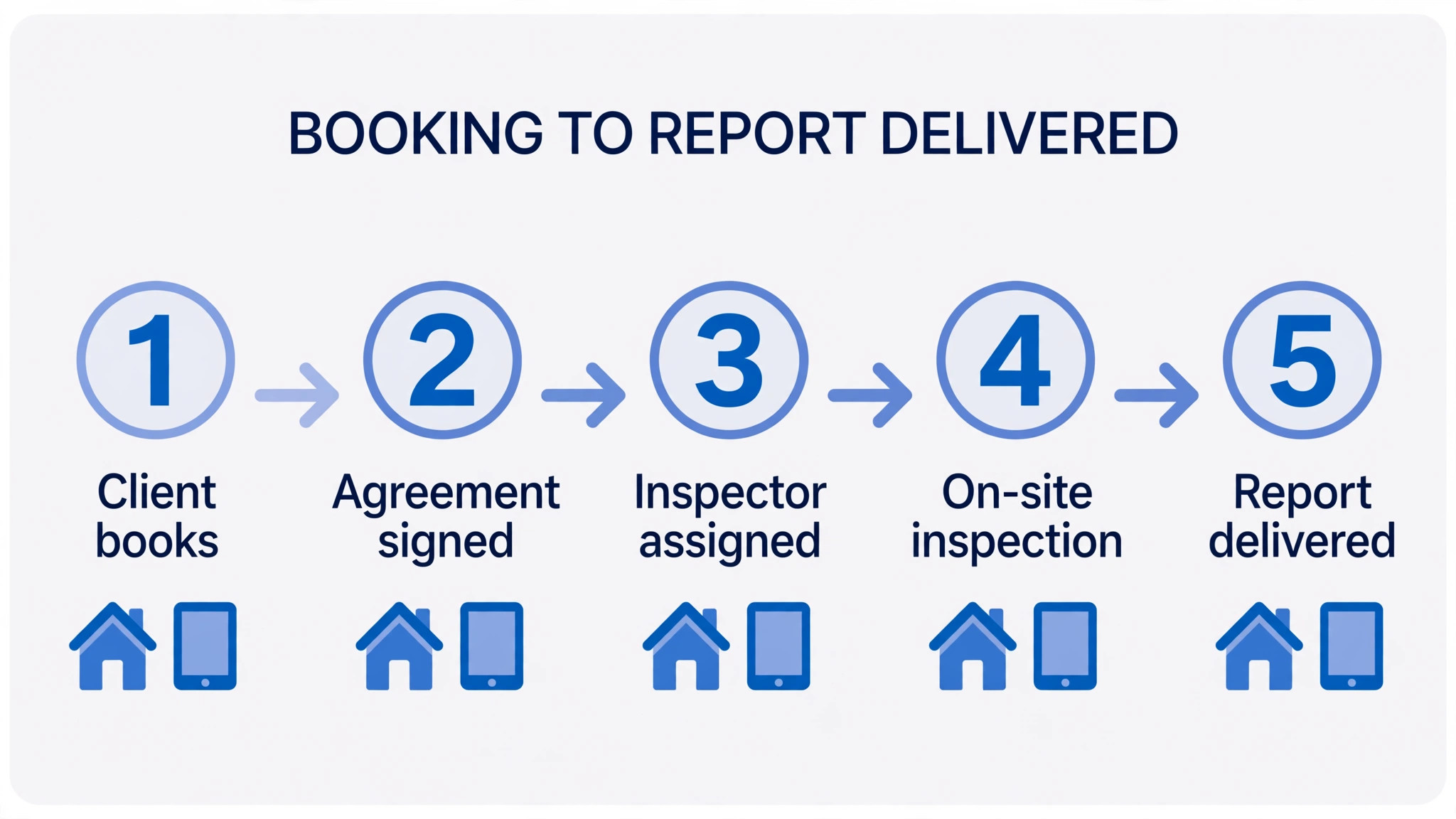
Start with the booking path your clients and agents actually use. If agents book most jobs, the agent portal and calendar sharing matter more than a pretty public booking page. If buyers book directly, the public page, instant confirmation and agreement signing matter most. Test the exact path your top referrers use, not the demo path.
Next, check scheduling rules that prevent double booking and wasted trips. Look for inspector availability, travel buffers, job duration by property type, and assignment by location or capability. A system that lets two inspectors accept overlapping jobs, or books a four hour job into a two hour gap, will cost more in rescheduling than it saves in subscription fees.
Then follow the job past booking. Confirm that agreements, payment, reminders, report delivery and review requests flow from the same booking record. Every manual retype between those steps is a chance for a wrong address, a missed payment or a late report, and late reports damage agent trust faster than any marketing can repair.
Finally, price the system on your real volume. A per inspection price looks cheap at 10 jobs a month and expensive at 100, while a flat monthly price looks expensive for a part time inspector and cheap for a busy firm. Model 12 months at your current volume and at your target volume before choosing.
When you compare prices, remember that the best scheduling software for home inspection companies is not the cheapest monthly plan but the system whose total cost per completed job, including volume and team charges, stays lowest across a full year.
Seasonal volume should shape the choice as much as feature lists. Spring and summer bring more buyers, more agents and tighter deadlines, so a system that handles a quiet winter week well may still struggle when three inspections land on one day. Trial the shortlist during a busy week if possible, and watch how reminders, payments and report queues behave when volume doubles.
Also check how the system handles ancillary services, including radon, sewer scope and termite inspections, since many firms add those services as they grow. A booking tool that treats every extra service as a separate manual job will create admin work exactly when the firm is busiest, while a tool that bundles services into one booking keeps the client experience clean.
Data ownership is another point to settle before signing. Confirm that inspection reports, photos, client records and agent details export in a usable format, and that past reports stay readable if you cancel. A firm that cannot take its own report history with it will find switching expensive, even when a better tool appears.
Training time should also be priced honestly. A system that needs a week of setup and several training sessions may still be worth it for a large firm, but a solo inspector who loses a week of billable inspections to setup will feel that cost at once. Ask for a realistic setup timeline based on a firm of your size, not on a large firm with office staff.
Mistakes to avoid
– Choosing on report style alone. A beautiful report does not fix a booking flow that loses jobs to slow replies. Judge scheduling, agreements and delivery together, since clients judge the whole experience. – Forgetting agent workflows. Agents send repeat work, so a system that makes agents retype details or chase summaries will lose referrals even if buyers like the booking page. – Skipping the offline test. Basements and rural properties have weak signal. A mobile app that fails without a connection will force evening rework and late reports. – Ignoring per inspector costs. A low solo price can jump sharply when a second inspector joins. Price the team you plan to have in a year, not only the team you have today. – Moving live bookings without a parallel week. Run the new system alongside the old one for a week, with real jobs, before switching fully. That week catches calendar, reminder and payment errors while the old system still protects you. That parallel week is also the best way to judge the best scheduling software for home inspection companies without trusting a demo.
Most of these mistakes share one cause. The tool was chosen from a demo rather than from a real week of work, so the trial should always use real orders, real routes or real estimates.

Report delivery checklist
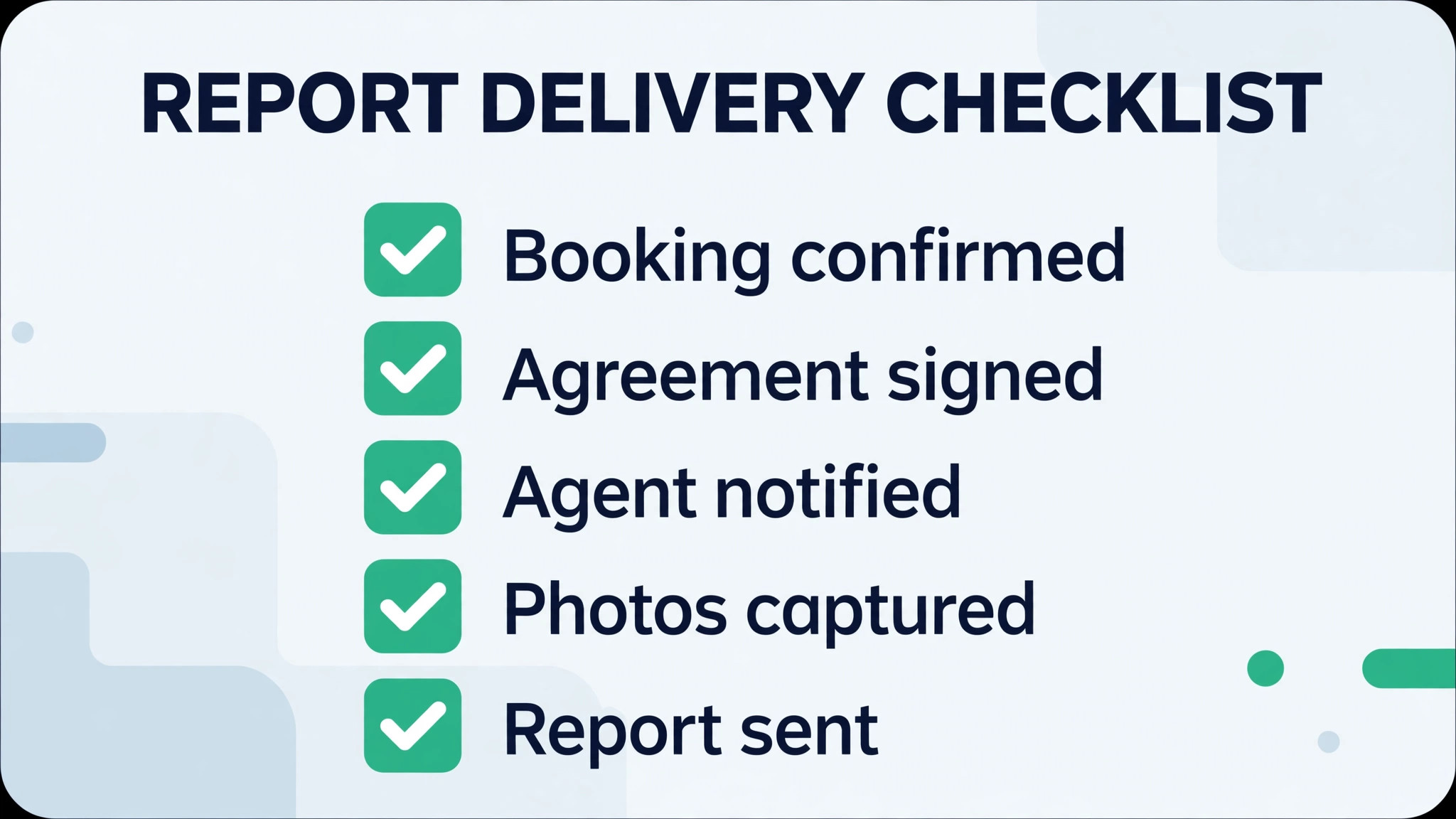
Use this checklist on every job in the category below, and keep it inside the order record so a second team member can follow it without asking the owner. A firm that follows this list will get more value from the best scheduling software for home inspection companies than a firm that buys better software but keeps informal habits.
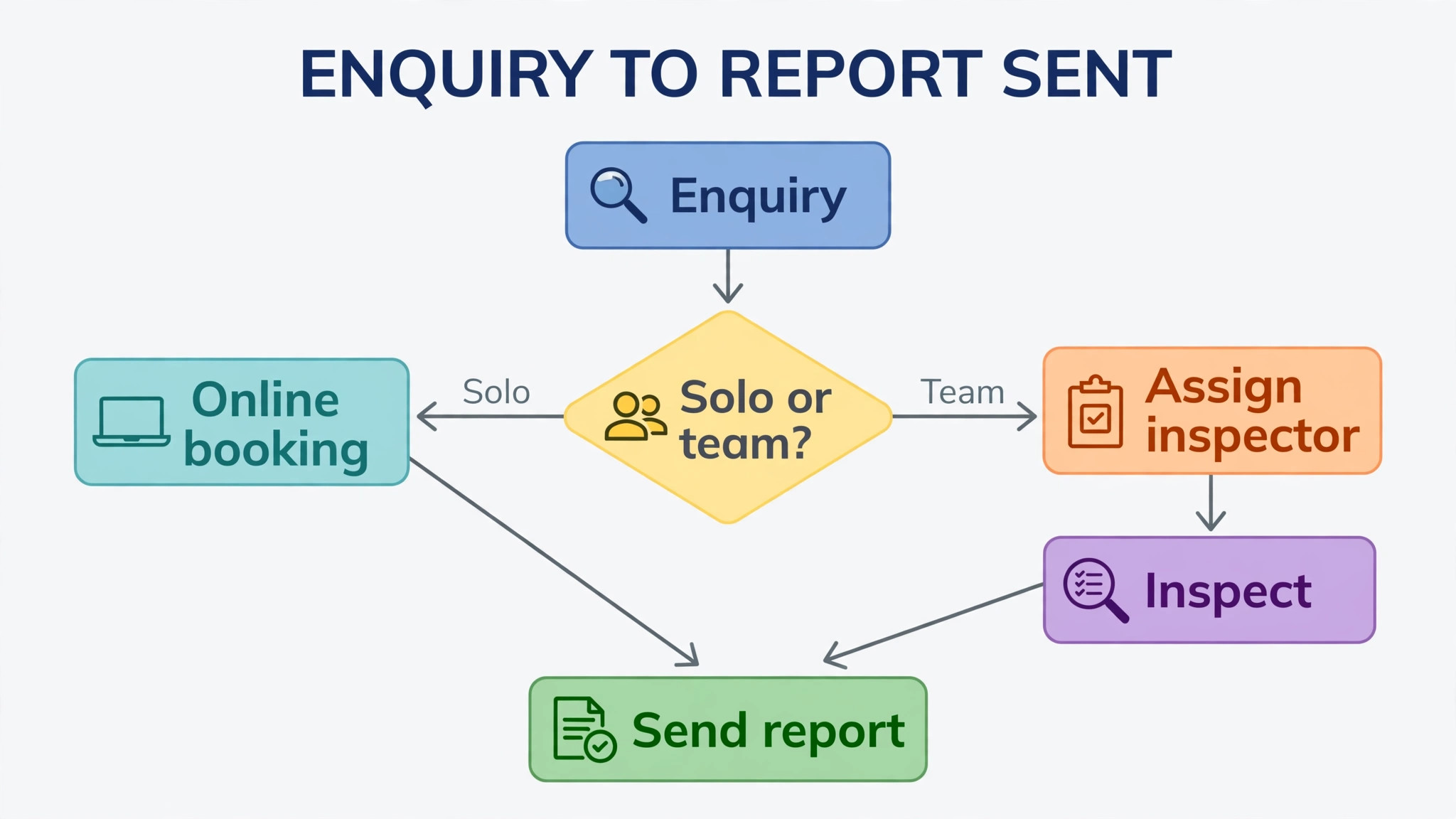
– Confirm the client, agent, property address and access details on the booking record before the inspector travels. – Collect the signed agreement and payment, or a confirmed pay at close arrangement, before the inspection starts. – Record arrival, key findings and photos on site, with each photo attached to the finding it supports. – Review the draft report for missing sections, wrong property details and unclear summary wording before sending. – Send the report through the client’s preferred channel, and confirm the agent copy went to the right agent and office. – Include a clear summary and a repair request list where the client and agent expect one, without changing findings. – Log delivery time, client confirmation and any follow-up questions, so a later dispute has a clean record. – Ask for a review only after delivery is confirmed, and follow up once if no review arrives within a few days.
Frequently Asked Questions
Is scheduling software different from report writing software?
Some tools do both, while others focus on one side. All-in-one platforms cover booking, agreements, payments and reports, while reporting first tools may need a separate booking tool. Price the pair together if you choose that route.
What does home inspection scheduling software cost?
Published prices in this guide run from about $50 per user per month to $109 per month, with ISN on per inspection pricing and some tools on quote only. Check the vendor’s current pricing page and model the cost at your real volume.
Can clients book online without calling?
Yes, on most all-in-one platforms, with instant confirmation, agreement signing and payment. The booking page should still offer a phone option, since some buyers and agents prefer to call for urgent jobs.
How do I avoid double booking across inspectors?
Use shared calendars with availability rules, travel buffers and assignment by location. Test overlapping bookings in the trial, including a job that runs long, before trusting the calendar with live work.
Do agents get their own access?
Larger platforms offer an agent portal where agents manage summaries and request lists themselves. That self-serve access cuts follow-up calls and is a strong reason firms choose an office heavy system.
What happens if the inspector loses signal on site?
A good mobile app should keep working offline and sync when signal returns. Test this in a basement or a rural property during the trial, since a demo on strong Wi-Fi will not reveal the problem.
How long does switching take?
A solo inspector can switch in one to two weeks. A firm should allow a month, including template transfer, agent notification and a parallel week where old and new systems run together.
Should I pay per inspection or per month?
Per inspection pricing suits variable volume, since quiet months cost less. Flat monthly pricing suits steady or high volume, since the cost per job falls as volume rises. Model both at your actual numbers.
Verdict
Spectora remains the default shortlist for a solo inspector or a small team that wants one system to book, agree, charge and deliver. Its combination of modern reports, scheduling and payments covers the whole job without extra tools, and its community makes setup help easy to find.
Firms with office staff and several inspectors should shortlist ISN first, because scheduling depth, agent tools and automation solve the problems that appear at scale. Either way, trial the top two on real jobs for a week, and choose the system whose calendar, reminders and report delivery you trust on your busiest day.
A final practical step is to tell your top agents before you switch, and to send them one sample report from the new system. Agents who know what to expect will trust the first live reports, while agents who are surprised by a new format may call the office with questions that slow delivery.
More Reading on Stratilyze
– Best Field Service Software for Appliance Repair Companies – Cost of Housecall Pro for a Small Business, Monthly – Best HR Software for Restaurants – Best Membership Software for Dance Studios – Fix Calendly Double Booking for a Small Business