
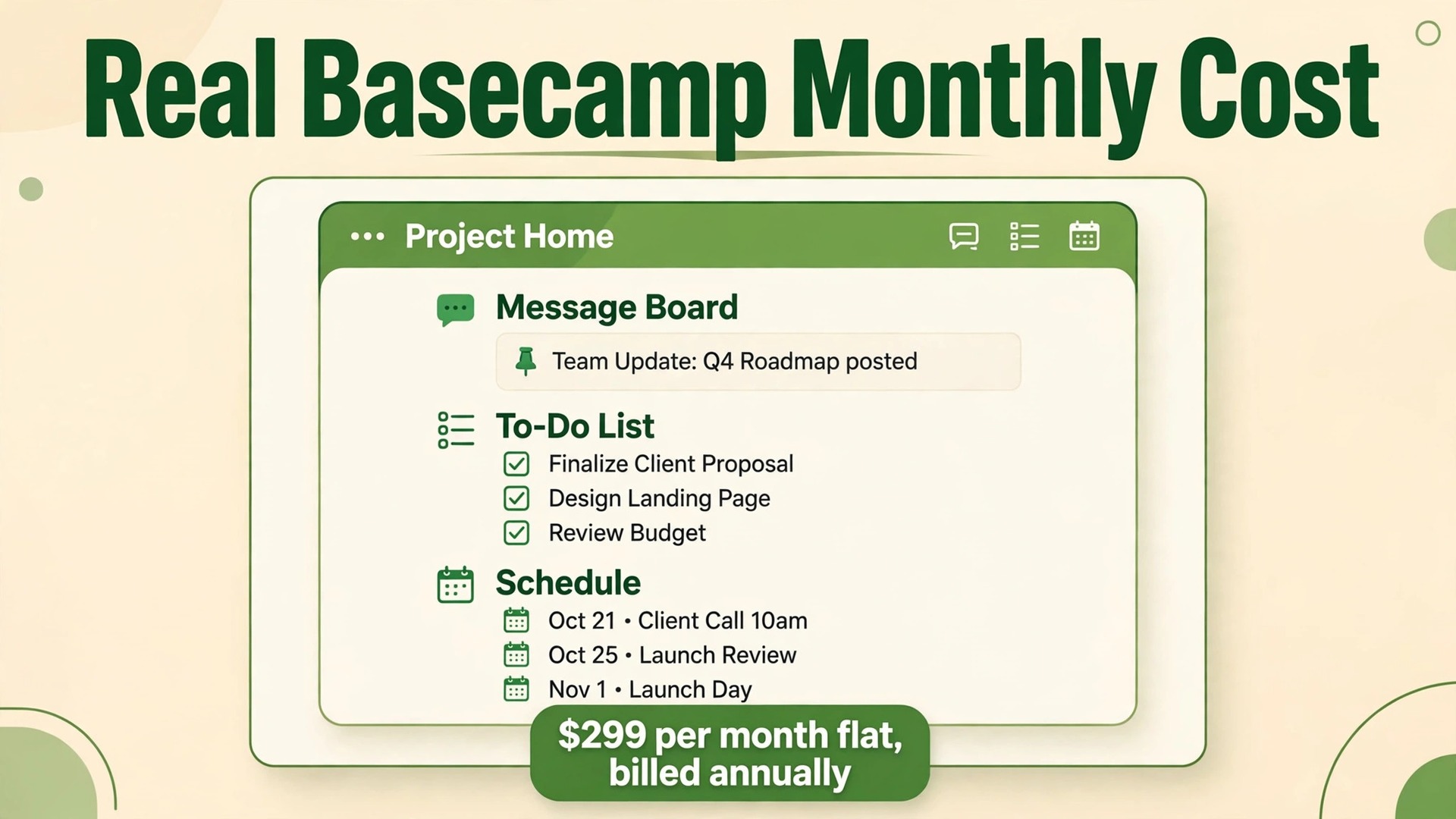
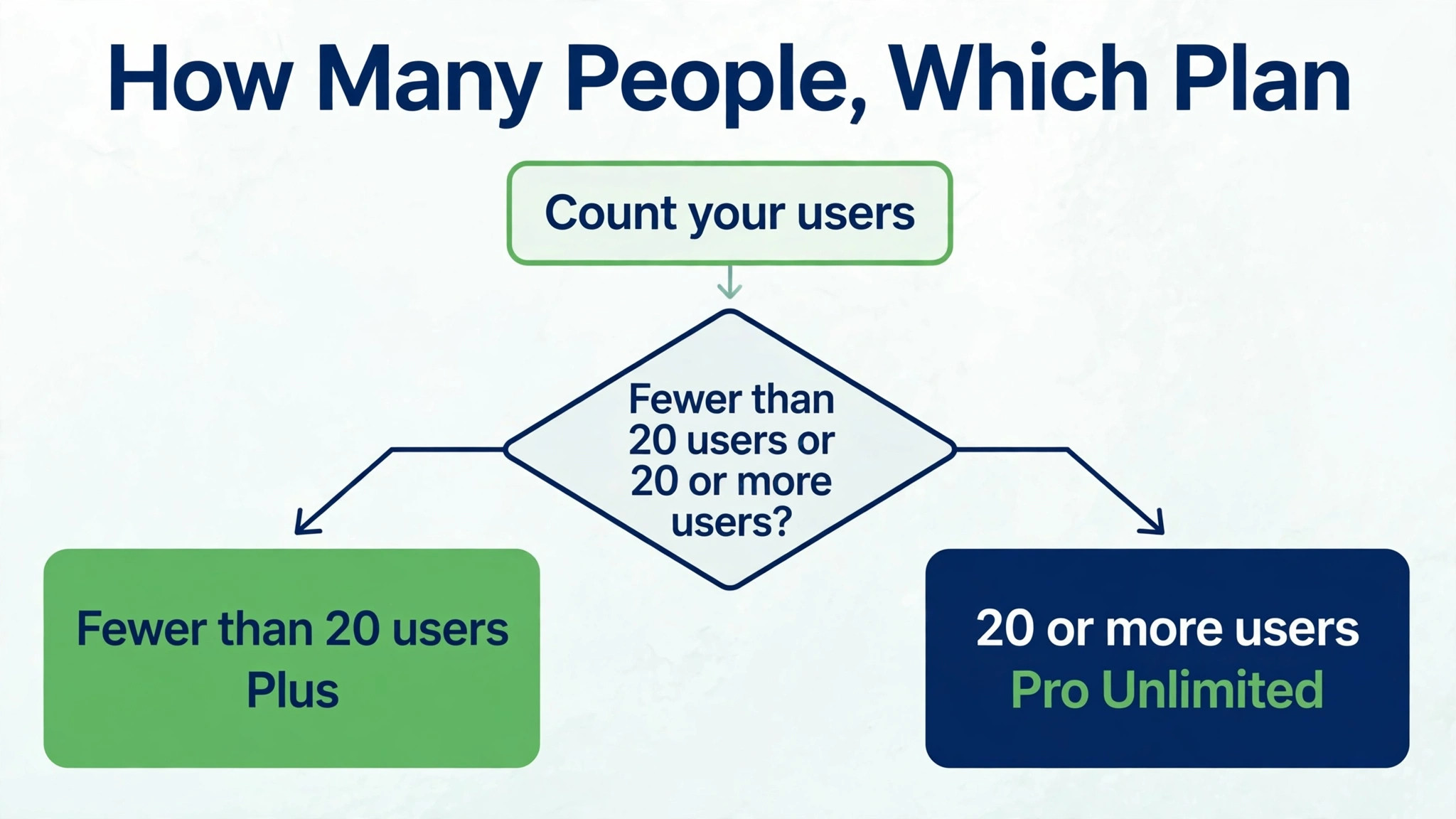
Start with arithmetic, because Basecamp pricing is arithmetic rather than a maze of tiers. Twenty people on the per-user plan at 15 dollars per user per month pay 300 dollars per month. The flat-rate Pro Unlimited plan costs 299 dollars per month billed annually, for unlimited users. That single comparison explains almost everything about the cost of Basecamp for small business monthly planning. Below about twenty users, the per-user plan is cheaper. Above about twenty users, the flat-rate plan wins, and the larger the team grows, the larger its advantage becomes.
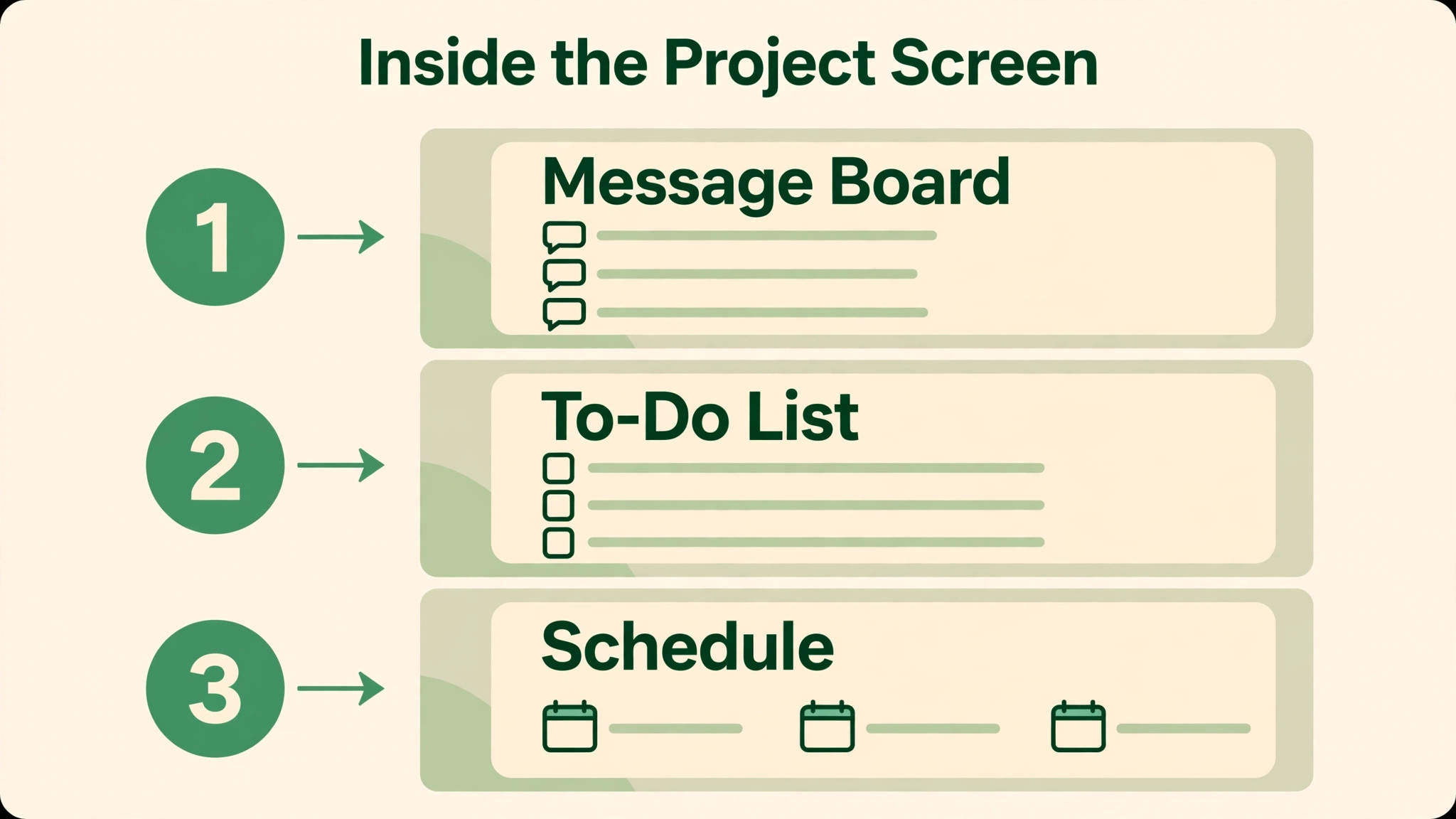
Basecamp is deliberately simpler than most project tools, and its pricing reflects that simplicity. There are two paid plans, not five, and both plans offer the same core tools, including message boards, to-do lists, card tables, schedules, documents and files, reports, and check-ins. The difference between the plans is not which features unlock, but how many users, how much storage, and which support and admin extras are included. That simplicity is a benefit for a team that wants predictable budgeting, and a limitation for a team that expects advanced planning, time tracking, or invoicing inside the same tool.
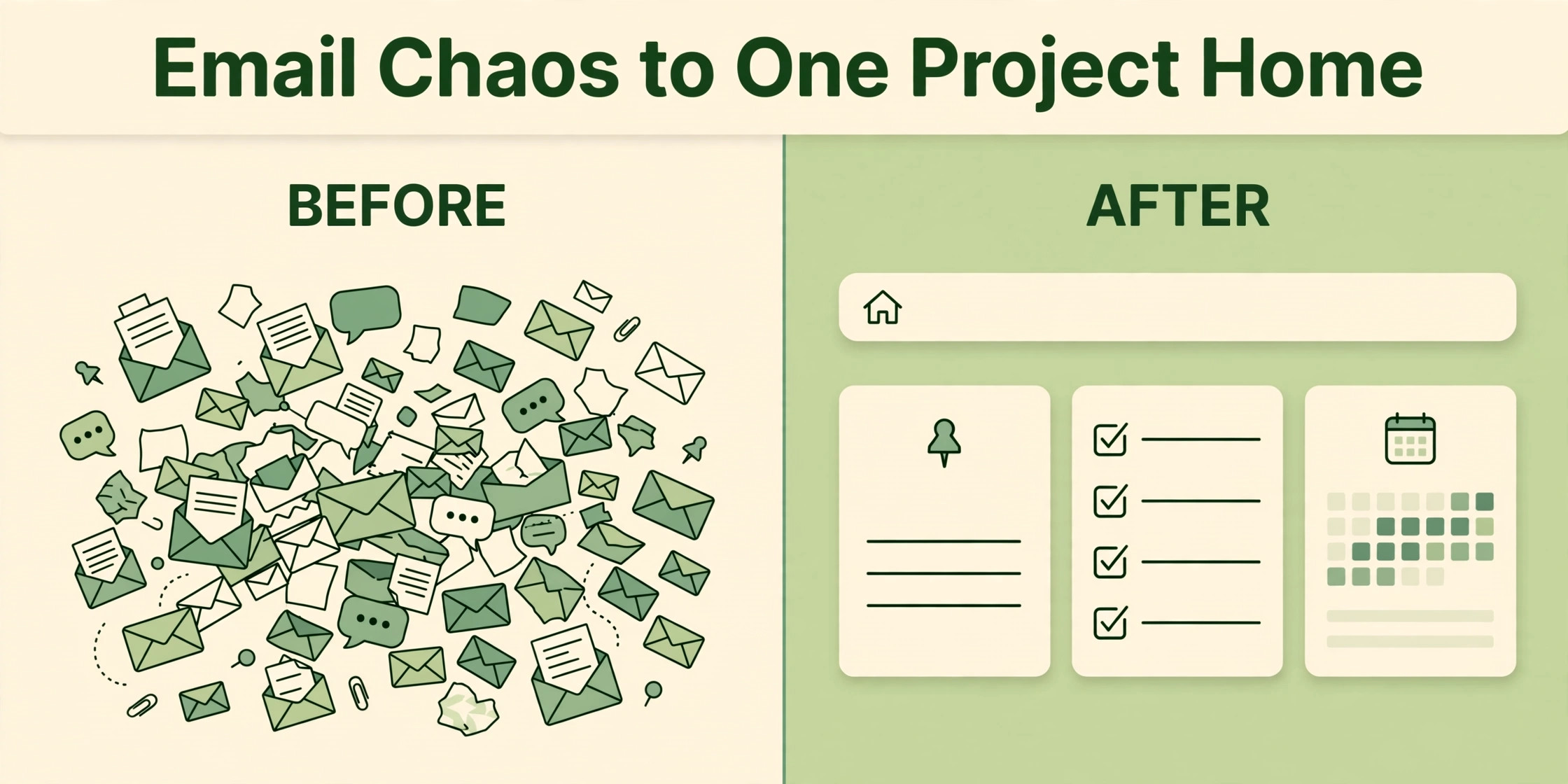
A small business usually comes to Basecamp because work has become scattered across email, chat, and shared drives, and because clients need a single place to see progress without joining a complicated system. Basecamp gives each project a single home, with messages, tasks, files, and schedule in one place, and clients can be invited without the per-seat cost that other tools charge for every collaborator. That client model is central to the pricing story, because a team with many client contacts benefits from flat-rate pricing far sooner than a team with only internal users.
How to Budget Cost of Basecamp for Small Business Monthly
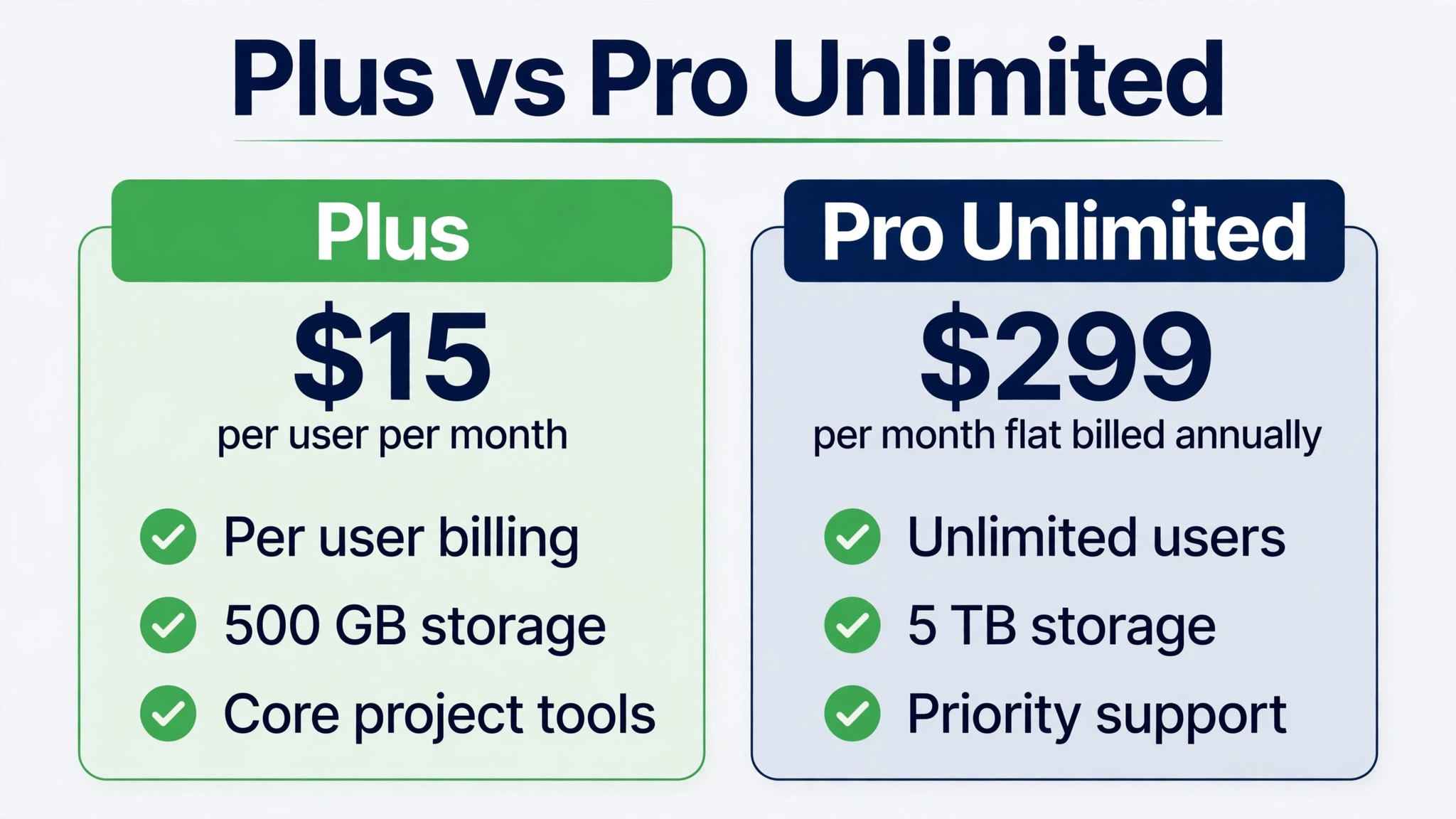
Basecamp offers a limited free tier, a per-user paid plan called Plus, and a flat-rate plan called Pro Unlimited. Plus costs 15 dollars per user per month, billed monthly, according to pricing guides checked in October 2026. Pro Unlimited costs 299 dollars per month billed annually, or 349 dollars per month billed monthly, for unlimited users and unlimited projects. Those two billing bases matter, because Plus has no annual discount in the guides checked, while Pro Unlimited saves 50 dollars per month on annual billing, or 600 dollars per year, compared with monthly billing.
| Tier | Monthly price | What it includes | Best for |
|---|---|---|---|
| Pro Unlimited | 299 dollars per month billed annually, or 349 dollars billed monthly, flat rate | Unlimited users, unlimited projects, 5 TB storage, guided onboarding, priority support, Timesheet and Admin Pro Pack upgrades | A team of about 20 or more users, or a team with many client collaborators |
Plus, the per-user plan, is the right comparison point for a small team, even though the table above focuses on the flat-rate plan that the shortlist specifies. Plus costs 15 dollars per user per month and includes unlimited projects, task management, messaging, file sharing, and scheduling, with 500 gigabytes of storage per user according to pricing guides checked in October 2026. A ten person team on Plus therefore pays 150 dollars per month, while the same team on Pro Unlimited would pay 299 dollars per month billed annually, which is roughly double the Plus price for a team that does not yet need unlimited users.
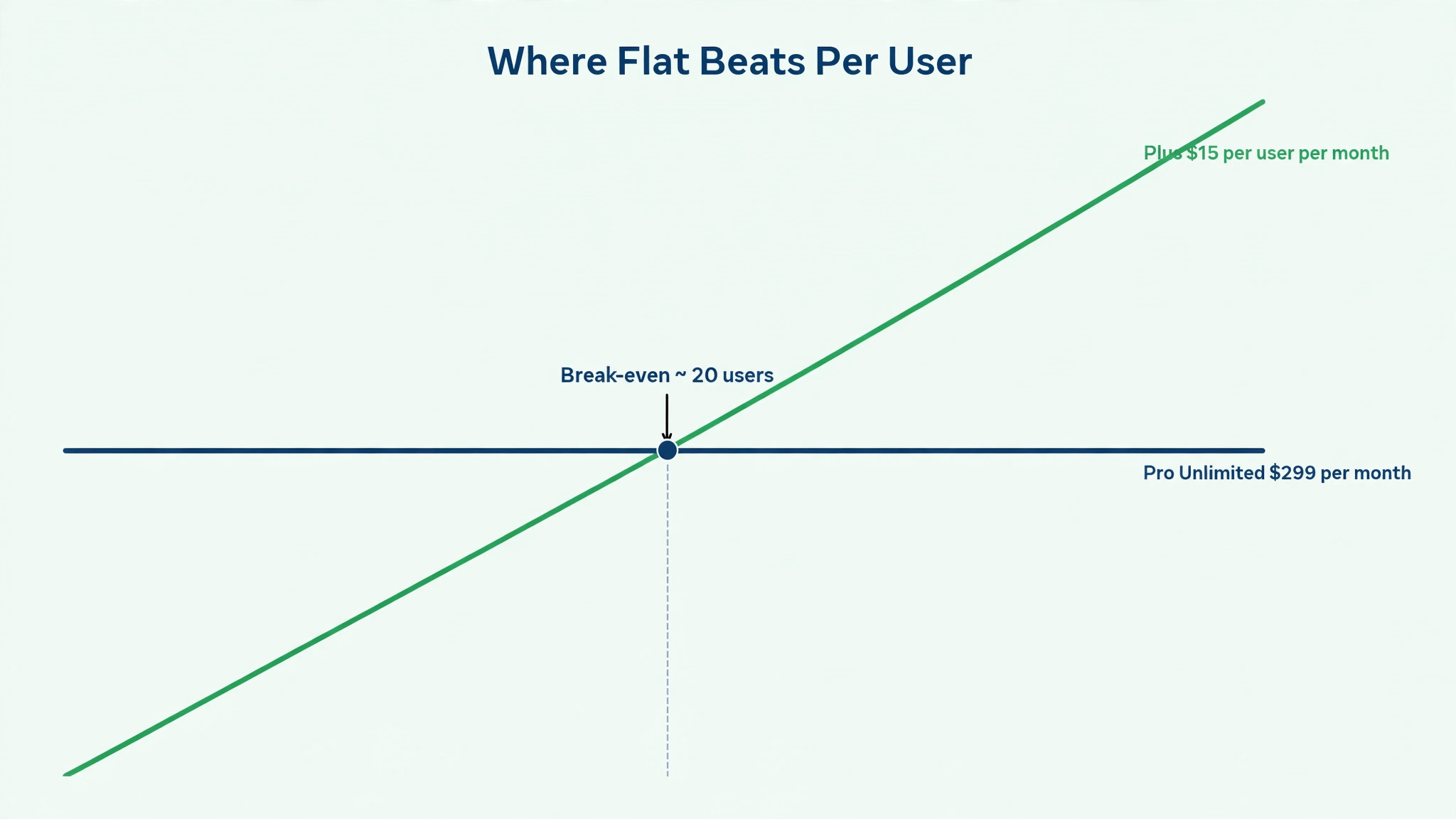
The break-even point is easy to calculate and worth calculating for your own team. Divide the Pro Unlimited annual price of 299 dollars by the Plus price of 15 dollars per user, and the result is just under twenty users. At nineteen users, Plus costs 285 dollars per month, which is still below Pro Unlimited. At twenty users, Plus costs 300 dollars per month, which is one dollar above Pro Unlimited on annual billing. At thirty users, Plus costs 450 dollars per month, while Pro Unlimited still costs 299 dollars, a saving of 151 dollars per month, or 1,812 dollars per year.
Those figures assume every user needs a paid Plus seat, so a team with many client collaborators should count collaborators carefully, since Pro Unlimited treats unlimited users as part of its flat price.
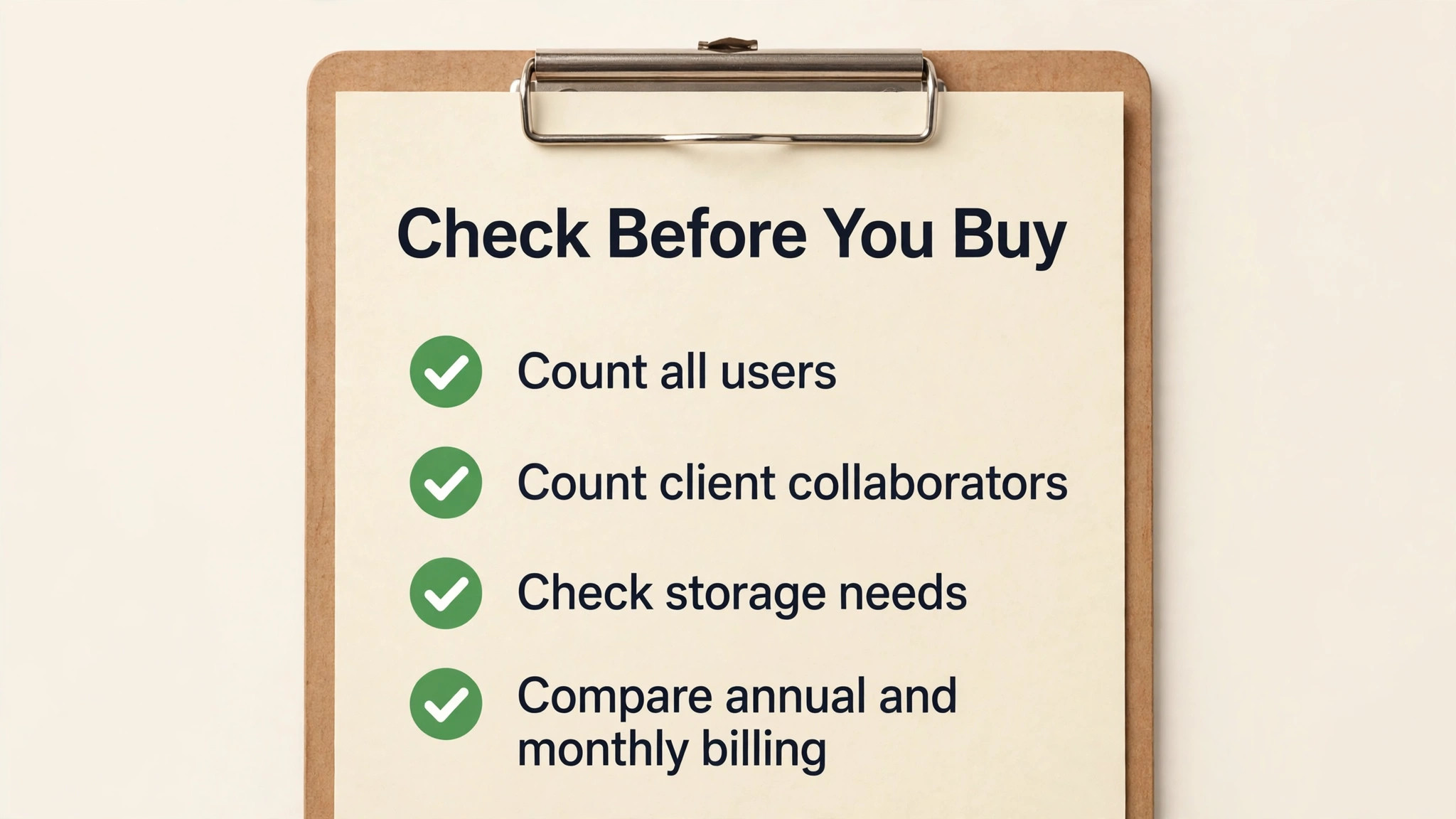
Annual billing for Pro Unlimited costs 3,588 dollars for a year, against 4,188 dollars paid monthly, a difference of 600 dollars. That saving is worth taking once the team is confident that it will stay above the break-even size for the year, and it is a costly commitment if the team shrinks below twenty users, because the flat price does not fall with headcount. A team near the break-even point should therefore pay monthly for a few months, track real user numbers, and switch to annual billing only when the team size is stable above twenty users.
Storage limits are the first cost to check, because a flat price does not mean unlimited everything. Pro Unlimited includes 5 terabytes of storage according to pricing guides checked in October 2026, while Plus includes 500 gigabytes per user on the same guides. A team that stores video, large design files, or years of project archives may approach those limits, while a team that stores documents and images alone will rarely notice them. The practical check is to estimate current project storage, add a year of growth, and compare that total with the plan storage, rather than assuming that a flat-rate plan removes storage from the budget entirely.
That judgement belongs at the centre of any honest account of cost of Basecamp for small business monthly, because a price that looks small on a plan card can grow quickly once seats, usage, and add-ons are counted.
Client access is the second area to check, and it is usually a benefit rather than a hidden cost, but it still needs a careful count. Pro Unlimited includes unlimited users, which means client contacts can be invited without a per-user charge, and guides describe unlimited client accounts as part of the flat price. That model favours agencies and service businesses with many client contacts, because a team with twenty internal users and fifty client contacts pays the same 299 dollars as a team with twenty internal users alone.
The check is to confirm which client permissions apply, since a client who can see only their own project is different from a client who can see internal discussions, and permission mistakes cost reputation rather than money.
Add-on integrations are the third cost, because Basecamp is deliberately light on built-in features. Timesheet and Admin Pro Pack upgrades are included in Pro Unlimited according to pricing guides checked in October 2026, while on Plus they are sold as add-ons or upgrades. Time tracking, invoicing, and customer relationship features are not core Basecamp strengths, so a team that needs those functions will still pay for a separate time tracking or invoicing tool, even on Pro Unlimited. A realistic budget therefore adds the price of any time tracking, invoicing, or reporting tool that the team already uses, rather than assuming that Basecamp replaces those tools.
A fourth cost is the price of simplicity itself, in the form of workarounds. Basecamp does not offer the deep Gantt, workload, or resource planning that some project tools provide, and a team that needs those views may build them in spreadsheets or buy a second tool to fill the gap. That second tool is a hidden cost of choosing a simple system, and it should be weighed against the saving from flat-rate pricing. A team that is happy with message boards, to-do lists, and schedules will never face that cost, while a team that manages complex dependencies across many projects may face it from the first month.
What the Flat Price Buys, and What It Does Not
Pro Unlimited buys predictability, which is its main value. The monthly price stays at 299 dollars billed annually no matter how many users join, which makes budgeting simple for a growing team and removes the seat-counting discipline that per-user tools demand. New hires, contractors, and client contacts can be added without a finance approval for each seat, and that freedom changes how a team collaborates, because nobody hesitates to invite a client into a project for fear of raising the bill. For a growing agency, that freedom alone can justify the flat price.
That judgement belongs at the centre of any honest account of cost of Basecamp for small business monthly, because a price that looks small on a plan card can grow quickly once seats, usage, and add-ons are counted.
Pro Unlimited also buys support and onboarding extras that Plus does not include at the same level. Guided onboarding, with a one-to-one tour, helps a larger team adopt Basecamp consistently, rather than each project manager inventing a different structure. Priority support, available around the clock according to pricing guides, matters when a project deadline depends on access to the tool, and when a problem cannot wait for a standard support queue. Those extras are easy to dismiss in a pricing table, but they matter in the first month of a rollout, when adoption habits are formed.
What Pro Unlimited does not buy is a different feature set. Both paid plans include the same core tools, so a team that buys Pro Unlimited expecting advanced planning, automation, or reporting features that Plus lacks will be disappointed. The upgrade buys scale, storage, support, and admin extras, not a new product. That distinction is important for a small business, because it means the decision between Plus and Pro Unlimited should be made on team size and collaborator count, not on a feature wish list, since the feature list is largely the same.
The same logic applies to the free tier, which is limited in projects and users according to pricing guides, and which serves as a trial rather than a permanent home for a business. A solo freelancer can test Basecamp on the free tier, but a team that needs unlimited projects should budget for Plus or Pro Unlimited from the start. Treating the free tier as a permanent plan for a growing team leads to workarounds, such as splitting work across accounts, that cost more in confusion than the paid plan costs in money.
Four Team Sizes, Priced Side by Side
A five person team on Plus pays 75 dollars per month, since five users at 15 dollars each total 75 dollars. The same team on Pro Unlimited would pay 299 dollars per month billed annually, which is 224 dollars more per month, or 2,688 dollars more per year, for unlimited users it does not yet need. For a five person team, Plus is clearly the better value, unless the team has dozens of client collaborators who would otherwise need paid seats, in which case the flat price should be recalculated with collaborators included.
That judgement belongs at the centre of any honest account of cost of Basecamp for small business monthly, because a price that looks small on a plan card can grow quickly once seats, usage, and add-ons are counted.
A ten person team on Plus pays 150 dollars per month, while Pro Unlimited still costs 299 dollars per month billed annually. The gap is 149 dollars per month, or 1,788 dollars per year. A ten person team with many client contacts may still choose Pro Unlimited for the freedom to invite clients without counting seats, but a ten person team with few external collaborators should stay on Plus and invest the saving in training, templates, or a time tracking tool that Basecamp does not replace.
A twenty person team sits at the break-even point. Twenty users on Plus cost 300 dollars per month, while Pro Unlimited costs 299 dollars per month billed annually, a difference of one dollar in favour of Pro Unlimited. At that size, the decision should turn on growth and collaborators rather than on the one dollar difference. A team that expects to grow to twenty-five or thirty users within the year should choose Pro Unlimited, since the flat price will soon be clearly cheaper. A team that expects to shrink should stay on Plus, since the per-user price falls with headcount while the flat price does not.
A forty person team shows the flat-rate advantage at full strength. Forty users on Plus would cost 600 dollars per month, while Pro Unlimited still costs 299 dollars per month billed annually, a saving of 301 dollars per month, or 3,612 dollars per year. At that size, Pro Unlimited is not a close call, and the saving can fund the time tracking, invoicing, or reporting tools that Basecamp does not include. The lesson for a small business is to revisit the plan at each hiring round, because a plan that was expensive at five users becomes a bargain at forty users without any price change.
When It Is Worth It and When It Is Not
Basecamp is worth the price when a team values simplicity, when projects need a single home for messages, tasks, files, and schedule, and when many clients or collaborators need access without per-seat charges. Those three conditions describe many agencies, service businesses, and client-facing teams, and for those teams the flat-rate plan removes a real budgeting headache. A team that spends more time organising work across email and chat than doing the work itself will usually find that Basecamp pays for itself in reduced confusion, even before counting any direct time saving.
That judgement belongs at the centre of any honest account of cost of Basecamp for small business monthly, because a price that looks small on a plan card can grow quickly once seats, usage, and add-ons are counted.
Basecamp is not worth the price when a team needs deep planning, automation, or time tracking inside the same tool, or when the team is very small and the per-user plan still feels expensive for the features offered. A three person team that manages simple projects may find that a cheaper task tool, or even a shared document system, covers its needs at a lower price. Basecamp also loses value when the team will not adopt a single project home, because a tool that only half the team uses becomes another place to check, rather than the place where work lives.
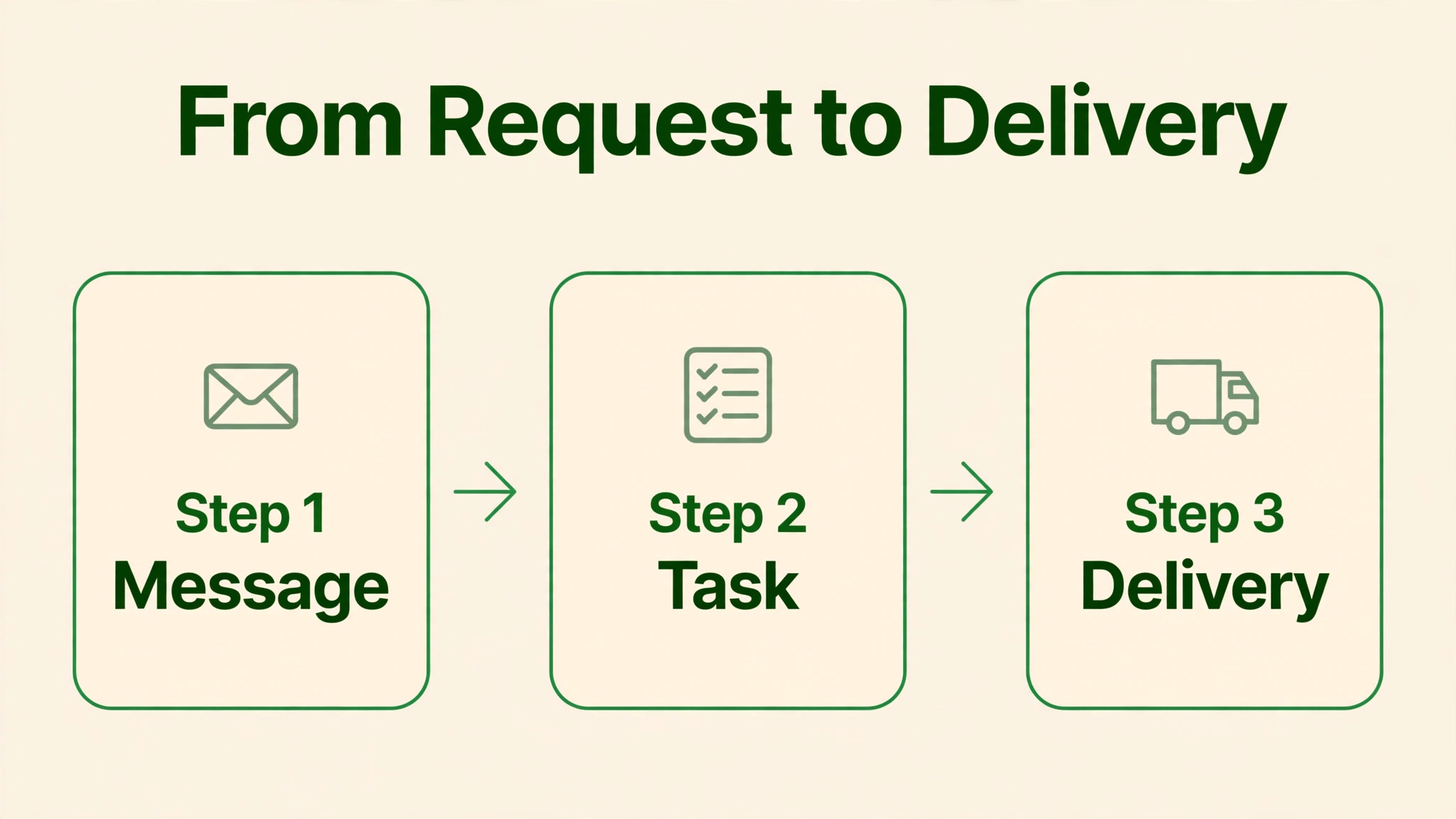
A practical test is to run one real client project in Basecamp for a month, with messages, to-do lists, files, and schedule all inside the project, and to see whether the team and the client both use it without reminders. If the client checks Basecamp for updates instead of emailing for status, and if the team posts messages in Basecamp instead of chat, the tool has earned its price. If work still happens in email and chat alongside Basecamp, the problem is adoption, and buying Pro Unlimited will not fix it. Fix the habit first, then choose a plan based on team size.
How to Cut the Bill Without Losing the Project Home
Stay on Plus while the team is below twenty users, because the per-user price is cheaper at that size and the core tools are the same. The saving for a ten person team is 149 dollars per month on annual Pro Unlimited billing, or 1,788 dollars per year, which is a substantial budget for training or for a complementary tool. Move to Pro Unlimited only when user count, collaborator count, or storage needs make the flat price cheaper, or when guided onboarding and priority support become important for a larger rollout.
That judgement belongs at the centre of any honest account of cost of Basecamp for small business monthly, because a price that looks small on a plan card can grow quickly once seats, usage, and add-ons are counted.
Count collaborators before choosing a plan, because client contacts change the break-even point. A team with ten internal users and thirty client contacts may reach the flat-rate advantage far sooner than a team with ten internal users alone, since Pro Unlimited includes unlimited users while Plus charges per user. List every client contact who will need access, check which permissions they need, and recalculate the break-even point with those contacts included. That single count can move the decision from Plus to Pro Unlimited even for a small internal team.
Use annual billing for Pro Unlimited only when team size is stable above the break-even point, because the annual saving of 600 dollars is real but the commitment is fixed. A team that grows from fifteen to twenty-five users during the year will benefit from annual billing, since the flat price does not rise with headcount. A team that shrinks from twenty-five to fifteen users will regret annual billing, since the flat price stays at 299 dollars while a per-user plan would have fallen to 225 dollars. Pay monthly during uncertain growth, and switch to annual billing when the team size has stabilised.
Finally, avoid paying for a second project tool to fill gaps that Basecamp was never designed to fill, unless those gaps genuinely block work. A team that buys Basecamp for simplicity and then buys a complex planning tool alongside it pays twice and confuses the team about where work lives. Where a gap is real, such as time tracking for billing, choose one complementary tool, integrate it cleanly, and keep Basecamp as the single project home. That discipline keeps the total tool budget close to the figures in this guide.
A renewal check belongs in every Basecamp budget, because a team that was twelve people at signup may be twenty-five people at renewal, and that growth alone flips the best plan. Set a reminder for a month before renewal, count users and collaborators, and recalculate the break-even point with the new headcount rather than with the headcount remembered from signup. A renewal that arrives as a surprise is a budgeting failure, since hiring is visible months in advance and the break-even calculation takes only a few minutes.
Migration deserves its own plan, because moving projects from email, chat, and shared drives into Basecamp is where old work gets lost. List every active project, decide which messages and files move with it, and move one real project as a test before moving the rest in batches. That test project will reveal naming mistakes, permission gaps, and file organisation problems while they are still cheap to fix, instead of revealing them across dozens of live projects at once.
Adoption is the risk that most often decides whether Basecamp succeeds, and it deserves a measure rather than a hope. Track how often messages move from email into Basecamp project boards, how often clients check Basecamp for updates instead of emailing for status, and how often to-do lists are updated inside Basecamp rather than in a separate document. If those measures rise over the first month, adoption is working. If they stay flat, the project home is not yet the home, and training is needed before any plan change.
Client onboarding is a practical test that a team should run before a wider rollout, because clients judge a service partly by how easy its project system is to use. Invite a friendly client into a test project, ask them to find a file, check a deadline, and post a message without help, and note every point where they hesitate. A client system that confuses a friendly tester will confuse a real client, and a confused client emails for status, which defeats the purpose of the project home.
Storage planning should happen before a team stores years of project history in Basecamp, because a flat price does not remove storage limits. Estimate current project storage, add a year of growth, and compare that total with the plan storage for Plus and for Pro Unlimited. A team that stores video or large design files should plan external storage alongside Basecamp from the start, rather than discovering a storage limit in the middle of a busy project.
Finally, keep a simple record of what Basecamp replaces, because that record is the evidence for renewal. Note the email threads retired, the status meetings shortened, and the client chasing avoided, and review that record at renewal time. If the record shows clear savings, renewal is easy to justify. If it shows only a new place to check messages, the business can downgrade with confidence, knowing that the decision rests on evidence rather than on habit.
Frequently Asked Questions
How much does Basecamp cost per month for a small business?
Plus costs 15 dollars per user per month, billed monthly, according to pricing guides checked in October 2026. Pro Unlimited costs 299 dollars per month billed annually, or 349 dollars per month billed monthly, as a flat rate for unlimited users. A ten person team therefore pays 150 dollars per month on Plus, while a team of any size above the break-even point pays 299 dollars per month on Pro Unlimited billed annually. That judgement belongs at the centre of any honest account of cost of Basecamp for small business monthly, because a price that looks small on a plan card can grow quickly once seats, usage, and add-ons are counted.
At what team size does Pro Unlimited become cheaper than Plus?
Pro Unlimited becomes cheaper at about twenty users, since twenty users on Plus cost 300 dollars per month, against 299 dollars per month for Pro Unlimited billed annually. At thirty users, Plus costs 450 dollars per month, while Pro Unlimited still costs 299 dollars, a saving of 151 dollars per month. Teams with many client collaborators may reach the break-even point sooner, since Pro Unlimited includes unlimited users.
Does Basecamp charge for client access?
Pro Unlimited includes unlimited users, which pricing guides describe as including unlimited client accounts at the flat price, so client contacts do not add a per-user charge on that plan. On Plus, every paid user is charged at 15 dollars per user per month, so a team should count client contacts carefully when comparing plans. Confirm current client permission rules on the vendor page before inviting clients.
What storage does each Basecamp plan include?
Pricing guides checked in October 2026 list 500 gigabytes of storage per user on Plus, and 5 terabytes of storage on Pro Unlimited. Those figures are guide figures rather than a single vendor statement, so a team with large files should confirm storage on the live pricing page. A team storing documents and images alone is unlikely to approach either limit in normal use.
Is time tracking included in Basecamp?
Timesheet and Admin Pro Pack upgrades are included in Pro Unlimited according to pricing guides checked in October 2026, while on Plus they are sold as add-ons or upgrades. Time tracking is therefore not a core strength of the basic Plus plan, and a team that needs detailed time tracking for billing should confirm exactly what the Timesheet upgrade covers, and whether a separate time tracking tool is still needed.
Can a small team use Basecamp for free?
Basecamp offers a limited free tier, with limits on projects and users according to pricing guides, which serves as a trial rather than a permanent plan for a growing team. A solo freelancer can test the core tools on the free tier, but a team that needs unlimited projects should budget for Plus at 15 dollars per user per month, or for Pro Unlimited once the team passes about twenty users.
Is annual billing worth it for Pro Unlimited?
Annual billing saves 50 dollars per month, or 600 dollars per year, compared with monthly billing, since Pro Unlimited costs 299 dollars per month billed annually against 349 dollars billed monthly. That saving is worth taking when team size is stable above twenty users, and it is a risk when team size is falling, since the flat price does not fall with headcount. Pay monthly during uncertain growth, and switch to annual billing once size has stabilised.
What does Basecamp not include that other project tools offer?
Basecamp deliberately omits deep Gantt planning, workload and resource planning, automation, and invoicing, focusing instead on messages, to-do lists, files, and schedule in a single project home. A team that needs those advanced features may need a second tool, and that second tool should be budgeted alongside Basecamp. A team that values simplicity and a single project home will rarely miss those features.
Verdict
Plus is the right plan for most small teams, because 15 dollars per user per month buys the full Basecamp core for a team below about twenty users, without paying for unlimited seats it does not need. Pro Unlimited becomes the right plan once the team passes twenty users, or once client collaborators push the total user count past that point, because 299 dollars per month billed annually then undercuts per-user pricing and keeps falling in per-user terms as the team grows. Count users and collaborators honestly, pay monthly while growth is uncertain, and revisit the plan at each hiring round, and the monthly total will stay close to the figures in this guide.
That judgement belongs at the centre of any honest account of cost of Basecamp for small business monthly, because a price that looks small on a plan card can grow quickly once seats, usage, and add-ons are counted.
More Reading on Stratilyze
– Switch Trello to Asana for a Small Team – How to Write a Scope of Work for a Small Business – Best CRM Software for Consultants – Cost of Semrush for Small Business Monthly – Cost of Dubsado for Small Business Monthly