
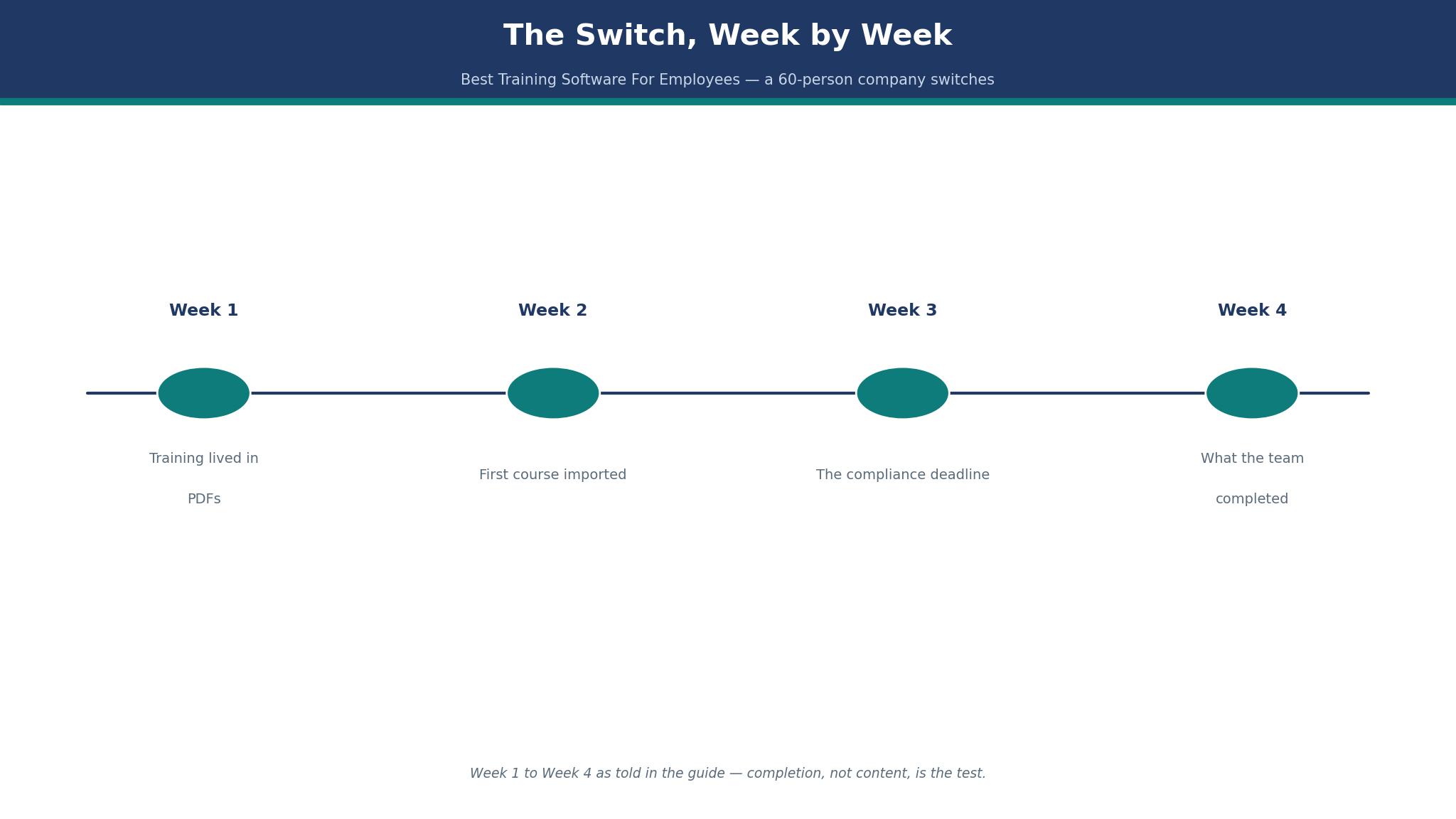
Week 1: the training lived in PDFs, and nobody could tell who had read them. The best training software for employees has to fix that for a sixty-person company, and this guide follows the switch week by week, from the first imported course to the compliance deadline that nearly slipped.
Best Training Software For Employees at a Glance
The best training software for employees in this guide were priced at the sizes buyers actually run, and the tables above show the entry figures side by side. From here, each best training software for employees pick is judged on the job it does best, using prices worked out for real team sizes, so the pick comes from the numbers, not a feature list.
The Course Nobody Finished
Completion is the number nobody wants to look at. A course with a 30% completion rate is not a training programme. It is a shelf. The reasons are simple. The course is too long, the deadline is vague, and nobody reminds anyone. The fix is not a better course.
It is a shorter course, a clear deadline, and a reminder that arrives before the deadline, not after it. TalentLMS and EdApp both handle reminders well. The tool that wins is the one that tells a manager who has not finished, by name, before the compliance date. A course that nobody finishes is a cost, not a benefit, and the completion rate is the number to watch every week. That is the test a buyer comparing best training software for employees should run before paying.
The 15 Tools at a Glance
The table shows the starting price and the job each tool does best, because a sixty-person company and a thousand-person company are buying different systems.
| Tool | Starting price | Best for |
|---|---|---|
| TalentLMS | Core from $119 a month, billed yearly | small and mid-size companies who want a quick start |
| Docebo | quote only, reported from about $25,000 a year | large companies who need enterprise learning |
| LearnUpon | quote only, from 100 users | mid-size companies who need separate portals |
| Absorb LMS | quote only | mid-size and large companies who want a polished learner experience |
| 360Learning | Team $8 a user a month, up to 100 users | companies who want employees to build courses together |
| Litmos | reported $6 to $10 a user a month | companies who want a course library included |
| iSpring Learn | from $2.29 a user a month | small teams who want a low per-user price |
| Trainual | from $249 a month | small companies who want to document how the business works |
| Lessonly | quote only | sales and support teams who need practice, not only reading |
| WorkRamp | quote only | companies who train employees and customers together |
| Continu | quote only | companies who want a modern, simple LMS |
| Tovuti | quote only | companies who want authoring and virtual classrooms together |
| EdApp | free plan, paid from $2.95 a user a month | frontline teams who learn on phones |
| Cornerstone | quote only | large companies who need the full talent suite |
| Eduflow | quote only | teams who want social learning and feedback |
The 15 Tools in Detail
1. TalentLMS
TalentLMS is the pick for small and mid-size companies who want a quick start. TalentLMS starts at Core from $119 a month, billed yearly, and a sixty-person company sits on Grow at $229 a month, so the $119 only holds while the team stays under 40 active users. TalentLMS Core is $119 a month for up to 40 active users, Grow is $229 for up to 70, and Pro is $449 for up to 100.
A sixty-person company sits on Grow at $229 a month, or $2,748 a year, which is $3.82 a learner a month. The free tier covers five users, so a small team can test it for nothing.
The strength is published prices, a free tier to five users, and a fast setup. The trade-off is that the Starter figure of $69 a month is reported, and the current Core plan starts at $119, and a buyer who needs that missing piece should weigh it before signing. TalentLMS holds its place with published prices, five free users, and a fast setup.
Here is a worked example. Run the TalentLMS figures above through one real month at your headcount, tier by tier. TalentLMS Core at $119 a month for 40 users, Grow at $229 for 70, and Pro at $449 for 100 together decide whether the quick start is cheap or dear at your size. Sixty learners put TalentLMS on Grow at $229 a month, or $3.82 a learner, while five users cost nothing, so headcount picks the tier before features do.
With TalentLMS I would start on the free tier for five users, move to Core at $119 a month when the team outgrows it, and reach Grow only at sixty learners. TalentLMS on the top tier from day one skips the free five-user test that costs nothing. TalentLMS gives five users free, so put a real five-person team on it before paying for Core at $119 a month.
2. Docebo
Docebo is the pick for large companies who need enterprise learning. Docebo starts at quote only, reported from about $25,000 a year, and a sixty-person company should not buy it, so the $25,000 only makes sense at a thousand learners with several departments. Docebo is quote only, and published guides put its starting point near $25,000 a year, with per-user costs near $80 to $120 a year. A sixty-person company should not buy it. A company with a thousand learners and several departments should, because the depth is real.
The strength is AI authoring, skills, and a content marketplace. The trade-off is that quote only, and the price is enterprise money, and a buyer who needs that missing piece should weigh it before signing. Docebo holds its spot through AI authoring, skills tracking, and the content marketplace.
Here is a worked example. Run the Docebo figures above through one real month of a thousand learners before deciding. The reported $25,000-a-year starting point, the $80-to-$120 yearly cost per learner, and the depth for a thousand learners together decide whether Docebo is cheap or dear. Price Docebo for a thousand learners at $80 to $120 a learner a year, and the reported $25,000 starting point turns into a per-head cost.
With Docebo I would start from the reported $25,000-a-year figure, test it with one department of a thousand learners, and expand only when the depth earns its keep. Docebo on the top tier from day one means paying for depth before any learner proves it. Use any Docebo trial to run a real course for a real department, with enrolments, completions, and reports.
3. LearnUpon
LearnUpon is the pick for mid-size companies who need separate portals. LearnUpon starts at quote only, from 100 users, and a sixty-person company is below the minimum, so the quote is really written for 200 learners and two audiences. LearnUpon is quote only, and its employee offer starts from 100 users. A sixty-person company is below the minimum, which is a useful fact. A company with 200 learners and two audiences gets a portal for each, without paying for a second system.
The strength is multi-portal architecture for employees, customers, and partners. The trade-off is that no published price, and a 100-user minimum on the employee offer, and a buyer who needs that missing piece should weigh it before signing. LearnUpon justifies its place with separate portals for employees, customers, and partners.
Here is a worked example. Price the LearnUpon figures above for one real month with two audiences in two portals. LearnUpon’s 100-user minimum, the portal for each audience, and the quote for 200 learners together decide whether separate portals are cheap or dear at your size. LearnUpon only starts at 100 users, so a 200-learner company with two audiences should cost the two portals against one shared system before judging the quote.
With LearnUpon I would start from the 100-user minimum, run two audiences through two portals for a month, and pay only when the split proves its worth. Buying LearnUpon’s top tier on day one pays for portals a 200-learner company has not tested yet. A LearnUpon trial should carry two audiences through two separate portals, because that split is the reason a 200-learner company buys it at all.
4. Absorb LMS
Absorb LMS is the pick for mid-size and large companies who want a polished learner experience. Absorb LMS publishes no starting price at all, so get the quote in writing and compare it with TalentLMS Grow at $229 a month before you sign. Absorb is quote only, and its strength is the learner experience. Employees open it and find their courses without a manual. The price is a quote, so a buyer should get it in writing and compare it against TalentLMS Grow at $229 a month.
The strength is a clean learner interface and strong reporting. Absorb publishes no price, so the budget is a sales conversation, and its clean learner interface and strong reporting should be weighed against TalentLMS Grow at $229 a month. Absorb LMS stays on the shortlist for its clean learner interface and strong reporting.
5. 360Learning
360Learning is the pick for companies who want employees to build courses together. 360Learning starts at Team $8 a user a month, up to 100 users, and sixty learners cost $480 a month, so a company that buys courses ready-made should not pay the authoring premium. 360Learning Team is $8 a user a month for up to 100 users, so sixty learners cost $480 a month, or $5,760 a year.
That is dearer than TalentLMS Grow, and the reason to pay it is the authoring. If your team builds its own courses, the tool earns the price. If you buy courses ready-made, it does not.
The strength is collaborative authoring, where the team builds the training. The trade-off is that the price climbs with every registered user, not only active ones, and a buyer who needs that missing piece should weigh it before signing. 360Learning holds its spot on collaborative authoring, not on its $8-a-user Team price.
Four things to check on 360Learning before you buy. First, the 360Learning entry tier and what it leaves out. Second, the 360Learning price at your size, not at the size on the pricing page. Third, the 360Learning export, because a tool that will not let you leave is a risk. Fourth, 360Learning support on the day a course will not launch, because a tool that leaves a hundred users waiting costs more than its $8-a-user Team plan saves.
6. Litmos
Litmos is the pick for companies who want a course library included. Litmos starts at reported $6 to $10 a user a month, and sixty learners cost about $360 to $600 a month, so confirm the reported figure before assigning compliance courses today. Litmos is reported at $6 to $10 a user a month, so sixty learners cost about $360 to $600 a month. The library is the draw, because a company that needs compliance courses today can assign them today. Treat the figure as reported until Litmos quotes you.
The strength is a large ready-made course library and a simple setup. Litmos is reported at $6 to $10 a user a month, so confirm that figure, and remember the ready-made course library is the draw for a company that needs compliance courses today. Litmos makes the list on a ready-made course library a company can run today.
7. iSpring Learn
iSpring Learn is the pick for small teams who want a low per-user price. iSpring Learn starts at from $2.29 a user a month, and sixty learners cost about $137 a month, so a team that wants simple training without enterprise depth keeps the cheapest per-user price here. iSpring Learn starts from $2.29 a user a month, so sixty learners cost about $137 a month, or $1,648 a year. That is the cheapest per-user price in this guide, and it suits a team that wants simple training without enterprise depth.
The strength is a low per-user price and a simple course builder. The trade-off is that fewer advanced features than the enterprise tools, and a buyer who needs that missing piece should weigh it before signing. iSpring Learn earns its spot on the cheapest per-user price here and a simple course builder.
Is iSpring Learn worth it for a small team? Yes, if the iSpring Learn job it does best is the job you do most. Does iSpring Learn replace the tool you already use? Only if the iSpring Learn export is clean and the team actually opens it. What breaks first on iSpring Learn? A small team that buys iSpring Learn at $2.29 a user a month and never fixes the routine that sank the last tool.
8. Trainual
Trainual is the pick for small companies who want to document how the business works. Trainual starts from $249 a month, so put $2,988 a year in the budget, which is $4.15 a person a month at sixty staff. Trainual starts from $249 a month, so a sixty-person company pays $2,988 a year, or $4.15 a person a month. The value is the playbook. A company that wants every process written down once and followed by everyone gets it here.
The strength is built for processes, policies, and onboarding in one place. The trade-off is that the price is per month, not per user, so a small team pays the same as a larger one, and a buyer who needs that missing piece should weigh it before signing. Trainual earns its mention for keeping processes, policies, and onboarding in one place.
9. Lessonly
Lessonly is the pick for sales and support teams who need practice, not only reading. Lessonly, now part of Seismic Learning, quotes for sales and support teams who practise calls before making them, so the budget starts with a sales conversation, not a price page. Lessonly, now part of Seismic Learning, is quote only and built for teams who learn by doing. A sales team that needs to practise a call before making it gets more from Lessonly than from a video library. A company that needs compliance training should look elsewhere.
The strength is practice scenarios and coaching built into the lessons. Lessonly has no published price and a narrow focus on practice scenarios and coaching, so a buyer who needs compliance training should weigh that gap before signing. Lessonly earns its mention for practice scenarios and coaching inside the lessons.
10. WorkRamp
WorkRamp is the pick for companies who train employees and customers together. WorkRamp quotes for one system that trains employees and customers together, so compare that single bill against TalentLMS Pro at $449 a month before signing. WorkRamp is quote only and suits a company that trains staff and customers from the same courses. The value is the single system. The cost is a quote, so compare it against TalentLMS Pro at $449 a month before you sign.
The strength is one system for employee onboarding and customer education. WorkRamp lists no price and expects a hands-on setup, so a company buying one system for onboarding and customer education should count that effort before signing. WorkRamp earns its mention for running employee onboarding and customer education as one system.
11. Continu
Continu is the pick for companies who want a modern, simple LMS. Continu publishes no price, so the sales call sets the budget, and a company that wants a modern LMS without enterprise weight should ask for that figure before the demo ends. Continu is quote only and built for companies who want a modern LMS without enterprise weight. The interface is clean, the setup is quick, and the price is a sales call. Ask for the quote early, so the budget is real before the demo ends.
The strength is a clean interface and a fair learning curve. Continu has no published price, so the budget stays a guess until the quote arrives, and the modern LMS without enterprise weight should be weighed against that unknown. Continu makes the cut because its clean interface keeps the LMS light to run.
12. Tovuti
Tovuti is the pick for companies who want authoring and virtual classrooms together. Tovuti quotes for authoring, live classrooms, and selling courses in one bill, so a company that runs live and recorded training together should price it, and a recorded-only company should not. Tovuti is quote only and covers authoring, live classrooms, and selling courses in one bill. A company that runs live training and recorded courses together gets both here. A company that only needs recorded courses is paying for features it will not use.
The strength is course building, virtual classrooms, and eCommerce in one tool. The trade-off is that no published price, and the feature list is wide, and a buyer who needs that missing piece should weigh it before signing. Tovuti earns its mention for authoring, virtual classrooms, and course sales in one bill.
13. EdApp
EdApp is the pick for frontline teams who learn on phones. EdApp starts at free plan, paid from $2.95 a user a month, and sixty learners cost about $177 a month, so a company that needs long compliance courses should look elsewhere, not at the phone lessons. EdApp is free to start and $2.95 a user a month on the paid tier, so sixty learners cost about $177 a month. The mobile lessons suit a team that learns between shifts, in five-minute pieces. A company that needs long compliance courses should look elsewhere.
The strength is mobile-first microlearning that fits a shift. The trade-off is that the free plan is limited, and the depth is thin, and a buyer who needs that missing piece should weigh it before signing. EdApp earns a place by fitting short mobile lessons into a frontline shift.
14. Cornerstone
Cornerstone is the pick for large companies who need the full talent suite. Cornerstone sells the full talent suite with learning tied to performance and skills, so a thousand-employee company with a talent team should price the quote, and a sixty-person company should walk away. Cornerstone is quote only and built for large companies who want learning tied to performance and skills. A sixty-person company should not buy it. A company with a thousand employees and a talent team should, because the system is built for that scale.
The strength is learning, performance, and skills in one enterprise system. The trade-off is that quote only, and the price is enterprise money, and a buyer who needs that missing piece should weigh it before signing. Cornerstone belongs here for large teams that need learning, performance, and skills together.
15. Eduflow
Eduflow is the pick for teams who want social learning and feedback. Eduflow charges by quote for peer review and discussion inside the course, so a team that learns by talking should get the number early. Eduflow is quote only and built for teams who learn together, with peer review and discussion in the course. A team that learns by talking will get more from it than from a video library. A team that needs compliance tracking should look elsewhere.
The strength is peer review and discussion built into the course. The trade-off is that no published price, and the audience is narrow, and a buyer who needs that missing piece should weigh it before signing. Eduflow stands out for peer review and discussion woven into the course itself.
How to Choose Training Software for Employees
Count the learners first, because the price models are all different. TalentLMS Grow is $229 a month for up to 70 active users, which is $3.82 a learner a month at sixty learners. 360Learning Team is $8 a user a month, which is $480 a month at sixty learners. The same sixty people cost twice as much on one tool as on the other, and the difference is the authoring. Next, check the course library.
A company that needs compliance courses today should buy the library, not build the courses. Finally, test the reminder. Assign a course to yourself, ignore it for three days, and see what the tool does. If it says nothing, your completion rate will say everything. A buyer who weighs best training software for employees on price alone will miss the tool that fits the work.

TalentLMS vs Docebo, the Two Ends of the Market
TalentLMS wins on price and speed. A sixty-person company is live on Grow at $229 a month, and the setup takes days. Docebo wins on depth. AI authoring, skills, and a content marketplace serve a company with a thousand learners and several departments. The price gap is the story. TalentLMS Grow costs $2,748 a year.
Docebo starts near $25,000 a year, which is nine times as much. A small company that buys Docebo is paying for a system built for a company ten times its size. A large company that buys TalentLMS will outgrow it. Pick the tool for the company you are, not the company you hope to be. That head-to-head is the one that decides most best training software for employees purchases.
The Numbers Behind the Best Training Software For Employees Choice
How long does it take to build a course?
A simple course from existing slides takes a day. A polished hour of training takes a week, because the writing, the recording, and the quiz all take time. A company that promises a course in an afternoon is promising a slide deck with a quiz at the end. Budget a week per hour of real training, and the courses will be worth finishing. TalentLMS and iSpring both keep the build time low, because the authoring is simple. That is the question every best training software for employees buyer should answer first.
What is SCORM, and should you care?
SCORM is the file format that lets a course move from one tool to another. If your courses are SCORM files, you can leave a tool and take them with you. If they are built inside one tool and cannot export, you are locked in. Ask every vendor whether your courses export as SCORM before you build a single lesson. The answer decides whether you own your training or rent it.
How do you get people to actually finish training?
Make the course short, the deadline clear, and the reminder automatic. A twenty-minute course with a Friday deadline and a Wednesday reminder finishes. A two-hour course with no deadline does not. Tell managers who has finished and who has not, by name, every week. The manager is the reminder that works, and the tool is the list that tells the manager who to chase.
Best Pick by Job
The table below gives one pick per job, and TalentLMS leads the list for most buyers. The right best training software for employees tool depends on the work, not on the ranking.
| Job | Pick |
|---|---|
| You want the quickest start for 60 people | TalentLMS |
| You want the cheapest per-user price | iSpring Learn |
| You want mobile microlearning | EdApp |
| You want your team to build courses together | 360Learning |
| You need enterprise depth at scale | Docebo |
Frequently Asked Questions
Can I switch training software without losing course progress?
Yes, if you export before you cancel. Most tools export course files as SCORM packages and learner progress as a report, and the new tool imports both. The part that breaks is the quiz history, which rarely moves cleanly. Export the completion records, keep them as a file, and start the new system with a clean record. A company that switches without exporting loses the proof that anyone finished anything, and that proof is the point of the training.
How much does TalentLMS cost for 60 learners?
Grow is $229 a month for up to 70 active users, or $2,748 a year, which is $3.82 a learner a month. Core is $119 a month for up to 40 users, and Pro is $449 for up to 100. Some guides still quote a $69 Starter plan, which is reported and does not match the current pricing page.
Is Docebo worth the price for a small company?
No. Docebo is quote only, with guides putting its starting point near $25,000 a year. A sixty-person company gets more from TalentLMS Grow at $2,748 a year. Docebo earns its price at a thousand learners, where the AI authoring, skills, and content marketplace serve several departments at once.
What is the cheapest training software for employees?
iSpring Learn starts from $2.29 a user a month, so sixty learners cost about $137 a month. EdApp is free to start and $2.95 a user on the paid tier. TalentLMS free covers five users. The cheapest tool is the one your team finishes courses on, so test the free tier before you judge the price.
Can employees learn on their phones?
Yes, and most do. TalentLMS, EdApp, and 360Learning all have mobile apps, and EdApp is built for five-minute lessons between shifts. A course that only works on a desktop will not be finished by a frontline team. Test the course on a phone before you assign it to anyone.
How do I prove training happened for compliance?
The tool keeps a record of who finished what and when, and you export it as a report. That report is the proof. Keep a monthly export on your own drive, because the tool is the record, and the record is only useful if you can show it to an auditor. A tool that cannot export completion records is not a compliance tool.
Should Your Team Switch Before the Next Course?
Switch when the PDFs stop working, and that moment is now for most sixty-person companies. TalentLMS is the pick, because Grow at $229 a month covers the whole team, the setup takes days, and the free tier lets you test it with five people first. If I were running the switch tomorrow, I would import one course, assign it to ten people, and watch the completion rate for two weeks before moving the rest.
The switch is not the hard part. The hard part is the course nobody finishes, and the fix is a shorter course, a clear deadline, and a reminder that arrives on time.