
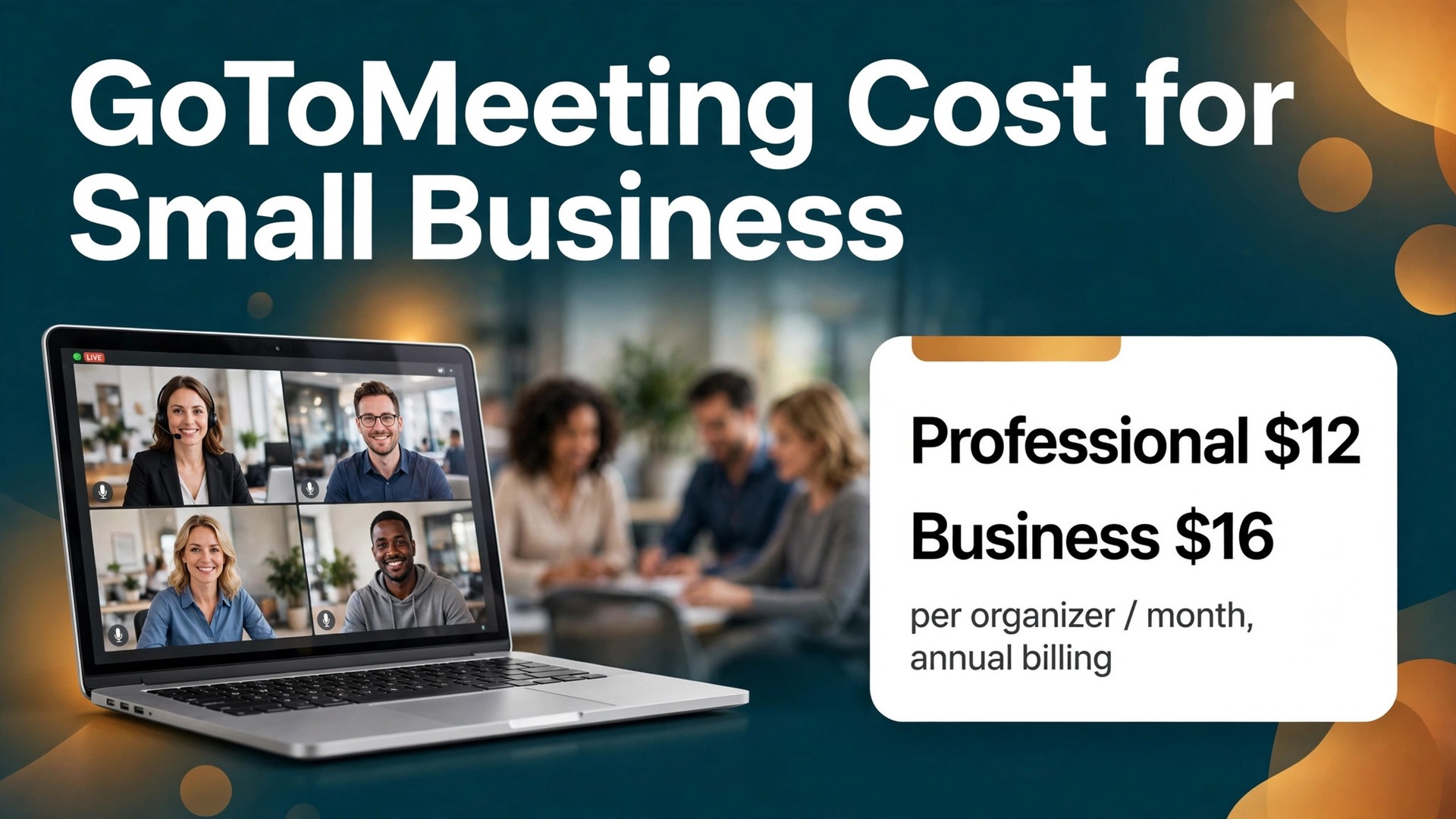
Most small businesses overpay for video meetings in one specific way. They buy a licence for every employee when only the people who host meetings need one, and that single misunderstanding can double or triple the bill before the first call starts. The cost of GoToMeeting for small business monthly turns on that distinction, because GoToMeeting charges per organizer, not per attendee, and attendees join for free.
A three person consultancy where two partners host client calls needs two organizer licences, not three. A ten person team where four people run meetings needs four, not ten. Get that count right first, and every other number in this guide falls into place. Get it wrong, and even the cheapest plan looks expensive.
This guide works through the real numbers. It compares Professional and Business, shows what each plan buys, runs worked monthly totals for a 3 organizer team and a 10 organizer team, and flags the add ons and renewal traps that quietly raise the bill. Prices here are starting points drawn from published pricing guides and vendor pages at writing time, so check the vendor page before you buy, because GoTo changes prices and promotions without warning.
GoToMeeting Plans Side by Side for a Small Team
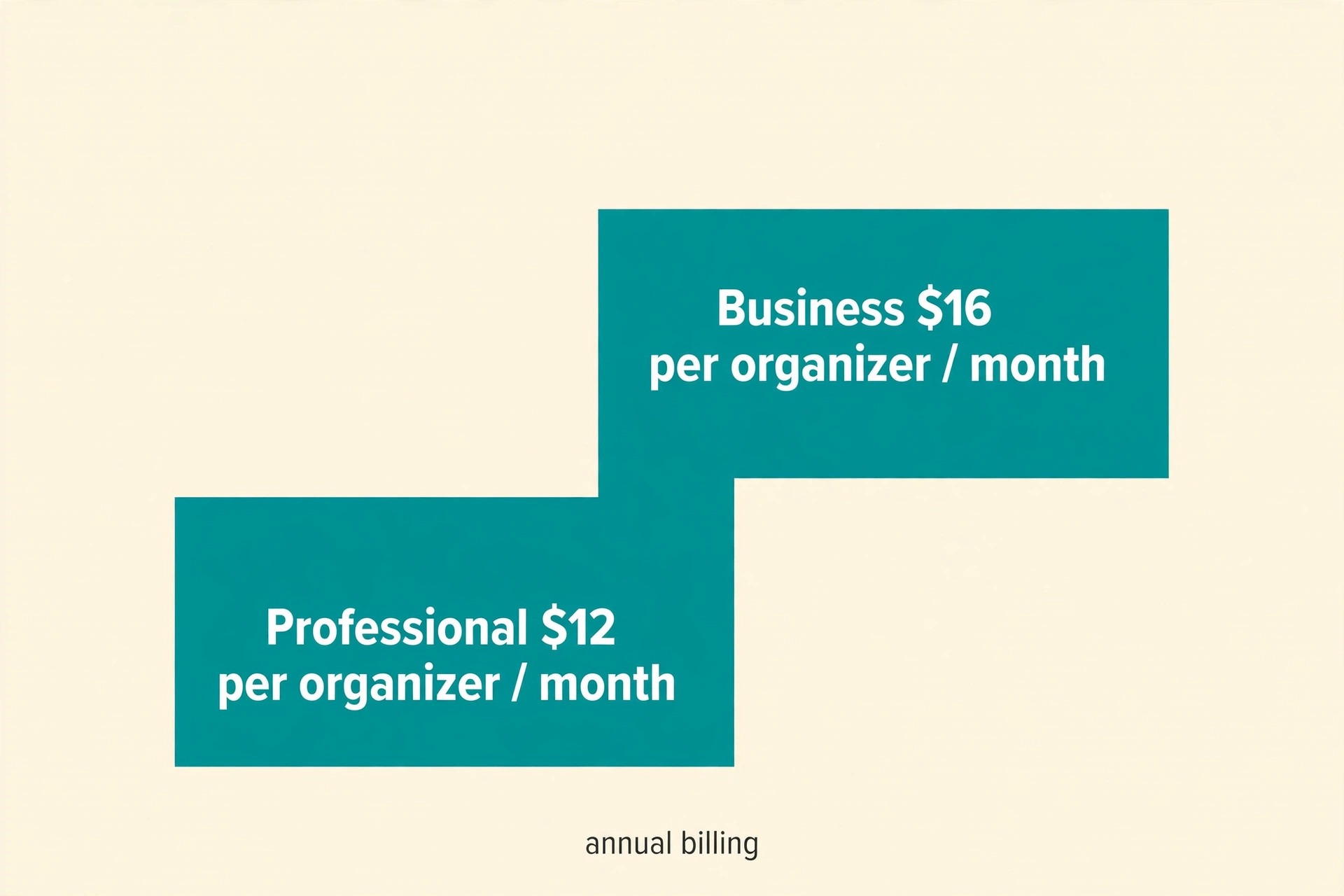
GoToMeeting keeps its small business range short, which is a genuine advantage. There are two plans a small team will realistically choose between, plus an Enterprise plan priced by quote that belongs to larger organisations. The table below gives the headline figures on annual billing, with monthly billing figures alongside for comparison.
| Plan | Annual billing | Monthly billing | Meeting capacity |
|---|---|---|---|
| Professional | $12 per organizer a month | $14 per organizer a month | 150 participants |
| Business | $16 per organizer a month | $19 per organizer a month | 250 participants |
| Enterprise | By quote | By quote | 3,000 participants in some listings |
Professional is the entry paid plan, and it covers the core meeting job well. It includes unlimited meetings with no time limit, HD video, screen sharing, a personal meeting room, a dial in conference line, mobile apps, and cloud recording in some listings. For a team that runs client calls, internal meetings, and supplier check ins, Professional rarely feels thin.
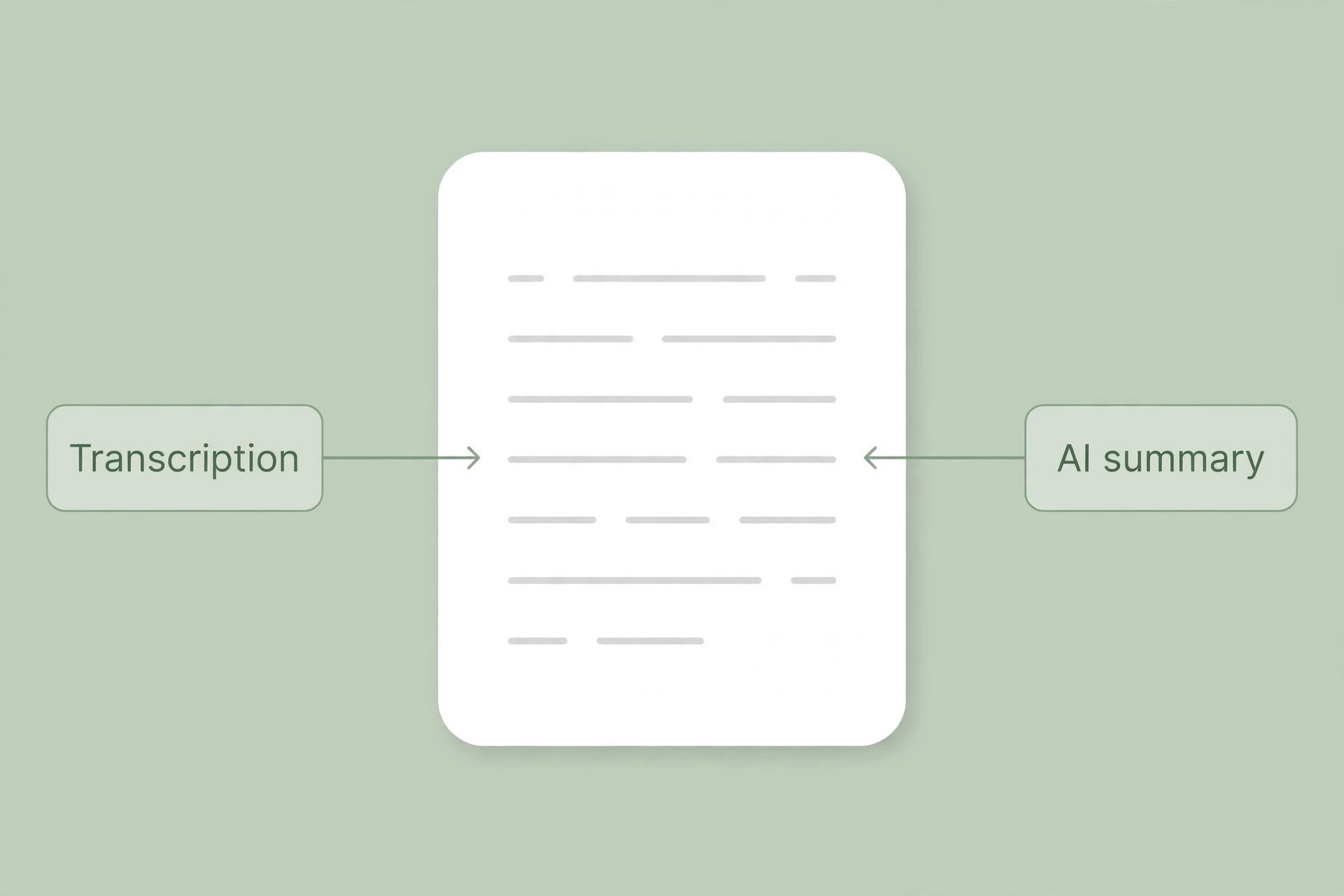
Business adds capacity and admin depth rather than a different product. The participant cap rises from 150 to 250, cloud recording becomes unlimited, and the plan adds transcription, AI meeting summaries, co organizers, mobile cloud recording, and a smart assistant. Those additions matter most to a team that records everything, shares summaries with clients, or runs larger webinars and training sessions.
Enterprise is priced by quote and adds features such as a dedicated customer success manager, onboarding and training, volume discounts, and advanced webinar features. A small business should treat Enterprise as a signal to negotiate only when headcount passes several dozen organizers, because below that size the quote process costs more time than the features return.
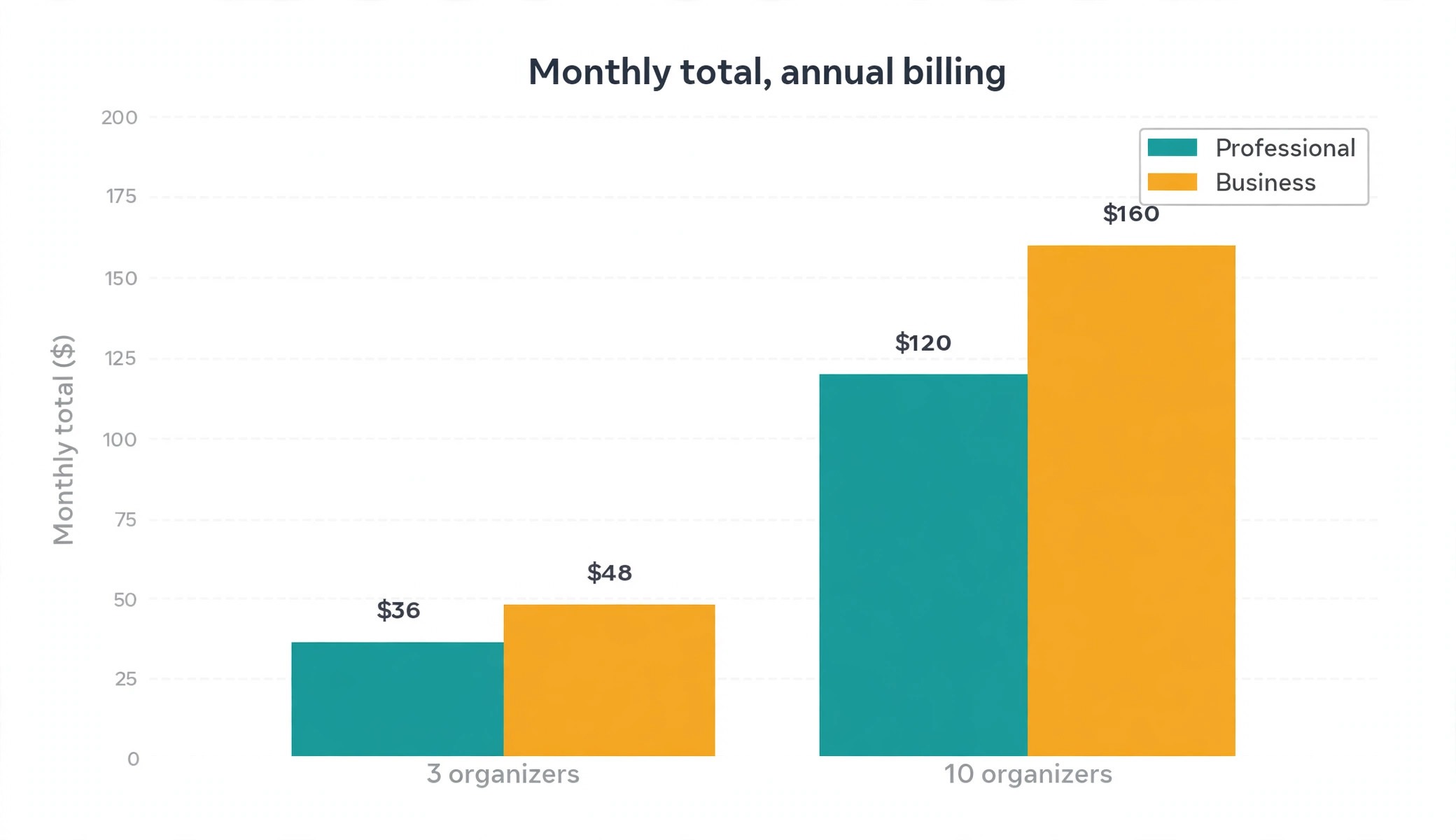
How the cost of GoToMeeting for small business monthly adds up at 3 and 10 organizers
The arithmetic is simple once the organizer count is settled. Multiply the per organizer rate by the number of organizers, and that is the monthly equivalent on annual billing, paid as a yearly sum. Monthly billing costs more per month but keeps the freedom to cancel or shrink, which matters for a team still proving the habit.
A 3 organizer team on Professional at the annual rate pays $36 a month in equivalent terms, or $432 for the year. The same team on Business pays $48 a month equivalent, or $576 a year. On monthly billing, those figures become $42 a month for Professional and $57 a month for Business, which over a year totals $504 and $684. The annual saving at this size is $72 on Professional and $108 on Business, which is real money but not enough to justify a year long lock in for an unsettled team.
A 10 organizer team on Professional at the annual rate pays $120 a month equivalent, or $1,440 a year. On Business the same team pays $160 a month equivalent, or $1,920 a year. Monthly billing raises those to $140 and $190 a month, or $1,680 and $2,280 over a year. The gap between the two plans at ten organizers is $40 a month on annual billing, which is $480 a year, so the Business decision should rest on features the team actually uses, not on a vague sense that bigger must be better.
| Team size | Professional annual | Professional monthly | Business annual | Business monthly |
|---|---|---|---|---|
| 3 organizers | $36 a month, $432 a year | $42 a month, $504 a year | $48 a month, $576 a year | $57 a month, $684 a year |
| 10 organizers | $120 a month, $1,440 a year | $140 a month, $1,680 a year | $160 a month, $1,920 a year | $190 a month, $2,280 a year |
Tax sits on top of these list figures in most regions, so the card charge will exceed the monthly equivalent shown on the pricing page. Keep the first invoice and compare it with the pricing page, because that invoice is the true monthly figure for that team, and the next budget should use the invoice figure rather than the headline rate.
What Professional Actually Buys for Daily Meetings
Professional suits a team whose meetings are mostly conversations, not productions. The 150 participant cap sounds generous, and for most small businesses it is, because a typical client call has fewer than ten people and even a company wide meeting rarely passes fifty. The cap only bites for public events, training sessions, and webinars, which is exactly where Business and webinar add ons enter the picture.
Unlimited meetings with no time limit is the feature that separates paid plans from free meeting tools. A free tool that cuts a call at forty minutes forces a team to restart mid conversation, which looks unprofessional on a client call and breaks the flow of a workshop. Professional removes that pressure entirely, and for a business that meets clients daily, that removal alone justifies the subscription.
Screen sharing, HD video, and a personal meeting room cover the practical core. A personal room gives each organizer a permanent link to share with clients, which beats generating a new link for every call and chasing it through email threads. The dial in line matters for clients with weak internet or for participants joining from a car, and the mobile apps mean a meeting can start from a phone without a laptop.
Cloud recording appears in Professional listings, though the exact allowance varies by source, so confirm the recording terms on the vendor page before promising clients that every call will be stored. A team that records rarely can live with any reasonable allowance, while a team that records training sessions daily should price Business for its unlimited recording rather than discovering a limit mid quarter.

What Business Adds and Who Really Needs It
Business raises the participant cap to 250, which matters for a business running open training, community events, or large supplier briefings. A team that never passes 150 participants gains nothing from the higher cap, and paying for capacity that sits unused is the most common waste in meeting software. Count the largest meeting actually run in the past quarter, add a margin of about a third, and compare that number with 150 before choosing.
Transcription and AI meeting summaries are the Business features with the clearest daily payoff. A summary sent to a client within the hour after a call reads as professional, saves the organizer from writing notes, and gives absent colleagues a way to catch up without watching a recording. For a consultancy, an agency, or a training business, that workflow can save several hours a week, which quickly covers the $4 per organizer monthly gap between plans.
Co organizers matter for teams where meetings continue when the host is away. A co organizer can start and manage a meeting without the original host, which removes a single point of failure for recurring client calls. Mobile cloud recording extends the same reliability to phone hosted meetings, which suits field teams and sales staff who run calls away from a desk.
The smart assistant and extra admin features round out Business, but they are supporting acts rather than reasons to upgrade on their own. Admin reports help a manager see usage across organizers, which is useful at ten organizers and essential above that. Below five organizers, the owner usually knows who meets whom without a report, so the admin depth adds little.
Annual Billing Against Monthly Billing in Practice
Annual billing saves roughly a sixth on Professional and a similar share on Business, which is a meaningful discount for a settled team. A 10 organizer team saves $240 a year on Professional and $360 a year on Business by paying annually, which is money worth claiming once the team has used the tool for a full quarter and knows it will stay.
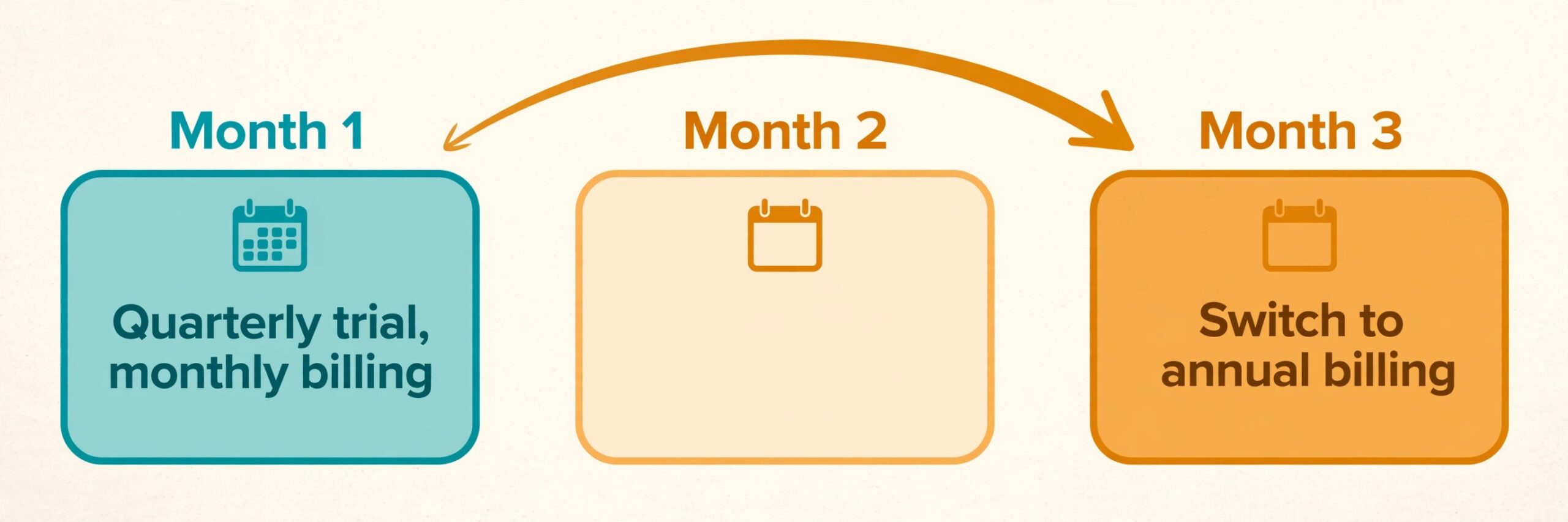
Monthly billing buys flexibility, and for a new team that flexibility is worth more than the discount. A business that is still hiring, still testing remote work, or still unsure whether clients prefer a different platform should pay monthly for a quarter, prove the habit, and then switch to annual billing. The extra cost of one quarter on monthly billing is small against the cost of a year of licences for organizers who leave.
Renewal terms deserve the same attention as the headline price. Check whether the plan auto renews, whether the seat count can be reduced mid term, and whether a promotional price reverts to list at renewal. A promotion that halves the first three months and then doubles is not a bargain, it is a delayed bill, and the honest comparison is always list against list.
A practical habit is a calendar reminder two weeks before renewal, with a named owner for the decision. Renewals slip because nobody owns them, not because the tool is indispensable. With a named owner and a two week window, the team can test a downgrade, remove dormant organizers, or negotiate before the charge lands.
The Add Ons That Quietly Change the Total
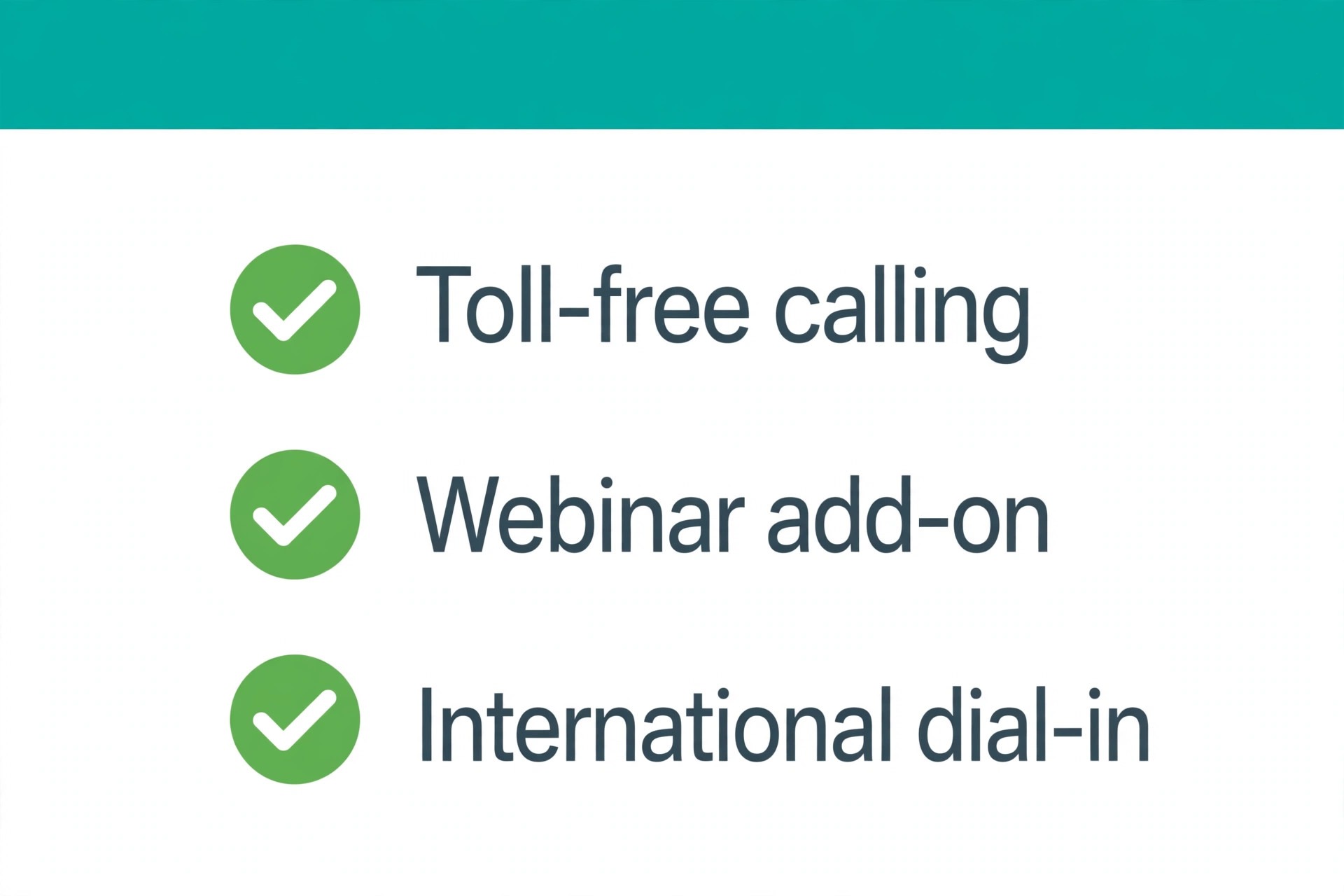
Toll free calling is the add on most likely to surprise a small business. Published guides list toll free numbers from about $5 to $20 a month depending on volume, and Business listings mention a Call Me feature at about $5 per organizer a month. A team whose clients dial in from phones should price toll free access before signup, because a client who pays for a call is a client with a reason to complain.
GoToWebinar Lite appears in pricing guides at about $20 a month as an add on to either plan. That matters for a business that runs occasional public sessions, because the meeting cap and the webinar feature set are different jobs. A team running one webinar a quarter may be better served by a standalone event tool for that day, rather than carrying a monthly add on all year for a quarterly need.
Phone audio beyond the standard dial in line can also add cost, depending on the countries participants call from. International dial in numbers and high volume calling change the total in ways the per organizer rate never shows. A team with clients overseas should ask for the calling terms in writing before committing, because a single international heavy month can produce an invoice that bears little resemblance to the pricing page.
Training and onboarding time is a hidden cost in a different currency. GoToMeeting is straightforward, but every new organizer still needs ten minutes on scheduling, screen sharing, and recording, plus a shared habit for naming meetings and sharing links. Budget that hour across the team in the first week, because a tool adopted messily produces support questions that cost more staff time than the subscription.
Organizer Counts, Guests, and the Seat Audit Habit
The organizer model is generous to small businesses, because clients, suppliers, and interview candidates join free and never need a licence. That generosity is also where budgeting mistakes hide, because a team that licenses every employee wastes money on attendees who could join free. The rule is simple. Only people who schedule and host meetings need an organizer licence, and everyone else joins as a guest.
A quarterly seat audit keeps the count honest. Export the organizer list, compare it with people who actually hosted a meeting in the past ninety days, and remove or downgrade the rest. Leavers, contractors whose projects ended, and colleagues who hosted once for a single event are the most common source of wasted licences. A fifteen minute review each quarter often recovers a full month of subscription cost over a year, with no loss of capability.
Contractors deserve a deliberate decision rather than a default licence. A contractor who hosts weekly client calls for three months needs an organizer seat for that period, while a contractor who only attends needs none. Set a start and end date for contractor seats when they are granted, so the seat does not linger after the project ends and quietly renew the following year.
Growth changes the organizer count in steps, not smoothly. Hiring five people may add only one organizer, or it may add five, depending on their roles. A sales heavy hire plan adds organizers fast, while a production heavy plan adds attendees who cost nothing. Forecast organizer growth by role, not by headcount, and the budget will stay accurate as the team grows.
Choosing Between Professional and Business Without Regret
Professional fits most small businesses, from a three person consultancy to a ten organizer team running client calls daily. It covers unlimited meetings, screen sharing, recording, and a generous participant cap at the lowest paid rate, and it leaves budget for the tools the business actually sells with. A team that meets clients, runs internal reviews, and records occasionally will find Professional sufficient for years.
Business fits a team with a specific trigger, not a general ambition. That trigger is usually one of three things. The team regularly exceeds 150 participants, it relies on transcription and AI summaries for client follow up, or it needs co organizers and unlimited recording as part of daily work. If none of those triggers is true, Business is a more expensive way to run the same meetings.
The upgrade path is painless, which removes the pressure to choose perfectly on day one. Start on Professional, run real meetings for a quarter, and upgrade only when a concrete limit bites, such as a failed recording, a meeting that hit the cap, or a week where summaries would have saved real hours. Upgrading mid year is an afternoon task, while downgrading after an annual commitment is far harder.
A team that cannot name its trigger in one sentence does not need Business yet, and the money is better kept for the month when the trigger actually arrives. That discipline is worth more than any discount code, because it stops the slow creep of paying for capacity and features that nobody on the team can point to using.

Mistakes That Inflate a GoToMeeting Bill
The first mistake is licensing attendees as organizers, which this guide has already covered, but it bears repeating because it is the largest single waste. A ten person team that licenses all ten people when only four host pays $72 a month on Professional annual billing instead of $48, which is $288 a year for nothing. Count hosts, not heads.
The second mistake is buying Business for the participant cap alone when the largest real meeting is far below 150. A team that runs a single annual event with 180 people can handle that event with a one month upgrade or a webinar add on, rather than carrying Business all year. Price the exception, not the rule.
The third mistake is ignoring add ons until the first invoice. Toll free calling, webinar features, and international dial in should be priced before signup, because they are the lines that turn a tidy $120 monthly equivalent into a surprising invoice. Ask the vendor for the full add on list in writing, and add the day one add ons to the headline before comparing plans.
The fourth mistake is letting dormant organizers renew. People leave, roles change, and contractors finish, but licences renew automatically unless someone removes them. The quarterly audit habit prevents this drift, and it takes less time than disputing a single renewal charge after it has landed.
GoToMeeting Against Zoom and Teams for a Small Budget
Zoom is the closest comparison, and its pricing model is nearly identical in structure, which makes the comparison honest. Zoom Pro lists at about $14.16 per user a month on annual billing and Business at about $18.33, both per host rather than per attendee. GoToMeeting undercuts both at $12 and $16, which gives a small team a saving of roughly $2 per organizer a month against Zoom at each tier.
That saving matters, but it should not decide the purchase alone. Zoom has a larger free tier, a wider integration range, and a familiarity advantage, because many clients already know how to join a Zoom call. GoToMeeting counters with a simpler plan range, a lower headline price, and a meeting experience that clients find easy to join. A team whose clients already live in Zoom may lose more in friction than it saves in subscription.
Microsoft Teams changes the comparison entirely, because Teams arrives bundled inside Microsoft 365 plans that many businesses already pay for. A business already paying for Business Basic or Business Standard effectively gets Teams without a separate meeting subscription, which makes a standalone GoToMeeting subscription a duplicate cost. That duplication can still be justified if clients prefer GoToMeeting or if the team needs its specific features, but the justification should be explicit.
Google Meet follows the same bundled logic for Workspace customers. The honest question for any small business is not which meeting tool is cheapest in isolation, but which tool the business already pays for inside a suite, and whether a standalone subscription adds enough to justify paying twice. For a business with no suite, GoToMeeting at $12 per organizer is a strong standalone value.
A Worked Month for Two Different Small Businesses
Take a three person consultancy where two partners host client meetings and one analyst only attends. On Professional annual billing, two organizer licences cost $24 a month equivalent, or $288 a year. Licensing all three people would cost $36 a month, which is $144 a year wasted on an attendee who joins free. That saving alone pays for several months of the subscription.
Now take a ten organizer training business that runs weekly sessions of about eighty people, records every session, and sends AI summaries to attendees. Professional would cover the participant count and the recording, but the summaries and unlimited recording push the honest choice to Business. Ten Business licences on annual billing cost $160 a month equivalent, or $1,920 a year, and the summaries save the team several hours of note writing a week, which easily covers the $40 monthly gap against Professional.
The lesson of both examples is that the right tier depends on facts measurable before purchase, meaning organizer count, largest meeting size, and the one or two features the team cannot work without. Both examples also show why the cost of GoToMeeting for small business monthly rewards counting hosts carefully before comparing plans. Write those three numbers down, price each tier against them, and the choice usually becomes obvious. If two tiers both fit, choose the cheaper one and revisit in a quarter, because upgrading is easy and overpaying for a year is not.
Keeping the Monthly Bill Under Control All Year
The cheapest way to manage the cost of GoToMeeting for small business monthly is a short routine repeated every quarter, not a one off negotiation. Start with the organizer list and remove anyone who has not hosted in ninety days, because dormant licences are the most common waste and the easiest to fix. Then check the largest meeting of the quarter against the 150 participant cap, because a team safely below that cap has no reason to carry Business for capacity alone.
Next, review the add ons line by line against real use. Toll free calling that nobody used, a webinar add on carried through quiet months, and a Call Me feature assigned to organizers who never dial in should all be switched off until the need returns. The cost of GoToMeeting for small business monthly stays fair when add ons follow actual events rather than sitting on the invoice out of habit, and switching an add on off for a quiet quarter costs nothing in capability.
Then compare the billing cycle with the hiring plan for the next two quarters. A team about to add three organizers may still prefer monthly billing until those hires are confirmed, while a settled team with no hiring planned should claim the annual saving without hesitation. The cost of GoToMeeting for small business monthly falls meaningfully on annual billing, but only when the organizer count is stable enough that the yearly commitment matches reality.
Also watch for the quiet drift that affects every subscription, which is the gradual addition of seats for short projects that never get removed. Give every temporary organizer seat an end date at the moment it is granted, and put the removal on the same calendar as the project close. When the cost of GoToMeeting for small business monthly rises unexpectedly, the cause is almost always a seat that outlived its project, not a price rise from the vendor.
Finally, keep a simple one page record of the plan, the organizer count, the add ons, and the renewal date, and review it with the person who owns the budget each quarter. That page turns the cost of GoToMeeting for small business monthly from a vague line on a card statement into a managed number with a named owner, and managed numbers stay lower than unmanaged ones. A team that follows this routine pays for meetings it actually holds, with organizers it actually needs, and nothing more.
Frequently Asked Questions About GoToMeeting Pricing
How many organizer licences does a small business actually need?
Only the people who schedule and host meetings need a licence. Attendees, clients, suppliers, and interview candidates join free. Count hosts by role, not total headcount, and audit the list quarterly against people who actually hosted in the past ninety days.
Is there a free version of GoToMeeting for a small team?
GoToMeeting has no free plan in the published pricing guides consulted for this guide. Teams wanting a free trial should check the vendor page for current trial terms, and teams wanting a permanently free meeting tool should compare Zoom Basic or Google Meet before committing to a paid plan.
What is the difference between Professional and Business in plain terms?
Professional covers unlimited meetings for up to 150 participants with screen sharing and recording. Business raises the cap to 250 participants and adds unlimited cloud recording, transcription, AI meeting summaries, co organizers, and mobile cloud recording. The $4 per organizer monthly gap on annual billing buys capacity and summary features, not a different meeting product.
Does annual billing really save money against monthly billing?
Yes, for a settled team. A 3 organizer team saves $72 a year on Professional and $108 on Business, while a 10 organizer team saves $240 and $360. A new team should still pay monthly for a quarter first, because the flexibility of monthly billing is worth more than the discount until the habit is proven.
What add ons should a small business price before signup?
Toll free calling, the Call Me feature on Business, and GoToWebinar Lite are the three add ons most likely to change the total. International dial in terms also matter for teams with overseas clients. Price the day one add ons alongside the plan rate, and confirm all figures on the vendor page before entering card details.
When should a small business move to Enterprise?
Enterprise suits organisations with several dozen organizers, volume discount needs, dedicated onboarding, or advanced webinar requirements. Below that size, Professional or Business covers the work, and the quote process costs more staff time than the extra features return. Revisit Enterprise only when organizer count or compliance needs force it.
More Reading on Stratilyze
– Cost of Slack for a Small Business Monthly – Cost of Zoom for a Small Business Monthly – How to Run Remote Client Meetings Without Losing the Personal Touch, plain text title, link not verified at writing time – Choosing Meeting Software for a Small Team, plain text title, link not verified at writing time