

A capable home studio in 2025 can be built for 400 to 950 dollars, according to published budget breakdowns that assume a computer you already own, an interface in the 100 to 250 dollar range, a microphone in the same range, headphones near 100 to 200 dollars, and basic room treatment near 100 to 250 dollars. That figure is the starting point for the cost of starting a home recording studio music setup that actually gets used. It surprises beginners who expected thousands, and it surprises experienced musicians who know how quickly a serious room can pass 3,000 dollars once monitors, a better interface, and proper treatment enter the list.
Both reactions are correct, because a home studio is not one purchase, it is a ladder, and where you step onto the ladder decides the bill. If you want to understand the cost of starting a home recording studio music projects can actually use, start with what you record, not with a shopping list, because a vocalist, a beat maker, and a full band need different rooms and different gear.
The biggest budgeting mistake is buying everything at once, in the wrong order. The interface and the microphone decide what your recordings sound like. The room decides whether that sound is clean or muddy. The monitors or headphones decide whether you can hear problems well enough to fix them. Software decides how fast you can work, but free software today is good enough to finish releasable music, so software should be the last place you spend heavily, not the first. This guide prices each layer separately, shows three realistic tiers, and ends with a first month budget that includes the small costs people forget, such as cables, stands, and a backup drive.
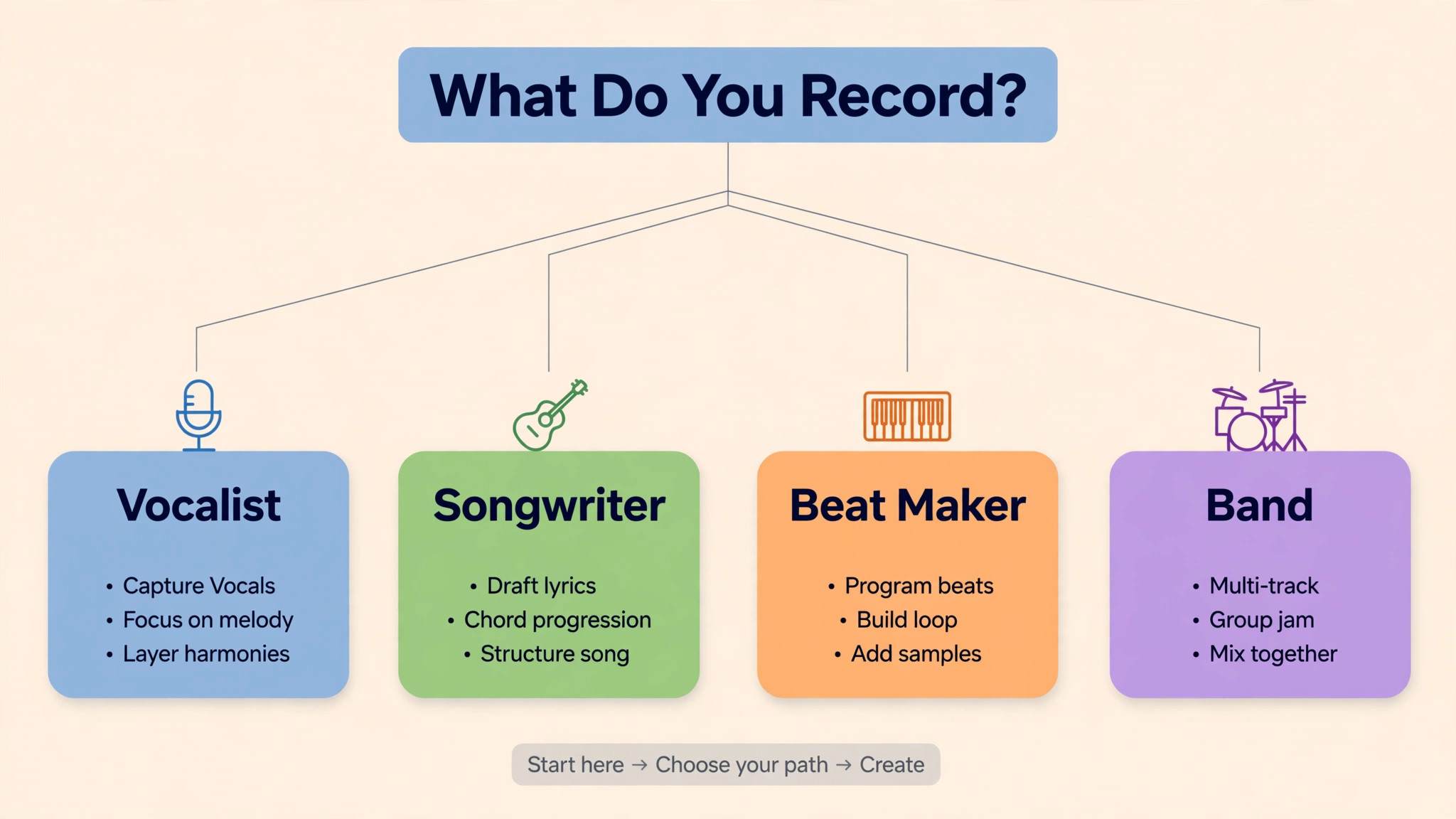
What You Record Decides What You Buy
A solo vocalist recording over beats needs a good vocal microphone, a clean interface, closed back headphones, and a treated corner, and little else to start. A singer songwriter with an acoustic guitar needs the same core plus a second microphone or a direct input for the guitar, and a room that does not make the guitar sound boxy. A beat maker working mostly in the box needs a strong computer, a MIDI keyboard, good headphones, and monitors later, while a microphone may wait entirely. A band recording live instruments needs more inputs, more microphones, and a larger treated space, and the cost jumps accordingly.
Buying a band sized interface for solo vocals wastes money that should have gone to the microphone and the room.
Start by writing down your first ten songs or sessions in concrete terms. List the sources, which are vocals, guitar, keys, drums, or programmed sounds, the number of sources recorded at once, and whether you mix yourself or send mixes out. That list gives you an input count, a microphone count, and a room size, and those three numbers drive most of the budget. Two inputs cover most solo work. Four inputs cover a vocalist plus a stereo keyboard or two guitars. Eight inputs start to cover small live sessions. Each step up in inputs raises interface cost significantly, so do not buy eight inputs for a one person workflow that will never use more than two at once.
Also decide what finished means for you. A demo for songwriting feedback needs clarity and timing, not commercial polish, and a 500 dollar kit finishes demos well. A releasable single for streaming needs a cleaner vocal chain, better monitoring, and more careful room treatment, which pushes the kit toward 1,500 dollars. A record you plan to pitch to labels or sync libraries needs the 3,000 dollar tier or a hybrid approach, where you record at home and pay a professional for mixing or mastering. Matching the kit to the finish line prevents both underbuying, which wastes takes, and overbuying, which wastes money.
The Cost of Starting a Home Recording Studio Music Kit by Tier
| Item | Starter kit | Serious kit | Near professional kit |
|---|---|---|---|
| Audio interface | 100 to 250 dollars | 250 to 500 dollars | 999 dollars for a high end two input model |
| Microphone | 100 to 250 dollars | 250 to 450 dollars | 439 dollars for a broadcast dynamic, more for condensers |
| Headphones | 100 to 200 dollars | 109 to 200 dollars | 200 to 350 dollars |
| Studio monitors | Not yet, use headphones | 400 to 800 dollars a pair | 800 dollars a pair |
| MIDI keyboard | 80 to 150 dollars if needed | 200 to 330 dollars | 330 dollars and up |
| Cables, stand, pop filter | 50 to 100 dollars | 100 to 200 dollars | 150 to 250 dollars |
| Room treatment | 100 to 250 dollars | 325 dollars | 500 to 1,000 dollars |
| Software | 0 to 60 dollars | 60 to 200 dollars | 200 to 500 dollars |
| Kit total without computer | 400 to 950 dollars | 1,500 to 2,500 dollars | About 3,000 dollars and up |
The starter total matches published 2025 budget breakdowns that put a capable basic setup at 400 to 950 dollars with a computer already owned. The serious tier reflects the point where monitors and better treatment enter, and the near professional tier reflects a published 3,000 dollar kit built around a 999 dollar interface, 800 dollar monitors, a 439 dollar microphone, a 330 dollar MIDI keyboard, 109 dollar headphones, and about 325 dollars of room treatment. Those published figures are guides, not quotes, and street prices move, so check current listings before ordering, but the tier structure holds even when individual prices shift.
The interface is the heart of the kit, and its price follows inputs, preamp quality, and conversion quality. Entry interfaces near 150 to 300 dollars, such as well known two input models, offer clean preamps that are more than sufficient for demos and releasable vocals. Mid tier interfaces add better conversion, more inputs, and lower latency monitoring. High end interfaces near 1,000 dollars add near zero latency processing and premium conversion, which matters for professionals tracking with effects, but which a beginner will not hear as a 700 dollar improvement over an entry interface in an untreated room.
Spend on the interface after the microphone and the room, not before them, because a premium interface recording in a boxy room still sounds like a boxy room.
Microphones follow a similar logic. A 100 to 250 dollar condenser or dynamic microphone, properly placed in a treated corner, will outperform a 1,000 dollar microphone in an untreated bedroom, because room reflections dominate the difference at that level. Dynamic microphones, such as broadcast style models near 439 dollars, forgive untreated rooms better than sensitive condensers, which is why they suit vocalists in shared houses. Condensers capture more detail and air, but they also capture the room, the fridge, and the street, so they demand treatment.
Choose the microphone for your room, not for a review score, and budget for a stand, a shock mount, a pop filter, and a cable, since a microphone without those accessories cannot be used properly.

Room Treatment Versus Soundproofing
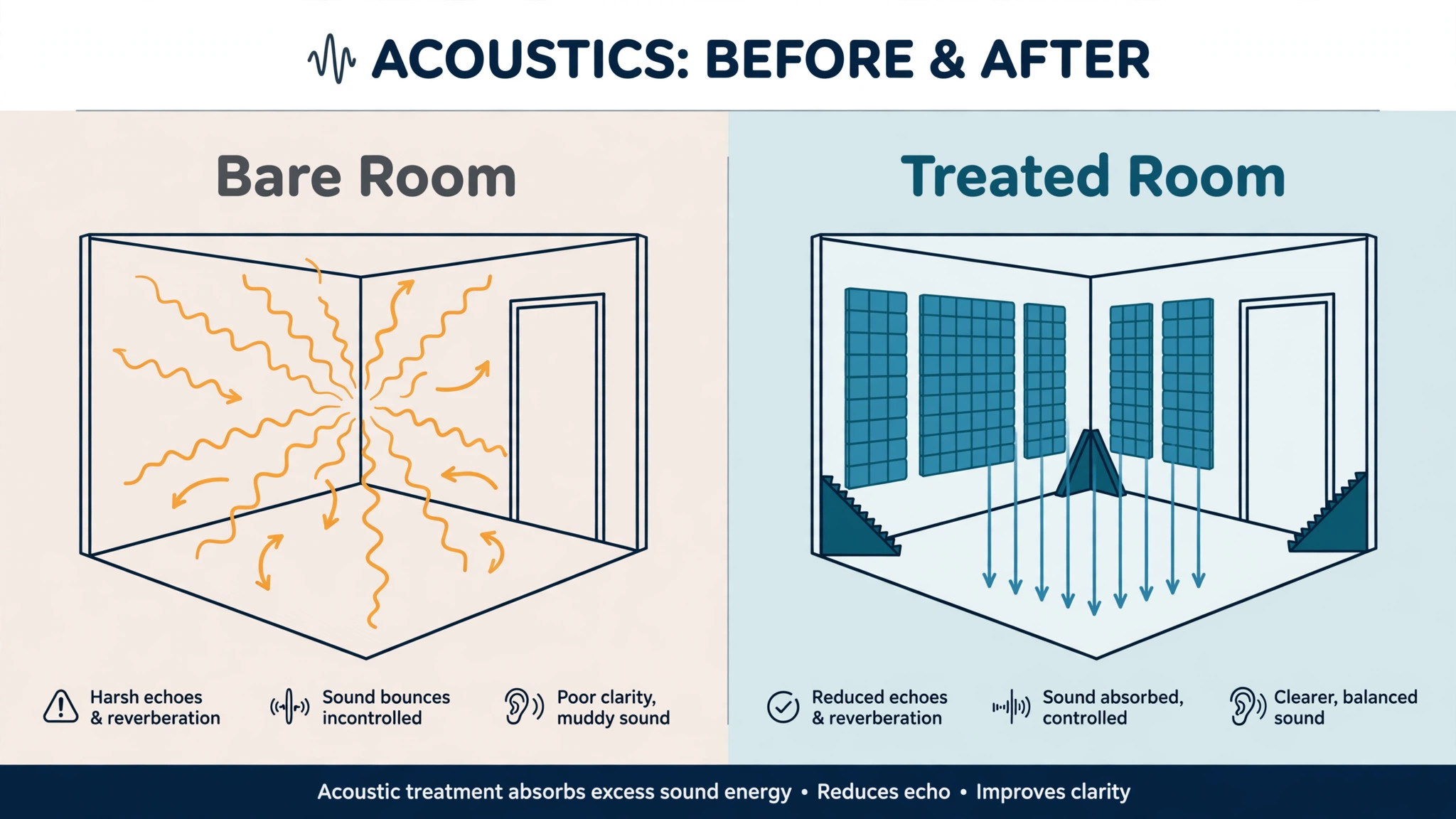
Room treatment and soundproofing are different jobs, and confusing them wastes the room budget. Treatment controls reflections inside the room, so your microphone hears your voice rather than echoes off bare walls, and so your monitors sound accurate rather than boomy. Soundproofing stops sound entering or leaving the room, which requires mass, sealing, and construction work, and which a few foam panels will never achieve. Most home studios need treatment, not soundproofing, and most disappointment comes from buying foam expecting silence from neighbours.
Treatment starts with the corners and the first reflection points. Bass traps in corners tame low frequency buildup that makes mixes sound muddy. Absorption panels at the points where sound reflects from side walls to your ears clean up the stereo image. A thick rug, heavy curtains, and a bookshelf full of books help more than people expect, because they break up flat reflective surfaces. A portable isolation shield near 80 to 150 dollars can help a vocalist in a shared room, but it is not a substitute for corner treatment, since it only treats the space immediately around the microphone.
Room shape matters as much as panels. Avoid perfectly square rooms where possible, since they create standing waves that boost some bass notes and cancel others. Place the desk on a short wall where possible, keep the listening position away from the exact centre of the room, and keep the microphone away from windows, which reflect sound and admit noise. A rectangular spare bedroom with treatment will outperform a square box room with more expensive gear, because the room sets the ceiling for everything recorded in it. Budget 100 to 250 dollars for starter treatment, about 325 dollars for a serious corner and panel set, and 500 to 1,000 dollars for a well treated small room with proper bass trapping.
Spend that money before upgrading a microphone you already own, since treatment improves every microphone you will ever use in that room.
Software, Computer, and the Costs People Forget
Software costs less than it used to, and that is good news for starters. Reaper costs 60 dollars for a personal licence and is a full professional workstation. GarageBand is free with a Mac and covers songwriting and basic production well. Cakewalk by BandLab is free on Windows and surprisingly powerful. Free options such as Waveform Free also exist for basic tracking. Paid workstations and plugin bundles can add 200 to 500 dollars, but they should wait until you know which workflow you actually use daily. Buying a large plugin bundle before finishing ten songs is a classic beginner expense, because most of those plugins will sit unused while the stock tools in a 60 dollar workstation do the work.
The computer is the hidden cost that changes the starter total most. Published starter totals assume a computer you already own, and that assumption holds for many people, but a five year old laptop with a spinning drive and 4 GB of memory will struggle with modern production, especially with many tracks and virtual instruments. A production capable computer, or an upgrade to solid state storage and 16 GB of memory, can add 500 to 1,000 dollars if you need it, and it should be budgeted honestly rather than discovered mid session when the computer stutters.
Check processor, memory, storage type, and available ports before buying an interface, since a high end Thunderbolt interface is useless on a computer without Thunderbolt, and a USB interface is the safer choice for most laptops.
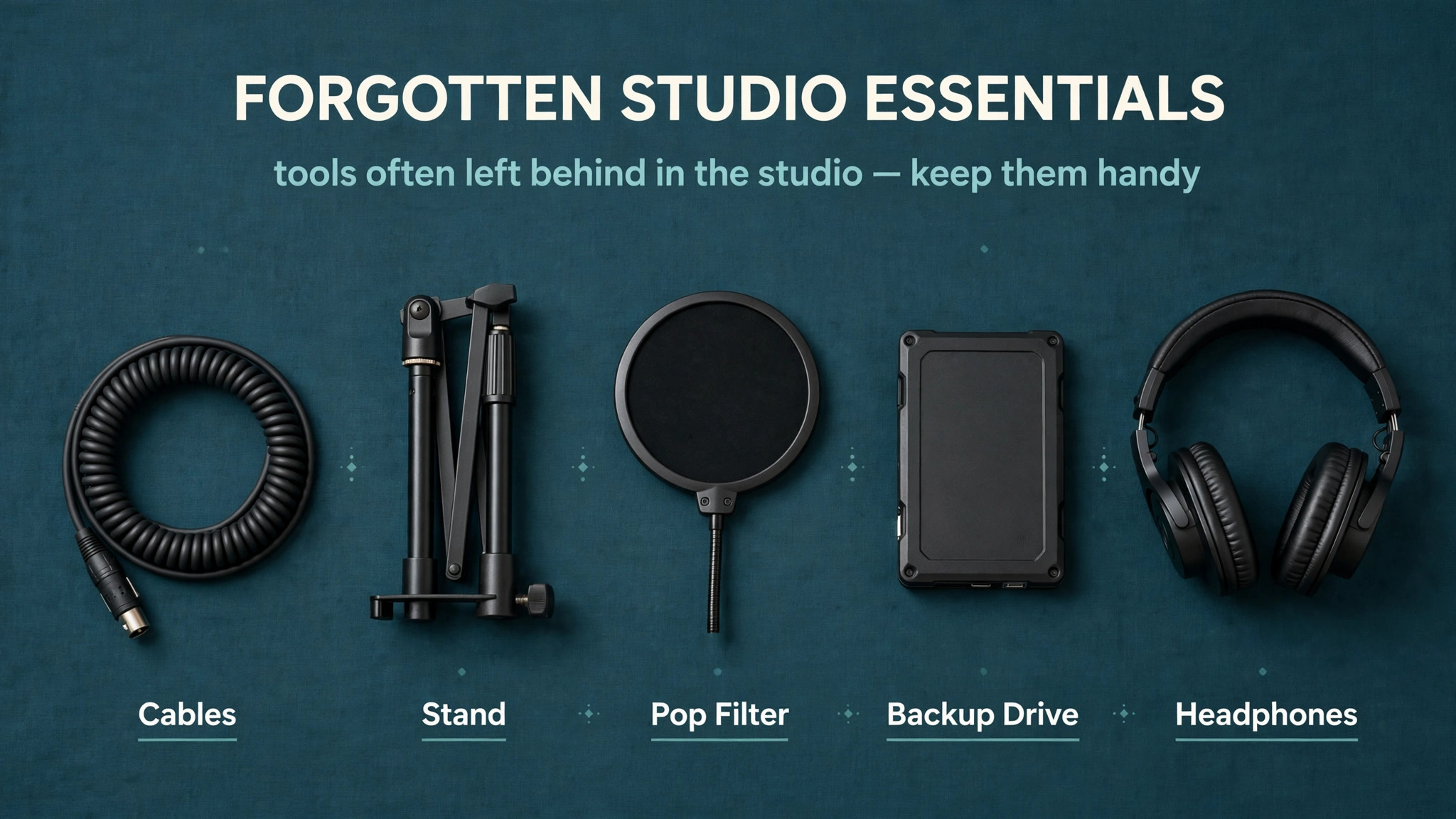
Forgotten costs add up quickly, and they are the reason a 500 dollar kit often costs 700 dollars at checkout. Cables, including microphone cables, instrument cables, and monitor cables, run 50 to 100 dollars for a starter kit. A solid microphone stand, a boom arm, a shock mount, and a pop filter add another 50 to 100 dollars. A backup drive for sessions, which is not optional once you have music you care about, costs 60 to 120 dollars. A decent chair, a monitor stand or isolation pads, and acoustic treatment fixings add more.
Budget a 15 percent contingency on top of the gear total for these items, and buy them with the core kit rather than discovering them one delivery at a time.
Ongoing costs are smaller but real. Software subscriptions, sample libraries, plugin renewals, and distribution fees for releasing music each add monthly or yearly amounts. A mastering service, where used, costs per track, and a mixing engineer costs per song, so a hybrid workflow should budget those as project costs rather than studio costs. Keep a simple spreadsheet of gear, software, and project costs from day one, because a studio that tracks costs can decide rationally when an upgrade earns its price, while a studio that guesses will buy on impulse.
First Month Budget Table
| Item | Starter first month | Serious first month |
|---|---|---|
| Audio interface | 150 dollars | 350 dollars |
| Microphone plus stand, cable, pop filter | 180 dollars | 380 dollars |
| Headphones | 150 dollars | 150 dollars |
| Room treatment and fixings | 150 dollars | 325 dollars |
| Software licence | 60 dollars | 120 dollars |
| Cables, backup drive, accessories | 110 dollars | 180 dollars |
| Monitors | 0 dollars, headphones first | 600 dollars |
| Contingency at about 15 percent | 120 dollars | 315 dollars |
| First month total without computer | 920 dollars | 2,420 dollars |
The starter first month total near 920 dollars sits at the top of the published 400 to 950 dollar starter range once accessories and contingency are included honestly, which is the point of the table. A bare kit without cables, a stand, a backup drive, or contingency looks cheaper on paper and costs more in frustration. The serious first month total near 2,420 dollars reflects monitors and better treatment entering in month one, and it still assumes a computer already owned. If you need a computer, add that cost separately and honestly, rather than hiding it inside the studio budget.
Phase the spending if cash is tight. Month one should buy the interface, microphone, headphones, and basic treatment, which is enough to record and mix in headphones. Month two or three can add monitors, once the room is treated enough for monitors to be useful. Month four can add a MIDI keyboard or a second microphone, once you know which one your songs actually need. Phasing by need, rather than by sale, prevents a room full of gear and no finished songs, which is the most expensive studio outcome of all.

Mistakes That Inflate the Studio Bill
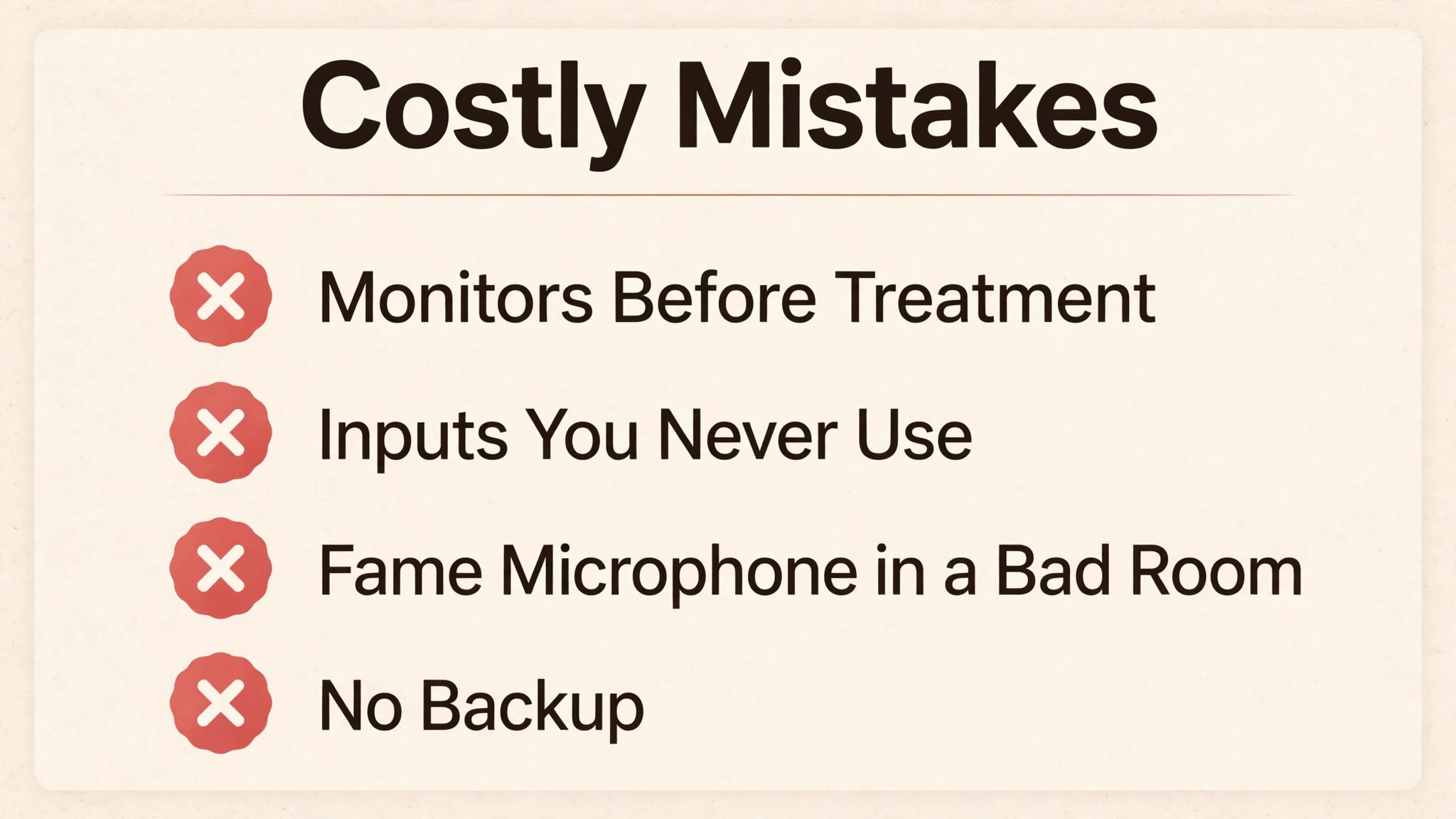
The first mistake is buying monitors before treating the room. Monitors in an untreated room tell you lies about bass and stereo, and mixes made on them will not translate to other systems. Headphones first, treatment second, monitors third is the order that protects mix decisions and money. A 600 dollar monitor pair in a boxy room is a worse investment than a 150 dollar headphone and 150 dollar treatment combination.
The second mistake is buying inputs you will never use. An eight input interface for a solo vocalist costs more, needs more cables and stands, and complicates every session with routing choices that a two input interface avoids. Buy inputs for the sessions you have booked in the next six months, not for a band you might form someday. Interfaces can be upgraded or expanded later, while money spent on unused inputs cannot be recovered easily.
The third mistake is chasing microphone prestige over room reality. A famous microphone in a bad room records a bad room faithfully, and no plugin fully removes that room sound. Spend the prestige difference on treatment, a better stand and positioning, and time learning microphone placement, which is free and often worth more than a microphone upgrade. Move the microphone, change the distance, sing into a corner with treatment, and listen, because placement changes sound more than brand at starter prices.
The fourth mistake is ignoring backup. A session lost to a failed drive costs more than any interface, because it costs the performance itself, which cannot be re-bought. Buy a backup drive with the core kit, set automatic backups for the session folder, and keep a second copy of finished mixes offsite or in cloud storage. Backup is the cheapest insurance in the whole studio, and the most commonly skipped.
When to Upgrade and When to Stop
Upgrade when a specific limit blocks a specific song. If your interface has too few inputs for a session you have actually booked, upgrade inputs. If your microphone cannot capture a quiet source without hiss, upgrade the microphone or add an inline booster for a gain hungry dynamic. If your mixes do not translate because headphones hide bass problems, add treated monitors. Each of those upgrades has a song behind it, which is how you know it earns its price. Upgrade without a song behind it, and you are shopping, not producing.
Stop upgrading when the room becomes the limit. Once treatment is good, monitoring is honest, and the vocal chain is clean, further gear spending yields smaller and smaller audible gains, while time spent writing, practising, and mixing yields larger ones. Many professional sounding home records were made on starter tier gear in treated rooms by people who finished songs consistently. The gear ladder is real, but it flattens quickly, and the flat part is where music gets made. A studio that stops at good enough and finishes twenty songs will outperform a studio that keeps upgrading and finishes two.
Consider a hybrid finish for important releases. Record at home where you are comfortable and can take many takes, then pay a professional mixer or mastering engineer for the final stage. That split gives you home studio freedom for creation and professional polish for release, at a fraction of the cost of a commercial studio for the whole project. Budget hybrid finishing as a per song project cost, and compare it against gear upgrades that promise the same polish but deliver it only after a long learning curve.

Studio Costs for Different Music Styles
Different music styles stress different parts of the studio budget, and a generic kit list hides those differences. Electronic music made mostly in the box needs a strong computer, a good MIDI controller, and quality headphones, while a microphone may be optional for months. The money that a vocalist spends on a condenser and treatment, a beat maker spends on a processor, memory, and sound libraries. A beat maker studio can therefore start cheaper on microphones and dearer on computing, and comparing the two kits by microphone price alone misleads both buyers.
Acoustic music reverses the priority. A singer songwriter recording voice and guitar needs two good microphone positions, a quiet room, and treatment that tames reflections without making the guitar sound dead. A single microphone in a good position can record both sources acceptably for demos, but a releasable acoustic record usually needs two microphones, one for voice and one for guitar, plus the stands and cables for both. That second microphone and stand add 150 to 300 dollars to the starter kit, and the room treatment budget rises too, since acoustic instruments excite the room more than a close vocal does.
Rock and band recording is the most expensive home style, because it needs inputs, microphones, and space together. A drum kit alone can need four to eight microphones to capture kick, snare, overheads, and toms with any control, and a live band session needs an interface with enough inputs to record those sources simultaneously. That pushes the interface from a two input starter to a larger model, adds microphone and stand costs for each source, and demands a larger treated room or a hybrid approach where drums are recorded elsewhere.
Many home rock producers solve this by programming drums or recording drums in a rehearsal space, then overdubbing guitars and vocals at home, which keeps the home kit at starter size while the drum cost becomes a session fee instead.
Hip hop and vocal led styles sit in the middle. A strong vocal chain, a treated vocal corner, and a reliable computer for beat playback cover most sessions, and a dynamic microphone that forgives an untreated room is often the right first microphone. Pop and R and B vocals benefit from a condenser in a treated space, but only after treatment exists, since a condenser in a bare room records the room as loudly as the voice.
When you price the cost of starting a home recording studio music style by style, the pattern is clear, which is that the style decides the microphone count, the input count, and the treatment budget, and a kit built for your style will always beat a generic kit built for everyone. Match the kit to the style, phase the style specific extras after the core chain works, and let finished songs in that style decide the next purchase. A style matched kit will also keep the cost of starting a home recording studio music project honest, because it prices the gear your songs actually use rather than a catalogue of gear you might use someday.
More Reading for Creative and Business Setups
If the studio budget is clearer now, the wider guides on Stratilyze cover the business around creative work. The guide to running a food truck monthly prices a different kind of startup in a similar tier structure, the guide to hiring a virtual assistant monthly helps when admin starts eating studio time, the guide to building a mobile app for a small business covers a different kind of build budget, and the guide to headphones for online teaching helps you choose listening gear beyond the studio. Read the food truck guide next if you like tiered startup budgets, since its fixed and variable cost logic transfers well.
Frequently Asked Questions
How much does a basic home recording studio cost?
A capable basic studio with a computer already owned costs about 400 to 950 dollars, based on published 2025 budget breakdowns. That range is the headline answer to the cost of starting a home recording studio music beginners ask about first. That covers an interface near 100 to 250 dollars, a microphone near 100 to 250 dollars, headphones near 100 to 200 dollars, basic treatment near 100 to 250 dollars, and software from free to about 60 dollars. Add cables, a stand, a pop filter, and a backup drive, plus a contingency, and a realistic first month total sits near 920 dollars. A computer upgrade, if needed, sits outside that total and should be budgeted separately.
What is the cost of starting a home recording studio music producers recommend for beginners?
Beginners are usually advised to start at the starter tier, near 400 to 950 dollars without a computer, with a two input interface, one good microphone, closed back headphones, and basic room treatment. That kit records vocals, guitar, and programmed music well enough to finish releasable demos, and it leaves money for treatment and accessories that matter more than a premium interface in an untreated room. Upgrade to monitors and a better microphone only after treatment is in place and after you have finished songs that expose a specific limit.
Do I need studio monitors or are headphones enough to start?
Headphones are enough to start, and they are the better first purchase, because monitors in an untreated room give misleading bass and stereo information. Start with closed back headphones for tracking and a good pair for mixing, treat the room, and then add monitors in the 400 to 800 dollar pair range when the room can support them. Monitors become valuable once treatment is in place, because they reveal problems headphones hide, especially in bass and stereo width, but buying them first is a common and expensive ordering mistake.
How much should I spend on room treatment?
Budget 100 to 250 dollars for starter treatment, about 325 dollars for a serious corner and panel set, and 500 to 1,000 dollars for a well treated small room with proper bass trapping. Start with bass traps in corners and absorption at first reflection points, and use rugs, curtains, and bookshelves to break up flat surfaces. Treatment is not soundproofing, since foam panels will not stop sound leaving the room, but treatment improves every microphone and every mix decision in that room, which makes it the highest value spend after the microphone itself.
Can I record professional quality music in a home studio?
Yes, for many genres, provided the room is treated, the vocal chain is clean, monitoring is honest, and the performance is strong. Home records made on starter tier gear in treated rooms regularly reach streaming quality, especially when a professional mixer or mastering engineer finishes the final stage. The limits are usually room acoustics, monitoring accuracy, and experience, not the price of the interface alone. A hybrid workflow, recording at home and paying for professional mixing or mastering per song, is the most cost effective route to a commercial finish.
What gear should I buy first for a home studio?
Buy in this order, which is interface, microphone with stand and pop filter, closed back headphones, basic room treatment, and software, with cables and a backup drive included from the start. That buying order keeps the cost of starting a home recording studio music kit under control, because it buys the recording chain before any luxury item. That order gives you a complete recording chain that works on day one. Add monitors after treatment, add a MIDI keyboard when your songs need it, and add a second microphone when you record two sources at once. Buying in need order prevents a room full of gear with no finished songs, which is the most expensive studio outcome.
Build the Room Before You Buy More Gear
The real cost of starting a home recording studio music makers face is not a single number, it is a sequence. Interface and microphone first, room treatment second, honest monitoring third, and software last, with accessories and backup included honestly from the start. When you follow that sequence, a 920 dollar first month buys a studio that records cleanly, mixes reliably, and finishes songs, while the same money spent in the wrong order buys impressive boxes in a room that ruins every take.
Start with the songs you will record in the next six months, price the kit those songs need, and phase the rest by need. Treat the room before you upgrade the microphone, mix in headphones before you buy monitors, and finish songs before you buy more gear. A studio that follows that discipline will sound better, cost less, and, most importantly, actually produce music, which is the only return that justifies any of the spending.