
Industry research repeatedly finds that a third to a half of paid software licences go unused, and that enterprises waste roughly a quarter of their software budget on subscriptions that deliver little value. Those figures are not abstract for a small business, because the same pattern appears at smaller scale, with a handful of forgotten tools, duplicate chat apps, and seats for people who left months ago. This guide explains how to audit SaaS subscriptions small business owners can repeat every quarter, with a spreadsheet template you can copy, decision rules that remove guesswork, and a renewal calendar that stops charges from renewing unnoticed.
This guide is designed to be used, not just read, so keep a spreadsheet open beside it and fill in one row per subscription as you work through each section. By the end you will have a complete inventory, a decision for every tool, and a renewal calendar that prevents the next surprise charge, which is the entire point of the exercise. That detail is exactly why the how to audit SaaS subscriptions small business question deserves a careful answer.
Why a subscription audit pays for itself
A subscription audit is not a cost-cutting exercise for its own sake. It is a visibility exercise, because most small businesses cannot list every subscription they pay for, who owns it, when it renews, or whether anyone used it last month. That invisibility is the waste, and it grows every time a free trial converts, a colleague signs up with a company card, or a project tool survives long after the project ends. Once the full list is visible, savings usually follow without any difficult decisions, because the obvious waste is obvious.
The second reason an audit pays is risk, not just money. Every subscription is an account, a password, a set of permissions, and a place where company data lives, and forgotten tools are forgotten access. A former employee whose account was never closed, a contractor who still has access to a shared drive, or an app connected to your email that nobody remembers approving are all security risks that a subscription audit surfaces naturally. Closing unused accounts saves money and reduces the number of doors into your business at the same time.
The third reason is decision quality. A business that audits quarterly makes renewal decisions with data, meaning usage, cost per active user, and alternatives priced at the same size. A business that never audits makes renewal decisions by inertia, meaning the tool renews because nobody objected, not because it earned its place. Quarterly audits turn inertia into intention, and that shift alone is worth more than any single cancellation, because it applies to every subscription, every quarter, for years.
How to audit SaaS subscriptions small business with a spreadsheet template
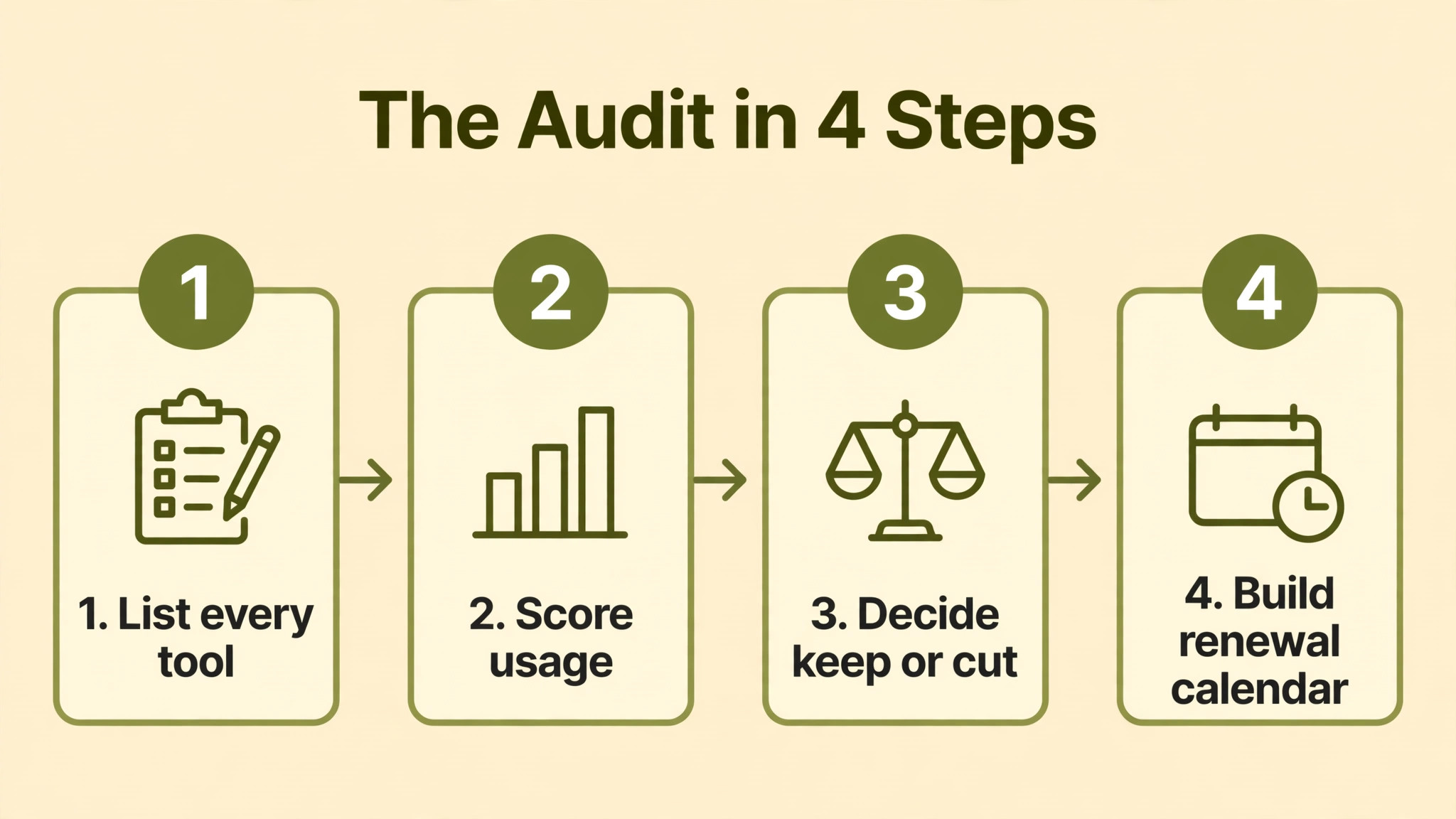
Start with one spreadsheet and one row per subscription, no matter how small the charge. A tool that costs five dollars a month is still a row, because small charges add up and because a five-dollar tool with company data attached is still a security item. The template below gives you every column you need, and no column you do not, so the audit stays a one-evening job rather than a project that never finishes. Copy the headers exactly, fill one row per tool, and resist the urge to add columns until the first audit is complete. Keep the how to audit SaaS subscriptions small business in mind as you compare the numbers in the next section.
The owner column is the most important column in the template, because a subscription without a named owner is a subscription nobody will defend or cancel. Assign each tool to one person who uses it, who can answer whether it is still needed, and who will own the renewal decision. Shared ownership is no ownership, so if two people share a tool, pick one owner and note the other as a user. When renewal arrives, the owner decides, and the decision takes minutes instead of a meeting.
The usage column must be based on evidence, not on feeling, because everyone overestimates how often they use a tool they like. Check last login dates, active user counts, or usage reports inside the tool itself, and record a simple rating for the last ninety days, such as daily, weekly, monthly, or never. A tool rated never for ninety days is a cancellation candidate regardless of how useful it once was, while a tool rated daily by several people is a keep, even if it looks expensive in isolation, because cost per active use is what matters.
| Column | What to enter | Example |
|---|---|---|
| Tool name | Product and plan | Slack Pro |
| Owner | Named person responsible | Office manager |
| Monthly cost | List price, not promo price | $72.50 |
| Billing cycle | Monthly or annual | Annual |
| Renewal date | Next charge date | 15 March |
| Seats paid | Licences purchased | 10 |
| Seats active | People who used it in 90 days | 7 |
| Usage rating | Daily, weekly, monthly, never | Weekly |
| Business job | What it actually does | Team chat |
| Alternative | Cheaper or bundled option | Teams in Microsoft 365 |
| Decision | Keep, cut, downgrade, consolidate | Keep |
How to find every subscription you pay for
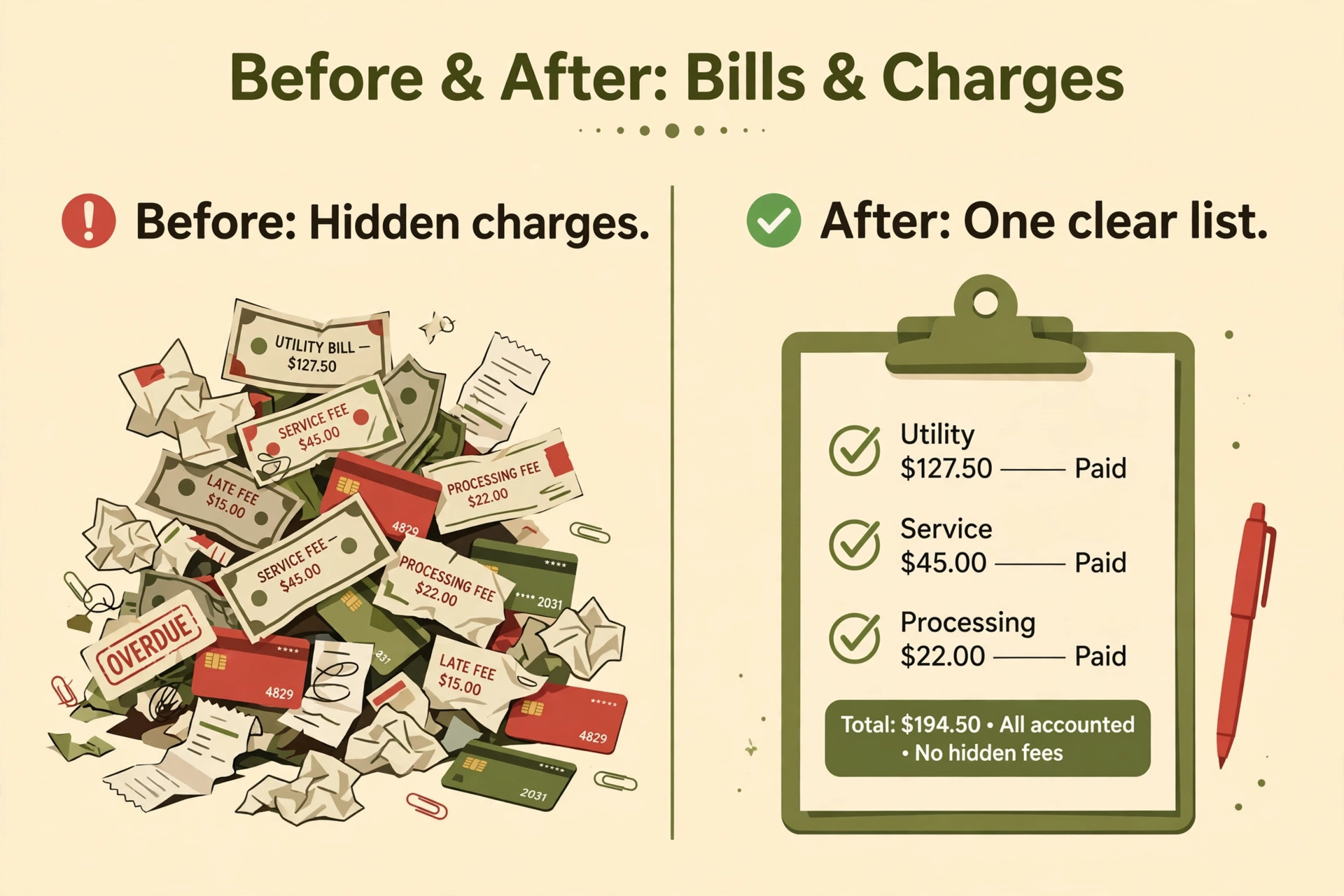
Discovery starts with money, not with memory, because memory forgets trials and card purchases while bank statements do not. Export twelve months of card and bank statements, filter for software, cloud, and app charges, and list every recurring charge, including annual charges that appear only once a year and are easy to miss in a single month. Annual charges are the most dangerous kind of forgotten subscription, because they renew silently and cost twelve times the monthly figure in one hit.
Next, check the places subscriptions hide beyond the main company card, including personal cards reimbursed through expenses, app store subscriptions on company phones, and marketplace purchases billed through another platform. Ask each team member to list every tool they use for work, even free tools, because a free tool that holds company data still belongs on the list for security purposes, and a tool paid through an app store will not appear on a card statement in an recognisable form. A short team survey, with a deadline and a named requester, finds more tools than any automated scan at this size.
Finally, check admin consoles for the tools you already know about, because many subscriptions contain hidden seats, guests, or add-ons that the headline charge does not reveal. Open each billing page, note the seat count, the plan, and any add-ons, and compare those figures with the spreadsheet. Discrepancies between the billing page and your assumption are where savings hide, such as seats for leavers, an add-on for a finished project, or a plan tier that no longer matches the features the team uses.
The usage scoring decision table
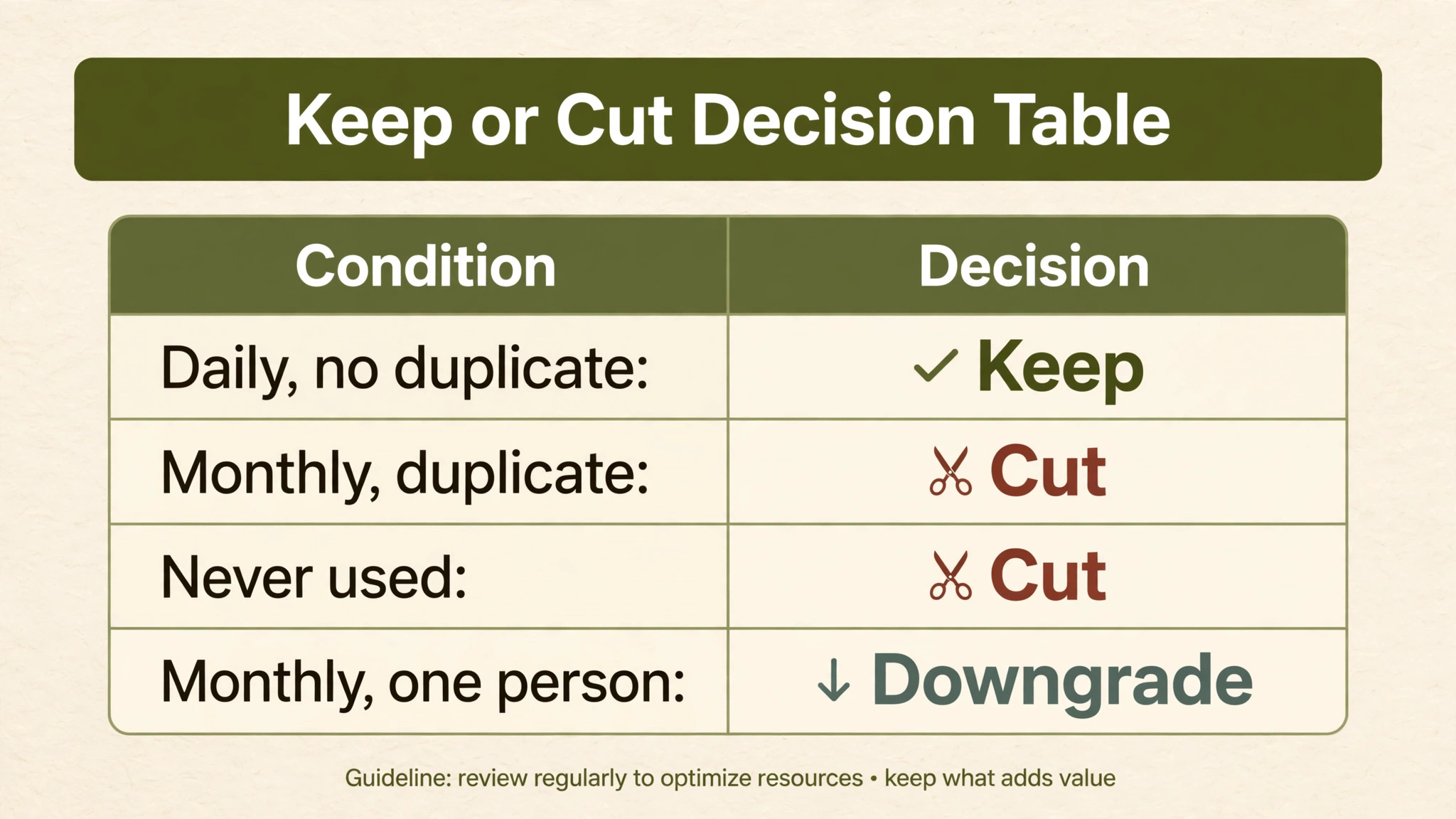
Once every subscription is listed with cost, seats, and usage, the decision table below removes guesswork from the keep-or-cut choice. Score each tool on usage and on uniqueness, meaning whether another tool you already pay for does the same job, and let the combination decide. A tool that is used daily and has no duplicate is a keep, whatever it costs, because replacing it would disrupt real work. A tool that is used monthly and duplicates another tool is a cut, whatever its price, because the job is already covered. A clear view of the how to audit SaaS subscriptions small business makes the next decision much easier.
Cost per active user is the number that makes expensive tools look cheap and cheap tools look expensive, and it should be calculated for every row. Divide the monthly cost by the number of active users, not by the number of seats paid, because seats paid is a billing figure while active users is a value figure. A seventy-dollar tool used daily by ten people costs seven dollars per active user and is excellent value, while a twenty-dollar tool used by one person once a month costs twenty dollars per use and is poor value, even though its headline price is lower.
| Usage in 90 days | Duplicate exists | Decision | Next step |
|---|---|---|---|
| Daily by several people | No | Keep | Review at next audit only |
| Weekly by several people | No | Keep | Check for a cheaper tier |
| Monthly by one person | No | Downgrade or pause | Test whether a lower tier covers the job |
| Monthly by one person | Yes | Cut | Move work to the duplicate tool |
| Never | Either way | Cut | Close account and remove data access |
| Daily but only by leavers | No | Reassign or cut | Transfer ownership, then decide |
The 90-day decision rules for every tool
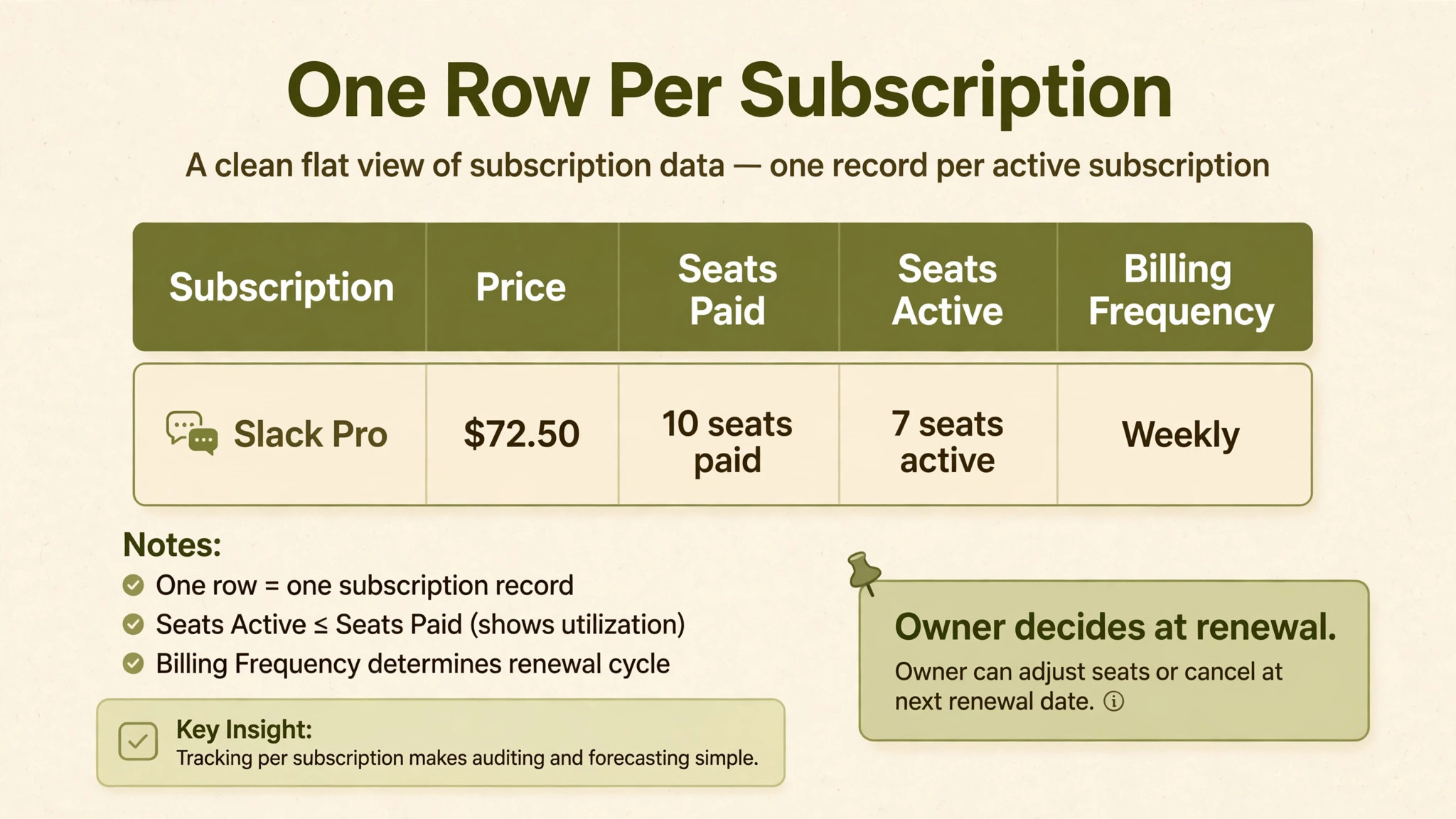
Apply four rules in order, and do not skip a rule because a tool is popular or because a colleague likes it. Rule one is that a tool unused for ninety days is cut, with no debate about future usefulness, because future usefulness can be bought again in an afternoon if it ever returns. Rule two is that a duplicate tool is cut, with work moved to the surviving tool over two weeks, because keeping both for comfort doubles cost and splits where work lives, which confuses new starters most of all.
Rule three is that a tool used monthly by one person is downgraded, paused, or replaced with a cheaper tier, because a full subscription for occasional use is rarely justified when a lower tier, a pay-as-you-go option, or a bundled feature covers the same job. Rule four is that a tool kept on a higher tier must name the higher-tier feature it needs in one sentence, because a tier kept for a vague feeling of safety is a tier kept for no reason. If nobody can name the feature, the tier is downgraded and the feature question is revisited if a real need appears.
There is one exception to these rules, and it is a tool kept for compliance, tax, or legal reasons even when usage is low, such as an accounting archive, a backup service, or a compliance tool required by a client contract. Mark such tools clearly as compliance keeps, with the requirement noted in the spreadsheet, so a future auditor does not cut them by mistake. Everything else follows the four rules, and the audit stays fast because exceptions are labelled rather than debated every quarter.
The renewal calendar that stops surprise charges
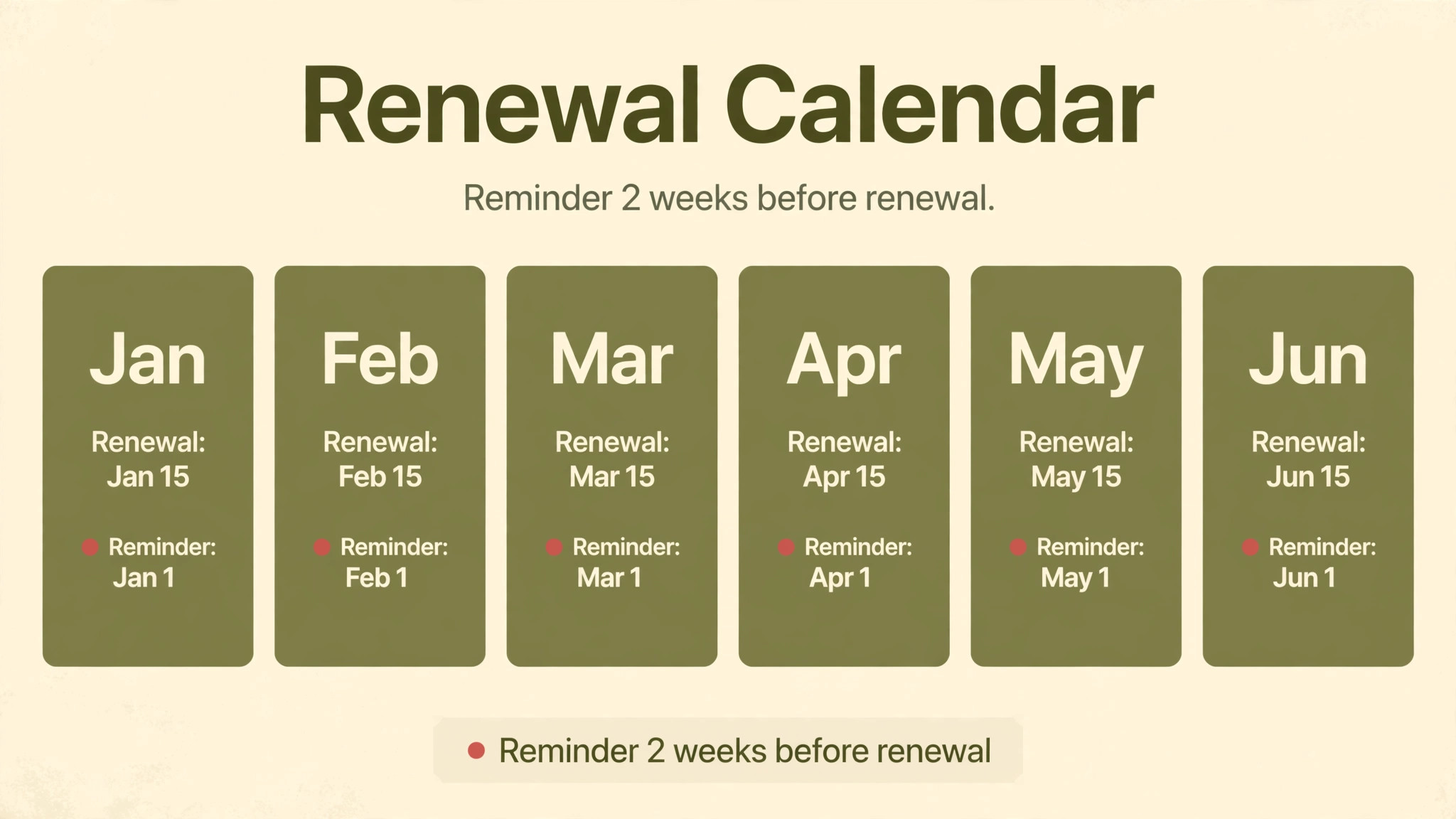
A renewal calendar is a simple list of every subscription, its renewal date, and its owner, sorted by date, with a reminder two weeks before each renewal. That two-week window is the whole point, because it gives the owner time to test a downgrade, negotiate a discount, or cancel without losing access mid-project. A renewal discovered on the day it charges is not a decision. It is a sunk cost, and it repeats every year until someone builds the calendar.
Set the calendar up once, in whatever calendar tool the business already uses, with one event per renewal and the owner as the attendee. Annual renewals deserve a reminder four weeks ahead as well, because an annual charge is large enough that a two-week window may be too short to test an alternative. Review the calendar in a monthly finance check, even if only for ten minutes, so renewals due in the next sixty days are always visible and never arrive as a surprise on a bank statement.
Negotiation belongs in the renewal window, not after it, and it works best when you can walk away. Before renewal, check the competitor price at your size, check whether a lower tier covers your work, and ask the vendor for a price lock, a discount on extra seats, or an add-on included, rather than simply asking for a lower number. Get any promise in writing on the invoice, because a verbal discount that never reaches billing is the most common negotiation failure, and it is entirely preventable with one email confirmation. That detail is exactly why the how to audit SaaS subscriptions small business question deserves a careful answer.
A worked audit for a ten-person business
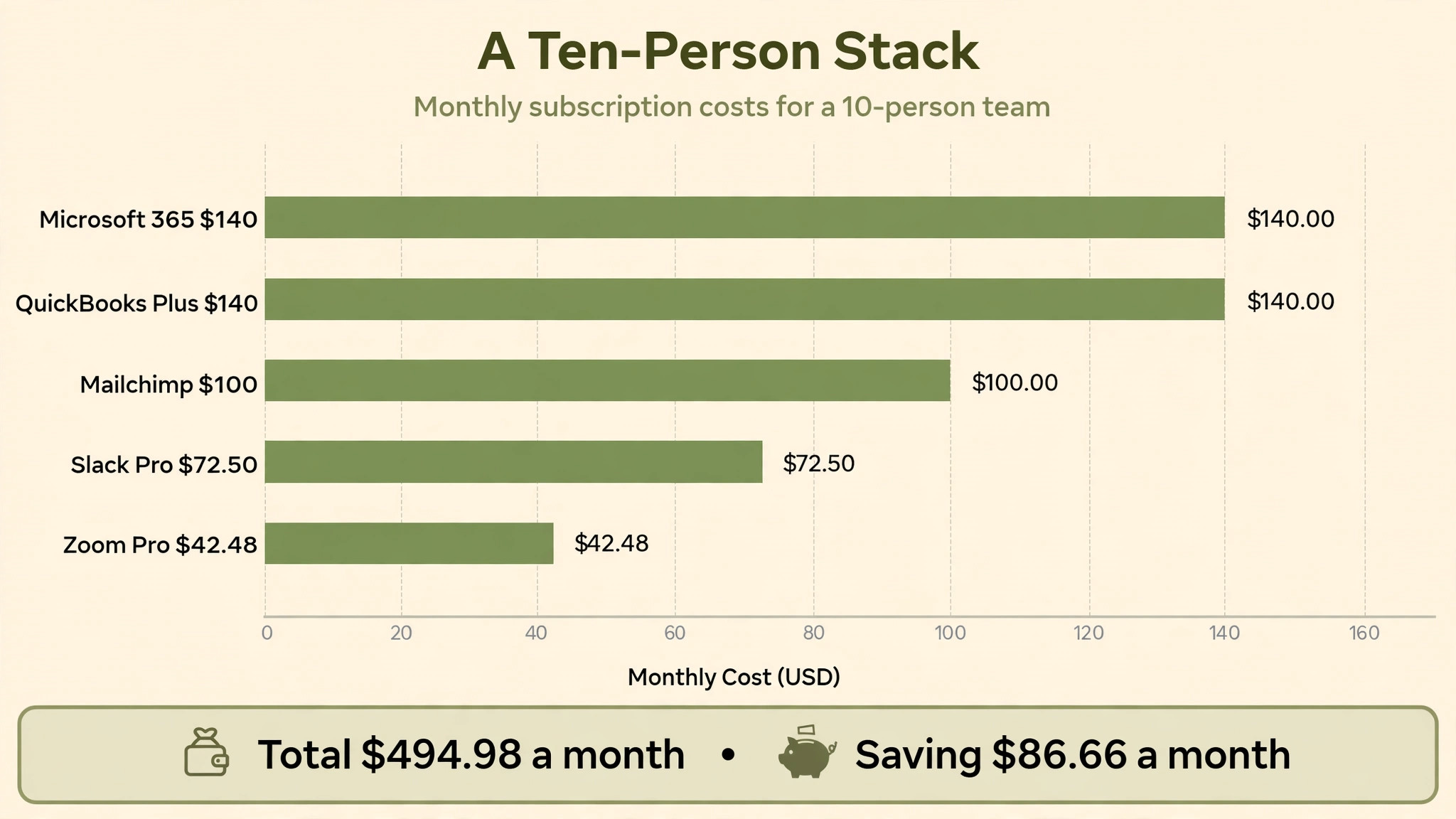
Take a ten-person business paying for Slack Pro at $72.50 a month, Zoom Pro for three hosts at $42.48 a month, Mailchimp Standard for 5,000 contacts at $100 a month, QuickBooks Plus at $140 a month, and Microsoft 365 Standard for ten users at $140 a month. The combined total is $494.98 a month, or about $5,940 a year, before add-ons, which is a typical stack for a business this size and a useful starting point for an audit. Nothing on that list looks extravagant in isolation, which is exactly why the audit must look at the stack as a whole.
The audit finds three savings quickly. Slack duplicates Teams, which is already included in Microsoft 365, so cutting Slack saves $72.50 a month. One Zoom host licence belongs to a leaver, so removing it saves $14.16 a month. Mailchimp contacts include 1,500 archived contacts that were never cleaned, but cleaning them does not drop a band at this size, so no saving there, which is itself useful information because it stops a wasted cleanup effort. The total saving is $86.66 a month, or about $1,040 a year, from two decisions that took less than an hour to implement.
The audit also finds one non-saving that matters, which is that QuickBooks Plus looks expensive until the accountant confirms that the business depends on its inventory and project features, and that switching to a cheaper tool would cost more in accountant time than it saves in subscription fees. Keeping QuickBooks is therefore the right decision, and recording that reasoning in the spreadsheet stops the same debate from recurring every quarter. A good audit does not cut everything. It cuts what should be cut and defends what should be kept, with reasons written down.
| Tool | Monthly | Audit finding | Saving |
|---|---|---|---|
| Slack Pro | $72.50 | Duplicates Teams in Microsoft 365 | $72.50 |
| Zoom Pro, three hosts | $42.48 | One host is a leaver | $14.16 |
| Mailchimp Standard | $100 | Cleanup does not change band | $0 |
| QuickBooks Plus | $140 | Keep, accountant depends on it | $0 |
| Microsoft 365 Standard | $140 | Keep, covers email, apps, Teams | $0 |
| Total saving | $86.66 a month |
Common audit traps to avoid
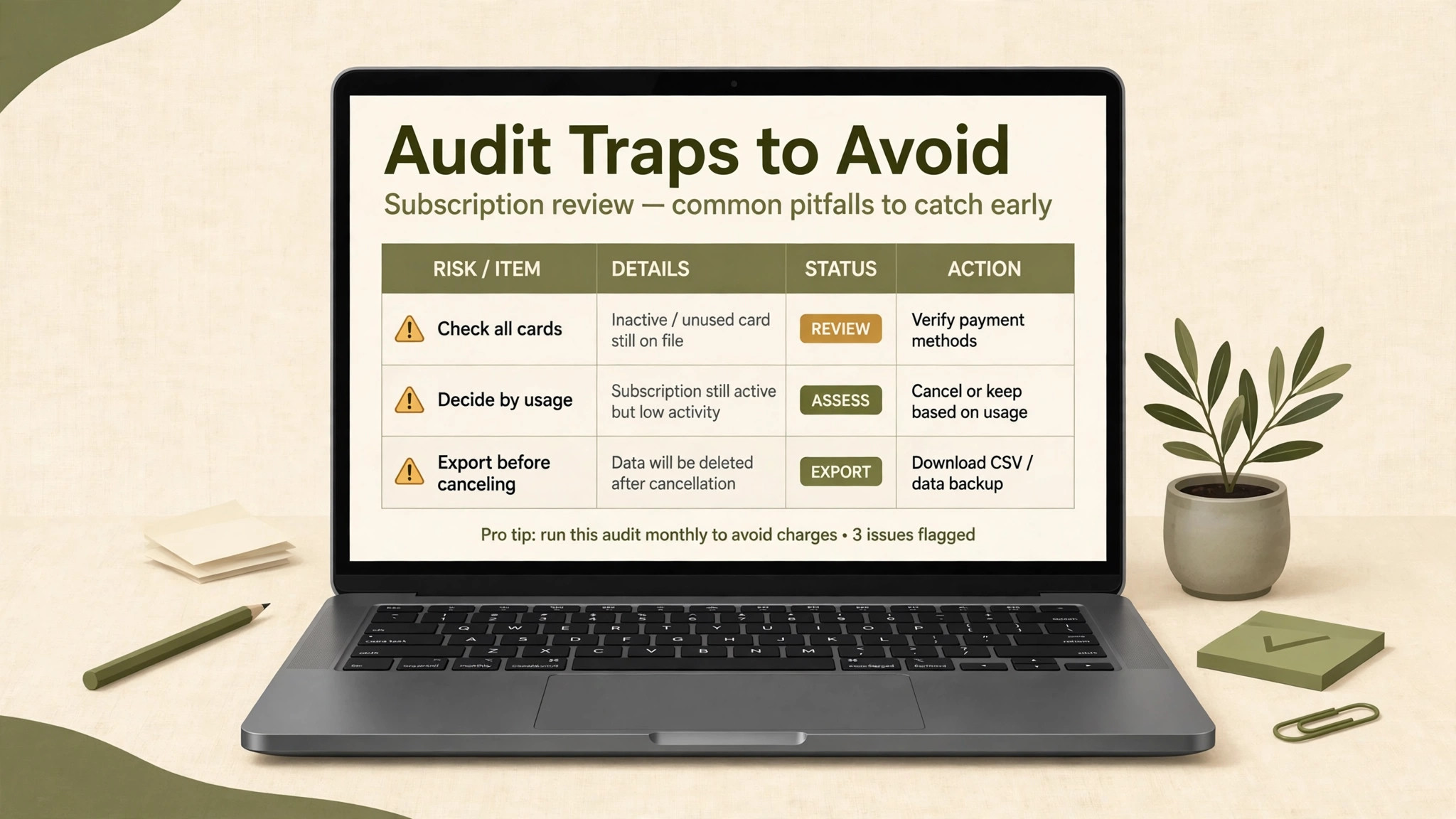
The first trap is auditing only the main company card, which misses app store subscriptions, reimbursed personal cards, and annual charges that do not appear in a single month. The second trap is auditing by price alone, which cuts a cheap tool that the team loves and keeps an expensive tool that nobody uses, because headline price is not value. Always audit by usage and duplication first, and let price decide only between tools that do the same job equally well.
The third trap is cutting without a rollback plan, which turns a reversible saving into a stressful scramble when a cancelled tool turns out to hold an important report or template. Export data before cancelling, keep the old account in read-only form where possible for one cycle, and tell the team what changed and where the replacement lives. The fourth trap is auditing once and never again, because subscriptions regrow within months as new trials start and new hires sign up. Quarterly audits, even brief ones, keep the stack tidy in a way that an annual deep clean never will.
The fifth trap is letting the audit become a blame exercise, which makes team members hide tools instead of listing them. Frame the audit as a visibility and security exercise, thank people for listing tools honestly, and focus decisions on the tool, not on the person who bought it. A team that trusts the audit will list everything next quarter too, while a team that feels judged will quietly keep a shadow stack that no audit can find. Keep the how to audit SaaS subscriptions small business in mind as you compare the numbers in the next section.
Setting up the quarterly audit habit
A habit survives only if it has a date, an owner, and a simple process, so set the audit date before you finish the first one. Choose a recurring date each quarter, such as the first Friday of the quarter, assign one owner, and block two hours in that person’s calendar. Two hours is enough for a business with a tidy spreadsheet, because the second audit only checks changes, new tools, and renewals due in the next quarter, rather than rebuilding the inventory from scratch.
Keep the process deliberately simple, because a complicated audit will be postponed and then abandoned, while a simple audit will actually happen. The process is discovery from statements, a short team check for new tools, usage and duplication decisions from the table in this guide, and a renewal calendar update. If any step takes more than an hour, simplify it, because an audit that takes a week is a project, and projects get deprioritised when customer work arrives, which is exactly when subscriptions regrow unnoticed.
Report the audit result in one short summary, even if only to yourself or to a business partner, stating total monthly spend, savings found, tools cut, and tools kept with reasons. A written summary creates accountability and a baseline for the next quarter, so savings can be tracked over time and the habit can be shown to pay for itself. Many businesses find that the first audit saves hundreds of dollars a year, and that written proof is what keeps the habit alive when the next quarter gets busy.
Finally, involve the team in the habit without making it a chore, by asking each person once a quarter whether they still use the tools assigned to them and whether they have started using anything new. A two-minute question, asked routinely, finds new tools far more reliably than a formal survey, because people answer honestly when the question is normal rather than exceptional. Over time, the team will start flagging unused tools themselves, and the audit will become a shared habit rather than a finance task imposed from above. A clear view of the how to audit SaaS subscriptions small business makes the next decision much easier.
If the business grows beyond twenty subscriptions, or beyond a handful of owners, consider a dedicated subscription management tool that automates discovery and renewal alerts, but do not buy one before the spreadsheet habit works. A paid tool on top of a messy process only automates the mess, while a spreadsheet habit that works for two quarters proves exactly what the business needs from a tool, if it needs one at all. Buy software to improve a working habit, never to replace a habit that does not yet exist.
The verdict on auditing your subscriptions
A quarterly subscription audit is one of the highest-return habits a small business can adopt, because it saves money, reduces security risk, and improves decision quality for the cost of a single evening each quarter. The worked example above saved about $1,040 a year from two decisions, and many businesses save more on their first audit, when years of forgotten trials and duplicate tools surface at once. Even a business that finds no savings on its first audit gains something valuable, which is a complete, owned list of its software and its renewal dates.
Start this week, not next quarter, by exporting twelve months of statements and building the spreadsheet template above, even if the first version is incomplete. An incomplete list that exists is more useful than a perfect list that never gets built, and the second audit will fill the gaps the first one missed. Put the next audit in the calendar before you finish the first one, assign an owner, and treat subscription hygiene as a normal part of running the business, like reconciling the bank account or reviewing insurance. That habit, repeated, is what keeps software spending honest.
Start the audit with the largest subscriptions first, because a single decision on a large tool can save more than a dozen decisions on tiny tools, and early wins build momentum for the rest of the list. Sort the spreadsheet by monthly cost descending, work through the top five tools with full attention, and then move faster through the smaller rows, where a simple keep or cut decision is usually obvious from usage alone. Momentum matters in an audit, because a process that stalls on a five-dollar tool in the first hour rarely finishes the list at all.
Keep a short log of every decision, including the date, the tool, the decision, and the reason, because that log is what makes the next audit fast and what protects you when a colleague asks why a favourite tool disappeared. A decision log also reveals patterns over time, such as tools that are bought, cut, and bought again, which usually signals a real need that is being met badly rather than a need that does not exist. Patterns like that point to a better tool choice, not to another round of cutting. That detail is exactly why the how to audit SaaS subscriptions small business question deserves a careful answer.
Share the audit summary with the team in plain language, stating total spend before and after, tools cut, and tools kept with reasons, because transparency turns an audit from a finance exercise into a shared habit. People accept cuts they understand, especially when the saving is linked to something tangible, such as a new hire, a marketing budget, or a piece of equipment the business actually needs. An audit that is hidden feels like a punishment, while an audit that is shared feels like good management, and that difference decides whether the next audit finds an honest list or a hidden one.
Frequently Asked Questions
How often should a small business audit subscriptions
Quarterly is the right rhythm for most small businesses, because it is frequent enough to catch trials that converted and seats for leavers, but infrequent enough to stay a one-evening job rather than a burden. Annual audits alone allow waste to accumulate for a full year, while monthly audits take more time than the savings usually justify. Put the quarterly audit in the calendar with a named owner, and treat it like any other recurring finance task.
What is the first step in a subscription audit
The first step is discovery from bank and card statements, not from memory, because statements reveal trials, annual charges, and purchases that memory forgets. Export twelve months of statements, list every recurring software charge, and then ask the team to add any tools paid through app stores or personal cards. A list built from money first, and memory second, is the only list you can trust.
How do you decide whether to keep or cut a tool
Decide by usage and duplication, not by headline price. A tool used daily by several people with no duplicate is a keep, whatever it costs, while a tool unused for ninety days, or duplicated by a tool you already pay for, is a cut. Calculate cost per active user for borderline tools, and downgrade rather than cut when a lower tier covers the actual job. The decision table in this guide turns those rules into a repeatable process.
Should you cancel a tool nobody uses, even if it is cheap
Yes, because a cheap unused tool still costs money every month, still holds company data, and still represents an account that must be managed and secured. Cheap tools also accumulate, and ten five-dollar subscriptions cost fifty dollars a month, or six hundred dollars a year, for tools nobody opens. Cancel unused tools promptly, export any data first, and rebuy later if a real need returns, which takes minutes.
What about tools kept for compliance or tax reasons
Mark compliance tools clearly in the spreadsheet with the requirement noted, so they are not cut by mistake in a future audit. Accounting archives, backup services, and tools required by a client contract may be used rarely but must be kept, and labelling them as compliance keeps prevents a well-meaning future auditor from cancelling something the business is obliged to hold. Everything else follows the normal usage and duplication rules.
How long does a first audit take
A first audit for a business with ten to twenty subscriptions usually takes one evening, including statement review, a short team survey, and decisions on obvious waste. Larger stacks, or stacks with many annual charges and hidden add-ons, may take a full day, but the second audit is always faster, because the spreadsheet already exists and only changes need to be checked. Do not delay the first audit until you have a perfect process. Start with the template in this guide and improve it as you go.
More Reading on Stratilyze
For wider context, read AI subscriptions worth paying for, then compare it with the best software for a small business and finish with automating a small business with AI before you sign a contract or start a migration.