
A wired camera system and a renter-friendly camera solve the same worry in very different ways, and choosing the wrong one is the fastest route to a lost deposit. A wired system gives steady power and a fixed view, but it usually needs drilling, cable runs, and landlord approval that many leases will not grant for a short tenancy. When you set up security camera for apartment renters, a wireless, battery or plug-in camera gives a slightly less permanent view, but it can sit on a shelf, stick to a surface with removable adhesive, move with you to the next flat, and come down at move-out without leaving holes to repair.
For most renters, the second option wins, not because it is technically superior in every way, but because it fits the constraints of rented life. If you want to set up security camera for apartment renters in a way that actually survives a lease, start with what your lease allows, what your building allows, and what your neighbours can reasonably expect, and only then compare cameras. This guide follows that order, with a placement plan for a typical flat, a no-drill mounting checklist, Wi-Fi and power advice, privacy settings, storage choices, and a move-out routine that protects your deposit.
Read Your Lease Before You Buy Anything
Your lease is the first document to check, and it matters more than any camera review. Look for sections on alterations, fixtures, drilling, electrical work, and security systems, because many leases treat any physical change to the unit as an alteration that needs written landlord consent. A freestanding camera on a shelf usually does not alter the building, while a screwed mount, a drilled cable hole, or a wired doorbell change often does. Read the building rules as well, because a lease may allow an indoor camera while building rules restrict cameras in shared hallways, stairwells, or on exterior walls.
If anything is unclear, ask your landlord in writing, naming the camera type, the exact location, how it will be mounted, and how you will remove it at move-out. A written reply protects you if a dispute arises later about whether permission was given. Keep that reply with your lease papers and a photo of the wall before installation, so you can show the original condition at the end of the tenancy. Written permission is a basic step when you set up security camera for apartment renters in a shared building. This step takes an afternoon of reading and one short message, and it prevents the most expensive renter mistake, which is installing first and asking later.
Video doorbells deserve special care in flats, because they sit at the boundary between your home and shared space. A Ring video doorbell or a similar device may capture the hallway, the flat opposite, and visitors who have no connection to you, which raises privacy questions that an indoor camera does not. Some buildings ban doorbell cameras outright, some allow them with a wedge that angles the view down toward your own doorstep, and some require written permission from the landlord and notice to neighbours. Do not assume a doorbell camera is allowed just because a neighbour has one, because that neighbour may have permission you do not, or may be in breach without knowing it.
If you want door coverage without a doorbell device, consider an indoor camera placed near the door that looks at your own entry, or a peephole camera designed for renters where building rules allow it. Always check whether audio recording is restricted in your area, because audio can be treated more strictly than video, and turning audio off is often the simplest way to stay within the rules.
Arlo Wireless Cameras and Battery Trade Offs
Arlo wireless cameras are a common renter choice because they run on batteries, connect over Wi-Fi, and mount with magnetic or adhesive fittings that leave no holes. Battery cameras suit renters who cannot run a cable to a good viewpoint, but they need a charging routine, because a camera with a dead battery records nothing and may stop sending alerts without an obvious warning. Check battery level in the app each week, keep a spare charged battery if your model supports swapping, and place the camera where you can reach it for charging without a ladder.
Plug-in cameras avoid battery chores and give continuous recording options, but they need an outlet near the viewpoint and a cable route that does not cross a walkway or a door. For a first renter setup, one plug-in indoor camera at the main entry plus one battery camera for a balcony or a window view often covers the main risks without creating cable clutter or a weekly charging burden. Compare the total cost, including any cloud subscription, before you buy, because a cheap camera with a costly monthly plan can cost more over a two year lease than a pricier camera with local storage.
How to Set Up Security Camera for Apartment Renters Room by Room
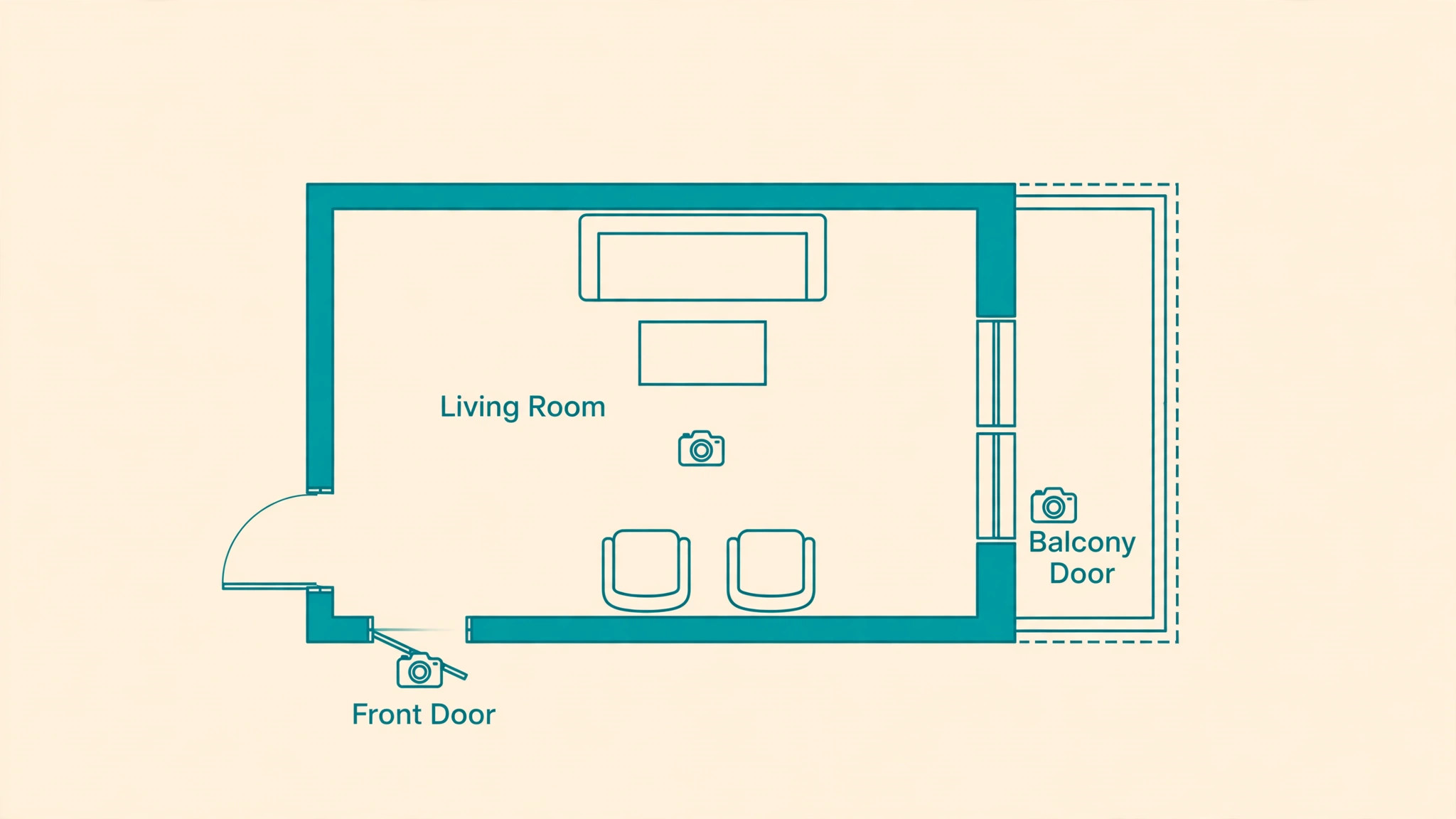
Start with a walk through your flat with your phone camera, standing where a camera might sit and checking what each viewpoint actually shows. The front door view matters most for most renters, because it captures who arrives, when parcels arrive, and whether anyone tries the door. A living room view covers the main shared space and any balcony door, while a hallway view inside the flat can link the entry to the bedrooms without filming private rooms.
Avoid pointing a camera at a bedroom, a bathroom, or a roommate’s private space without clear consent, and avoid aiming through a window at a neighbour’s window or balcony, because that creates a privacy problem even if your intention was only to watch your own door. Use the placement map below as a starting plan, then adjust it to your layout, your lease, and the places you actually worry about, rather than copying a layout for a house that does not match a flat. A map that fits your own rooms is central to how you set up security camera for apartment renters well.
| Area in a typical flat | Camera position | What it should show |
|---|---|---|
| Front door from inside | Shelf or adhesive mount near the door, angled to the entry | Visitors at your door and the entry area only |
| Living room main view | High shelf or bookcase, angled across the room | Main living space and balcony door in one frame |
| Balcony door from inside | Shelf near the door, looking inward or at the door | The balcony door and anyone approaching it from inside |
| Window facing the street | Inside the window on a suction or shelf mount | Your own entry approach, with privacy masking on neighbours |
| Hallway inside the flat | Shelf at the end of the hall | Movement between entry and bedrooms, no private rooms |
| Kitchen entry if open plan | Top of a cabinet or fridge, stable and out of reach | Entry to the kitchen area without filming cooking in detail |
| Home office corner | Desk shelf behind the monitor line | The office door and desk area for parcel and visitor checks |
A placement map works only if you test it at different times of day. Check the front door view in daylight, in evening light, and with the hallway light on and off, because glare from a window or a bright hallway bulb can wash out a face at the exact moment you need it. Check night vision by walking through the frame in the dark and watching the playback, because a camera that looks clear in a bright room can turn into a blur of infrared glare when it faces a reflective window or a mirror.
Adjust the angle by small amounts rather than large swings, and retest after each move, because a few degrees can be the difference between a useful face shot and a useful shot of the top of a head. If a viewpoint cannot be made useful without filming a neighbour’s private space, drop that viewpoint and choose another one, because a camera that creates a neighbour dispute is worse than no camera in that spot.
Wyze Indoor Cameras and Shelf Placement
Wyze indoor cameras illustrate why shelf placement suits renters so well. A small indoor camera can sit on a bookshelf, a cabinet, or a plant stand, plug into a nearby outlet, and give a wide view without any mount at all. Shelf placement also makes it easy to move the camera for a test, to unplug it when guests visit, and to pack it at move-out without tools. The trade off is height and angle, because a shelf camera sits lower than a ceiling mount and can be blocked by furniture or tall plants.
Raise the camera with a stable book or a small stand if the view is blocked, and keep it out of easy reach of children and pets who might knock it down. Do not hide a camera inside an object in a shared space without telling the people who live there, because hidden recording in a shared home creates trust and legal problems that far outweigh any security gain. A visible camera in an agreed position is both more honest and more useful as a deterrent.
No-Drill Mounting Checklist for Renters
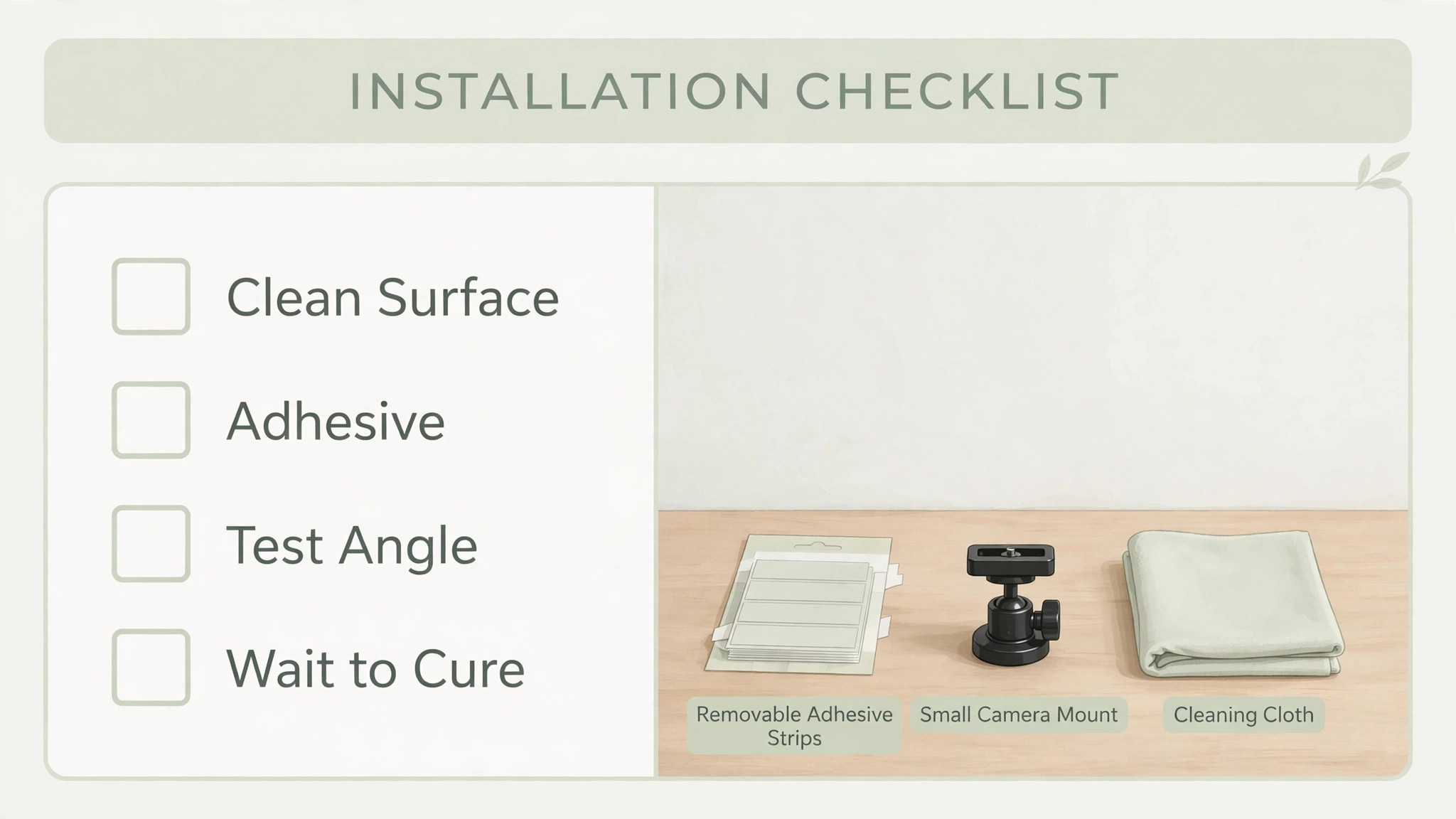
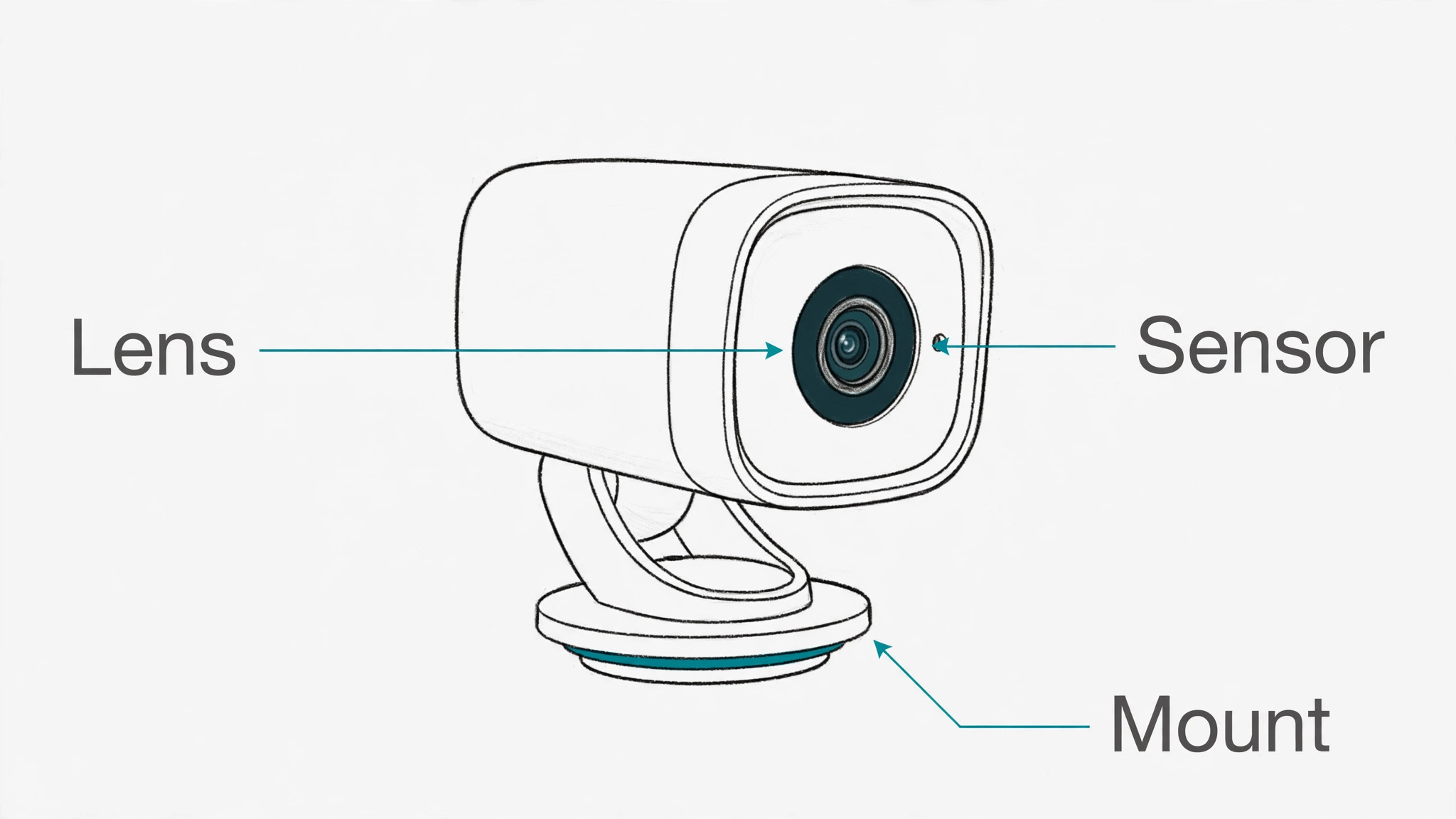
Use this checklist before you stick, clamp, or hang anything, because a mount that fails can damage the camera, the wall, or a person below it. Work through the steps in order, and do not skip the weight test just because the adhesive packet promises a high load rating. A patient mounting routine helps anyone who wants to set up security camera for apartment renters without wall damage.
- Read the lease and building rules again for the exact spot, and confirm written permission where the spot touches a shared wall or exterior surface.
- Clean the surface with a mild cleaner, let it dry fully, and avoid mounting on fresh paint, wallpaper, or a dusty surface that will not hold adhesive.
- Choose a removable adhesive strip or mount rated for more weight than your camera, and check the rating for your wall type and temperature range.
- Test the camera angle on a shelf or a temporary surface first, checking day and night views before you commit to a mounted position.
- Press the adhesive firmly for the time the maker advises, then wait the full curing time before you trust it with the camera, even if it feels firm at once.
- Tug the empty mount gently, then with the camera fitted, and check it again after a day, after a temperature change, and after any door slam nearby.
- Route cables with removable clips or cord covers that peel off cleanly, keeping cables away from walkways, doors, and heaters.
- Use a magnetic mount on a metal door frame only where the magnet holds firmly and the camera cannot slide down over time.
- Use a clamp mount on a shelf edge or a railing only where the clamp cannot damage the surface and cannot be knocked loose by a passerby.
- Photograph each mount after installation, so you have a record for move-out and a reference if a mount shifts and needs repositioning.
- Plan removal now, noting the adhesive type and the removal method, so move-out does not become a guessing game with a scraper.
Wi-Fi, Power, and Signal in a Small Flat
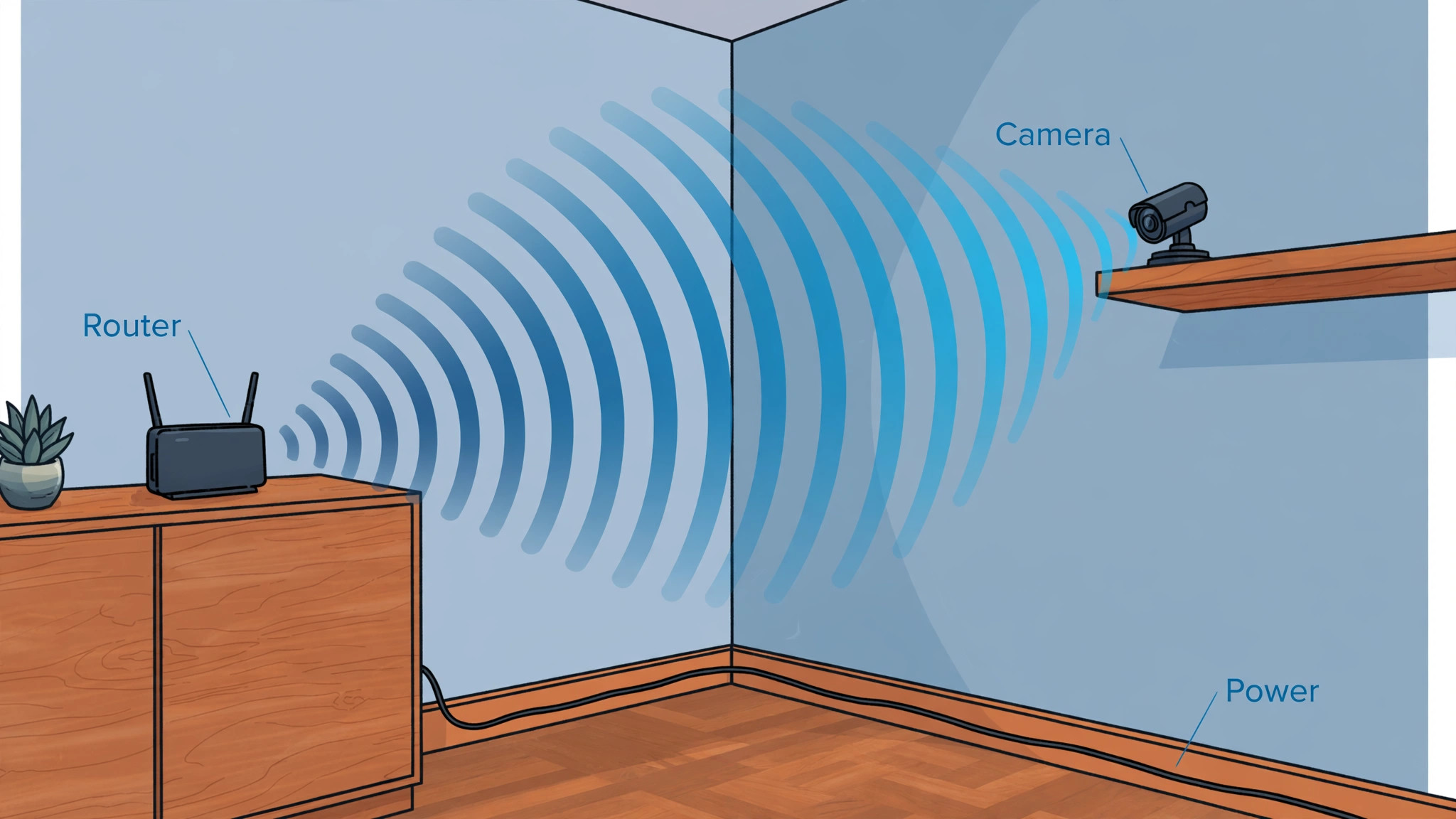
A camera is only as good as its connection, and small flats still have dead spots behind thick walls, metal doors, and kitchen appliances. Place your router or access point as centrally as you can, and test camera signal strength in the app from each planned position before you mount anything permanently. If signal is weak at a balcony or window position, move the router, add a Wi-Fi extender in the same room, or choose a camera position closer to the router, because a camera that drops offline during an event is worse than a camera with a slightly narrower view.
Use the 2.4 GHz band if your camera supports it and the distance is long, because that band travels through walls better than 5 GHz, even though it is slower. Keep the camera firmware updated, change the default password, and turn on two-factor authentication on the camera account, because a camera with a weak password is a privacy risk to you and to anyone it films. For power, prefer a short cable run to a nearby outlet, use a cable cover where the cable crosses a floor, and avoid extension leads draped across a room, because trip hazards and heat near heaters matter more in a small flat than in a large house.
Motion Zones, Alerts, and Privacy Settings That Reduce Noise
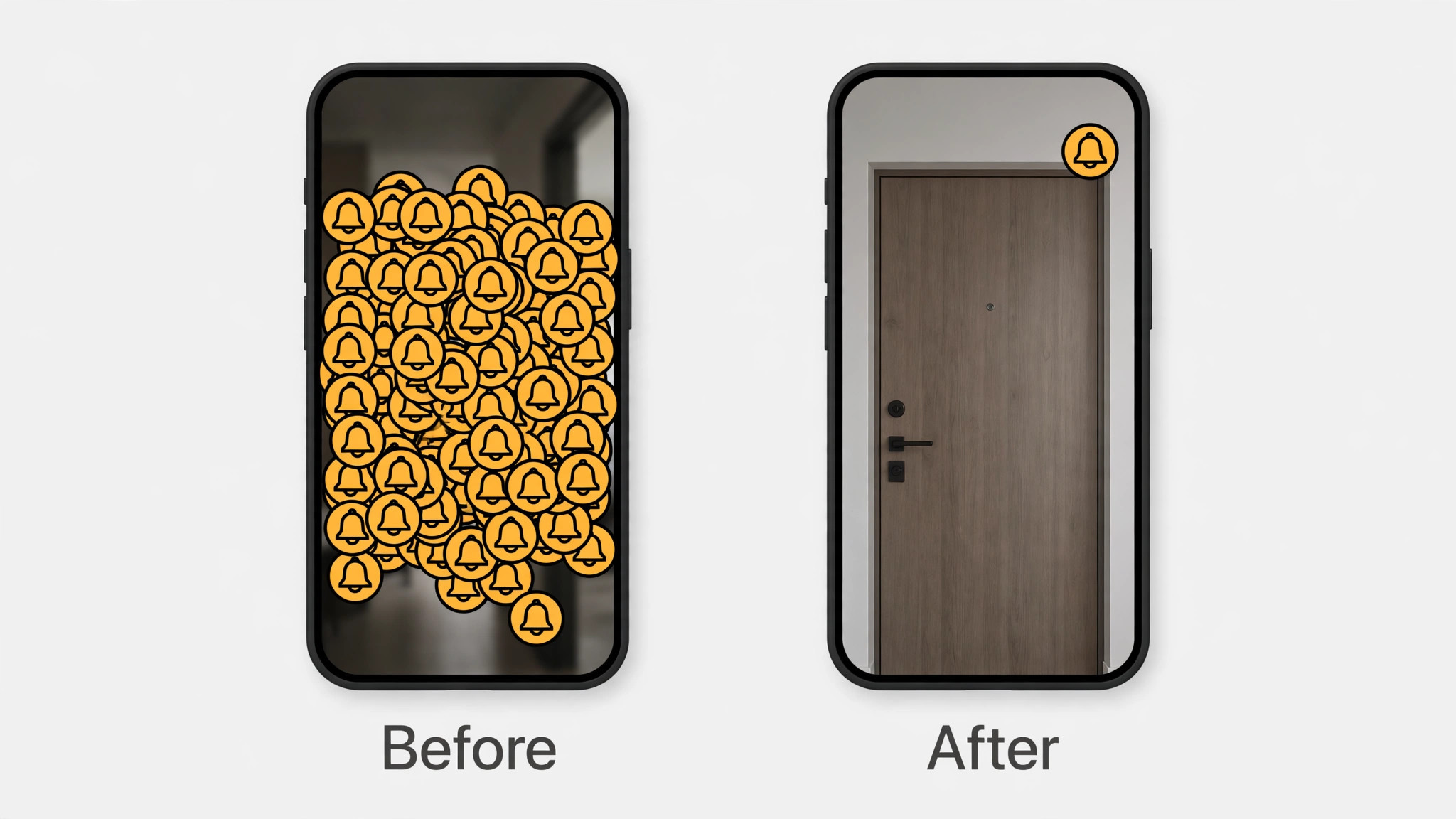
A camera that alerts you for every passing car, pet, or shadow quickly becomes a camera you ignore, which defeats its purpose. Set motion zones to cover only the areas you care about, such as your doorstep and your entry, and exclude busy pavements, trees that move in wind, and neighbours’ doors where your local rules or courtesy require it. Use person detection if your camera offers it, because it filters out many false alerts from pets and moving objects, while still alerting you to a person at the door.
Set alert schedules so the camera alerts you when you are out but stays quiet when you are home and moving around the flat, and review the schedule after a week to see whether alerts match real events. Turn off audio recording if your area restricts it, if a roommate objects, or if you simply do not need sound, because audio adds legal risk without adding much security value for most renters. Use privacy masking to block out a neighbour’s window or a shared hallway section that you do not need to record, and test the mask on playback, because a mask that looks right in the setup screen can shift when the camera angle changes slightly.
These settings take about twenty minutes to tune, and they turn a noisy camera into a useful one. Tuning alerts is an often missed step when you set up security camera for apartment renters for daily use.
Reolink Local Storage Cameras and Subscription Costs
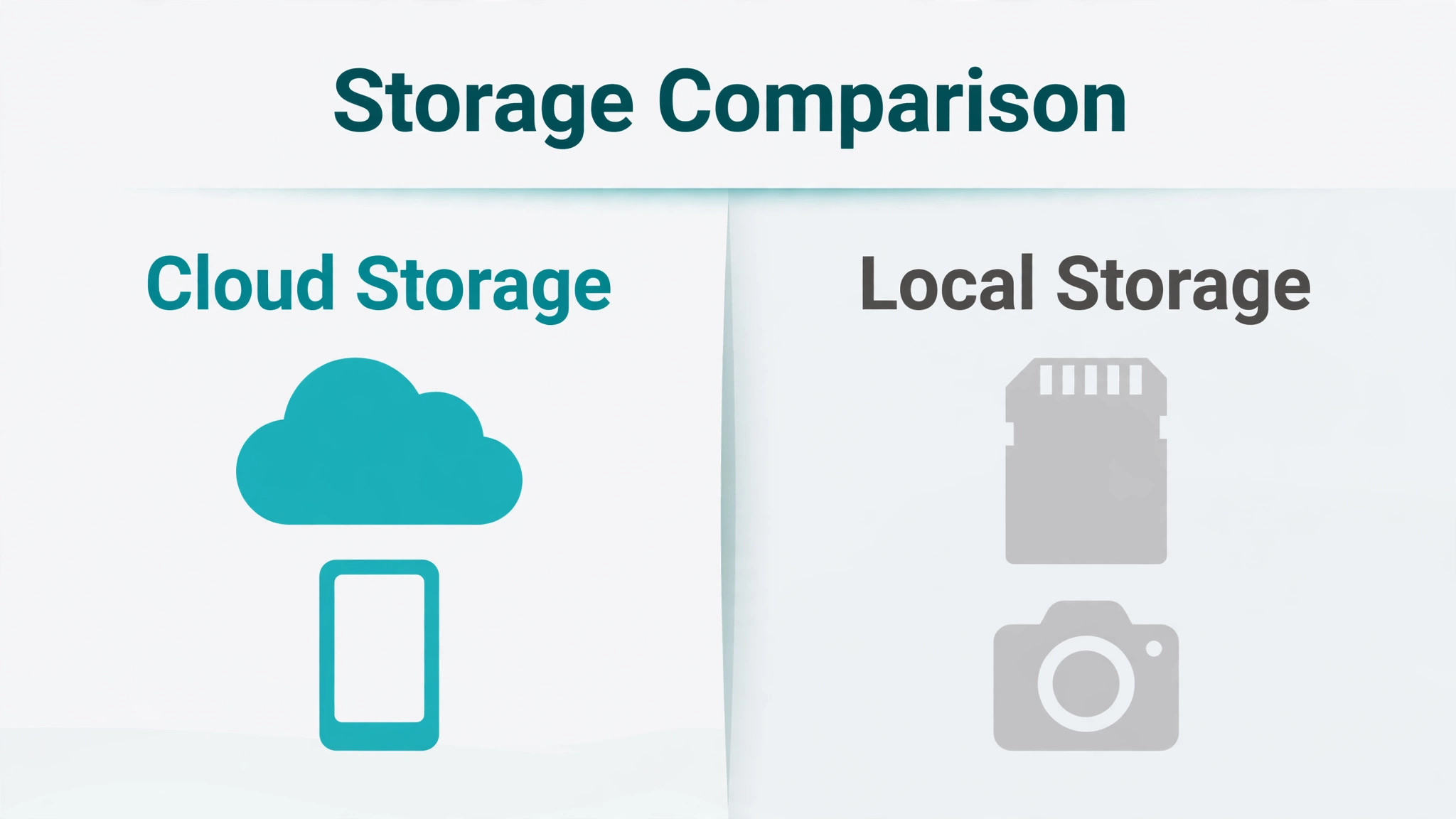
Storage choice decides both cost and control. Cloud storage is convenient, because clips are available from anywhere and survive even if the camera is stolen, but it usually needs a monthly subscription and the total cost over a lease can exceed the camera price. Local storage on a microSD card or a small home hub keeps clips under your control and often costs nothing monthly, but a stolen camera can take its card with it, so local storage alone is weaker for door coverage. Reolink local storage cameras suit renters who want to avoid subscriptions, because many models record to a card inside the camera and let you view clips in the app without a monthly plan.
A hybrid approach works well for many renters. Use local storage for indoor cameras where theft is unlikely, and use a short cloud plan or a hub with backup for the door camera where a stolen device would otherwise erase the evidence. Check how long clips are kept, how quickly you can download a clip, and whether the app lets you save a clip to your phone before it expires, because those details matter more in a real incident than a headline storage number.
Cameras in a shared home need agreement, not just installation. Talk to roommates before you install any camera in a shared area, agree on positions, on whether audio is on, on who can view live and recorded clips, and on when cameras are turned off, such as when guests stay overnight. Write that agreement down in a short message so everyone can refer to it later, and revisit it if a new roommate moves in or a camera moves to a new position.
For neighbours, keep cameras pointed at your own door and entry, avoid shared hallways unless building rules clearly allow it, and be ready to show a neighbour the camera view if they worry about their privacy, because transparency usually calms a concern faster than a technical explanation. Do not install a camera in a bathroom, a bedroom used by someone else, or any place where a person has a reasonable expectation of privacy, even if the camera is yours and the flat is shared.
If a neighbour or roommate objects strongly, pause and seek advice rather than arguing about the camera on the spot, because a security device that creates a lasting conflict with the people around you has already failed at its wider job of making home feel safer.
Buying the Right Renter Camera Without Overspending
Buy for your lease length, your flat layout, and your tolerance for subscriptions, not for the largest feature list. A 1080p camera with good night vision, person detection, and a stable app beats a 4K camera with a confusing app and a costly plan for most renters, because the clearer system gets used and the confusing one gets ignored. Check resolution, field of view, night vision range, weather rating for any outdoor facing position, and whether the camera works when the internet drops, because some cameras stop recording locally during an outage while others keep recording to a card.
Compare the cost of the camera, any mount, any card, and a year of cloud storage together, because the true first year cost is the number that matters for a renter budget. Buy one camera first, test it in your worst position for a week, and only then buy a second, because a model that works in a bright living room may struggle at a dark door or a reflective window. Keep receipts and boxes until the return window passes, and test the camera hard in the first two weeks, including night, rain on a window, and a simulated parcel delivery, so any weakness shows up while you can still exchange it.
Troubleshooting Common Renter Camera Problems
Most renter camera problems have a simple cause and a simple fix. If the camera goes offline, check Wi-Fi signal, router status, and power first, before resetting the camera, because a reset erases settings that took time to tune. If night vision looks white or washed out, move the camera away from a reflective window, a mirror, or a white wall that bounces infrared light back into the lens. If motion alerts flood your phone, narrow the motion zone, turn on person detection, and raise the sensitivity threshold in small steps rather than turning alerts off entirely.
If the camera view is too dark, add a small lamp near the entry, clean the lens, and check whether a privacy mask is accidentally covering part of the frame. If adhesive fails, clean the surface again, use a strip rated for a higher weight, and wait the full curing time before remounting, because most adhesive failures come from a dirty surface or impatience rather than a faulty strip. If a neighbour complains, check the playback view, adjust the angle or mask, and show the corrected view, because a quick adjustment usually resolves the issue faster than a debate about rights.
Move-Out Routine That Protects Your Deposit
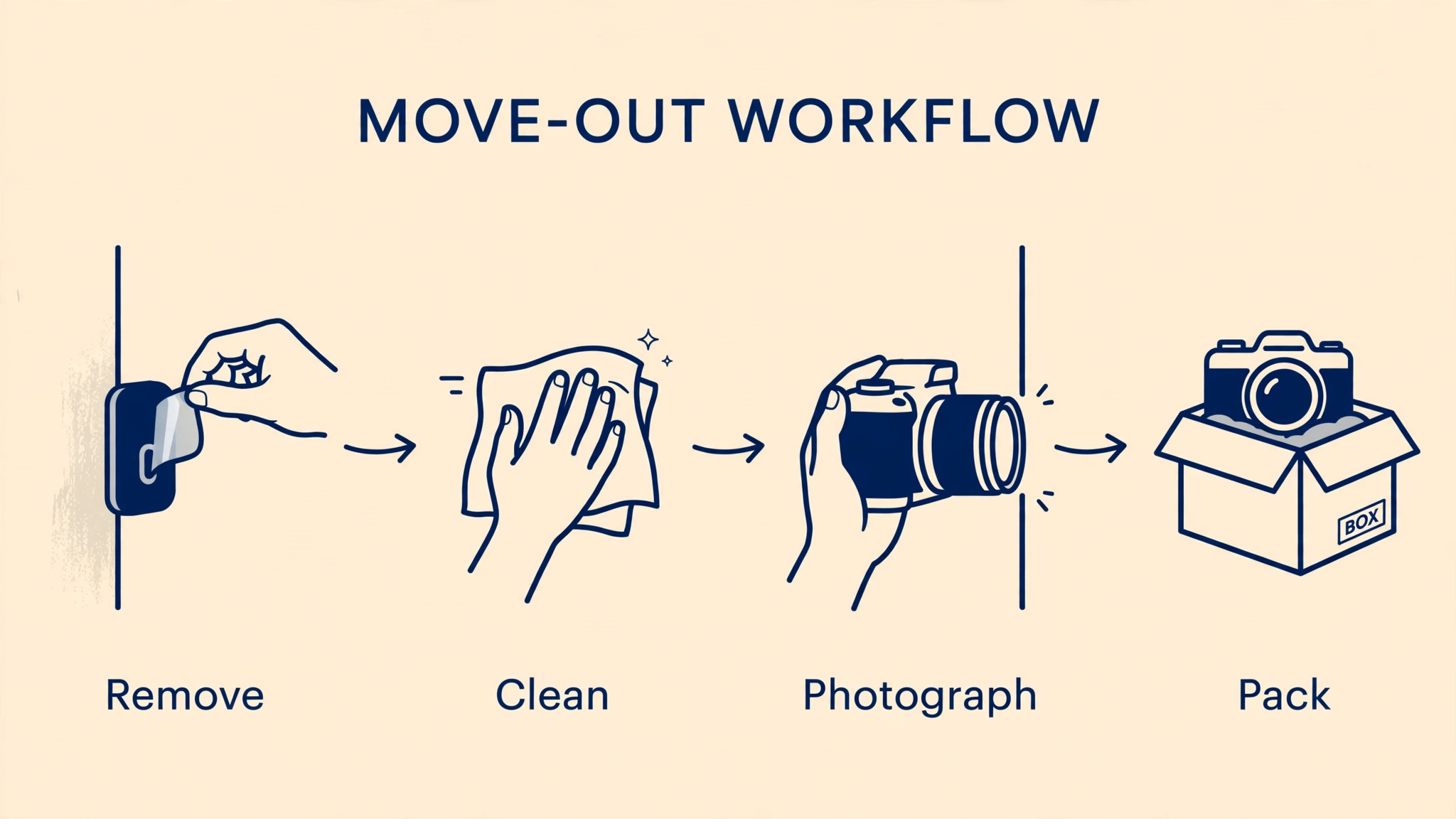
Plan move-out at installation time, not on the last weekend of the tenancy. Keep a note of every mount type, every adhesive strip, and every cable clip, and photograph each position before you remove anything. Remove adhesive mounts slowly, following the maker instructions, and use the recommended removal method rather than pulling hard, because slow removal protects paint. Clean any residue with a mild cleaner, check the wall in daylight for marks, and repair small marks only in the way your lease allows, asking the landlord first if a repair needs filler or paint.
Pack cameras, mounts, cards, and chargers together, label the box, and test each camera at the new flat before you buy replacements, because most renter cameras move well and a fresh purchase is rarely needed. Return any borrowed or landlord supplied equipment, cancel or transfer cloud plans, and delete old clips that you no longer need, while saving any clip that relates to a deposit or damage dispute. A clean removal, with before and after photos, is strong evidence if a deposit deduction is disputed, and it costs far less time than arguing about a mark after you have left.
How to Set Up Security Camera for Apartment Renters as a Calm System
A calm camera system is one you barely notice until it matters. One door camera, one living room camera, clear motion zones, a storage plan you understand, and a move-out note together give more real security than five cameras with noisy alerts and tangled cables. Review your system once a month, checking battery or power, signal, motion zones, storage space, and whether any camera view has drifted after cleaning or a door slam. Delete old clips you do not need, update firmware, and adjust one setting at a time when something annoys you, so you can tell what actually helped.
If you move to a new flat, carry the same system with you, retest each viewpoint, and update your landlord permission and roommate agreement for the new layout. That portable, repeatable approach is why a renter setup should be designed to move, not to impress, and it is also why a simple system often outlasts a complicated one. People who set up security camera for apartment renters with lease, placement, and removal in mind from the start tend to keep their deposit, keep their neighbours calm, and keep a camera system they actually trust.
Frequently Asked Questions
Can a landlord stop me installing a security camera inside my flat?
A landlord can restrict alterations such as drilling and wiring, and building rules can restrict cameras in shared areas, but a freestanding indoor camera that causes no damage is often treated differently from a fixed installation. Read your lease, check building rules, and ask in writing where the position touches a shared wall, an exterior surface, or a doorbell circuit. If permission is refused, ask what alternative is allowed, such as a shelf camera or an indoor door camera, rather than installing anyway and risking a lease breach.
Do I need landlord permission for adhesive mounts?
Adhesive mounts do not drill holes, but some leases cover any attached device or any change to a wall surface, so the safe answer is to check the lease wording and ask when the mount sits on a shared or exterior surface. For a purely indoor adhesive mount on your own wall, many landlords accept it without a formal request, especially if you show how it removes cleanly. When in doubt, a short written message with a photo of the mount and the removal method usually settles the question quickly and creates a record you can use at move-out.
Where should a renter put a first camera?
Put the first camera where it watches your front door from inside, because that view covers visitors, parcels, and entry attempts in one frame. A second camera in the living room can cover the main space and a balcony door, but start with one camera and test it for a week before adding more. Test day and night views, check for glare and reflection, and make sure the frame does not include a neighbour’s private space or a roommate’s bedroom.
Should I choose cloud storage or local storage as a renter?
Choose cloud storage for a door camera if you worry about theft, because clips survive even if the device is taken, and choose local storage for indoor cameras if you want to avoid monthly fees and keep clips under your control. A hybrid setup often gives the best balance, with a short cloud plan for the door and local cards indoors. Check retention time, download speed, and total yearly cost before you commit, because those factors matter more than a headline storage figure.
Audio recording is treated more strictly than video in many places, and it can create legal and neighbour problems even when video is allowed. Turn audio off unless you have a clear reason to keep it on and you understand the rules that apply in your area. If roommates or neighbours object to audio, disabling it is usually the fastest way to resolve the concern without losing the main security benefit of video.
How do I remove adhesive mounts without damaging paint?
Remove adhesive slowly following the maker instructions, pulling the tab in the direction shown rather than yanking the mount off the wall. Clean residue with a mild cleaner, inspect the wall in daylight, and photograph the result. If a small mark remains, check your lease before using filler or paint, and ask the landlord about the preferred repair. Keeping a before photo from installation day makes it far easier to show that a mark was pre-existing or that removal was done carefully.
A Practical Closing Note for Renters
A good renter camera setup is quiet, lawful, and easy to remove. It watches your door, respects your neighbours, costs no more than your lease justifies, and leaves no trace when you move. Start with permission, test one camera well, tune alerts until they mean something, and keep a simple move-out note. That approach gives you real peace of mind without turning a rented flat into a construction project or a neighbour dispute, and it leaves you free to take the whole system with you to the next home. It is the calm way to set up security camera for apartment renters and keep the system working after a move.
More Reading on Stratilyze
Readers who enjoyed this renter camera guide often continue with the drone setup guide for beginners, the laptop docking station guide for a home office, and the webcam setup guide for remote work, because those guides share the same practical focus on checking constraints first, choosing simple settings, and building a system that works in a real home rather than only in a review.